FaceTime Like a Pro
Get our exclusive Ultimate FaceTime Guide 📚 — absolutely FREE when you sign up for our newsletter below.

FaceTime Like a Pro
Get our exclusive Ultimate FaceTime Guide 📚 — absolutely FREE when you sign up for our newsletter below.


ChatGPT just got a glow-up on WhatsApp, Now it can turn your text into stunning AI images. No apps, no hassle—just message and create!
 ByVikhyat
OpenAI just gave ChatGPT users a big reason to open WhatsApp. You can now generate AI images directly within the ChatGPT chatbot on WhatsApp—no need to visit the website or use a separate app. Just send a text prompt, and you’ll receive a custom-generated image in return.
This rollout expands how users interact with ChatGPT on mobile. You can now engage with the bot using not only text but also voice messages and images. It brings the full force of generative AI tools into your everyday chat experience.
According to OpenAI, this feature is available for free across all regions where ChatGPT is officially supported on WhatsApp. But there’s a small catch—if you don’t have a ChatGPT Plus account, you can only generate one image per day. After that, you’ll need to wait 24 hours to use it again.
ChatGPT Plus and Pro users can generate more images, but OpenAI admits that account linking is still rolling out. If you run into issues connecting your account, the best move is to sit tight and wait for future updates.
Here’s how you can try it right now:
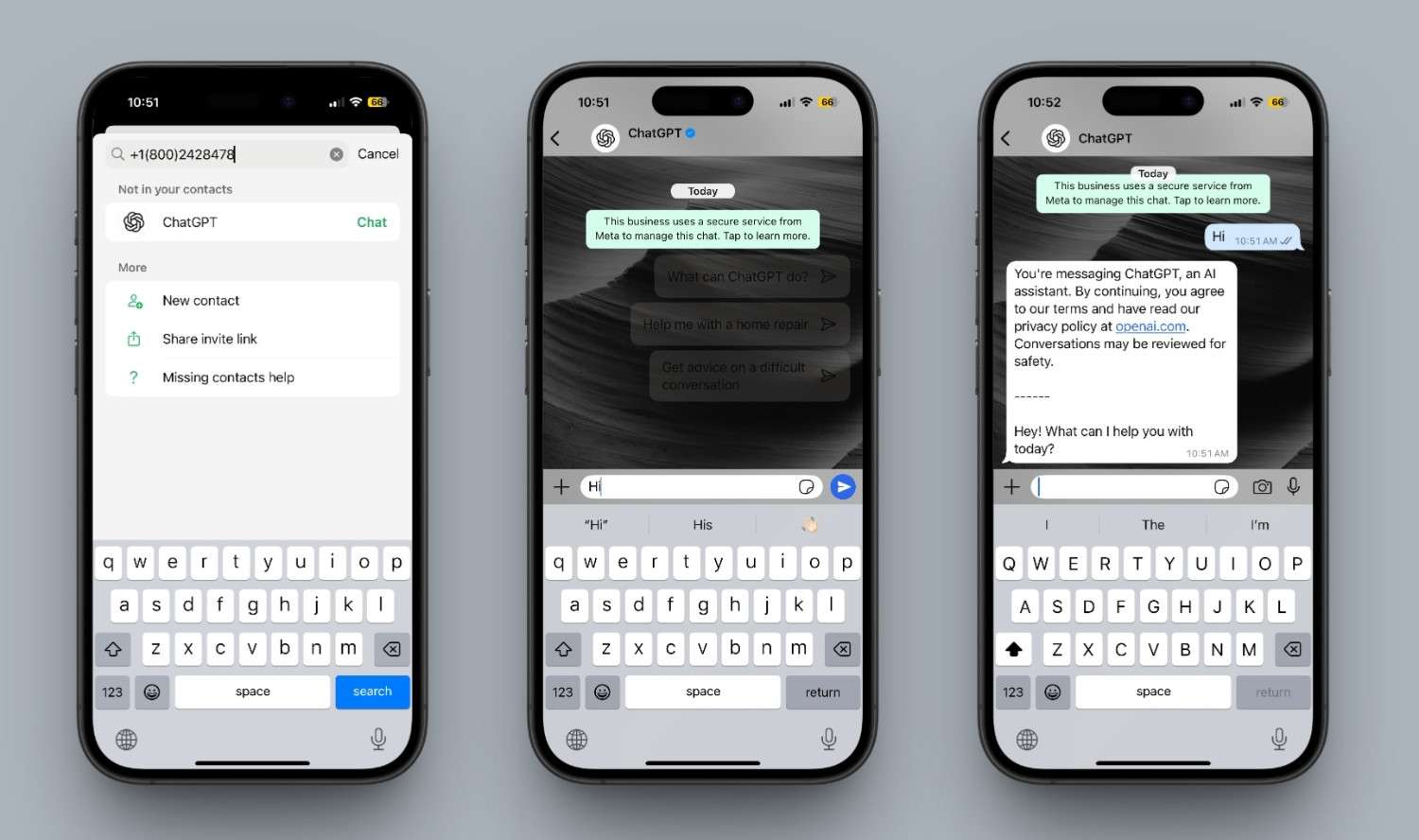
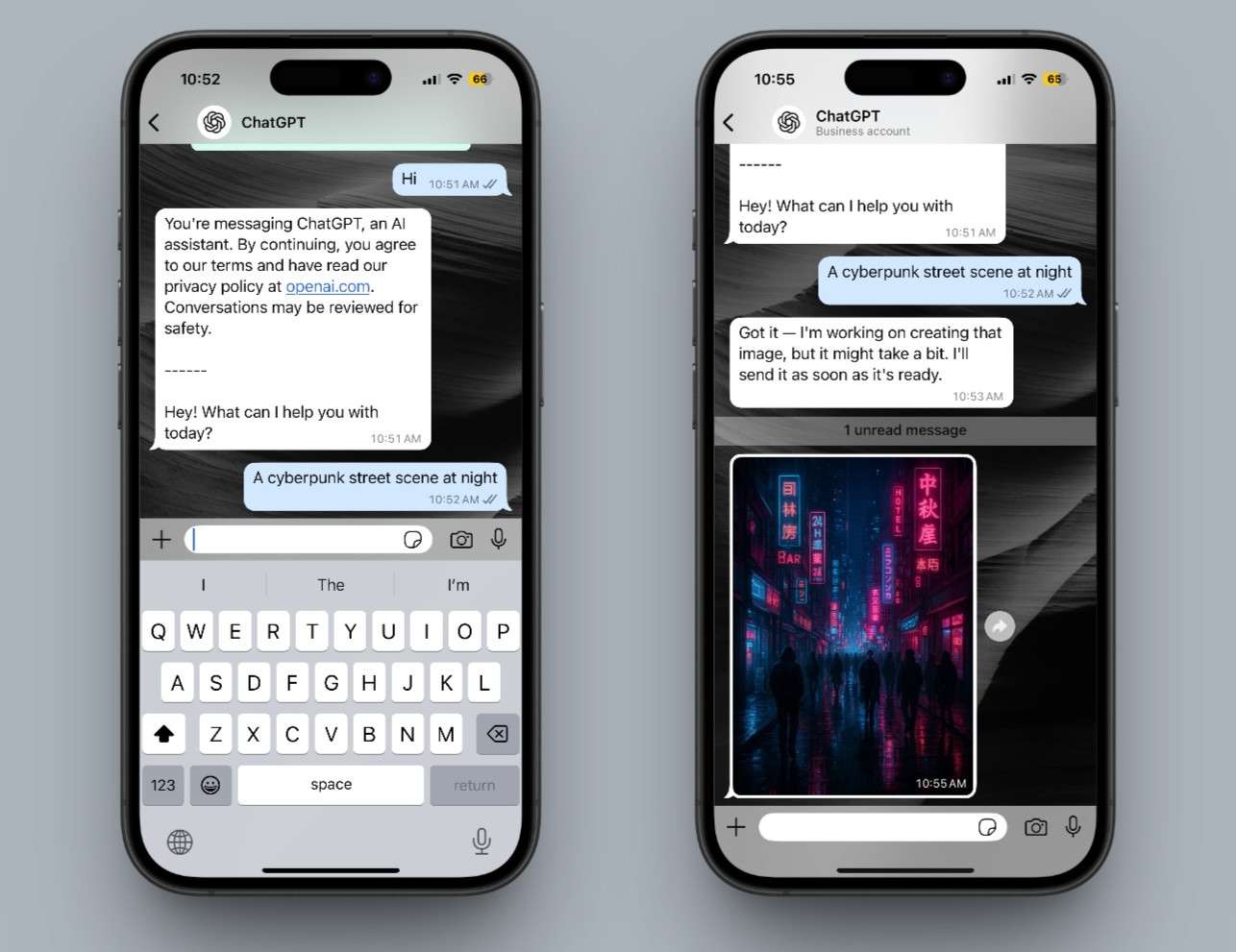
It’s that easy—no app installs, no waiting time.
ChatGPT on WhatsApp isn’t only about image creation. You can use it for a range of AI-powered tasks, including:
This move transforms ChatGPT into a pocket productivity assistant inside one of the world’s most-used messaging platforms.
Read more: Codex vs Chatgpt Agent Use Cases
OpenAI’s entry into WhatsApp’s AI game follows Meta AI’s image generator and Perplexity AI’s chatbot launch. While those tools had a head start, OpenAI’s ChatGPT stands out due to its integration with DALL·E, multimodal understanding, and existing user loyalty.
For users already using ChatGPT on desktop or app, this brings a much-needed extension into their daily messaging experience.
This new capability points to OpenAI’s larger vision embedding powerful AI tools into natural, everyday communication. With WhatsApp as the medium, ChatGPT just got significantly more accessible to the average user.
Have you tried generating an image with ChatGPT on WhatsApp yet? Share your experience in the comments below.