FaceTime Like a Pro
Get our exclusive Ultimate FaceTime Guide 📚 — absolutely FREE when you sign up for our newsletter below.

FaceTime Like a Pro
Get our exclusive Ultimate FaceTime Guide 📚 — absolutely FREE when you sign up for our newsletter below.


Google launches a native Gemini app for macOS with system-wide shortcut, floating UI, and full AI features, now accessible without a browser.
Google has released a dedicated Gemini app for macOS, giving Mac users direct access to its AI assistant without opening a browser. The app lives in the dock and opens instantly, removing a small but constant step from everyday use.
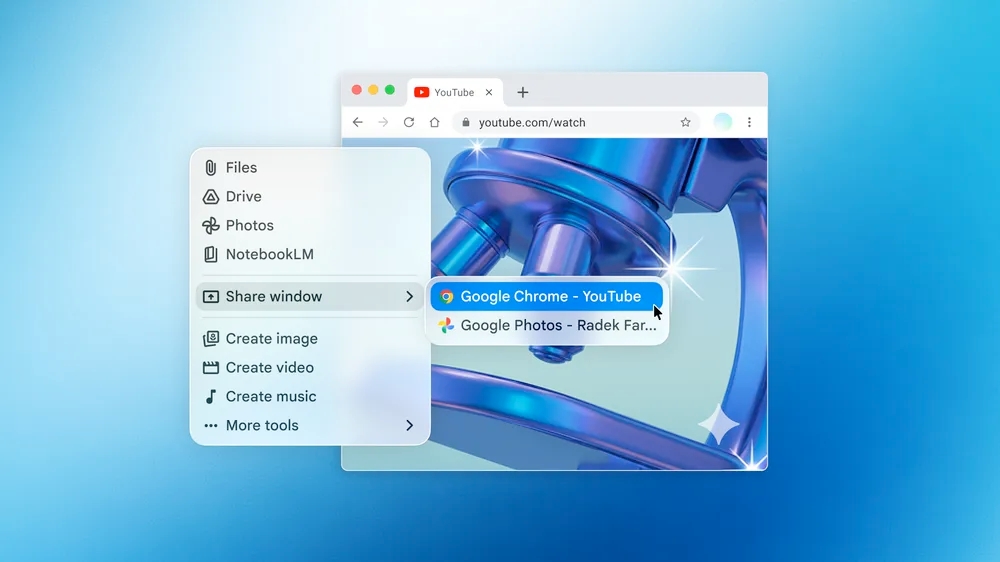
Pressing Option + Space opens a floating input box on top of any active app. You can ask questions, summarize content, or draft text without switching windows. The interaction stays anchored to what you are already doing.
The app can also take context from your screen. You can share a window or local files and ask Gemini to analyze what you are looking at, such as pulling key takeaways from a chart or checking details in a document.
Voice input is supported for hands-free queries.
Google has aligned the app with macOS conventions, including dark mode and standard interface behavior. The floating window works across apps, so Gemini operates like a lightweight system utility.
The desktop app carries over Gemini’s core capabilities from the web. It can generate text, assist with code, solve problems, and create images. Results appear inside the app, reducing the need to move between tools.
Google is distributing the app outside the Apple App Store. Users download it from Google’s website, move it to the Applications folder, and sign in to start.
Also check: Google Begins Private Testing of a Gemini App for Mac
The app is rolling out globally for macOS 15 and above at no cost. Google is positioning this release as the starting point for deeper desktop integration, with further updates expected over time.
This update centers on how Gemini is accessed rather than what it can do. Removing the browser step shortens the path to common actions like quick queries, summaries, and drafts, which matters on a desktop where users move between multiple apps