
FaceTime Like a Pro
Get our exclusive Ultimate FaceTime Guide 📚 — absolutely FREE when you sign up for our newsletter below.

FaceTime Like a Pro
Get our exclusive Ultimate FaceTime Guide 📚 — absolutely FREE when you sign up for our newsletter below.


The Calendar app in iOS 27 gets smarter with Apple Intelligence, making it easier to create, manage, and organize events using natural language, Siri, and camera-based timetable import.
 ByVikhyat
At first glance, the Calendar app looks almost identical in iOS 27. But after spending some time using it, I realized most of the improvements are happening behind the scenes. Apple hasn’t redesigned the interface. Instead, it has focused on reducing the number of taps it takes to create and manage events, largely with the help of Apple Intelligence.
Whether you’re creating events with natural language, asking Siri to manage your schedule, or importing an entire timetable with your camera, the Calendar app now does much more of the work for you.
Here’s everything new in the Calendar app in iOS 27.
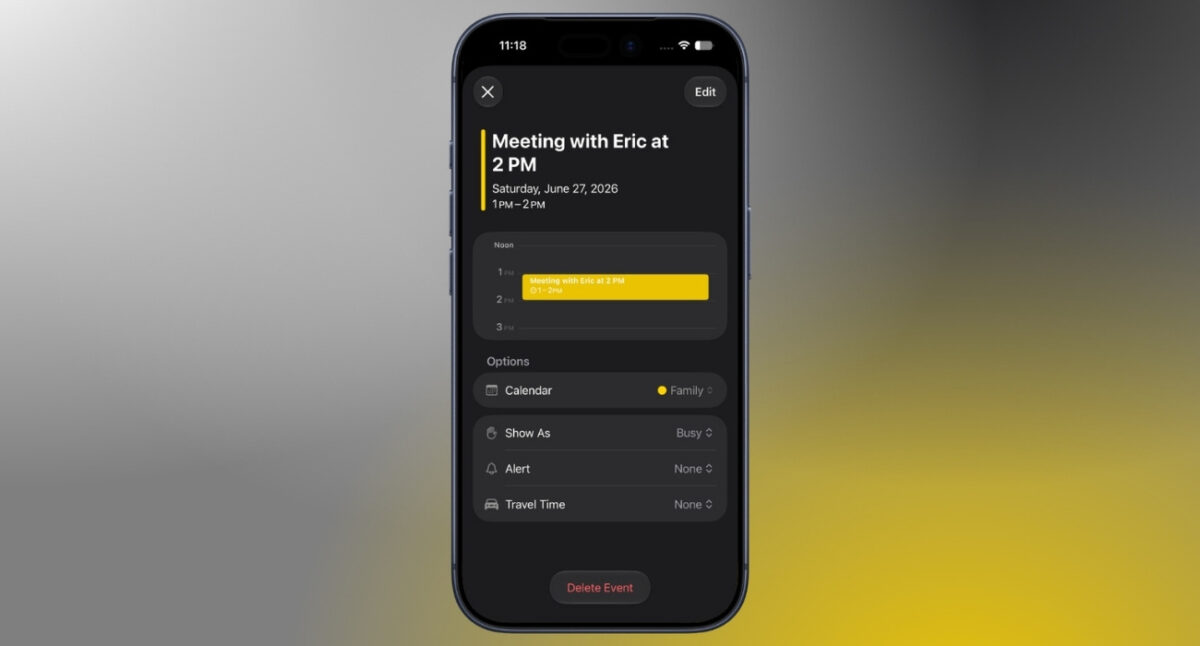
One of the most useful additions to the Calendar app is natural language support. Rather than filling in every field yourself, you can type something like “Meeting with Eric at 2 PM on July 14,” and Calendar automatically recognizes the date, time, and contact. Simply tap the suggestions above the keyboard to add them to the event.
It isn’t completely automatic, though. During my testing, I noticed Calendar still assumes you’re creating an event for the day that’s currently selected. If your sentence mentions a different date, you’ll need to tap that suggested date before saving the event. The time, however, is recognized automatically.
This quickly became one of my favorite Calendar tricks. If you’re constantly adding meetings, reminders, or appointments throughout the day, it noticeably speeds up the process.
Apps like Fantastical still feel a little more polished in this area, but Apple’s implementation has improved enough that I rarely found myself missing third-party alternatives.
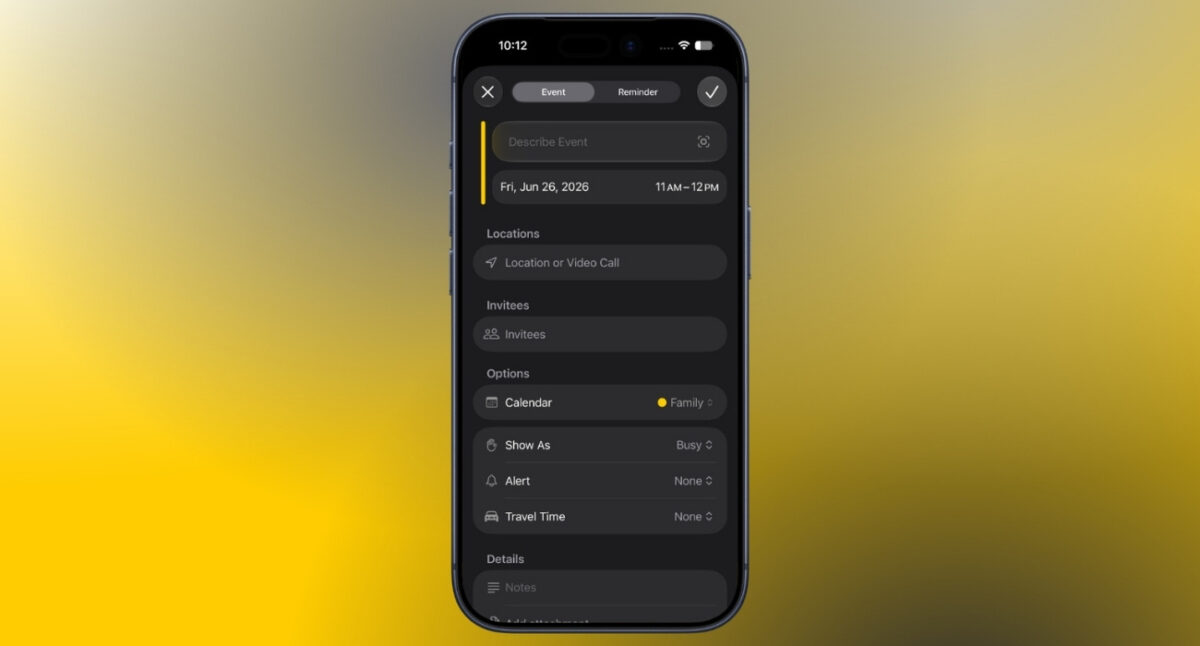
Apple has also refined the event editing experience. Changing an event’s date or time feels more straightforward, and managing recurring events requires fewer taps than before.
If you update a repeating event, Calendar is much better at handling those changes. Applying edits to a single occurrence or every event in the series now feels more intuitive, with far less back and forth than previous versions.
It’s not a dramatic redesign, but these small workflow improvements add up if you regularly manage a busy schedule.
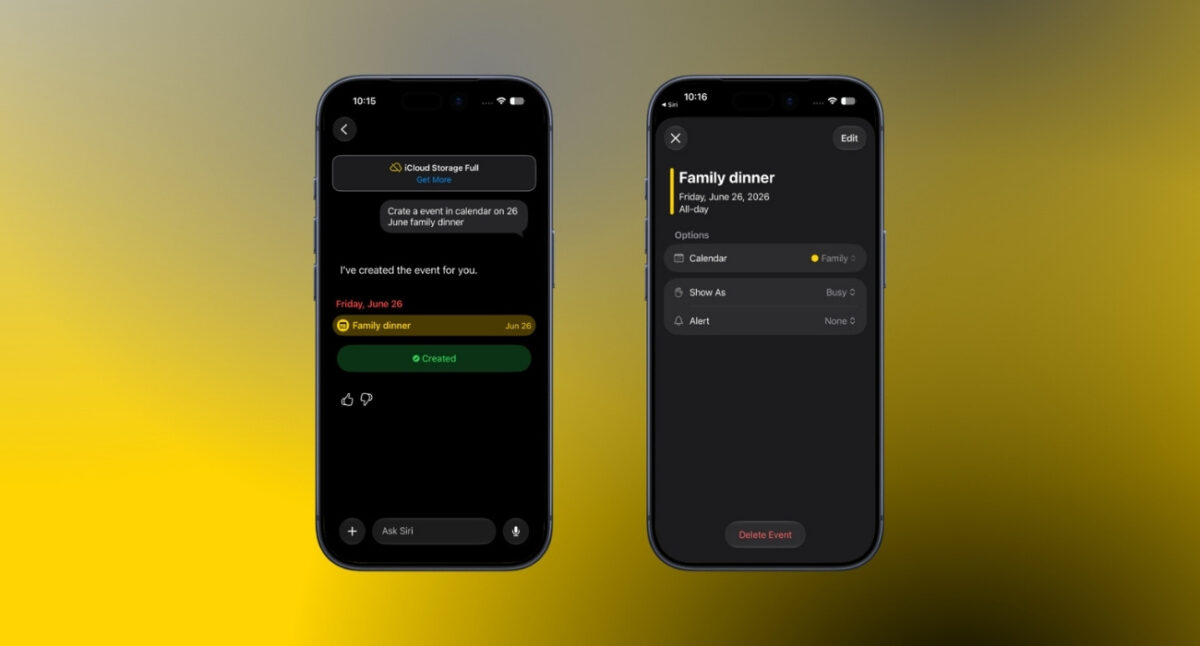
Siri can now do much more than simply create a basic calendar event. With Apple Intelligence, you can describe an event naturally, and Siri understands details like the date, time, participants, and recurring schedules without requiring perfectly worded commands.
It can also pull event details directly from apps like Mail and Messages. If someone sends you a meeting invitation or appointment, Siri AI can recognize the information and add it to your calendar without requiring you to enter everything manually.
Beyond creating events, Siri can answer questions about your schedule by searching your calendar. Whether you want to know what’s coming up tomorrow or check if you’re free at a certain time, Siri can find the answer almost instantly.
If you’ve ever had to manually enter an entire class timetable, conference agenda, or sports schedule into your calendar, iOS 27 makes that task significantly easier.
Using Visual Intelligence, you can scan a document containing multiple dates and events, and your iPhone automatically recognizes them and imports them into Calendar. Instead of creating every event individually, you can import an entire schedule in just a few taps.
It’s one of those features that you may not use every week, but when you need it, it can save a surprising amount of time.
Calendar can now remind you when a holiday is approaching. If the following day is a recognized holiday, iOS 27 asks whether you’d like to adjust your wake-up alarm.
It sounds like a small addition, but it’s genuinely useful if you normally keep the same alarm every day. Instead of remembering to disable it yourself, your iPhone reminds you before your day off.
It’s another example of Apple focusing on small conveniences that quietly improve everyday life.
If you like keeping your schedule front and center, iOS 27 introduces a new extra-large Calendar widget for the Home Screen.
The widget takes advantage of the extra-large widget layout, giving you a much bigger view of upcoming events without opening the Calendar app.
For anyone who relies heavily on their schedule, it’s a welcome addition that makes the Home Screen feel much more useful.
Most of Calendar’s biggest upgrades rely on Apple Intelligence. Features such as natural language event creation, Siri AI, and Visual Intelligence require an iPhone 15 Pro, iPhone 15 Pro Max, or a newer supported iPhone.
If your device supports iOS 27 but not Apple Intelligence, you’ll still receive the updated Calendar app. However, these AI-powered features won’t be available.
After using the new features for a while, I don’t think Apple needed to redesign Calendar. The interface was already familiar. What the app really needed was to reduce friction, and that’s exactly what iOS 27 does.
Natural language event creation makes adding appointments faster, Siri feels considerably more capable, and Visual Intelligence removes one of the most repetitive tasks involved in managing a busy schedule.
None of these features completely changes how Calendar works on its own. Together, however, they make the app feel noticeably smarter and far more helpful throughout the day.
If Apple continues refining these features during the beta cycle, Calendar could quietly become one of the most improved productivity apps in iOS 27. Which new Calendar feature are you most excited to try in iOS 27? Let us know in the comments below.
In case you missed:











