FaceTime Like a Pro
Get our exclusive Ultimate FaceTime Guide 📚 — absolutely FREE when you sign up for our newsletter below.

FaceTime Like a Pro
Get our exclusive Ultimate FaceTime Guide 📚 — absolutely FREE when you sign up for our newsletter below.


iOS 27 beta 3 adds Siri voice customization, Live Recognition, AirPods Adaptive controls, Photos improvements, 5G+ support in India, and other refinements.
 ByVikhyat
Apple has released iOS 27 beta 3, introducing several new features and refinements ahead of the expected public release in September. The latest update adds more Siri customization options, a new Live Recognition accessibility feature, improvements to Photos and Shortcuts, updated AirPods controls, and a variety of interface tweaks throughout the system.
Here’s everything new in iOS 27 beta 3.
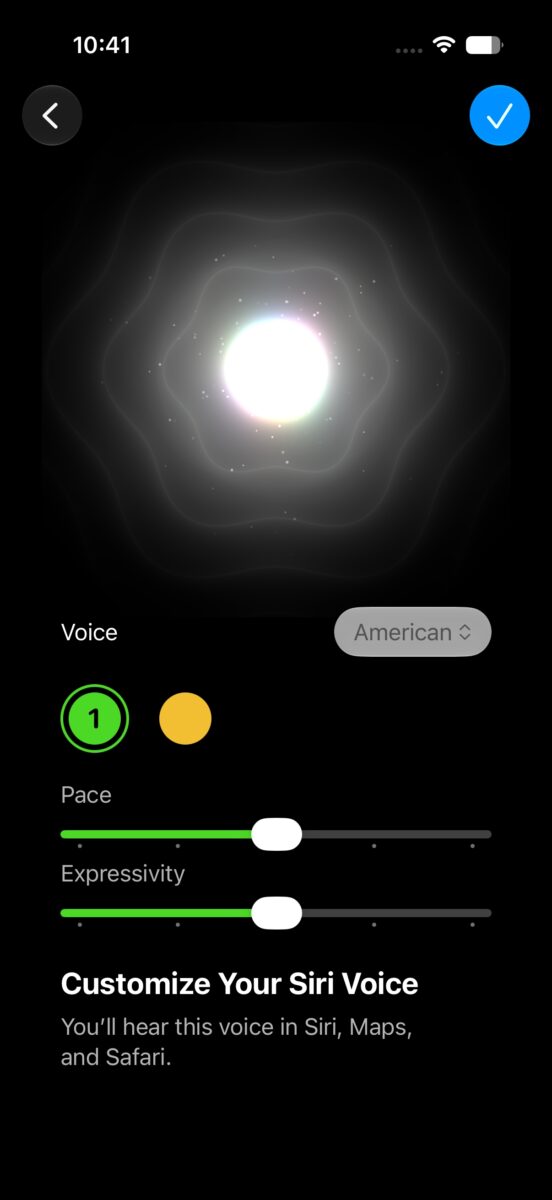
iOS 27 beta 3 finally enables Siri voice customization on supported devices. Although the option appeared in earlier beta releases, it wasn’t functional until now.
Users can now adjust Siri’s speaking speed and expressiveness, with two voice styles currently available in the beta.
Because the voice model runs entirely on-device, the feature requires an iPhone 17 Pro or iPhone Air.
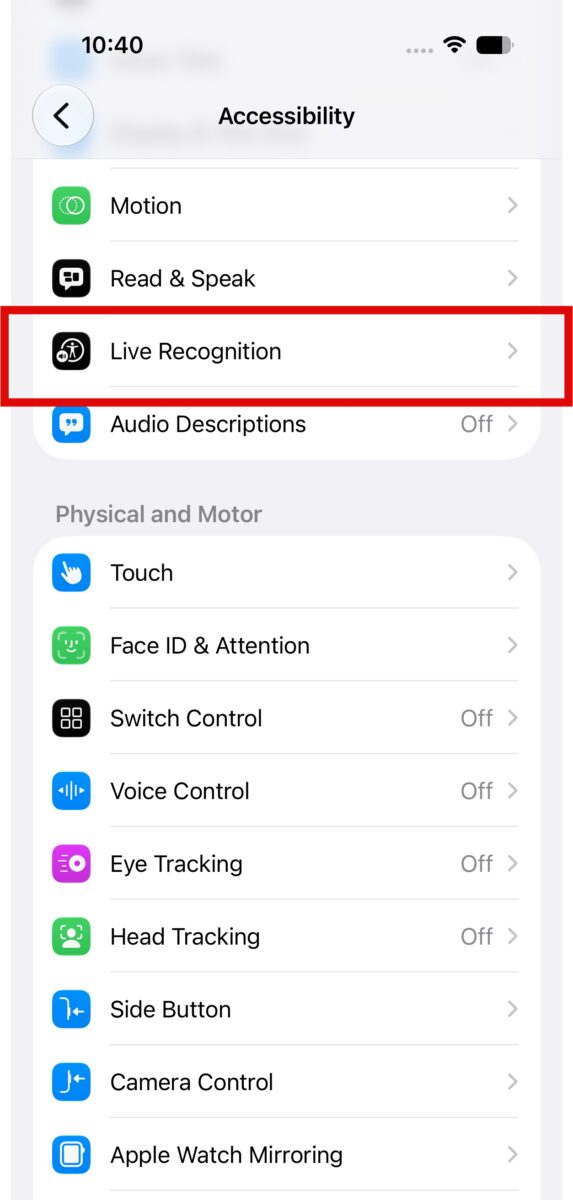
Apple has added a new Live Recognition section within Settings > Accessibility. Powered by on-device Apple Intelligence, the feature uses the iPhone’s camera to identify and describe objects, scenes, and surroundings in real time.
Users can also:
The Reminders app receives a subtle visual refresh in beta 3. Apple has updated the app icon with a new Liquid Glass-inspired checklist bullet, bringing it more in line with the redesigned interface introduced in iOS 27.
The Photos section in Settings now includes a new Show Rating Controls toggle.
When enabled, star ratings appear while viewing photos and videos, and rating badges are also displayed on thumbnails, making it easier to organize and identify media.
Control Center now displays additional cellular information even while connected to Wi-Fi.
Users can view:
This makes it easier to check cellular connectivity without disabling Wi-Fi.
Apple has introduced a new preference for creating shortcuts. Users can now choose whether tapping the + button opens the Describe a Shortcut interface or takes them directly to the manual editor.
The change offers greater flexibility for both beginners and advanced Shortcuts users.
iOS 27 beta 3 introduces a new animation for Notification Center.
When you swipe down, the wallpaper subject appears to extend above the Home Screen or the app currently in use, creating a subtle layered effect that complements Apple’s Liquid Glass design language.
Adaptive Audio now includes a new slider that lets users fine-tune their listening experience.
Instead of relying solely on Apple’s automatic adjustments, users can now choose whether Adaptive mode favors:
Apple has clarified the requirements for iOS 27 Apple Intelligence features in the Home app. According to the company, these features will require an iCloud+ 2TB subscription.
Apple has updated Maps with a new tooltip explaining that route preferences remain available. Users can access these options by tapping beneath the routing interface while requesting directions.
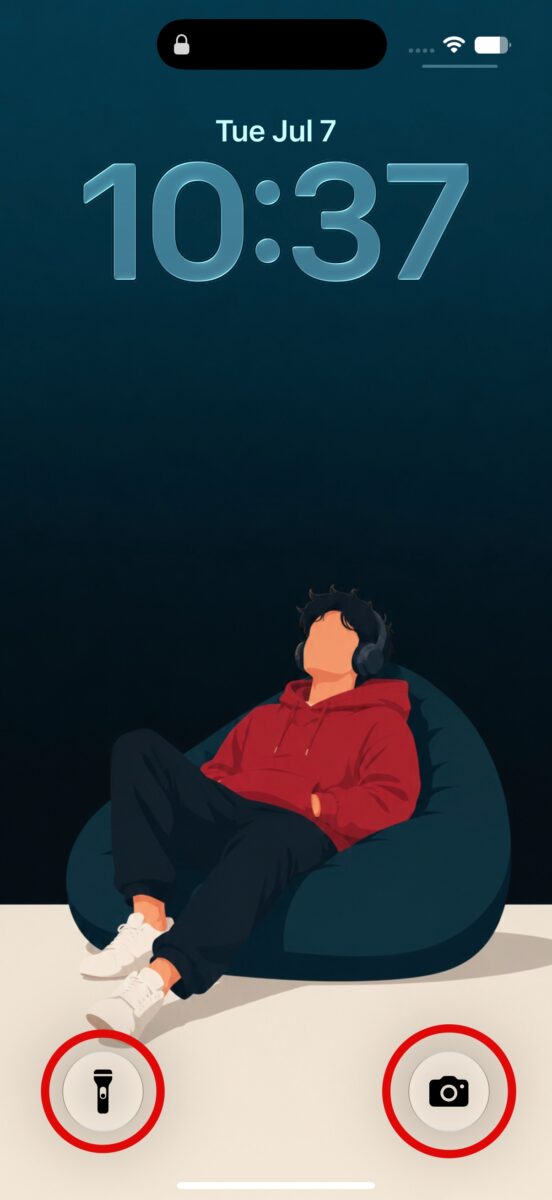
Control Center buttons on the Lock Screen now display black icons instead of white ones when used with certain wallpapers, improving visibility and contrast.
iOS 27 beta 3 also enables 5G+ support in India for compatible carriers and supported iPhone models, giving users access to faster next-generation network capabilities where available.
While iOS 27 beta 3 doesn’t introduce major headline features, it delivers several meaningful refinements that improve day-to-day usability. From a more customizable Siri and smarter accessibility tools to better AirPods controls and thoughtful interface tweaks, Apple continues to polish the update ahead of its public release later this year.
Which iOS 27 beta 3 feature is your favorite? Let us know in the comments below.