FaceTime Like a Pro
Get our exclusive Ultimate FaceTime Guide 📚 — absolutely FREE when you sign up for our newsletter below.

FaceTime Like a Pro
Get our exclusive Ultimate FaceTime Guide 📚 — absolutely FREE when you sign up for our newsletter below.


Want a better Roblox look? Here is how to change your avatar, add new clothes and accessories, adjust body settings, and fix missing changes.
Your Roblox avatar does not have to stay on the default look. The Avatar Editor lets you change clothes, accessories, hair, skin tone, body style, faces, animations, and emotes, while the Roblox Marketplace gives you more free and paid items to add.
You only need a logged-in Roblox account. Some items are free, while others cost Robux, so check the price before you hit Buy or Get.
Use the web version if you want the clearest layout and easier Marketplace browsing.
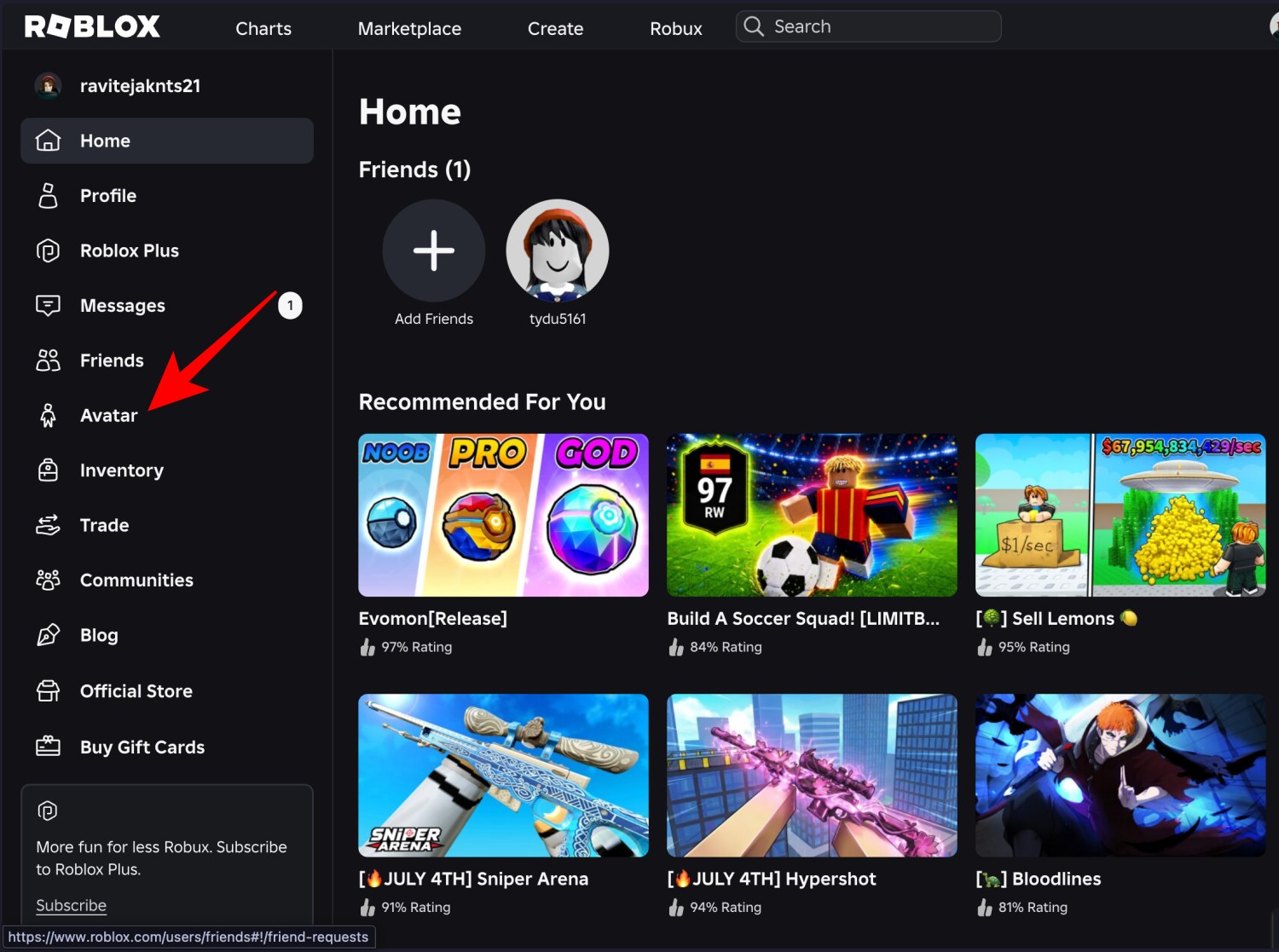
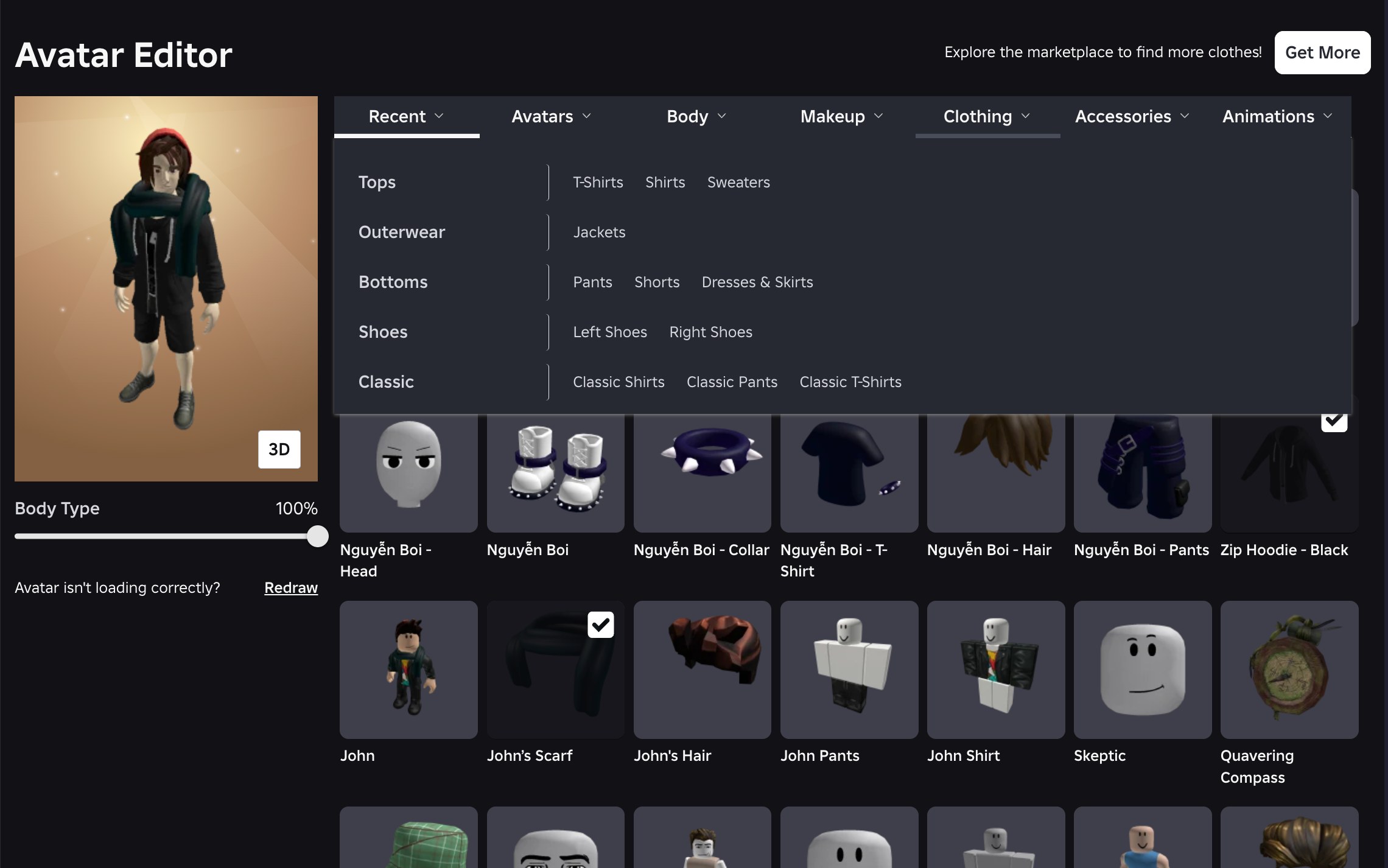
Roblox saves avatar changes automatically. If the preview changes, your avatar has been updated; you do not need a separate Save button for normal item changes.
The mobile app uses a tighter layout, but the idea is the same.
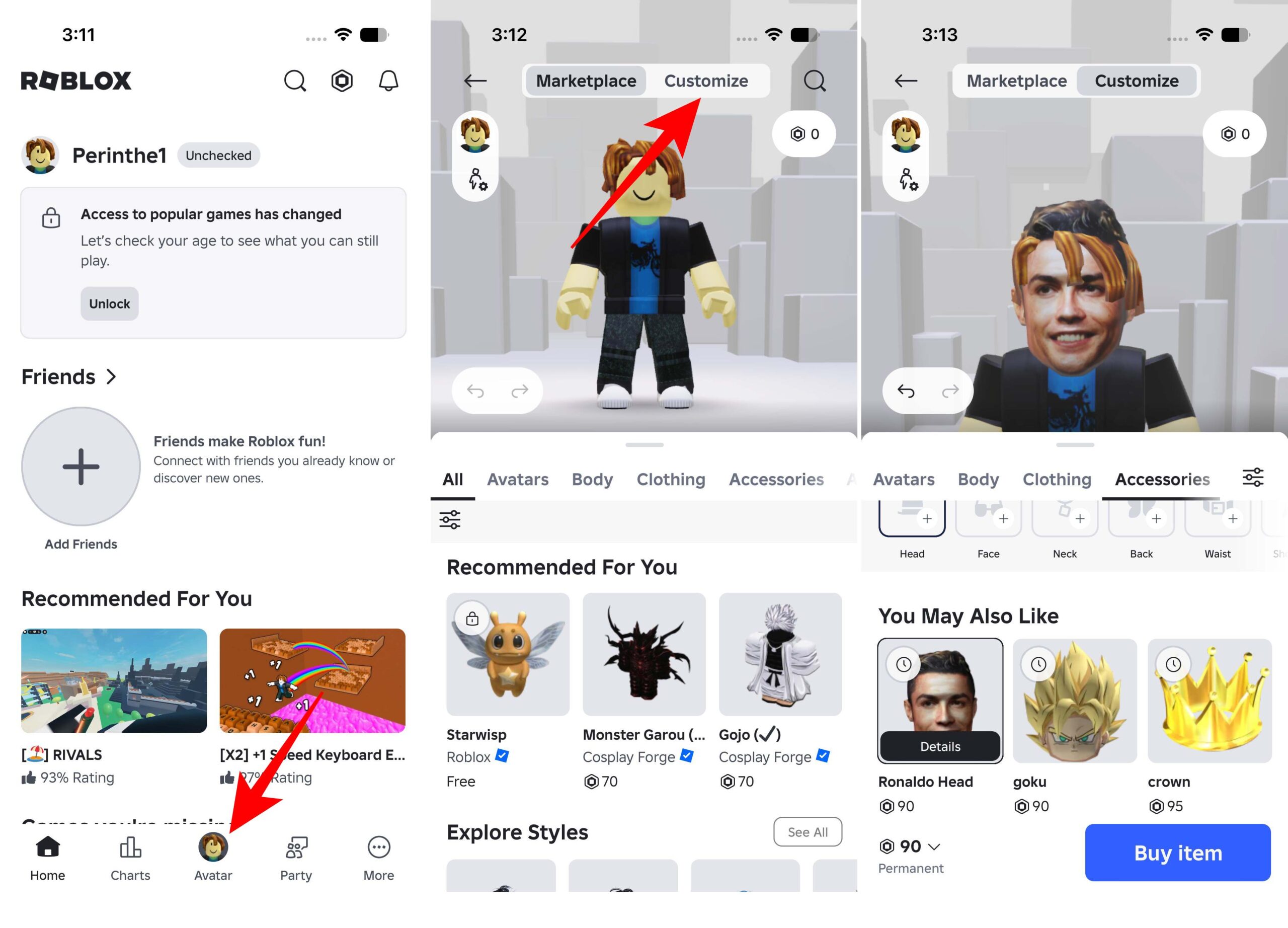
If you do not see the same labels, update the Roblox app or use the website. Roblox sometimes moves Avatar and Marketplace controls around, but the Avatar section is still the place to edit your character.
If your inventory feels empty, open the Roblox Marketplace from the website or the Shop tab inside the Avatar area.
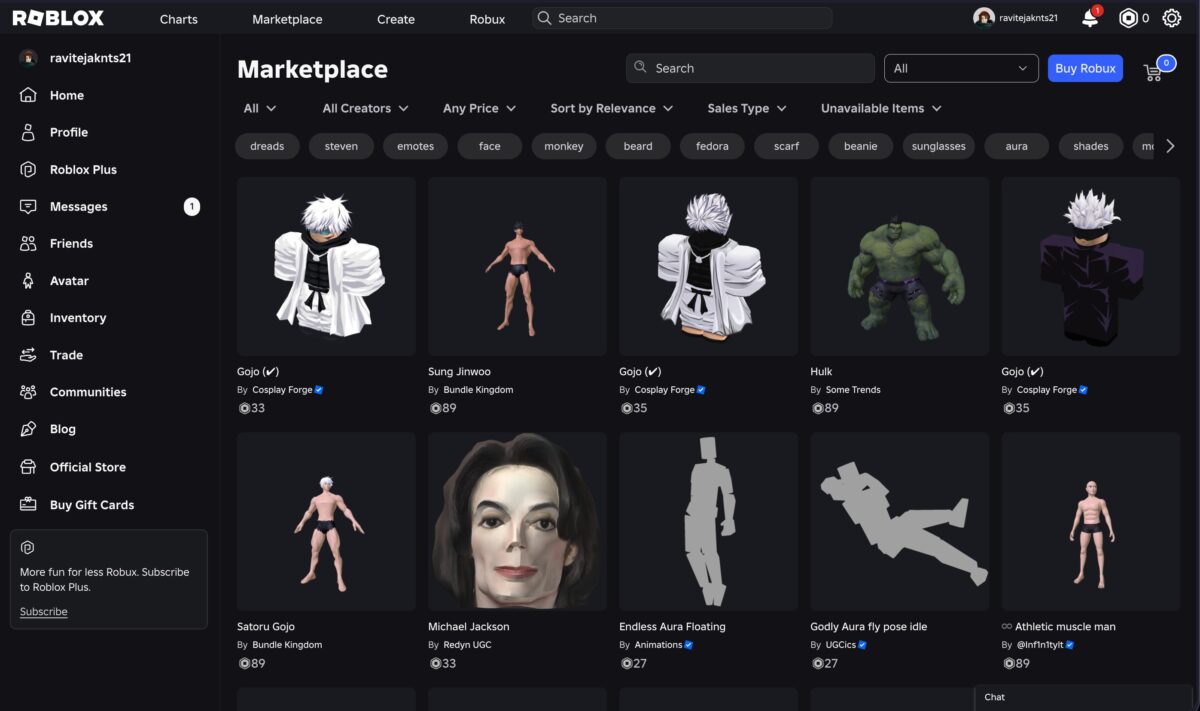
Be careful with off-platform links promising free Robux or rare avatar items. If you plan to spend Robux or use Roblox-related sites, read these Roblox account safety tips first.
Clothes change the outfit, but the Body and Animations sections change how your avatar is built and moves.
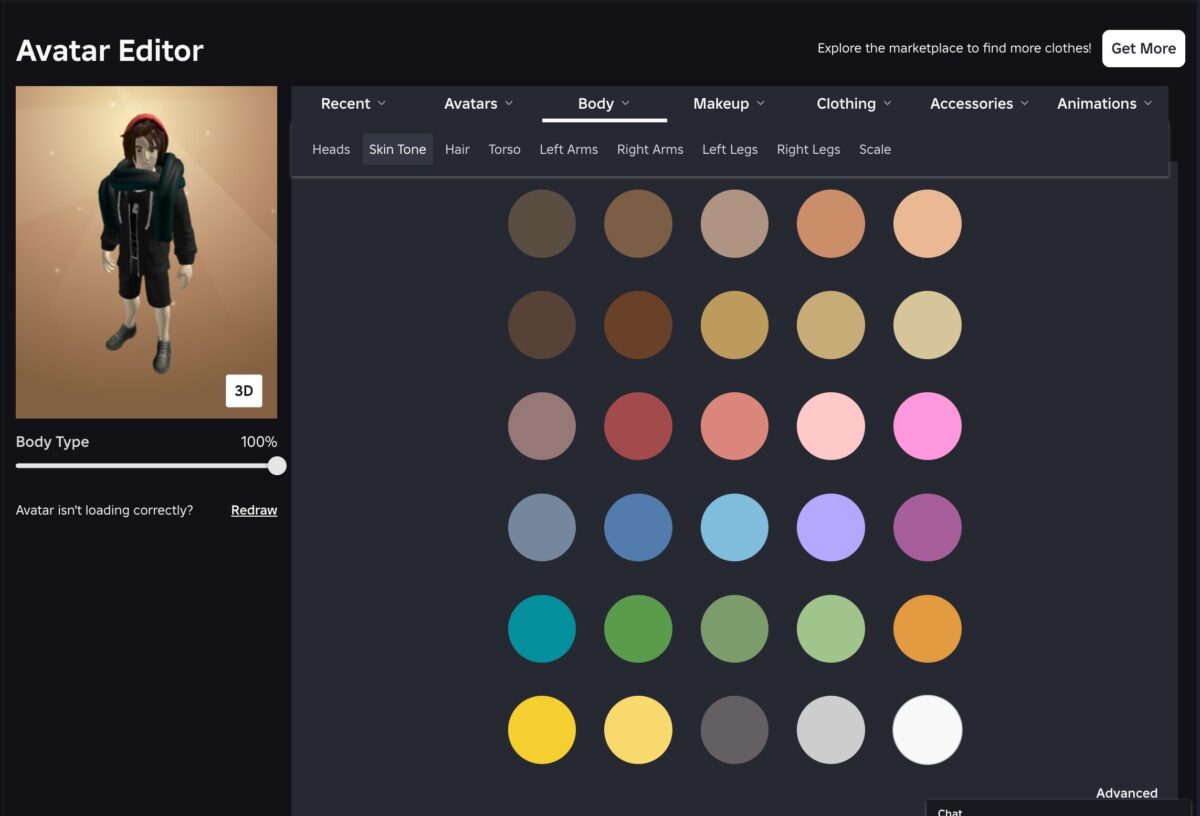
Do not overthink this part on day one. Pick a clean outfit first, then adjust body shape and animations only if the avatar still feels off.
If your new look does not show up, check these common causes before buying the same item again.
If an item works in the Avatar Editor but not inside one specific game, the game is probably controlling how avatars appear. Try joining a different Roblox experience to confirm.
The best Roblox avatars usually have one clear idea instead of ten random accessories fighting for attention.
Once your avatar is ready, you can jump back into games and claim free rewards from our Roblox game codes list if you want boosts, currency, or other in-game extras in supported experiences.
Recommended for you: