FaceTime Like a Pro
Get our exclusive Ultimate FaceTime Guide 📚 — absolutely FREE when you sign up for our newsletter below.

FaceTime Like a Pro
Get our exclusive Ultimate FaceTime Guide 📚 — absolutely FREE when you sign up for our newsletter below.


OpenAI’s ChatGPT Work agent can finish multi-step jobs across apps and desktop, powered by new GPT-5.6 Sol, Terra, and Luna models now rolling out broadly.
OpenAI has launched ChatGPT Work, a ChatGPT agent with Codex built in that can run multi-step tasks across your apps, files, and browser. The company is also rolling out GPT-5.6 for general availability the same day, after a limited preview of the Sol, Terra, and Luna models.
On web and mobile, Work is available first for Pro, Enterprise, and Edu. Plus and Business should get it over the next few days. On the new ChatGPT desktop app for Mac and Windows, Chat, Work, and Codex are available on every plan, including Free.
Work is OpenAI’s push beyond chat replies. It can pull context from connected apps, break a larger goal into steps, keep going for long stretches, and hand back finished materials such as spreadsheets, slides, documents, and interactive web apps.
OpenAI says Codex is now part of that flow. Codex started as a coding agent for developers, and the company claims more than 5 million people use it each week. More than 1 million of those users, OpenAI says, already use it for work outside software. That path started earlier when OpenAI brought Codex into ChatGPT on iPhone and Android. Work widens the same idea to everyday business tasks.
You can start a task on a phone, check progress later, answer a question when it hits a decision point, then pick the same project back up on the web or desktop. Scheduled Tasks can also run on a cadence or when something changes, for example refreshing a deck after new Slack or Teams messages land.
The full agent experience is strongest on desktop. The Codex app is merging into a new ChatGPT desktop app, and the old ChatGPT desktop app is being renamed ChatGPT Classic. If you already have the Codex app, updating it turns it into the new ChatGPT desktop app.
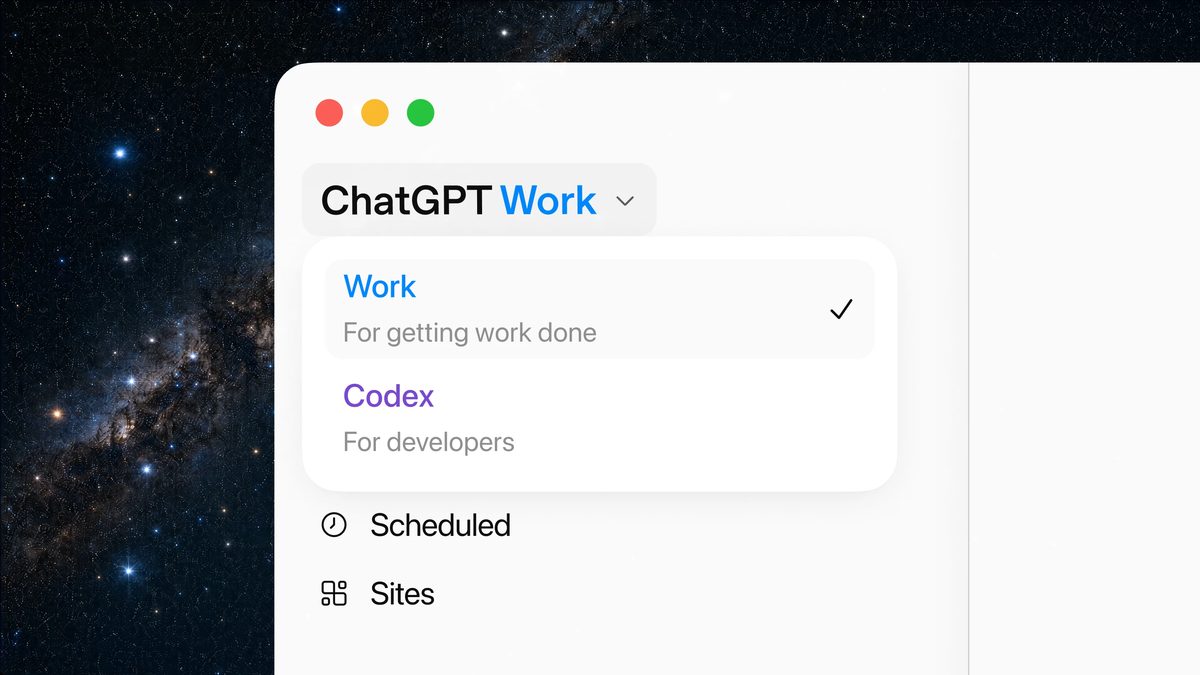
On desktop, ChatGPT Work can:
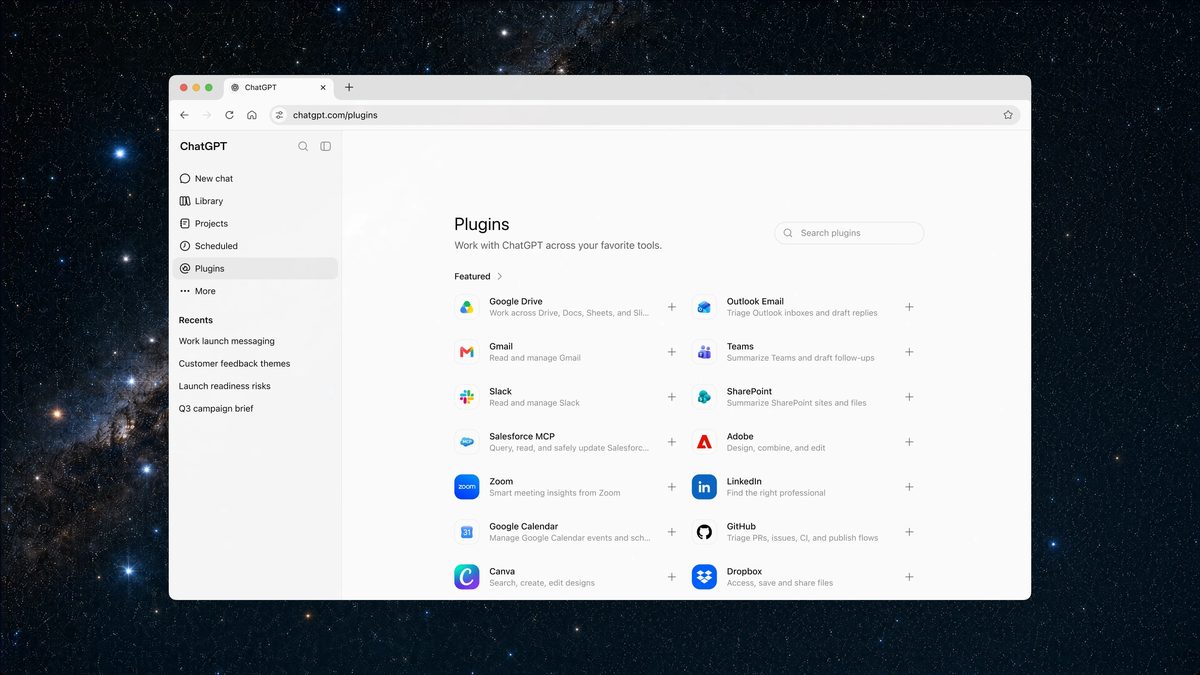
That puts OpenAI in the same lane as Claude Cowork, where the desktop app remains the place for local files and deeper computer control, while phones and the web are better for starting work, checking status, and steering.
OpenAI is also updating its Chrome extension so ChatGPT can sit in the browser sidebar. It says it will begin sunsetting the standalone Atlas browser and share transition details for Atlas users later.
ChatGPT Work is powered by GPT-5.6, which is also rolling out across ChatGPT, Codex, and the OpenAI API. OpenAI says the global rollout began on July 9 and should reach full availability over about 24 hours.
The family has three tiers:
| Model | Role | API price (per 1M tokens) |
|---|---|---|
| GPT-5.6 Sol | Flagship for harder coding, knowledge work, cyber, and science | $5 input / $30 output |
| GPT-5.6 Terra | Balanced everyday work model | $2.50 input / $15 output |
| GPT-5.6 Luna | Fastest and most cost-efficient tier | $1 input / $6 output |
OpenAI says Sol beats earlier frontier models on several internal and third-party agent, coding, and browsing evals while often using fewer tokens. It also claims better design judgment, so high-level prompts can produce more polished interfaces, presentations, documents, and spreadsheets that better match templates and reference files.
For harder jobs, GPT-5.6 adds deeper effort modes. max gives the model more room to reason and revise. ultra goes further by coordinating multiple agents in parallel, defaulting to four, when speed and thoroughness both matter.
This follows the earlier GPT-5.5 upgrade for ChatGPT and Codex, which already pushed the stack further into longer, messier agent work. GPT-5.6 is the next step on that path, with clearer tier names for flagship, balanced, and cheap models.
Access depends on the surface and plan:
max is available to users with GPT-5.6 access in Work and Codex. In Work, ultra is for Pro and Enterprise; in Codex, it is for Plus and higher.ChatGPT Work uses more of a plan’s included usage than a short chat, and OpenAI says it follows the same usage structure as Codex. Enterprise and Edu admins can set spend controls and manage which tools, plugins, and actions agents can use.
If you want the agent side of ChatGPT, the practical shift is simple. Work is meant for goals that span research, drafts, connected apps, and finished deliverables, not one-off questions. Start on phone or web if your plan supports it, then use the desktop app when the task needs local files, browser control, or computer use.
For developers and power users, the desktop merge matters more than the branding. Codex stays the coding surface, but it now lives inside the same ChatGPT desktop shell as Chat and Work, with the same GPT-5.6 models underneath.
The competitive picture is clear too. AI companies are racing to own long-running work, not just better answers: OpenAI with Work and GPT-5.6, Anthropic with Cowork, and a growing set of tools that can act across apps while still asking for approval at the right moments. The useful test for most people is whether Work can take a real weekly task, stay on track without babysitting, and return something ready to share.