
FaceTime Like a Pro
Get our exclusive Ultimate FaceTime Guide 📚 — absolutely FREE when you sign up for our newsletter below.

FaceTime Like a Pro
Get our exclusive Ultimate FaceTime Guide 📚 — absolutely FREE when you sign up for our newsletter below.


Facebook finally joins the password-free future with passkey support on mobile—making logins faster, safer, and just a Face ID away.


For a while now, apps like Google, Microsoft, and even WhatsApp have offered passkey logins. Surprisingly, Facebook didn’t—until now. Meta has finally rolled out passkey support for the Facebook mobile app, and it changes how you log in, especially if you’re tired of typing passwords or dealing with two-factor codes.
Passkeys are now live for Facebook on both iOS and Android. If you use Face ID, Touch ID, or a device PIN to unlock your phone, you already have everything you need to use a passkey.
A passkey is a modern replacement for your password and 2FA codes. Normally, you have to remember a password and then use a 2FA code to keep the account safe, which makes logging in a hassle. A passkey replaces all of that with your biometrics.
When logging in, simply use your device’s biometrics, such as Face ID, Touch ID, or a PIN, to authenticate. No more typing long passwords or copying SMS codes. Logging in becomes as simple as unlocking your phone.
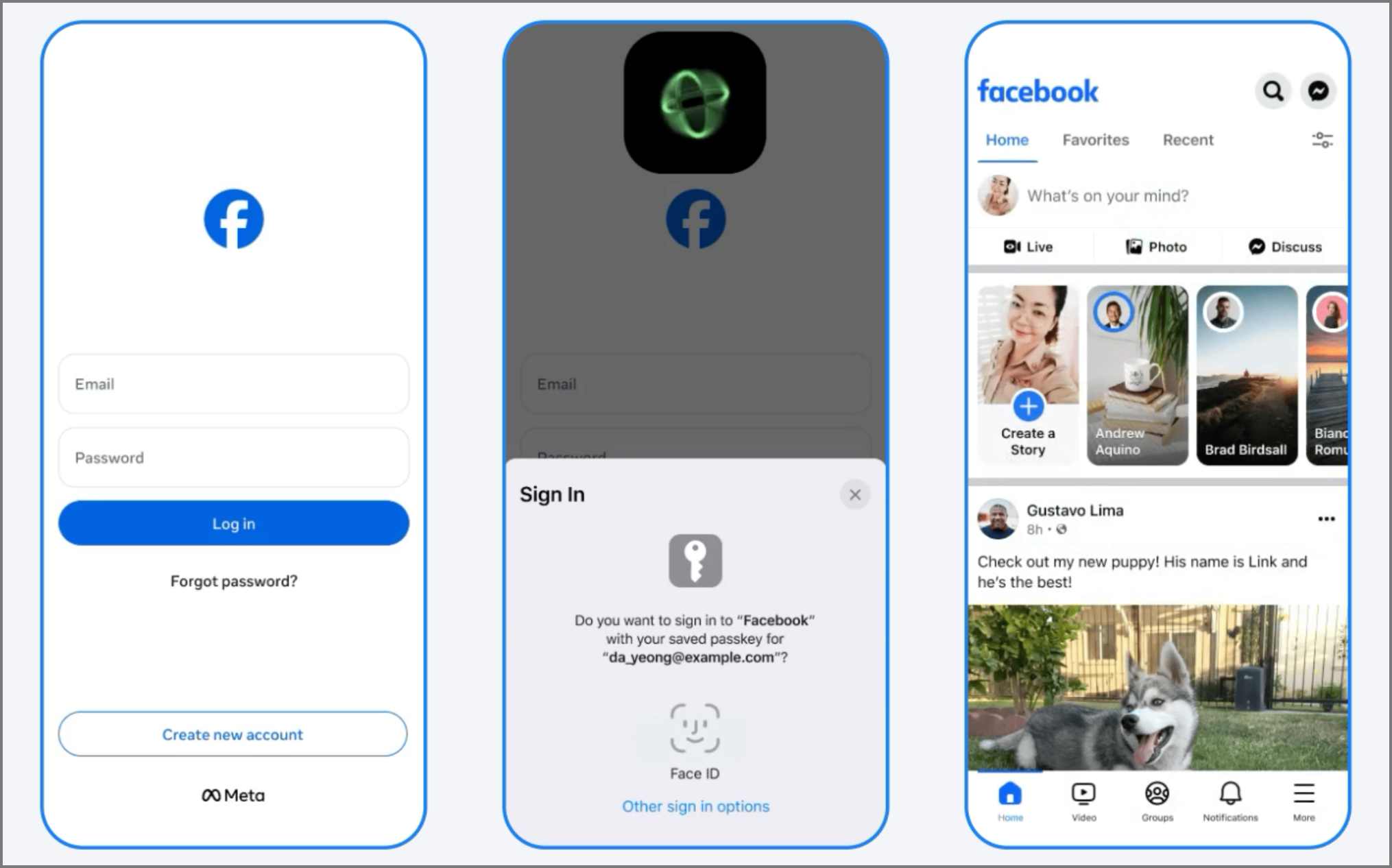
Let’s be honest—passwords are a pain. They’re hard to remember, easy to mess up, and even easier to steal. Passkeys fix all of that. They tie your login to your actual phone. That means someone across the world can’t just trick you with a fake link and steal your password—they’d need your phone in their hand to even try.
Plus, your browser or app will only trigger a passkey login if it’s the real Facebook domain. So phishing pages won’t even get that far.
Right now, passkey support is limited to mobile devices, and here’s how it plays out:
Setting up a passkey is extremely easy and takes only a minute.
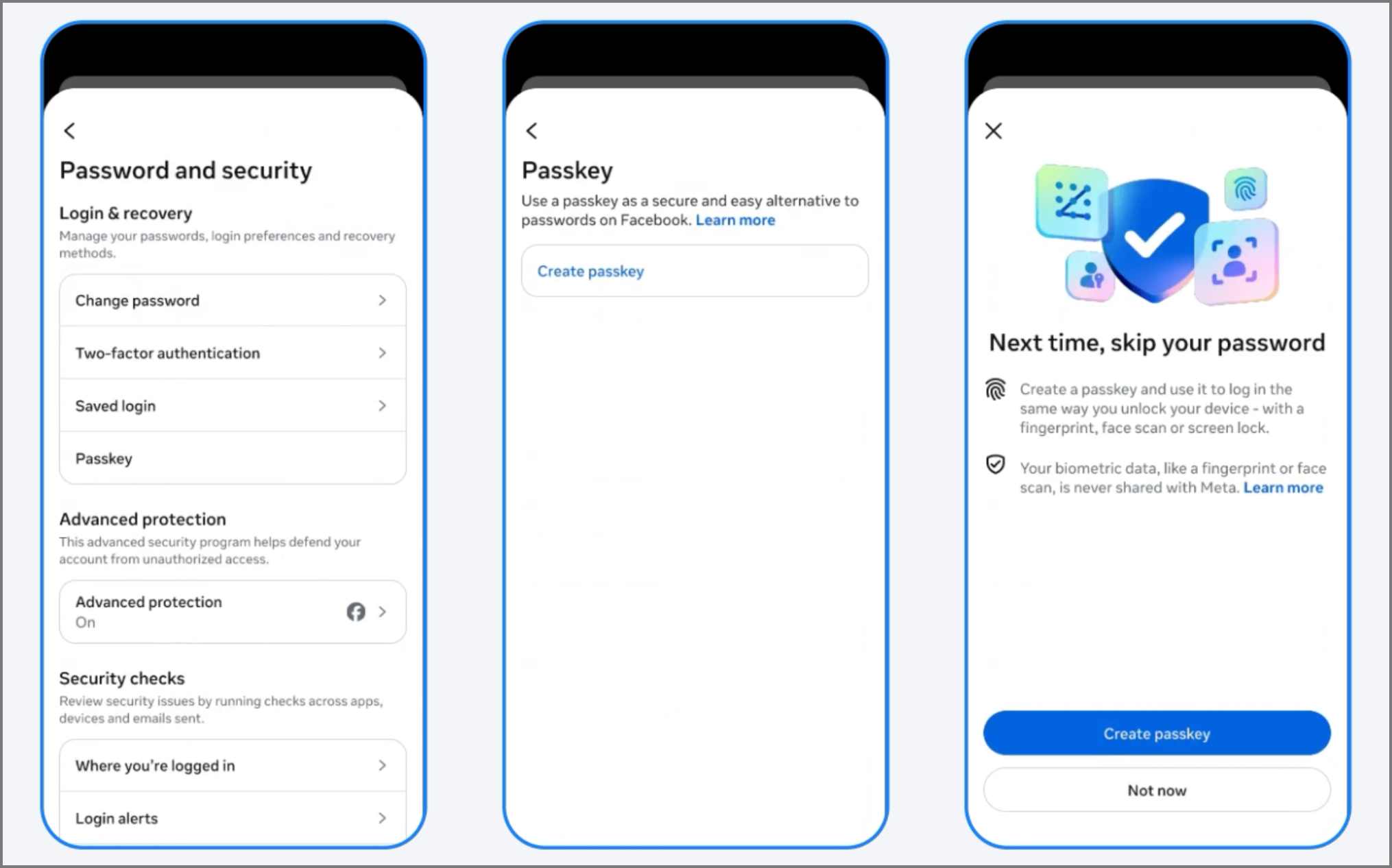
You might also see a prompt to create a passkey the next time you log in.
To use passkeys, make sure you’re running the latest version of the Facebook app on your mobile device. While Meta hasn’t officially mentioned a specific version number, these features usually roll out through app updates in phases. So, if you don’t see the passkey option in your settings, make sure to update your Facebook app from the App Store or Google Play Store.
Most modern smartphones come equipped with biometric features, such as fingerprint scanners, face recognition, or secure PIN locks, which are necessary for using passkeys. However, if your phone is older or lacks these features and doesn’t support passkeys, don’t worry—you can still log in using your password and two-factor authentication or security keys, just like before.
Passkeys aren’t just for logging in. Meta is building more features around them to make your online life both simpler and more secure.
This update finally brings Facebook in line with other major platforms that already support passkeys. It’s safer, faster, and easier. If you hate remembering passwords or dealing with phishing risks, this is the upgrade you’ve been waiting for.
Additionally, with Messenger and Meta Pay also joining the party, it’s clear that Meta is making a significant investment in passkeys.
Give it a try next time you log in—you might never want to type your Facebook password again.
Related articles worth reading:



