
FaceTime Like a Pro
Get our exclusive Ultimate FaceTime Guide 📚 — absolutely FREE when you sign up for our newsletter below.

FaceTime Like a Pro
Get our exclusive Ultimate FaceTime Guide 📚 — absolutely FREE when you sign up for our newsletter below.


Grok just gave every iPhone a powerful visual AI companion—no Pro model or iOS 18 needed.


With its latest update, xAI’s chatbot can now see the world through your iPhone camera and talk to you about it in real time. It’s so good, this feels like what Apple’s Visual Intelligence should have been. But instead, we’re getting it through third-party apps like ChatGPT—and now, Grok. Here’s what Grok’s new vision capabilities look like and how they compare to Apple’s Visual Intelligence.
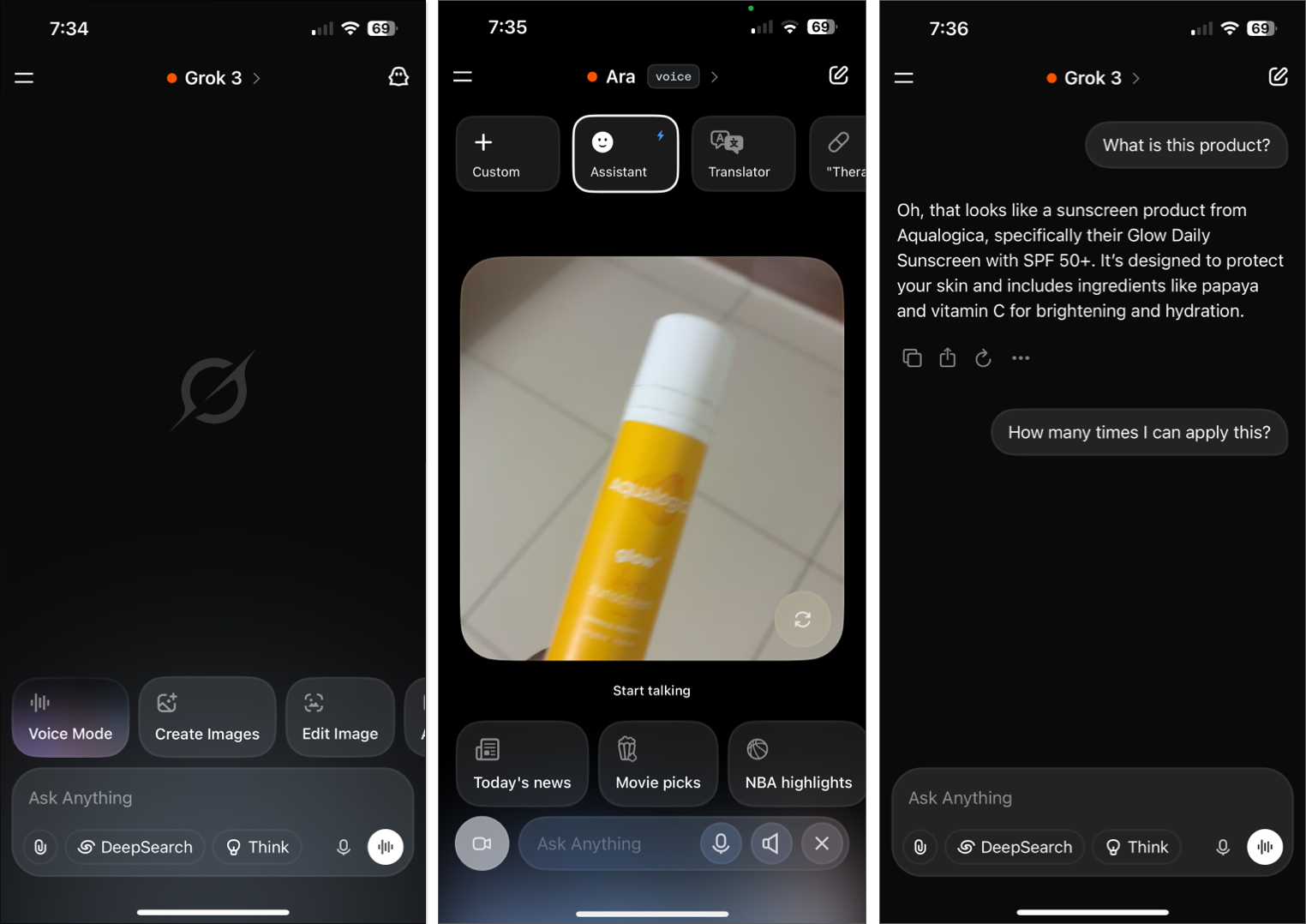
Grok Vision turns your iPhone camera into a real-time AI lens. You can point it at anything—a product, a signboard, a plant, a document—and just ask, “What am I looking at?” Grok will talk back instantly. Not with a pop-up with some text, but with a natural-language reply, right out loud.
But it doesn’t stop there. You can have an ongoing conversation while the camera stays on. Ask follow-ups, switch topics, or even change Grok’s personality. There are built-in personas like Translator, Therapist, Storyteller, Conspiracy Theorist, and Motivator. It’s weirdly fun, and surprisingly useful.
And yes, it speaks multiple languages. You can talk to Grok in Hindi, French, Spanish, Japanese, and more. You can switch languages mid-convo, and it handles it smoothly. Also, it has memory, so it can remember things it has seen and heard in that conversation.
This feels more like having a human companion who sees what you see and responds with context—not just a glorified scanner.
To access it, open the Grok app, tap on voice mode, and then on the camera icon. Now, you can talk to Grok and also let Grok see through either the back or front camera. You can either show your homework and ask it to provide answers or show a broken bike and ask it to explain the process of fixing it.
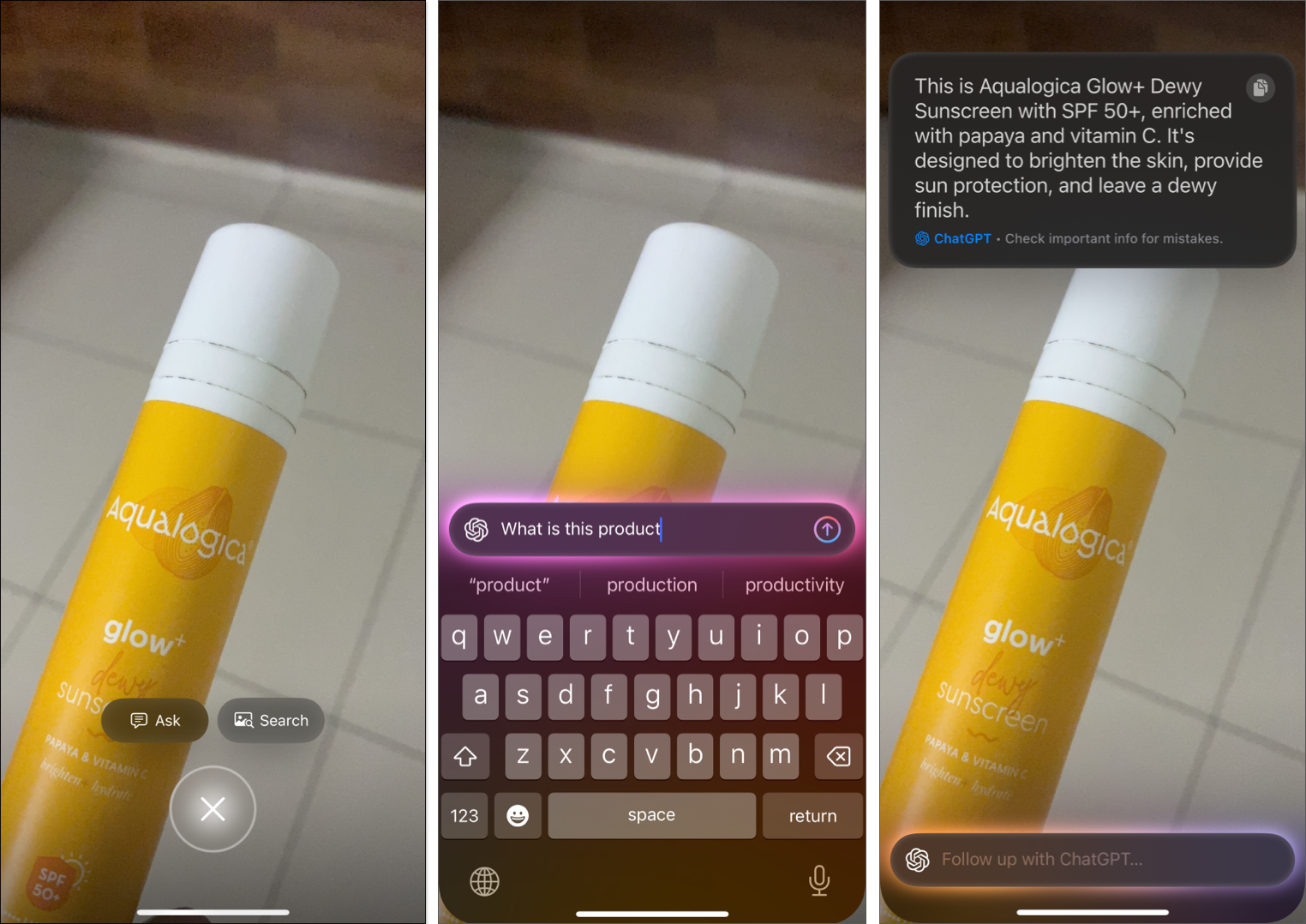
Apple’s own Visual Intelligence (coming in iOS 18) works on a limited number of devices like the iPhone 15 Pro and iPhone 16. It uses image recognition to pull info about pets, objects, or places—but you only get static text responses. No voice. No memory. No personality.
And while Apple relies on integrations like Google Lens or ChatGPT to complete the task, Grok skips the middleman and gives you the answer, directly, with flair.
Unlike Apple’s Visual Intelligence, which is hardware-gated, Grok’s new vision mode works on any iPhone that can run the app. You don’t need an A17 chip or the latest iOS—just install, open, and explore.
Android users currently need the $30/month SuperGrok plan to unlock this feature, but iPhone users get it for free—no subscription required.
Grok is redefining what AI vision on smartphones should feel like: natural, responsive, and inclusive. Instead of limiting powerful features to premium devices, it makes them available to everyone. And while Apple’s version might catch up eventually, Grok is already miles ahead.
Don’t miss these related reads:



