FaceTime Like a Pro
Get our exclusive Ultimate FaceTime Guide 📚 — absolutely FREE when you sign up for our newsletter below.

FaceTime Like a Pro
Get our exclusive Ultimate FaceTime Guide 📚 — absolutely FREE when you sign up for our newsletter below.


Wondering how to gift skins in Fortnite? This guide explains how to send skins, cosmetic bundles, emotes, and other eligible items to your friends in just a few steps.
Online multiplayer games like Fortnite are some of the more social forms of this entertainment medium. From spamming emotes to hosting private match lobbies, there are quite a few ways to have a fun time in Fortnite with your friends.
Beyond these interactions, Fortnite players can also indulge in gifting in-game items to their friends. These non-refundable gifts can range from entire cosmetic bundles to the Battle Pass. The following guide walks you through the process of gifting a Fortnite skin or any eligible item to another player.
There are a few things that need to be in order before you can begin using the gift feature in Epic’s live-service shooter. Firstly, your account must have two-factor authentication (2FA) enabled. Secondly, you must have an in-game rank higher than Level 2.
Moreover, you and your friend must be connected as ‘friends’ on Fortnite for at least two days before any gifts could be sent or received. After either of you has sent a gift, the other person must log in to their account in order to successfully receive it.
It’s also worth noting that while the Battle Pass can be gifted, you can’t do it near the end of an ongoing season. Additionally, unlike other gift purchases, the Battle Pass must be bought using real money and not V-Bucks to be sent as a gift, which is why many players prefer using a Fortnite gift card for these purchases.
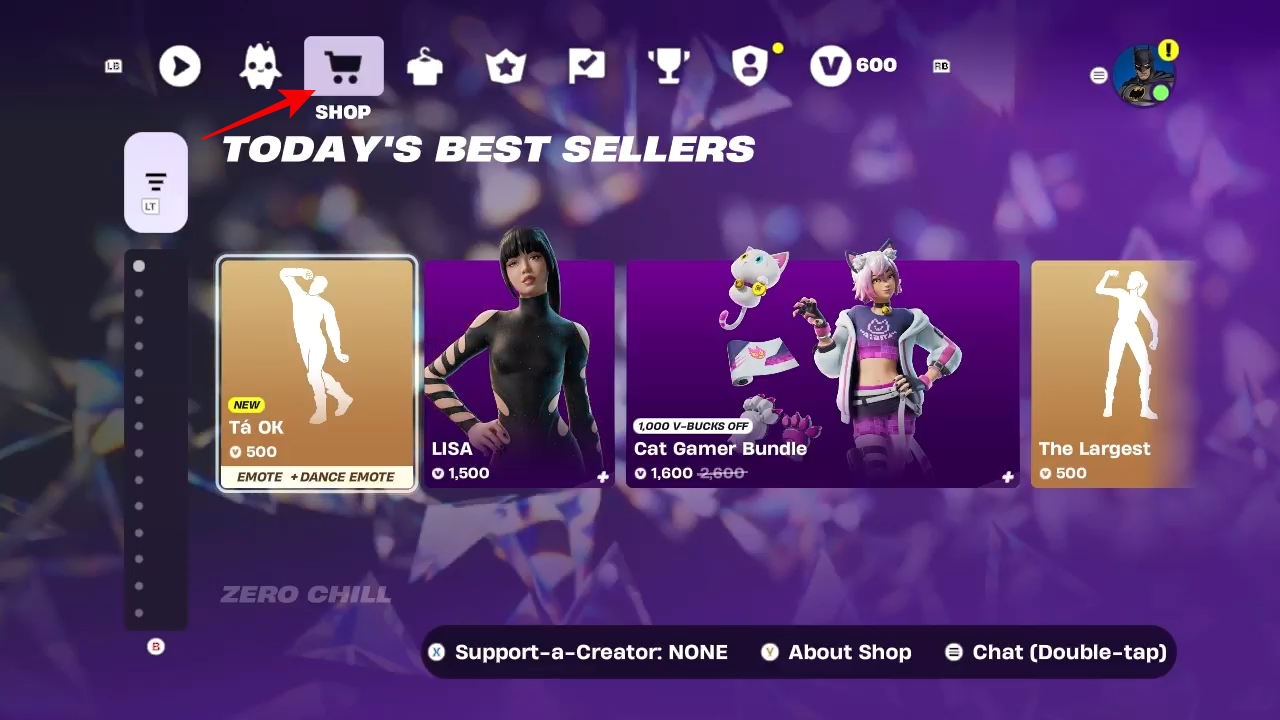
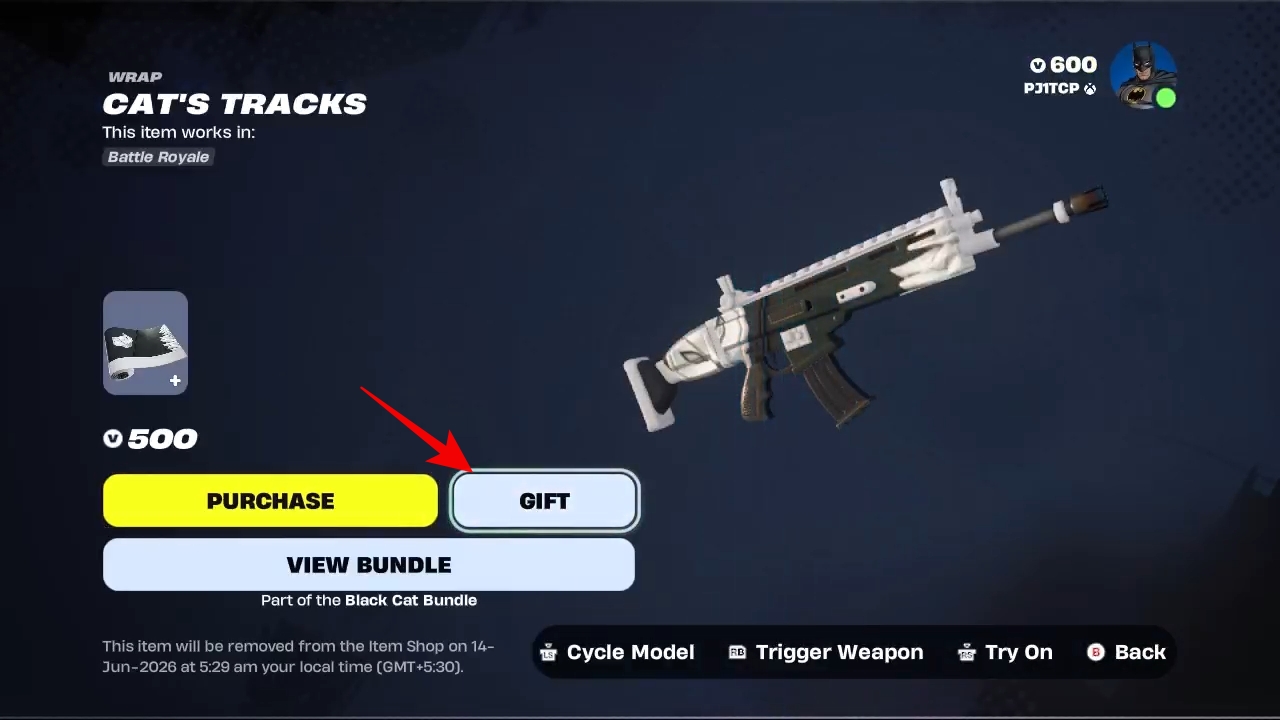
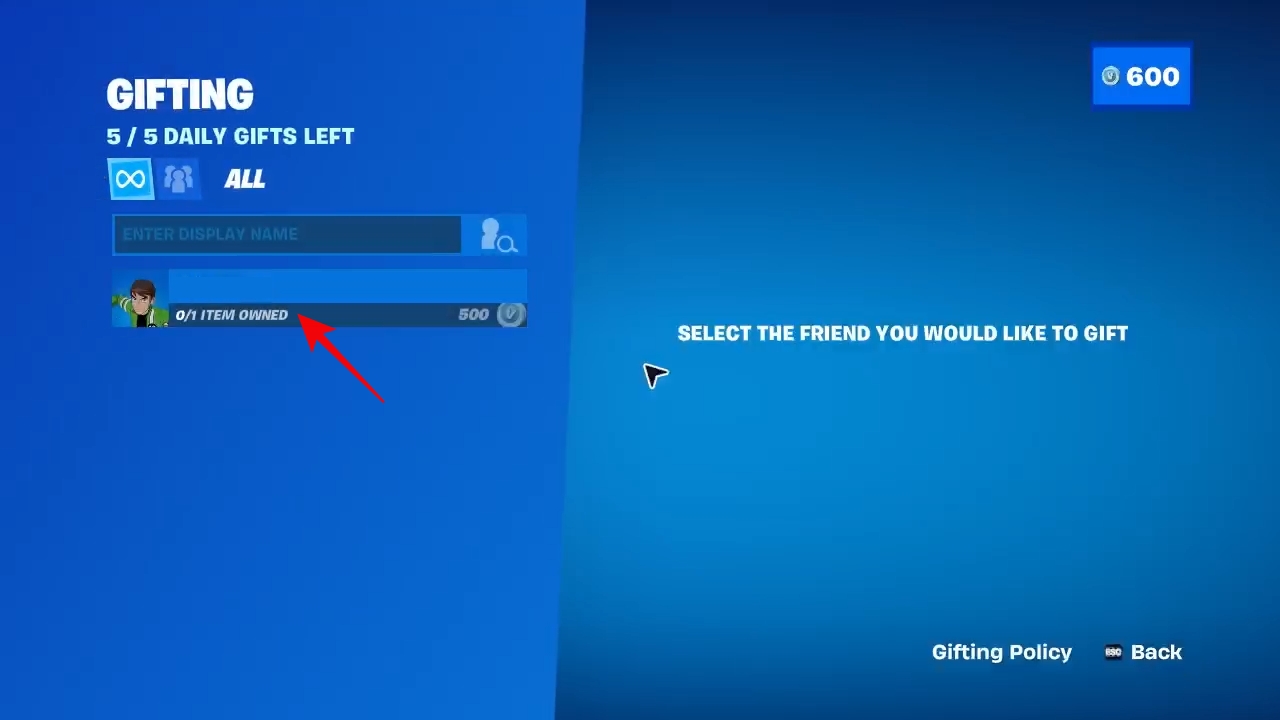
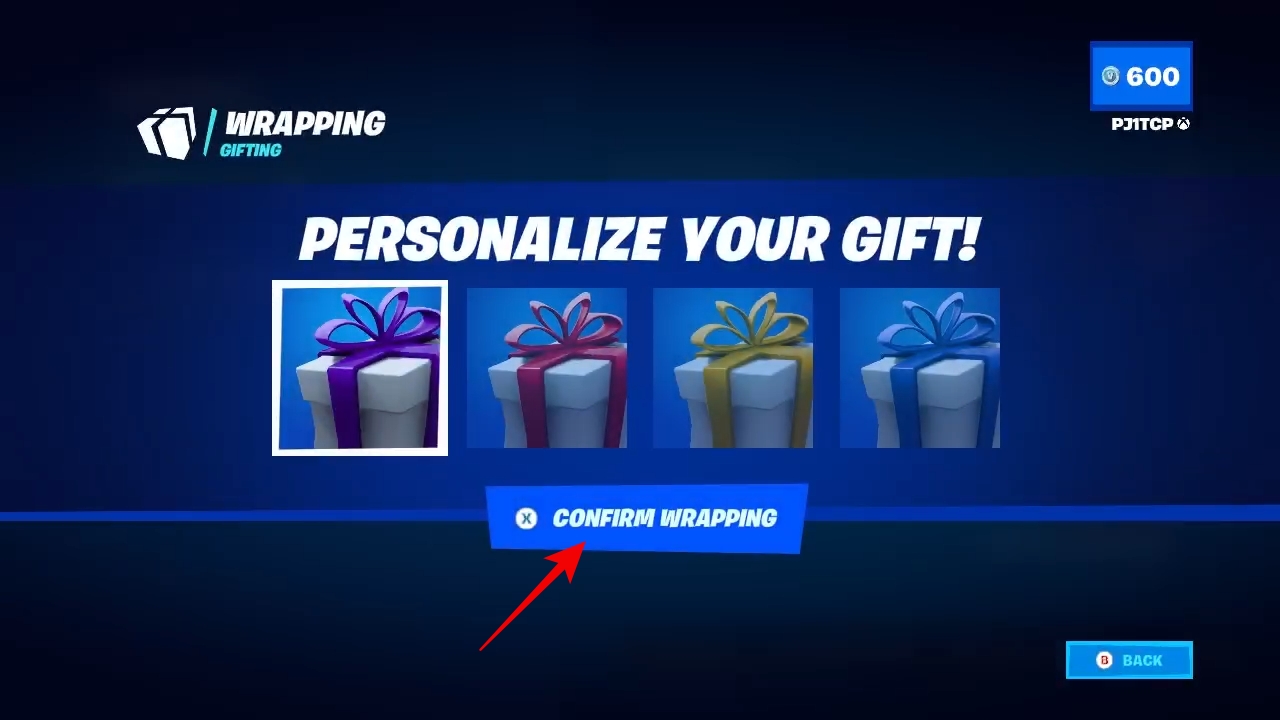
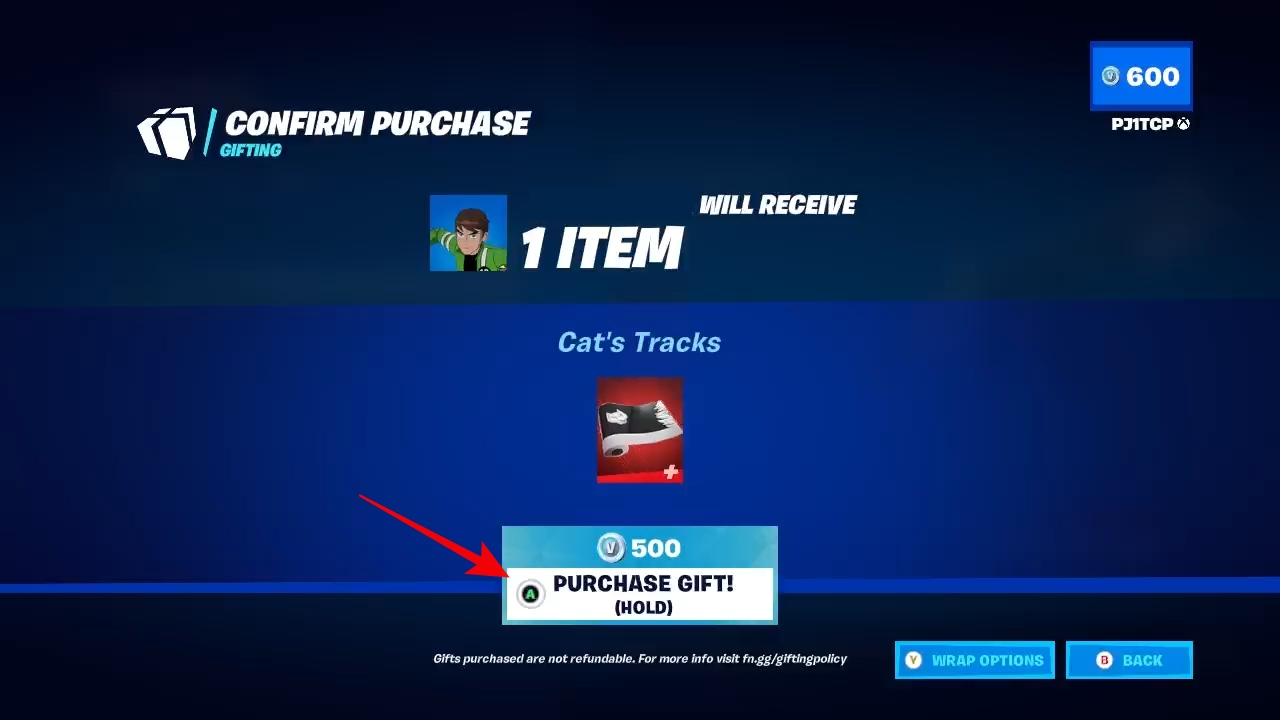
Sending gifts is indeed a great way to show your appreciation for your Fortnite friends. This quick and convenient facility could come in handy when you want to gift a Fortnite player something they’d like but are short on time.
Given the immense variety of Fortnite cosmetics that are available at any time in the Item Shop, you shouldn’t really have trouble finding something suitable to send as a gift.
FAQs
No, you can only gift skins to Fortnite players who have been on your friends list for at least two days.
On top of skins, you can gift any cosmetic item available in the Item Shop, such as pickaxes and gliders, to your friend.
No, you can not gift a skin from your personal inventory to another player. It must be a separate, new gift purchase from the in-game store.
Yes, but there’s an upper limit of 5 gift transactions in 24 hours towards the same player. For sending more gifts after that, you will have to wait for the 24-hour period to reset.
Must Read: