
FaceTime Like a Pro
Get our exclusive Ultimate FaceTime Guide 📚 — absolutely FREE when you sign up for our newsletter below.

FaceTime Like a Pro
Get our exclusive Ultimate FaceTime Guide 📚 — absolutely FREE when you sign up for our newsletter below.


Spotify introduces custom playlist transitions with advanced controls for volume, EQ, and effects, challenging Apple’s upcoming AutoMix in iOS 26.
 ByVikhyat


Apple Music is expected to debut AutoMix with iOS 26 next month, promising AI-powered, DJ-style transitions between songs. But before Apple’s rollout, Spotify has moved first, introducing its own take on music blending that hands more control to listeners.
In a post on its official blog, Spotify detailed a new beta tool for Premium subscribers that allows transitions between playlist tracks. Unlike Apple’s upcoming AutoMix, which runs automatically, Spotify’s system lets users adjust the mix with precision. Controls extend to volume, EQ, and effect curves—tools more often found in professional mixing software than in consumer apps.
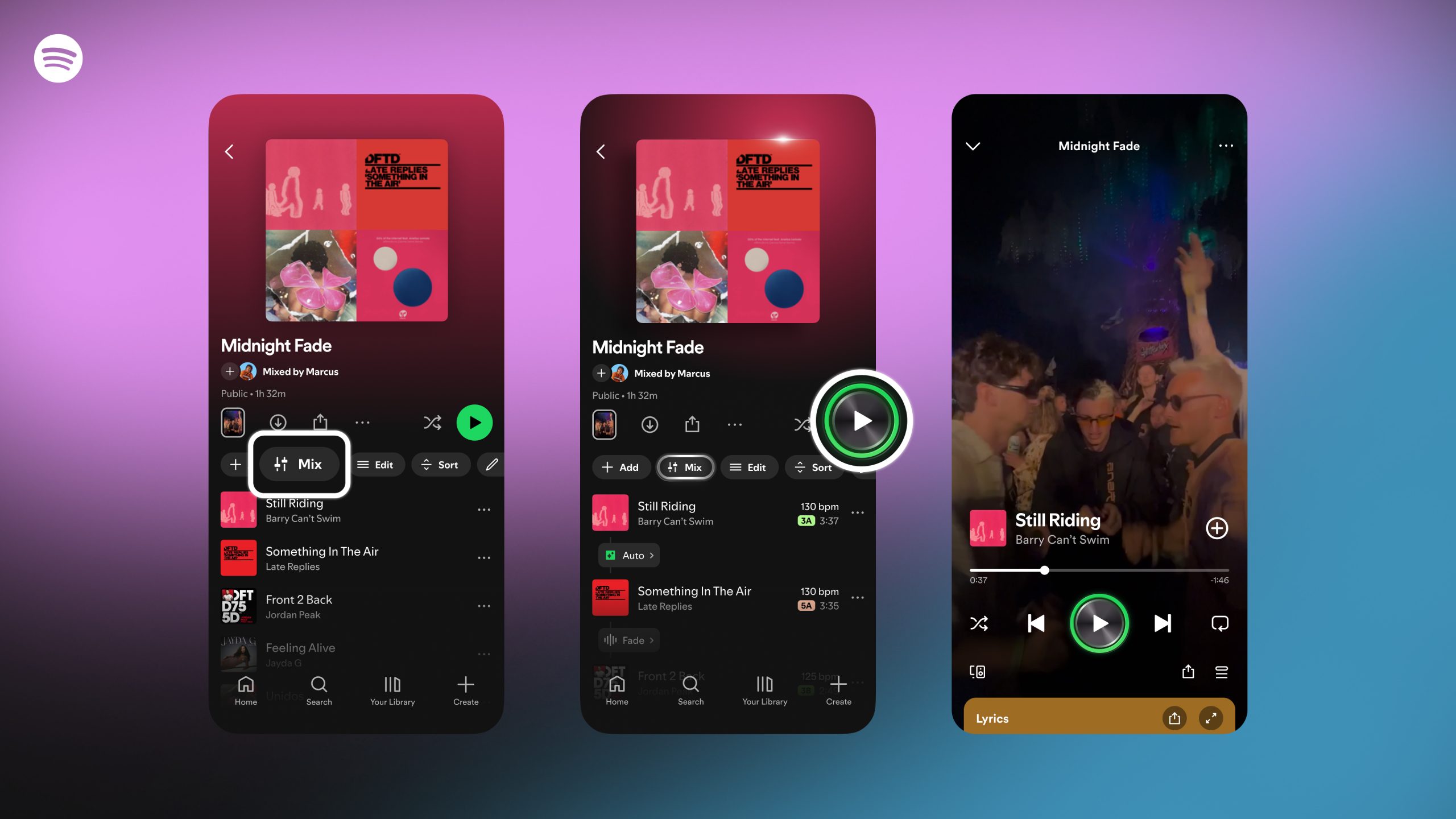
Inside the Spotify app, users can open an existing playlist or start a new one, then tap the new Mix button in the toolbar. From there, they can either stick with the instant “Auto” option or take full control with customization tools.
Available settings include:
These options turn playlists into something closer to live sets, giving casual listeners the ability to experiment with flow and pacing rather than rely on fixed crossfades.
Spotify positions the feature as a tool for curators who want their mixes to stand out. The inclusion of waveform visualizations and beat tracking suggests the company is leaning into the DJ space, at least for hobbyists, even if professionals may still see it as limited compared to standalone mixing apps.
Apple’s AutoMix is expected to prioritize simplicity, automatically stitching songs together without user input. Spotify’s approach, by contrast, opens the door for customization. Each strategy has trade-offs: Apple reduces friction but limits creativity, while Spotify adds depth at the cost of complexity.
It sets up a clear contrast ahead of iOS 26. Some listeners may appreciate Apple’s invisible automation, while others may prefer Spotify’s hands-on flexibility. The real test will be which method people actually use once both are widely available.
Would you rather let Apple’s AI handle your playlists, or dive into Spotify’s customization tools? Drop your take in the comments below.
Don’t miss these related reads:



