FaceTime Like a Pro
Get our exclusive Ultimate FaceTime Guide 📚 — absolutely FREE when you sign up for our newsletter below.

FaceTime Like a Pro
Get our exclusive Ultimate FaceTime Guide 📚 — absolutely FREE when you sign up for our newsletter below.


I thought switching from the iPad Pro would be a downgrade, until the Tab S11 Ultra showed me what real freedom on a tablet actually feels like.
After years of recommending the iPad Pro as a “laptop replacement,” the idea started to feel repetitive. With the release of the M5 chip, it’s probably the most overpowered tablet available. It handled everything I threw at it without breaking a sweat.
However, it still lacks many essential features like true desktop-class app multitasking, multiple user profiles, etc. So I tried the Samsung Galaxy Tab S11 Ultra to see if Android 16 could finally offer the freedom that iPadOS lacks.
It wasn’t just about the hardware specs; it was about finding the a true productivity companion. Here is how the transition actually felt after a month of daily use.
| Feature | iPad Pro M5 (13-inch) | Samsung Tab S11 Ultra (14.6-inch) |
| Display | Tandem OLED (Ultra Retina XDR) | Dynamic AMOLED 2X |
| Processor | Apple M5 (9 or 10-core CPU) | MediaTek Dimensity 9400+ Octa-Core |
| RAM | 12GB/16GB | 12GB |
| Storage | 256GB to 2TB (no microSD) | 256GB to 1TB (microSD up to 2TB) |
| Camera | 12MP front Landscape Center Stage, 12MP rear Wide sensor | 12MP front Ultra-Wide, 13MP rear + 8MP Ultra-Wide |
| Included Accessories | Tablet only | S Pen (Included) |
| Software | iPadOS 26 | One UI 8 (Android 16) |
| Battery life | Up to 10 hours on Wi-Fi | Up to 23 hours |
| Charging Speed | Fast-charge (60W support) | 45W Wired |
| Weight | ~580g | ~692g |
| Water and Dust Resistance | No | IP68 certified |
| Colors | Silver, Space Black | Gray, Silver |
| Starting Price | $1299 | $1,199.99 |
The transition wasn’t about finding a “better” screen as both are industry-leading, but about finding a better experience. The iPad Pro M5 was a powerhouse in my workspace, while the Tab S11 Ultra feels like a canvas that doesn’t tell you “no.”
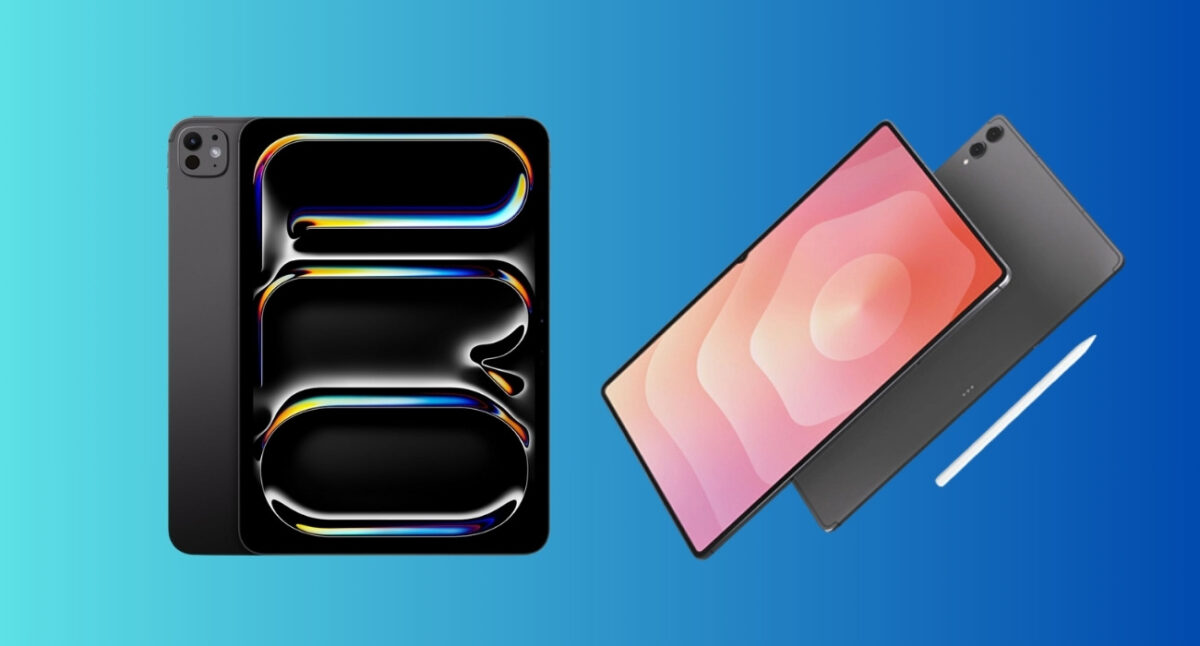
Picking up the Tab S11 Ultra for the first time gave me a bit of a shock. It is massive. At 14.6 inches, it dwarfs the 13-inch iPad Pro. However, the thickness is what catches you off guard. It’s only 5.1mm thin, making it surprisingly portable.
That bigger canvas also changes how you use the device. I found myself multitasking more naturally, not because of software, but because the screen actually gives you room to breathe. Also, pairing the keyboard case made it look like an actual laptop.
The iPad Pro M5 maintains that iconic, industrial Apple look. It’s also 5.1mm thin and looks minimal, perfectly balanced, and premium. During testing, the iPad Pro was easier to hold for long periods because the weight is distributed well. On the other hand, the Samsung S11 Ultra is more comfortable in landscape usage, especially with a dock or stand.
That said, the iPad still wins in build refinement. Samsung wins in presence.
Apple’s Tandem OLED is a technical marvel with 2752 X 2064 pixels. The HDR highlights are searing, and the 1-nit minimum brightness is a genuine game-changer. It goes so dim that it barely looks like the screen is on, which helps reduce eye strain when working late. Moreover, iPad Pro appeared brighter due to 1600 nits peak HDR brightness.
However, the Samsung display has a 2960 x 1848 resolution and 16:10 aspect ratio (90.53% screen-to-body). When I sat down to watch Dune: Part Two, the experience was night and day. On the iPad, nearly 30% of the screen is wasted on black bars. On the S11 Ultra, the movie fills almost the entire 14.6-inch panel. It’s a portable IMAX theater in your hands.
But note that Samsung display has higher sRGB and DCI-P3, which results in over-saturated colors. So, for more natural color lovers and photo editors, iPad Pro suits better.
The M5 chip is a monster. In synthetic benchmarks, it laps the S11 Ultra in every aspect.
Below are the results of my iPad Pro with 9-core CPU, 10-core GPU and 12GB memory build vs. Samsung S11 Ultra Dimensity 9400+ with Octa-core CPU, Immortalis-G925, and 12GB RAM.
| Test Category | iPad Pro M5 | Samsung Tab S11 Ultra |
| Geekbench 6 (Single-Core) | 4,136 | 2,633 |
| Geekbench 6 (Multi-Core) | 15,306 | 8,637 |
| 3DMark Wild Life Extreme (graphics) | 11,614 | 6,492 |
But does this power translate to opening Chrome or Slack? Not really. Both tablets are instantaneous in my stress test.
When rendering 4K 120fps ProRes video or playing console-class AAA titles like Genshin Impact or Assassin’s Creed Mirage, the M5 doesn’t even break a sweat. The Samsung gets warm to the touch much faster.
But for 95% of users, the performance gap is academic. The Samsung never felt “slow,” even with 15 tabs open in the background. Another weird finding is that multitasking is surprisingly smoother on Samsung, thanks to UI freedom.
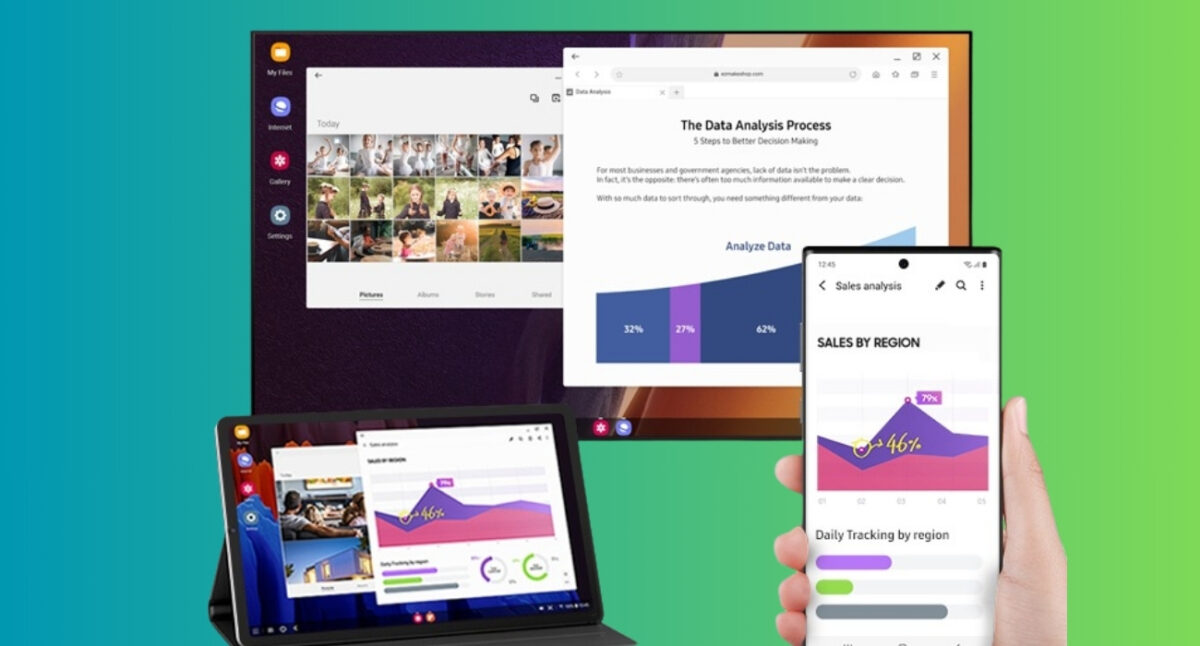
This is where my opinion flipped. iPadOS 26 is still iPadOS. Stage Manager has improved with flexible window management, but it still feels like you’re trying to multitask in a sandbox. Also, the Liquid Glass interface is distracting in some places.
One UI 8 on the S11 Ultra is a revelation. The new DeX mode is now built on Android 16’s native desktop mode, and it is significantly more stable than previous versions. It allows for a 90:10 split-screen view, which is a lifesaver when I need to keep a Slack thread open (the 10%) while writing a long-form article (the 90%).
Both have AI features, but Galaxy AI is a bit ahead with generative photo editing, Drawing Assist, Note Assist, Browsing Assist, and more. Truly a boost to workflow productivity.
The App Store still holds the crown for quality. Apps like Procreate and Final Cut Pro for iPad are built with such polish that Android equivalents like Clip Studio Paint feel cluttered by comparison.
But there’s a trade-off. Simple things, like downloading a ZIP file from a weird government website and extracting it into a specific folder, are still a chore on the iPad. On the Tab S11 Ultra, the file system works exactly like a PC. I don’t have to think about “sharing” a file to an app; I just open it.
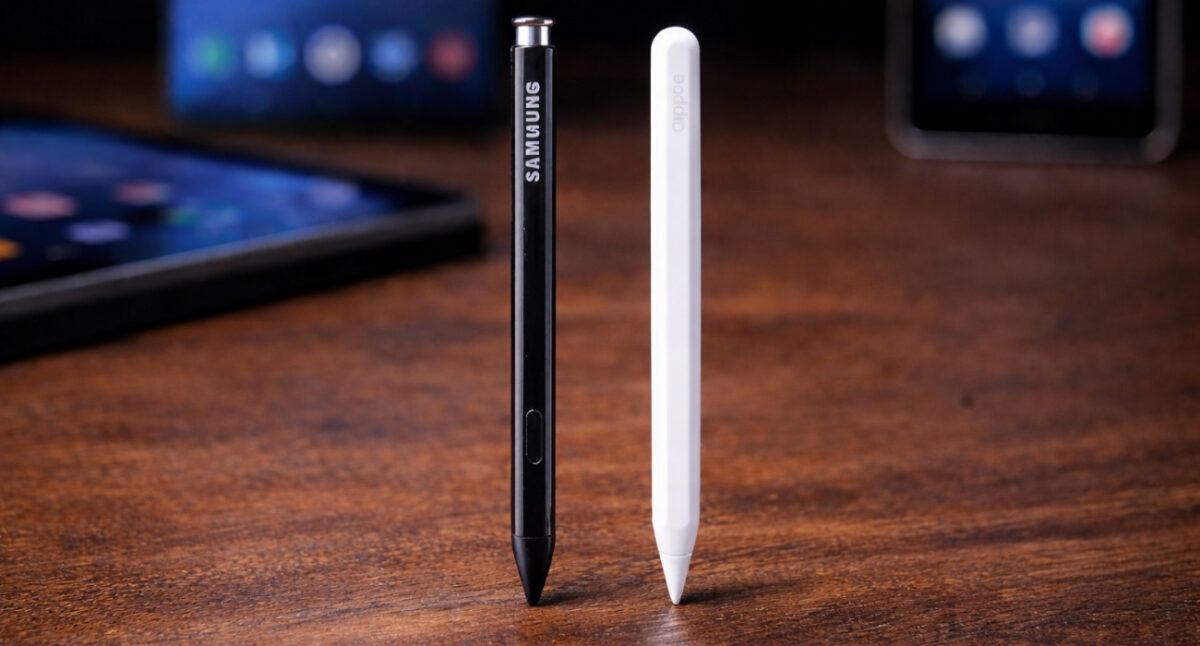
The Apple Pencil Pro is technically superior with its squeeze gestures, Find My tracking, haptic feedback, and barrel roll. But here is the catch: you have to pay extra for it. The S Pen comes in the box with the S11 Ultra. If you have a tight budget, you can go for Apple Pencil 2nd gen. Go through our detailed Apple Pencil comparison and decide.
The S Pen also has a rubberized nib. When writing notes during a meeting, it doesn’t make the “click-clack” plastic-on-glass sound that the Apple Pencil does. It feels more like a gel pen on a high-quality notepad. For long-form journaling, the S Pen’s hexagonal, coned-shaped design is actually the more comfortable tool.
Both tablets will get you through a full workday of mixed use (emails, video calls, and browsing). The iPad Pro M5 now supports 60W charging, but the catch is that Apple doesn’t include the 60W adapter.
Samsung sticks with 45W, but because of the massive 11,600mAh battery, it feels like it lasts slightly longer when doing heavy multitasking. The “Now Brief” feature in One UI 8 also does a great job of managing background power by learning which apps you don’t use during specific times of the day.
Since I’m deep in the Apple ecosystem, using Handoff, Universal Control, and Sidecar, leaving the iPad was painful. Your clipboard won’t sync, and your iMessages won’t pop up on your tablet. In my other Android tablet testing, this pro app Apple ecosystem remained unbeatable. You can check out who wins in iPad Air M3 vs.OnePlus Pad 3 comparison.
Samsung has tried to bridge this with its own ecosystem, but it only really works if you also own a Samsung phone and a Galaxy Book. If you’re a “mixed” user (iPhone with a Windows PC), the Samsung tablet is actually more flexible because it plays better with third-party cloud services like OneDrive.
When evaluating these devices, it’s better to look at how they solve problems rather than just listing features.
What I loved about the iPad Pro M5:
What I hated about the iPad Pro M5:
What I loved about the Samsung Tab S11 Ultra:
What I hated about the Samsung Tab S11 Ultra:
Must read: Best Galaxy Tab S11 Ultra accessories to boost your productivity
The choice depends on your primary “problem”.
I don’t regret the switch, but I did have to change my workflow. I had to find a new drawing app (Infinite Painter) and get used to a different file organization system.
The iPad Pro M5 is undeniably the “better” piece of hardware in terms of raw power and display tech. But the Samsung Tab S11 Ultra is the “better” computer. For the first time in years, I feel like the software is finally keeping up with the hardware. If you’re tired of waiting for Apple to “fix” iPadOS, the grass on the Android side isn’t just greener; it’s wider, more open and a lot more fun to use.
What do you think: is the M5’s raw power enough to keep you in the Apple ecosystem, or does the S11 Ultra’s massive screen and DeX mode finally tip the scales for you?