FaceTime Like a Pro
Get our exclusive Ultimate FaceTime Guide 📚 — absolutely FREE when you sign up for our newsletter below.

FaceTime Like a Pro
Get our exclusive Ultimate FaceTime Guide 📚 — absolutely FREE when you sign up for our newsletter below.


Want to shoot professional photos and video vlogs with your S26 Ultra? Here are the must-have camera accessories!
Samsung’s S series has always been praised for its camera prowess. However, does it live up to the hype? I decided to test it properly with the latest flagship S26 Ultra. Not just casual shots, but pushing it to see if the phone can achieve DSLR quality by adding various camera accessories.
Below is my complete set of shooting gear for the Samsung S26 Ultra, including accessories like grip, lenses, mic, filters, and other equipment. What surprised me was that the right accessories can completely transform the experience from smartphone photography into something that genuinely feels like shooting on a dedicated camera.
When I first tested the S26 Ultra, I wasn’t expecting much beyond incremental improvements. It has the same quad‑camera system with a 200 MP wide main, 50 MP ultrawide, 50 MP periscope telephoto and 10 MP telephoto sensors.
But the combination of wider apertures, aggressive computational photography, AI enhancement, and improved manual controls genuinely surprised me. It’s so powerful that Samsung is building a new camera chip for the iPhone 18, according to some reports.
I noticed three things immediately.
However, the experience still doesn’t feel like a DSLR. Holding a thin slab of glass doesn’t give you stability. Lighting control is limited. And ergonomics? Honestly, terrible for long sessions.That’s where accessories completely change the game.
This is where things got interesting. I didn’t just test random gear; I built a setup that mimics how I actually use a DSLR in the field.
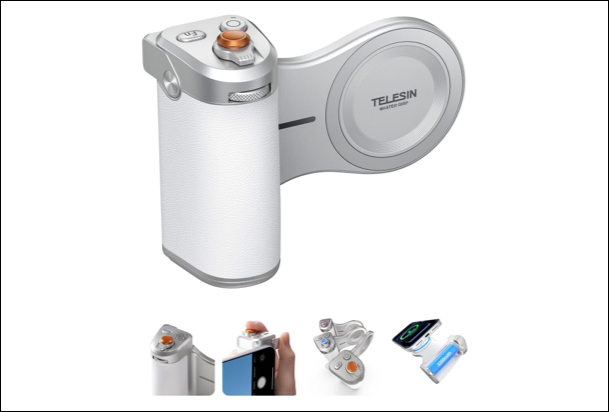
I started with a DSLR-style camera grip with a magnetic hold, and it changed my shooting style. No more awkward finger positions, I started holding the phone like an actual camera with stability, intention, and control.
What surprised me most was how much sharper my handheld shots became because I stopped shaking it. It has an ergonomic curved handle to reduce hand fatigue, and the retro leather felt smooth to touch.
A wireless mechanical shutter button has made it easy for me to take shots, with focus, zoom, and click, just like a traditional camera. To complete the setup, you can also attach a tripod or a mic to the grip, thanks to the 1/4” tripod screw connector.
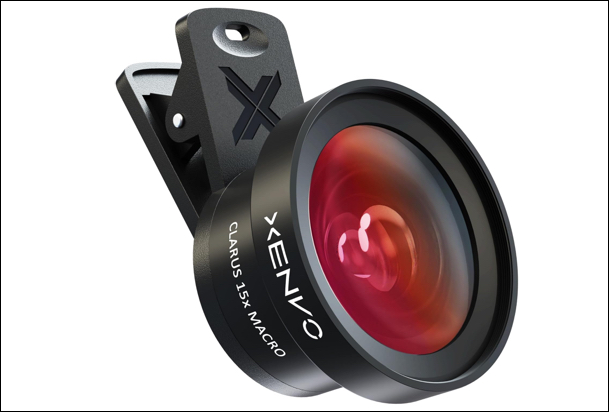
Most external lens attachments available on the market are simply not worth the investment. They introduce distortion, soften edges, and sometimes make images worse than the stock camera.
But good lenses can still be useful in specific scenarios. Xenvo’s Clarus 15x macro lens was the standout. I captured textures, small objects, and product-style shots, and the detail was impressive.
The kit also includes a TruView 0.45x wide-angle lens to expand the field of view. However, the S26 Ultra already has excellent native coverage. I liked the GlowClip rechargeable LED light clips to fill in natural light to make the shots better.
If you want to buy higher-end options, check the Sandmarc and Apexel lenses. They are engineered for professional usage.
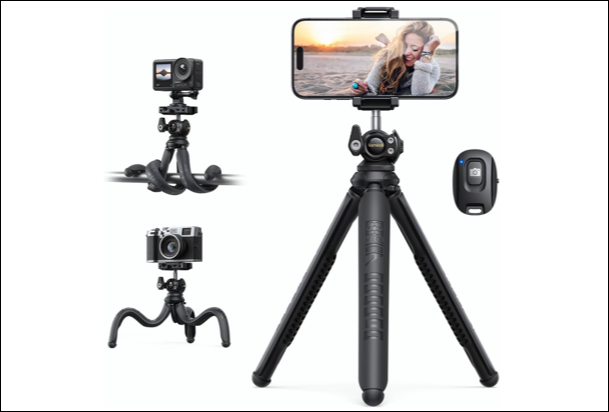
I added a compact tripod, expecting it to help with video. It ended up helping with everything. Low-light photography improved instantly, long exposure shots became possible without hacks, and even basic framing got better because I wasn’t rushing handheld compositions.
Lamicall has used flexible silicone-coated legs that can bend and wrap around objects like poles or railings. So, I could shoot in creative shooting angles that standard tripods can’t achieve. It also features a 360° adjustable head, making it ideal for reels, YouTube videos, or live streaming.
What makes it even more practical is the included wireless Bluetooth remote, allowing hands-free shooting from up to 10 meters away. Lightweight and portable, it’s perfect for travel, outdoor shoots, and everyday content creation.
If I had to recommend only one accessory for beginners, this would be it.
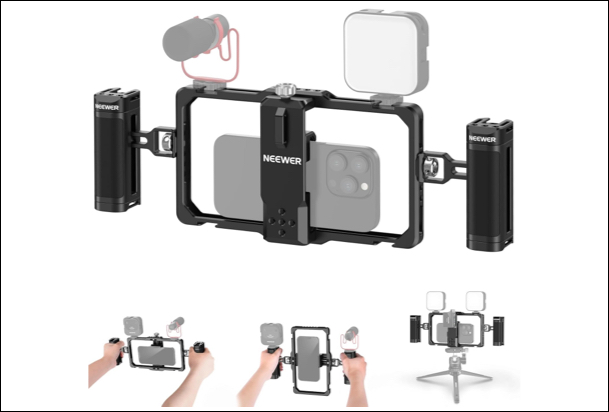
Next is a vlogging rig with adjustable handle grips and a phone cage. It’s made of black anodized aluminum for long-term durability. You can mount accessories like microphones and LED lights for a complete studio-on-the-go experience.
The biggest upgrade wasn’t video quality; it was consistency. The dual-handle rig provides better grip and balance. Combined with S26 Ultra’s Horizontal Lock, it makes handheld shots smoother and more cinematic compared to single-stick setups. Overall, my footage looked intentional instead of casual.
You can also use this with your iPhone to take DSLR-like photos.
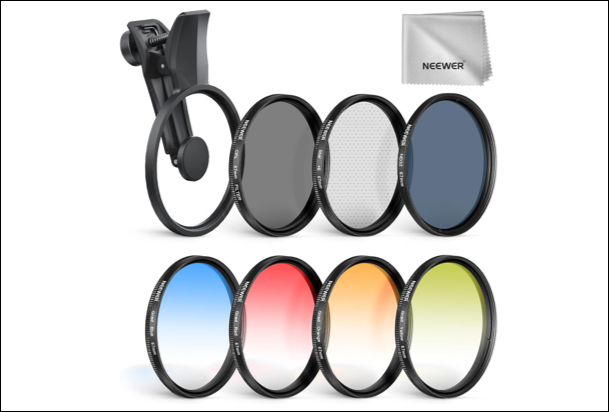
Neutral Density filters felt like overkill at first. I was wrong. Once I started shooting video outdoors, ND filters became essential. They allowed me to keep shutter speeds natural instead of forcing weird exposure compromises. It especially helped in high-contrast scenes like landscapes and sunsets.
The result? Cinematic motion blur that actually looked professional. The kit includes seven different filters made of durable optical glass, including color transitions, polarizer, and glare remover. Moreover, the upgraded clip holds the filter securely and keeps your phone lens scratch-free.
Without ND filters, your footage often looks too sharp and artificial. With them, your video automatically acquires a feel of something filmed with a professional camera.
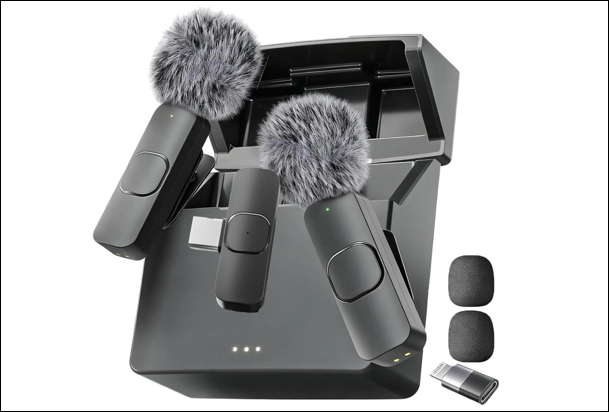
I tested a compact wireless mic setup. And honestly, this might be the most important upgrade for anyone doing video. Phone audio is fine. But “fine” isn’t good enough if you care about quality.
It features a true plug-and-play system; just connect the receiver to your phone and start recording instantly, no apps or pairing headaches required. After adding the mic, the difference was immediate. My voice sounded fuller, cleaner, and more controlled. Background noise dropped significantly.
What I really like is its portability. Each mic is lightweight, clips easily onto clothing, and runs on a rechargeable battery that can last several hours per session. If you make two-person videos, the dual-mic setup is a must-have.
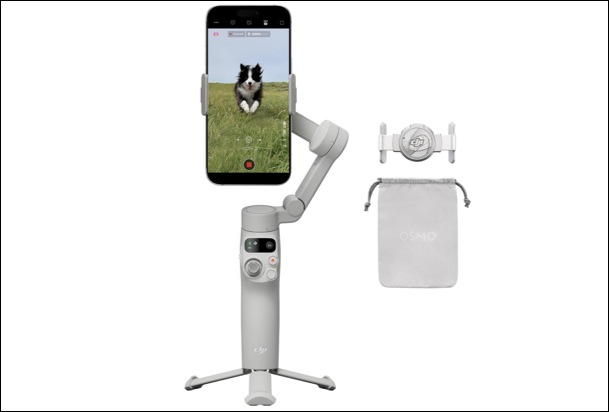
Whenever I am doing a self-vlog, the DJI Osmo 3-axis gimbal is my best buddy. I have included it in my traveling kit. It provides smooth, professional-looking footage using advanced stabilization and SmoothTrack technology. So, there are no shakes and jitters while following the subject’s movements naturally.
Another thing that I loved was the convenience. The built-in zoom slider and one-handed controls make it easy to adjust framing while recording, so you don’t have to keep touching your phone screen. Plus, it comes with a whopping battery life of 15 hours per charge.
If you want smoother videos without learning complicated gear, this is one of those tools that keeps working reliably.
After a few weeks of testing the camera accessories with S26 Ultra, a few hard truths stood out.
Let me be clear that this setup is not for everyone. If you just want better Instagram photos, you don’t need any of this. The stock camera is already more than enough.
But this setup makes sense for three types of people:
For high-end work, paid shoots, and situations where absolute image quality matters, I would recommend investing in a DSLR camera. It wins with its superior sensors, interchangeable lenses, and flexibility.
But for everything else? I’m using my S26 Ultra far more than I expected. Street photography, casual portraits, or travel content, this setup handles it all without making me feel like I’m compromising.
What do you think about this setup? Let me know in the comments below!