FaceTime Like a Pro
Get our exclusive Ultimate FaceTime Guide 📚 — absolutely FREE when you sign up for our newsletter below.

FaceTime Like a Pro
Get our exclusive Ultimate FaceTime Guide 📚 — absolutely FREE when you sign up for our newsletter below.


Secure your Fortnite account with two-factor authentication (2FA). Here’s how to enable it and protect your account from unauthorized access.
Your Fortnite account is more important than it may initially seem. Everything, from your Ranked progress to your unlocked cosmetics, is permanently attached to it. Moreover, your V-Bucks balance is also non-transferable and only usable with the account you redeemed it on.
Given all those factors, it becomes imperative to ensure you do not lose access to your Fortnite account in any case. To that end, it is highly recommended to set up two-factor authentication (2FA) if you are even remotely a regular player of the hugely popular online shooter.
Since your Fortnite account is essentially linked to your Epic Games account, you can just enable 2FA for the latter and effectively secure both. The following steps show how Fortnite players can activate 2FA.
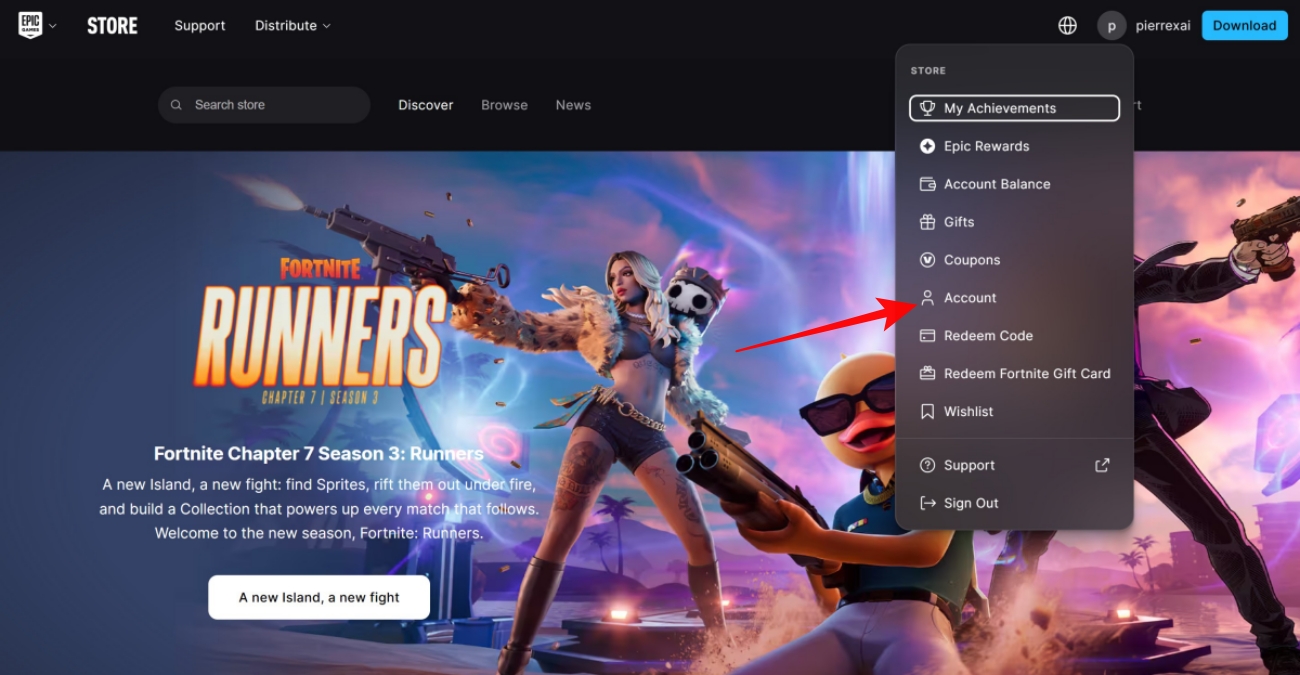
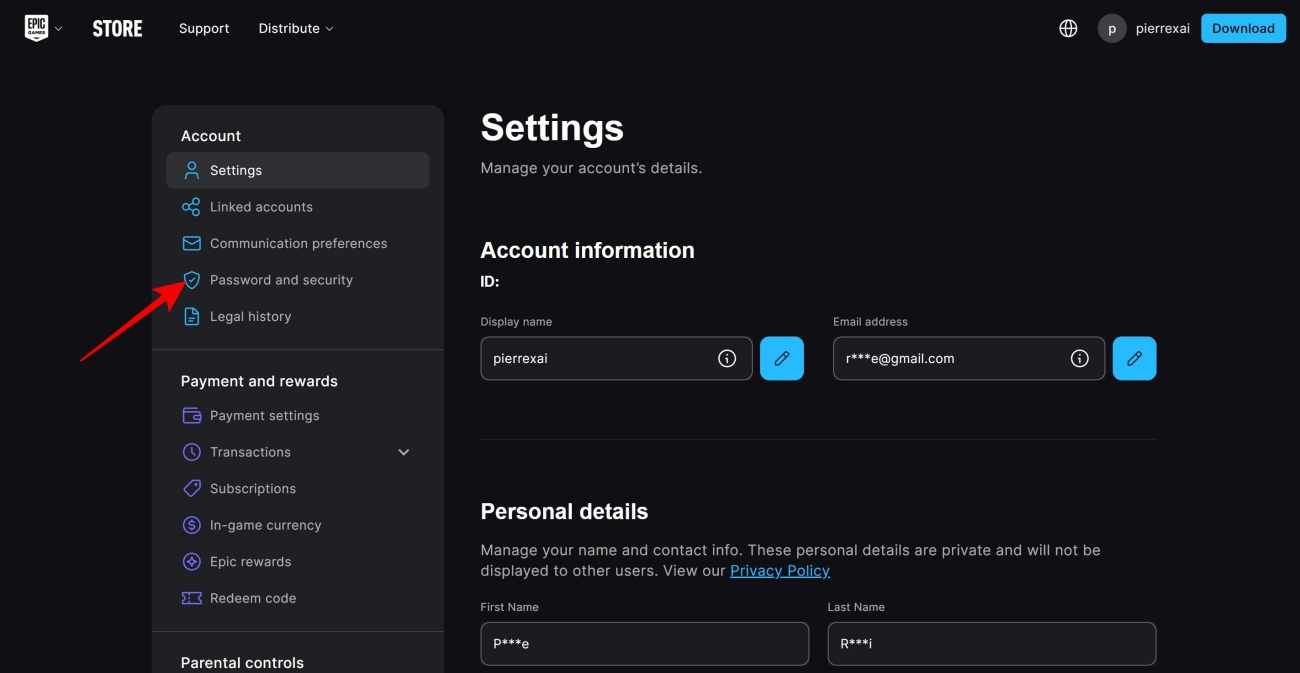
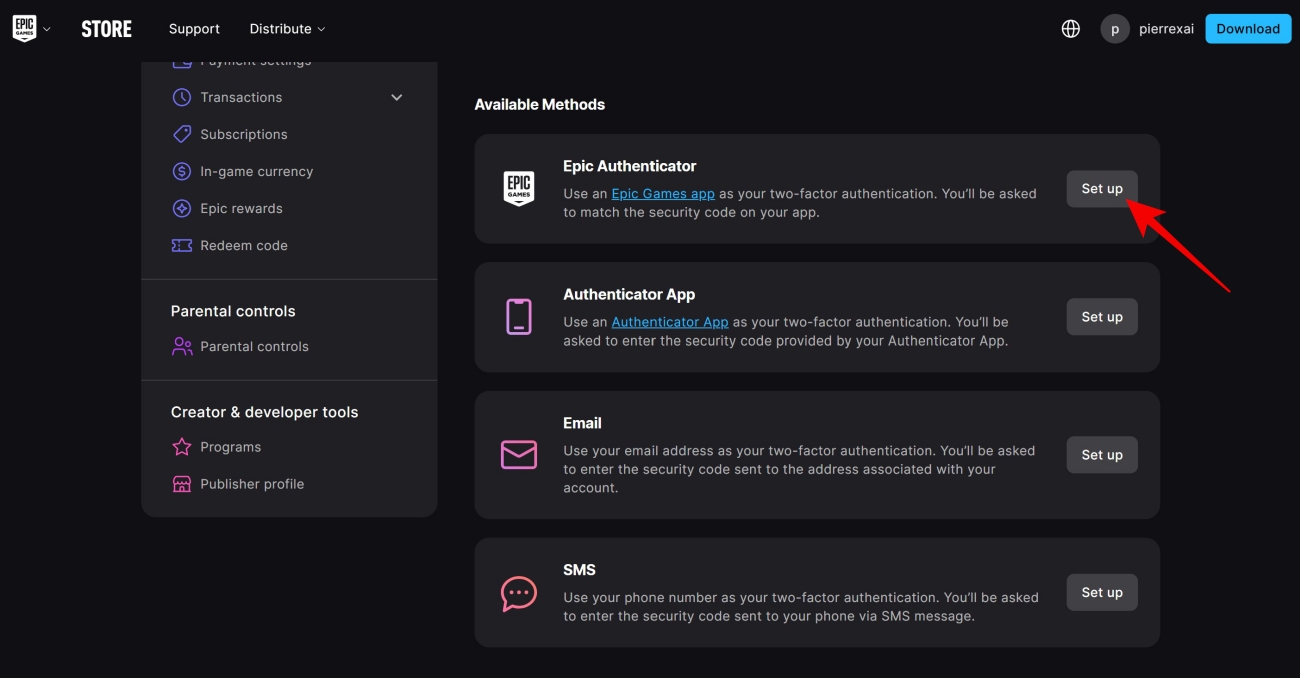
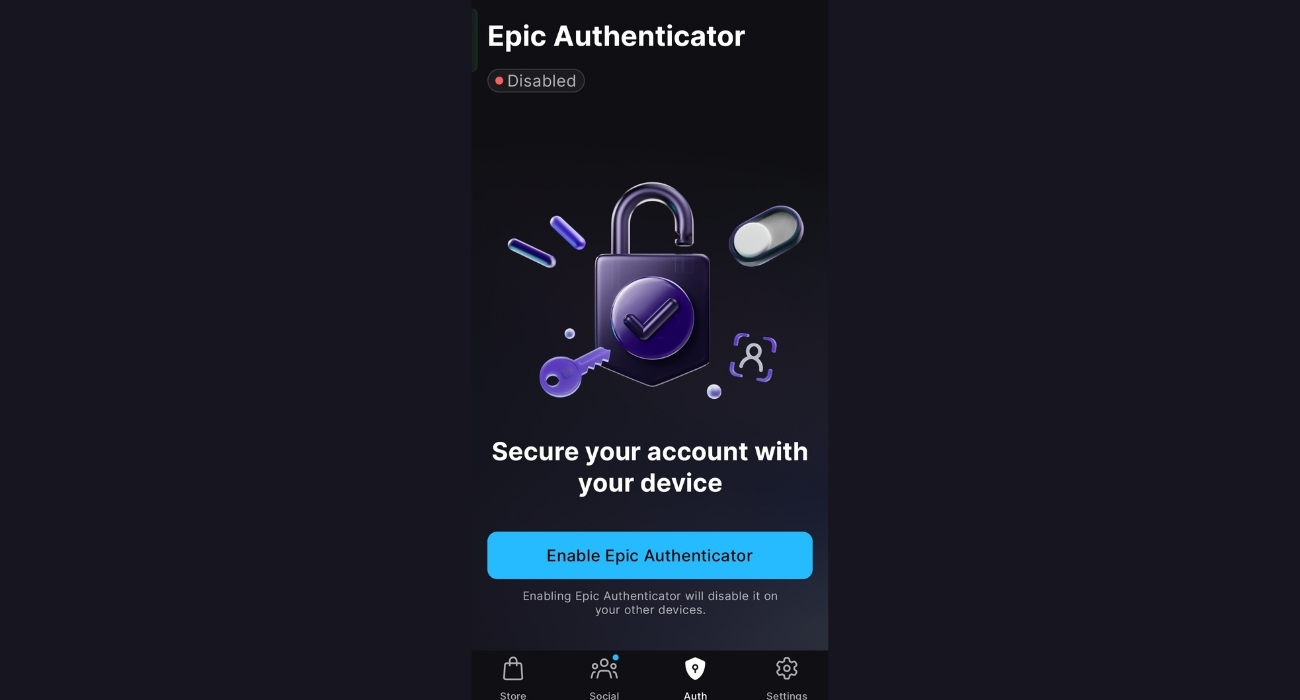
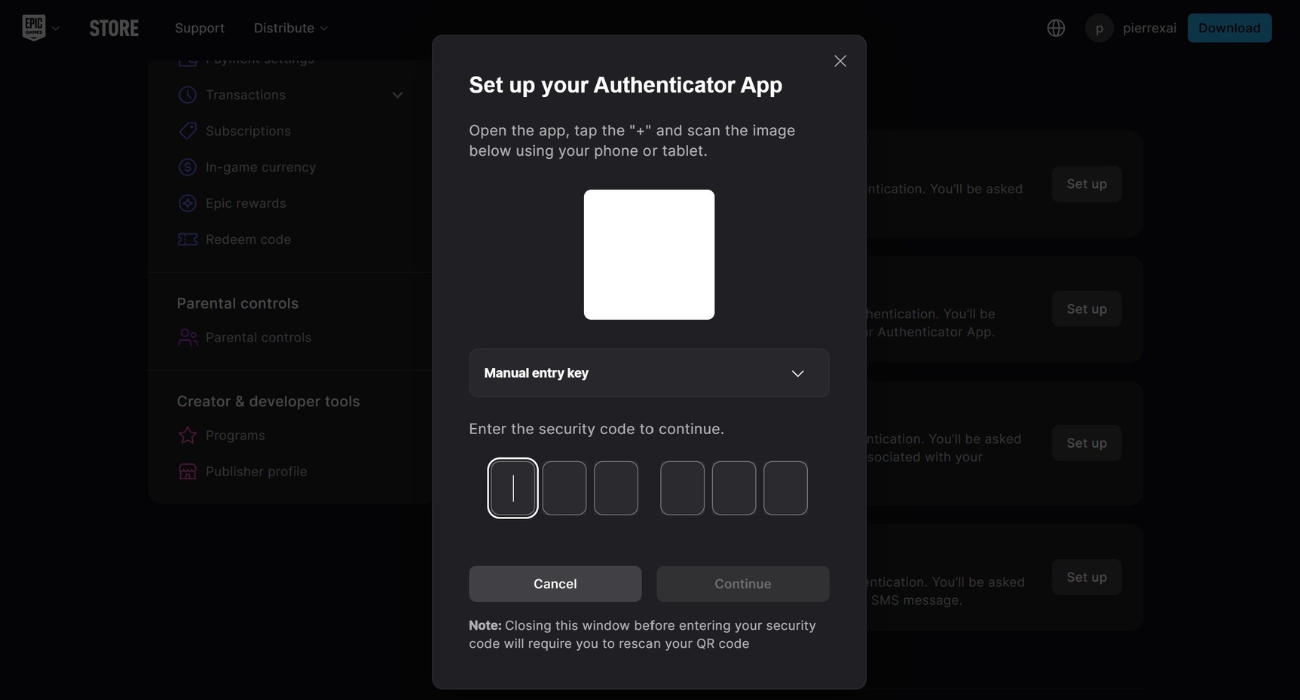
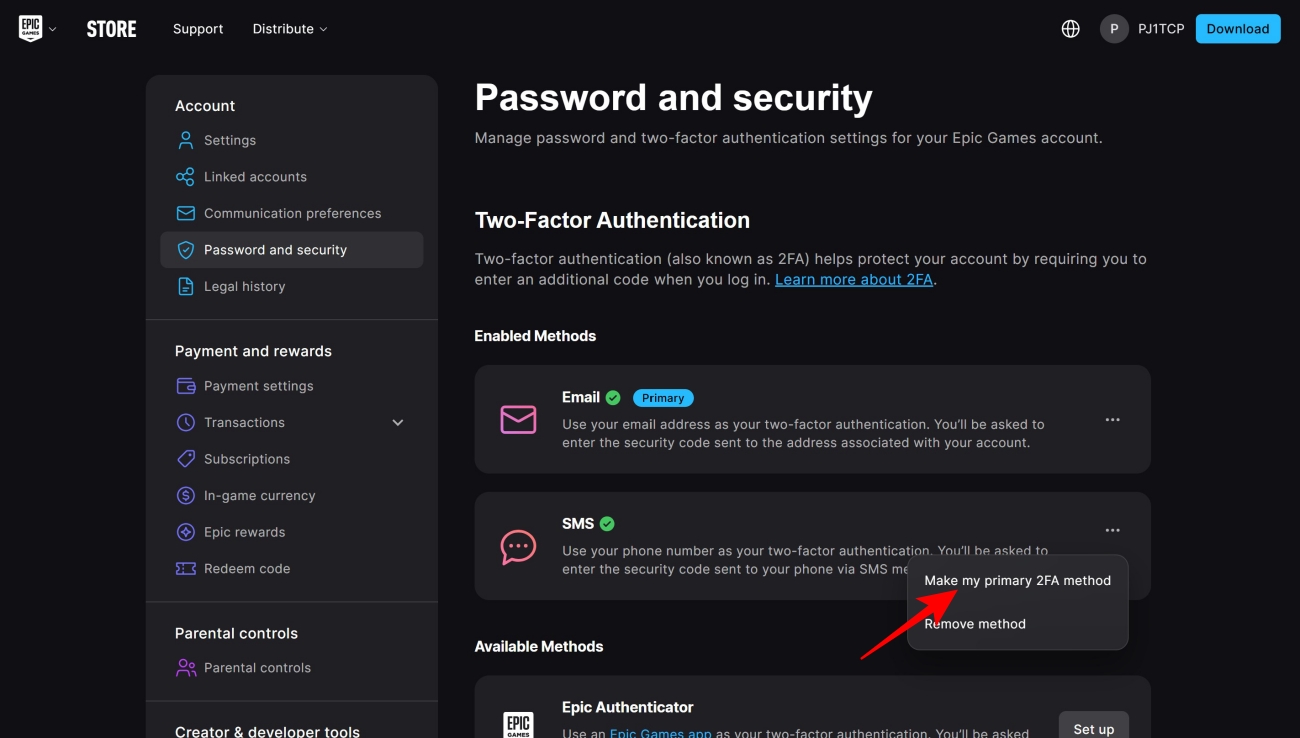
Now that you have enabled 2FA, you have not only increased your account’s protection by involving a secondary device but also become eligible for certain Fortnite activities. That’s because 2FA is mandatory for things such as sending in-game items as gifts to your Fortnite friends and entering official Fortnite competitive events.
Additionally, setting up 2FA also grants you the Boogie Down emote as an exclusive reward. This Epic-tier emote was originally released back in August 2018, during Chapter 1 Season 4.
As with any other security measure, 2FA only goes as far as the user’s own vigilance. Having said that, it’s important to keep in mind that the security codes you receive are not to be shared with anyone else. It is also crucial to make sure no one else has access to the email and phone number you have used for 2FA. With these boxes checked, your Epic Games and Fortnite account should be as safe as they can possibly be.
FAQs
No. Since your Fortnite account is linked to your Epic Games account, setting up 2FA for the latter is enough.
Yes, you can use as many as four 2FA methods concurrently.
No, you can’t get your hands on ‘Boogie Down’ Fortnite emote without activating 2FA as it is an exclusive reward for those who have set up this particular security measure.
Missed This? Check It Out