FaceTime Like a Pro
Get our exclusive Ultimate FaceTime Guide 📚 — absolutely FREE when you sign up for our newsletter below.

FaceTime Like a Pro
Get our exclusive Ultimate FaceTime Guide 📚 — absolutely FREE when you sign up for our newsletter below.


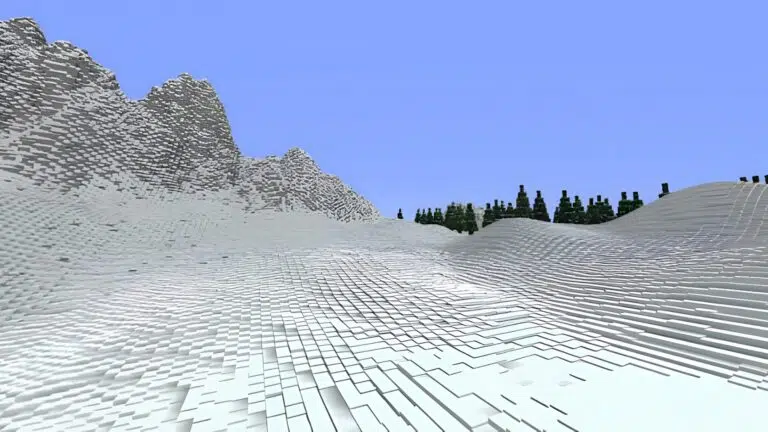
From cinematic lighting to lightweight visual upgrades, these Minecraft shaders can transform your world. Explore 10 options for different graphics preferences and PC setups.
Looking for the best Minecraft shaders to enhance your gameplay experience? We’ve got you covered! Shaders are visual modifications that transform the look of your Minecraft world by improving lighting, shadows, reflections, water, and environmental effects.
From realistic sun rays and dynamic lighting to detailed shadows, reflective water, and atmospheric skies, these shader packs can make even the simplest Minecraft worlds look stunning. The best part is that you don’t necessarily need a high-end gaming PC to use them. Some shaders prioritize performance, while others focus on delivering the most immersive visuals possible.
Whether you’re running Minecraft on a basic laptop or a powerful gaming PC, there’s something worth trying. Here are the 10 best Minecraft shaders to download in November 2026.
| Shader Name | Key Features | Peformance |
|---|---|---|
| MakeUp – Ultra Fast | Dynamic shadows, water reflections, detailed clouds, and other visual effects. | Excellent for lower-end hardware. |
| Complimentary Reimagined | Highly customizable visuals, realistic lighting and adjustable brightness | Runs well on most of the systems. |
| Eclipse | Warm cinematic lighting, tall detailed grass, enhanced vegetation and mod compatibility | Offers good performance. |
| IternationT | Realistic lighting, sharper visuals, and beautiful water reflections. | Offers decent performance with realistic visuals. |
| NostalgiaVX | Vanilla-style visuals, soft lighting | Excellent for any hardware. |
| YoFPS | Optimised lighting, animated leaves and plants, raindrop effects. | Excellent for any hardware as it maximises FPS. |
| DrDestens | Realistic lighting, reflections, and PBR support | Good, but the Medium preset offers the best balance. |
| PyvtronVX | Voxel-based lighting, realistic light interactions, enhanced nighttime visuals | Demanding and requires a powerful PC. |
| Super Duper Vanilla | Stylized visuals, beautiful water effects, decent reflections and animated foliage | Very good and offers three presets. |
| Bliss | Soft and natural lighting, immersive visuals, extensive customisation and mod support. | Clean visuals with mod support. |
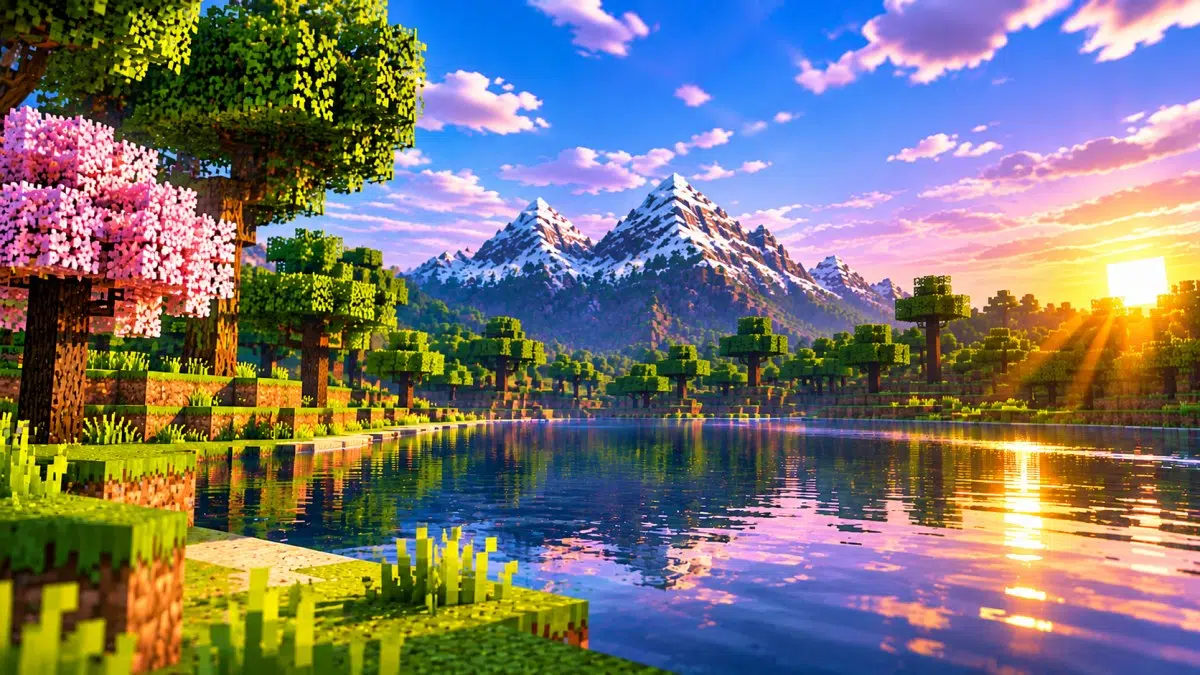
It’s safe to say that MakeUp – UltraFast is one of the best Minecraft shaders when it comes to balancing performance and visuals. It adds dynamic shadows to blocks, trees, and other objects alongside detailed clouds that completely transform the skies of your world.
You also get water reflections, motion blur, and tons of other visual effects. If that’s not enough, the shader also lets you experiment with different colour palettes to customise the look of your world. It’s designed to run on even the lower-end hardware, which makes it a fantastic choice for anyone who wants Minecraft shaders without giving up FPS.
Best for: Players with low-end or mid-range PCs who want customizable visual improvements.
Download link: MakeUp-Ultra Fast
Complementary Reimagined is easily one of the best all-rounder shaders for Minecraft. It not only looks fantastic but also delivers solid performance on most systems. What really sets it apart is the sheer number of customisation options available. You can tweak almost anything about the game and give it a realistic vanilla look, a more styled appearance, or even something in between.
There’s plenty of control over lighting, allowing you to adjust contrast, brightness, and saturation to match your preferences. If you’re primarily playing Minecraft in Survival Mode, Complementary Reimagined is definitely worth trying.
Best for: Players looking for a balanced combination of visual quality, customization, and performance.
Download link: Complementary Reimagined
During our Minecraft shader testing, Eclipse was one shader we kept coming back to. What’s great about this shader is the fact that it’s compatible with popular mods, including the likes of Distant Horizons, Voxy and physics mods. The lighting is warm with cinematic tones that make the entire scene feel alive and vibrant.
Then there’s the shader’s vegetation. Its tall, detailed grass completely changes the landscape around you, which will make exploring mines and caves feel even more immersive. Honestly, there’s nothing to complain about with this mod. Although Eclipse looks great right out of the box, if you want to get the most out of it, spend some time experimenting with its settings until you find the perfect look.
Best for: Players who enjoy cinematic lighting, detailed vegetation, and modded Minecraft worlds.
Download link: Eclipse
IternationT tends to bend towards realism compared to most Minecraft shaders, but it brings all of those visuals without tanking your system’s performance. Unlike Eclipse, its lighting felt more natural to us, and the entire world had a sharper and more lifelike appearance.
The water reflections in this shader take the spotlight, especially during sunrise and sunset, when the changing light makes the surroundings look even better. If you want a realistic shader that’s playable, IterationT is a solid choice.
Best for: Players who want natural lighting, realistic water reflections, and a sharper visual style.
Download link: IterationT
NostalgiaVX takes a different route compared to the shaders we’ve mentioned in this list. It doesn’t completely overhaul the basic Minecraft aesthetic, and preserves the classic vanilla look but still improves everything around it. You get softer lighting, enhanced skies, subtle shadows, and tons of other upgrades without losing that familiar feel.
It’s also quite lightweight, runs smoothly, and doesn’t demand much from your system. So, if you want to make Minecraft look better without changing its core visual identity, NostalgiaVX is a great shader to try.
Best for: Players who want improved visuals without losing Minecraft’s original style.
Download link: NostalgiaVX
YoFPS offers the best performance out of all shaders we’ve covered on this list. Although it doesn’t offer shadows, it makes up for it with decent lighting and plenty of other visual improvements. You get realistic animations for leaves, wheat, flowers, and other plants alongside raindrop effects and atmospheric weather changes that make the world feel more alive.
The shader isn’t perfect by any means. The leaves can sometimes look too saturated, and the colours in other dimensions can feel a bit overdone. However, when it comes to getting the most FPS while still making the vanilla world look better, YoFPS is hard to beat.
Best for: Players with low-end PCs who want lightweight visual improvements.
Download link: YoFPS
DrDestens is another excellent Minecraft shader that strikes a great balance between visuals and performance. It introduces realistic lighting, reflections, and atmosphere effects while supporting Physically Based Rendering (PBR). This helps improve block textures, adding more realistic material details through normal and specular mapping.
When using this shader, we’d recommend sticking with the Medium preset. The Low preset can have visual issues, and the High preset adds just depth of field. It’s a great feature when capturing screenshots, but it can be distracting during regular gameplay.
Best for: Players who want realistic material details, reflections, and PBR support.
Download link: DrDestens
PyvtronVX is a Minecraft shader that takes everything to the next level. It focuses heavily on voxel-based lighting, which makes everything feel way more dynamic. You will see light actually interacting with the world properly. This will be especially noticeable at night or when you’re exploring the caves, where the lighting effects add another level of immersion.
However, there’s one important thing to keep in mind: this is an extremely demanding shader. You’ll need a powerful PC to get the most out of it. But if your system can handle the workload, PyvtronVX is one of the most immersive shaders you can get in Minecraft.
Best for: Players with powerful PCs who want advanced lighting and immersive nighttime visuals.
Download link: PyvtronVX
Don’t let the name fool you here. Super Duper Vanilla is anything but a basic Minecraft shader. It offers a stylised visual overhaul while still delivering impressive performance across its Potato, Low and Medium presets, but the shadow quality will depend on each one.
Regardless of the preset, you still get beautiful water effects and decent reflections without too much strain on your system. The shader also adds animated foliage and other subtle environmental details that make the world feel alive. This is a shader you can’t go wrong with.
Best for: Players who want stylized visuals and multiple presets for different hardware configurations.
Download link: Super Duper Vanilla
And the final pick for our best Minecraft shaders list is Bliss. This is a base for a lot of modern shaders, including Eclipse. It’s clean, highly customisable and works perfectly with mods. Lightning in the world feels soft, natural and immersive. It doesn’t try to change everything about Minecraft, and that’s exactly what makes Bliss so good.
Best for: Players who enjoy natural lighting, atmospheric visuals, and extensive customization.
Download link: Bliss
Now that you know which Minecraft shaders are worth trying, let’s take a look at how you can install them. The process is quite simple, but you’ll first need to download and install Iris shaders.
This acts as a shader loader for Minecraft, and once that’s done, follow these steps:
.zip file inside the shader-pack folder. Don’t extract the ZIP file.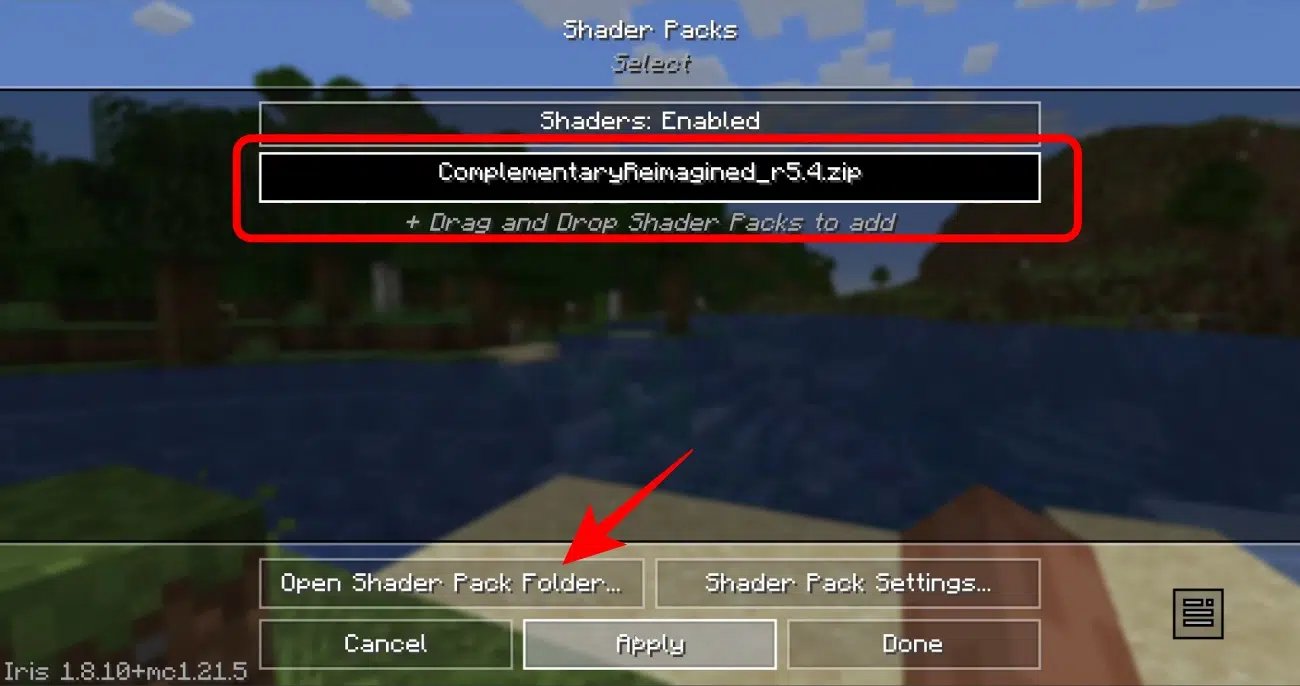
That’s it! Your selected shader should now be active in your Minecraft world. If you notice a significant FPS drop, try switching to a lower preset or disabling demanding effects such as shadows and depth of field.
Minecraft shaders can completely transform the look of your world, whether you want realistic lighting, beautiful water reflections, cinematic shadows, or a simple visual upgrade. The 10 shader packs in this list offer options for different playstyles and PC configurations.
If you want the best balance of visuals and customization, Complementary Reimagined is a great starting point. For better performance on a low-end PC, try MakeUp – Ultra Fast or YoFPS. Ultimately, choose a shader that matches your system’s capabilities so you can enjoy better graphics without sacrificing smooth gameplay.
FAQs
Complementary Reimagined is the best all-rounder shader for Minecraft in November 2026, as it offers a good mix of visuals, performance and customisation.
YoFPS is the best Minecraft shader if you’re running a low-end PC. It’s designed to bring visual improvements without putting too much strain on your hardware.
Minecraft shaders can reduce FPS as they add demanding visual effects such as dynamic lighting, shadow reflections, and realistic water.
You can use shaders in Minecraft Bedrock Edition, but the options are more limited compared to the Java Edition.
Most of the Minecraft shaders are completely free to download and use. You can find these shaders on websites like Modrinth, CurseForge, and GitHub.

As an Amazon Associate, iGeeksBlog earns from qualifying purchases.