FaceTime Like a Pro
Get our exclusive Ultimate FaceTime Guide 📚 — absolutely FREE when you sign up for our newsletter below.

FaceTime Like a Pro
Get our exclusive Ultimate FaceTime Guide 📚 — absolutely FREE when you sign up for our newsletter below.


Whether you're trying to lose weight, build muscle, or simply eat healthier, these free calorie counter apps make tracking your nutrition much easier.
Finding a genuinely free calorie counter app is harder than it should be. In my weight loss journey, I tested multiple apps that promise easy calorie counting, customized nutrition analysis, and even weight loss solutions. However, most of those good features were locked behind a paywall after a few days.
The good news? Not every app follows that pattern. After comparing the most popular calorie counter apps available for iPhone and Android, I found a handful offering enough free features to make daily calorie, nutrition, and macro tracking simple.
If you’re trying to lose weight, build muscle, or simply become more aware of your food intake, these are the free calorie tracker apps worth downloading.
To keep this comparison as fair as possible, I evaluated each app using the same testing criteria rather than relying on feature lists alone.
For each app, I downloaded the free version on my iPhone and Android and used it as my primary calorie tracker for a week for logging meals and drinks throughout the day.
I also tested features that matter most to people tracking calories:
I wasn’t looking for the app with the longest list of features. My goal was to find the ones that make calorie tracking fast, accurate, and easy enough that I’d actually want to use them every day. After all, the best calorie counter app isn’t the one with the flashiest dashboard—it’s the one you’ll stick with consistently.
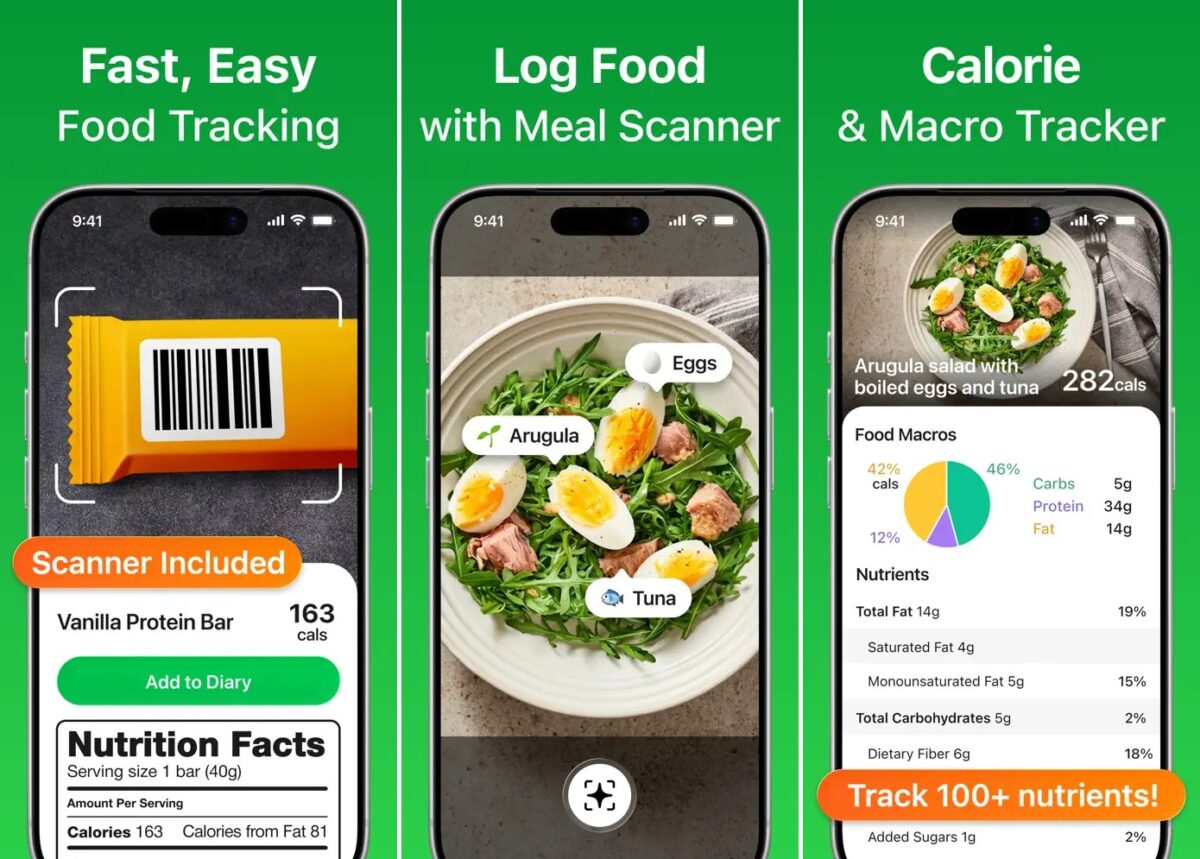
MyNetDiary tops my list as it offers calorie counter, barcode scanning, macro tracking, progress charts, customizable dashboard, and even nutrient analysis—all without ads. That’s surprisingly rare among calorie counter apps today. I can even share my food diary with my dietitian or health coach.
Another thing that makes MyNetDiary different is its focus on accuracy. Instead of relying heavily on user-submitted food entries, I can log meals from its staff-verified food database with more than 2 million foods. If you care about macro tracking, you’ll also appreciate its detailed nutrition breakdown, covering vitamins, fiber, protein, and 105+ other nutrients.
While the free version is one of the strongest I’ve compared, some advanced features, including AI meal scanning, personalized diet plans, GLP-1 companion, intermittent fasting tools, health tracking, and wearable integrations, are reserved for Premium. Still, for most people, the free version goes much further than many competing apps.
Key features
Pros
Cons
Best For: Anyone looking for a powerful free calorie counter app with accurate nutrition data, zero ads, and enough features to track calories and macros without feeling pressured to upgrade.
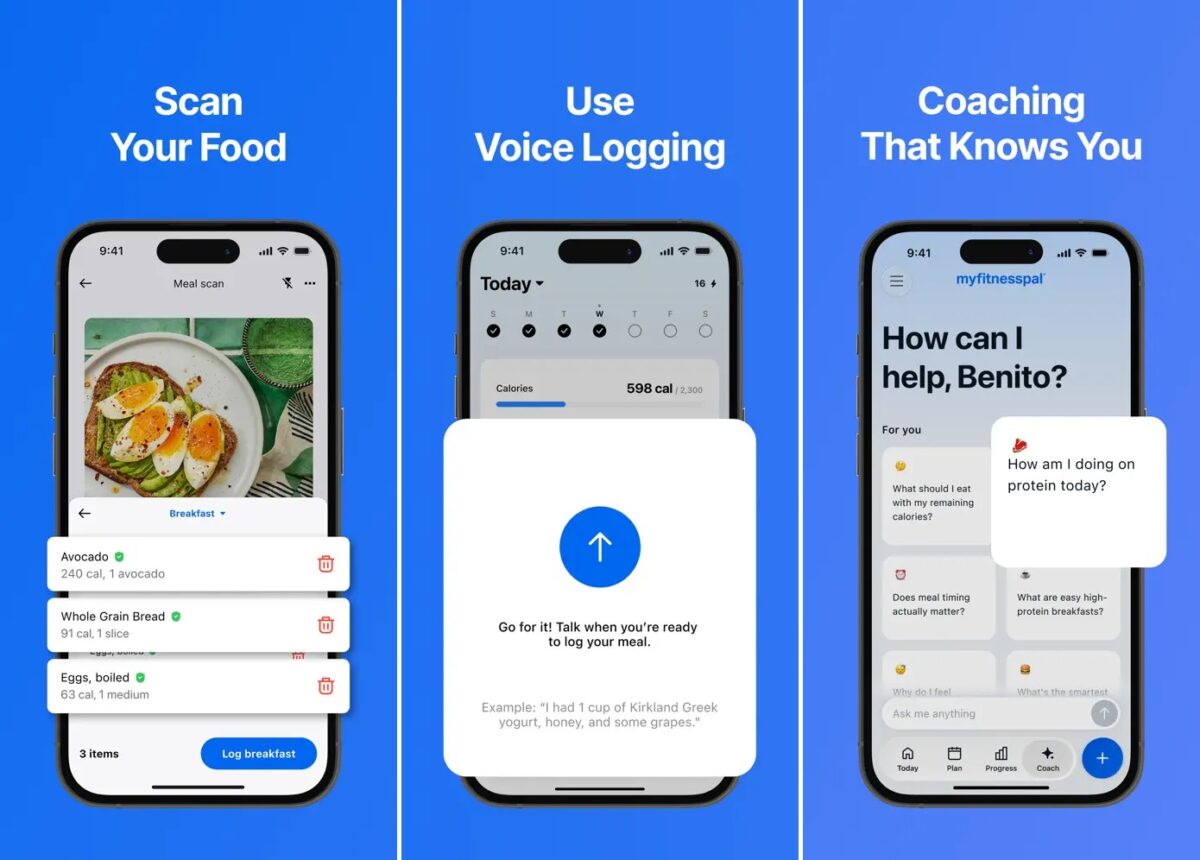
MyFitnessPal has been one of the biggest names in calorie tracking for years, and it’s easy to see why. Even with several popular features moving behind a Premium subscription, the free version is still one of the easiest ways to track calories thanks to its massive food database and quick meal logging.
Whether I am eating homemade meals, restaurant dishes, or packaged snacks, most of the time I find them by searching. And my favorite meals are already saved for quick logging. The app also lets you monitor your daily calorie intake, view macronutrients, set calorie goals, track weight and exercise, and sync data with compatible health and fitness apps.
For someone who simply wants to build a consistent food logging habit, that’s more than enough. However, I find the free version limiting as it has the basic barcode scanning locked behind a subscription. Moreover, meal scan, intermittent fasting, and advanced nutrition features all require a Premium subscription.
Key features
Pros
Cons
Best For: People who want a straightforward way to log meals every day. However, the free version requires you to search for foods manually for calorie counting and macro tracking.
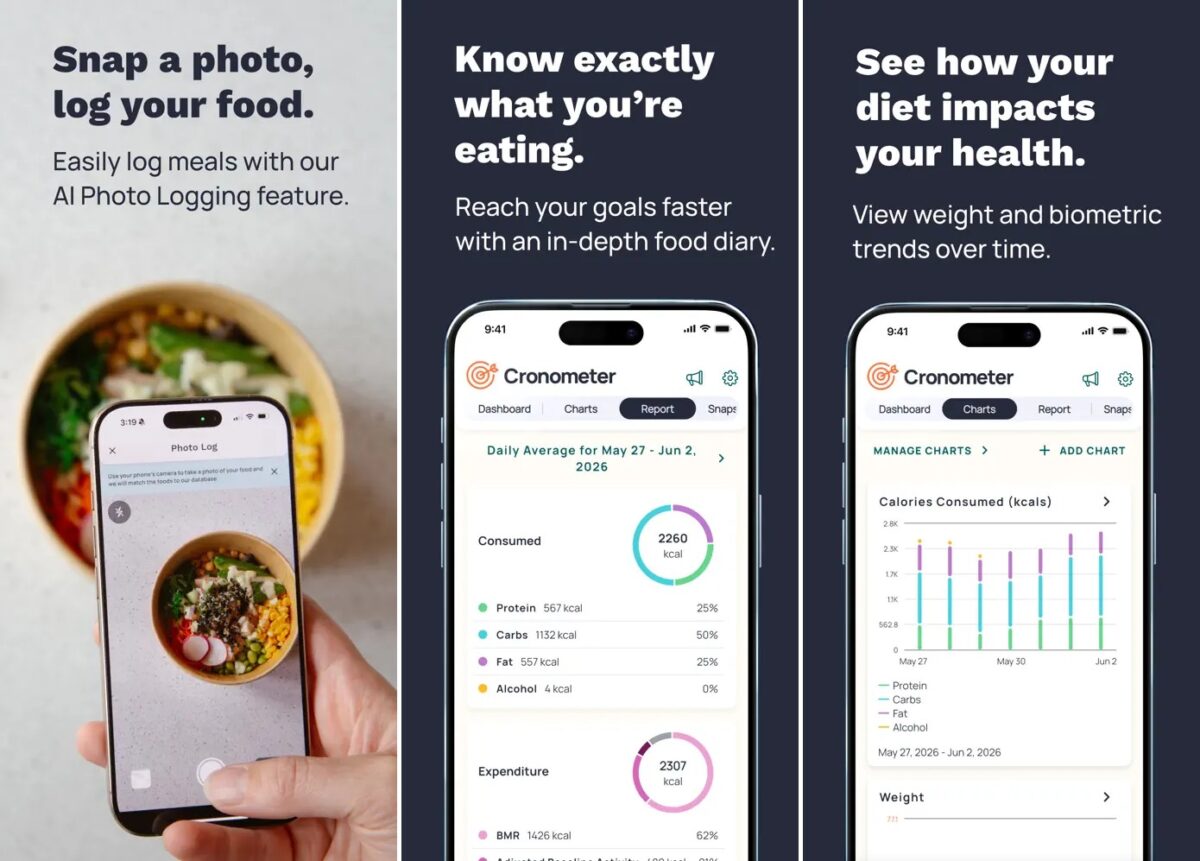
If you’re the type of person who wants to track more than just calories, Cronometer is hard to beat. While most of the calorie counter apps concentrate only on calories and macros, Cronometer offers me a very detailed nutrient profile including protein, carbs, fat, fiber, vitamins, minerals, and more than 95 nutrients and compounds.
What really sets Cronometer apart is how generous its free version is. You get access to a curated database of over 1.1 million verified foods, unlimited barcode scanning, custom recipes, exercise tracking, and integration with fitness apps. That makes it one of the best free yet accurate calorie counter apps for anyone serious about improving their diet.
The trade-off is that Cronometer isn’t as beginner-friendly as apps like MyFitnessPal. The wealth of nutrition data can feel overwhelming if all you want to do is count calories. Advanced features like AI photo logging, recipe importing, fasting tools, long-term reports, and an ad-free experience are also reserved for the Gold subscription.
Key features
Pros
Cons
Best For: Health-conscious users, athletes, and anyone who wants weight loss, muscle gain, and overall nutrition improvements.
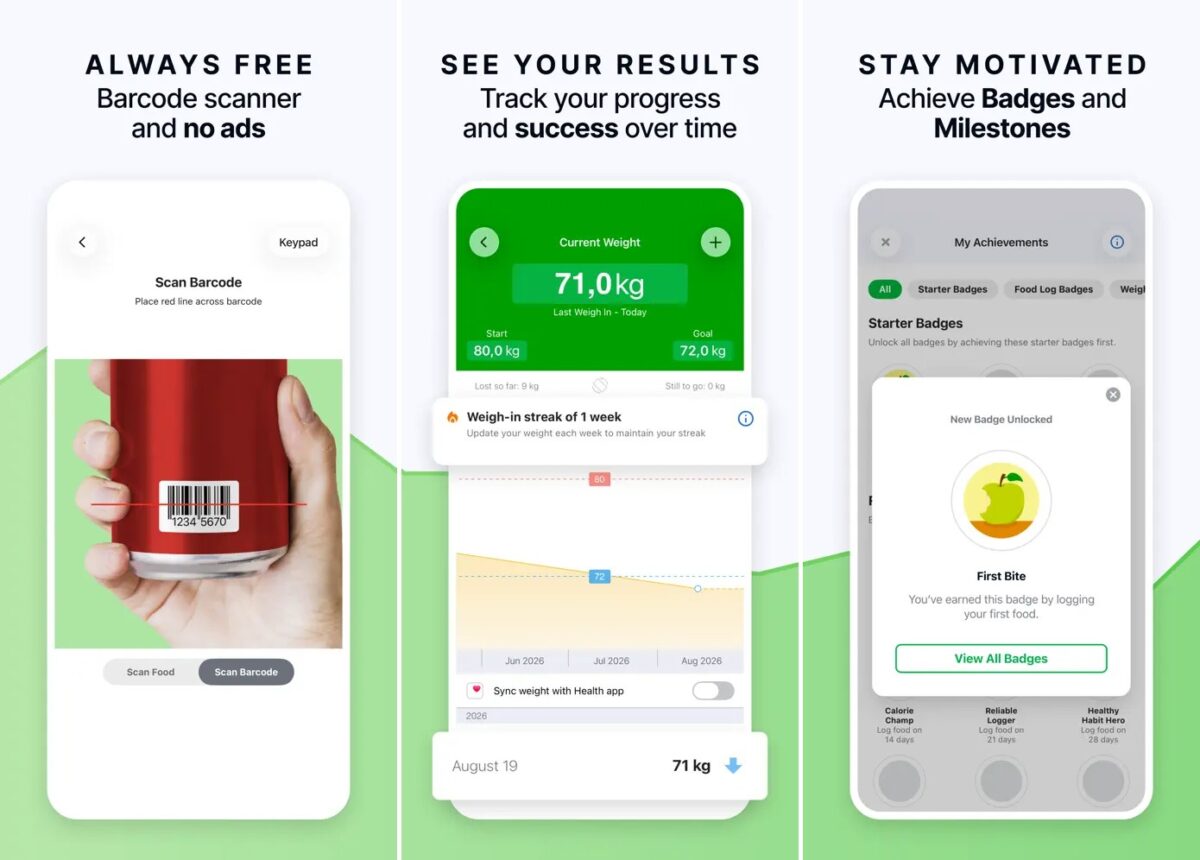
Most calorie counter apps start out free but quickly remind you that the best features come with a subscription. FatSecret takes a different approach. It gives you access to calorie tracking, a barcode scanner, macro tracking, and weight logging without forcing you to upgrade.
What I like most about FatSecret is that it sticks to the basics and does them well. The home screen isn’t packed with AI coaches, meal plans, or flashy wellness scores. Instead, you get a straightforward food diary, a large food database, an exercise log, and progress charts that make it easy to see how you’re doing over time.
Key features
Pros
Cons
Best For: Anyone who wants a no-nonsense calorie counter that prioritizes useful free features over constant upselling.
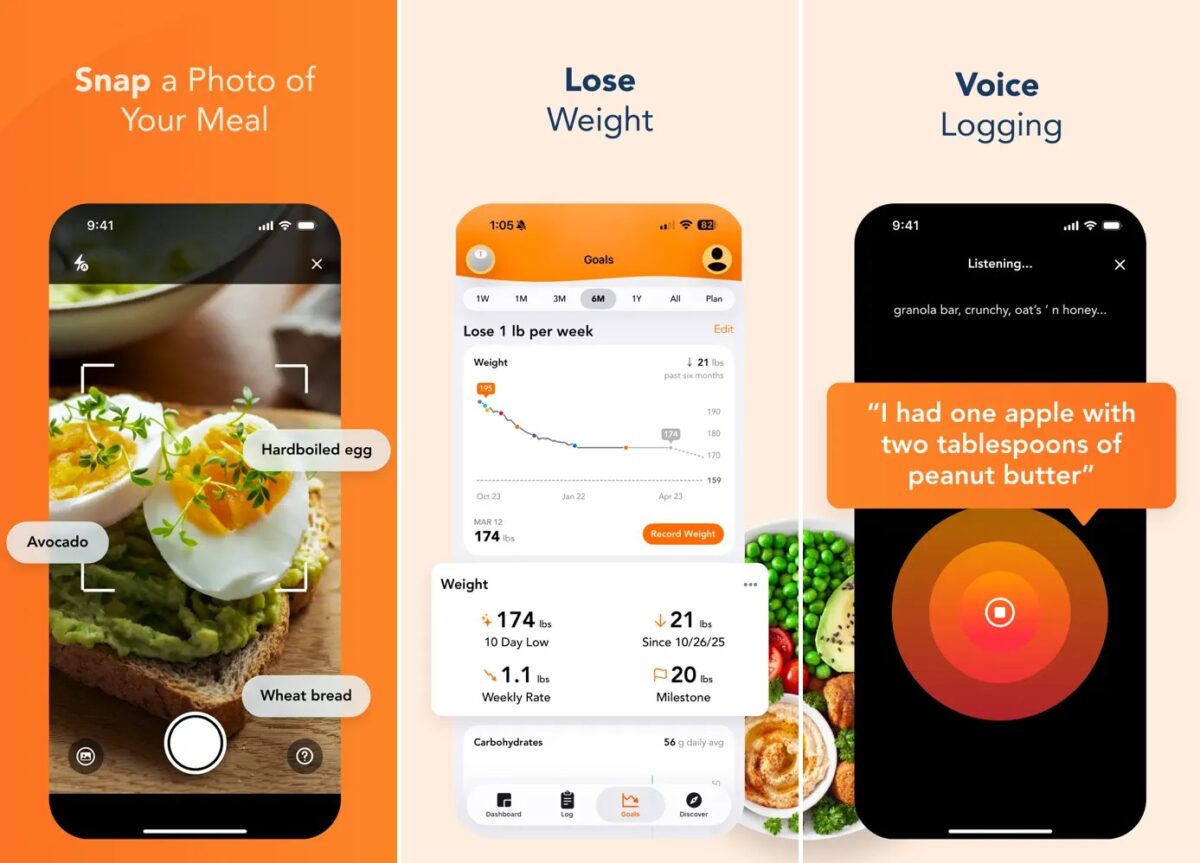
Lose It! is one of the easiest calorie counter apps I will recommend if you’ve never tracked calories before. From the moment I opened the app, it guided me to set a weight-loss goal and calculate my daily calorie budget based on my body composition, activity levels, and habits.
The clean design and intuitive interface make it beginner-friendly. You can log meals and exercise, track your daily calorie intake, monitor your weight, create custom foods, and view your daily progress. These features will be enough for most people who count their calories to stay within the daily calorie allowance.
Where Lose It! falls behind some competitors is its Premium paywall. Features like the barcode scanner, AI photo and voice logging, advanced macro tracking, intermittent fasting, and detailed nutrition insights require a paid subscription.
Key features
Pros
Cons
Best For: Beginners who want a simple, motivating calorie tracker without a steep learning curve.
After comparing these apps side by side, one thing became clear: not all “free” calorie counter apps are equally free. Some let you track calories without restrictions, while others lock everyday features like barcode scanning or detailed nutrition behind a subscription.
Here’s how they compare in terms of the features available for you without any payment.
If I were judging purely on free features, Cronometer takes the top spot. It gives you access to unlimited barcode scanning, detailed nutrient tracking, custom recipes, and one of the most accurate food databases without asking you to upgrade immediately.
That said, FatSecret deserves a close second. It may not have the flashiest interface, but it’s one of the few apps that still treats the free version like a complete product instead of a demo.
Before you download the first app you see, think about how you plan to use it. The right choice depends more on your goals than the number of features it offers.
Free calorie counter apps have improved significantly over the past few years, but they aren’t all created equal. Some are generous enough to allow you to track calories without making you pay anything, while others keep their basic functions reserved for their paid users.
If you’re looking for the best overall free calorie counter, Cronometer is my top recommendation. It offers the strongest combination of calorie tracking, macro and micronutrient analysis, barcode scanning, and an accurate food database in its free plan.
In the end, none of the calorie counter apps can ever replace consistency. The one that helps you develop the habit of entering all your food entries will be far more useful than one with hundreds of premium features you won’t use. Start with a free option, see which one fits your routine, and only consider upgrading if you genuinely need the extra tools.
You may also like to read these: