FaceTime Like a Pro
Get our exclusive Ultimate FaceTime Guide 📚 — absolutely FREE when you sign up for our newsletter below.

FaceTime Like a Pro
Get our exclusive Ultimate FaceTime Guide 📚 — absolutely FREE when you sign up for our newsletter below.


Google is rolling out Instacart, Canva, and YouTube Music connections in AI Mode, letting U.S. users start shopping, design, and music tasks inside Search.
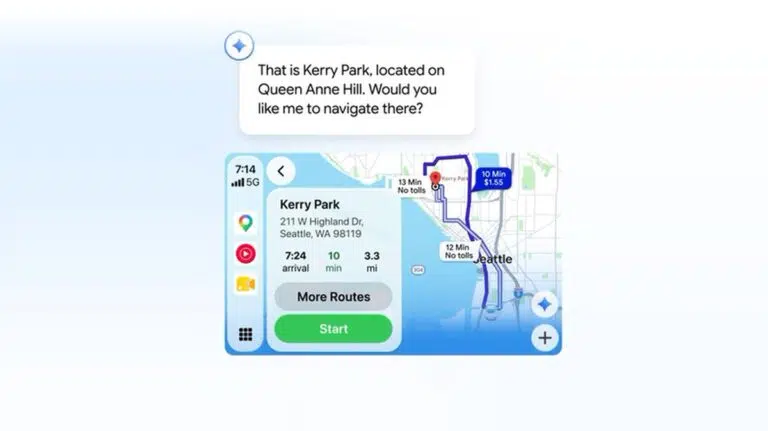
Google is adding three connected apps to AI Mode in Search: Instacart, Canva, and YouTube Music. The integrations are rolling out in the U.S. this week and let Search prepare real tasks instead of stopping at an AI-generated answer.
You can ask AI Mode to build a grocery cart, find a design template, or create a playlist. Search then hands you over to the connected service to finish the job.
The first three integrations cover shopping, design, and music:
That final handoff matters. AI Mode does the planning and setup, while the partner app remains responsible for the transaction or finished content.
If this no longer feels like the Google Search you signed up for, DuckDuckGo is worth a try. It keeps a more classic, link-first experience and delivers solid results for everyday searches without building a personal search profile.
On an iPhone or iPad, open the Google app, tap AI Mode, and enter a request. If the service is not connected, Google will ask you to link it before continuing. The same feature is available on the web through AI Mode.
This sits inside the Google app’s growing set of AI tools, alongside the existing ways to use Gemini on an iPhone. However, Google Search Help says these new app connections are currently limited to the U.S., work in English, and require a signed-in Google Account. Most services also require their own account.
Connected services can be removed from the Linked apps section of your Google Account. Google also recommends enabling Search history and personalized recommendations, though neither is required to access AI Mode. Without history, you cannot resume earlier searches.
Google says interactions with Search and its AI features may be used to improve generative AI systems. According to its support page, data shown to trained reviewers is disconnected from user accounts, while automated tools are used to remove identifying and sensitive information.
More app partners are coming, but Google has not named them or given a wider rollout date.