
FaceTime Like a Pro
Get our exclusive Ultimate FaceTime Guide 📚 — absolutely FREE when you sign up for our newsletter below.

FaceTime Like a Pro
Get our exclusive Ultimate FaceTime Guide 📚 — absolutely FREE when you sign up for our newsletter below.


iOS 26 Beta 2 isn’t flashy, but it packs thoughtful upgrades—from better Liquid Glass UI to iMessage polls and Apple Music enhancements. Here’s what’s new.


Apple just dropped the second developer beta of iOS 26, and while it doesn’t bring dramatic overhauls, it refines almost every corner of what Beta 1 introduced. From interface tweaks to new Apple Music tricks and improved system features, iOS 26 Beta 2 is shaping up to be a polished and performance-ready update. Here’s everything you need to know.
The flashy new Liquid Glass UI introduced in Beta 1 looked great on paper, but had some real usability issues, particularly with visibility. The translucent backgrounds made it tough to see buttons and text.
With Beta 2, Apple is fixing that. The Control Center now has a stronger blur effect, improving clarity around sliders and toggles. Notifications also show better contrast, though they can still struggle a bit on very bright wallpapers.
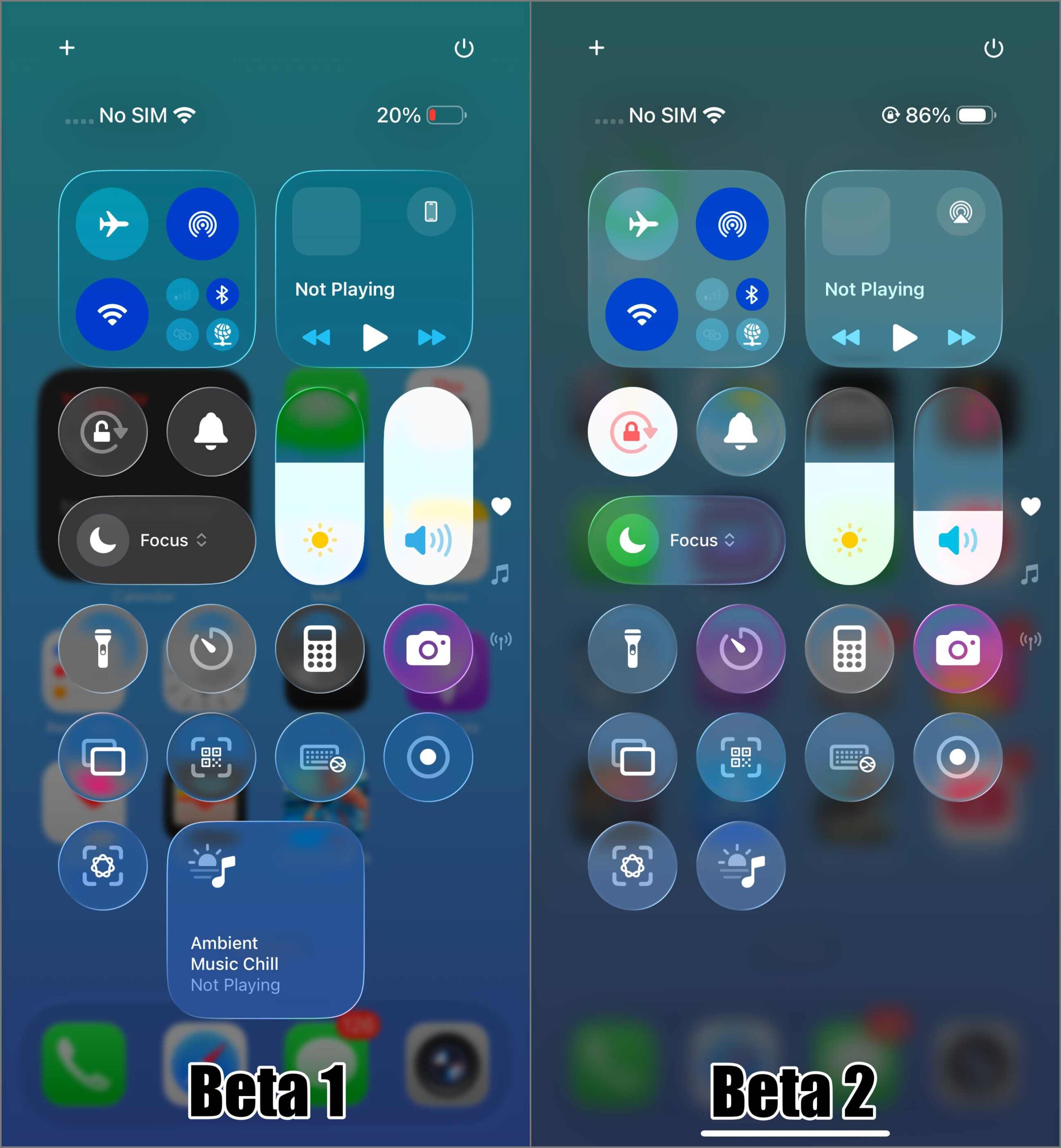
Beyond the blur boost, the Control Center now appears slightly darker and more defined. The difference is subtle, but it helps make controls easier to spot and tap quickly.
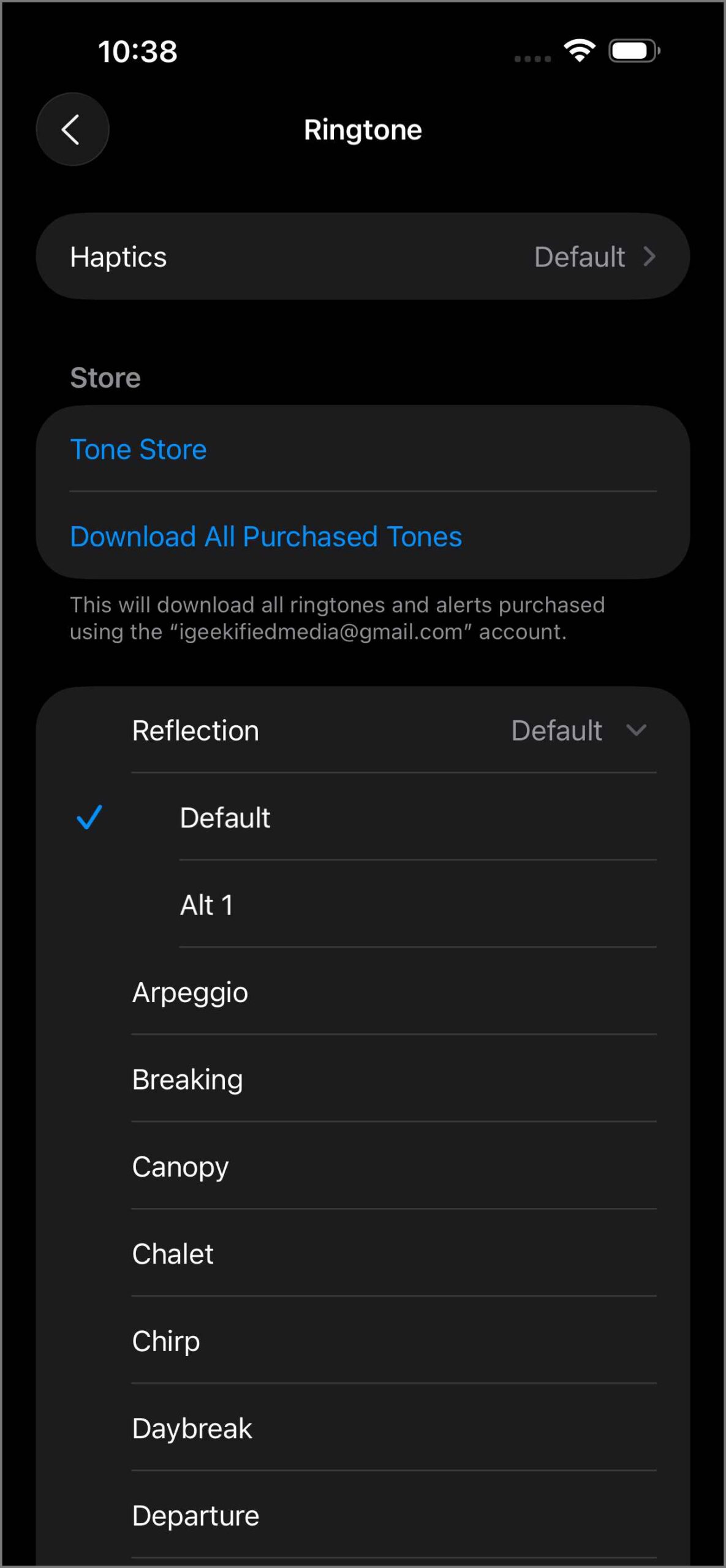
There’s a new remix of the familiar “Reflection” ringtone, dubbed “Alt 1.” You’ll find it under Settings > Sounds & Haptics > Ringtone. It keeps the same melody but adds a more glassy spin—something that goes well with the new Liquid Glass design on iOS 26.
Apple has reintroduced model-specific iPhone wallpapers that were previously missing in Beta 1. Lock Screen layout bugs have been ironed out, too—Focus Mode text no longer clashes with widgets.
Across the system, several icons and UI elements now feature a shinier, more glass-like finish to better match the new design language.
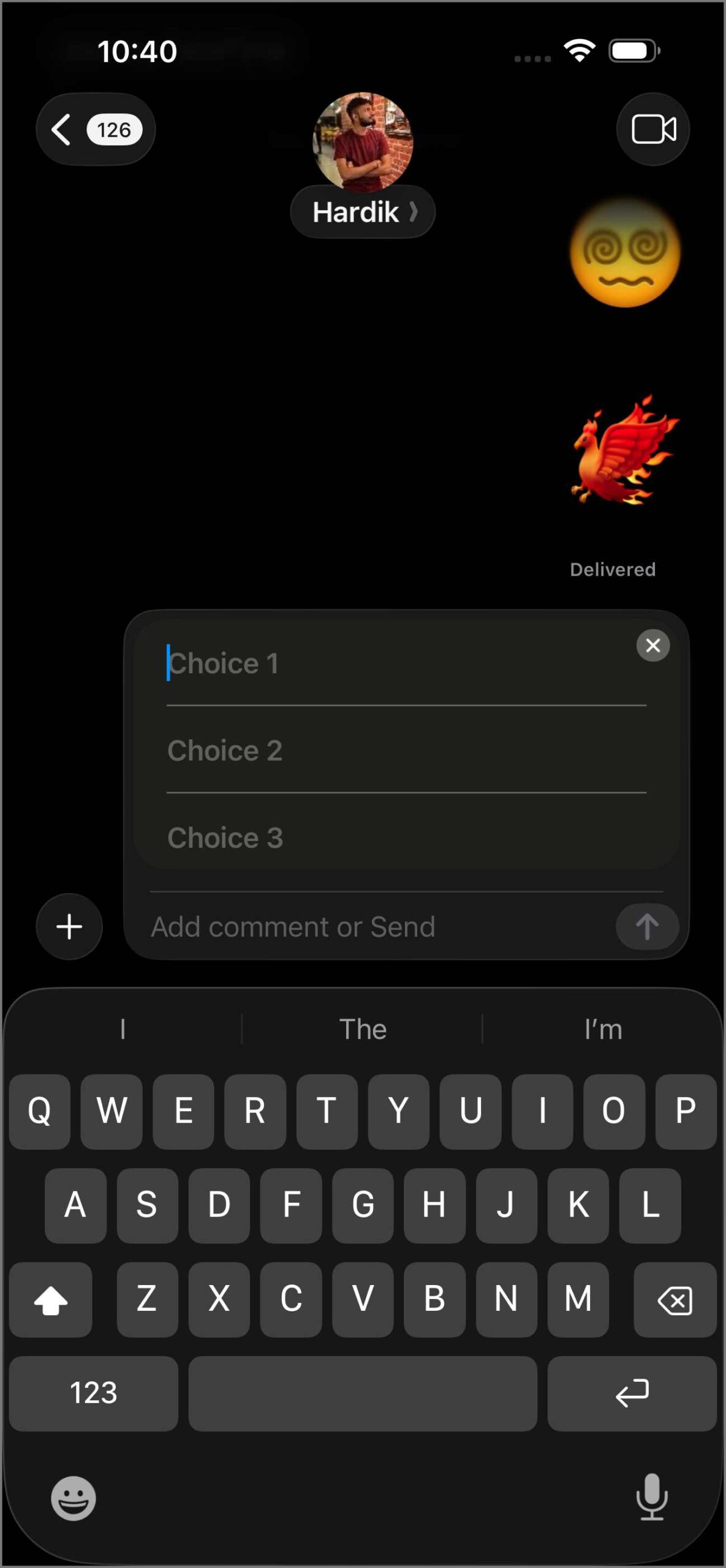
iMessage now lets you create polls in chats, including group chats—a helpful addition to the chat backgrounds feature from Beta 1.
On the Phone side, Hold Assist listens while you’re on hold and pings you when a real person joins. Spam detection is also better, making unwanted calls easier to block or silence.
Beta 2 brings some notable upgrades to Apple Music. AutoMix creates seamless transitions between songs, while Lyrics Translation helps you follow tracks in other languages. Lyrics Pronunciation is also new, helping you sing along more accurately. Plus, you can now auto-pin favorite songs and use a Live Radio widget for instant access to stations.
The Safari browser got a subtle redesign. The “More” menu (shown by the three-dot icon) now opens into a single-column list, making options easier to scroll through. Some other layout elements in tab view have also been adjusted slightly.
Messages from unknown senders now display a blue alert badge instead of a red one. This makes them feel less alarming and easier to spot without looking like a warning.
On iPads, the Journaling app now supports iCloud sync—a long-requested feature. Apple Wallet also received a significant upgrade: you can now track your online orders inside the app. If you paid with Apple Pay or a supported app, Wallet shows the delivery status, tracking number, and expected arrival—all in one place. This makes it easier to manage your purchases without switching between email and courier apps.
A new section on App Store product pages now highlight each app’s Accessibility features—like VoiceOver support, larger text options, or compatibility with AssistiveTouch. This helps users quickly identify which apps are more accessible for individuals with vision, mobility, or hearing challenges.
Apple redesigned Recovery Mode in iOS 26. Instead of a simple image, you now get on-screen instructions and tools. The new Recovery Assistant can even help restore your iPhone using another iOS device or iPad without requiring a Mac or PC.
This update fixes the broken AutoMix feature in AirPlay and improves text visibility in the Apple TV app. Overall system performance is more stable, although bugs are still expected at this early stage of the beta cycle.
Overall, iOS 26 Beta 2 feels like a step in the right direction. Apple is clearly listening to feedback and refining both form and function. A public beta lands in July, with the final release expected this fall.



