FaceTime Like a Pro
Get our exclusive Ultimate FaceTime Guide 📚 — absolutely FREE when you sign up for our newsletter below.

FaceTime Like a Pro
Get our exclusive Ultimate FaceTime Guide 📚 — absolutely FREE when you sign up for our newsletter below.


Roblox Plus explained: price, features, discounts, private servers, and whether it’s worth it for your monthly Robux spend.
If you play Roblox regularly, your spend is predictable: avatar items, game passes, and private servers. Each one feels small, but together they become a monthly cost. Roblox Plus is built around that pattern. You keep playing the same way, but you pay less for the same things and remove a few repeated charges.
Roblox Plus is a monthly membership focused on savings and access. It adds discounts on purchases, free private servers, fee-free Robux transfers, and marketplace features. Gameplay does not change.
It also becomes the default subscription for new users. Roblox Premium continues for existing members, but new sign-ups move to Plus.
Roblox Plus costs $4.99 per month and renews automatically.
You can keep the base plan or combine it with Robux, so your monthly spend is predictable:
Bundles are for convenience. You pay once each month instead of buying Robux separately.
Each feature targets a common cost or limitation you already deal with.
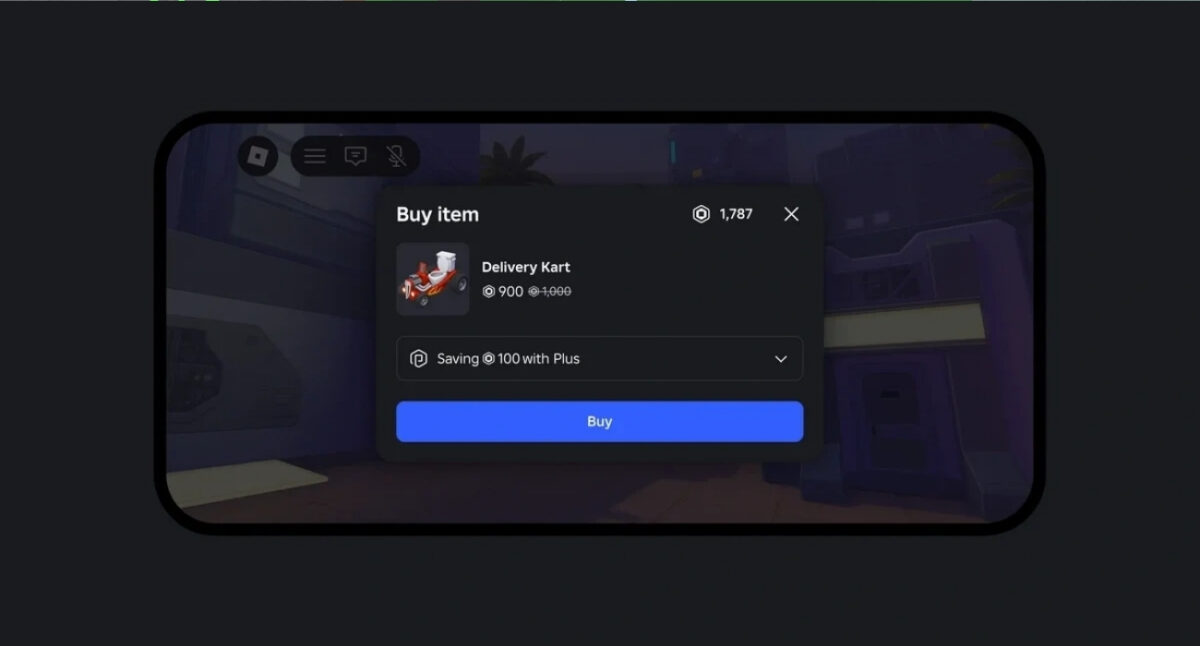
You get 10% off all Robux-based purchases from day one. This applies across avatar items, accessories, and in-game purchases.
After three continuous months, the discount increases to 20%. If you spend regularly, this is where most savings come from because it applies every time you buy something.
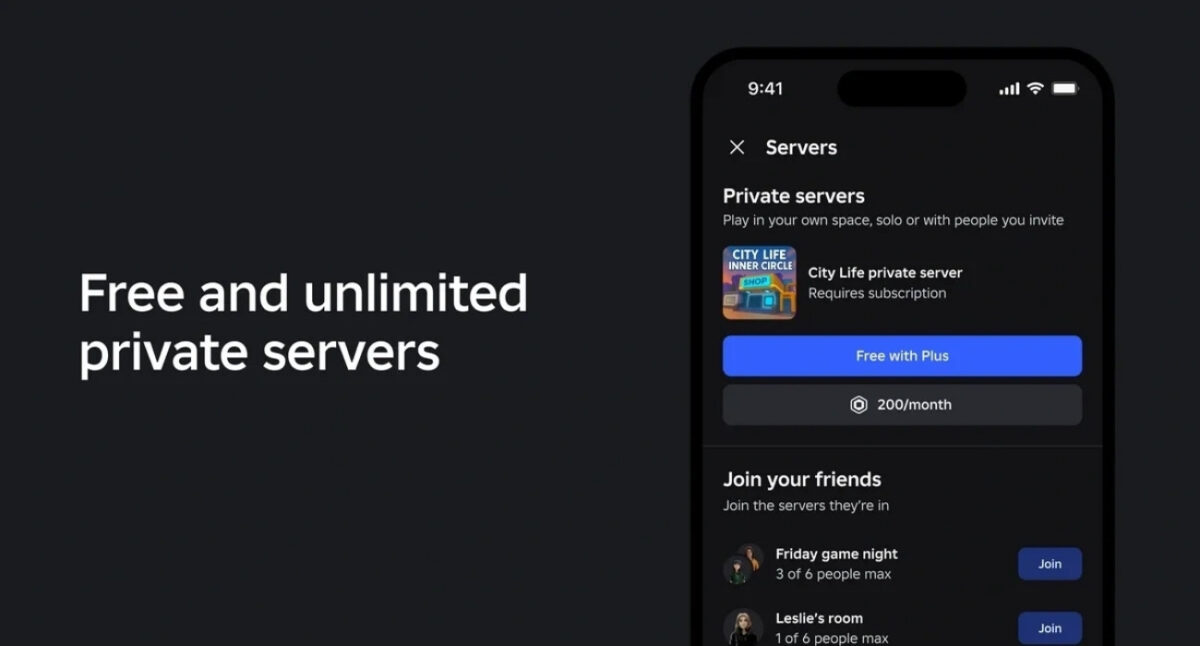
Many games charge Robux for private servers. With Plus, you can create and use them for free across supported games.
If you often play with friends or need a controlled session, this removes a recurring cost that usually comes back every time you switch games.
Roblox Plus allows direct Robux transfers with no transaction fees.
Only the sender needs the subscription. The receiver does not. This makes it easier to split costs, send rewards, or move Robux without losing a percentage each time.
Roblox Plus gives you full access to marketplace actions that matter:
For players, this adds flexibility. For creators, it creates a simple path to earning within the platform.
Roblox covers the cost of discounts, so creators still earn the full amount from each purchase.
Creators can also earn extra Robux when players use private servers or subscribe through their game. Increased player activity translates into more earnings instead of reduced revenue.
Subscribers get a visible badge on their profile that shows their membership status.
Roblox positions Plus as an evolving subscription, so additional perks are expected over time.
The difference is clear once you look at how each one delivers value.
| Feature | Roblox Plus | Roblox Premium |
|---|---|---|
| Discounts on purchases | Yes (10% → 20% after 3 months) | No |
| Private servers | Free and unlimited (supported games) | Not included |
| Monthly Robux | Not included (available via bundles) | Included every month |
| Robux transfers | Free, no fees | Not available |
| Availability | Default for new users | No new sign-ups |
What this means: Plus saves money on every purchase and removes recurring server costs. Premium gives a fixed Robux stipend but lacks these savings-focused perks.
Think of this in terms of how you already use Roblox, not in isolation.
If you log in, buy a few avatar items, maybe grab a game pass, and occasionally spin up a private server, your monthly spend is already happening. Roblox Plus sits on top of that and trims a percentage off every purchase while removing server costs. You don’t need to change behavior to see value.
Here’s how it plays out in real use:
Private servers shift the equation further. If you use them across multiple games, removing those repeated charges can cover a large part of the subscription on its own.
On the other side, if you rarely spend Robux, stick to free experiences, or don’t care about private servers, Roblox Plus won’t add much. The features are tied to usage. No usage, no real benefit.
In short: if Roblox is part of your routine spend, Plus makes that spend more efficient. If it isn’t, it’s easy to skip.
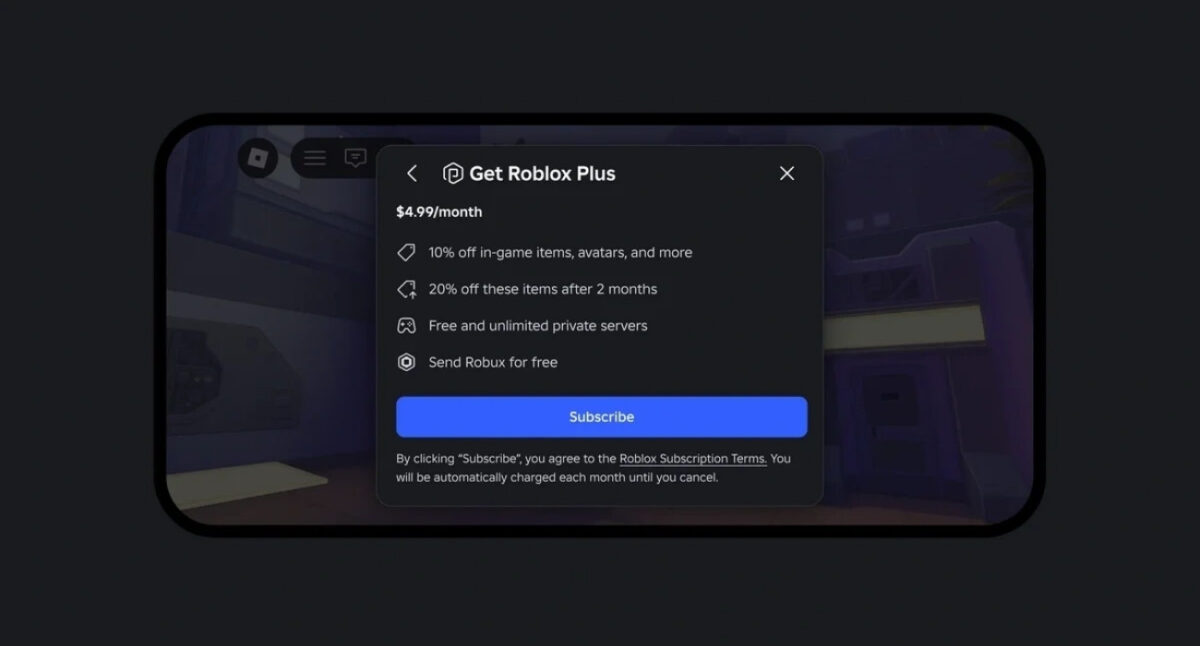
You can subscribe directly from Roblox once you are signed in.
The subscription activates immediately and renews every month unless you cancel.
Roblox Plus fits players who already spend on the platform. It reduces repeat costs and keeps more value in each purchase. If your usage is regular, the savings show up quickly. If not, the difference is small and easy to skip.
In case you missed: