FaceTime Like a Pro
Get our exclusive Ultimate FaceTime Guide 📚 — absolutely FREE when you sign up for our newsletter below.

FaceTime Like a Pro
Get our exclusive Ultimate FaceTime Guide 📚 — absolutely FREE when you sign up for our newsletter below.


Apple used WWDC 2026 to refine iOS 27, rebuild search, launch Siri AI, polish macOS 27 Golden Gate, and push Apple Intelligence deeper into apps.
WWDC26 ended exactly where months of leaks said it would: with Siri back under the spotlight and Apple Intelligence pushed deeper into the system. But Apple did not spend the keynote pretending one assistant update could carry the whole year.
The real story is more practical. With iOS 27, macOS 27 Golden Gate, and updates across its other OSes, Apple is cleaning up the software layer it redesigned last year: making Liquid Glass easier to read, rebuilding search, widening device support, and turning AI into something that lives inside apps instead of beside them.
| Area | What Apple announced |
|---|---|
| iOS 27 | Liquid Glass controls, wider support, speed improvements, rebuilt search, Camera upgrades, and more Apple Intelligence |
| Siri AI | A dedicated app, Dynamic Island, personal context, screen awareness, app actions, and private conversation sync |
| Apple Intelligence | Deeper AI features inside Photos, Mail, Messages, Safari, Shortcuts, Spotlight, and apps |
| Search | A rebuilt foundation for Spotlight, Mail, and Photos across Apple’s platforms |
| macOS 27 Golden Gate | Liquid Glass polish, consistent windows, edge-to-edge sidebars, Siri AI in Spotlight, and better Mac workflows |
| Family controls | Easier child accounts, communication safety, age-aware app experiences, and clearer parental settings |
| Developers | App Intents, Foundation Models, Private Cloud Compute, and app hooks for Siri AI |
Apple is not abandoning Liquid Glass; it is making it less rigid. The design gave Apple’s software a clearer visual identity, but the transparency, blur, and refraction could make parts of the interface harder to read. iOS 27 adds control over how strong the effect appears, so the design can stay modern without forcing everyone into the same level of gloss.
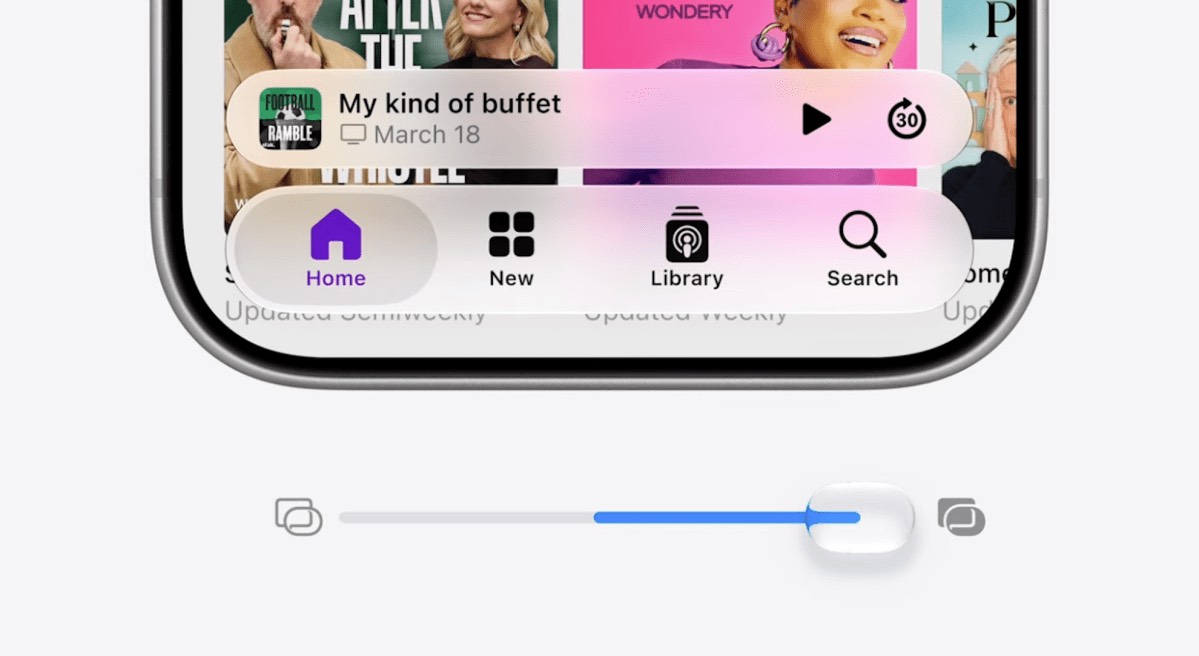
This is the refinement Apple needed. The update does not make iOS look brand new again; it makes last year’s redesign feel more finished. For most users, that matters more than a fresh coat of animation.
Apple says iOS 27 supports iPhones going back to iPhone 11, which is broader than many pre-WWDC rumors suggested.
The caveat is Apple Intelligence. Older iPhones may get iOS 27 without every Siri AI or on-device AI feature, because many of those tools still depend on newer chips, memory, and Neural Engine hardware.
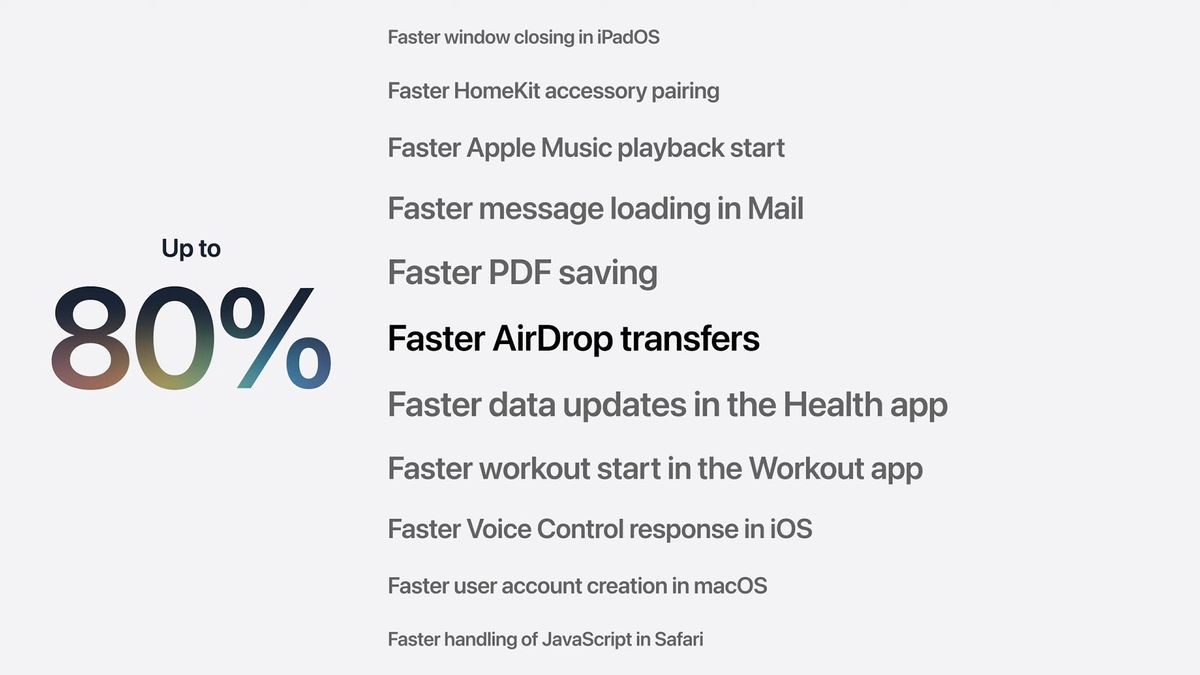
Still, broad support changes the story. More users get the design controls, search improvements, family updates, and everyday app refinements. Apple also highlighted faster Photos loading, quicker AirDrop transfers, and CPU scheduling improvements.
If you are planning to update, check the iOS 27 supported devices list first, then separately check which Apple Intelligence features your iPhone can run.
Apple says it rebuilt the search foundation behind Spotlight, Mail, and Photos across its platforms. That means this is not just a prettier search field. It is a new indexing and ranking system meant to find old and new content more reliably.
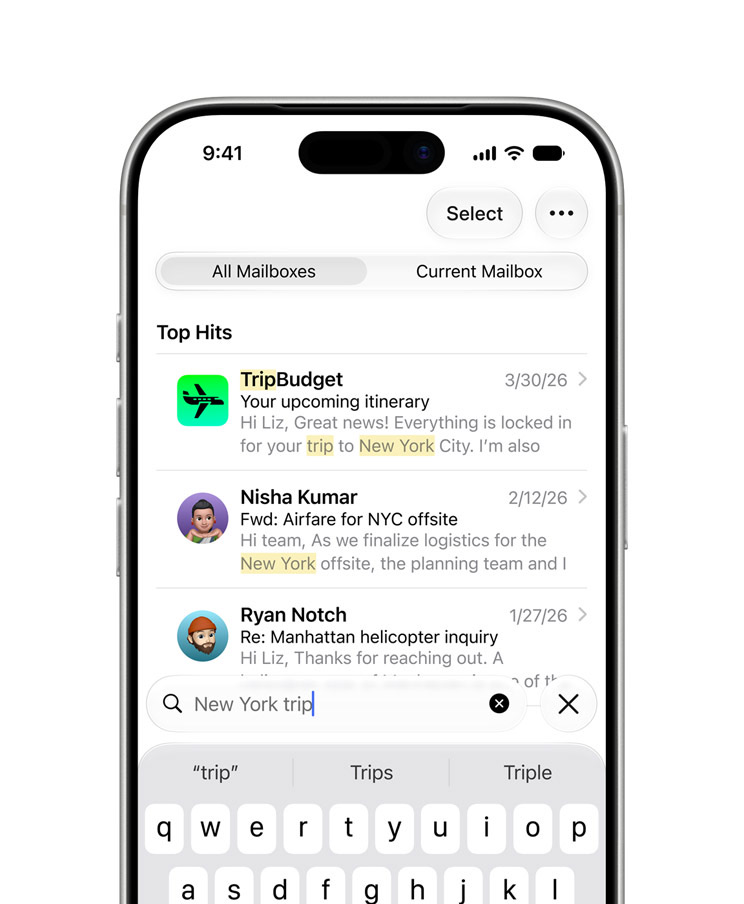
That matters because Apple devices already hold the personal context Siri AI needs: emails, photos, files, reminders, contacts, calendar events, screenshots, and notes. If Spotlight misses obvious files or Mail cannot surface a message you know exists, a smarter Siri will still feel limited.
Better search is the bridge between Apple Intelligence as a demo and Apple Intelligence as something useful. If the system can retrieve what is already on your device, Siri has a better shot at answering personal questions and taking action.
Siri received its biggest reset in years, with personal context, onscreen awareness, broader knowledge, app actions, and a dedicated Siri app.
The dedicated app is more important than it sounds. Old Siri often felt like a command bubble that disappeared after one request. A real app with private iCloud conversation sync gives Siri a place to keep context across devices.
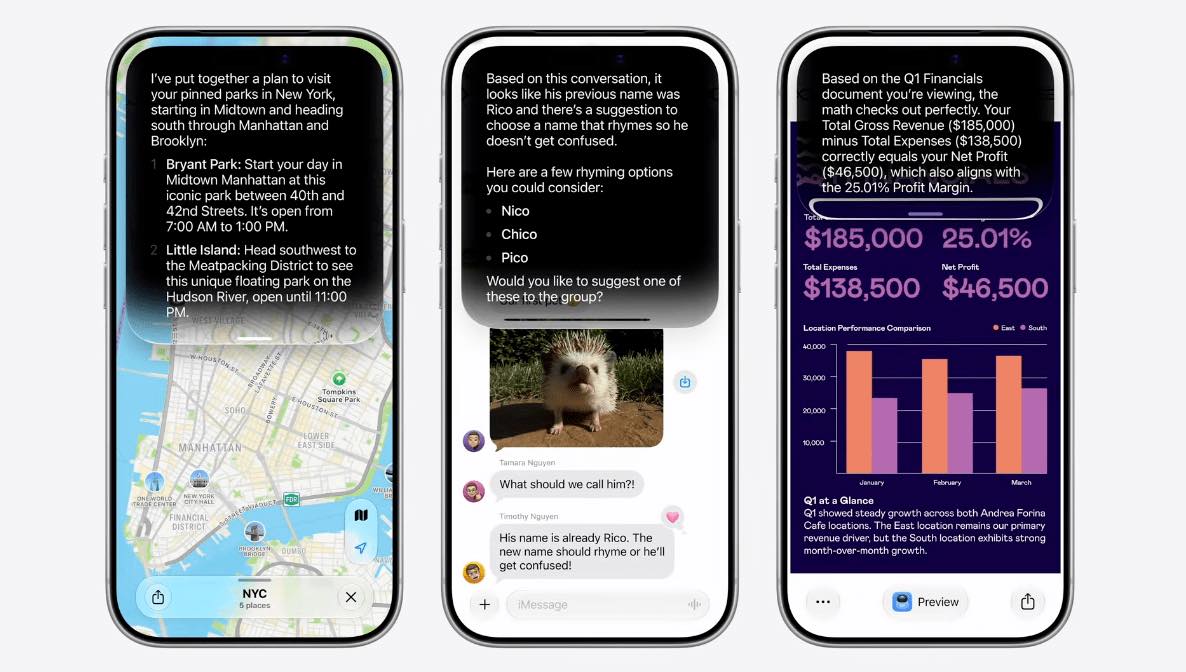
The new Siri also shows up in more natural places: Dynamic Island on iPhone, Spotlight on Mac and iPad, Camera, AirPods, CarPlay, and supported apps.
That matches earlier iGeeks coverage of the iOS 27 Siri overhaul and the reported standalone Siri app, but WWDC26 clarified the larger idea: Siri is becoming the front door for Apple Intelligence.
The hard part is reliability. Siri AI has to be fast, accurate, and consistent across voice, text, screen context, and app actions. Apple can call it personal, but users will only believe that if it handles real follow-up requests without falling apart.
Apple Intelligence made more sense this year because Apple showed it inside normal workflows instead of a separate AI corner.
Photos gets smarter search, cleanup, reframing, and generative expansion tools on supported devices. Image Playground is becoming more capable and more open to developers, pushing it beyond a novelty and closer to a creative tool built into apps.
Mail, Messages, Safari, and Spotlight get the same treatment: smarter ranking, better suggestions, tab organization, page monitoring, and more information surfaced without opening a chatbot first.
Shortcuts may be the sleeper update. Apple says users can describe an automation in natural language, and Shortcuts can help build it. That could make the Shortcuts app useful to people who understand what they want but do not want to assemble every action manually.
Visual Intelligence makes more sense when it is inside Camera, where people already point their iPhone at things they want to understand.
In iOS 27, Camera becomes a more direct input for Apple Intelligence: point at an object, label, printed card, place, or document, and let the system identify it, answer questions, or pull useful information into the right app.

That is more useful than hiding AI behind device-specific shortcuts. It makes Camera feel less like a capture-only app and more like a way to ask your iPhone about the world in front of you.
Apple is also adding more Camera controls for settings like flash, exposure, timer, depth, styles, and resolution without turning Camera into a pro app.
Wallet is expected to gain a “Create a Pass” feature for turning certain physical tickets, memberships, gift cards, and QR-code passes into digital Wallet items. If it works broadly, it solves a daily annoyance: fewer screenshots, fewer paper passes, and fewer codes buried in Photos.
Apple also expanded its family and child-safety story with easier Child Account setup, age-aware app experiences, stronger Communication Safety, privacy-preserving age-range sharing, Ask to Browse, time allowances, schedules, and clearer parental controls.
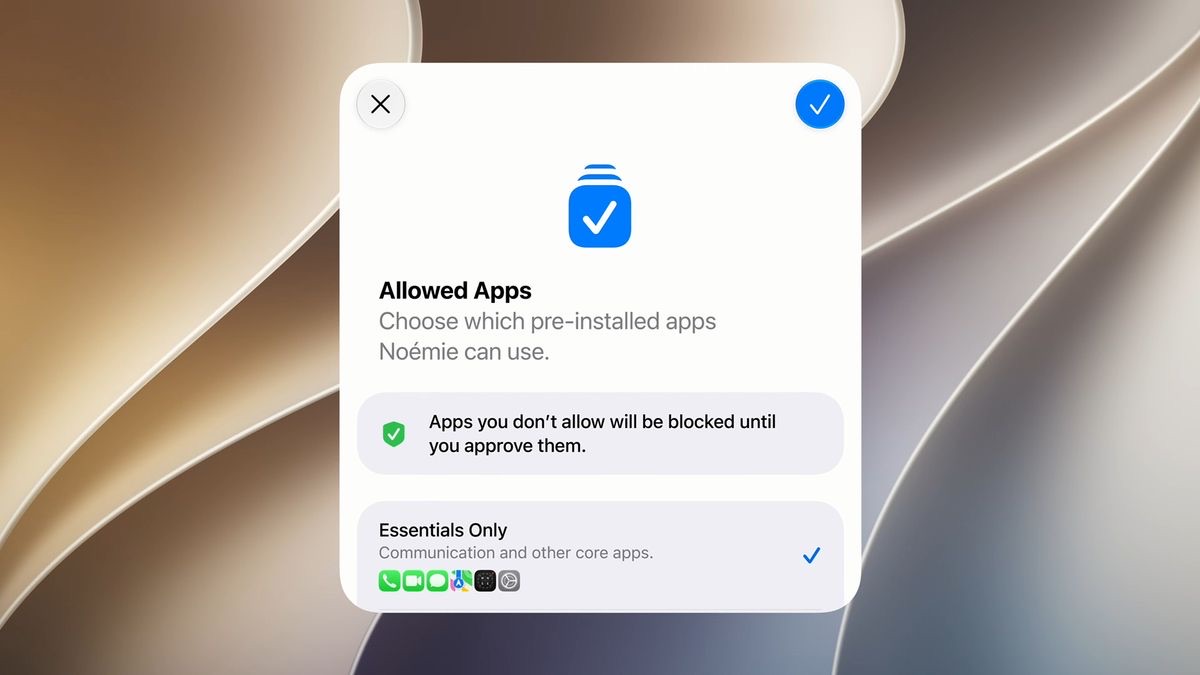
Family controls often fail when they are too hard to set up before a problem happens. Apple’s goal is to make them easier, more visible, and more consistent without turning age verification into a privacy mess.
macOS 27 is called macOS 27 Golden Gate, and its best changes are about making the Mac version of Liquid Glass feel less awkward.
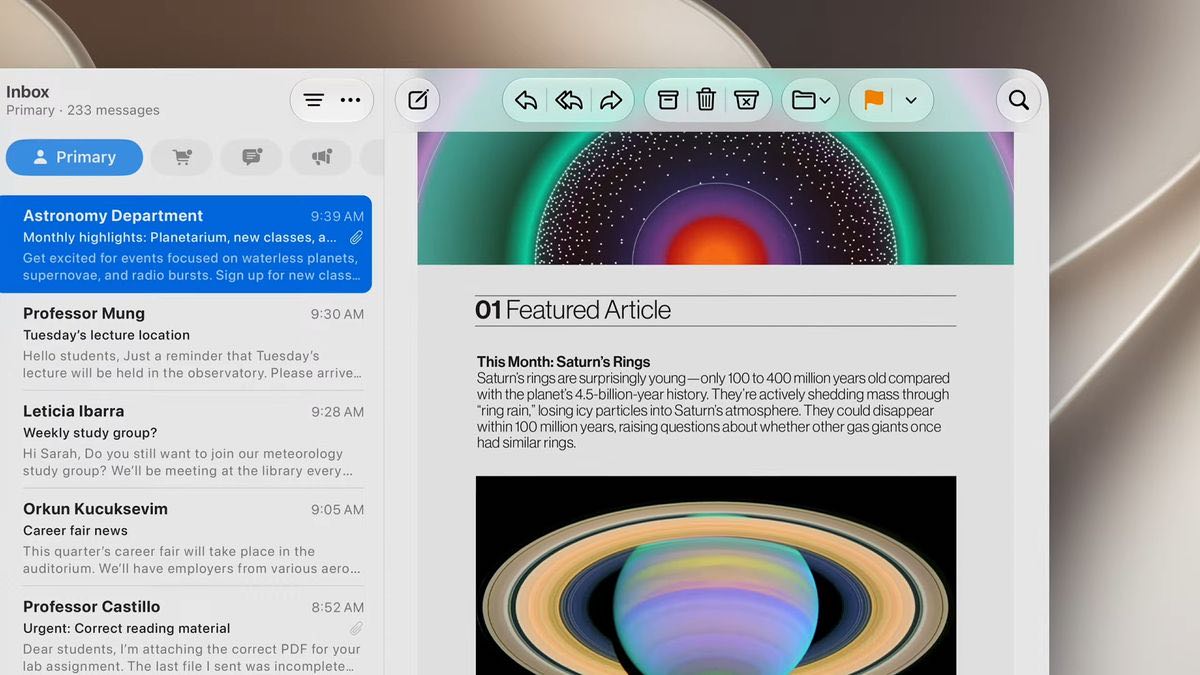
Apple says Golden Gate improves readability, contrast, refraction consistency, window shapes, toolbars, and sidebars. The corner-radius fixes and updated window shapes reduce the uneven feel between apps, while edge-to-edge sidebars make windows feel more integrated instead of like floating panels.
Golden Gate also adds a Liquid Glass slider, letting users choose a clearer or more tinted interface. That is especially useful on a Mac, where you may have several translucent windows, sidebars, and toolbars on screen at once.
Siri AI also makes more sense on the Mac than it might on paper. If Siri can work through Spotlight, understand screen context, find information, and act inside apps, it becomes a workflow tool rather than just a voice assistant.
Apple did not need separate dramatic stories for every OS this year. Most smaller updates follow the same pattern: bring Siri AI and Apple Intelligence everywhere, tune Liquid Glass, improve search, and add device-specific features where they make sense.
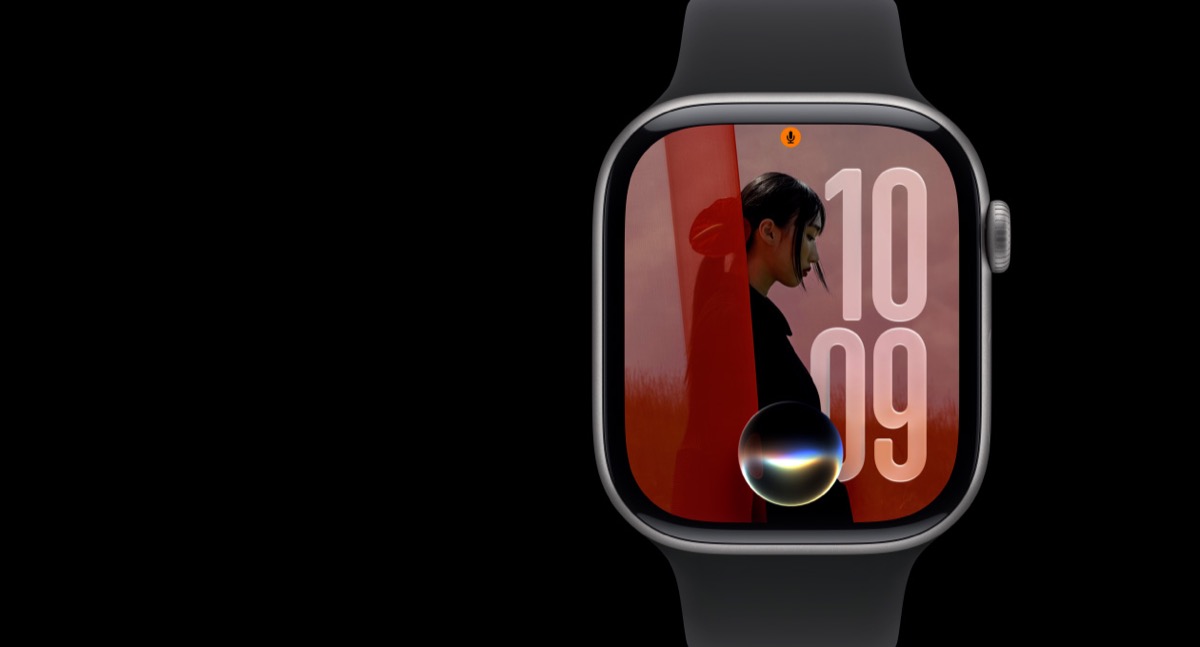
On iPad, that means shared iOS and Mac improvements plus better file handling. On Apple Watch, it means Siri AI on the wrist, smarter Smart Stack behavior, Workout Buddy improvements, health updates, and better battery guidance. On Vision Pro, Apple is pushing Visual Intelligence, spatial media, 3D tools, and faster startup. On Apple TV, the useful updates are practical: larger text, generated subtitles, and accessibility APIs.
The takeaway is that Apple wants the same intelligence and design layer across its ecosystem, while letting each device keep a few features that fit its role.
The biggest one is App Intents. Apps can expose actions and entities so Siri, Spotlight, Shortcuts, and Apple Intelligence understand what an app can do. That lines up with earlier reporting about a Siri Extensions-style system.
Apple is also expanding the Foundation Models framework with on-device models, Private Cloud Compute, multimodal prompts, tool calling, evaluations, and support for cloud models where developers choose to use them. That connects to pre-WWDC reports about third-party AI models in Apple Intelligence and Apple’s reported Gemini-backed Siri infrastructure.
The safe read is that Apple wants to keep privacy and system control at the center while giving apps enough access to make AI actions feel real.
WWDC26 gave Apple a clearer AI story, but availability will decide how much of it users actually feel. Siri AI starts in developer testing across Apple’s platforms, with public beta access later and English first. China is excluded for now, and EU availability is staggered across platforms.
Hardware will matter just as much. Two users may install the same OS update and get very different Apple Intelligence features depending on their iPhone, iPad, Mac, Apple Watch, or Vision Pro model.
That is why this keynote should be judged in two stages. WWDC showed Apple’s direction. The fall releases will show whether Siri AI, search, Liquid Glass refinements, and app-level Apple Intelligence feel reliable on real devices.
Siri AI is the headline, and it should be. But the stronger story is broader: adjustable Liquid Glass, wider iOS 27 support, faster everyday performance, rebuilt search, more visible Visual Intelligence, stronger family controls, macOS 27 Golden Gate’s design polish, and developer tools that let apps participate in Apple’s AI layer.
That is a healthier pitch than one huge Siri promise. If Apple ships it cleanly, WWDC26 may be remembered as the year it made its software direction feel usable, consistent, and ready for what comes next.
Read More: