FaceTime Like a Pro
Get our exclusive Ultimate FaceTime Guide 📚 — absolutely FREE when you sign up for our newsletter below.

FaceTime Like a Pro
Get our exclusive Ultimate FaceTime Guide 📚 — absolutely FREE when you sign up for our newsletter below.


iOS 27 gives Apple Intelligence its biggest reset yet, with Siri AI, smarter apps, AI photo tools, natural-language Shortcuts, and more.
At WWDC26, Apple showed its most complete Apple Intelligence update yet: a rebuilt Siri, deeper app actions, smarter writing, visual intelligence through Camera, AI-powered photo editing, natural-language Shortcuts, and Safari features that can organize tabs or watch webpages for changes.
iOS 27 moves Apple Intelligence from separate tools like Writing Tools, summaries, Genmoji, and Image Playground into core iPhone apps. That matches earlier reporting that iOS 27 would bring a major Apple Intelligence upgrade rather than another small feature batch. Siri, Messages, Safari, Photos, Camera, Passwords, Shortcuts, Spotlight, and Mail all get some form of AI-assisted context, action, or search.
Apple’s WWDC26 demos focused on context. In iOS 27, Apple Intelligence can use your screen, apps, photos, messages, tabs, and camera view to suggest actions or complete requests.
| Feature | What it does |
|---|---|
| Siri AI | Rebuilds Siri with richer conversations, personal context, onscreen awareness, and app actions |
| Dedicated Siri app | Saves Siri conversations in one place and syncs them privately through iCloud |
| Dynamic Island Siri | Gives Siri a darker Dynamic Island-based interface |
| Siri mode in Camera | Lets you point the camera at real-world information and ask Siri to act |
| Write with Siri | Helps write in a tone that fits the person or context |
| Automatic proofreading | Checks writing across the system |
| Smarter Messages suggestions | Turns conversation context into reminders, notes, and photo suggestions |
| Natural-language Shortcuts | Builds automations from plain-English requests |
| Safari tab organization | Groups tabs by topic and updates them as you browse |
| Safari Notify Me | Watches a webpage and alerts you when it changes |
| Passwords auto-update | Updates multiple weak or compromised passwords with one tap |
| Photos AI tools | Adds improved Clean Up, Extend, Reframe, and Spatial Reframing |
| New Image Playground | Expands from playful image generation into more flexible image creation and editing |
| Smarter search | Uses a rebuilt semantic index across Spotlight, Photos, Mail, and Siri |
Siri AI is the biggest Apple Intelligence change in iOS 27 because it connects the new AI system to voice, text, app actions, personal context, and onscreen content.
The old Siri could handle timers, calls, basic messages, and simple facts. The new Siri AI is designed for multi-step requests, follow-up questions, personal context, and actions across apps, which lines up with the broader iOS 27 Siri overhaul expected before WWDC. That should let Siri pull in the right information and complete a task without making you restate every detail.
In practice, this could change the kind of requests people actually try. Instead of “set a reminder,” you could ask Siri to find the date someone mentioned in Messages, create the reminder, and include the right context. Instead of opening Photos and searching manually, Siri could find a specific image from a trip and add it to a shared album.
iOS 27 is Apple’s first public attempt to ship the delayed Siri capabilities it originally tied to Apple Intelligence: personal context, onscreen awareness, and deeper app control.
Apple is giving Siri its own app so conversations no longer disappear after a single request. The dedicated interface had already surfaced in reports about a standalone Siri app in iOS 27, but WWDC26 gave it a clearer role: Siri is becoming a place you can return to, not just a voice overlay. You can scroll through previous Siri chats and continue longer tasks from one place.
Conversation history syncs privately through iCloud, which should make Siri feel more consistent across Apple devices. If you start planning something on iPhone, the thread should not feel trapped on that screen.
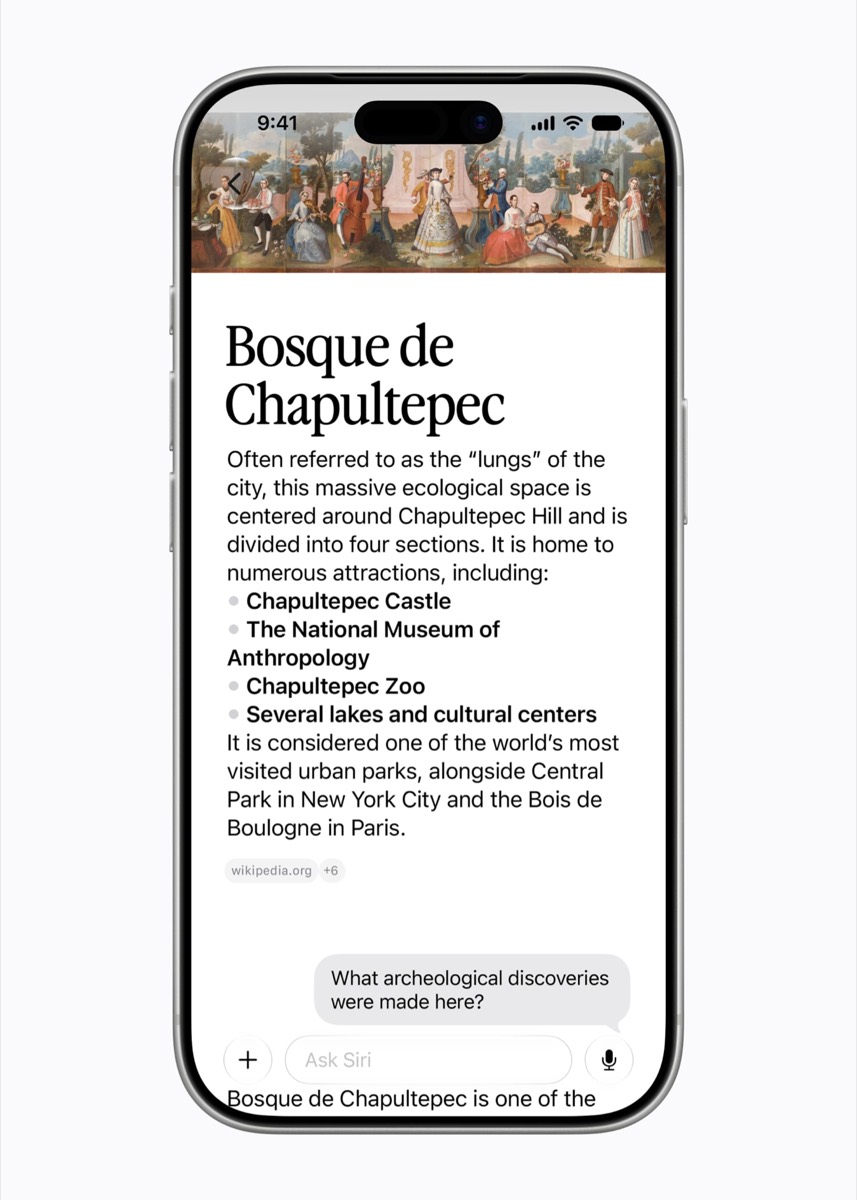
That makes Siri closer to ChatGPT, Gemini, and Claude in structure, but Apple’s advantage is system access: Siri can connect the conversation to iPhone apps and personal context.
Before WWDC, multiple reports pointed to Apple opening parts of Apple Intelligence to outside AI models. One report said iOS 27 could let users choose ChatGPT, Gemini, or Claude for some Apple Intelligence tasks, while another pointed to a Siri Extensions-style system for plugging more AI tools into Siri.
Apple’s WWDC message is more controlled than a full AI free-for-all. Siri AI remains Apple’s assistant, but App Intents, developer frameworks, and model-routing options give apps more ways to connect actions, content, and external intelligence to the system.
In iOS 27, Siri moves away from the colorful edge glow and into a darker Dynamic Island-based interface. You can still use the usual Siri triggers, but swiping down from the Dynamic Island gives Siri a consistent place for search, writing, app control, and personal-assistant requests.
With Apple Intelligence, Siri can understand relevant information from apps like Messages, Mail, Photos, Calendar, and Files. That can help it answer questions, draft replies, locate details, or finish tasks that normally require jumping between apps.
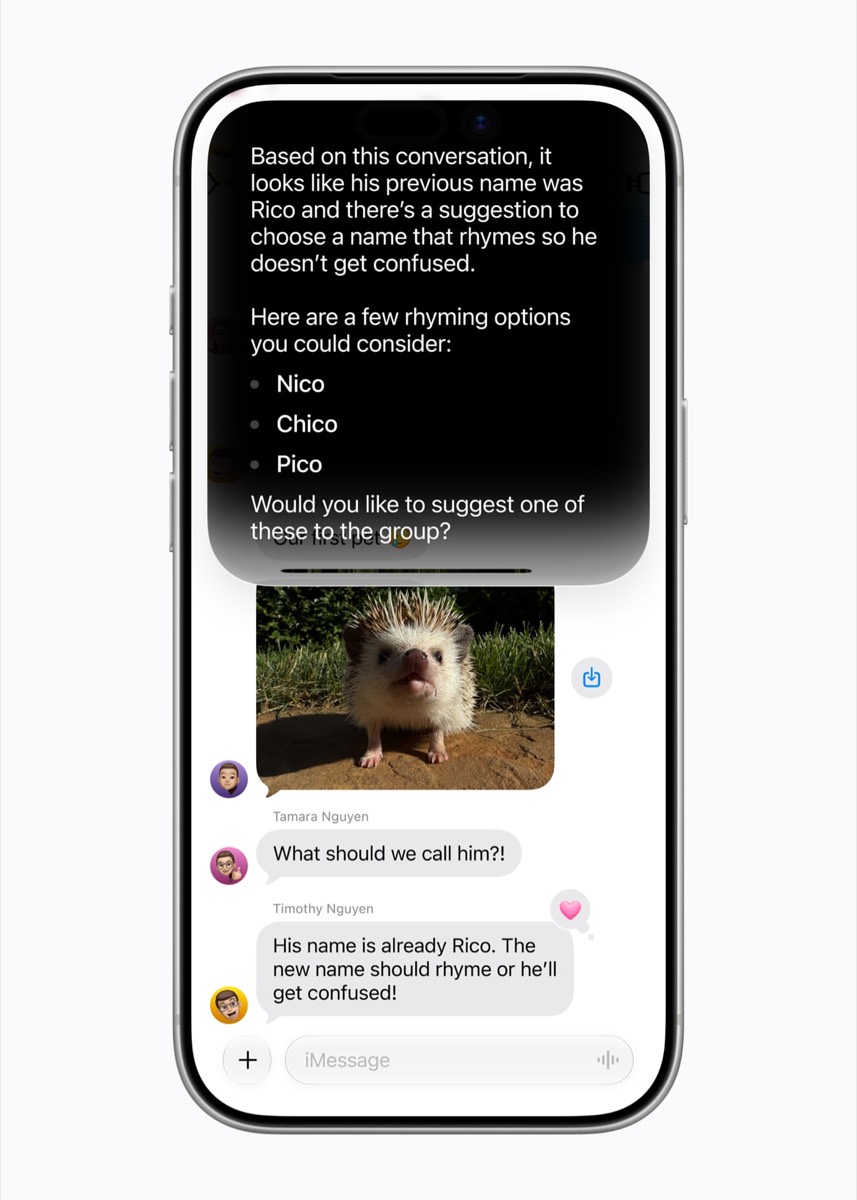
Personal context raises the reliability bar. If Siri misunderstands a message, grabs the wrong photo, or acts without enough confirmation, users will stop trusting it quickly.
Siri needs clear confirmations for sensitive actions like sending messages, editing files, changing calendar events, or using personal data from another app.
Onscreen awareness lets Siri use visible content as part of a request. If you are reading a webpage, looking at a document, viewing a photo, or checking a message thread, Siri can respond to that item without needing a full explanation from you.
This cuts the setup from requests like “summarize this,” “what does this mean?” or “add this event to my calendar,” where the context is already on the screen.
Apple’s developer documentation shows the longer-term plan here. Apps can expose content and actions to Siri and Apple Intelligence through App Intents, which gives Siri a way to understand and control more than Apple’s own apps. That connects back to earlier reporting around App Store rules for AI agents, where the question was how much control Apple would give apps inside its AI layer.
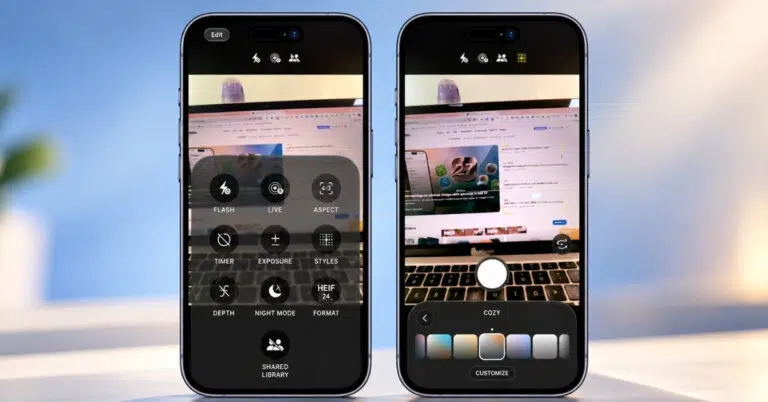
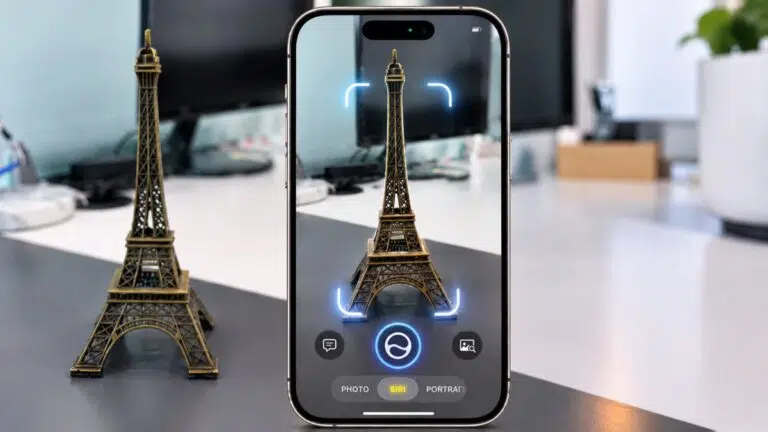
iOS 27 adds a Siri mode inside the Camera app, turning visual intelligence into a way to act on real-world information. WWDC examples included using the camera to split a bill and add multiple calendar events from a poster.
The use case is practical: point your iPhone at a menu, flyer, receipt, sign, product, or event poster, then ask Siri to extract details, calculate something, or create an action from what it sees.
Speed will decide how often people use it. Camera-based AI has to beat typing or taking a screenshot, or users will fall back to manual steps.
Write with Siri can help draft or rewrite text, and Apple says it can adapt to how you communicate with specific contacts. A message to your manager should not use the same tone as a message to your close friend.
The useful version of this feature is not full auto-writing. It is tightening a reply, softening a sentence, shortening a note, or making a message sound less awkward before you send it.
iOS 27 adds system-wide automatic proofreading for text you write in places like Messages, Mail, Notes, forms, comments, and social posts.
A built-in proofreader removes the need to move text into another app just to catch mistakes. The feature needs to preserve casual tone, because over-polished AI corrections can make normal messages sound unnatural.
Apple Intelligence can look at a conversation and suggest useful next steps, such as creating a reminder, saving a note, or finding photos mentioned in the chat.
If someone sends a date, address, plan, or request, iOS can offer the next step before the detail gets buried. The feature becomes useful only if suggestions stay selective; too many prompts would turn helpful context into notification clutter.
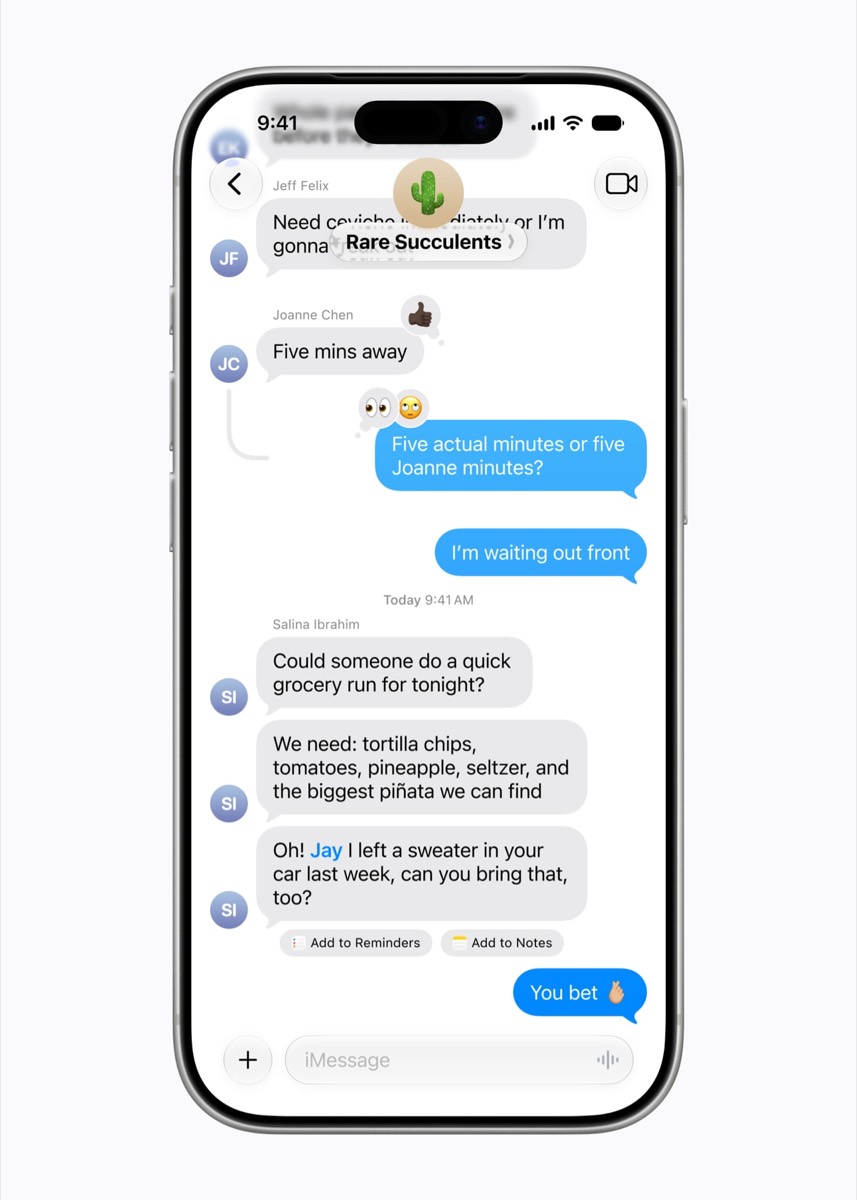
Shortcuts has always been powerful, but it still feels like a tool for people willing to build logic blocks. Apple had already brought Apple Intelligence into the Shortcuts app for tasks like summaries and document handling; iOS 27 goes further by letting users describe an automation in plain English and have Apple Intelligence help create it.
A normal user should be able to say, “Save receipt screenshots to a note,” “Make a weekend list from unfinished reminders,” or “Turn off Focus when I get home” without assembling the workflow by hand.
The value is fewer manual setup steps. Apple Intelligence can translate the intent into Shortcut actions instead of making users build the automation block by block.
Tab organization can group open tabs by topic and keep those topics updated as you browse. That should help when one Safari window turns into a mix of shopping, travel, work, recipes, and articles you were definitely going to read.
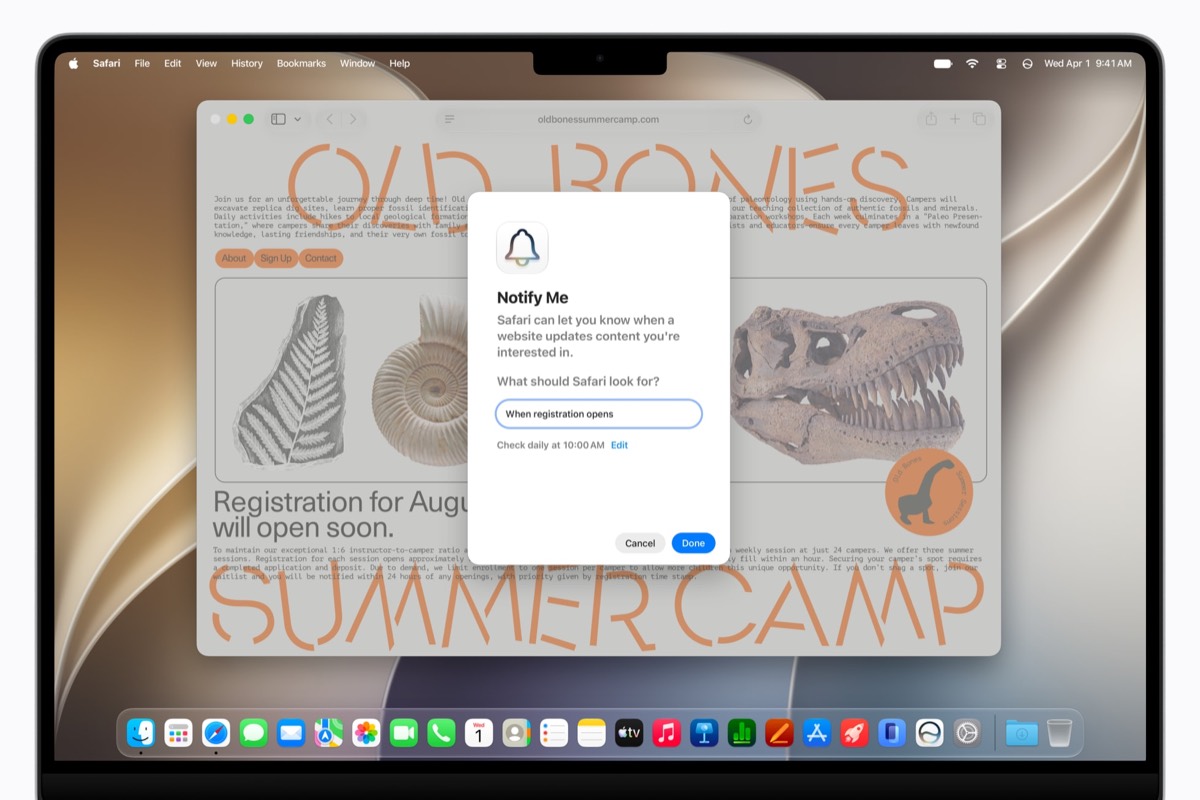
Safari Notify Me can watch a webpage and alert you when something changes. That helps with product restocks, ticket pages, appointment slots, price drops, or any page you currently refresh manually.
Apple is also adding a “Describe an extension” feature that can create custom web extensions from natural-language input. That sounds powerful, but it needs careful guardrails. Browser extensions can change real webpage behavior, so iOS has to make the result understandable before users trust it.
The Passwords app is getting a one-tap fix for multiple weak or compromised passwords.
Password cleanup is a chore most users delay because each site can require a different reset flow. If Apple Intelligence can safely update several risky passwords at once, it turns a security task into something people may actually finish.
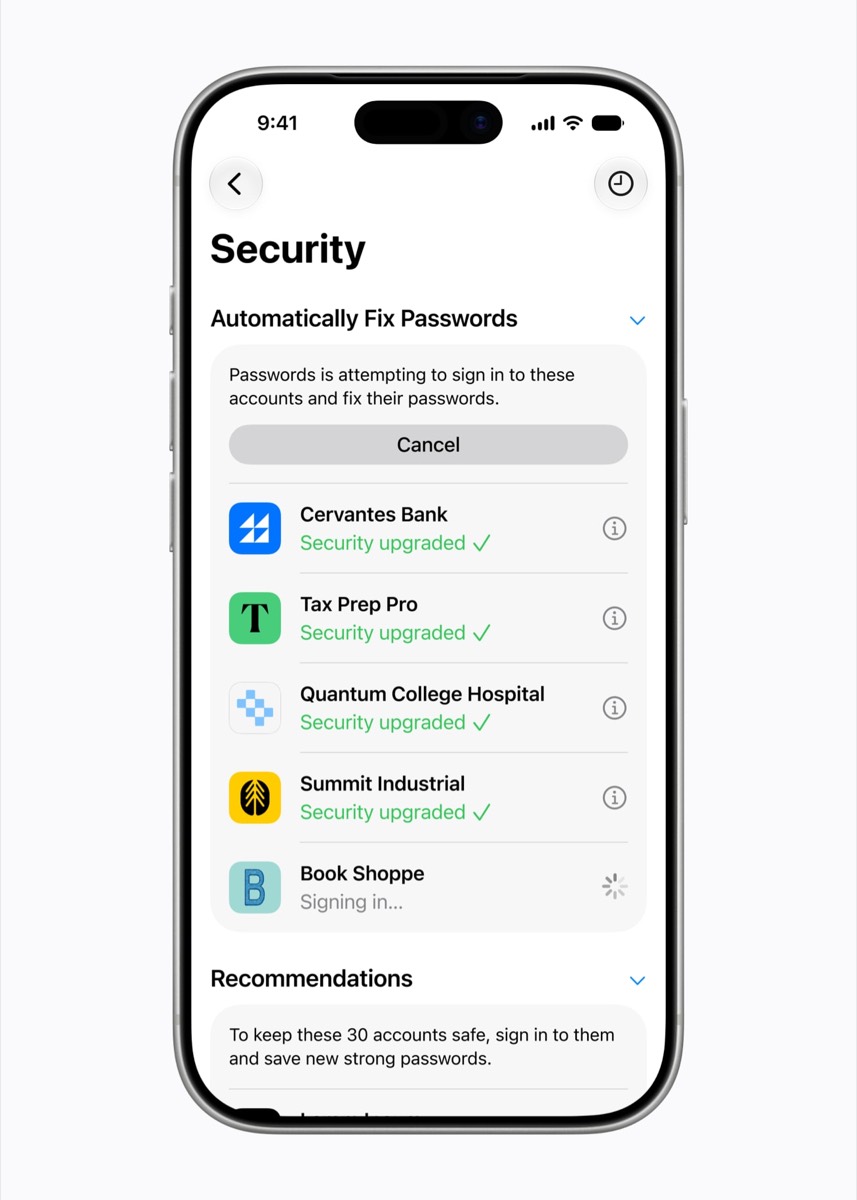
Apple has to be careful here. Password changes need clear confirmations, visible results, and easy recovery if something fails. AI can help with the workflow, but the user still needs to know what changed.
iOS 27 adds stronger AI editing tools to Photos. Clean Up is improved for removing objects, Extend can expand a crop by generating missing edges, and Reframe plus Spatial Reframing can adjust composition after the photo is taken.
This puts Apple closer to the AI photo editing features users already see from Google, Samsung, and third-party apps. Placement matters: if these tools work directly inside Photos, users do not need to export images just to fix a crop or remove a distraction.
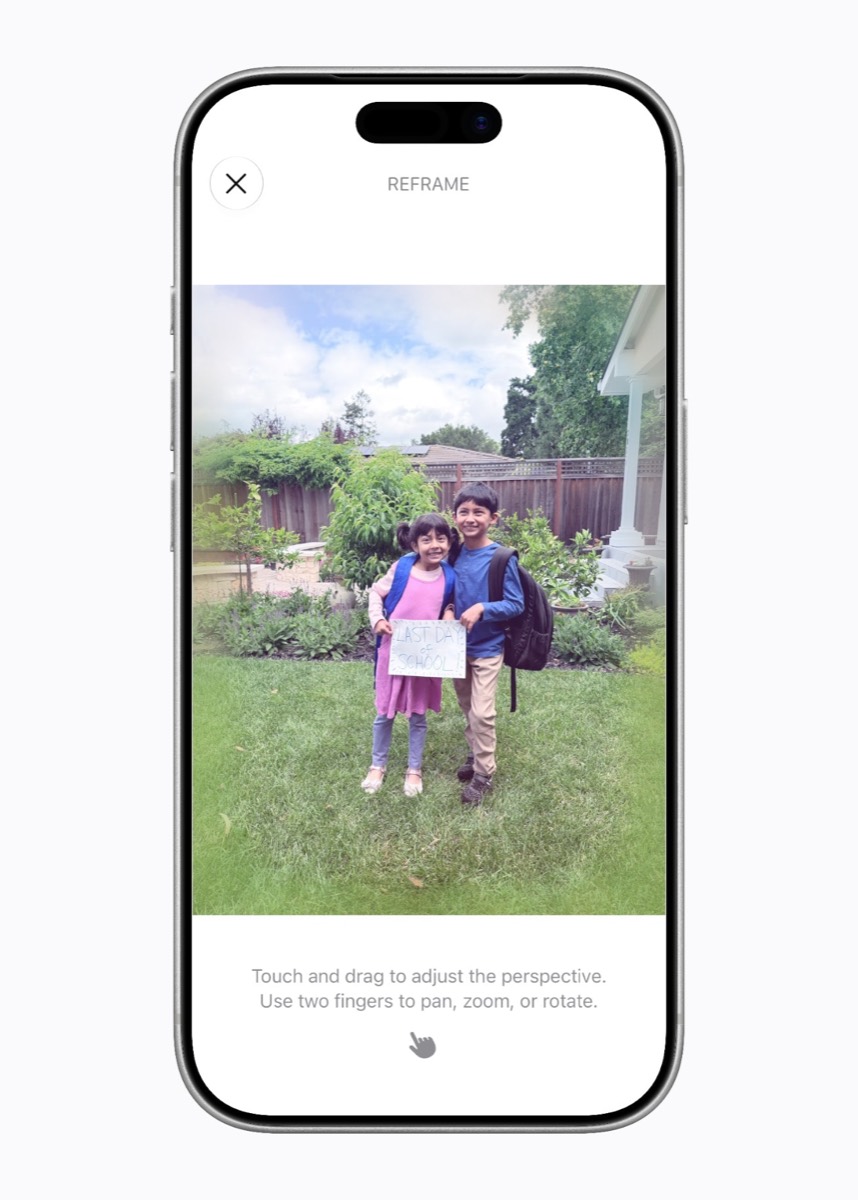
The best detail is that these tools work with existing photos, including images not shot on an iPhone. That makes the upgrade feel useful for the whole library, not just future iPhone photos.
Image Playground is moving beyond fun images, avatars, and casual creations.
iOS 27 expands Image Playground into more flexible image creation and editing. Apple is moving toward backgrounds, contact posters, more customizable outputs, and even photorealistic generation.
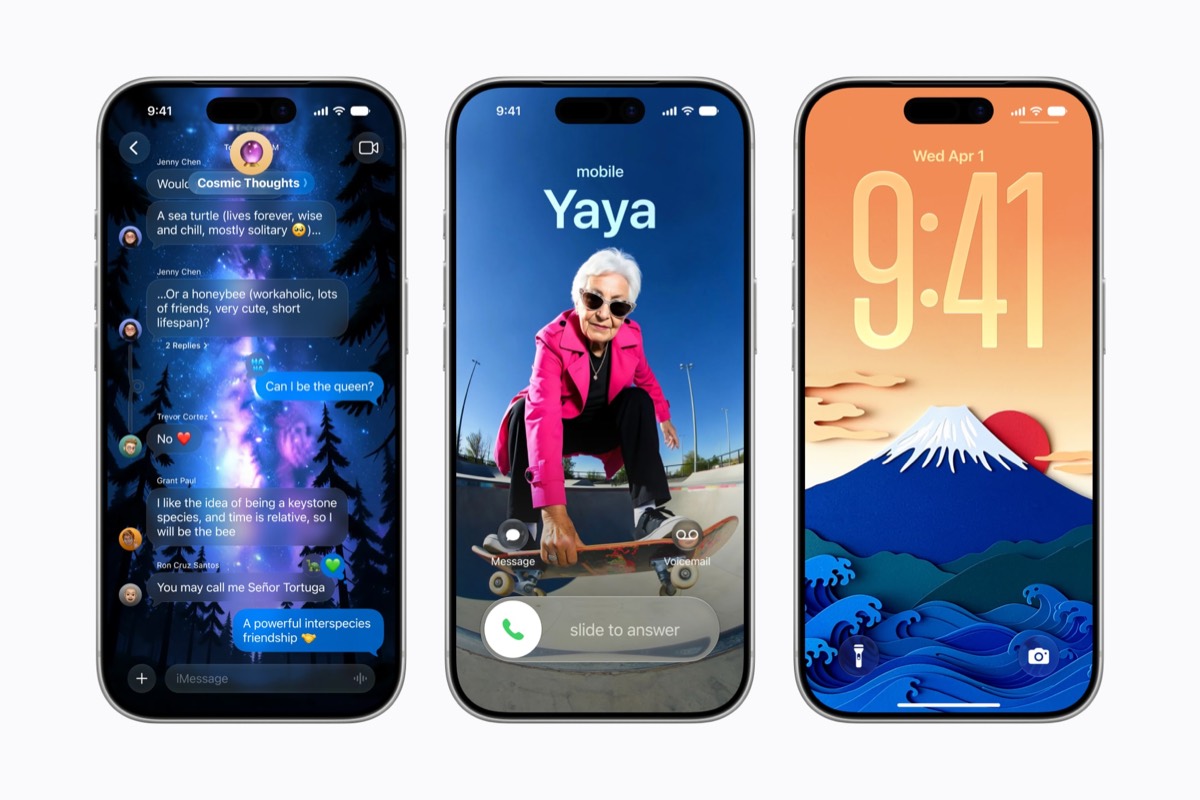
Photorealistic generation is a shift for Apple, which has been cautious with realistic AI images. The change also fits earlier iOS 27 reports around improved Genmoji, Image Playground, and AI-generated creative tools. The company is giving users more creative range while still keeping the feature inside Apple’s safety boundaries.
Apple has reworked the semantic index behind Spotlight, Photos, Mail, and Siri. That should make the system better at finding information by meaning, not just exact keywords.
Search quality affects every personal AI feature in iOS 27. If Apple Intelligence cannot find the message, photo, file, or email you mean, Siri’s app actions and personal-context features become weaker.
A better index gives Siri and Apple Intelligence the memory they need to work across the iPhone.
Apple is still pitching privacy as the reason to trust Apple Intelligence, and iOS 27 makes that claim more important because Siri AI uses personal context, app data, photos, files, and onscreen content.
Apple says data is used to execute the request, with privacy promises open to outside verification. The company is also leaning on on-device processing and private cloud systems where needed. The backend may still be complicated for heavier Siri work, especially after reports that Apple could use Gemini-backed Siri infrastructure for some requests.
The privacy test is practical: Siri has to use enough context to help while showing when personal data is being used and when a request leaves the device.
iOS 27 supports iPhone 11 and newer, but Apple Intelligence has its own hardware limits. An older iPhone may get iOS 27 without getting the full Apple Intelligence package.
Current Apple Intelligence features already require newer chips, and WWDC coverage points to some higher-end iOS 27 AI features needing newer devices.
For most users, the practical rule is simple: iOS 27 compatibility and Apple Intelligence compatibility are not the same thing. Check the iOS 27 supported devices list before assuming your iPhone gets every feature.
Siri AI is arrived with iOS 27 launch. It starts in English. It is not initially launching in the EU or China. Some Apple Intelligence features may have daily limits, with higher limits possibly tied to iCloud+.
Siri has a real AI reset. Camera can understand the real world. Safari can watch webpages. Photos can fix more than blemishes. Shortcuts can turn plain language into automation. Messages can surface tasks from conversations. Search can understand meaning instead of just matching words.
iOS 27 positions Apple Intelligence as a system layer inside the places people already use, not as a chatbot bolted onto the iPhone.
Now Apple has to make it reliable. If Siri AI is fast, careful, and useful, iOS 27 could be the update that makes Apple’s AI strategy click. If it is slow or inconsistent, Apple Intelligence will still look ambitious, but users will go back to tapping around it.