FaceTime Like a Pro
Get our exclusive Ultimate FaceTime Guide 📚 — absolutely FREE when you sign up for our newsletter below.

FaceTime Like a Pro
Get our exclusive Ultimate FaceTime Guide 📚 — absolutely FREE when you sign up for our newsletter below.


Small businesses rarely need enterprise inventory software. These iPhone and iPad apps handle barcode scanning, stock counts, and reporting, with notes on which ones stay useful as you grow.
The best inventory management apps for iPhone and iPad can replace your clipboard, messy spreadsheets, and costly desktop software. You can scan barcodes, log sales, and spot low stock right from the device in your pocket.
Whether you sell online, run a retail counter, or manage a small warehouse, the right app saves hours of manual counting. It also helps you avoid two costly mistakes: running out of bestsellers and overstocking items that don’t sell.
Below, we break down all eight apps with their key features, drawbacks, and pricing, so you can pick the one that fits your business.
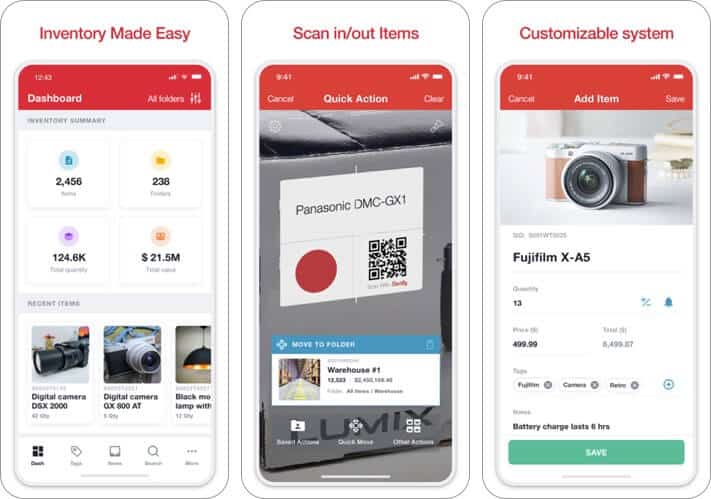
When it comes to managing inventory proficiently, flexibility matters a lot. With Sortly, you have the desired liberty to keep your inventory ideally optimized, pretty much in line with your business needs.
It has a fully customizable interface that ensures you can keep all of your stuff in the right order. Whether it’s tagging or sorting things based on categories or as per your demand, it has got you covered.
The other thing worth mentioning is the ability to keep a close watch on all the essential details with ease. Therefore, it doesn’t matter whether you are on the fly or sitting in your office; giving a quick glance at your catalog will be hassle-free.
Price: Free (Plus – $4.99)
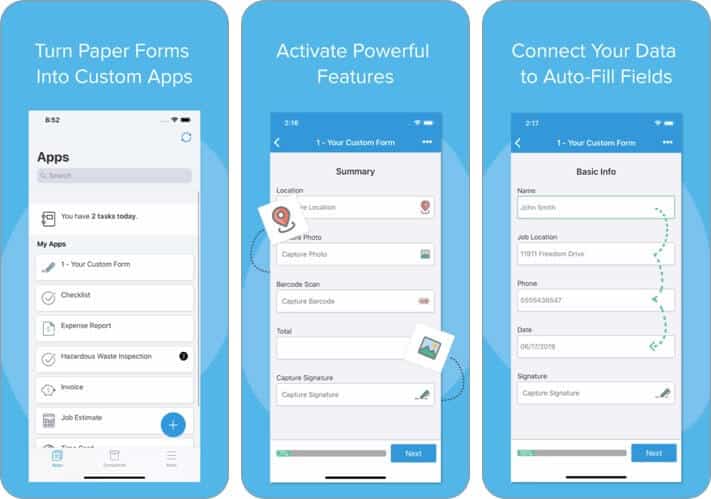
This app gives you the power to collect valuable information from customers and co-workers, which is then transformed into PDFs. No more wasting time on slow-moving paperwork and processes.
Manage everything from invoices and work orders to estimates, waivers, and more. This means you can do a lot with it, not just inventory management. This eases the hassles of dealing with inaccurate or incomplete info, illegible handwriting, or missing pages.
Price: Free (Canvas Startup Plan – $29.99)
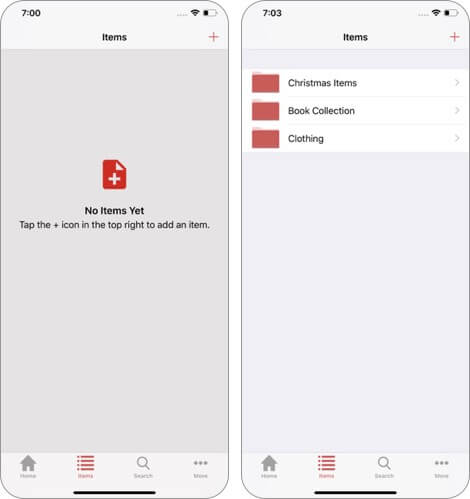
Embrace an easy and painless stock-tracking process with this top inventory app for iOS. It allows you to create custom templates for the items you keep in your store so that it can match your individual business needs.
You can define custom fields and track across all items or a subset of items. However, one downside is that this app cannot be backed up to iCloud. However, the easy-to-use interface and lack of a price tag make it a winner.
Price: Free
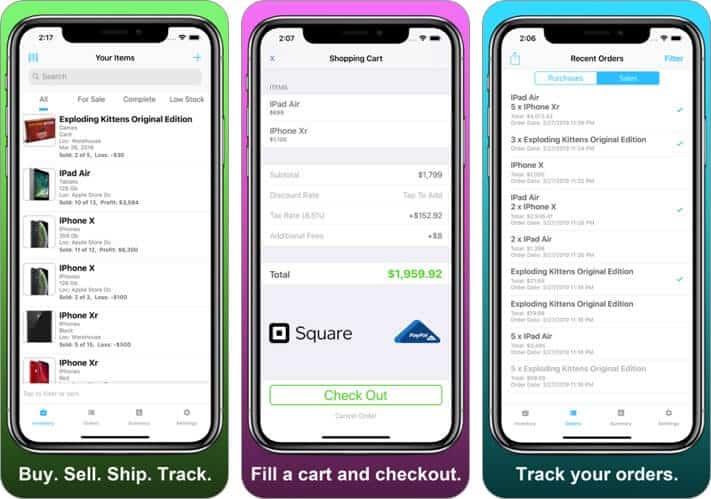
Inventory Now is almost a full-fledged inventory tracking app for your device. It has been designed as a lightweight replacement for a high-end Point of Sale System, and it works quite impressively.
You can track your products through their full lifecycle. This lets you keep accurate records of what you have on sale, what you have sold, and what needs to be shipped out. As a result, you can easily track your sales and profits.
Price: Free (Basic Subscription – $6.99)
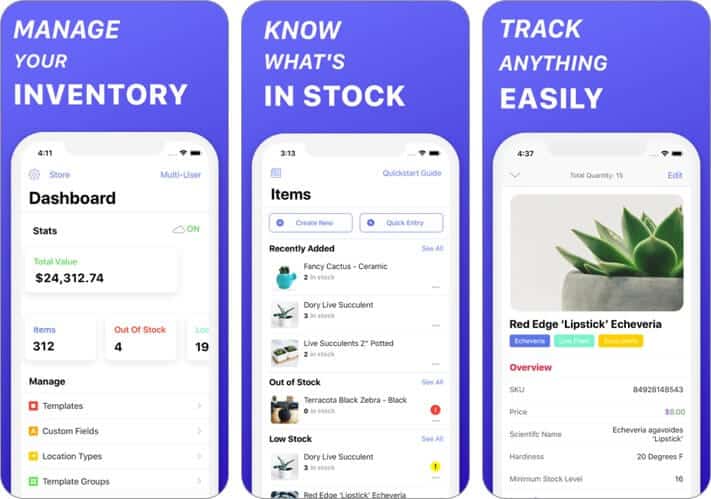
Depending on your requirements, you can customize this app to ideally manage and sync with your workflow. Features like custom filters ensure you have the needed flexibility to manage your stock based on what works best for you. And with the barcode scanner, it becomes a bit easier to search for specific items.
The most notable aspect is the seamless collaboration that allows your entire team to work together. The app also functions offline and has a variety of templates that are a breeze to work with.
Price: Free (Monthly Subscription – $4.99)
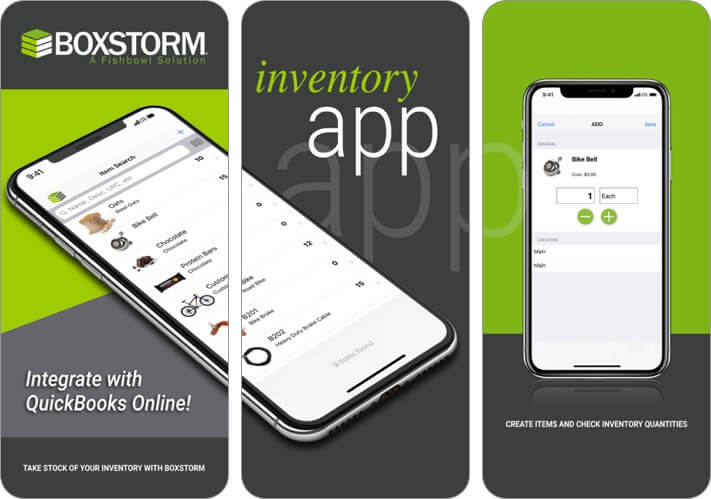
For a simplified inventory, you can’t go wrong with Boxstorm. It is the first free inventory management solution that seamlessly integrates with Quickbooks Online. Moreover, since it is cloud-based, you can track your inventory from any location or any device.
It’s incredibly useful to automate manual processes, such as adding stock items, changing inventory counts, auditing and updating accounts, etc. Up to five users can collaborate on this app completely free of charge.
Price: Free
Download
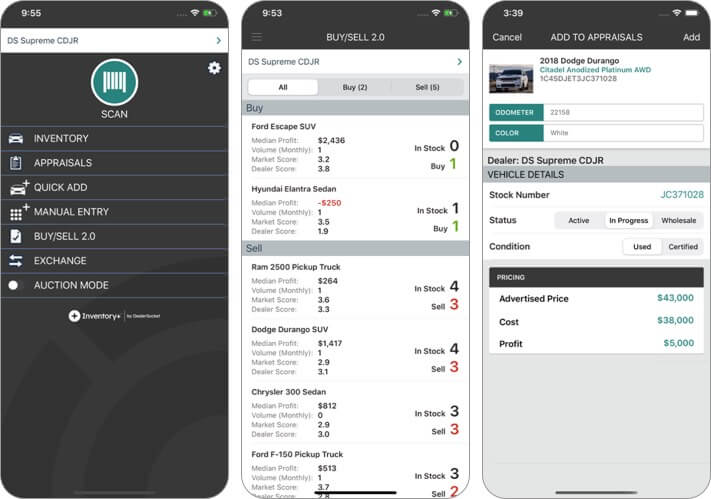
This award-winning iOS inventory app is specially designed for those who deal with cars or other vehicles. It provides a quick and efficient way to handle everything from acquisition to disposition,
Further, you can mitigate risk and maximize profit with vehicle values and transactional history. Also, with TrueScore data integrated into the appraisal process, you can make informed purchase decisions and create accurate offers.
Price: Free
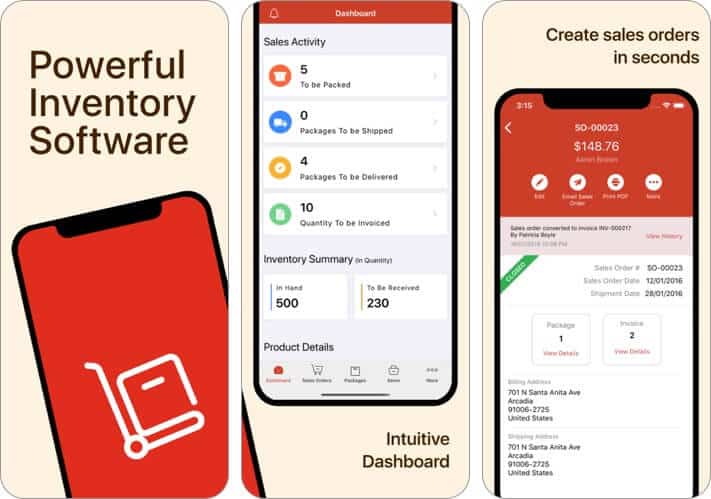
The app has a simple design language to make inventory management a straightforward task. Whether it’s configuring items or generating sales and orders, you can carry out the tasks with ease thanks to the quick gestures.
As businesses grow and inventory operations become more complex, mobile apps may need to be complemented by more advanced warehouse technologies. Solutions from Modula can help companies automate storage and retrieval while improving inventory visibility, picking accuracy, and overall warehouse efficiency.
Zoho offers real-time updates related to orders and items so that you can stay in the loop with the latest changes. Not to mention, the app also supports Apple Watch to help you keep track of your inventory right from your wrist.
And with the seamless syncing across the board, all of your data remains secure and comfortably accessible everywhere.
Price: Free (Basic – $25.99)
The right app depends on how you run your business. Pick Sortly if you want a flexible catalog you can organize your way. Go with Zoho Inventory if you need orders, sales, and Apple Watch support in one app. If your books live in QuickBooks Online, Boxstorm works right alongside them. And if you sell vehicles, Inventory+ Mobile fits your workflow best.
Before you commit, start with the free plan or trial. Add a few real products, test the barcode scanner, and check how fast data syncs between your iPhone and iPad. A few days of real use will tell you more than any feature list.
Which app do you use to manage your stock? Share your pick in the comments below.
You may also like to read these: Best Expense Tracker Apps