FaceTime Like a Pro
Get our exclusive Ultimate FaceTime Guide 📚 — absolutely FREE when you sign up for our newsletter below.

FaceTime Like a Pro
Get our exclusive Ultimate FaceTime Guide 📚 — absolutely FREE when you sign up for our newsletter below.


Scan, measure, and explore in 3D—these LiDAR apps unlock your iPhone’s hidden superpower.
With the introduction of LiDAR (Light Detection and Ranging) on iPhone and iPad, we’ve seen a wave of apps built to make the most of this technology. Still, many users haven’t tapped into the full potential of the LiDAR scanner-and some don’t even know what it can do.
For those unfamiliar, LiDAR uses depth sensing to scan objects or your surroundings, allowing you to perform tasks like measurements, 3D mapping, placement of AR objects, and virtual interactions with your environment. In this article, I’ll walk you through the best LiDAR apps for iPhone and iPad and provide essential details about the scanner.
Not every iPhone has a LiDAR scanner Apple has kept it exclusive to Pro models. Before downloading any app from this list, check if your device is compatible:
iPhone models with LiDAR:
iPad models with LiDAR:
If you have a standard iPhone (non-Pro), most apps on this list will still work-but they’ll use regular AR depth estimation instead of LiDAR. The experience will be noticeably less accurate, especially for measurements and 3D scanning. Apps like Scaniverse and Polycam are among the few that function reasonably well without LiDAR, though results won’t match the Pro-level precision.
Here are the key features we looked for when selecting the best LiDAR apps for this roundup-these elements are what make a LiDAR app stand out:
Following our usual approach for selecting and testing apps for roundups, my team and I tested up to 20 LiDAR apps for iPhone and iPad, covering all types of applications measurement, 3D modeling, virtual object placement, and gaming.
After thoroughly evaluating the features, performance, and other key factors mentioned earlier, we’ve narrowed it down to the 10 best options for you. But here is the breakdown of the methodology we used to choose and test the apps:
Check out these top LiDAR apps to unlock advanced 3D scanning, augmented reality, and spatial measurement capabilities.
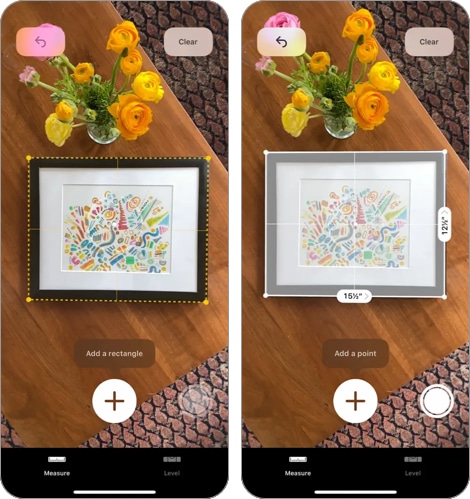
Apple’s Measure app is one of the easiest ways to see LiDAR in action on an iPhone or iPad. You open it, and it turns your device into a digital tape measure.
It’s been around since 2018, but early versions relied only on augmented reality, which wasn’t always accurate. On devices with LiDAR, though, it’s a different story. The app can now scan surfaces like floors and tables almost instantly and with much better precision.
Using it is simple. Point your phone at the starting point of what you want to measure, tap the Add button, then move your phone to the end point and tap Add again. You’ll see the measurement on your screen, along with details like midpoint and height if needed.
One smart touch: if you point your iPhone at someone, the app can automatically measure their height no need to mark anything. Just make sure their whole body is in view. This feature only works on devices with LiDAR, so not every iPhone will have it.
Bottom line: it’s a fast, no-fuss way to measure anything from a box to a bookshelf, and LiDAR makes it a lot more accurate than it used to be.
Best for: Quick everyday measurements without downloading any extra app
Price: Free
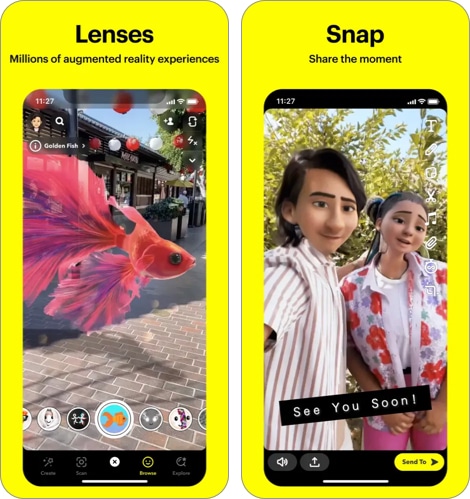
Snapchat is known for fun filters, but if you’re using it on an iPhone or iPad with LiDAR, the experience gets way more immersive.
LiDAR-enabled lenses respond to your real environment. Instead of just floating on top of your camera view, virtual objects now interact with walls, floors, and furniture. Want fireworks that land behind your couch? Or monsters that walk on your kitchen floor? That’s what LiDAR unlocks.
You’ll find these lenses in the usual Lens Carousel, but the fastest way is to tap the Search icon and type “LiDAR.” From there, you can try out effects that actually feel grounded in your space.
The LiDAR scanner maps your surroundings in real-time, so these effects aren’t just slapped on they stick, move, and scale in a way that looks and feels more real.
Best for: Casual users who want fun, immersive AR effects that interact with their real surroundings
Price: Free
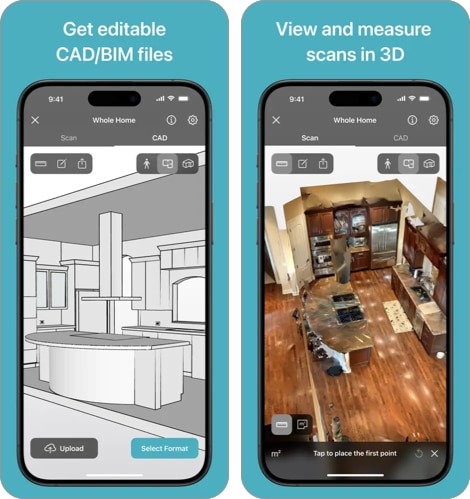
Canvas is built for professionals, but anyone doing renovations or interior work will appreciate what it can do.
Here’s how it works: stand in the middle of a room and slowly turn in a circle while pointing your iPhone around the edges. The LiDAR scanner picks up the dimensions of walls, windows, doors, and even furniture. Within minutes, you get a full 3D model of the space, scaled correctly and ready to use.
Need a floor plan? You can switch from 3D to 2D in the app. Want to work with the model elsewhere? You can export it to formats that work with apps like AutoCAD, SketchUp, or Revit. And yes, you can make edits to the model right inside Canvas.
If you’re an architect, designer, contractor, or just someone trying to remodel a room and get things right the first time, this app saves time and probably a few measuring mistakes too.
Price: Free
Best for: Architects, contractors, and renovators who need accurate room models and CAD-ready exports
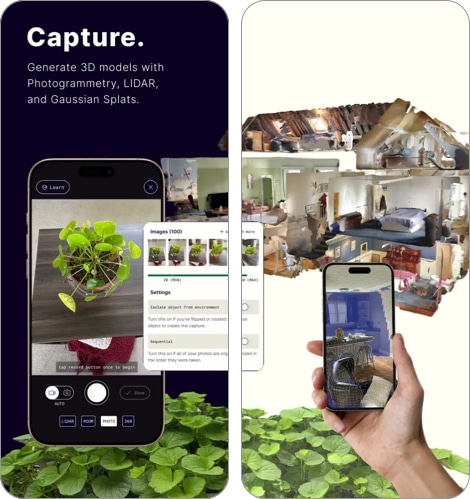
Polycam is another app like Canvas that uses your device’s LiDAR scanner for 3D scanning. It helps you create 3D models of spaces and lets you scan objects to generate their 3D models. The first feature is great for things like architecture and interior design, while the second is especially useful for 3D printing.
Polycam uses your iPhone or iPad’s LiDAR depth-sensing capabilities to create high-quality 3D models quickly and accurately. The app offers different scan modes, including a 360-degree option, so you can choose the one that best suits your project.
The app uses similar technology to other 3D scanners. After your scan is processed, you’ll have a detailed 3D model. You can also make simple edits to improve accuracy and export the model in different formats.
Best for: Creators and designers who need versatile 3D scanning for both full spaces and individual objects
Price: Limited free version (Offers in-app purchases starting from $26.99 per month for the Pro package)
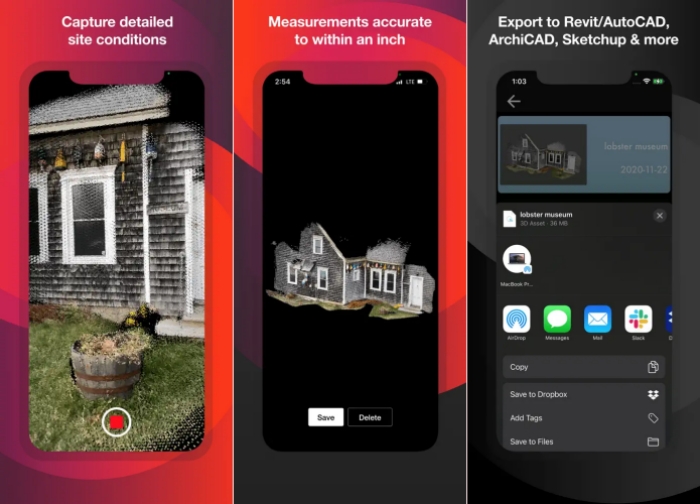
If you work in architecture, engineering, or construction, SiteScape is probably the most powerful LiDAR app you can put on your iPhone or iPad.
Most scanning apps are great for a single room. SiteScape is built to go further it can capture up to 5,000 square feet in a single scan with inch-level accuracy, making it one of the few apps capable of documenting an entire building floor by floor.
Using it is straightforward. Open the app, hit record, and walk through the space you want to capture. The app generates a high-resolution 3D scan in real time as you move. Once done, you can export the point cloud directly to professional tools like Revit, AutoCAD, ArchiCAD, SketchUp, and Navisworks the formats your team is already working in.
What makes SiteScape stand out from other LiDAR apps is its focus on field workflows. It’s designed so that on-site teams can document existing conditions quickly, reducing the hours typically spent on manual measurements before drafting or modeling begins.
There’s a free tier with no scan limitations or paywalled popups for basic use, while SiteScape Pro unlocks larger scan sizes and advanced export options.
Best for: AEC professionals who need building-scale LiDAR scans with inch-level accuracy
Price: Free (SiteScape Pro available via in-app purchase)
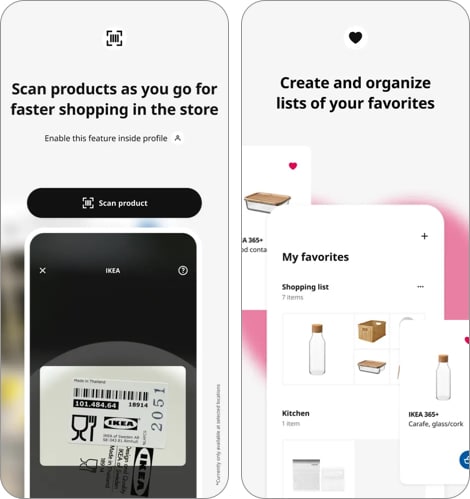
IKEA is an AR application that lets you virtually place furniture from the IKEA brand in your space before making a purchase. It works like an app that allows you to test how items like couches, chairs, and even bed frames fit in your space, helping you see if the furniture matches your style and available room.
The app uses the iPhone’s LiDAR depth sensing to ensure highly accurate placement of virtual furniture and lets you interact with it realistically move around until you find the best spot, just as if you’re dealing with real furniture.
You simply select the furniture item you want to visualize from IKEA’s catalog on the app and choose “View in your space” to get started. Then, move your device around to use the LiDAR scanner to map the space. Once it captures the space, you can place a to-scale 3D model of the furniture and interact with it as you like.
Best for: IKEA shoppers who want to preview true-to-scale furniture in their space before buying
Price: Free
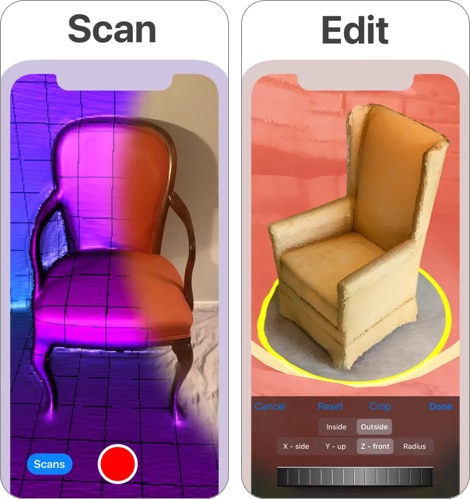
3D Scanner App lets you turn anything into a high-quality 3D model, and it uses LiDAR to make that happen. It works like other LiDAR 3D scanner apps by accurately mapping every detail of what you’re turning into a 3D model, including the exact dimensions.
The app also comes with built-in tools for editing the model, such as removing unnecessary parts, changing textures, and adjusting colors. You can export your models in formats like OBJ, USDZ, or STL to share or refine them in other 3D modeling software.
Best for: Hobbyists and creators who want a free, no-fuss tool to turn objects and rooms into editable 3D models
Price: Free
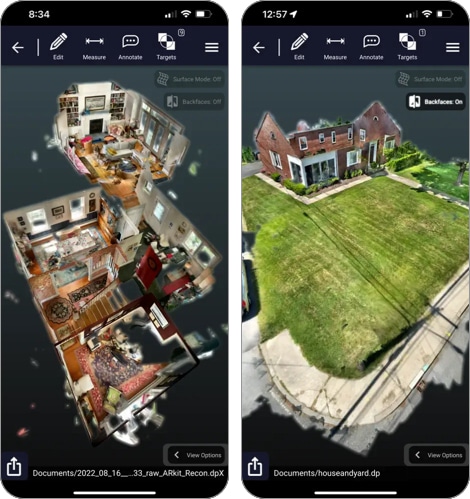
Dot3D is another app that leverages LiDAR capabilities to let you perform 3D scanning directly on your iPhone. While the 3D model it generates might not be as polished as some of the other LiDAR scanning apps I’ve discussed, it works similarly.
You just scan the space or environment you want to turn into a 3D model—be as detailed as possible—and the app will process it into the desired result. After generating the 3D model, you can convert it into a 3D floor plan, edit it, annotate it, and even get its dimensions.
This app is a great tool for planning interiors, architectural design, and construction management.
Best for: Construction managers and architects who need annotated 3D floor plans with precise dimensions
Price: Limited free version (Offers in-app purchases starting from $49.99 per month for the Pro package)
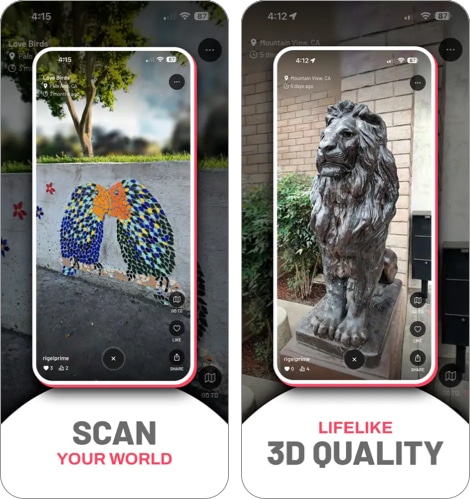
Scaniverse is an app from the same company behind the popular AR game Pokémon GO. As expected, it’s one of the most efficient and well-featured LiDAR apps for iPhone and iPad on this list.
The app uses a technique called Gaussian splatting to map objects and environments. This creates a fully immersive 360-degree 3D model that’s more accurate and faster to render than the technologies used by other 3D scanning apps.
Its unique features don’t stop there; Scaniverse processes 3D models and meshes completely offline—until you decide to upload them. Even better, this app lets you upload the 3D view of your location to a shared map or create a web link to share with friends.
To use this advanced LiDAR app on your device, simply move your camera around as you walk around the object or space you want to scan to capture detailed data for the 3D model. After generating your model, you can edit it and export it to your favorite 3D modeling software.
Best for: Users who want fast, high-quality 3D scans processed entirely offline without relying on the cloud
Price: Free
As LiDAR technology evolves on the iPhone, more apps are likely to adopt its use. We’ll keep this list up to date with the best LiDAR apps for iPhone as the tech improves and more apps start using it.
In the comments section below, please let us know which app from our current list you like the most.
FAQs
It is available on the iPhone 12 Pro and newer “Pro” models, as well as iPad Pro 11-inch (2nd Gen+) and iPad Pro 12.9-inch (4th Gen+).
Many are. Apple’s Measure and Scaniverse are completely free. Others like Polycam offer free versions with paid upgrades for professional exports.
Yes. Use apps like 3D Scanner App or Polycam to export files in STL or OBJ formats, which are compatible with 3D printers.
It’s highly accurate for room dimensions and 3D modeling. While perfect for interior design and planning, critical construction measurements should still be double-checked with a physical tool.
Yes. Real-time 3D scanning is power-intensive. It is best to have a decent charge before starting a large room scan.
Also read: