
FaceTime Like a Pro
Get our exclusive Ultimate FaceTime Guide 📚 — absolutely FREE when you sign up for our newsletter below.

FaceTime Like a Pro
Get our exclusive Ultimate FaceTime Guide 📚 — absolutely FREE when you sign up for our newsletter below.


Say goodbye to cables. These are the best wireless CarPlay adapters, turning any drive into a seamless, hands-free experience.


Wireless Apple CarPlay makes driving easier, safer, and more enjoyable, but dealing with cables can still be annoying. That’s where wireless CarPlay adapters come in. These small devices let you enjoy CarPlay features without plugging in your iPhone every time you get in the car.
In this article, we’ll explore the best wireless CarPlay adapters available and compare their features, compatibility, and performance.
A wireless CarPlay adapter is a small device that plugs into your car’s USB port and makes Apple CarPlay work without a cable. If your car already supports wired CarPlay, the adapter serves as a bridge between your iPhone and the car’s system via Bluetooth and Wi-Fi.
Once it’s set up, CarPlay connects automatically every time you start the car. Instead of plugging in your iPhone repeatedly, you just get in, start the engine, and CarPlay appears on the screen automatically.
Benefits of CarPlay adapters:
It’s important to know what to look for when purchasing a wireless CarPlay Adapter. To help you out, we follow stringent editorial guidelines and thoroughly test products before recommending them to you.
Based on our years of expertise and knowledge of wired and wireless Apple CarPlay, below are the key features you should look for in a wireless CarPlay adapter.
Here are my top picks to help you choose the right one for your car and daily driving needs.
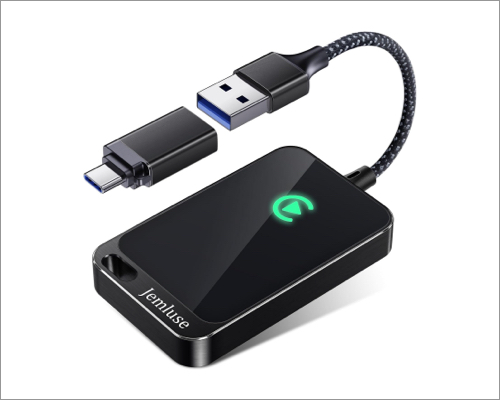
The Jemluse Wireless CarPlay Adapter is one of the best-balanced options available in 2026. It’s small, lightweight, and made from aviation aluminum alloy, toughened glass, and high-density braids for durability. You can enjoy all the original controls, including steering wheels and touchscreen.
Moreover, the 5.8 GHz Wi-Fi, 5.3 Bluetooth, and 8-core processor provide a stable, low-lag connection for Apple Maps, Spotify, and phone calls. Thanks to the unique black 7A chip, the adapter is anti-corrosive and resistant to high temperatures.
Why it’s a great buy: Compact design that doesn’t clutter your dashboard. Excellent choice for first-time buyers.
Best for: Everyday drivers who want a simple setup and reliable performance
Compatible with: iPhone (wired CarPlay cars only)
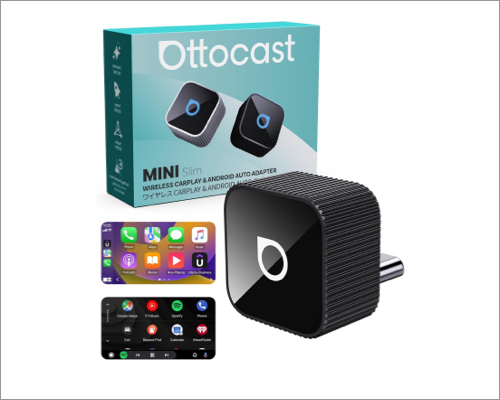
OTTOCAST has been a trusted name in this space for years and offers multiple versions. The Mini Cube 3.0 supports wired Apple CarPlay and Android Auto via USB-C. It’s slightly more expensive, but you’ll notice the difference in day-to-day use.
I liked its compact, sleek design that blends well with the car’s interior. Auto-connection takes only 5 seconds, audio is Hi-Fi quality, and switching between phones is smooth thanks to 5GHz Wi-Fi, Bluetooth 4.2, and a next-gen chip.
OTTOCAST also offers multiple versions, including a Magic CarPlay box that brings popular streaming apps like Netflix, YouTube, TikTok and Prime Video to your car’s screen.
Why it’s a great buy: Very fast auto-connect (usually under 5 seconds). Great for a multi-device household.
Best for: Users who want top-tier speed and stability
Compatible with: Apple CarPlay and Android Auto
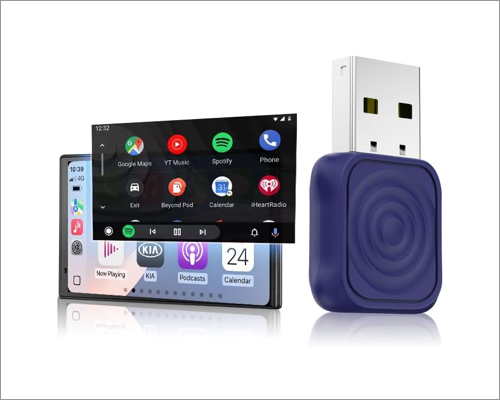
Carlinkit offers a wide range of plug-and-play adapters and, in 2026, remains one of the most flexible brands on the market. Their Mini Ultra is perfect for regular cars, while the T2C Tesla adapter is specifically designed for Tesla vehicles that don’t support CarPlay natively.
Performance is solid, with stable connections and decent app responsiveness. The best part is that Carlinkit adapters receive OTA firmware updates. You can continue to receive new features in the future.
Why it’s a great buy: Good balance between flexibility, features, and price.
Best for: Advanced users and Tesla drivers
Compatible with: Apple CarPlay and Android Auto
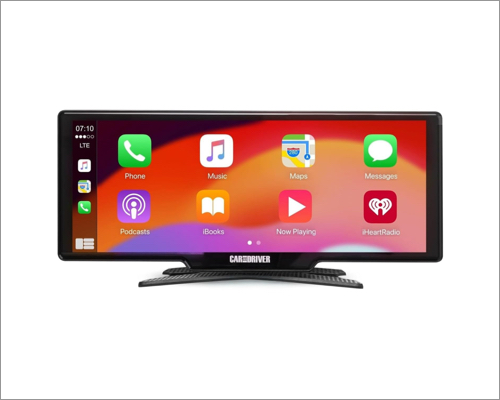
The IntelliDash Pro X10 is different from the others on this list. Instead of just being an adapter, it’s a standalone smart display that adds wireless CarPlay to almost any car, even older models.
It mounts on your dashboard and connects to your iPhone or Android via Bluetooth or Wi-Fi. So, you can access maps, calls, texts, Siri, music apps, and more. The large, bright touchscreen display is great for navigation, especially if your car’s original screen is small or outdated.
Why it’s a great buy: Works even if your car has no CarPlay at all. Easy to move between vehicles.
Best for: Cars without wired CarPlay or drivers who want a larger infotainment screen.
Compatible with: Apple CarPlay and Android Auto
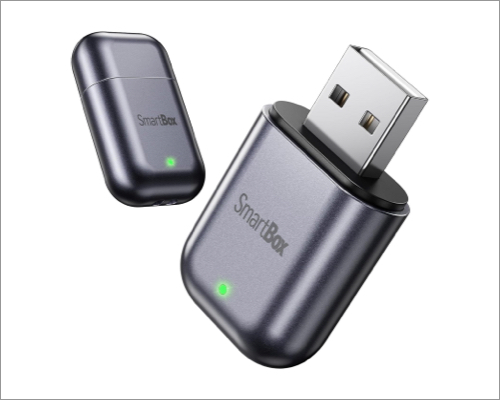
The Burnt Sugar Ultra Mini adapter is all about simplicity and size. Its USB-drive-like portable design is among the smallest on the market, making it ideal if you don’t want anything protruding from your dashboard.
Despite its low price, performance is surprisingly good for basic tasks like navigation, music, and calls. You get 2.4+5.8GHz Wi-Fi and Bluetooth 5.3 for fast connection and ultra-low latency.
Why it’s a great buy: Extremely small and discreet in an affordable package. Perfect for casual users.
Best for: Budget buyers and minimal setups
Compatible with: Apple CarPlay
It’s quite simple to set up a wireless CarPlay adapter. Most adapters come with instructions, but as a general guide, follow the steps below.
Now, try out the different CarPlay features, such as navigation, music, and hands-free calling, to check if they work.
Turn off and restart your car to confirm that the adapter automatically reconnects to your iPhone.
If you face issues, try these tips to fix CarPlay not working. Or contact the manufacturer of the wireless adapter for assistance.
Wireless CarPlay adapters are a small upgrade that makes a big difference in everyday driving. They eliminate the hassle of cables, connect automatically, and let you enjoy your favorite CarPlay apps without a wired connection. Consider your car model, budget, and driving frequency to buy the right one.
Have you tried any CarPlay adapters before? Let me know your experience below!
You might also like:



