FaceTime Like a Pro
Get our exclusive Ultimate FaceTime Guide 📚 — absolutely FREE when you sign up for our newsletter below.

FaceTime Like a Pro
Get our exclusive Ultimate FaceTime Guide 📚 — absolutely FREE when you sign up for our newsletter below.


Apple’s first iOS 27.3 developer beta brings back the redesigned Health app and expands Siri AI, but daily limits apply and Health Age still needs an Apple Watch.
Apple released the first iOS 27.3 beta to developers on November 3, 2026 (build 24C5037i). Apple’s developer post confirms the release and asks developers to build and test their apps with Xcode 27.3.
Here’s what’s new and what you should know before you install it.
Siri AI now works across many more of Apple’s own apps. According to Apple’s Siri AI developer post, the new actions cover Calendar, Files, Finder, Journal, Mail, Maps, Messages, Music, Notes, Photos, Preview, Reminders, Safari, Shortcuts, and Weather. For example, you can ask Siri to find a coffee shop you visited last week, or to archive files you haven’t opened in over a year.
The beta also adds two Mail actions: one unsubscribes you from mailing lists, and the other undoes a sent message. Apple hasn’t mentioned these in its posts, so they may not make it to the final release.
There’s a catch, though. A footnote from Apple says Siri AI and other server-based features come with daily usage limits, and that expanded access will be a paid option later. Apple hasn’t said what those limits are or what the upgrade will cost.
In this beta, Siri AI supports English, French, Japanese, Korean, Portuguese, and Spanish, and now adds Traditional Chinese, Norwegian, Turkish, and Vietnamese, the four languages Apple had said were coming by the end of the year. That brings the total to 10 languages. Siri AI is also not available in the EU on iOS, iPadOS, or watchOS.
The redesigned Health app is available in the iOS 27.3 developer beta starting today, and Apple says it will reach everyone as a free update later this year. It also supports more languages this time, not just U.S. English.
The redesign is built around three main sections:
Because Health Age relies on Watch data, Apple confirms it requires an Apple Watch. If you only have an iPhone, you won’t get this score. The redesigned app as a whole also needs an iPhone or iPad that supports Apple Intelligence.
Apple has also added movement checks you can do at home using your iPhone camera and Apple Watch. Apple says the video is processed on your device and is never recorded, stored, or shared.
This isn’t the first time we’ve seen the new Health app. Apple first added it in iOS 27.2 beta 1, removed it in beta 4, and then shipped iOS 27.2 without it. Since beta features can be pulled again, it’s best not to count on the new Health app until it actually ships.
In a Chinese-language newsroom post dated October 31, Apple said Apple Intelligence features would open for testing in China on November 4 with the latest iOS developer beta. Regular users in China will get them when iOS 27.3 launches in December.
The first batch of features includes Live Translation, Clean Up, Writing Tools, Visual Intelligence, and Genmoji. Siri AI is not part of this launch.
To use these features, you’ll need one of these iPhones:
Your device language and Siri language also need to be set to English or Simplified Chinese.
In China, parts of Siri, Writing Tools, and Visual Intelligence are powered by Alibaba’s Qwen model. To learn more about why Siri AI is missing, read Apple Intelligence in China without Siri AI.
The beta also brings several smaller updates:
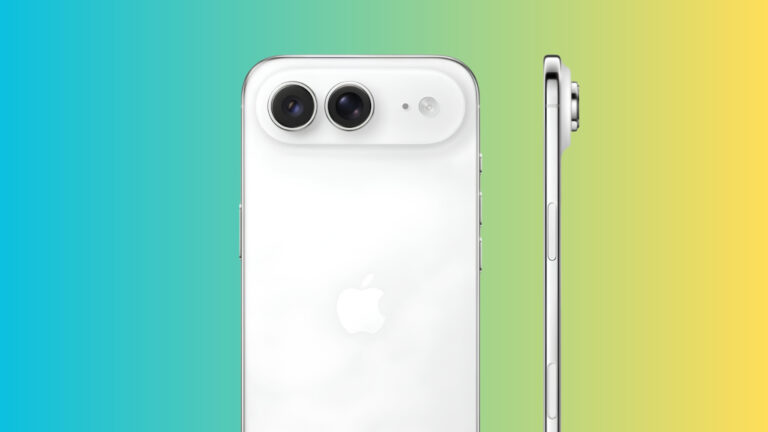
If you have an iPhone Duo, you can now swipe in from the left or right edge of the outer display to bring content down within reach of your thumb. To turn it on, go to Settings > Accessibility > Touch.
The bigger news is for app developers. Through a new Developer Preview, any developer can now connect their app to Siri AI using App Intents. Apple says these apps will reach users “in a few months,” and App Store submissions will open in the spring.
If you want to try it, open Settings > General > Software Update. Under Beta Updates, choose iOS 27 Developer Beta. Apple hasn’t announced a public beta yet. For the full walkthrough, see how to install the iOS 27 developer beta on iPhone.
Apple’s China page says iOS 27.3 will launch in December, but there’s no exact date. Until then, anything in the beta could change, just like the Health app did last time.

As an Amazon Associate, iGeeksBlog earns from qualifying purchases.