FaceTime Like a Pro
Get our exclusive Ultimate FaceTime Guide 📚 — absolutely FREE when you sign up for our newsletter below.

FaceTime Like a Pro
Get our exclusive Ultimate FaceTime Guide 📚 — absolutely FREE when you sign up for our newsletter below.


visionOS 27 introduces new tools and upgrades for Apple Vision Pro, improving spatial computing, multitasking, and the overall immersive experience.
 ByVikhyat
visionOS 27 builds on the foundation Apple introduced with Vision Pro instead of changing it completely. The update expands Apple Intelligence with a new Siri experience, brings more immersive ways to browse the web and view photos, improves multitasking, and adds a long list of refinements throughout the system.
If you’re planning to install the update, here are the visionOS 27 features worth checking out first.
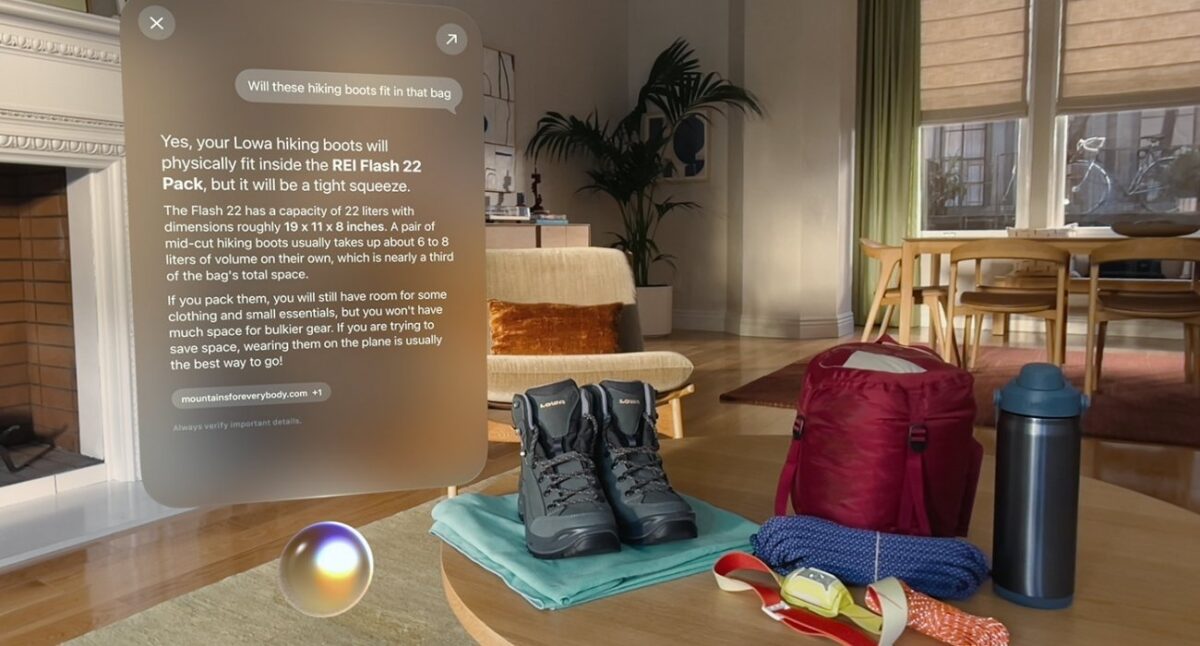
Apple Intelligence reaches Vision Pro through a redesigned Siri AI experience that combines voice commands with Visual Intelligence, allowing you to ask questions about objects, images, and documents that are in view.
Starting a conversation is different too. A floating 3D Siri orb can be placed anywhere in your workspace, and looking at it is enough to activate the assistant instead of repeating “Hey Siri.”
Apple is also adding a dedicated Siri app that stores previous conversations, so previous conversations stay available instead of disappearing when you close Siri.
Panorama photos get a nice upgrade in visionOS 27. Rather than displaying as a wide image, they wrap around your surroundings, giving landscape and travel shots a stronger sense of scale.
Safari is receiving a similar upgrade through a new Web Environments API. Developers can create websites that launch users into complete 360-degree experiences directly from the browser, allowing developers to build immersive web experiences that feel much closer to native apps.
Apple is also expanding its collection of virtual backdrops with Thórsmörk, an environment inspired by the Icelandic nature reserve known for its glaciers, valleys, and dramatic mountains.
Apple is also refining the workspace experience.
Safari, Freeform, and Apple TV now support curved layouts that wrap content around your field of view, so long webpages and widescreen videos fit more naturally within your field of view.
Widgets gain a new extra-small size, giving users more freedom to place clocks, weather cards, calendars, photos, and other information throughout a room without making the space feel crowded.
Mac integration is expanding as well. Users can preview and edit 3D models directly in visionOS, while Quick Look now supports annotations for reviewing and marking up those assets.
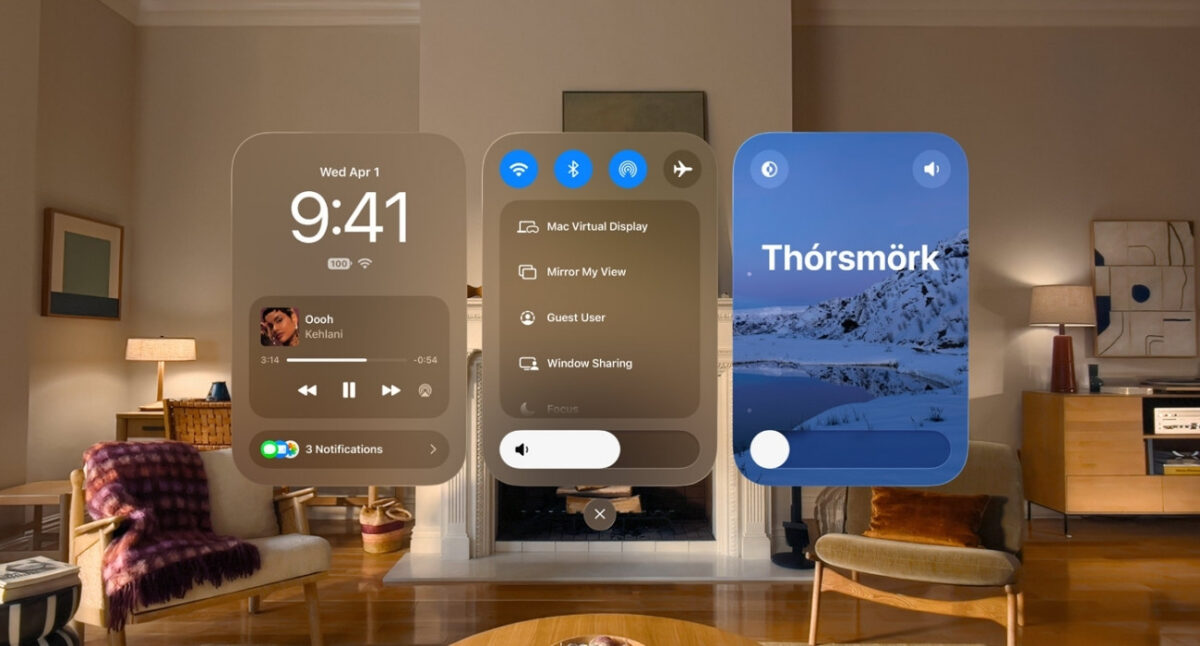
Notifications now expand automatically when you look at them, removing an extra gesture from one of the headset’s most common interactions and making better use of Vision Pro’s eye-tracking system.
Control Center has been reorganized with dedicated sections for notifications, media playback, system settings, and immersive environments.
Apple is also promising faster wireless performance. On supported networks, visionOS 27 can deliver Wi-Fi speeds up to three times faster than before, benefiting streaming, cloud gaming, remote workflows, and large downloads.
Apple is giving developers a larger toolkit for building spatial experiences.
RealityKit receives new capabilities, Environment Occlusion improves the way virtual content blends with physical surroundings, and Reality Composer Pro 3 gains additional tools for creating immersive apps. The update also includes enhanced asset rendering technologies and improvements for popular game engines, giving developers more flexibility when building for Vision Pro.
The visionOS 27 is available now.
Siri AI will roll out later this year as a feature and will initially support English only. Unlike iPhone and iPad, where the feature won’t be available in the European Union at launch, Vision Pro users in the EU will get access from day one.
visionOS 27 won’t change the way you use Vision Pro on day one. What it does is remove small points of friction across the system, from talking to Siri to browsing the web and managing windows. Spend some time with the update, and those refinements become its biggest strength.