FaceTime Like a Pro
Get our exclusive Ultimate FaceTime Guide 📚 — absolutely FREE when you sign up for our newsletter below.

FaceTime Like a Pro
Get our exclusive Ultimate FaceTime Guide 📚 — absolutely FREE when you sign up for our newsletter below.


Gemini and Google Assistant may sound similar, but they work very differently. Here’s what changed, what’s better, and which AI assistant fits your needs.
For years, Google Assistant was the gold standard for voice assistants. Want to set an alarm clock, turn off your lights, or find directions? Assistant did everything perfectly fine. Then Google introduced Gemini and started replacing Google Assistant, and suddenly things took a turn.
Gemini is powered by Google’s latest AI models that can understand more complex questions, hold natural conversations, and help with tasks like writing, planning, and research. So, if you’re wondering if Gemini is better than Google Assistant, this is the right place.
In this Gemini vs Google Assistant comparison, we’ll look at the key differences, features, strengths, and limitations of both platforms. Hence, you can decide which one is the better choice for your needs.
| Feature | Gemini | Google Assistant |
|---|---|---|
| Core technology | Advanced generative AI model | Traditional voice assistant |
| Conversations | Natural, context-aware, and detailed chatting | Simple command-based interactions |
| Content creation | Can write, summarize, brainstorm, and generate ideas | Limited content creation abilities |
| Complex questions | Handles multi-step and follow-up queries | Best for straightforward questions |
| App integration | Works with Google apps and workspace services | Extensive Google ecosystem integration |
| Device support | Mostly phones, computers, and specific Android/iOS devices. | Phones, speakers, TVs, watches, and cars. |
| Best for | Productivity, creativity, research, and AI assistance | Quick tasks, device control, and voice commands |
After using Gemini for a week, I found that it works very differently from a traditional voice assistant. Instead of simply matching commands to actions, Gemini uses Google’s large language models to understand context, intent, and follow-up questions, much like a real conversation.
For example, if I ask Gemini to help plan a weekend trip, it doesn’t just show a list of websites. It will offer suggestions about where to visit, create a schedule for a trip, determine how long each activity will take, and many more. The conversation feels more natural because Gemini remembers the context of previous questions within the chat.
Google is increasingly positioning Gemini as a universal AI assistant with the Gemini Intelligence. It can automate tasks across multiple apps, autofill forms, create your own widgets, make browsing smarter, and improve voice typing. Also, the latest Gemini Spark excels in follow-up tasks like tracking flight prices or organizing trip details.
One of the biggest additions is Personal Intelligence. Instead of treating every conversation as a blank slate, Gemini can connect with your Google Workspace, including Gmail, Google Photos, YouTube, Search, and other Google services, to provide personalized answers. I have connected my WhatsApp to Gemini for hands-free chatting.
Today, Gemini can:
Before Gemini arrived, I have been actively using Google Assistant to perform various actions on my Android device. Unlike Gemini, Google Assistant is designed primarily as a voice assistant that listens to commands and performs actions instantly.
When I say something like “Set an alarm for 7 AM,” “Call John,” or “Turn off the living room lights,” Google Assistant responds quickly without requiring a detailed conversation.
It is focused on speed and convenience, making Assistant ideal for everyday tasks such as:
Even several experiences behind Android Auto, navigation workflows, and certain device-level functions continue to rely on Assistant technology during Google’s transition to Gemini.
One of the biggest differences I noticed between Gemini and Google Assistant is how they communicate with you.
Google Assistant follows a command-based approach. You give a specific instruction, and it performs that task. For example, if I say, “Set a timer for 10 minutes” or “Play my workout playlist,” it responds quickly and gets the job done. However, if I start asking follow-up questions or switch to a more complex topic, the conversation can feel limited.
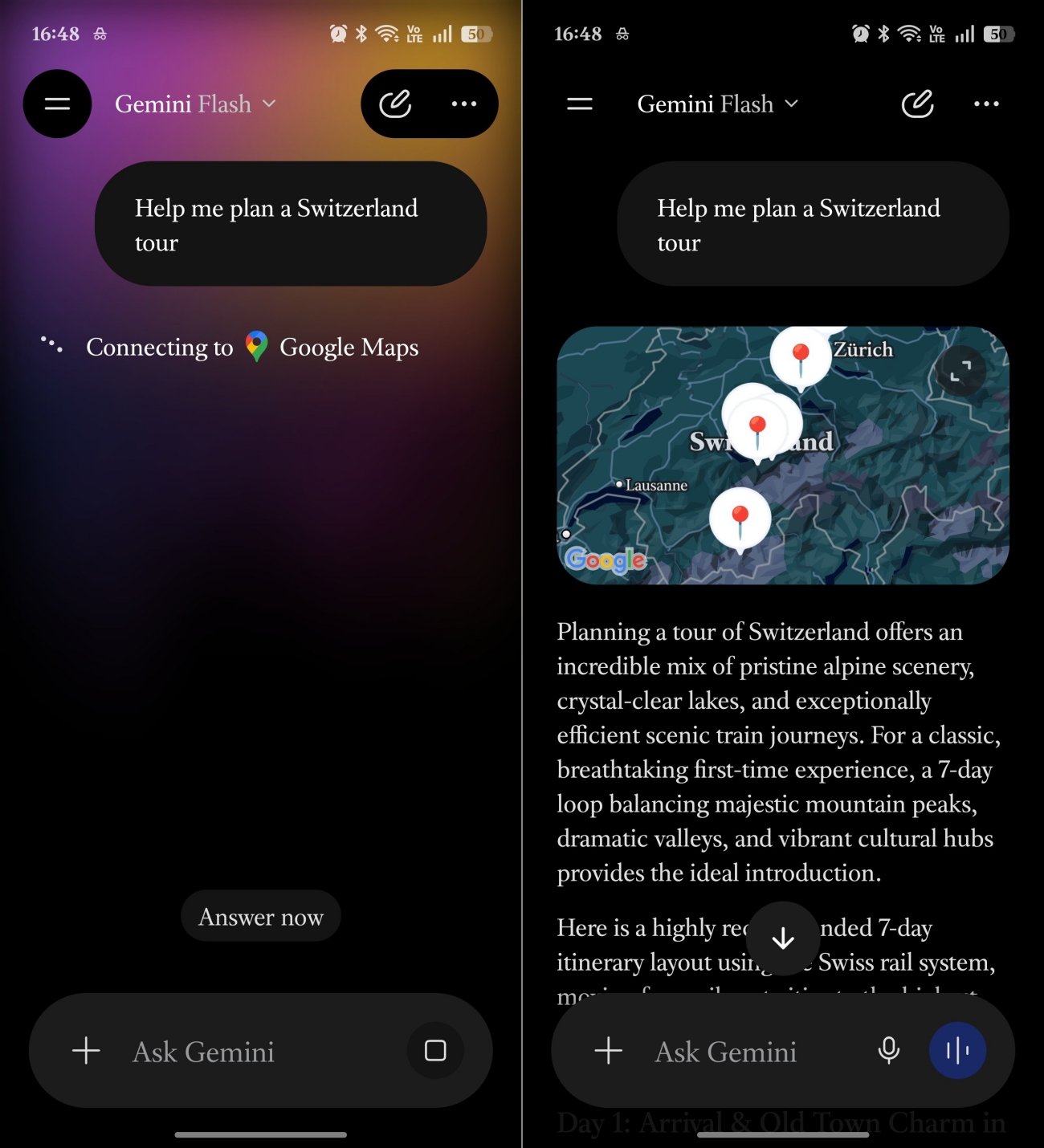
Meanwhile, Gemini is designed for natural conversations. Instead of treating each request as a separate command, it understands context and continues the discussion. For example, I can ask Gemini to help plan a vacation, compare destinations, estimate costs, and suggest activities all within the same conversation without repeating myself.
When it comes to reasoning and problem-solving, the gap between Gemini and Google Assistant is quite noticeable.
In my experience, Google Assistant is great at answering direct questions, but it isn’t designed to think through complex problems. If I ask something straightforward like “What’s the weather tomorrow?” or “How long will it take to get to work?”, it responds quickly. However, when I ask multi-step questions or need help comparing options, its capabilities are limited.
Gemini, on the other hand, works differently. It can analyze information and break down complicated topics into easy-to-follow explanations. For example, if I’m deciding between two laptops, Gemini can compare specifications, explain the pros and cons of each model, and recommend the best choice based on my needs.
This category used to be an easy win for Assistant. Not anymore. Google has introduced Gemini for Home, which brings AI-powered smart home controls, automation creation, camera search, and device management to Google Home and Nest devices.
Instead of requiring specific commands, it understands natural language and more complex requests. For example, I can say, “Turn off all the lights except my bedroom” or “Dim the lights, lock the front door, and set the temperature to 72 degrees,” and Gemini can handle multiple actions at once. You can also use Ask Home to find things and create automations.
I noticed the biggest difference between Gemini and Google Assistant in this category.
Google Assistant was never designed to be a writing or productivity tool. It can help with simple tasks like creating reminders, adding items to a shopping list, or setting calendar events, but that’s about where its productivity features end.
Gemini, on the other hand, feels like a full-fledged creativity assistant. I can ask it to write emails, summarize articles, brainstorm blog topics, create social media captions, or even help organize complex projects. Instead of simply completing commands, it actively helps generate ideas and improve productivity.
Google is steadily expanding Gemini’s reach across its ecosystem. Gemini can connect with Gmail, Google Drive, Maps, YouTube, Flights, and other Google services to provide context-aware assistance. You can play your Spotify playlist inside Gemini or ask for YouTube recommendations based on your watch history.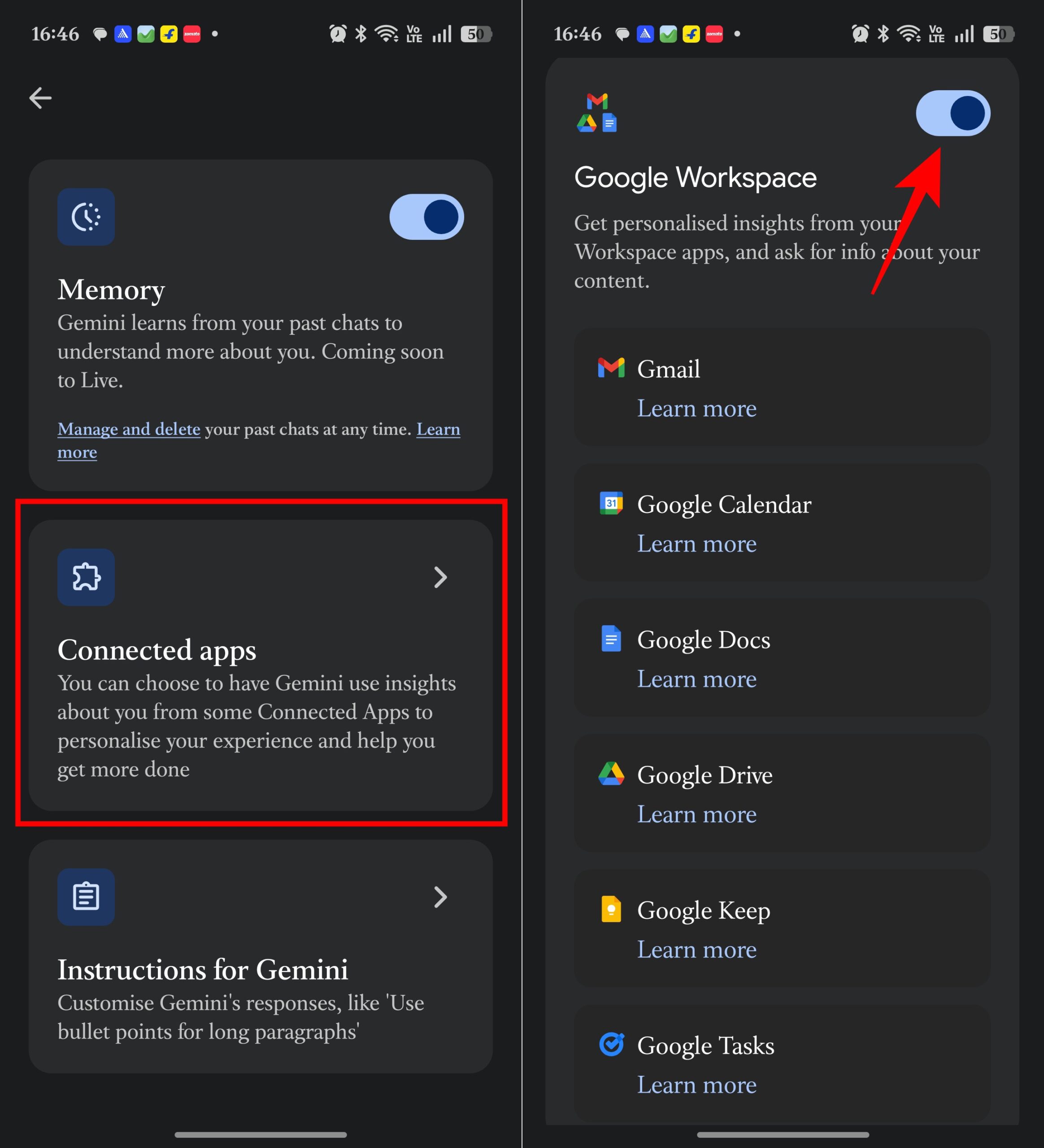
Assistant integrations are still more mature in some areas. But Gemini’s integrations are significantly more intelligent.
Like to read: How I used Gemini to search apps on Play Store
This remains Assistant’s strongest argument.
For quick actions, Assistant is faster, lighter, and more predictable. Even Google acknowledges that Gemini may take longer because it relies on more advanced AI processing.
When I want a timer set immediately, Assistant still feels better. When I want actual help solving something, Gemini is worth the extra second.
Choose Gemini if you:
Choose Google Assistant if you:
For most people, Gemini is already the better long-term choice. For power smart-home users, Assistant still has a few advantages. The gap is shrinking every month.
If you want to replace Google Assistant with Gemini on your Android phone, the process only takes a few minutes.
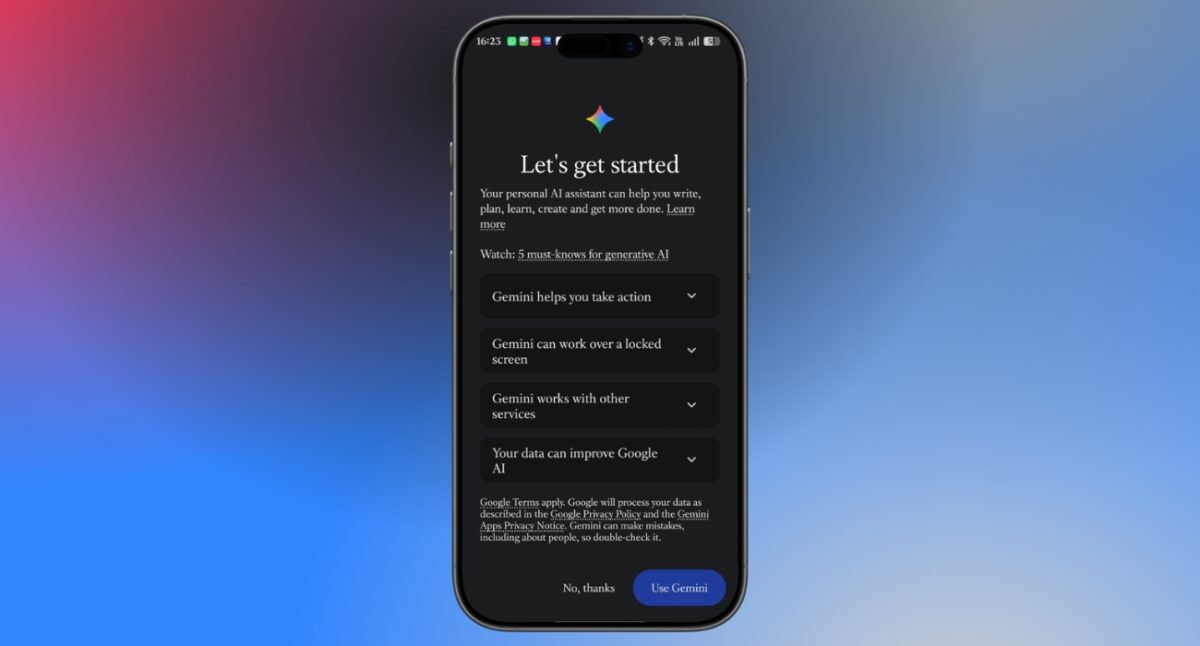
Once Gemini is set as the default assistant, you can launch it using the same gestures and voice commands that previously opened Google Assistant.
Here’s the uncomfortable truth for Assistant fans. Google has already made its decision.
The company is actively transitioning users from Google Assistant to Gemini and has confirmed that the traditional Assistant experience is being phased out across mobile devices as Gemini becomes the default experience.
The debate is no longer about whether Gemini will replace Assistant. It’s about whether Gemini can replace everything Assistant does. In early versions, the answer was clearly no. In 2026, the answer is much closer to yes.
Have you used Gemini yet? Share your experience in the comments below!