FaceTime Like a Pro
Get our exclusive Ultimate FaceTime Guide 📚 — absolutely FREE when you sign up for our newsletter below.

FaceTime Like a Pro
Get our exclusive Ultimate FaceTime Guide 📚 — absolutely FREE when you sign up for our newsletter below.


Want to leave macOS 27 beta? Here is how to return to macOS Tahoe, avoid backup mistakes, and stop future beta updates.
You can downgrade from macOS 27 beta to macOS Tahoe, but not like a normal update. You need to erase your Mac, install macOS Tahoe 26 again, and restore your files from a backup.
A Time Machine backup made before installing macOS 27 beta is the safest option. A backup made on the beta may still help you recover files, but do not rely on it for a clean full-system restore to Tahoe.
Check these before erasing your Mac:
If you only want to stop getting future beta updates, turn beta updates off. This keeps your Mac on the current macOS 27 beta until a newer public macOS release is available.
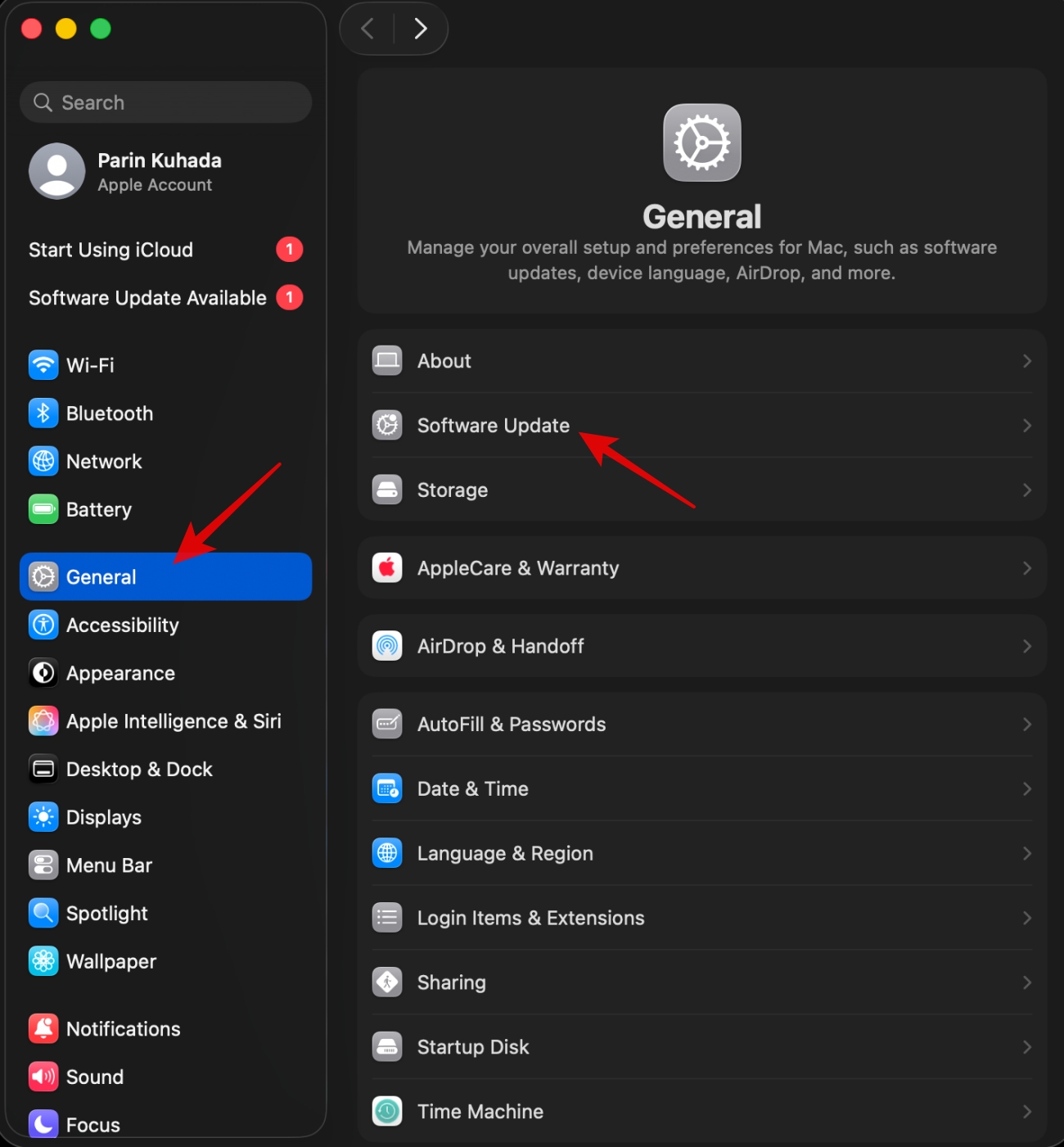
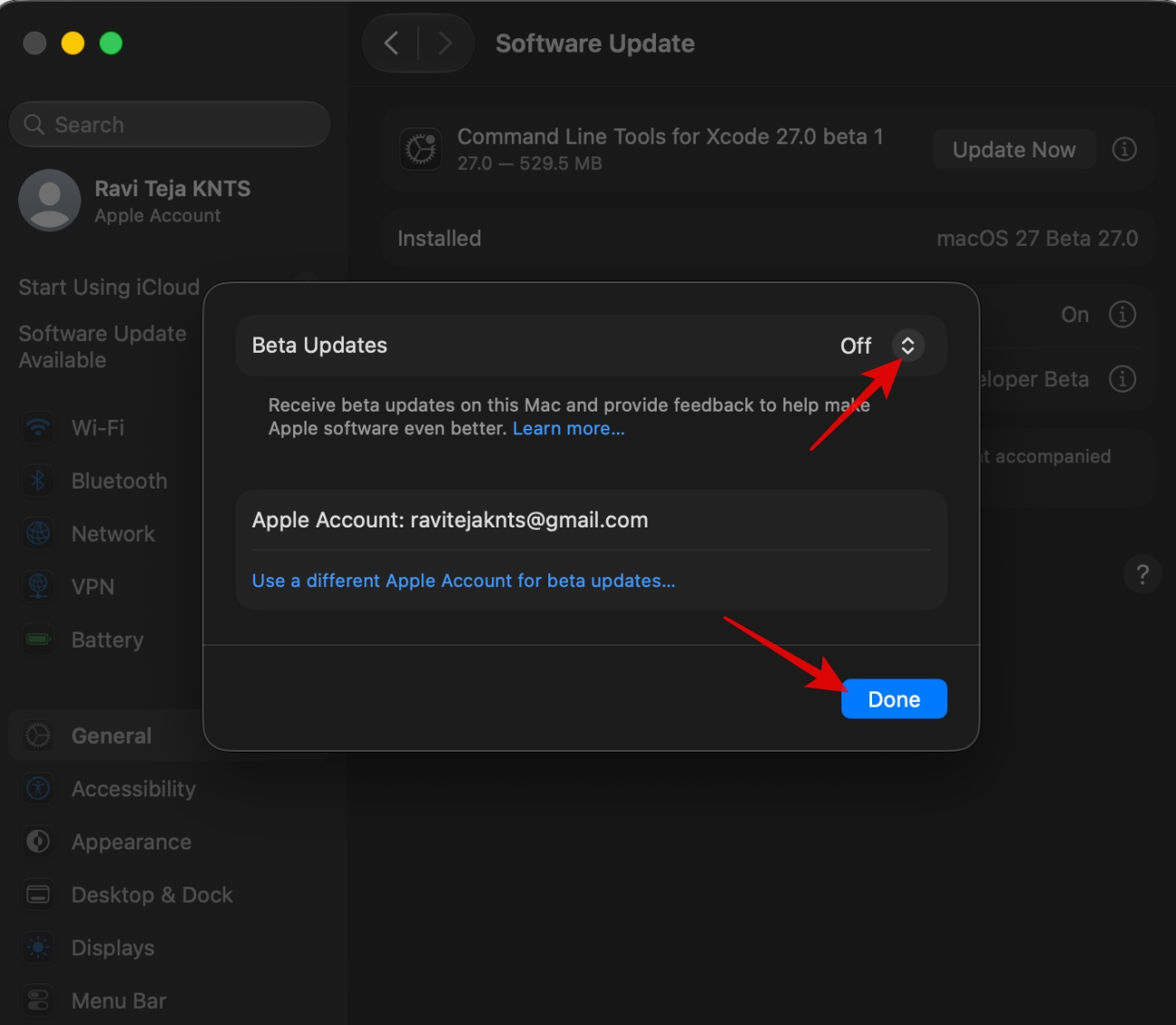
This does not downgrade your Mac to macOS Tahoe immediately. It only removes your Mac from the beta update track.
Before starting, back up your Mac and copy important files to iCloud Drive or an external drive.
You need the full Install macOS Tahoe.app installer in the Applications folder and an external drive with at least 32GB of space. The drives will be erased. You can follow our macOS bootable USB guide if you want the full walkthrough.
Run this command in the terminal. This is the Tahoe command:
sudo /Applications/Install\ macOS\ Tahoe.app/Contents/Resources/createinstallmedia --volume /Volumes/MyVolume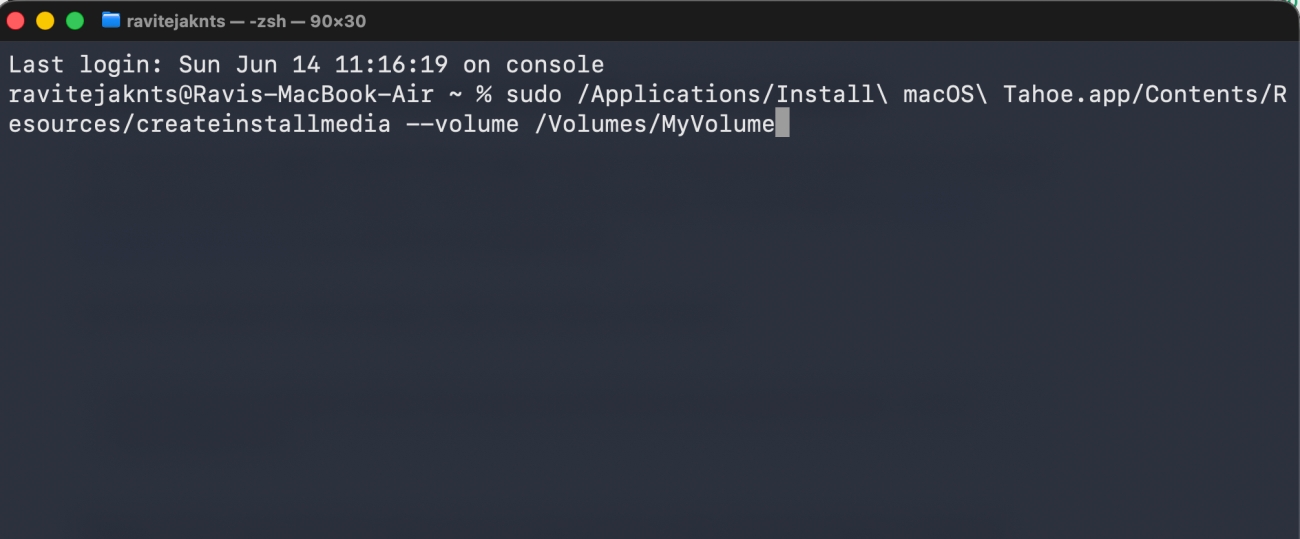
Replace MyVolume with the name of your external drive. After Terminal finishes, leave the installer connected to your Mac.
On a Mac with Apple silicon:
On an Intel Mac:
Once your Mac starts from the installer, erase the beta before installing Tahoe.
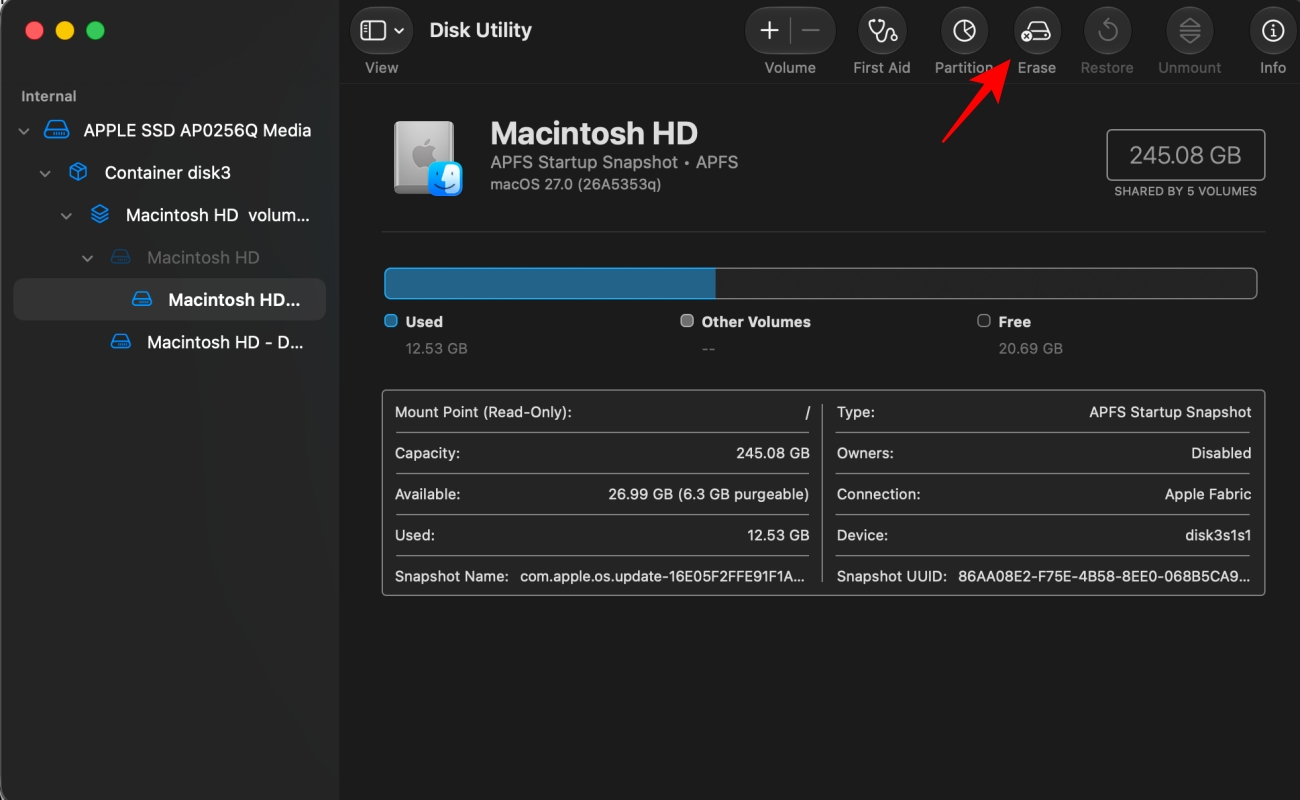
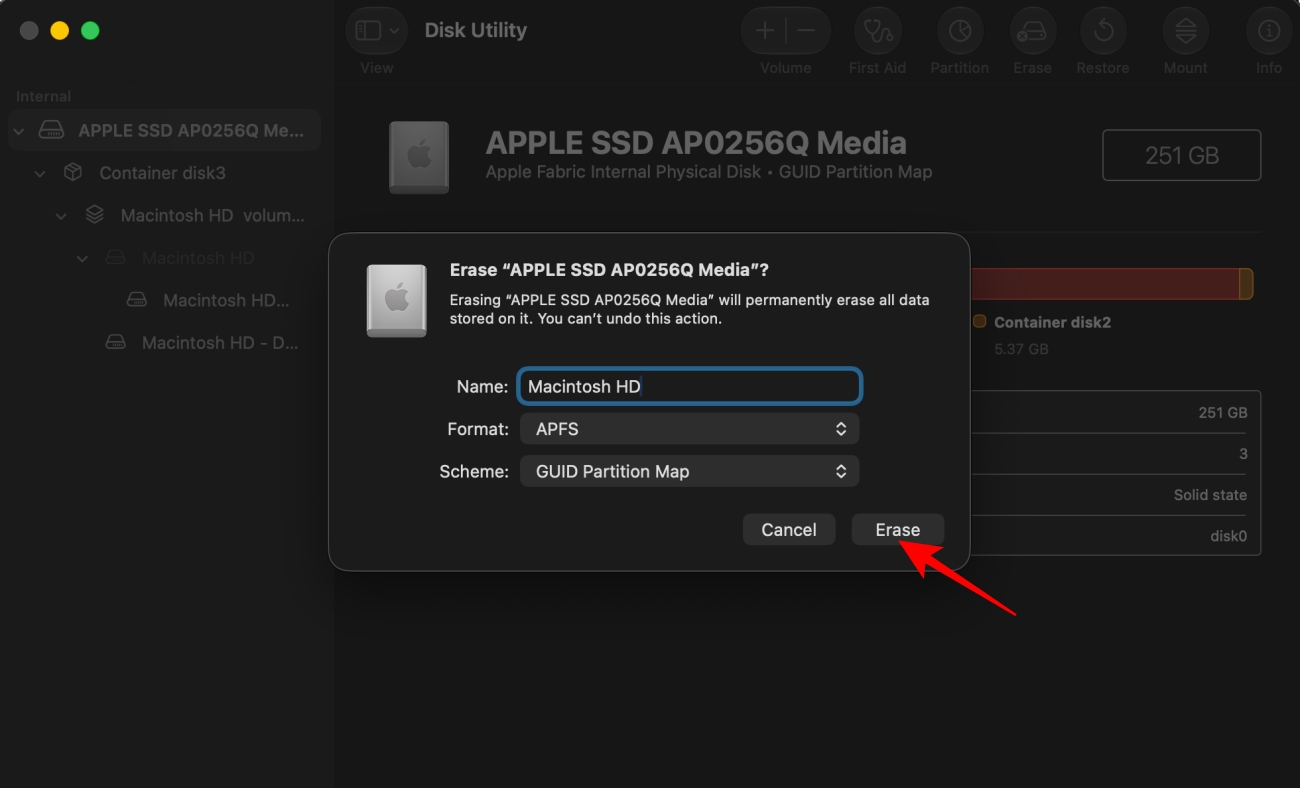
This removes macOS 27 beta, your user accounts, apps, local files, and settings. That is why the backup step matters.
During setup, choose the option to restore data from a Time Machine backup. Pick the backup made before you installed macOS 27 beta.
If you only have a macOS 27 beta backup, set up Tahoe as new. Then sign in with your Apple Account, let iCloud sync your data, and manually copy important files from your backup or external drive.
On Intel Macs, you can also try Internet Recovery by restarting and holding Option-Command-R or Option-Shift-Command-R. If it installs an older macOS version, update to Tahoe from System Settings > General > Software Update after setup.
On Apple silicon Macs, a deeper restore may need another Mac, Apple Configurator, and a USB-C cable that supports data. Use this only if your Mac will not boot properly, Recovery is broken, or the installer path fails.
Avoid third-party downgrade tools. They are not worth the risk when your Mac and data are involved.
You may like: Apple’s new iPhone Mirroring features in macOS 27