FaceTime Like a Pro
Get our exclusive Ultimate FaceTime Guide 📚 — absolutely FREE when you sign up for our newsletter below.

FaceTime Like a Pro
Get our exclusive Ultimate FaceTime Guide 📚 — absolutely FREE when you sign up for our newsletter below.


I compared Apple Wallet and Google Wallet after using both extensively. Here’s how they stack up in payments, travel, digital IDs, security, and everyday convenience.
Not long ago, digital wallets were mainly used for contactless payments. Today, I rely on them for almost everything, from boarding passes and loyalty cards to car keys and digital IDs. If you’re choosing between Apple Wallet and Google Wallet, the decision isn’t as simple as picking the one that comes preinstalled on your phone.
Both apps let you pay, travel, and store important passes without carrying a physical wallet, but both apps work in vastly different ways. Apple Wallet focuses on a seamless experience within the Apple ecosystem, while Google Wallet packs in more flexibility and introduces new features at a faster pace.
In this guide, I’ll compare Apple Wallet and Google Wallet side by side, breaking down their features, key differences, and real-world use cases to help you decide which digital wallet is the better fit for your needs.
| Feature | Apple Wallet | Google Wallet |
|---|---|---|
| Mobile payments | Apple Pay | Google Pay |
| Supported devices | iPhone, Apple Watch | iPhone, Android phones, Wear OS watches |
| Credit and debit cards | Yes | Yes |
| Boarding passes, event tickets, loyalty & gift cards | Yes | Yes |
| Digital IDs | Available in select regions | Available in select regions with expanding support |
| Hotel and car keys | Supported by compatible partners | Supported by select partners |
| Cloud sync | iCloud | Google Account |
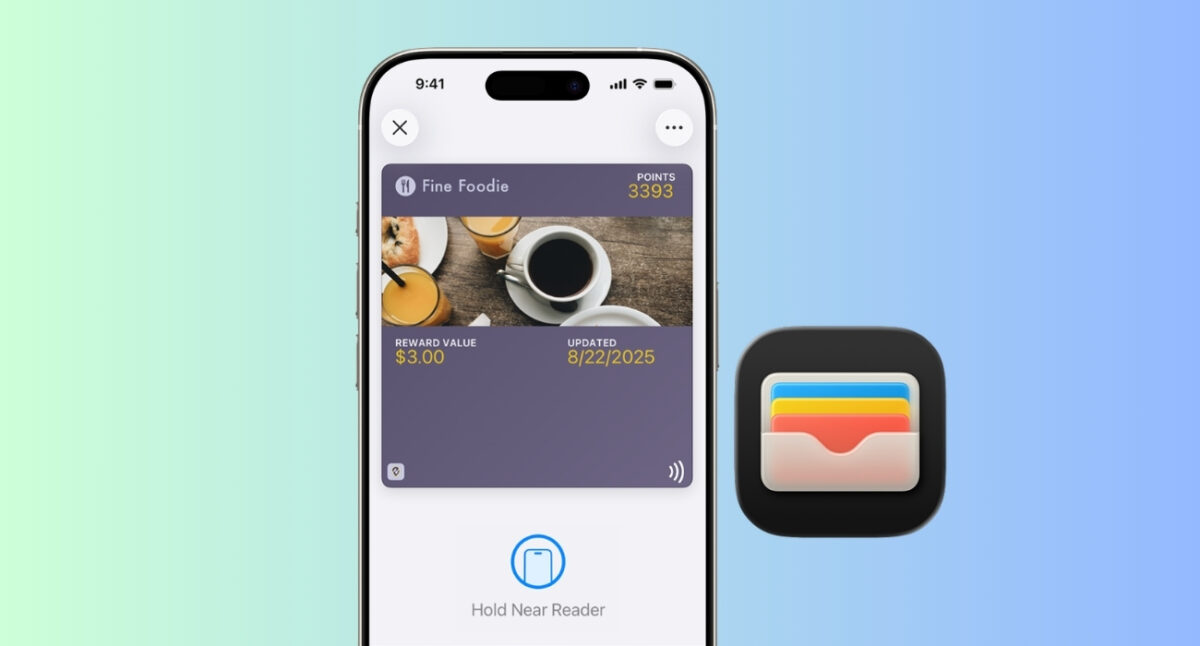
Apple Wallet is Apple’s built-in digital wallet for iPhone and Apple Watch. It stores payment cards, transit passes, boarding passes, tickets, loyalty cards, student IDs, hotel keys, compatible car keys, and, in select regions, driver’s licenses, state IDs, and digital passports. Moreover, you can create custom passes for your physical gift cards, QR-based tickets, and more.
Apple Wallet works closely with Apple Pay, Apple’s contactless payment service. Once you add a supported debit or credit card, you can tap and pay at millions of NFC-enabled terminals using Face ID or Touch ID authentication. You can even track your orders inside the app.
What makes Apple Wallet stand out is its ease of integration. Since I use an iPhone, Apple Watch, and a Mac, everything works together perfectly. Boarding passes automatically appear from supported airlines, payment cards sync across Apple devices, and compatible hotel or car keys are ready when I need them.
The downside? Apple Wallet is exclusive to Apple hardware. If you switch to Android, you’ll need a completely different wallet.
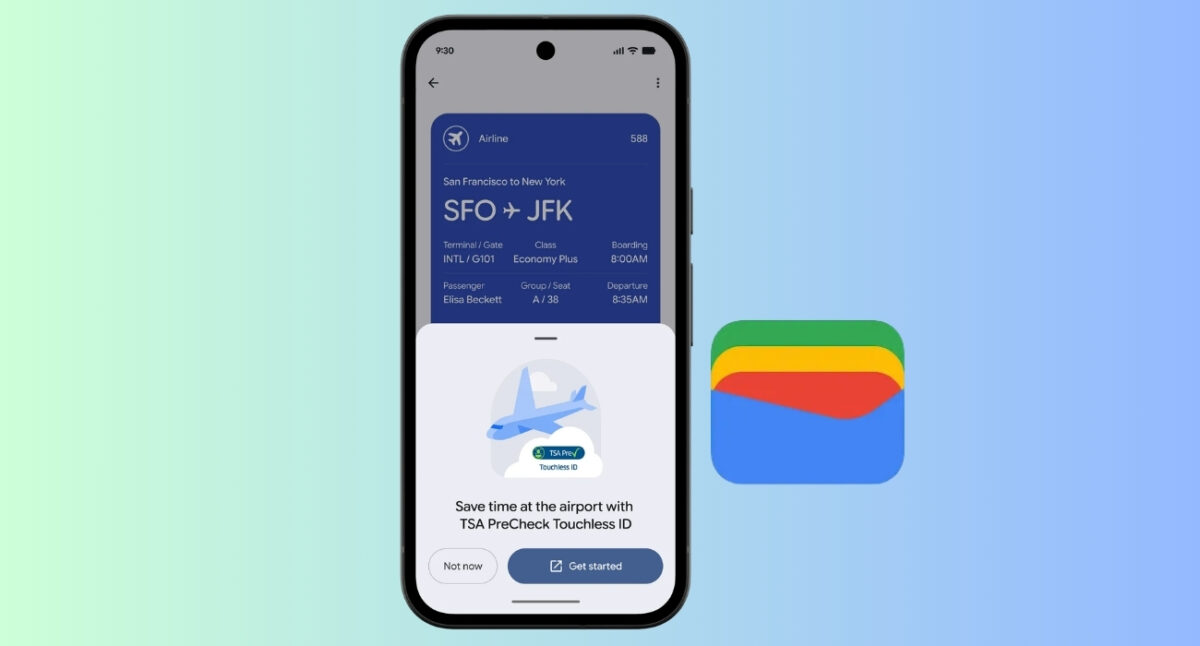
Google Wallet is Google’s digital wallet for Android devices. Like Apple Wallet, it stores payment cards, transit passes, loyalty cards, event tickets, digital IDs, and more.
Since Google has phased out the standalone Google Pay app in the U.S., Google Wallet now handles contactless payments as well. It has also evolved into much more than a payment app. New updates continue to expand Wallet with features that go beyond storing cards.
One recent example is automatic order tracking. Purchases made through Gmail can now appear directly inside Google Wallet, making it easier to keep track of deliveries. Google has also expanded support for Touchless ID verification at participating airports.
Both wallets rely on NFC technology for tap-to-pay transactions and support most major banks.
Apple Pay feels almost invisible on an iPhone. Double-press the side button, authenticate with Face ID, hold your phone to the terminal, and you’re done. Additionally, you can securely store the full details of your credit and debit cards, including the card number, expiration date, and CVV code, in Wallet. This also makes it easier to complete online purchases when Apple Pay isn’t available.
The feature I use the most is Apple Pay Later to split an in-store purchase into installments or redeem eligible reward points, miles, or cashback directly at checkout. Moreover, the new Spending Insights dashboard in iOS 27 is truly helpful in daily life to view balances, recurring transactions, current account information, and transaction insights.
Google Wallet offers a similarly smooth experience. I simply unlock my phone and hold the back of the device near the contactless payment terminal. And the payment goes through. It also has Buy Now, Pay Later options.
Winner: Tie
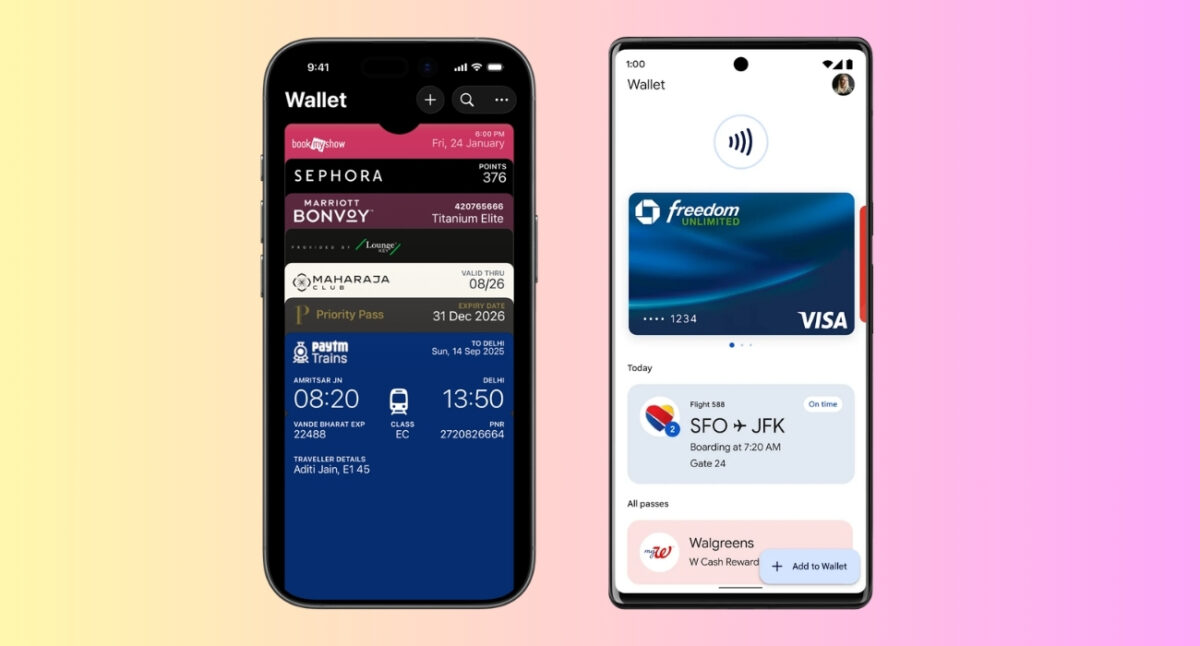
The two wallets support nearly every type of digital card most people use today, including:
Google Wallet has gradually expanded support for additional pass types and digital credentials. The highlight is the Nearby Pass Notification. Every time I go shopping, my Pixel prompts me about whether I want to use my loyalty card. If I tap on it, I will get access to the card instantly.
It works similarly for supported tickets and passes. Simply open the card or pass in Google Wallet, tap the three-dot icon, and enable the Get notifications for this card toggle.
However, I give Apple a lead because it lets you create custom passes for items that don’t have native Wallet support with iOS 27. Simply scan a QR code or barcode or even manually enter details for memberships, physical gift cards, paper tickets, and other credentials.
Winner: Apple Wallet
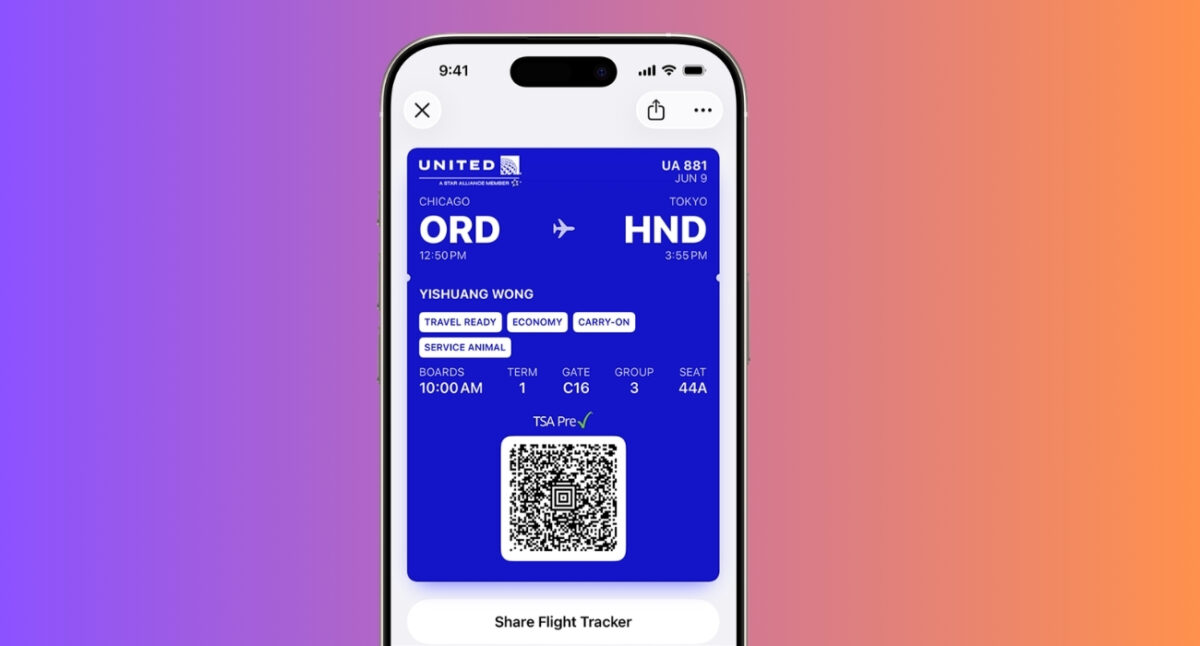
Frequent travelers will be happy with either wallet. Both wallets make it easy to store boarding passes, concert tickets, movie tickets, and transit passes, so you don’t have to dig through emails at the airport or venue.
Apple has significantly improved the travel experience with the iOS 26 Wallet app. When you add a supported boarding pass, it can display Live Activities with real-time flight updates, including gate changes, boarding status, departure times, and delays directly on the Lock Screen and Dynamic Island.
You can even share the live status with your friends and family. I also tested airline features like seat upgrades and standby lists directly from the boarding pass, and navigated smoothly using the airport maps and nearby amenities like restrooms, lounges, and shops.
Google Wallet is also a strong travel companion. It similarly stores boarding passes and event tickets and surfaces the right pass at the right time. I like its real-time alerts about flight schedule changes, pulled directly from Google Search.
On the other hand, Google Wallet beats Apple Wallet in terms of live events, thanks to its new customizable Ticketmaster passes. It combines branded visuals with practical event-day information like parking, entry gates, and venue services, all accessible from a single digital ticket.
Winner: Tie. Apple Wallet for travel and Google Wallet for events.
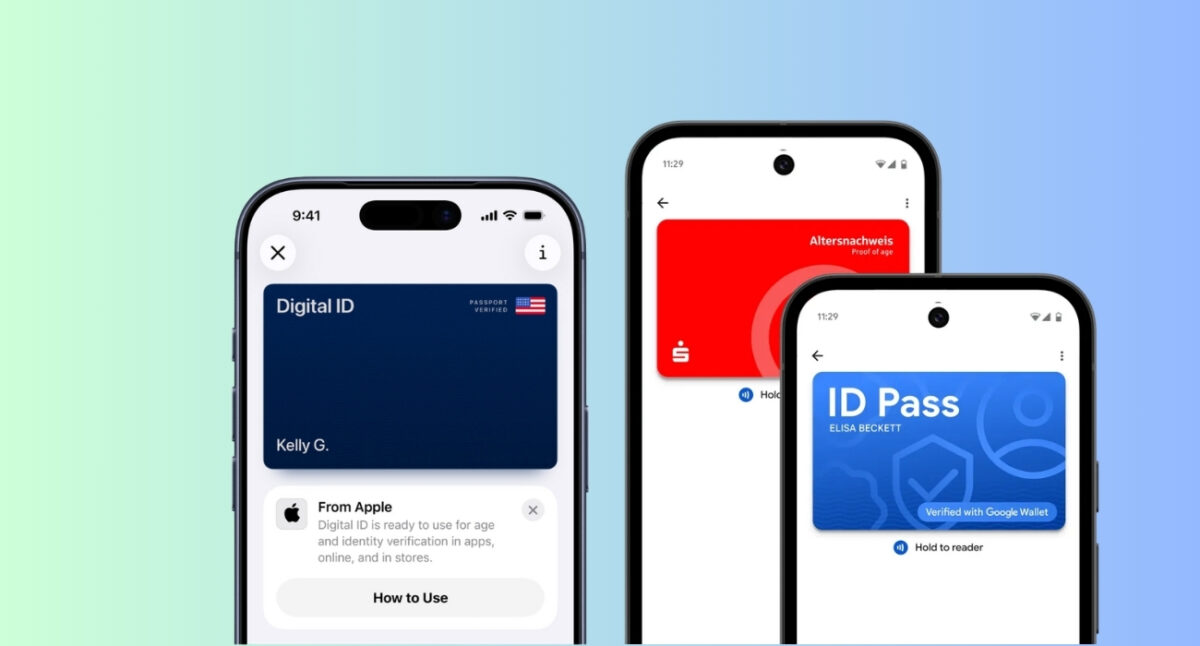
Both Apple Wallet and Google Wallet are evolving beyond payments by letting you carry official identification digitally. However, support still depends on your country, state, and participating institutions.
Apple Wallet supports driver’s licenses and state IDs in participating U.S. states, allowing users to present their identity at select airports, government offices, and businesses where digital IDs are accepted. Students at participating schools can also add their student ID to Apple Wallet for campus access, library services, and purchases.
Apple is also expanding support for travel documents. With the latest updates, eligible U.S. users can create a Digital ID using their U.S. passport, making identity verification more convenient for domestic travel and other supported use cases. Moreover, I use the digital ID to verify identity on websites.
Google Wallet offers similar capabilities by supporting digital driver’s licenses, state IDs, student IDs, and other digital credentials in select regions. One of its biggest advantages is the TSA PreCheck Touchless ID program at participating U.S. airports. It allows you to verify your identity quickly without presenting a physical ID at supported TSA checkpoints.
Winner: Slight edge to Google Wallet.
When it comes to protecting your payment information, both Apple Wallet and Google Wallet never share your actual card number with merchants during a transaction, reducing the risk of card data theft. Also, both require biometric authentication before approving payments.
With Google Wallet, you enter your card details once during setup. Google then creates a virtual card number that’s stored on your device. Upon making payments, the merchant charges the virtual card and not the real card. This way, all the transaction processing happens in the background through Google and the bank.
Apple Wallet takes a slightly different approach. After verifying your card with the issuing bank, Apple generates a unique Device Account Number (DAN) and stores it in the device’s Secure Element. During checkout, only this DAN is shared with the merchant, ensuring your actual card number is never exposed.
From a privacy standpoint, Apple has a slight advantage. Apple collects minimal transaction data and doesn’t tie purchases to your identity, and emphasizes on-device security.
Winner: Apple Wallet.
Both Apple Wallet and Google Wallet are also evolving into order management hubs.
With Apple Intelligence, Apple Wallet can now track orders beyond Apple Pay purchases. It helps me tremendously to check all my orders’ shipping updates, delivery status, and tracking information. You can view related order emails, manage your order, or jump to the merchant’s website directly from Wallet.
Google Wallet recently introduced a similar feature that displays orders arriving soon alongside your passes on the home screen. It automatically pulls up receipts, shipping information, and tracking numbers from Gmail for supported merchants. You can see the details about the order along with the direct link to the carrier’s website.
Winner: Tie.
Apple Wallet is intentionally minimal. Everything is organized cleanly, animations are polished, and the app rarely feels cluttered. Also, if you own an iPhone, Apple Watch, Mac, and AirPods, everything feels connected. Cards sync through iCloud, Apple Pay works consistently across devices, and features like Express Transit, hotel keys, and car keys integrate seamlessly.
Google Wallet packs in more information, additional pass types, and deeper integrations. That flexibility is useful, but can occasionally make the interface feel busier. That flexibility also has an advantage. Instead of locking you into one hardware brand, it works across Android phone brands. As I switch Android brands every few years, my wallet comes with me.
Winner: Apple wins for simplicity and ecosystem integration. Google wins for functionality and flexibility.
Apple Wallet is intentionally simple. There’s little to customize, but that’s by design. Apple prefers consistency over giving users endless settings.
Google Wallet offers more ways to organize passes and frequently adds new pass types. I like to reorder the cards carousel to keep my most-used credit cards. You can even tap any pass to view its details and update its settings, including changing the wallet background and text colors.
If you enjoy having more features and don’t mind a slightly busier interface, Google Wallet feels more ambitious.
Winner: Google Wallet.
The truth is that neither wallet is objectively better. The better choice depends on the phone in your pocket and the features you actually use.
Choose Apple Wallet if:
Choose Google Wallet if you:
Google has been moving quickly, adding capabilities that go well beyond contactless payments. Features like automatic order tracking and expanded airport identity support show that Google Wallet is becoming a broader digital companion rather than just a place to store cards.
A few years ago, this comparison would have ended in a tie. Today, there’s a clearer distinction.
Apple Wallet is the best digital wallet for Apple users. It’s elegant, reliable, secure, and deeply integrated into the Apple ecosystem. If you already carry an iPhone, there’s little reason to look elsewhere.
After using both extensively, I think Google Wallet is evolving faster. Google continues to add practical features beyond payments, while Apple focuses on delivering a more polished and tightly integrated experience.
If you’re deciding purely on features, Google Wallet currently has the edge. If you’re deciding based on the overall experience on an iPhone, Apple Wallet remains the better choice because its hardware and software are designed together.
Which wallet is part of your everyday routine? Share your favorite one in the comments below!
More interesting reads: