FaceTime Like a Pro
Get our exclusive Ultimate FaceTime Guide 📚 — absolutely FREE when you sign up for our newsletter below.

FaceTime Like a Pro
Get our exclusive Ultimate FaceTime Guide 📚 — absolutely FREE when you sign up for our newsletter below.


Meta can use activity shared by other apps and websites to personalize ads on Facebook and Instagram. Here’s how to turn off the Activity from other businesses setting and limit that tracking.
 ByVikhyat
Have you ever browsed a product on a shopping website, only to see it appear on Facebook or Instagram a few hours later? In many cases, that’s because the website shared information about your visit with Meta.
Thousands of apps and websites use Meta’s tracking tools, including Meta Pixel and the Conversions API, to share events such as product views, searches, purchases, and sign-ups. Meta combines that information with your account to personalize ads, recommend content, and help businesses understand whether their ads are leading to sales.
Fortunately, Meta lets you see which businesses have shared data with your account through a setting named “Activity from other businesses.” You can disconnect that activity and decide whether you want future data from third-party apps and websites to be linked to your Facebook and Instagram accounts.
Keep reading to learn how.
Whenever you visit a website or use an app that has Meta’s tracking tools built in, it may send information back to Meta. This often happens through technologies like the Meta Pixel or the Conversions API.
Depending on the business, the information shared can include events such as:
Meta says this information helps businesses understand whether their advertising is working and allows Facebook and Instagram to show more relevant ads.
The important thing to understand is that this data isn’t necessarily collected only while you’re using Facebook or Instagram. It can come from completely different apps and websites you’ve visited.
One reason this goes unnoticed is that Meta doesn’t display a notification every time a website shares your activity.
What you do notice is the outcome. A product you checked out on an online store appears in your Instagram feed later that day, or Facebook starts showing ads related to something you searched for on another app or website. That’s often the result of activity shared by businesses with Meta.
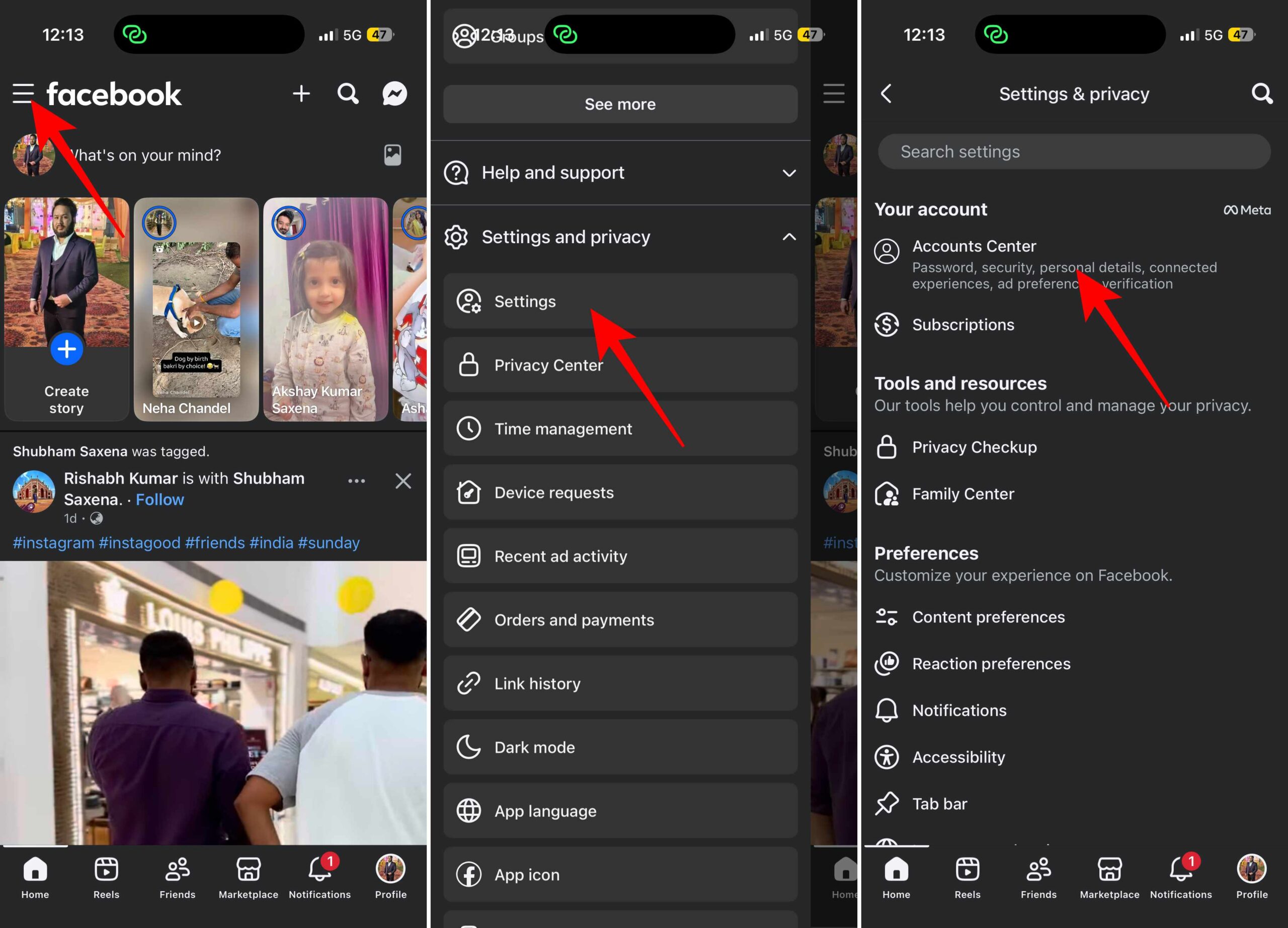
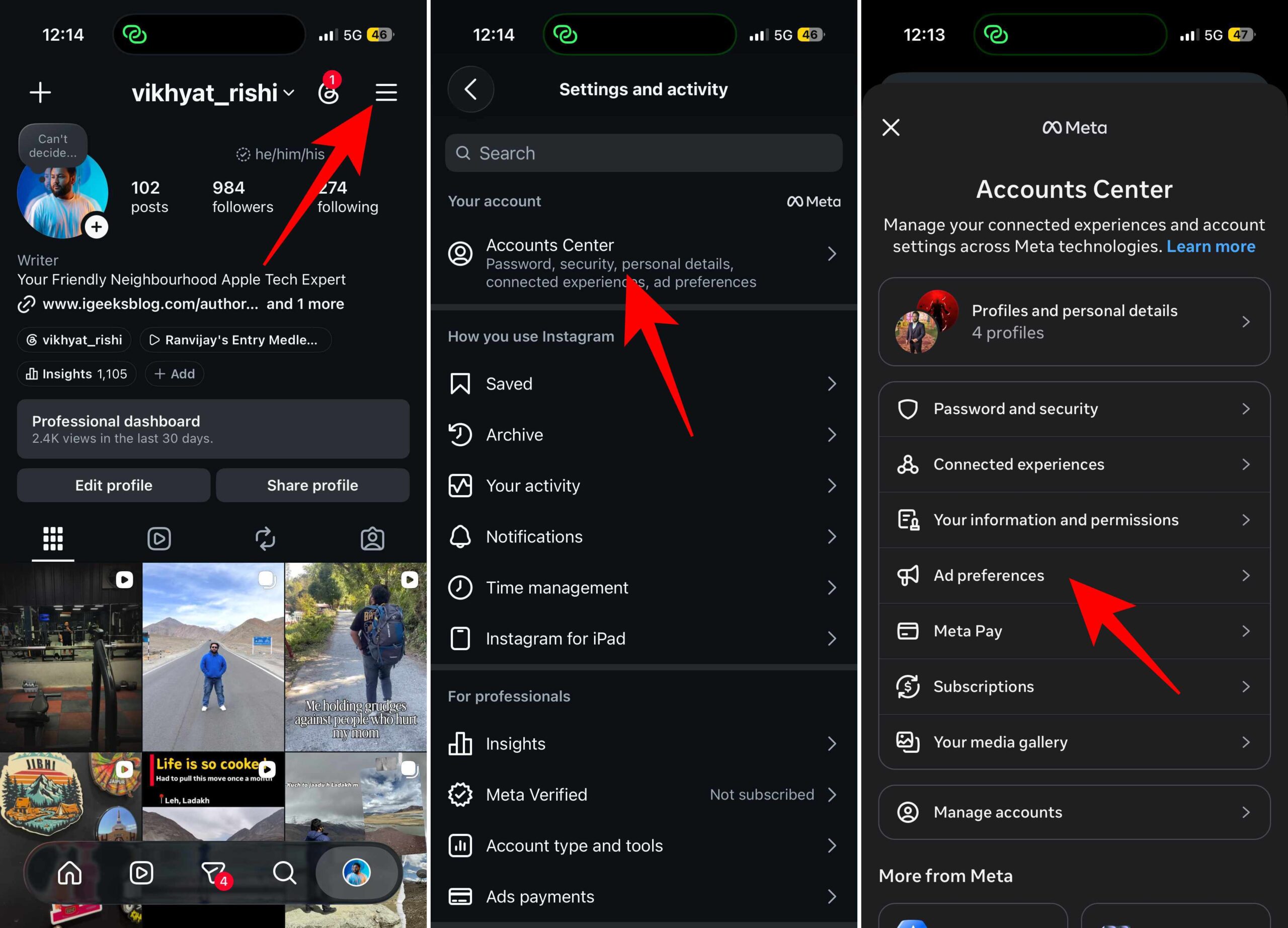
The Activity from other businesses setting is available through Meta’s Accounts Center, so the process is almost identical on Facebook and Instagram. Here’s where to find it in each app:
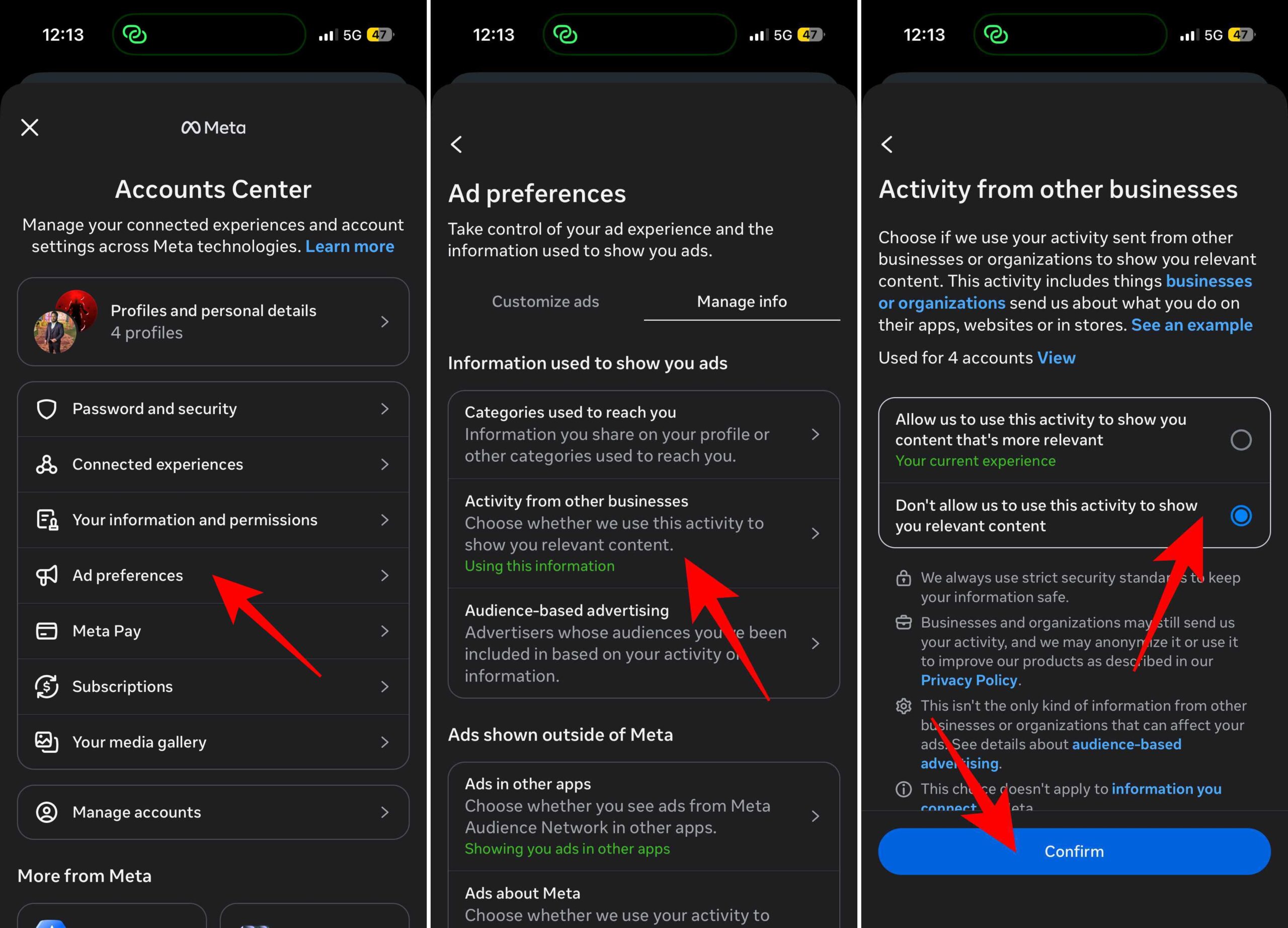
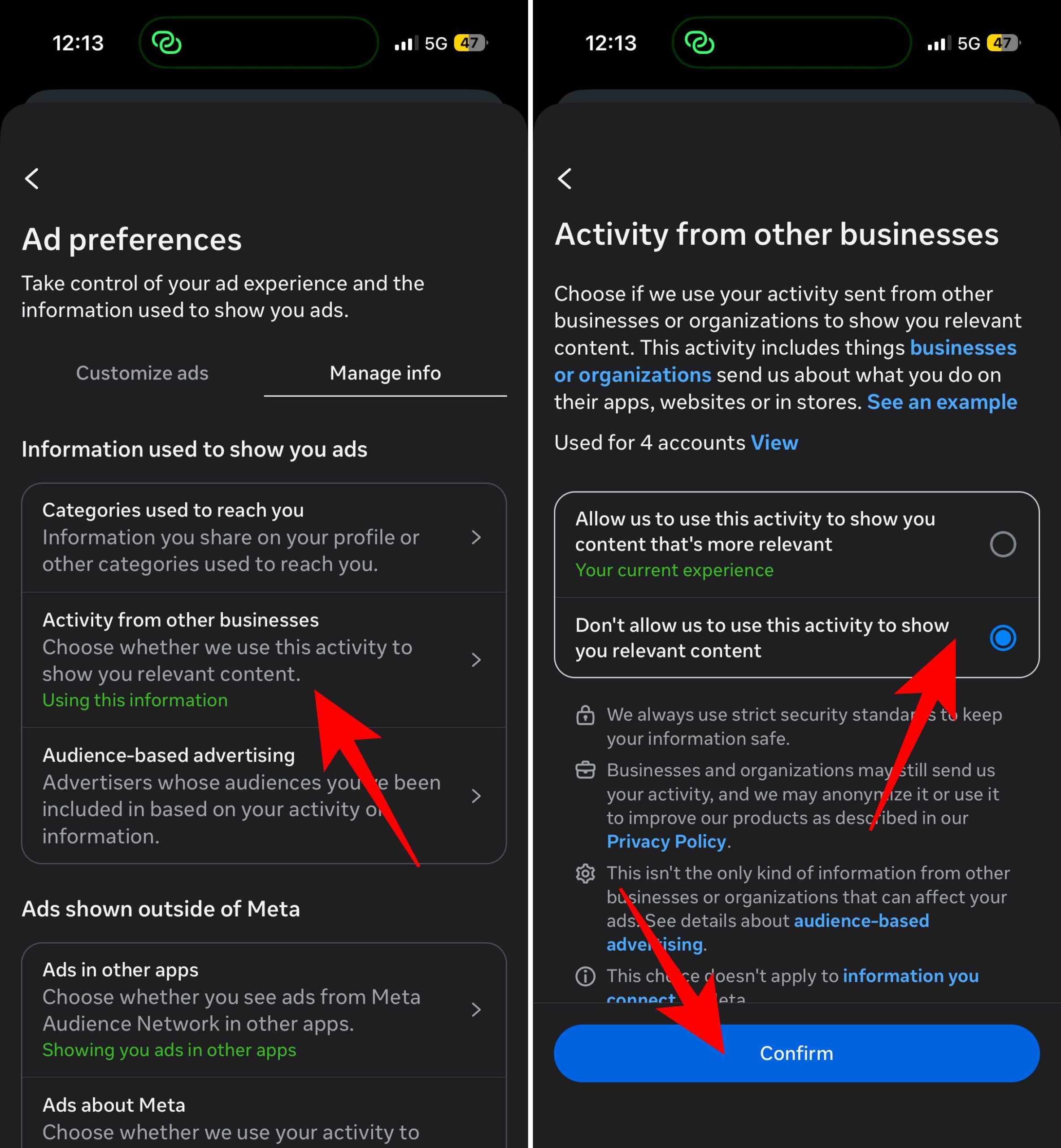
The main change is that Meta no longer uses much of that third-party activity to personalize your experience.
After disconnecting it, you may notice:
This setting only affects how Meta uses information that businesses share with it. It doesn’t prevent websites from collecting data required for analytics, payments, security, or fraud prevention.
Facebook and Instagram also continue using the activity generated inside their own apps, including the posts you like, accounts you follow, videos you watch, and searches you make.
If you’re already updating this setting, it’s a good time to review the rest of your privacy options too. While you’re reviewing this setting, it’s also worth checking your Facebook and Instagram privacy settings to better understand how your data is used across Meta’s services.
If you don’t like Facebook and Instagram using your activity from other apps and websites to personalize ads, this setting is worth changing.
Just remember that your feeds won’t suddenly become ad-free, and Meta will still use activity from its own apps to personalize your experience. What changes is how information shared by third-party businesses is connected to your account.
I also recommend revisiting this page every few months. As you continue using new apps and websites, additional businesses may begin sharing activity with your Meta account.
Have you checked which apps and websites are sharing activity with Meta? Let us know what you found in the comments below.