FaceTime Like a Pro
Get our exclusive Ultimate FaceTime Guide 📚 — absolutely FREE when you sign up for our newsletter below.

FaceTime Like a Pro
Get our exclusive Ultimate FaceTime Guide 📚 — absolutely FREE when you sign up for our newsletter below.


I replaced the usual “I’m here” text with Snapchat’s Arrival Notifications. After using it for a while, I found it to be faster, easier, and surprisingly useful.
 ByVikhyat
My family has a simple rule whenever I’m traveling: send a message after I reach. I rarely ignore it, but I do forget it. By the time I’ve parked the car, checked into a hotel, or started unpacking, that quick “Reached” text is already out of my head. Since I already use Snapchat with the same people, I switched to Arrival Notifications. The feature turned out to be a much easier way to handle those routine check-ins because the app sends them automatically when I arrive. It’s also a good reminder that Snapchat has added plenty of useful features beyond Snapchat Plus, many of which are available to everyone.
Continue reading to learn everything you need to know about Arrival Notifications on Snapchat.
Arrival Notifications are a Snap Map feature that automatically lets selected friends know when you’ve reached a destination. You can save places like your home, office, college, a hotel, or any other location, then choose who should receive the notification.
When you arrive, Snapchat sends your friend a push notification along with a message in your chat. They don’t need to ask whether you’ve reached because the app has already answered the question.
I still send messages when I actually want to start a conversation. Arrival Notifications only replace the repetitive “Reached safely” update that rarely needs anything more.
Reaching somewhere is usually the busiest part of the trip. Between parking, finding the entrance, collecting luggage, or checking into a hotel, opening Snapchat isn’t the first thing on my mind. Arrival Notifications quietly handle the check-in while I’m doing everything else.
Snapchat lets you set them up from either a friend’s profile or an existing chat.
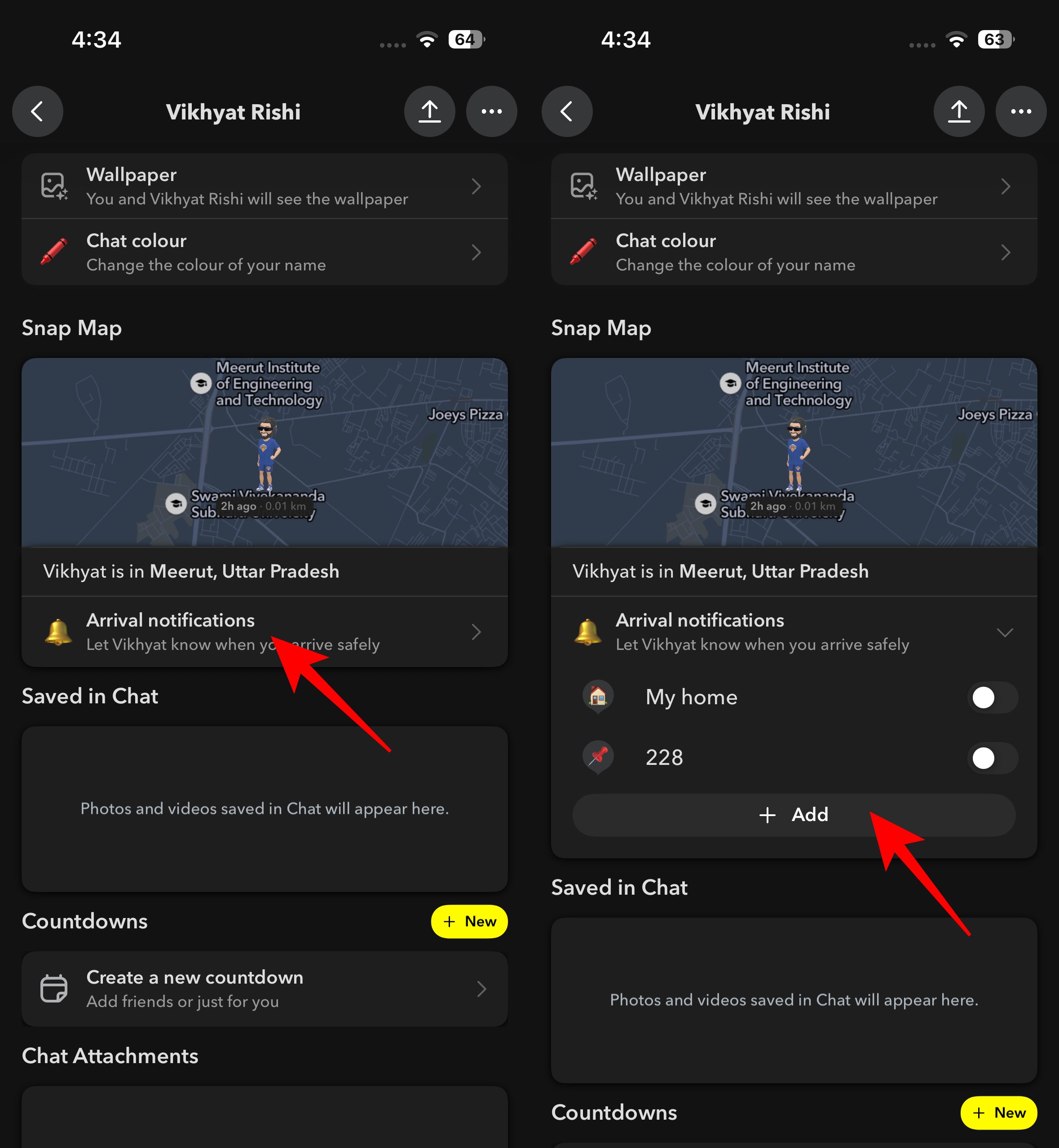
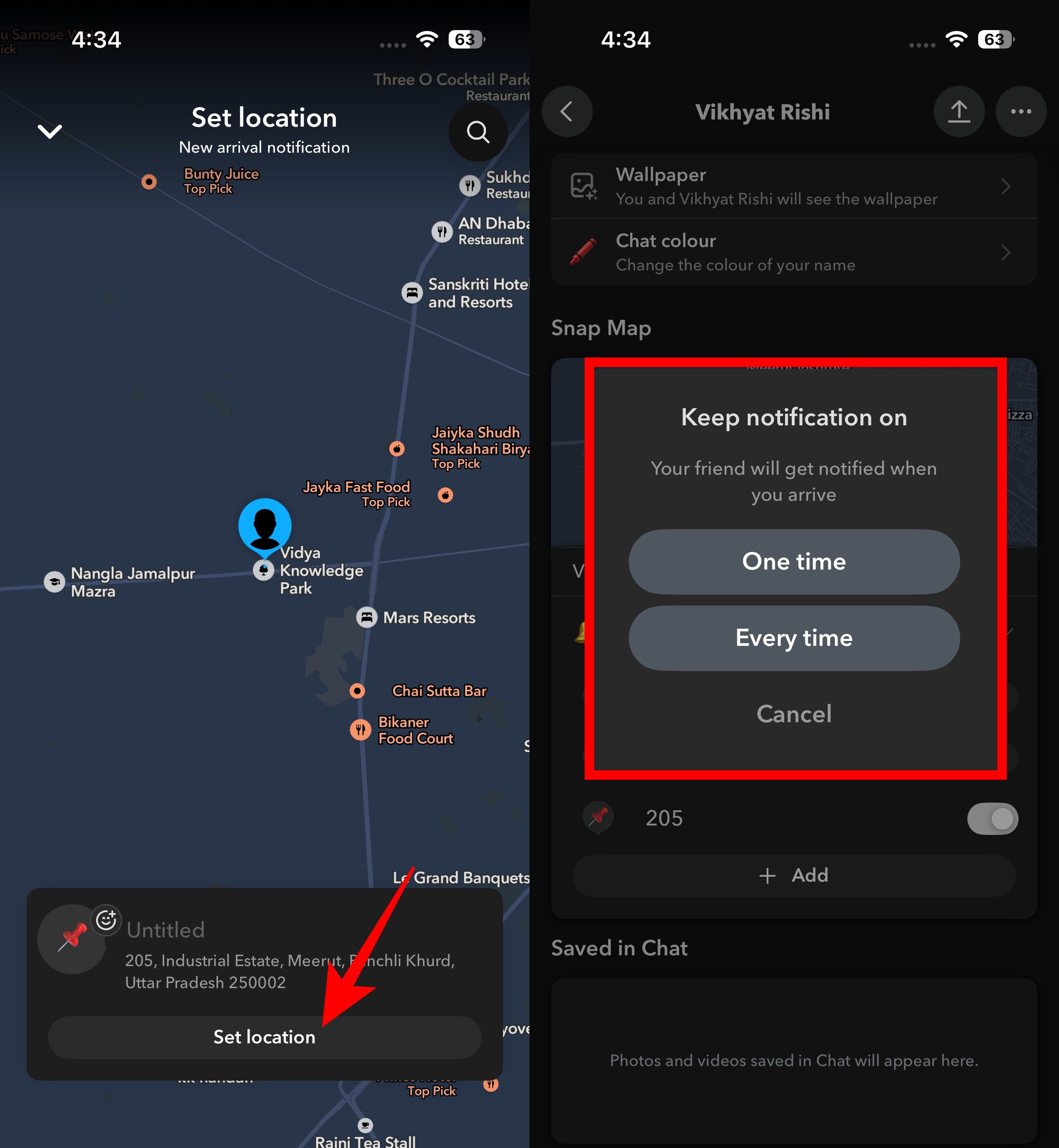
One detail is easy to miss. Saving a location doesn’t activate notifications automatically. You’ll still need to switch the toggle on before the feature starts working.
Note: The option to set up Arrival Notifications from a chat wasn’t available on my account, so I couldn’t verify it. The steps above are based on Snapchat’s official support documentation.
One Time is the option I end up using most. It works well for hotels, Airbnb stays, a friend’s house, or anywhere I’m only visiting once. The notification expires after 24 hours, so there’s nothing to clean up later.
I reserve Every Time for places I visit regularly. Home has stayed on since the day I set it up because that’s where my family usually expects an arrival update. For everything else, it depends on how often I visit. A hotel or a friend’s house stays on One Time, while places I visit every week are the only ones that ever get the permanent option.
After a couple of trips, I also realized there’s no point in keeping Every Time enabled for locations I’ll probably never visit again. It only adds clutter the next time I open the list.
Arrival Notifications rely on location sharing, so I spent a few minutes tweaking a couple of settings before making them part of my routine. These are the habits I’ve stuck with ever since.
Removing a place is straightforward. Press and hold the saved location under Arrival Notifications, then delete it.
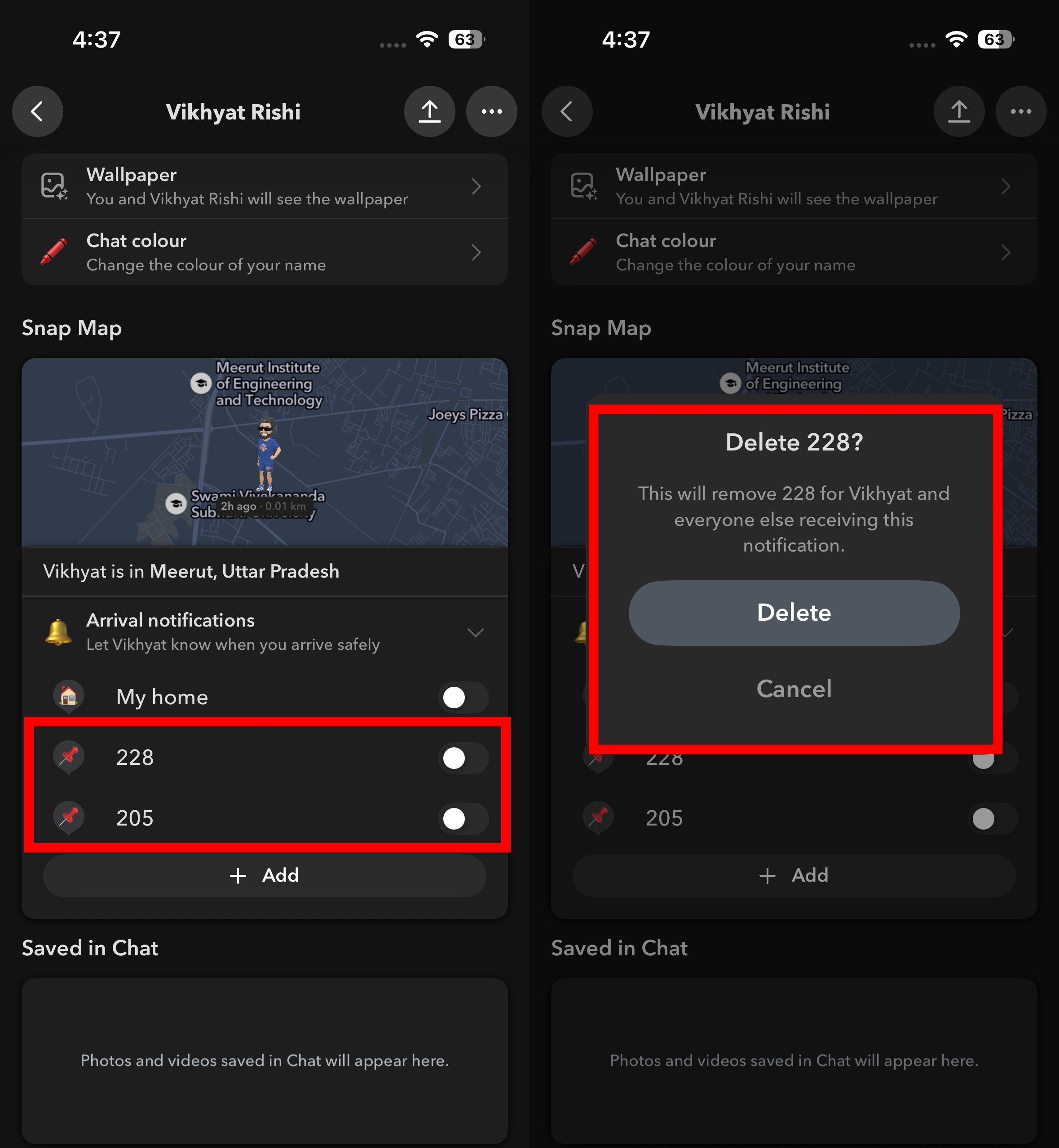
I normally remove hotels and other temporary places once the trip is over. It keeps the saved list limited to the locations I actually use instead of filling it with places I’m unlikely to visit again.
You aren’t locked into receiving these alerts forever.
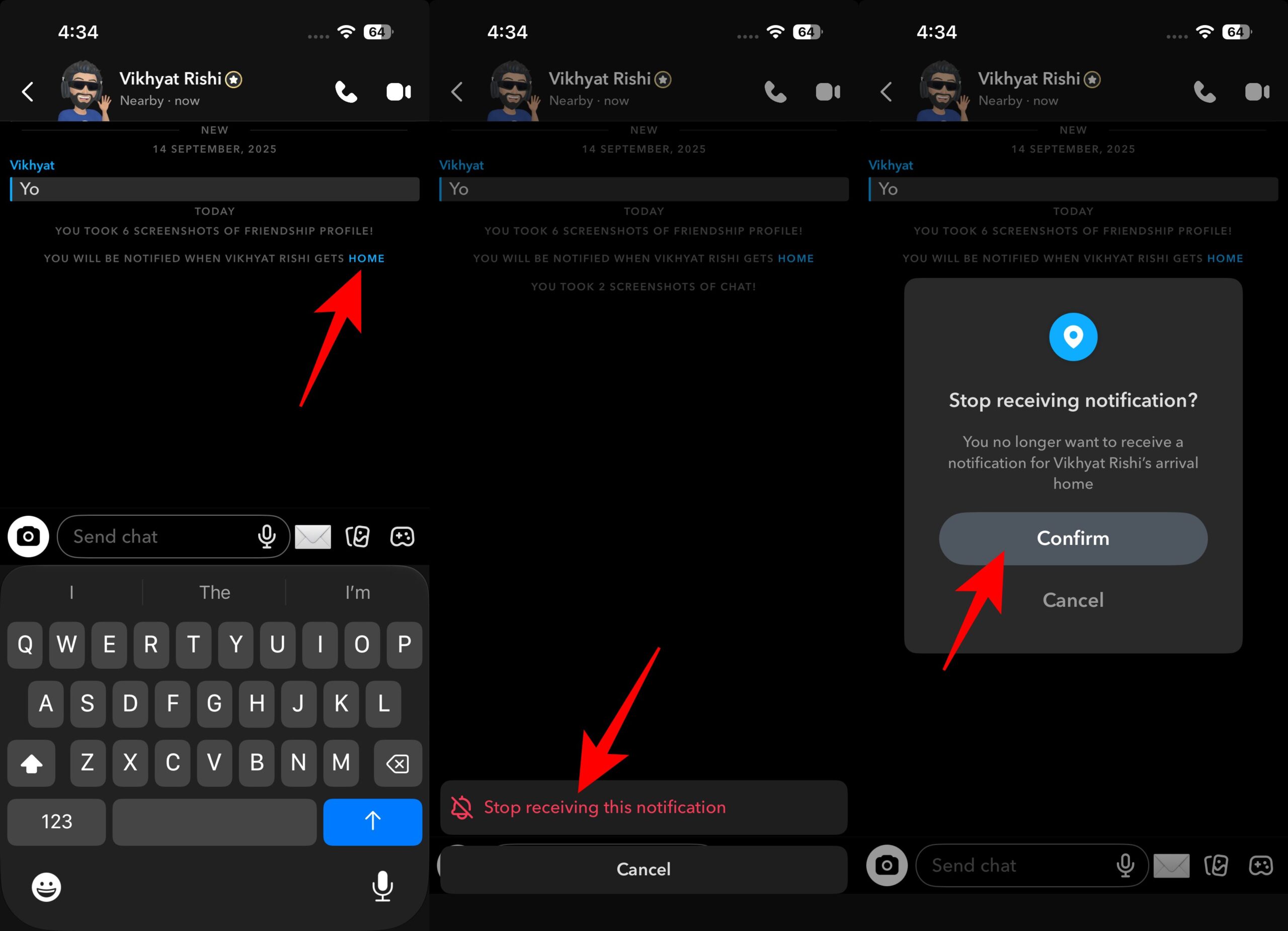
The setting only affects Arrival Notifications. Your friendship, chat history, and other Snapchat features remain unchanged.
Arrival Notifications only make sense if you’re already comfortable using Snap Map. Anyone who keeps Ghost Mode enabled most of the time or prefers not to give Snapchat continuous location access probably won’t get much value from the feature.
I’d also leave it off if the people expecting your arrival updates don’t use Snapchat. In that case, sending a quick message through the app you already use is probably the more practical option.
Arrival Notifications aren’t a headline feature, which is probably why many Snapchat users overlook them. For me, they’ve become one of those small conveniences that quietly remove a recurring task every time I travel.
What’s your go-to way of letting someone know you’ve arrived safely? Tell us in the comments.
In case you missed: