FaceTime Like a Pro
Get our exclusive Ultimate FaceTime Guide 📚 — absolutely FREE when you sign up for our newsletter below.

FaceTime Like a Pro
Get our exclusive Ultimate FaceTime Guide 📚 — absolutely FREE when you sign up for our newsletter below.


I compared iOS 27 and Android 17 side by side to find out which mobile OS is the better choice in 2026.
Every year, I install the latest iOS and Android versions, expecting the same outcome. Android usually wins on freedom. iPhone wins on polish. That’s it.
This year, it was not the case. After many days spent switching from iOS 27 to Android 17, I realized both companies have quietly changed their priorities. Apple finally wants AI to matter. Google isn’t throwing random features; it has started focusing on making Android feel smarter instead of busier.
What almost no one talks about is that neither Android 17 nor iOS 27 is revolutionary. The difference is that Android 17 feels like it’s building for the future, while iOS 27 feels like it’s catching up without breaking what already works. If you’re wondering whether Android 17 or iOS 27 is better, here’s what actually stood out after using both.
| Feature | iOS 27 | Android 17 |
|---|---|---|
| Design | Cleaner Liquid Glass refinement | Familiar Material You with useful tweaks |
| AI Features | Smarter Siri AI, Apple Intelligence | Gemini deeply integrated across the system |
| Performance | Extremely smooth and optimized | Faster animations with better multitasking |
| Customization | Improved but still limited | Still the king |
| Privacy | Heavy on-device AI processing | More cloud flexibility with stronger controls |
| Productivity | Powerful Siri automation | App Bubbles and smarter multitasking |
| Best For | Apple users | Power users and multitaskers |
For years, OS updates mostly felt like maintenance releases. This year finally breaks that trend.
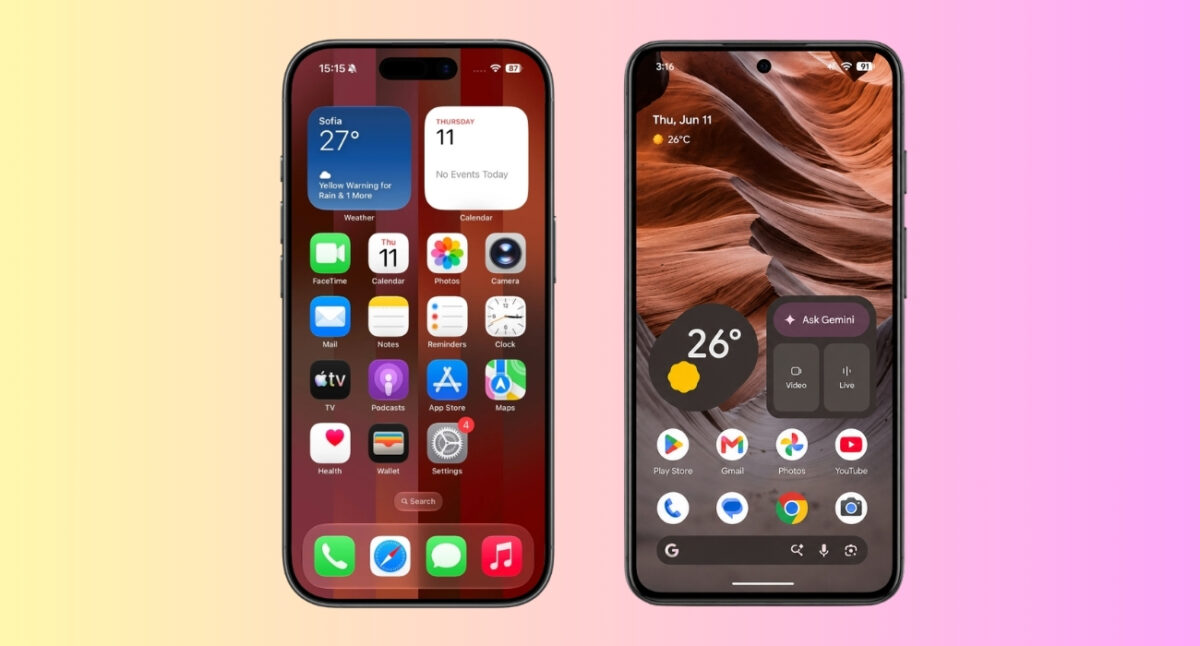
The biggest surprise? Apple finally admitted that users wanted more control, and I actually think that’s the right decision. iOS 27 offers a new Liquid Glass slider that lets you adjust the transparency to match your preference.
Customization also takes a step forward. Users get redesigned app icons, larger XL widgets that display more information on the Home Screen, and a cleaner Lock Screen where the oversized clock can be minimized. What I liked the most is that native iOS apps finally support landscape mode.
Meanwhile, Android 17 is full of thoughtful improvements. The new frosted-glass blur across the Pixel UI gives Android a cleaner look. Also, smoother animations and subtle bounce effects when pulling down Quick Settings make the interface feel more responsive. I’m also excited for the announced 3D emoji redesigns, rolling out in late 2026.
My favorite change is the customizable home screen search bar. You can swap shortcuts for Gemini Live, Translate, Weather, or other frequently used tools. Google also redesigned permission pop-ups with clearer Precise and Approximate location options and provides an Expanded Dark Theme toggle for individual apps.
If I had to choose, iOS 27 leaves the stronger first impression with its visual redesign, but Android 17 wins points for improving the little things you notice every single day.
Winner: iOS 27
This is where the battle gets interesting.
Apple is finally launching the highly-anticipated Siri powered by Apple Intelligence’s new Foundation Models.
The new Siri AI can:
And all your Siri conversations are saved into a new Siri app and synced across your devices via iCloud. I genuinely appreciate the Write with Siri feature as it adapts to my writing style for different contacts when drafting messages.
Apple also expanded Apple Intelligence with system-wide proofreading, Image Playground updates like wallpaper generator, one-tap password fixes, AI editing tools in Photos app, Safari tab sorting and Notify Me features, Visual Intelligence improvements, creating Shortcuts using prompts, and more.
Android 17’s standout feature is Gemini Intelligence, which works across the OS. Context-Aware Autofill can securely pull information like passport or license numbers from Google Photos, Gmail, or Wallet to complete forms. Also, Gemini now acts as an agentic assistant to compare products, schedule appointments, and perform other multi-step tasks.
I had fun creating custom home screen widgets with simple voice commands using Create My Widget, while Rambler Dictation improved my speech-to-text writing by removing filler words and polishing sentences automatically. For creators, Android 17 includes Screen Reactions for recording your screen and selfie camera together.
If AI is your reason to upgrade, Android still has the lead.
Winner: Android 17
When it comes to raw performance, both iOS 27 and Android 17 feel faster than their predecessors, but they achieve that speed in different ways.
Apple has made performance one of the biggest highlights of iOS 27. According to the company, apps now launch up to 30% faster, newly captured photos load up to 70% faster, and AirDrop transfers are up to 80% quicker. Apple has also optimized CPU scheduling, making older supported iPhones feel more responsive during everyday tasks.
Android 17 prioritizes efficiency and resource management. One of its under-the-hood upgrades is app memory limits, which prevent apps from consuming excessive RAM. I observed improved overall system responsiveness, multitasking, and battery life on my Pixel 10a, especially when several apps are running in the background.
The overall experience still depends on the phone you use, as each Android phone manufacturer adds its own software customizations. On the other hand, iOS 27 ensures a uniform performance experience across all supported iPhones.
Winner: iOS 27
Both iOS 27 and Android 17 strengthen user privacy, but they focus on different areas.
Apple continues to prioritize on-device security and tighter control over personal data. iOS 27 expands Child Safety features with Ask to Browse for web access, Approve New Contacts for messaging apps, and broader Communication Safety protections that can detect and blur additional types of sensitive content—not just nudity.
Moreover, much of Apple Intelligence runs directly on the device. When more computing power is needed, requests go to Private Cloud Compute rather than traditional cloud AI systems. Apple says this approach is designed to minimize data exposure while still enabling advanced features.
Android 17 focused heavily on security upgrades. Apps can now request access to selected contacts, and websites can be granted temporary precise location access. The updated Mark as Lost locks the phone with biometrics. Additionally, Android 17 improves Live Threat Detection to catch malware and suspicious apps. I am excited for the anti-spoofing call detection to avoid scammers.
My opinion? If you’re extremely privacy-conscious, I’d still trust Apple’s approach more. If you’re a normal user, both are now excellent.
Winner: iOS 27
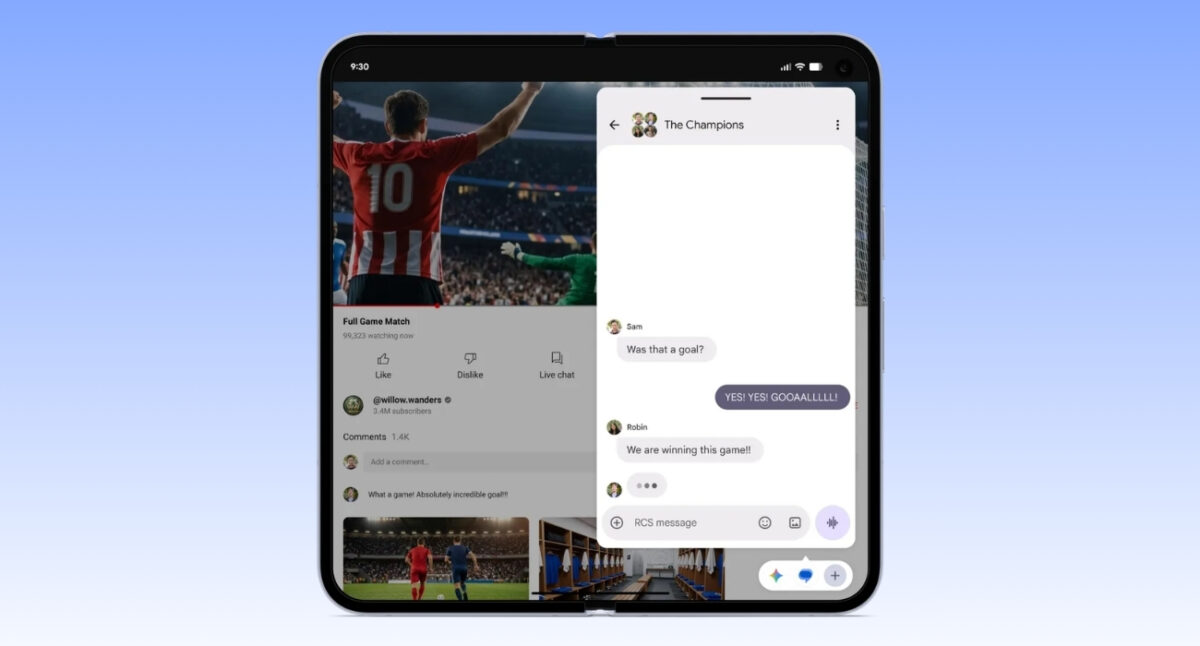
This is where Android surprised me most.
The biggest addition is App Bubbles, which lets you turn almost any app into a floating window by long-pressing its icon. Now, I can reply to messages, take notes, check maps, or reference documents without leaving my current task. Google has also improved split-screen multitasking by requiring apps to support resizable windows.
Android 17 also introduces Pause Point, a new Digital Wellbeing feature designed to reduce distractions. Instead of immediately opening selected apps like Instagram or YouTube, it displays a 10-second pause screen with calming suggestions or reminders.
That said, Apple Shortcuts integrated with Apple Intelligence remains one of the most powerful automation systems available on any phone, and Android still doesn’t have a built-in equivalent that matches its depth.
Additionally, iOS 27 adds custom Wallet passes from physical tickets. The new Call Context helps me during customer care calls by showing relevant details. In Messages, one-tap suggestions use Apple Intelligence to recommend actions. I can now save a video frame without taking a screenshot and find my clicked photos under the “Captured by Me” album.
Winner: Google wins multitasking. Apple wins automation.
This is still Apple’s biggest advantage.
If you own a Mac, iPad, Apple Watch, and AirPods, nothing touches the seamless integration. Everything just works thanks to features like Handoff, Universal Clipboard, AirDrop, Continuity Camera, updated iPhone Mirroring, and more.
Android has improved dramatically. Google’s cross-device features, including the new Continue On, are better than ever. I experienced better file sharing and device handoff across platforms. Moreover, now the Quick Share function allows sharing files to AirDrop.
Ironically, Android is becoming more open while Apple keeps making its own ecosystem even harder to leave.
Choose iOS 27 if you:
Choose Android 17 if you:
If you’re switching platforms solely because of AI, then Android 17 gives a more mature experience at the moment. If you’re deeply invested in Apple’s ecosystem, iOS 27 is a meaningful refinement without the disruption of a major redesign.
After using both, I came away with one unexpected conclusion: Android 17 is the more exciting update. iOS 27 is the more reliable one.
Google finally feels like it’s building features people will use every day instead of adding another settings menu nobody opens. App Bubbles, deeper Gemini integration, smarter widgets, and stronger multitasking make Android feel genuinely forward-looking.
Apple, meanwhile, deserves credit for resisting change for the sake of change. iOS 27 fixes long-standing complaints, improves customization, strengthens Siri AI, and keeps the experience incredibly polished.
If someone handed me two identical flagship phones today and told me to choose purely based on software, I’d pick Android 17.
Which OS do you like the most? Share your opinion in the comments below!
Related articles worth reading: