FaceTime Like a Pro
Get our exclusive Ultimate FaceTime Guide 📚 — absolutely FREE when you sign up for our newsletter below.
FaceTime Like a Pro
Get our exclusive Ultimate FaceTime Guide 📚 — absolutely FREE when you sign up for our newsletter below.
Apple’s new retention messages let developers show text, an image or a discount during cancellation, but only subscribers who meet the developer’s rules see the offer.
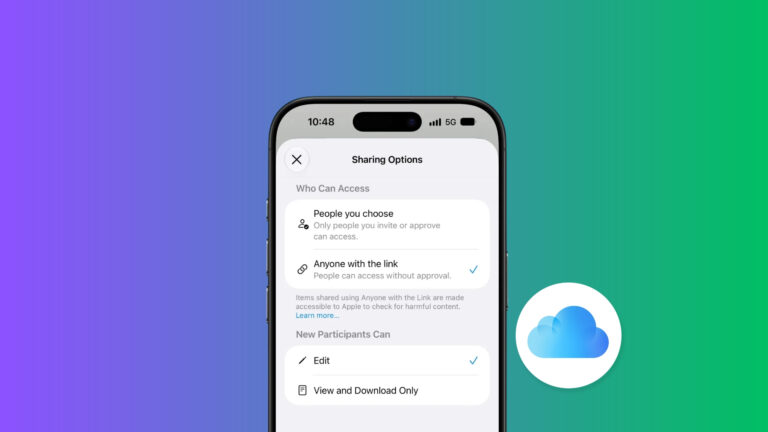
Apps that sell auto-renewing subscriptions can now show you a message, a picture, or a special offer while you cancel. Apple announced the feature on November 4, and developers can set it up now in App Store Connect, the dashboard where they manage their apps.
Apple says the message shows up in the cancellation flow, the screens you see after you choose to cancel. Every message needs a header and body text. It can also include an image, one or more offers, or both.
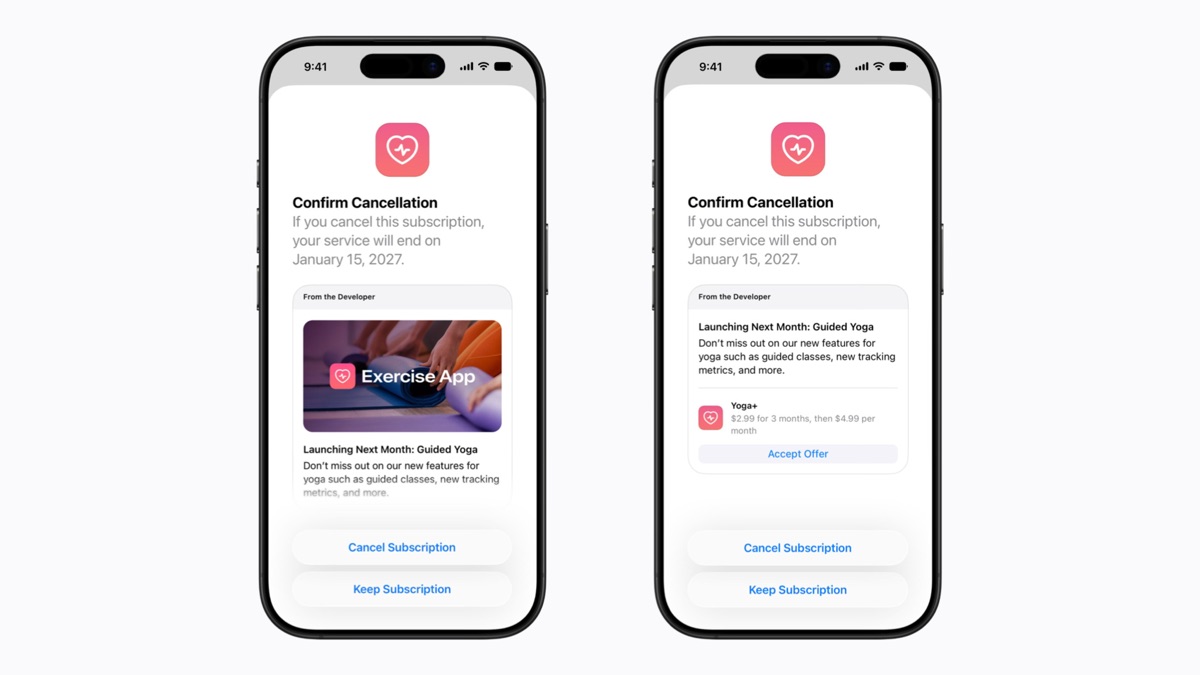
Developers set up these messages for each auto-renewable subscription, which is a plan that renews on its own each billing period. Apple first showed the App Store Connect version at WWDC in June, though the Retention Messaging API itself has been available by request since last year. The App Store Connect part is open to all developers.
Subscribers see one of three versions of the message:
The offer shows only to subscribers who qualify, and it takes the place of the image if the developer added one.
Developers set two rules for each offer. The first is how long a person must have held a paid subscription before they qualify. The second is an optional wait before the same person can use that offer again. A new subscriber may see no offer at all.
An offer can be a discount or a free period. Developers choose the offer type: pay as you go, pay up front, or free. A free period is easier to judge than a discount, since there is no price to compare.
Each app can have up to 10 retention messages. One message can cover several subscriptions, but each subscription can have only one message at a time. Because of that, the 10-message cap is less of a limit for an app with many plans than it first sounds.
The message text can’t mention a price, a discount, or an offer. Every subscriber sees that text, whether or not they qualify. App Review rejects messages that mention pricing or offers, and messages go through App Review before they are published.
Developers who run their own server can use the Retention Messaging API to pick a message for each subscriber, based on that person’s subscription details. The API can also offer a different plan in the same subscription group as an alternative to canceling. Apple says API access is available by request.
The server has to respond quickly, within 700 milliseconds in production. If it doesn’t, the App Store shows the developer’s default message instead. Developers must also pass a performance test before they use the API in production. I’d start with App Store Connect, because the API needs an access request and a performance test first.
The App Store tells you what happens if you go ahead with canceling. To stop a plan, follow the steps for canceling a subscription on your iPhone or iPad. To find every plan you pay for, check your subscriptions in Settings or the App Store.
If you were charged for a renewal you didn’t want, you can ask Apple for a refund. Apple says to expect an update within 24 to 48 hours, and refund eligibility varies by country or region.
Apple’s developer post and its App Store Connect help page don’t list the iOS, iPadOS, or macOS versions that show the message. Apple’s Retention Messaging API documentation does: messages appear only on iOS 15.1 or later, iPadOS 15.1 or later, visionOS 1 or later, and macOS 14 or later.
Neither page lists storefronts where messages won’t appear, beyond letting developers choose the countries or regions for each offer, or says whether users can turn messages off. Neither gives a review time for messages.
As an Amazon Associate, iGeeksBlog earns from qualifying purchases.