FaceTime Like a Pro
Get our exclusive Ultimate FaceTime Guide 📚 — absolutely FREE when you sign up for our newsletter below.

FaceTime Like a Pro
Get our exclusive Ultimate FaceTime Guide 📚 — absolutely FREE when you sign up for our newsletter below.


Public iCloud links lose end-to-end encryption even with Advanced Data Protection on, and Apple can remove flagged content or disable the account behind it.
Starting with iOS 27.3, Apple will check files shared with “Anyone with the link” for harmful content. Apple published the change on November 3, 2026. It covers iOS, iPadOS, macOS, and visionOS at version 27.3 or later. iOS 27.3 is still in beta, so this change is not in a public release yet. Apple released the first developer beta on November 3 and has said the public release is planned for December.
When you choose Share a Link for a photo in iCloud Photos or a file in iCloud Drive, you pick one of two audiences:
The new check applies to that second option. Apple’s page doesn’t say whether it also covers Send a Copy, and it describes no change to “People you choose.”
So the check covers any file you share with “Anyone with the link,” wherever you post that link.
With Advanced Data Protection turned on, most of your iCloud data is end-to-end encrypted. That means Apple doesn’t hold the keys, so only your devices can read the data.
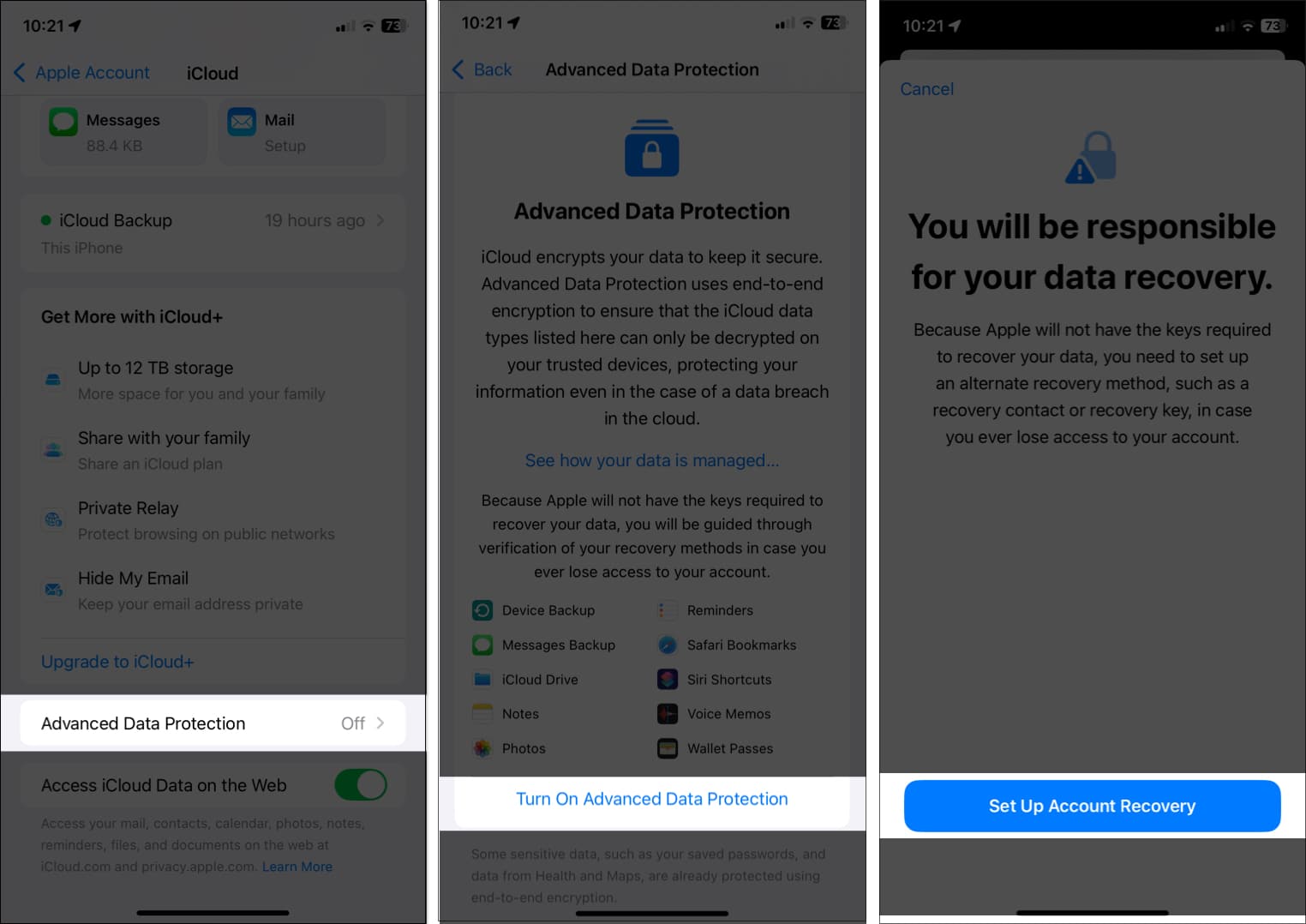
Apple’s page says a shared item is no longer end-to-end encrypted when it can be accessed by Anyone with the Link. That holds even if the owner or participants have Advanced Data Protection turned on. A file you make public is the exception, and that’s the line I’d read twice before tapping Share a Link.
If you try to upload harmful content, Apple says it can move, refuse, modify, remove, or delete the content at any time. It can also block or disable your Apple Account, and block a new account with the same email address or phone number. Apple may involve law enforcement “if necessary.”
Apple’s page doesn’t say:
The page says these items “will be checked by Apple for harmful content” and never says how. That is the gap I’d ask Apple about first.
Before you send an iCloud photo or file through a link:

As an Amazon Associate, iGeeksBlog earns from qualifying purchases.