FaceTime Like a Pro
Get our exclusive Ultimate FaceTime Guide 📚 — absolutely FREE when you sign up for our newsletter below.

FaceTime Like a Pro
Get our exclusive Ultimate FaceTime Guide 📚 — absolutely FREE when you sign up for our newsletter below.


Can't find that Instagram or Facebook ad you saw earlier? This guide shows you how to track recently viewed ads, revisit brand pages, and use the Meta Ad Library.
 ByVikhyat


Ever seen an ad for the perfect shoes or some random gadget on Facebook or Instagram, only to lose it a few scrolls later? Same here. Whether it was a sponsored post you tapped on or just something that popped up and stuck with you for a second, trying to find it again can be a total pain.
Luckily, Meta does give us a few ways to retrace our steps. There are some limits, sure, but you can usually track down ads you’ve interacted with using a few tools. I’ll walk you through how to find recently viewed ads on Facebook and Instagram, dig through the Meta Ad Library, and save ads for later so you never lose track again.
“Recently Viewed Ads” basically covers any sponsored post you’ve engaged with—stuff you’ve clicked, liked, shared, commented on, or saved. This works on both Facebook and Instagram.
If you just scrolled past it without doing anything, that ad doesn’t make the cut. Meta only keeps a record of ads you interacted with, not every single one you saw.
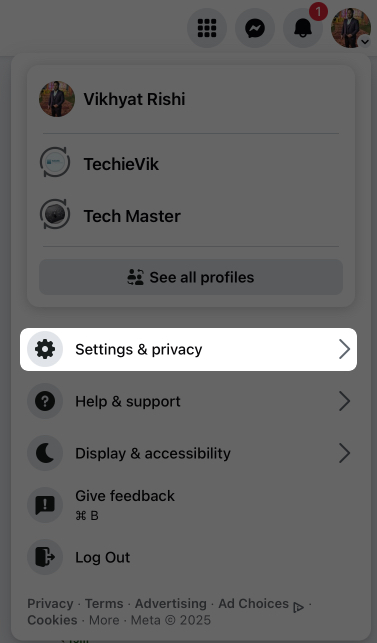
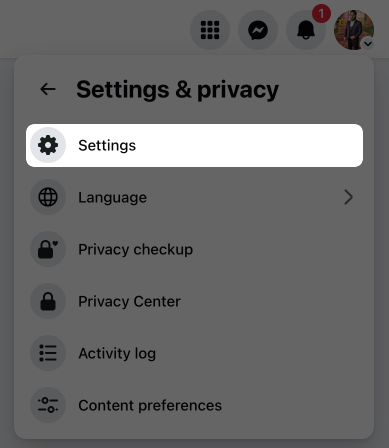
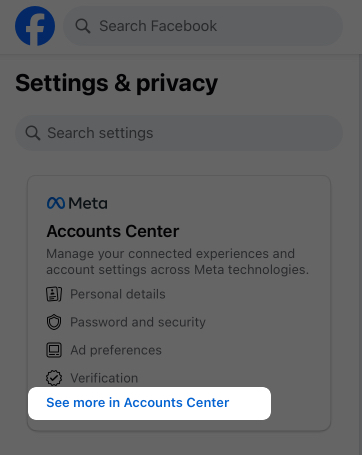
While Facebook mobile has a dedicated “Recently Viewed Ads” tab, the web version requires you to take a few extra steps.
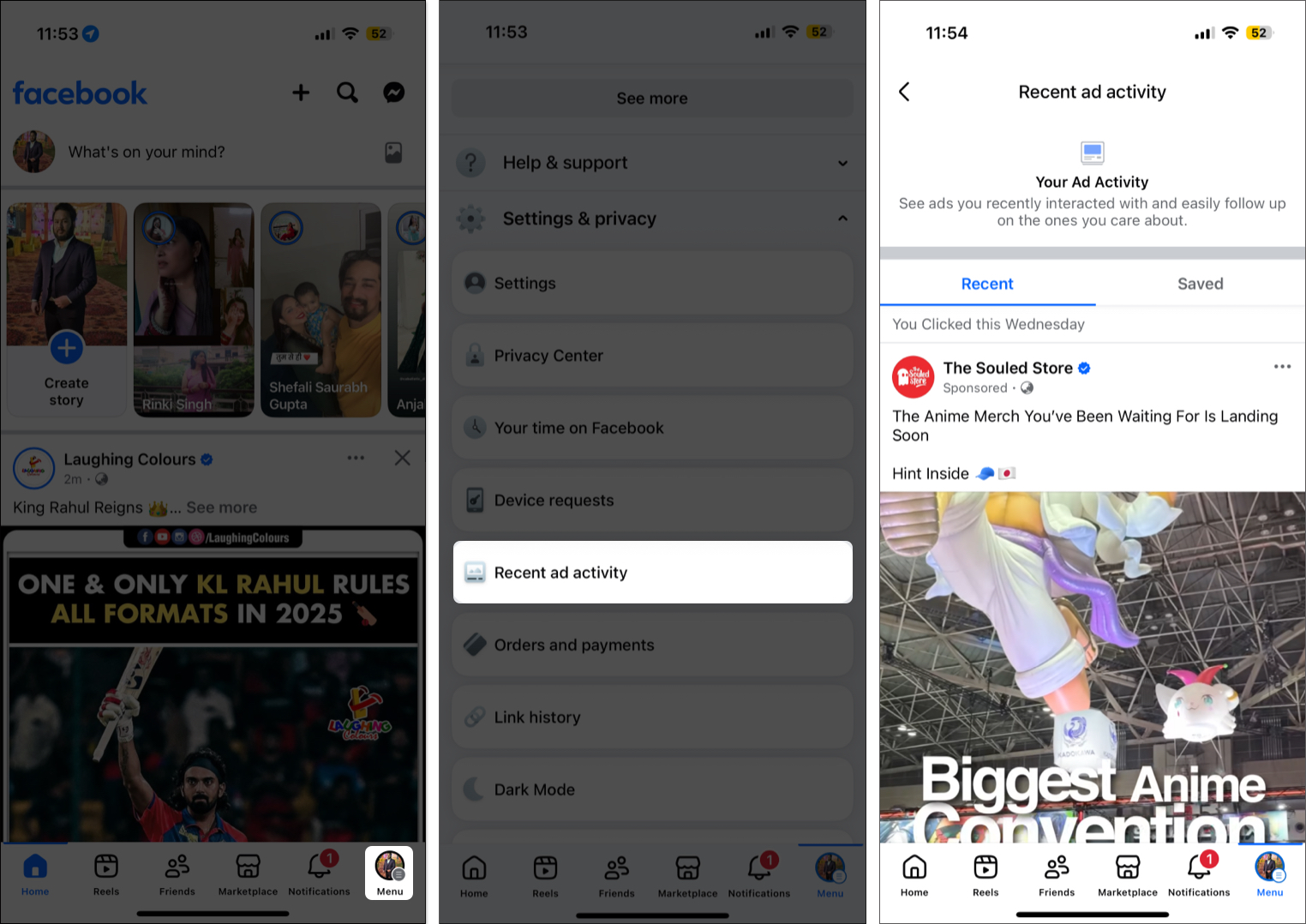
If you’ve saved any ads, tap the Saved tab to revisit them.
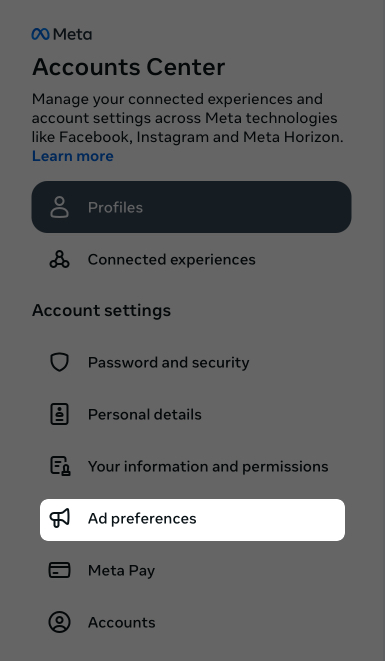
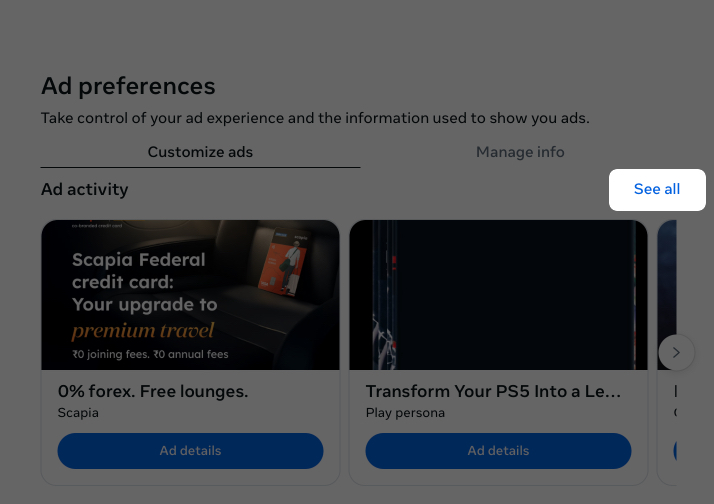
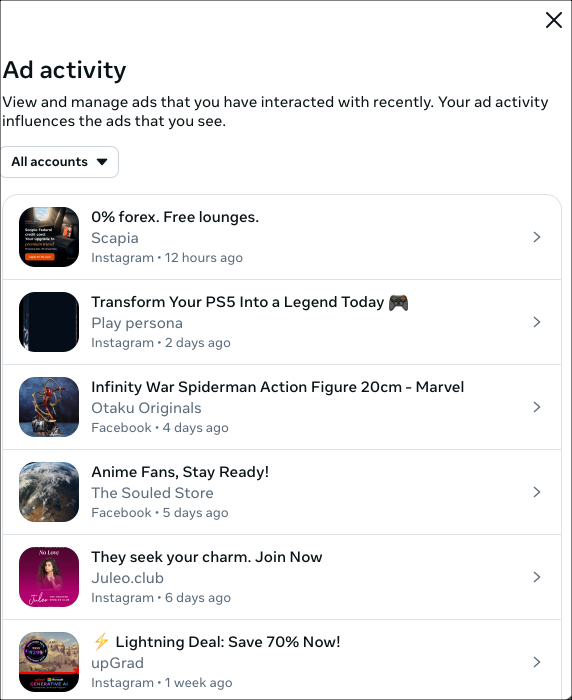
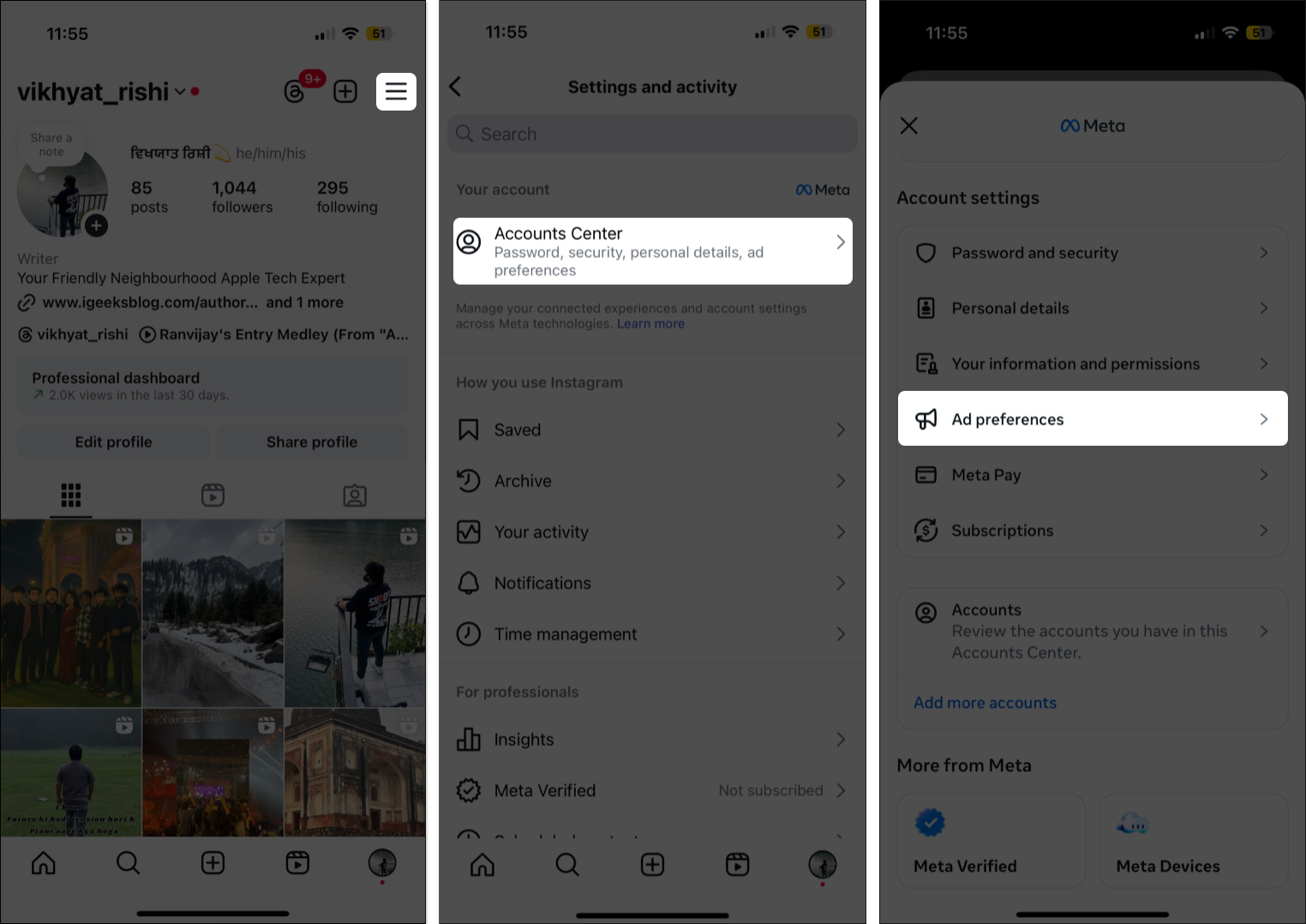
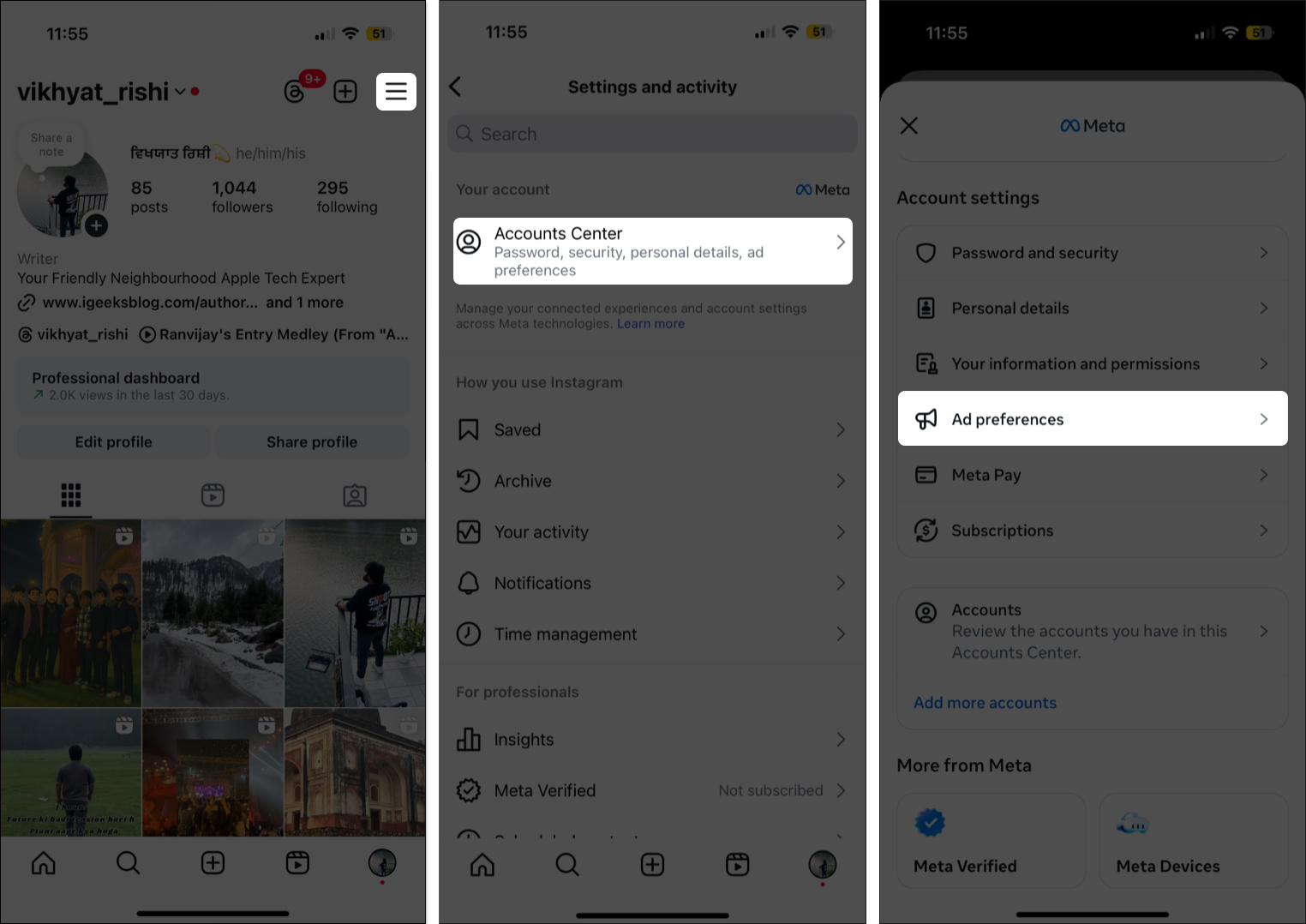
Instagram‘s a bit more roundabout. There’s no dedicated “Recent Ad Activity” section like there is on Facebook, but you can still check recent ad interactions if you know where to look.
On the Instagram App:
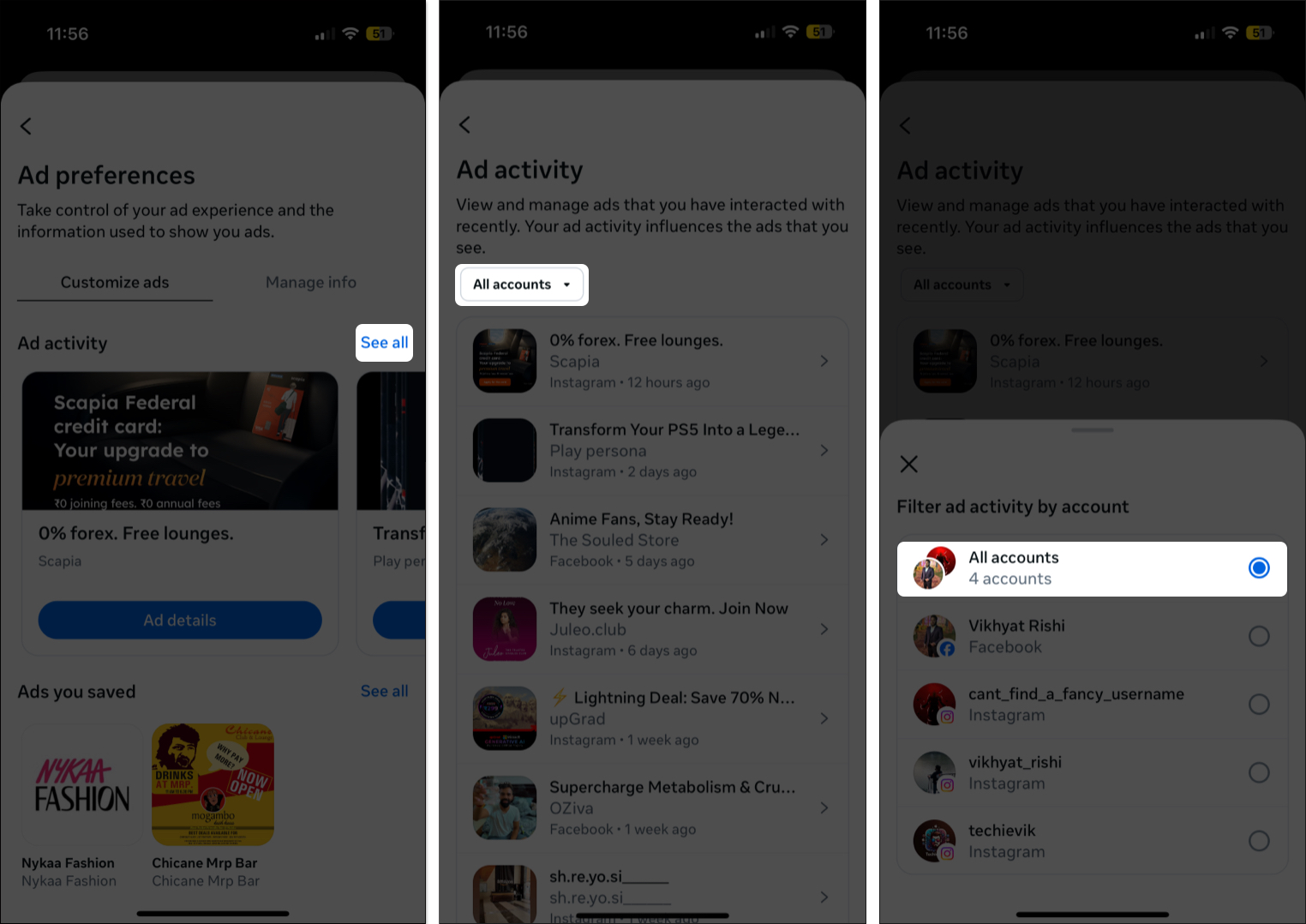
Tip: You can even download Instagram Reel audio if a sponsored Reel includes music or a sound you like.
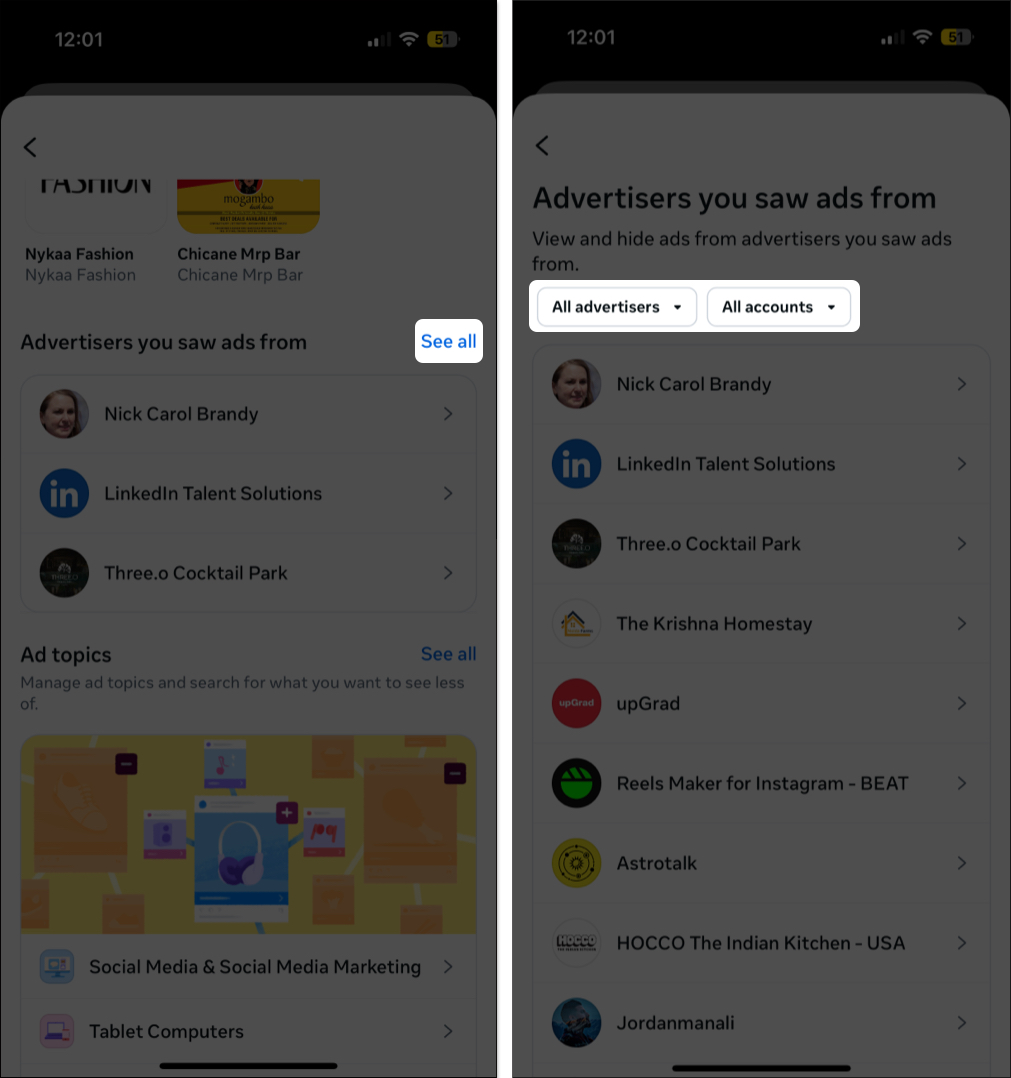
Even if Meta doesn’t track every single ad you scroll by, it does keep tabs on advertisers whose stuff appeared in your feed. That list is actually pretty easy to find.
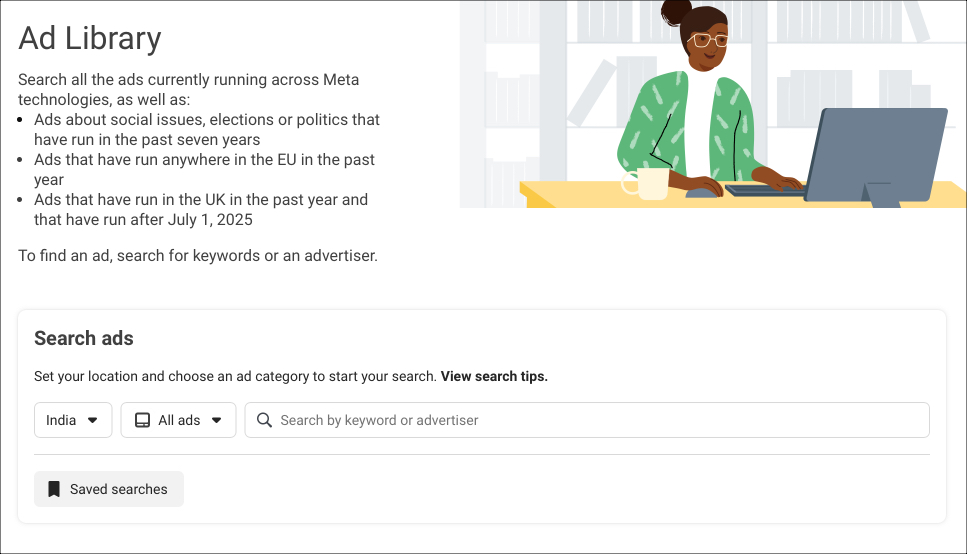
If you can’t remember the ad itself but the brand name rings a bell, the Meta Ad Library might save the day. It’s searchable and shows every active ad currently running on Facebook, Instagram, and Messenger.
Here’s what to do:
Short answer—nope. If you didn’t click, like, comment, or save it, there’s no trail. Meta doesn’t log ads you ignore.
If you at least remember the brand, your best bet is to search their name or use the Ad Library to find whatever they’re currently pushing.
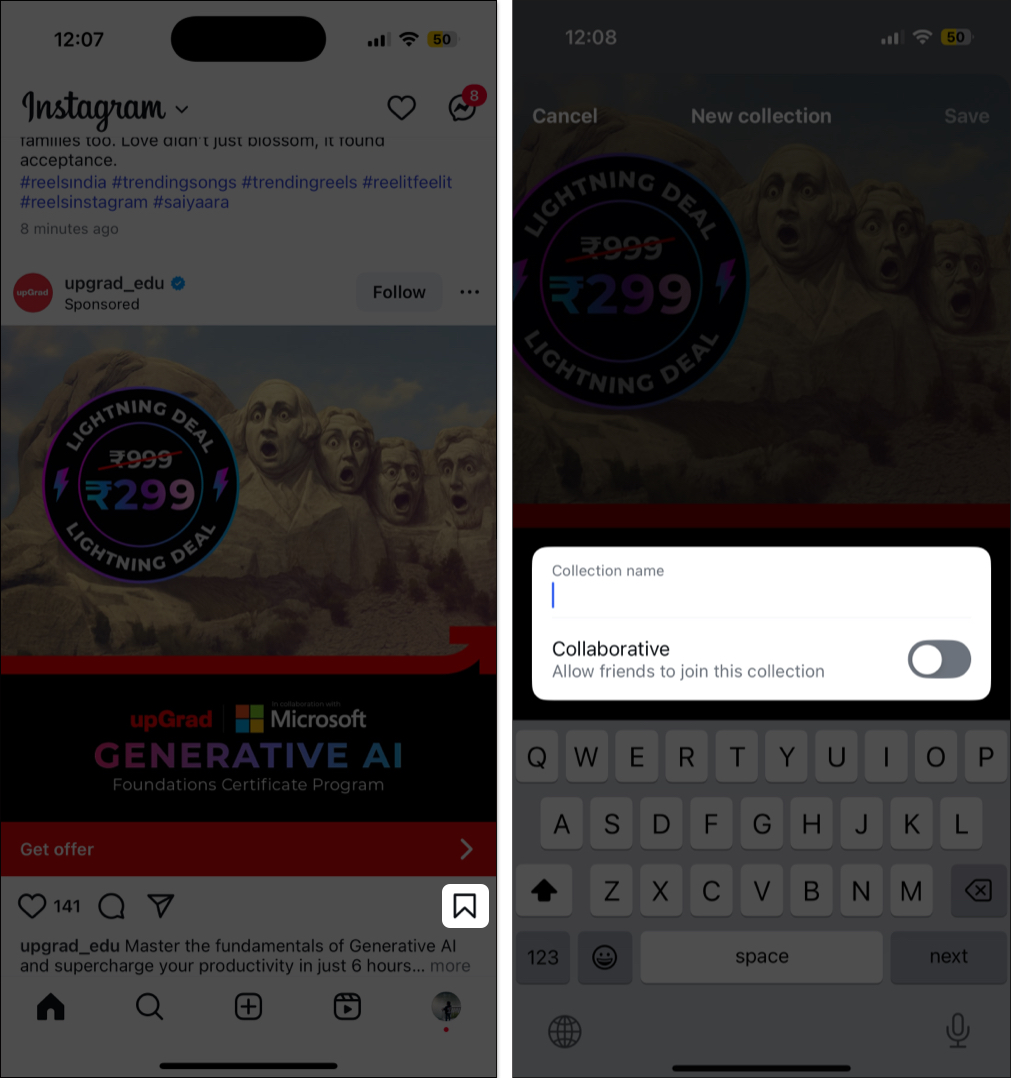
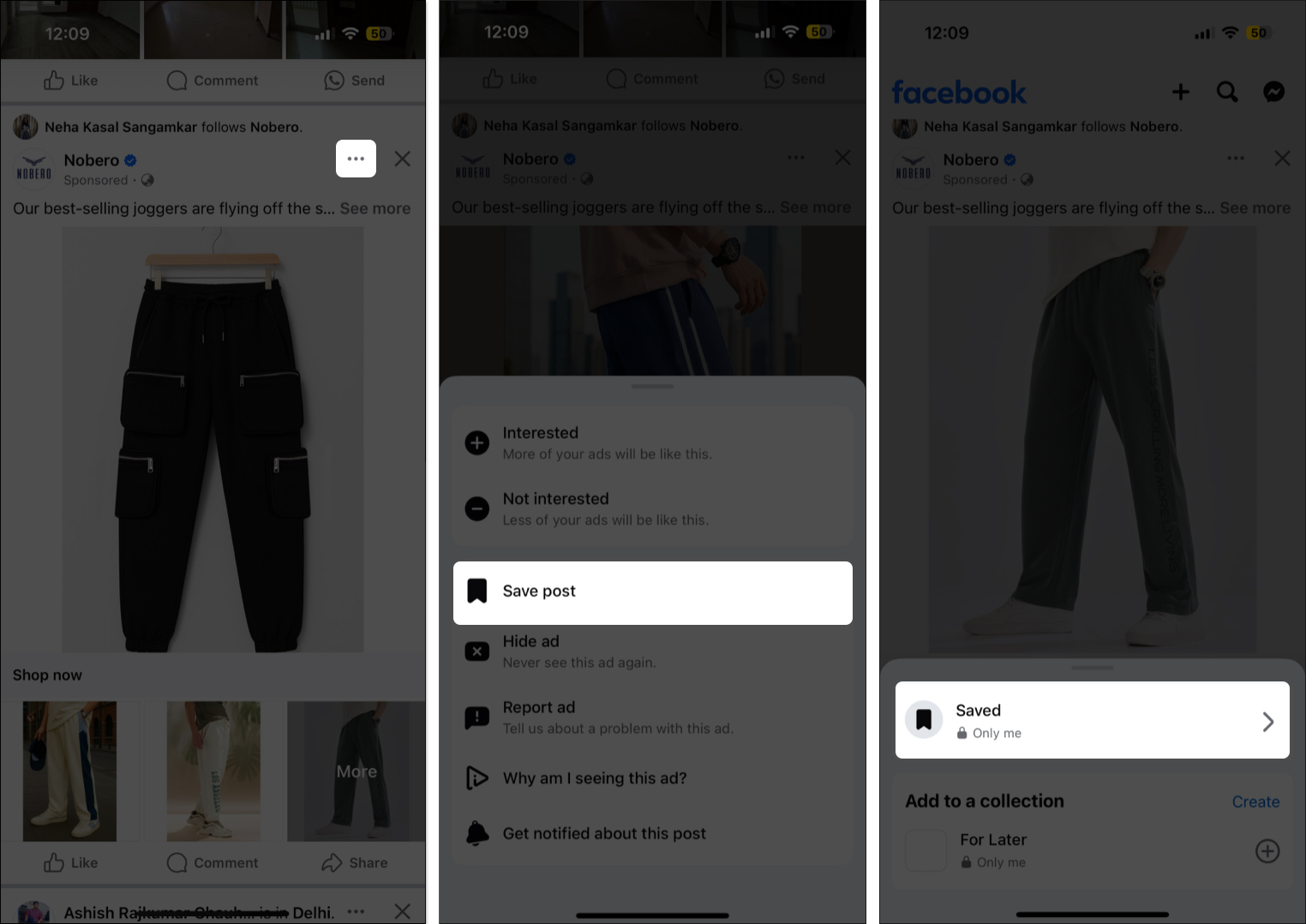
If you spot something you want to remember, don’t wait. Save it the second you see it.
| Issue | Possible Reason | Suggested Fix |
|---|---|---|
| Ad not showing in Recent Activity | You just scrolled past it without interacting | Try searching the brand name or check the Meta Ad Library |
| Ad disappeared after viewing | The advertiser paused or removed the ad | Look for the brand’s Page or check the Ad Library for current campaigns |
| Empty Ad Activity or Advertisers list | You cleared your app or browser cache | Wait for new ad interactions to show up again |
| Logged into wrong account | You’re on a different Facebook or Instagram profile | Switch back to the correct account |
| Ad not saved | You didn’t interact or bookmark it | Start saving ads you want to find later |
Okay, you won’t be able to recover every ad that catches your eye mid-scroll. But with tools like Recent Ad Activity, Advertisers You Saw Ads From, and the Meta Ad Library, you’ve got a solid shot at finding ads you’ve actually interacted with.
Got your own trick for digging up old ads? Drop it in the comments. I’m always looking for better ways to track this stuff down.
FAQs
Not unless you engaged with it somehow. Just scrolling won’t log it in your activity.
Nope. Meta doesn’t let outside apps access that info. If one claims it can, I’d steer clear.
You can. Just tap the three-dot menu on an ad and choose Hide ad or Why am I seeing this? You can also manage this stuff in Ad Preferences through the Meta Accounts Center.
You may also check out related posts: