FaceTime Like a Pro
Get our exclusive Ultimate FaceTime Guide 📚 — absolutely FREE when you sign up for our newsletter below.

FaceTime Like a Pro
Get our exclusive Ultimate FaceTime Guide 📚 — absolutely FREE when you sign up for our newsletter below.


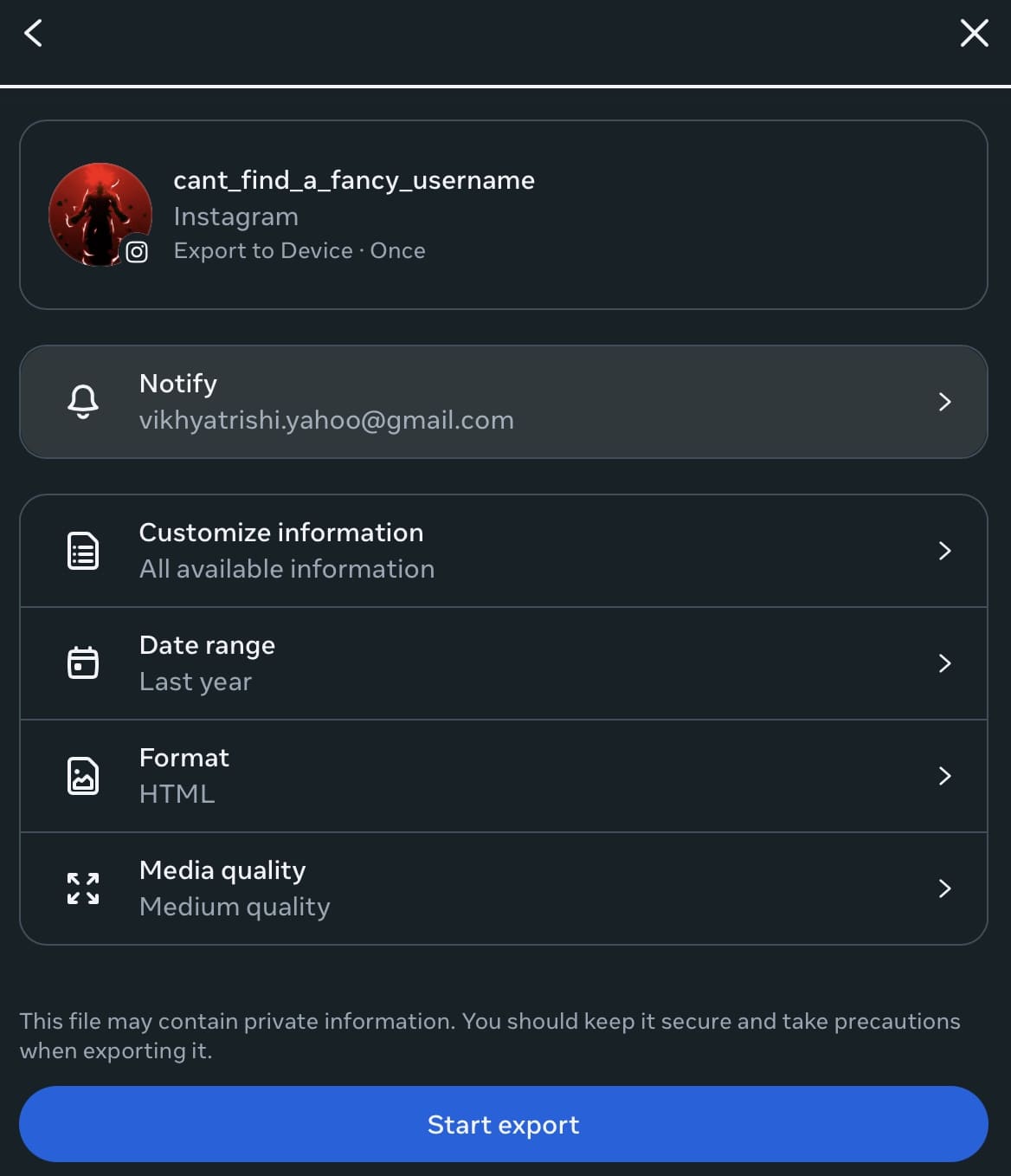
Download your Instagram data in minutes. Simple steps to save your photos, messages, and activity history.

 ByDhvanesh Adhiya and Vikhyat


If you’ve been using Instagram for years, the platform knows far more about your activity than you might realize. Beyond the photos and Reels you post publicly, Instagram quietly stores private messages, search history, interaction patterns, account settings, and detailed activity logs tied to your profile. Over time, this information builds into a complete digital record of how you use the app.
So, if you are curious about what Instagram stores about your account or want a personal backup of your content, downloading your Instagram data is the only way to access it. Read on to find out how to download your Instagram data and what you’ll get.
Downloading your Instagram data allows you to view the platform beyond the feed. It gives you access to the full record of your account, including content you posted years ago, private conversations, searches, and behind-the-scenes activity that is not visible in the app.
It also serves as a reliable backup. Accounts can be restricted, compromised, or removed without warning, and once that happens, recovering years of photos, videos, and messages becomes difficult or impossible.
For privacy-conscious users, the download offers clarity. It shows exactly what information Instagram retains about you, helping you better understand and manage your digital footprint.
Finally, if you plan to archive your content or move away from Instagram, downloading your data ensures you retain full control rather than leaving it locked within the platform.
When you request a copy of your Instagram data, the social media platform prepares an archive of all the information associated with your account. This includes:
Beyond visible content, the download also includes:
Some advertising-related insights and inferred interests may be limited or summarized rather than fully detailed.
The steps to download your Instagram Data are almost identical on both the mobile app and the web version.
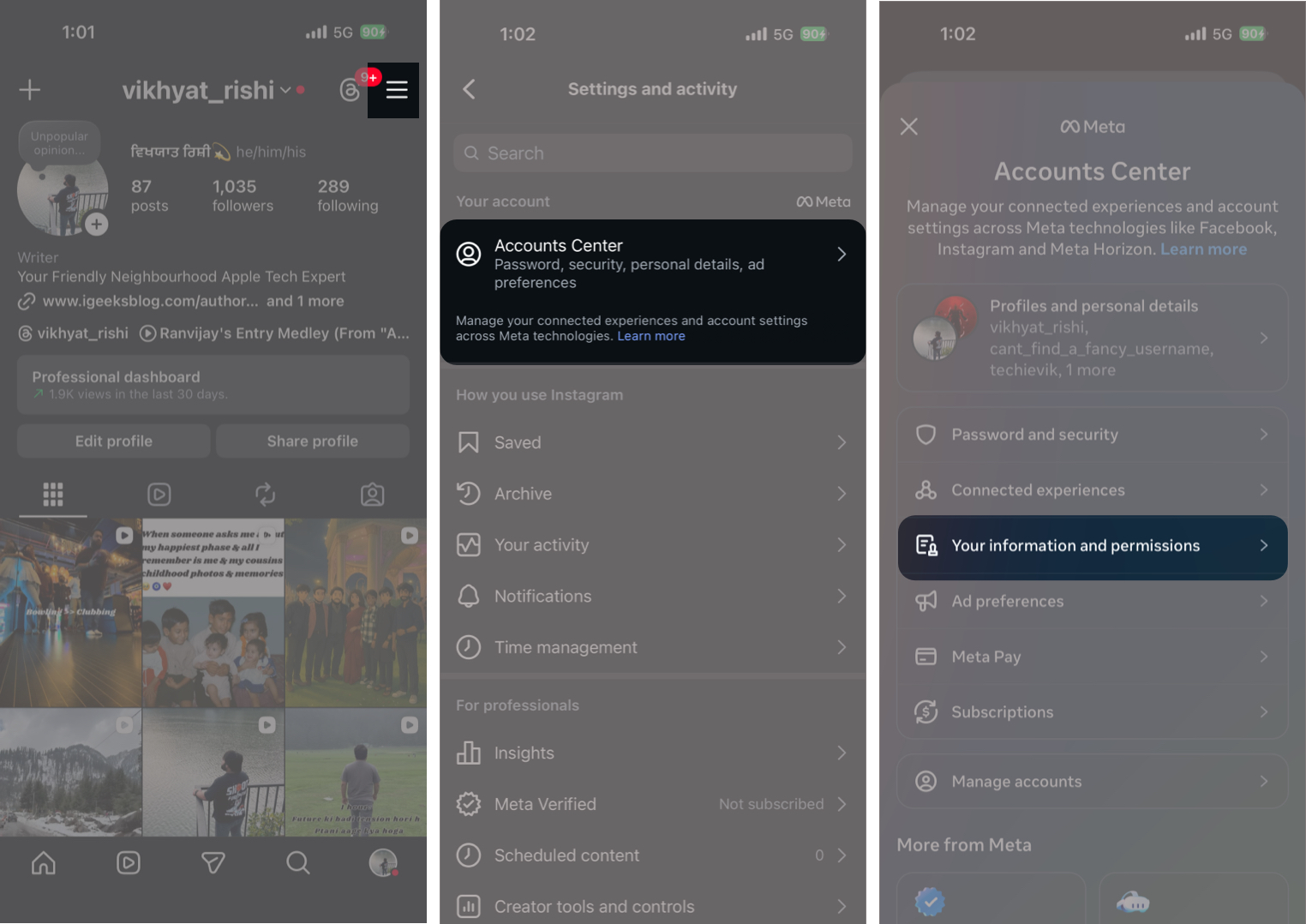
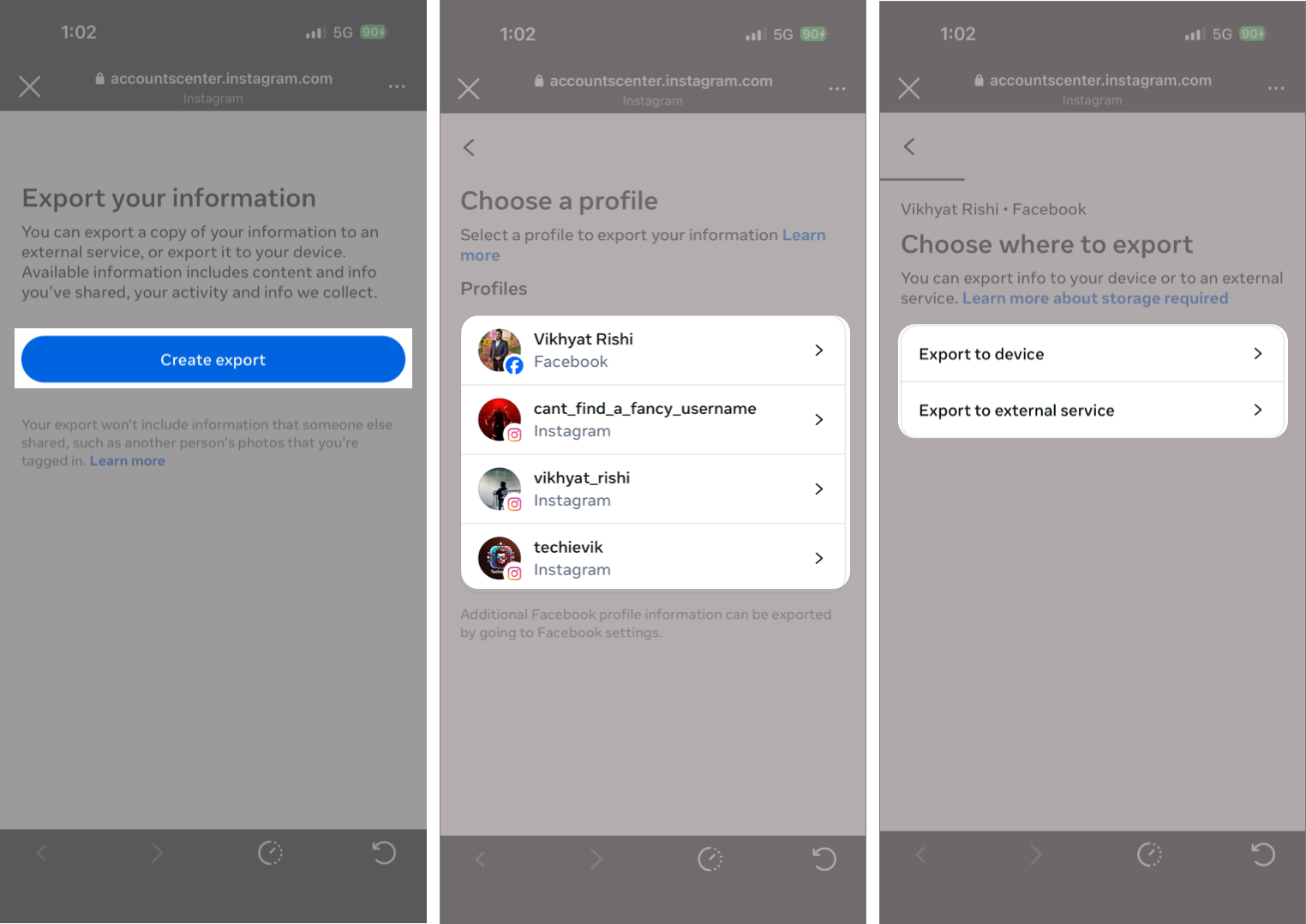
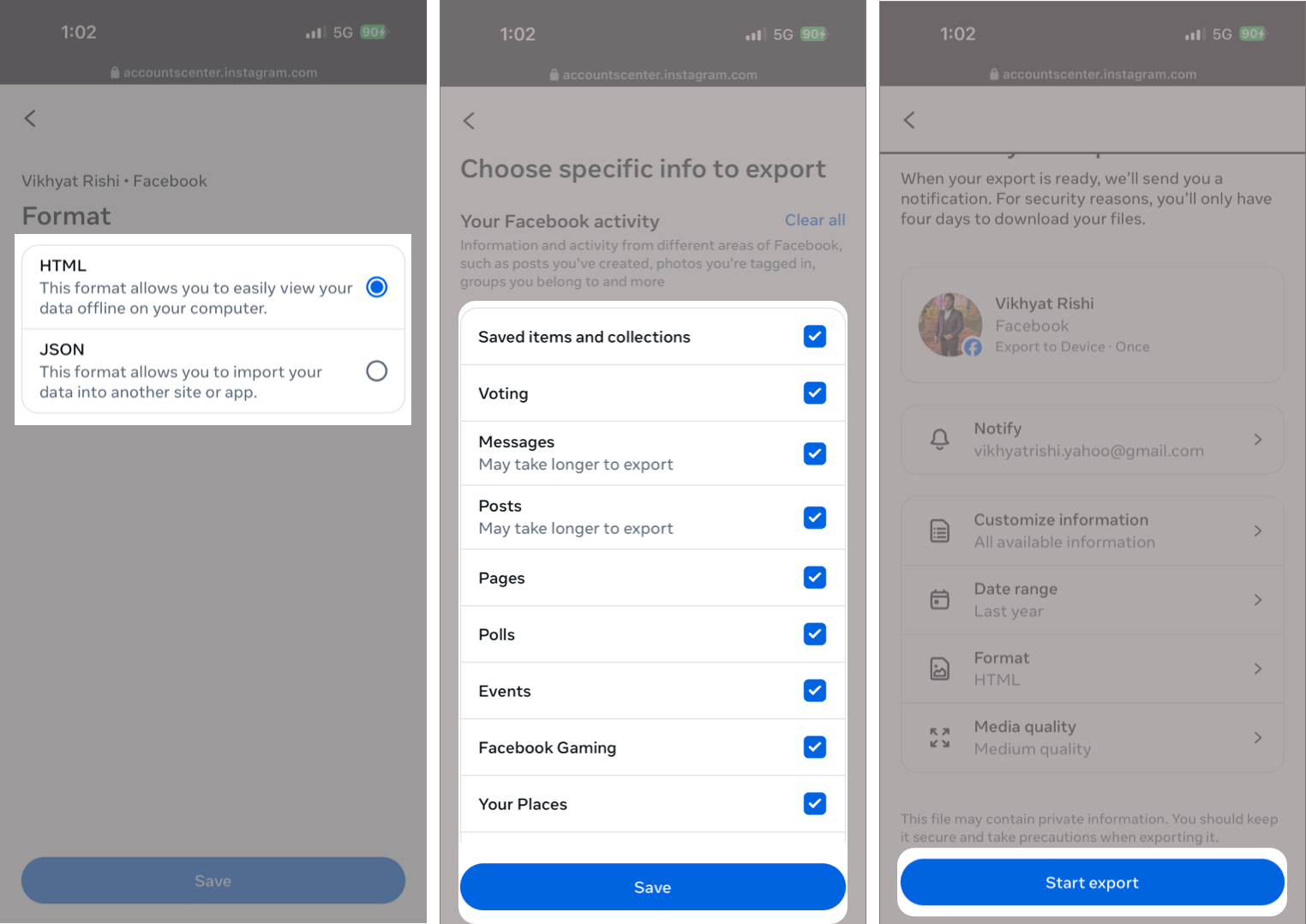
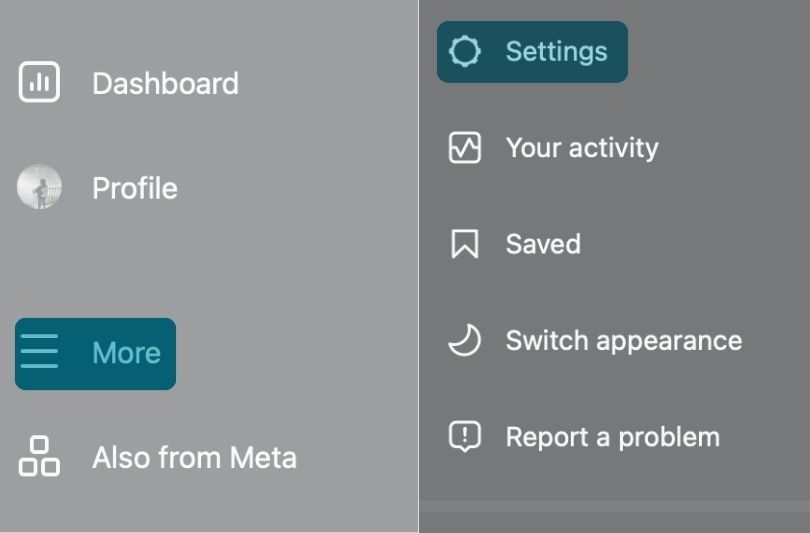
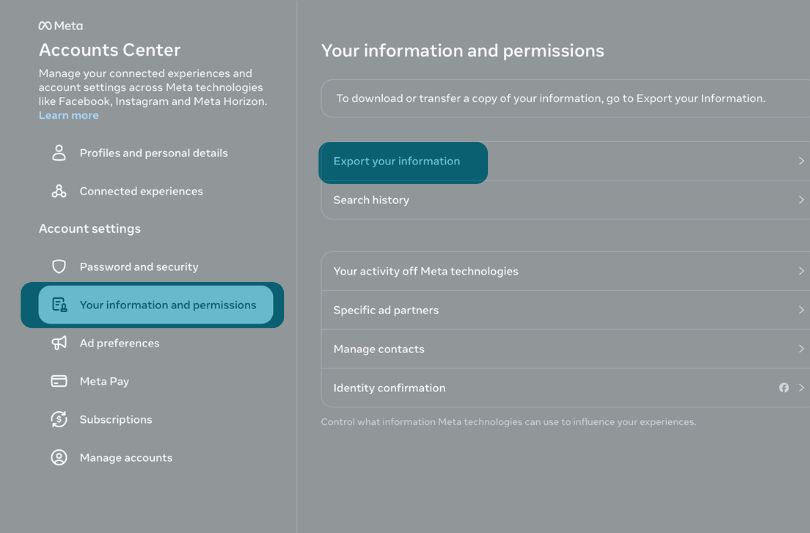
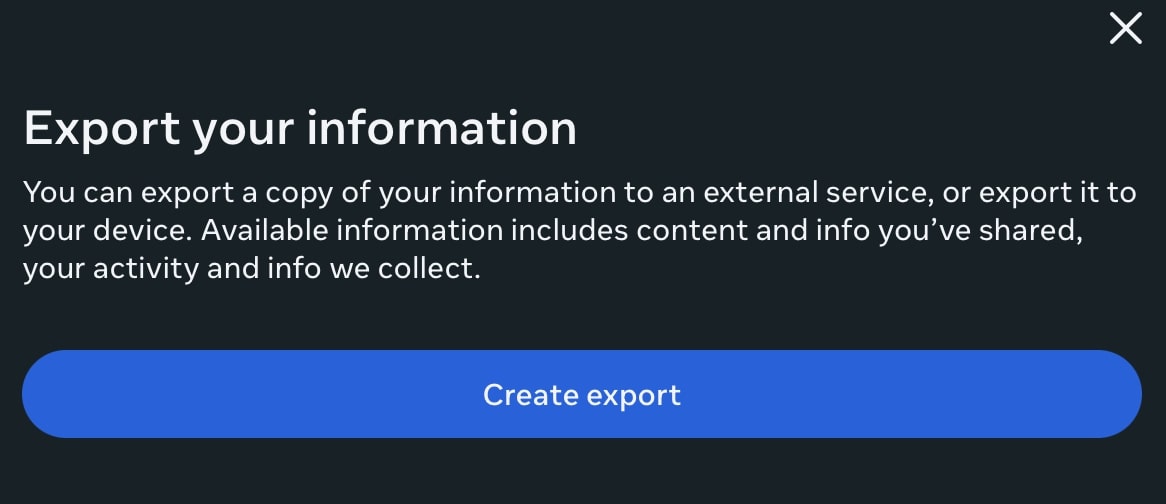
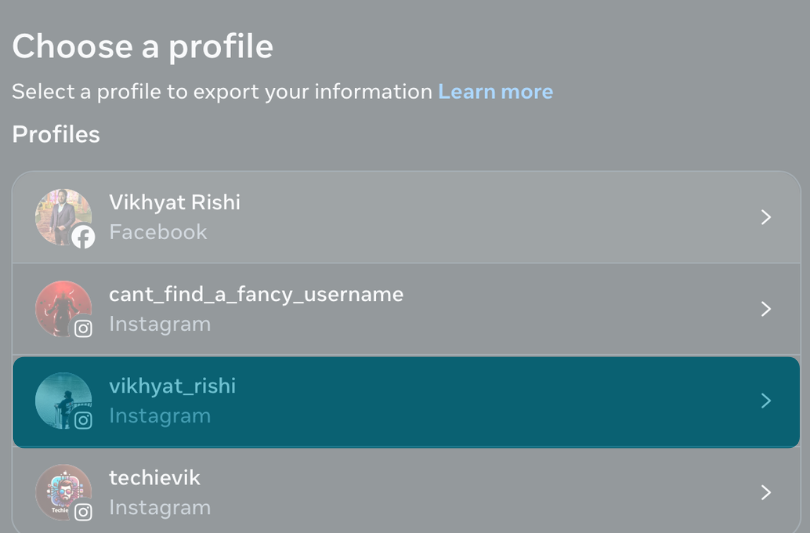
When your Instagram data export is ready, you’ll receive an email stating “Your Meta information download is ready.”
You can either click the link in the email or manually go to the Export Your Information page in Meta’s Accounts Center. Once there, you’ll find your Instagram data archive under Available downloads.
From the moment you receive the email, you’ll have four days to download the file. If you miss this window, the export expires, and you will need to submit a new request.
When you tap the Download button, Instagram will ask you to verify your identity by entering your account password.
This extra step ensures that only the account owner can access and download the exported data. Once the password is confirmed, the download begins.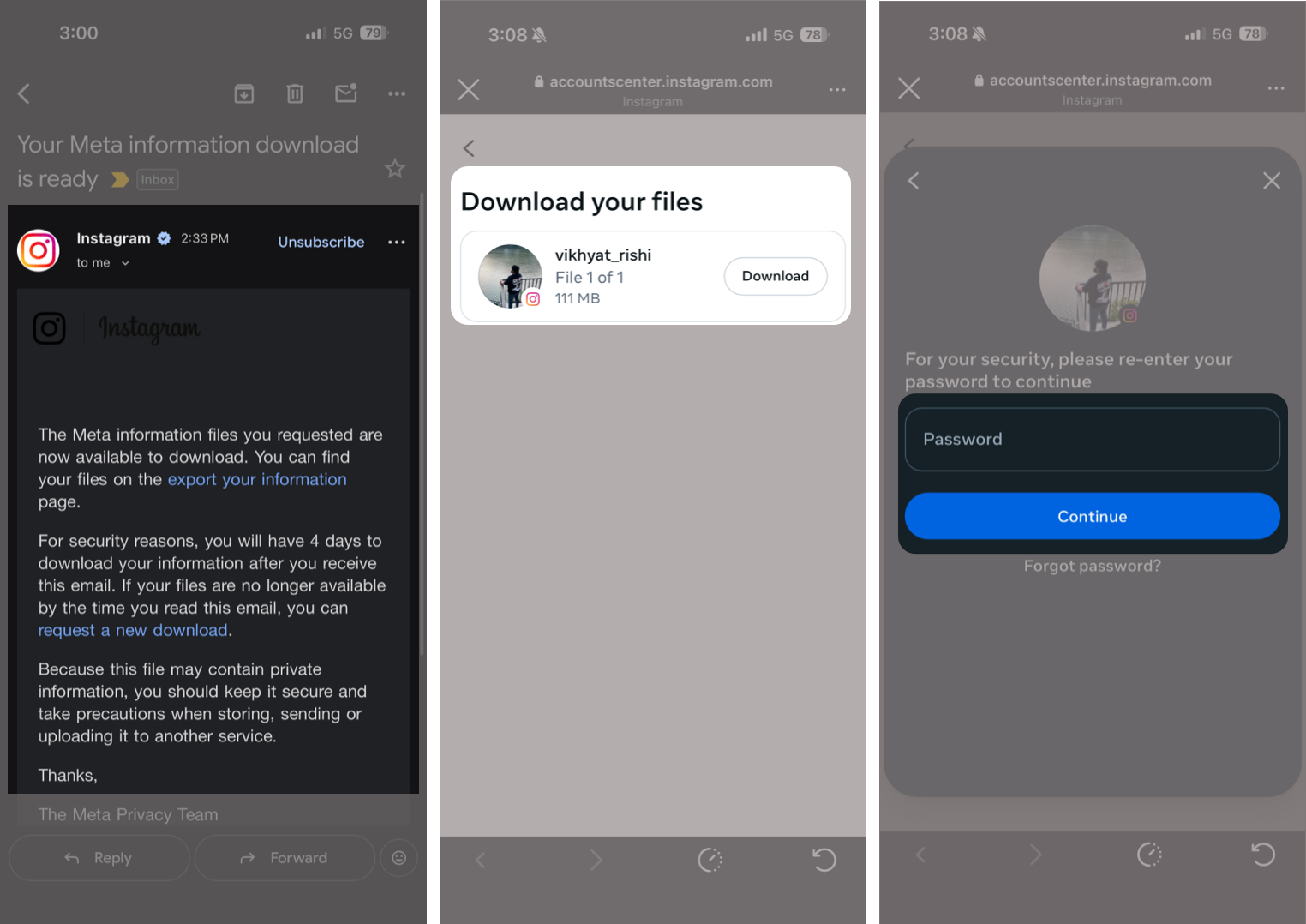
After the download completes, you can unzip the file in the Files app on your device and access the exported folders within.
If you choose to export your information directly to an external service or device, Instagram will notify you in two ways.
Downloading your Instagram data gives you full control over your content and insight into how your account has been used over time. It is also useful for backups if you’re preparing to leave the platform entirely. So, if you’ve ever wondered how much of your digital life lives inside Instagram, this post answers that question completely.
Have you ever downloaded your Instagram data, or are you planning to do it now? Share your experience or questions in the comments below.
FAQs
There is no strict limit on how often you can request your data. However, frequent requests may take longer to process, especially for large accounts. In most cases, it is best to request a new export only when you actually need an updated copy of your information.
Yes. Downloading your Instagram data through the app or Accounts Center is a secure, password-protected process. Only you can request and access the export. That said, the downloaded file contains sensitive personal information, so it should be stored securely and not shared with third-party services or unknown apps.
Here are some more tips and tricks about Instagram: