FaceTime Like a Pro
Get our exclusive Ultimate FaceTime Guide 📚 — absolutely FREE when you sign up for our newsletter below.

FaceTime Like a Pro
Get our exclusive Ultimate FaceTime Guide 📚 — absolutely FREE when you sign up for our newsletter below.


Locked out of your Apple Account? This complete guide explains what an Apple Recovery Key is, why it strengthens your security, and how to set it up, replace it, or remove it on iPhone, iPad, and Mac.


If you use Apple devices, you already know your Apple Account sits at the center of your digital life. It unlocks your iPhone, backs up your photos, secures your messages, syncs your passwords, and gives you access to services like Apple Music, iCloud, and FaceTime.
So when you cannot sign in because you forgot your password, got locked out, or lost your device, everything suddenly feels fragile. Apple’s standard recovery process works, but it can take several days. That is not ideal when you need immediate access. That is exactly where an Apple Recovery Key comes in.
This guide explains what a recovery key is, why you might want one, and how to set it up on your Apple devices.
An Apple Recovery Key is a 28-character, randomly generated code that serves as a backup method to regain access to your account if something goes wrong.
There is an important tradeoff. When you enable a recovery key, you turn off Apple’s standard account recovery methods.
If you lose access to your devices and also lose your recovery key, you will be permanently locked out of your account. Apple cannot restore access. This feature offers powerful protection, but it requires careful handling.
| Feature | Standard Recovery | Recovery Key |
| Recovery method | Verification via trusted devices/phone | 28‑character recovery key & trusted number |
| Speed | May take days | Instant recovery |
| Apple assistance | Apple can help restore access | Apple cannot help if the key is lost |
| Security | Strong | Maximum. Key required for resets |
| Risk | Low risk | Apple cannot help if the key is lost |
| Best for | Convenience-focused users | Security‑focused users |
Once enabled, the recovery key becomes one of the only ways to reset your Apple Account password.
Here is why that matters:
Before setting up your recovery key, make sure you meet the following two requirements:
Steps to Set It Up
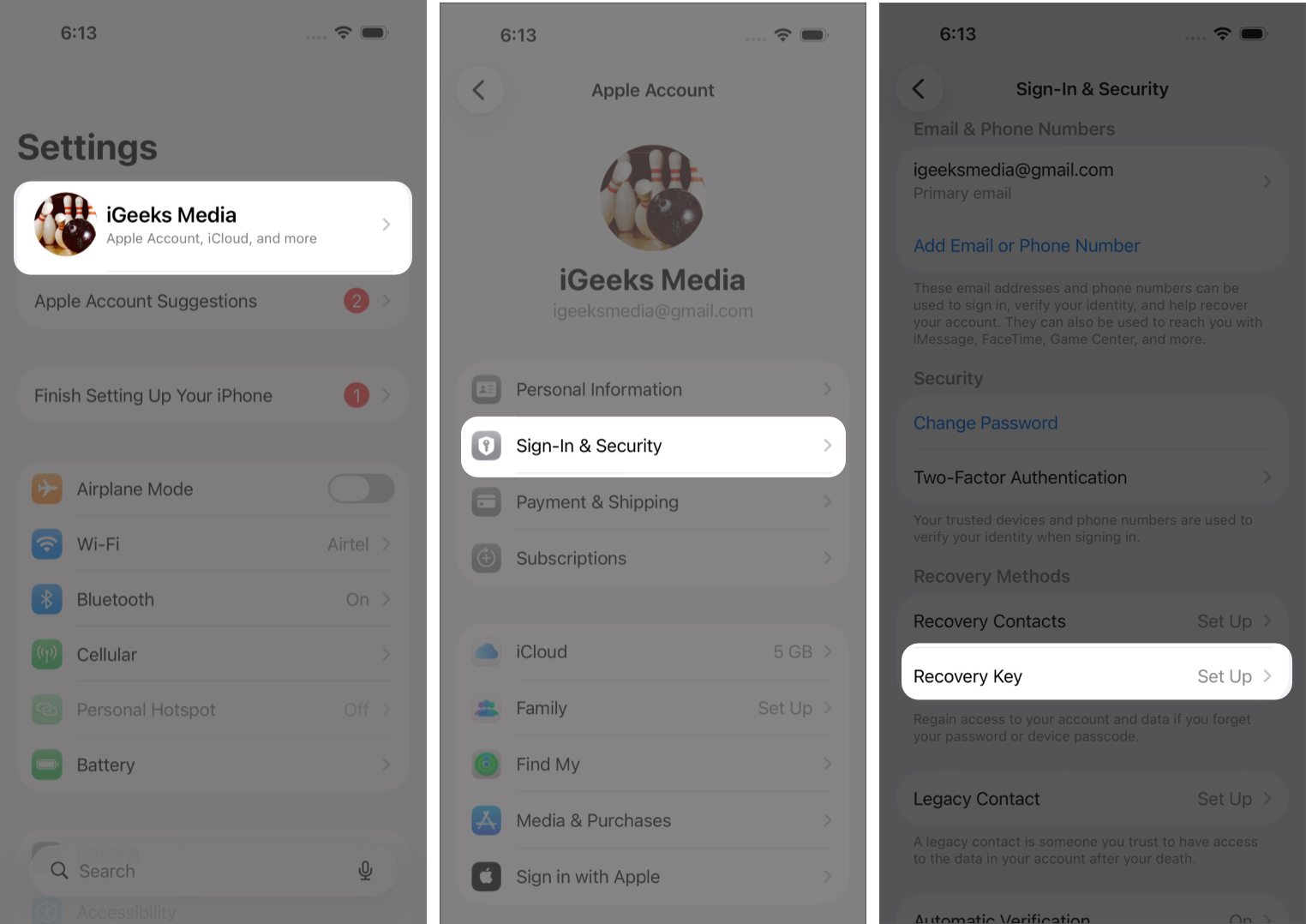
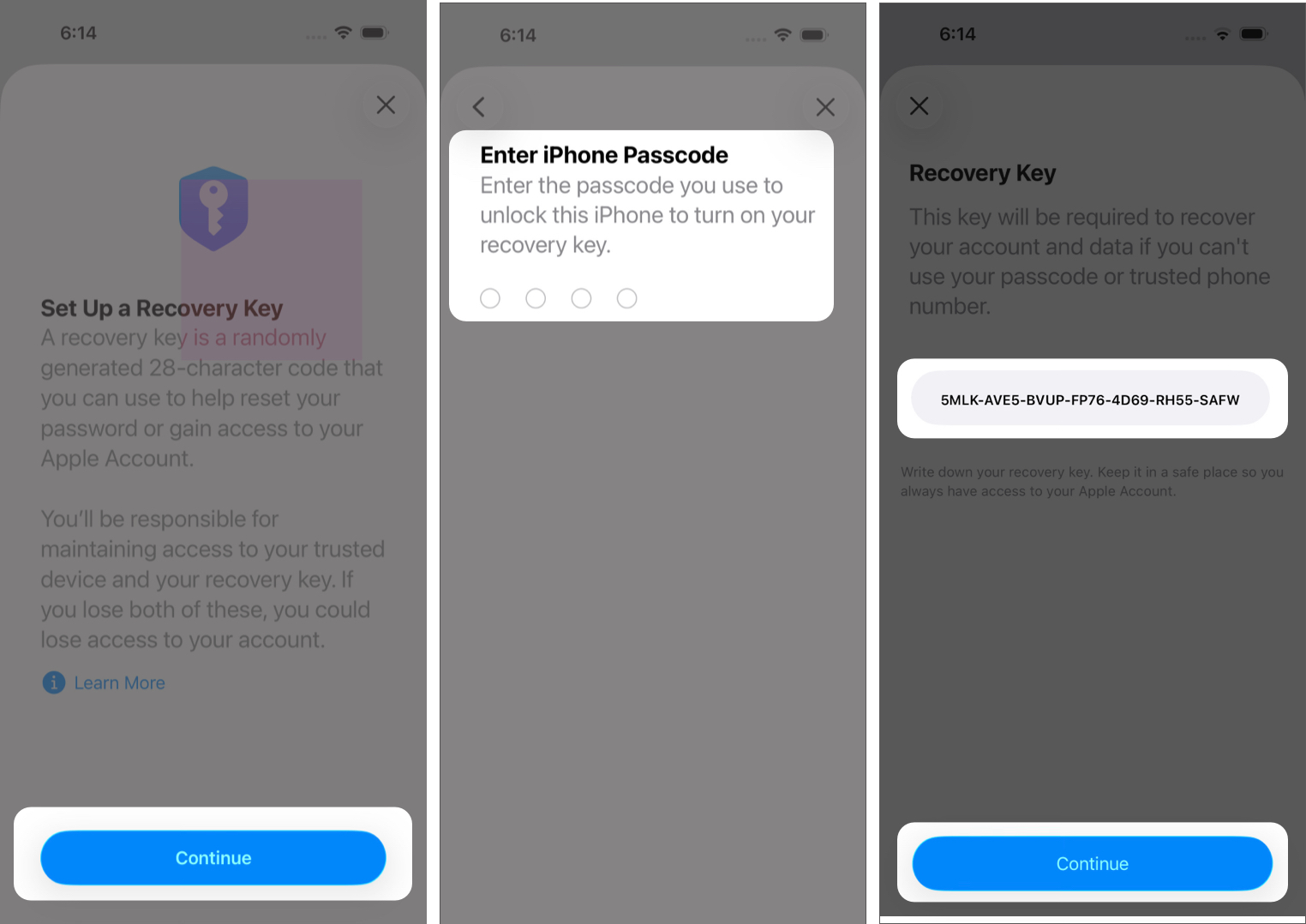
Once verified, your recovery key is active.
If you are using macOS Sonoma or later:
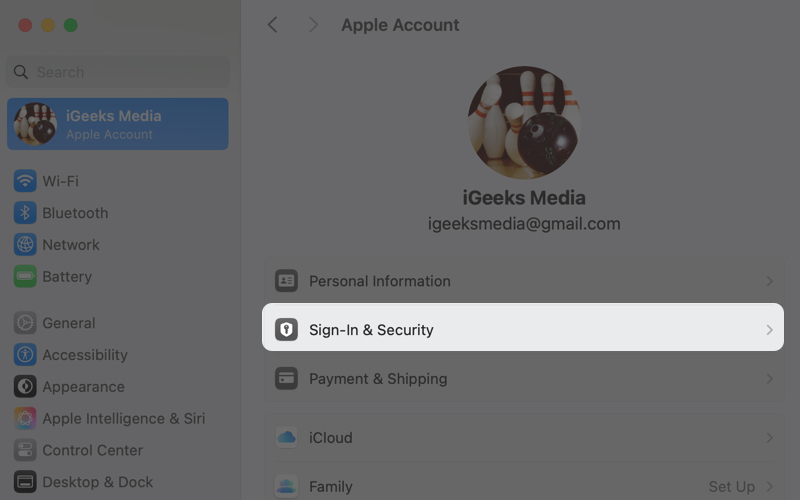
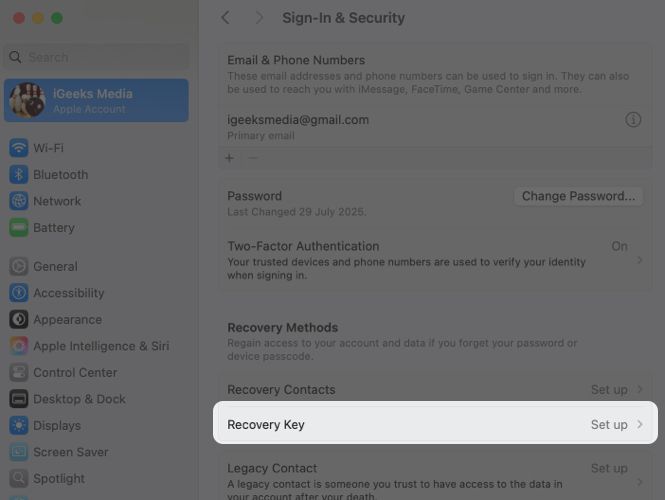
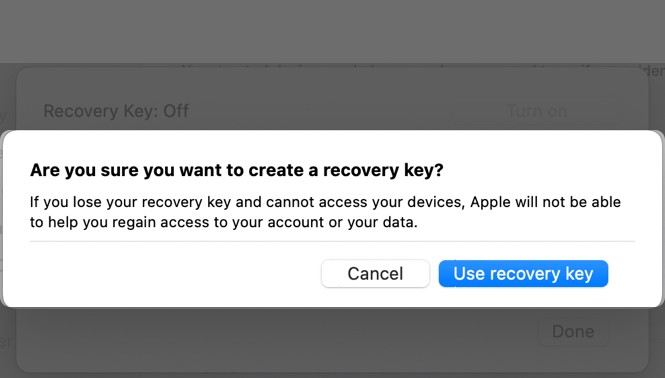
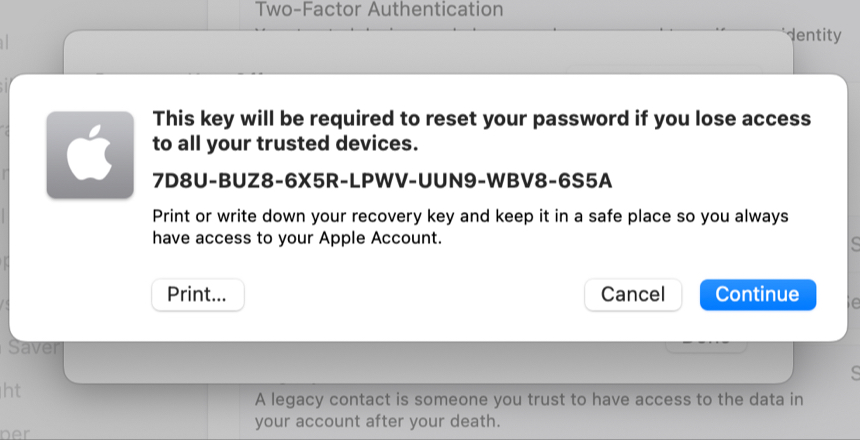
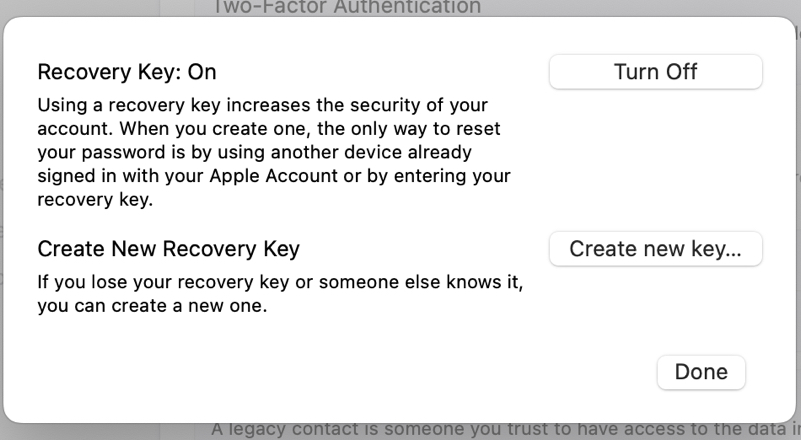
If you lose your recovery key but still have access to a trusted device, you can replace it.
On iPhone or iPad:
On Mac:
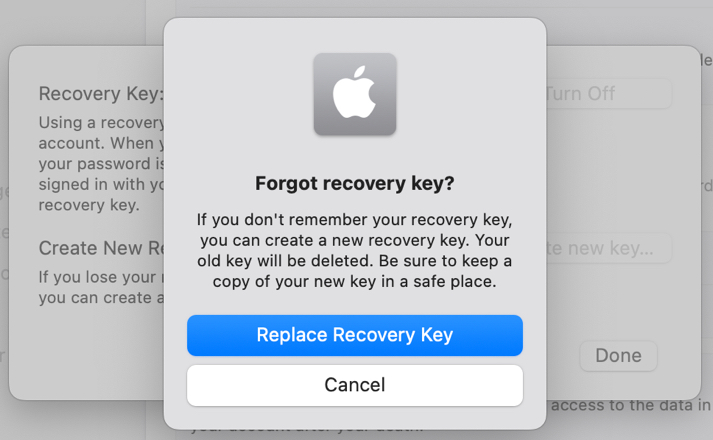
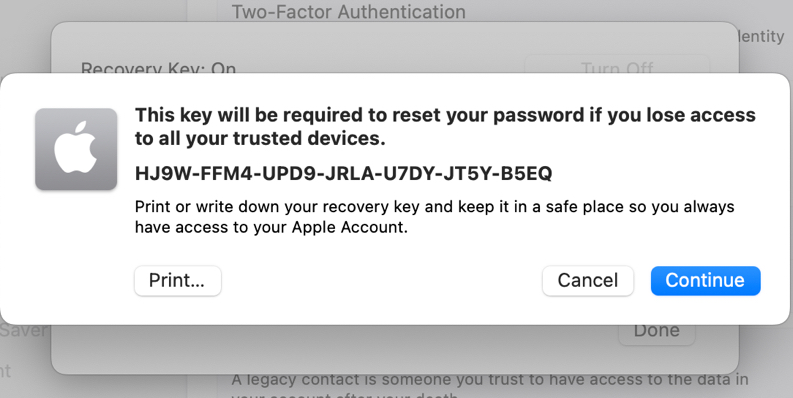
If you forget your Apple Account password:
Apple will ask for:
This bypasses the multi-day account recovery process entirely.
If you decide you no longer want to use a recovery key:
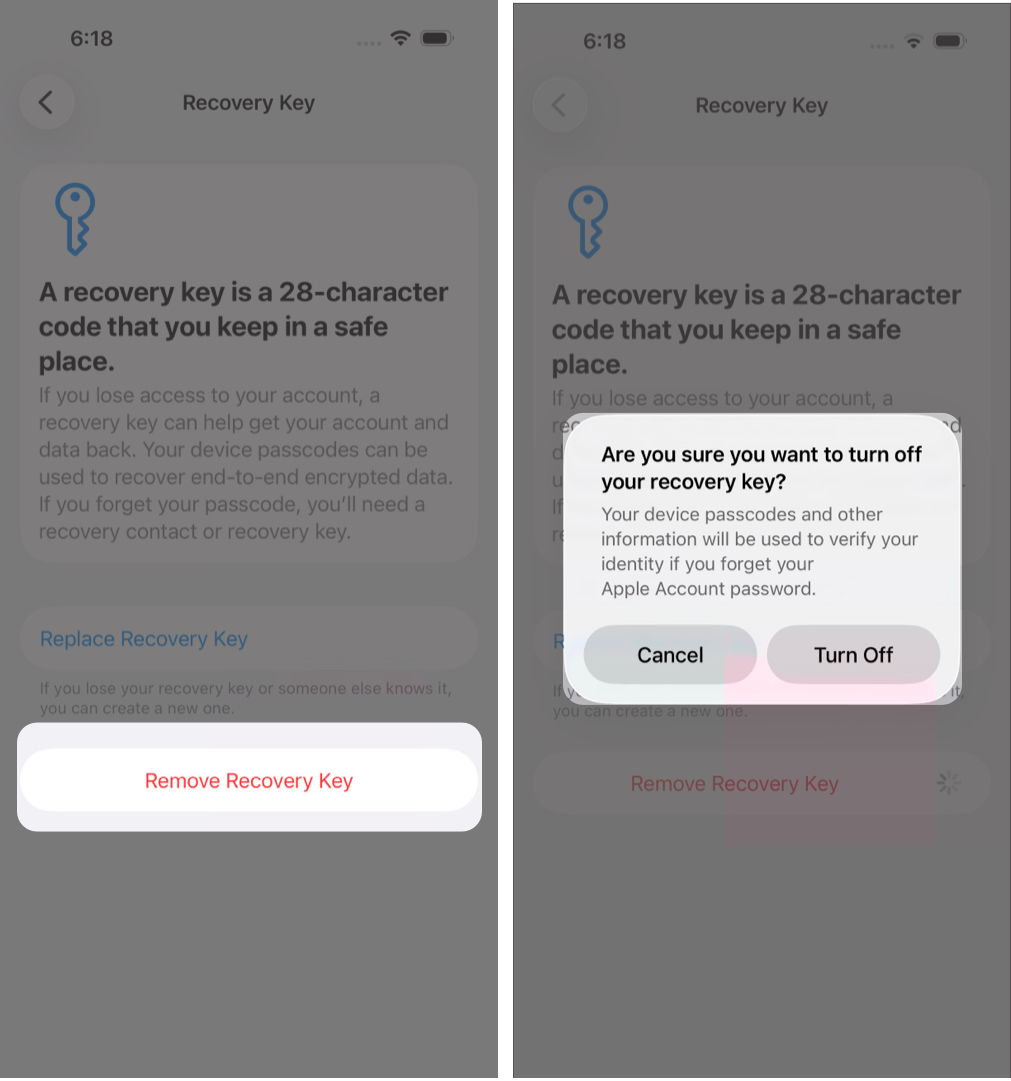
Your key has been removed.
Advanced Data Protection is Apple’s highest level of iCloud security. When enabled, most iCloud data becomes end-to-end encrypted. Only you can decrypt it. Apple cannot access or recover that data.
To enable Advanced Data Protection, Apple requires at least one recovery method:
You can enable both for additional flexibility.
Setting up an Apple Recovery Key may feel intimidating at first, but it is one of the strongest steps you can take to protect your account.
For most users, enabling a recovery key makes sense, as long as you store it securely and understand the responsibility involved. Treat it like a physical safe key. If it is lost, access may be gone for good.
FAQs
Yes. A trusted iPhone, iPad, or Mac signed in to your Apple Account is required to create or update a recovery key.
If you still have access to a trusted device, you can generate a new key. If you lose both your trusted devices and your recovery key, your Apple Account may become permanently inaccessible.
No. Apple displays it only once during setup.
Use a secure offline method such as:
Avoid storing it in iCloud Photos, Notes, or iCloud Drive.
Yes. One recovery key applies to every device signed in to your Apple Account.
Not specifically. However, you must choose at least one recovery method, either a Recovery Key or a Recovery Contact, to enable Advanced Data Protection.