FaceTime Like a Pro
Get our exclusive Ultimate FaceTime Guide 📚 — absolutely FREE when you sign up for our newsletter below.

FaceTime Like a Pro
Get our exclusive Ultimate FaceTime Guide 📚 — absolutely FREE when you sign up for our newsletter below.
iMessage and SMS may look similar but work very differently.This guide explains how they work and what makes them unique on iPhone.
 ByVikhyat


Apple has recently started supporting RCS messaging on iPhone, but the feature is currently limited to devices running iOS 18 and depends on carrier support. Because of this, most iPhone users still rely primarily on iMessage or SMS for their everyday conversations.
If you are a new iPhone user, you may have noticed that some chats in the Messages app appear in blue bubbles, while others appear in green. This often leads to confusion about why your iPhone sends messages in different formats. In simple terms, the bubble color shows which messaging service your iPhone is using.
Keep reading to learn everything you need to know about iMessage vs SMS on iPhone.
iMessage is Apple’s proprietary messaging technology designed for communication between Apple devices such as iPhone, iPad, Mac, and Apple Watch.
Unlike traditional SMS, iMessage uses internet connectivity (Wi-Fi or cellular data) to send and receive messages via Apple’s servers. Additionally, Messages sent through iMessage appear in blue chat bubbles in the Messages app, making it easier to differentiate between iMessage, SMS, and RCS messages.
It offers several advanced messaging features, including but not limited to:
SMS (Short Message Service) is a traditional text messaging standard used by cellular networks worldwide. Unlike iMessage, SMS does not require an internet connection and is sent through your mobile carrier’s cellular network.
On iPhone, SMS messages appear in green bubbles in the Messages app because they are sent through the carrier’s messaging network rather than Apple’s iMessage service.
Key features:
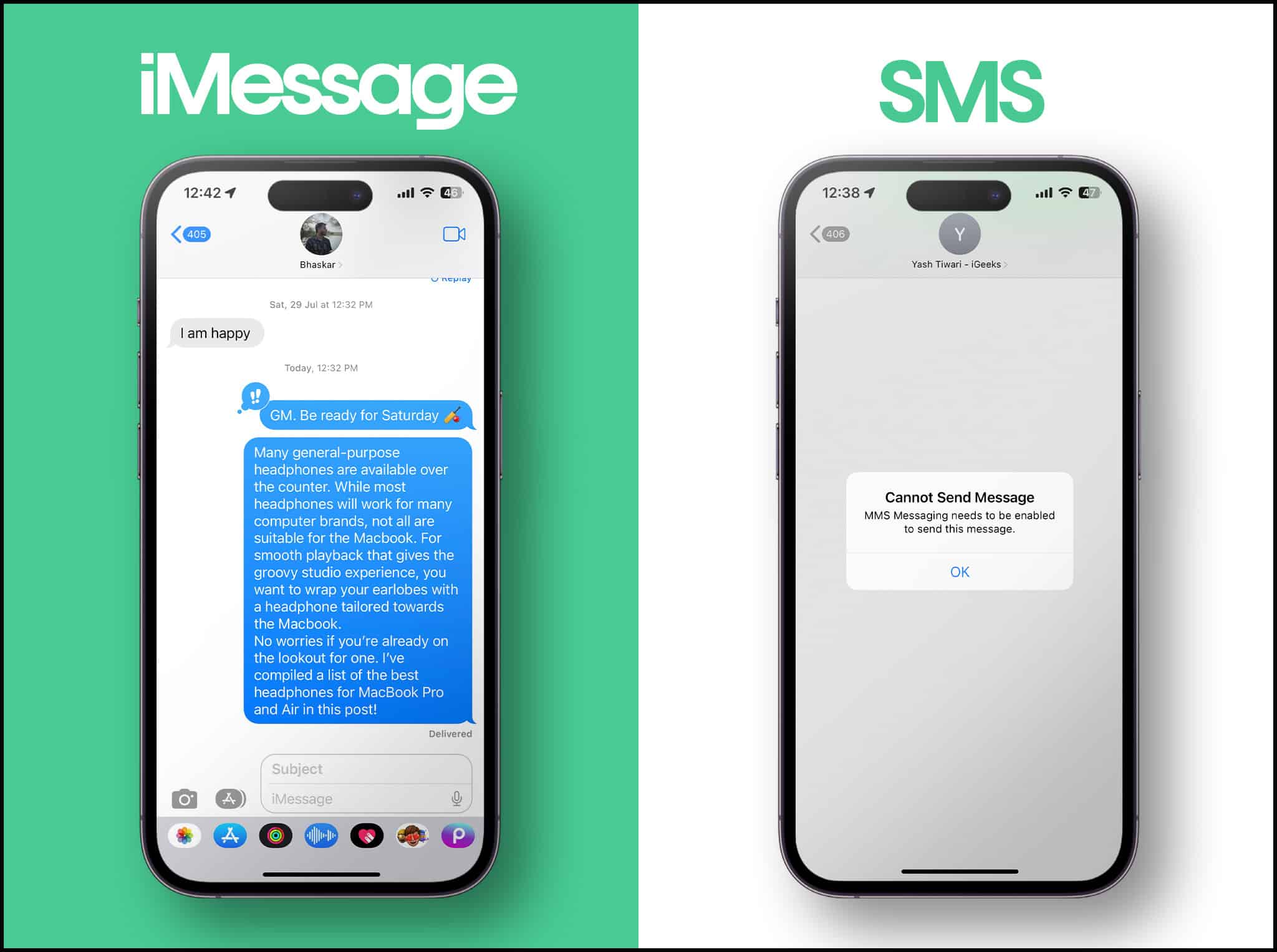
Although both services allow you to send messages, the technologies behind them are very different.
| Feature | iMessage | Works with all mobile phones, including Android |
|---|---|---|
| Network | Uses Wi Fi or mobile data through Apple servers | Uses the cellular carrier network |
| Device Compatibility | Works only between Apple devices | End-to-end encrypted |
| Message Bubble Color | Blue bubbles in the Messages app | Green bubbles in the Messages app |
| Internet Requirement | Requires an internet connection | Does not require internet |
| Media Sharing | Supports high quality photos, videos, GIFs, and files | Limited media support through MMS with heavy compression |
| Messaging Features | Supports read receipts, typing indicators, reactions, and effects | Supports only basic text messaging |
| Security | Supports high-quality photos, videos, GIFs, and files | Not encrypted |
| Cost | Uses data or Wi Fi so usually no SMS charges | Counts toward your carrier’s SMS plan |
Since the iPhone’s Messages app supports both iMessage and SMS, it automatically checks several factors before deciding which messaging service to use.
1. If the Recipient Uses iMessage
Your iPhone first checks Apple’s servers to see if the recipient’s phone number or email address is registered with iMessage. If it is, the message is sent as an iMessage over Wi-Fi or mobile data. In this case, the message appears in a blue bubble.
2. If the Recipient Does Not Use an Apple Device
If the recipient is using a non-Apple device, such as an Android phone, iMessage cannot be used. Your iPhone automatically sends the message as SMS through your carrier network. These messages appear in green bubbles.
3. If Internet Connectivity Is Unavailable
iMessage requires an internet connection. If your iPhone does not have access& to Wi-Fi or mobile data, it cannot send an iMessage. In this situation, your iPhone sends the message as SMS using your cellular network.
4. When iMessage Fails to Deliver
Sometimes an iMessage may fail due to poor connectivity or server issues. If the Send as SMS option is enabled in your Messages settings, the iPhone can automatically resend the message as SMS.
Apple’s Messages app uses blue and green bubbles to show which messaging service is used to send and receive them.
Blue bubbles represent iMessage. They indicate that the message is sent via Apple’s iMessage service over an internet connection, such as Wi-Fi or mobile data. This occurs when both you and the recipient are using Apple devices with iMessage enabled.
Green bubbles represent SMS or MMS. They indicate that the message is sent through your cellular carrier’s texting network instead of Apple’s internet-based messaging system. This usually happens when you message someone using a non-Apple device, such as an Android phone, or when iMessage is unavailable.
This visual distinction also signals the features available in a conversation. Blue bubble chats support advanced features like read receipts, typing indicators, and higher-quality media sharing. Green bubble messages are limited to basic text messaging and standard multimedia.
Understanding the differences between iMessage and SMS helps you see how your iPhone sends messages and which features are available in each conversation. iMessage uses an internet connection and supports advanced messaging features, while SMS relies on your carrier’s cellular network and supports basic texting. Knowing this makes it easier to understand why your messages behave differently in the Messages app.
Have something to add about iMessage or SMS on iPhone? Share your thoughts in the comments.
Read more:

Vikhyat has a bachelor's degree in Electronic and Communication Engineering and over five years of writing experience. His passion for technology and Apple products led him to the tech writing space, where he specializes in writing App features, How-to guides, and troubleshooting guides for fellow Apple users. When not typing away on his MacBook Pro, he loves exploring the real world.
Get our exclusive Ultimate FaceTime Guide 📚 — absolutely FREE when you sign up for our newsletter below.