FaceTime Like a Pro
Get our exclusive Ultimate FaceTime Guide 📚 — absolutely FREE when you sign up for our newsletter below.

FaceTime Like a Pro
Get our exclusive Ultimate FaceTime Guide 📚 — absolutely FREE when you sign up for our newsletter below.


Mute someone on Instagram without unfollowing. Learn how to hide their posts and stories in a few quick steps.


Instagram is meant to be enjoyable, but your feed can quickly feel crowded with posts, stories, and messages you don’t want to see every day. Unfollowing or blocking people isn’t always comfortable, especially when it involves friends, family, or coworkers. That’s where muting helps.
Muting allows you to control what appears on your Instagram feed without notifying the other person. In this guide, you’ll learn what muting means, why people use it, and how to mute posts, stories, messages, and calls step by step.
Muting on Instagram means hiding someone’s content from your view while still following them. When you mute an account, their posts, stories, reels, notes, or message notifications stop appearing in your feed or alerts, depending on what you choose.
Nothing changes for the muted person. They can still see your profile, posts, and stories unless you change separate privacy settings. Instagram also does not notify users when they are muted.
Here’s how muting compares to other Instagram actions:
Instagram feeds can feel overwhelming when certain accounts post too often or share content you don’t enjoy. Muting helps reduce noise without creating awkward situations.
It’s especially useful for muting acquaintances, coworkers, distant relatives, or friends whose content no longer matches your interests. Muting also helps train Instagram’s algorithm, allowing your feed to show more relevant and enjoyable content over time. Also, good for removing sensitive content from your feed.
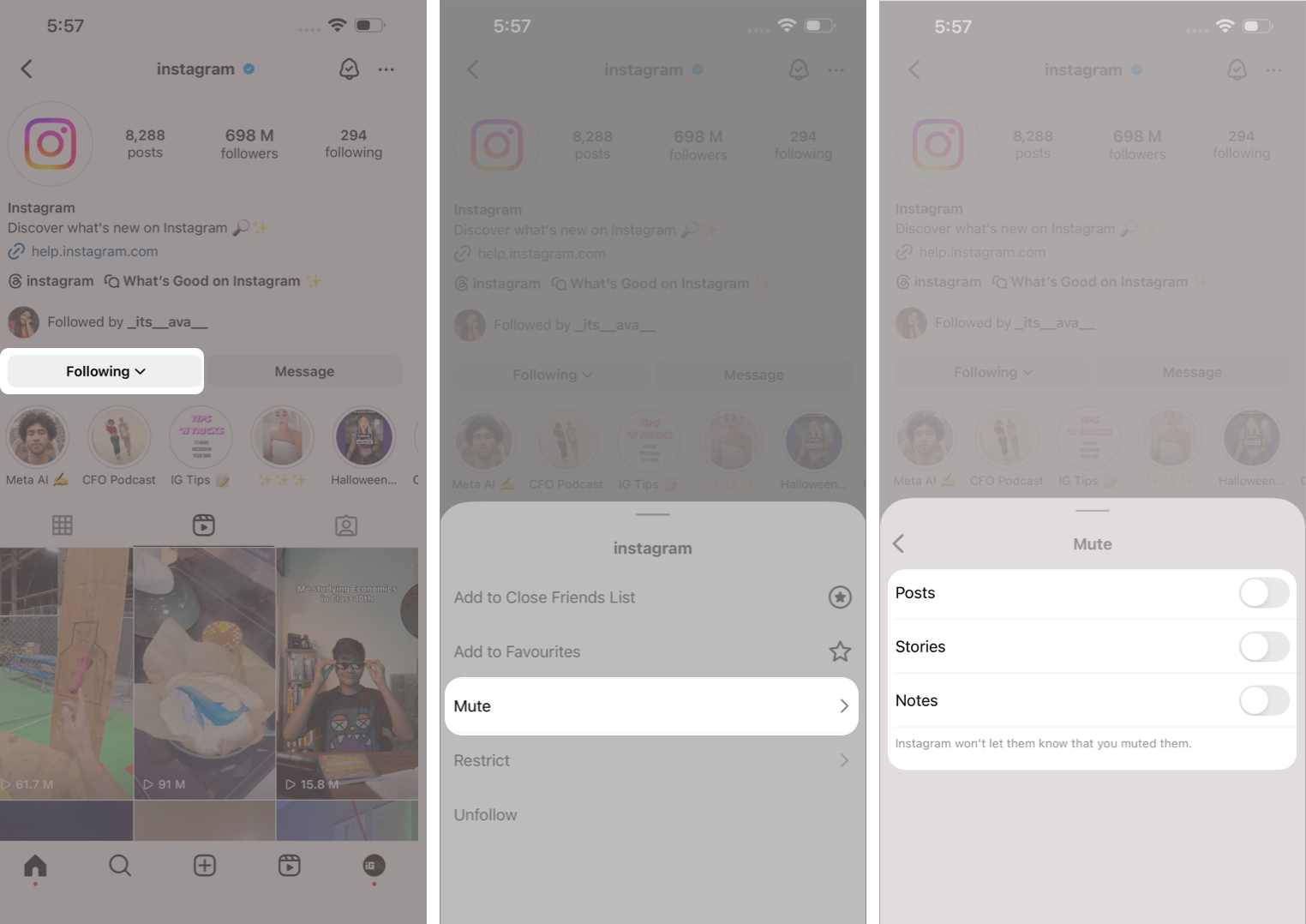
Instagram offers several ways to mute accounts, depending on where you are in the app. Each method gives you control over posts, stories, or both.
This method gives you the most control over what you want to hide.
You can mute an account as soon as you see an unwanted post.
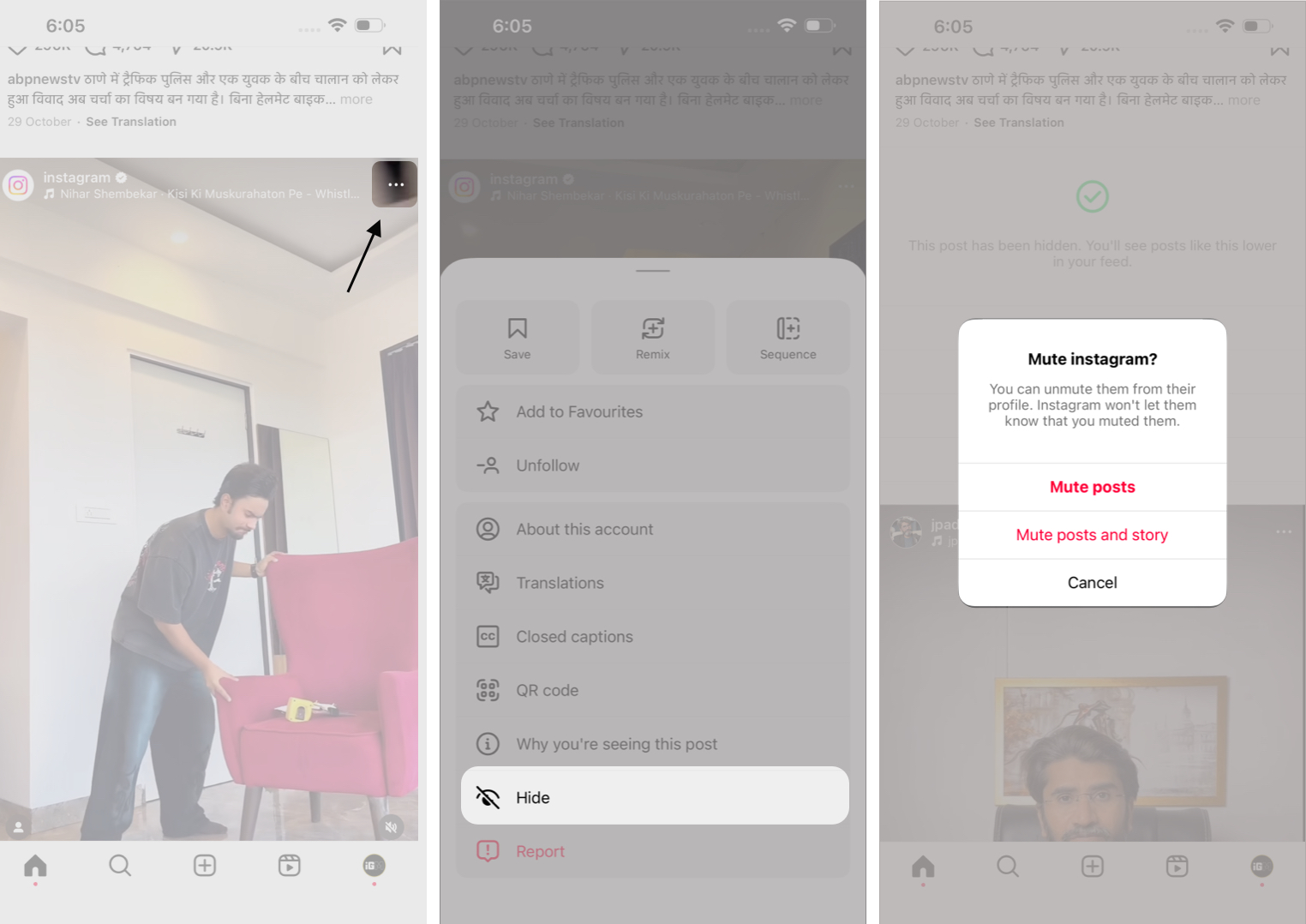
Also Read: The Complete Guide to Hide Instagram Post
Stories can be muted without opening a profile.
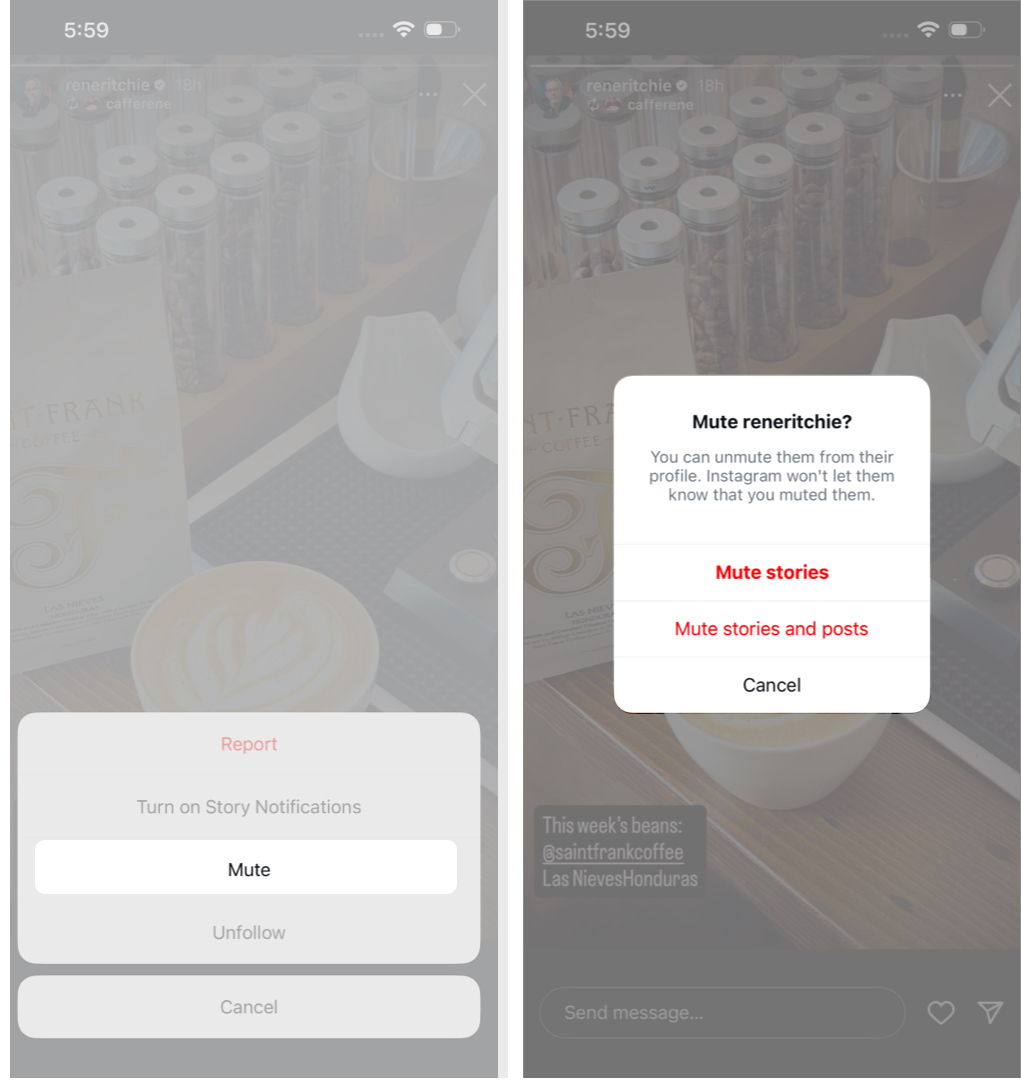
Muted stories move to the end of the story tray and stop auto-playing.
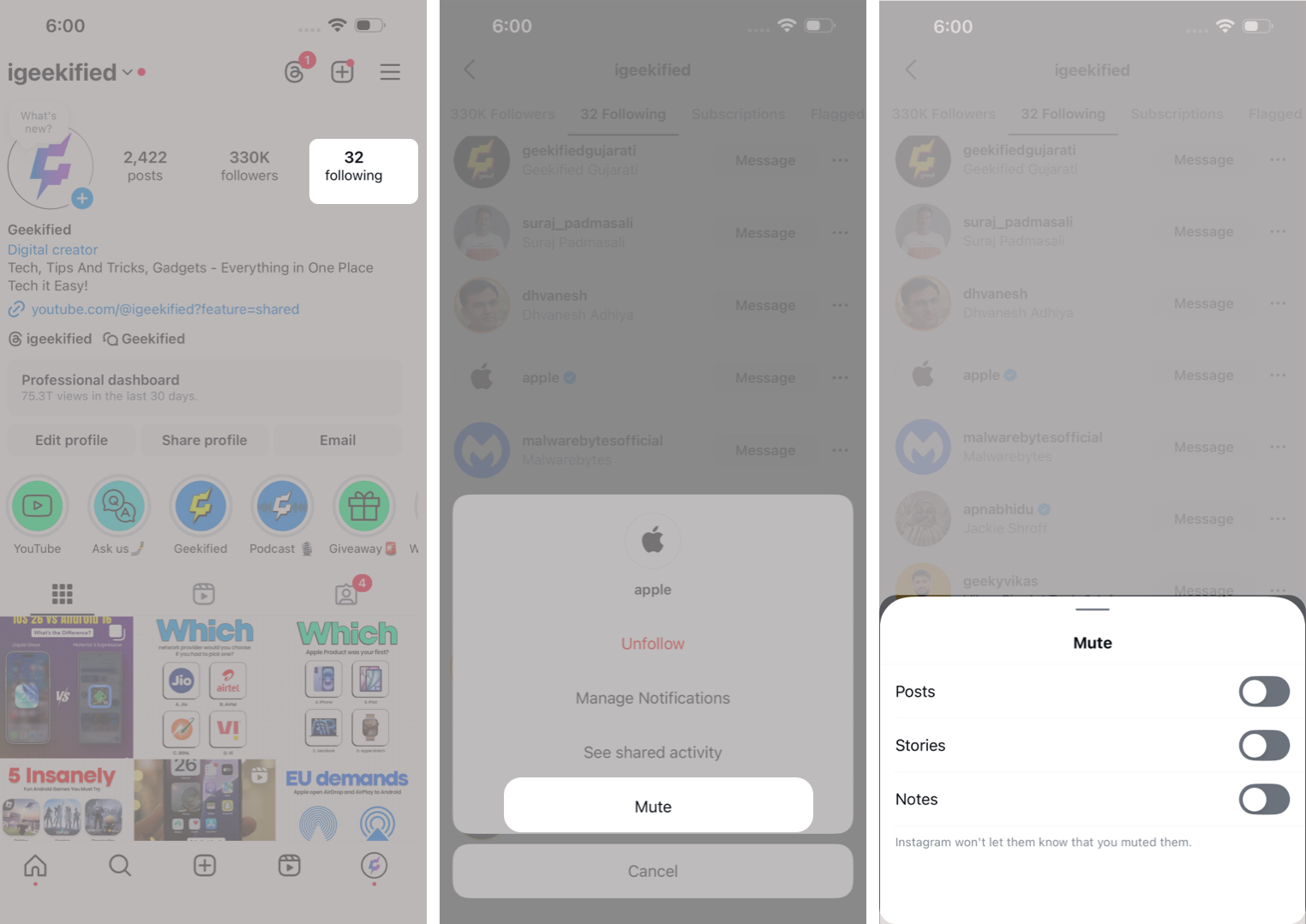
This option is useful when you need to mute multiple accounts quickly.
If messages or calls feel overwhelming, you can mute notifications without blocking the person.
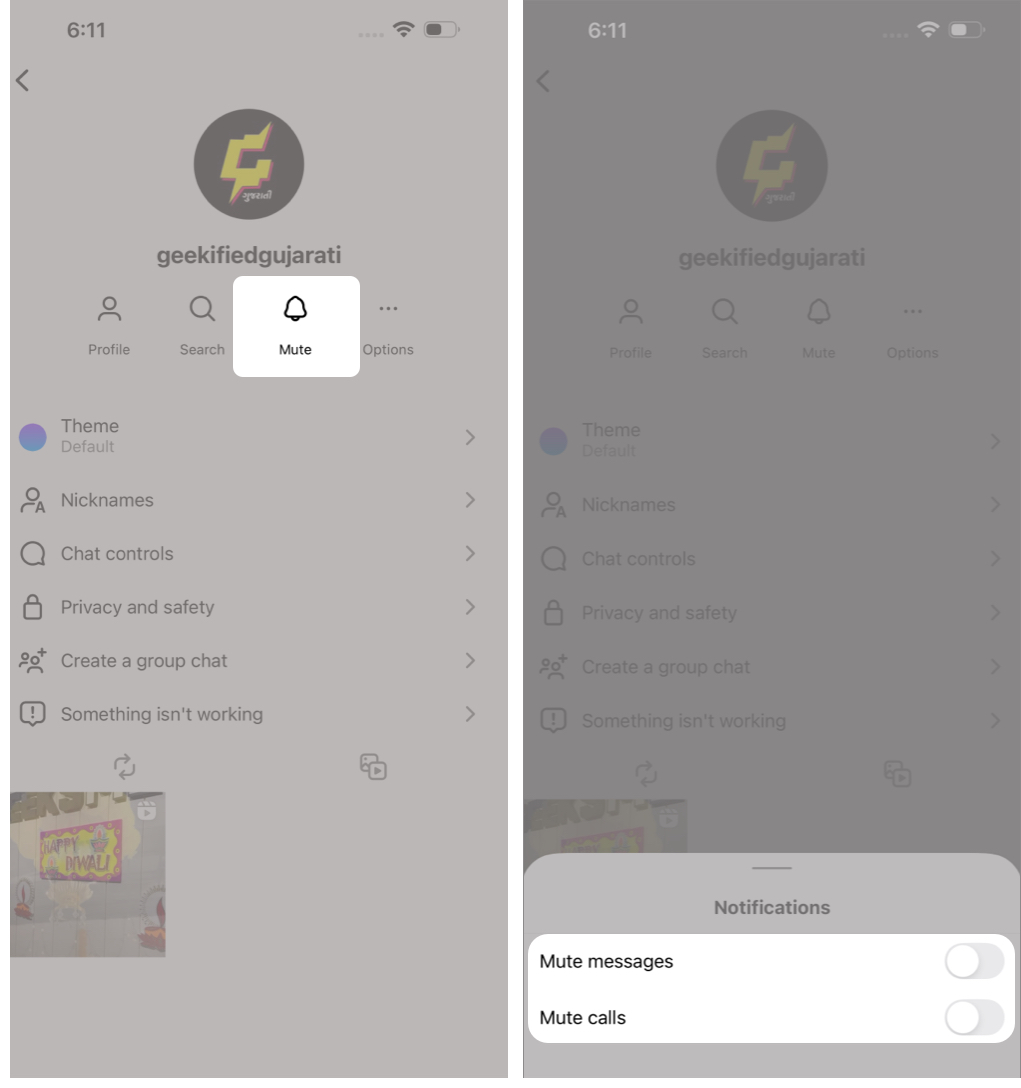
You’ll still receive messages, but you won’t get notifications.
Also read: How to Limit or Turn Off Instagram DMs for More Privacy
Unmuting is simple and can be done at any time.
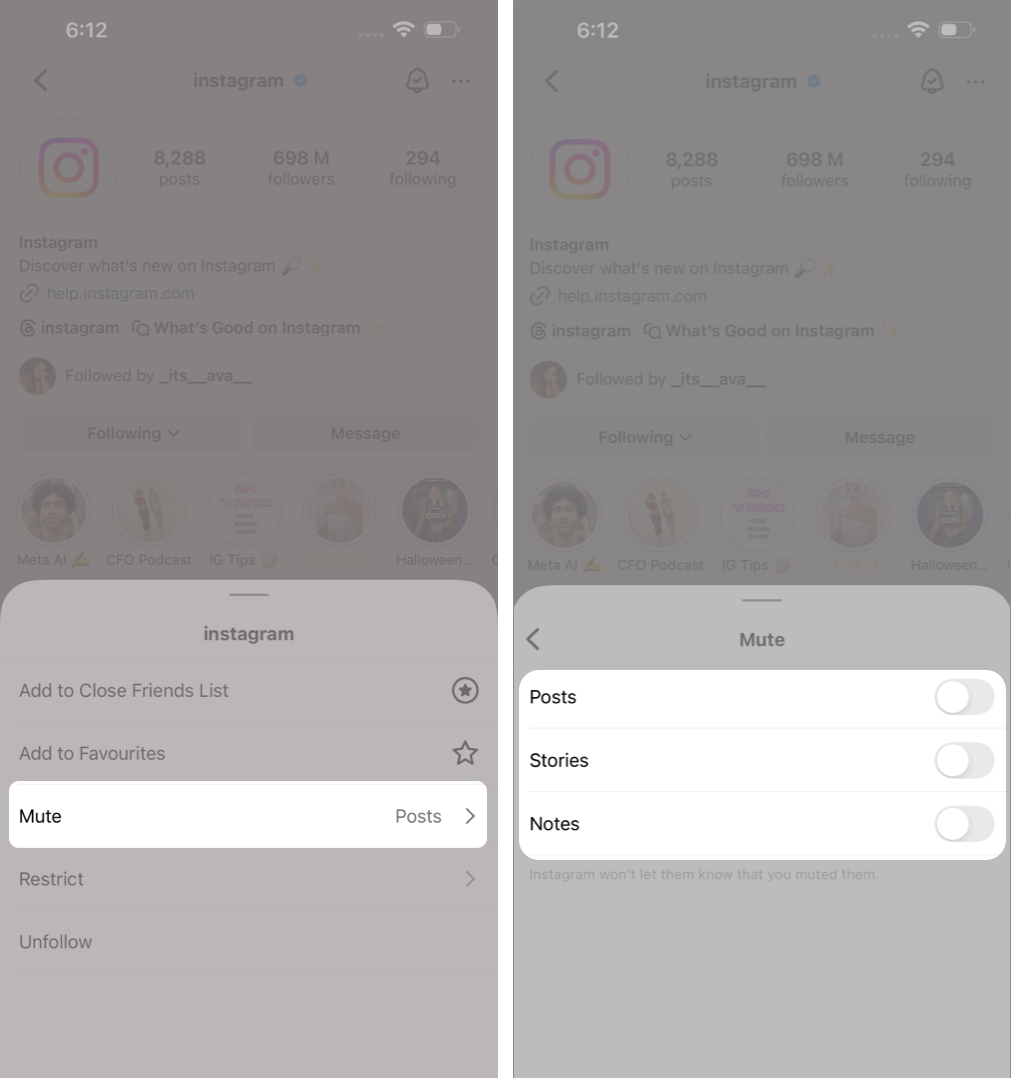
You can also see all muted accounts by going to Settings → Privacy → Muted Accounts.
Muting is designed for content control, while blocking is meant for cutting off contact.
When you mute someone, you remain connected, and nothing changes on their side. Blocking removes all interaction, visibility, messages, and engagement between both users.
If someone is posting too much, muting is the better choice. If someone is violating boundaries, blocking is more appropriate.
Muting on Instagram helps you customize your feed without confrontation. It allows you to stay connected while removing content that no longer serves you.
Since muting is private and reversible, it’s a safe and flexible way to improve your Instagram experience.
FAQs
No. Muting only affects what you see. To hide your content from someone, use Hide Story From, Close Friends, or make your account private.
Muting hides someone’s content from your feed. Restricting limits how they interact with you, especially comments and message visibility.
No. Muting is completely private.
Yes. You can view their profile and posts anytime by visiting their page directly.
Read more: