FaceTime Like a Pro
Get our exclusive Ultimate FaceTime Guide 📚 — absolutely FREE when you sign up for our newsletter below.

FaceTime Like a Pro
Get our exclusive Ultimate FaceTime Guide 📚 — absolutely FREE when you sign up for our newsletter below.


You can replace Apple's Translate with Google Translate system-wide. Here's how it works and why it's a big deal.
 ByVikhyat


Apple now allows iPhone users to set third-party apps as defaults for certain functions, and Google Translate can be your go-to translation app. This means you can bypass the built-in Translate app entirely and use Google Translate for all your translation needs.
This post details how to make Google Translate the default app on your iPhone.
Here’s how you can make Google Translate your go-to translator on your iPhone:
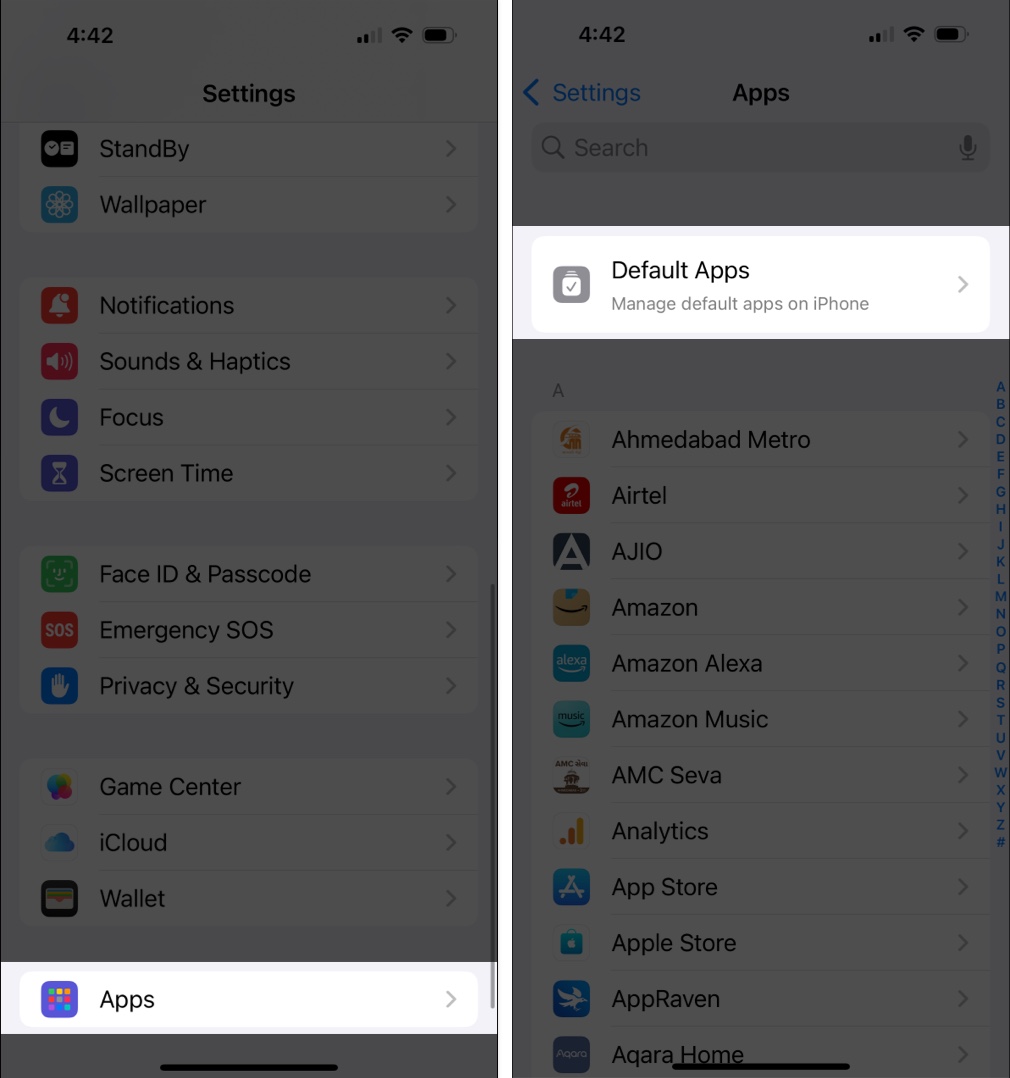
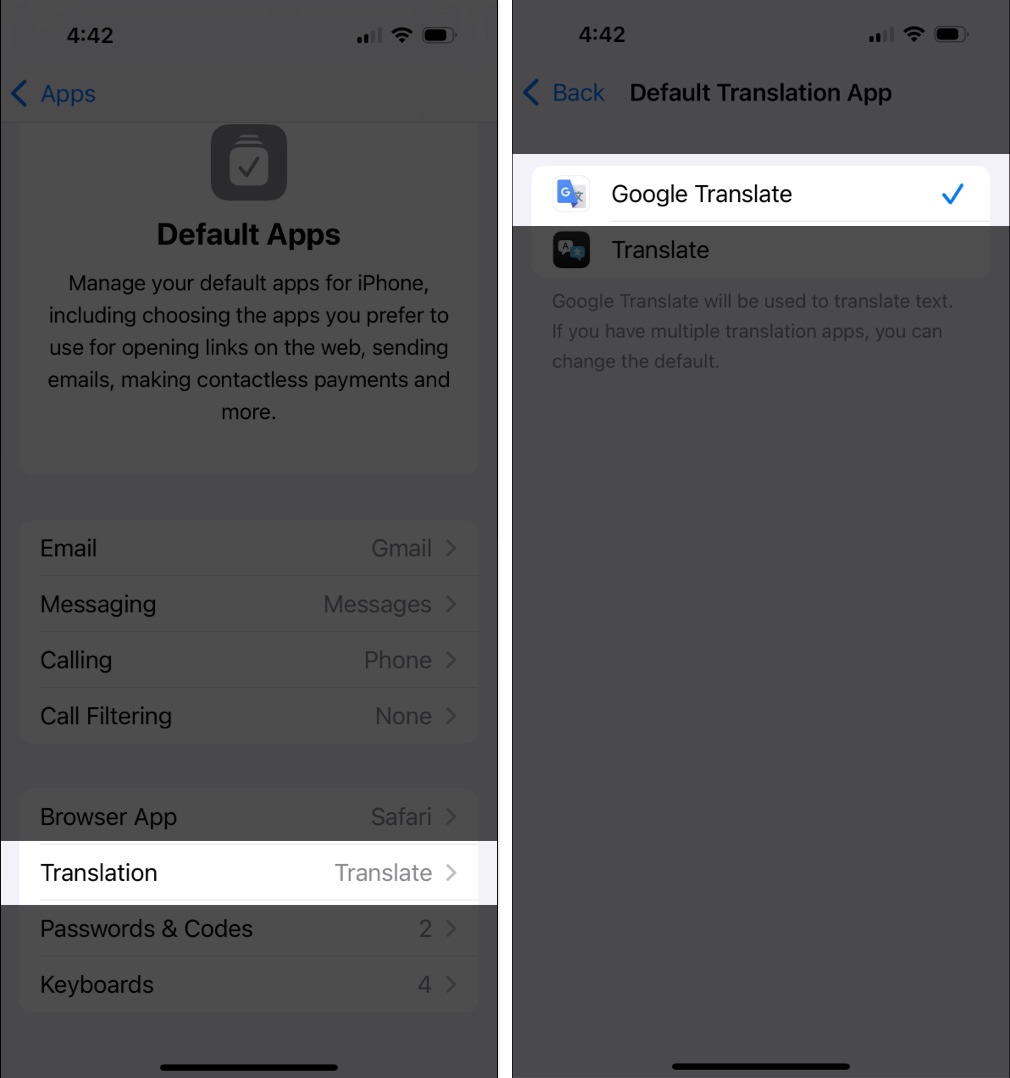
That’s it. Now, when you trigger a translation—like selecting text and choosing “Translate”—your iPhone or iPad will automatically use Google Translate for the job.
Apple continues to open up iOS, especially for users in the European Union. Alongside translation apps, Apple allows users to switch defaults for:
And if you’re in the EU, you can also change the default navigation app, allowing for options like Google Maps instead of Apple Maps.
Related: How to Change Default iPhone Apps for Calls, Messages, Email and More
This growing list marks a shift in Apple’s iOS ecosystem—one that embraces user choice, largely driven by EU regulatory pressure.
While switching translation apps may seem minor, it has big implications for usability and competition.
Google Translate offers more advanced features than Apple’s native app, including:
By allowing it as a default, iOS now lets users access these features system-wide, improving the translation experience across Safari, Messages, Notes, and third-party apps.
We’ll keep you updated as more third-party translation apps add support for this new feature.
Will you be switching to Google Translate as your default? Share your thoughts in the comments below.
Related articles worth reading: