FaceTime Like a Pro
Get our exclusive Ultimate FaceTime Guide 📚 — absolutely FREE when you sign up for our newsletter below.

FaceTime Like a Pro
Get our exclusive Ultimate FaceTime Guide 📚 — absolutely FREE when you sign up for our newsletter below.


Want to use Instagram more efficiently on your iPhone? These pro tips help you post smarter, manage features faster, and get more out of the app.


Instagram continues to introduce new features that make sharing your photos and videos easier than ever. Whether you’re a casual user, influencer, or business owner, knowing these Instagram features can help you stand out. Here, I’ll share expert tips, hidden tricks, and must-know settings to use Instagram on your iPhone like a pro. Good luck!
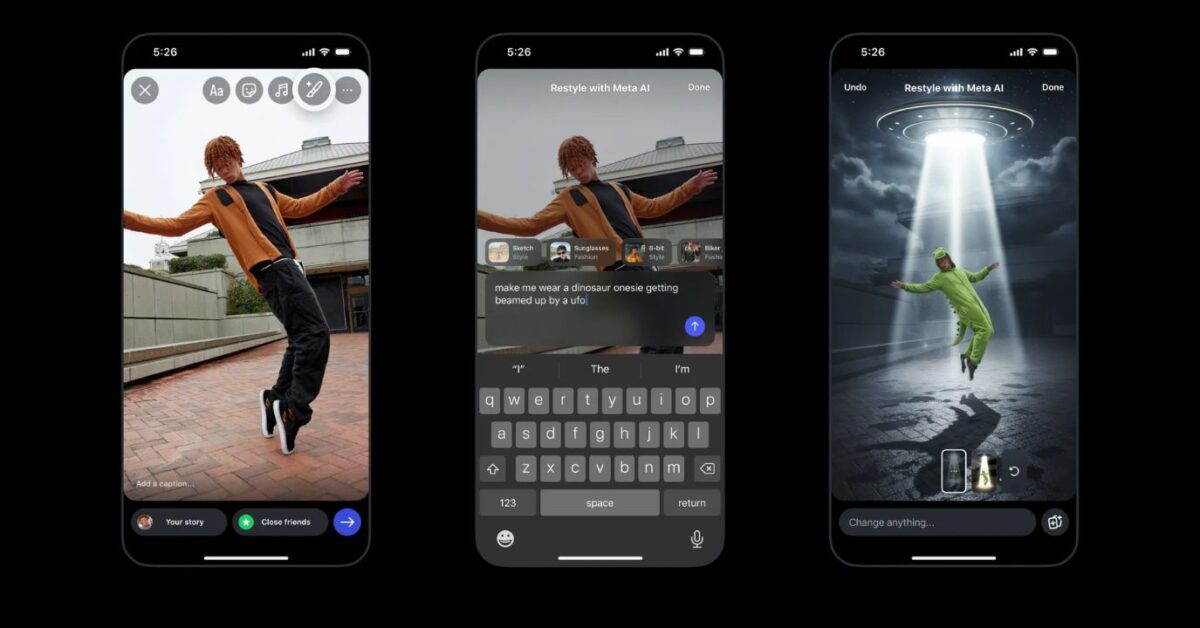
Instagram’s AI tools have made Stories much more creative and much easier. Now, instead of manually editing photos with multiple apps, you can use AI restyling options directly inside Instagram.
These tools can remove unwanted objects, automatically change backgrounds, and apply artistic filters to your photos.
To use Instagram Restyle Stories with Meta AI on iPhone:
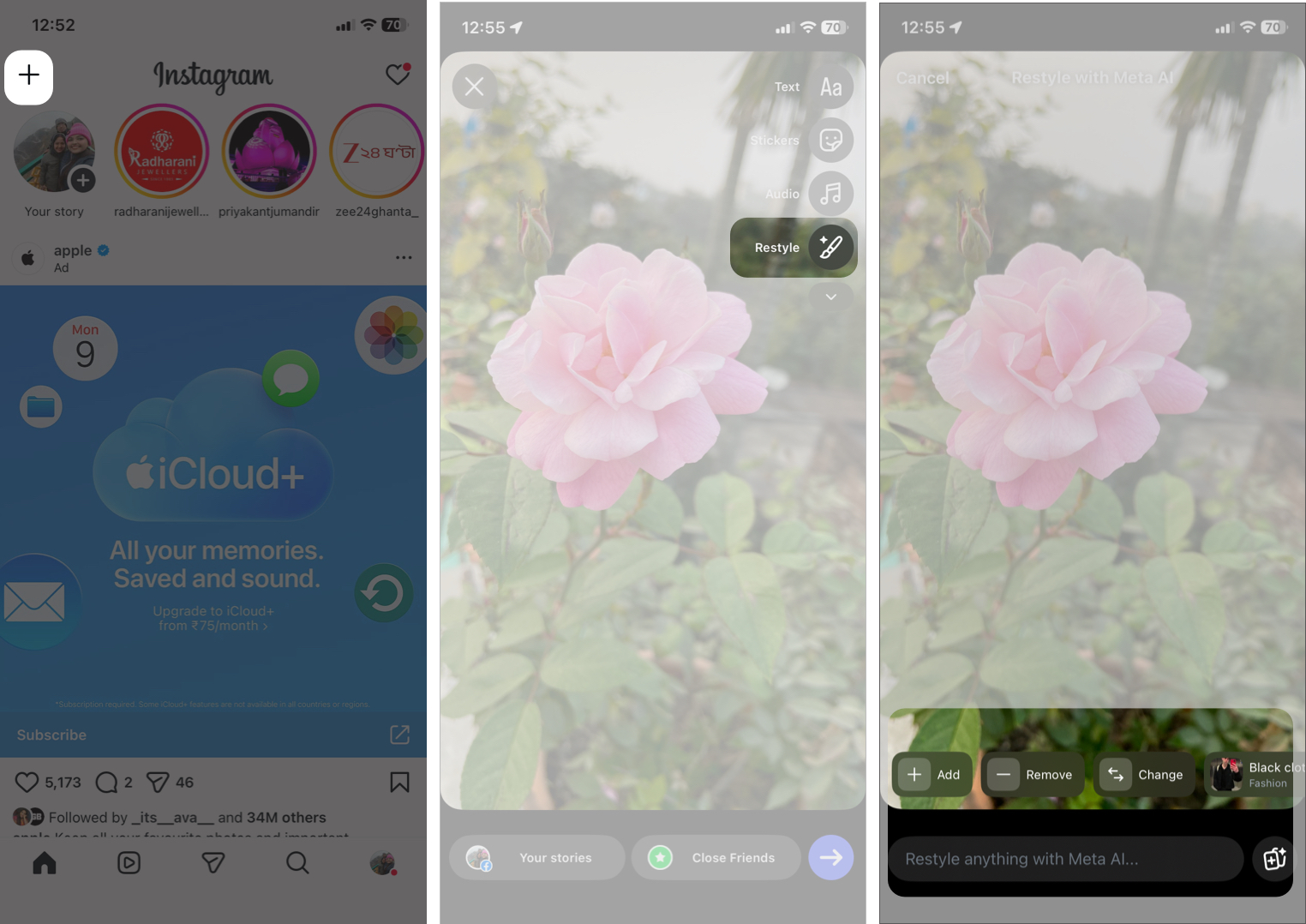
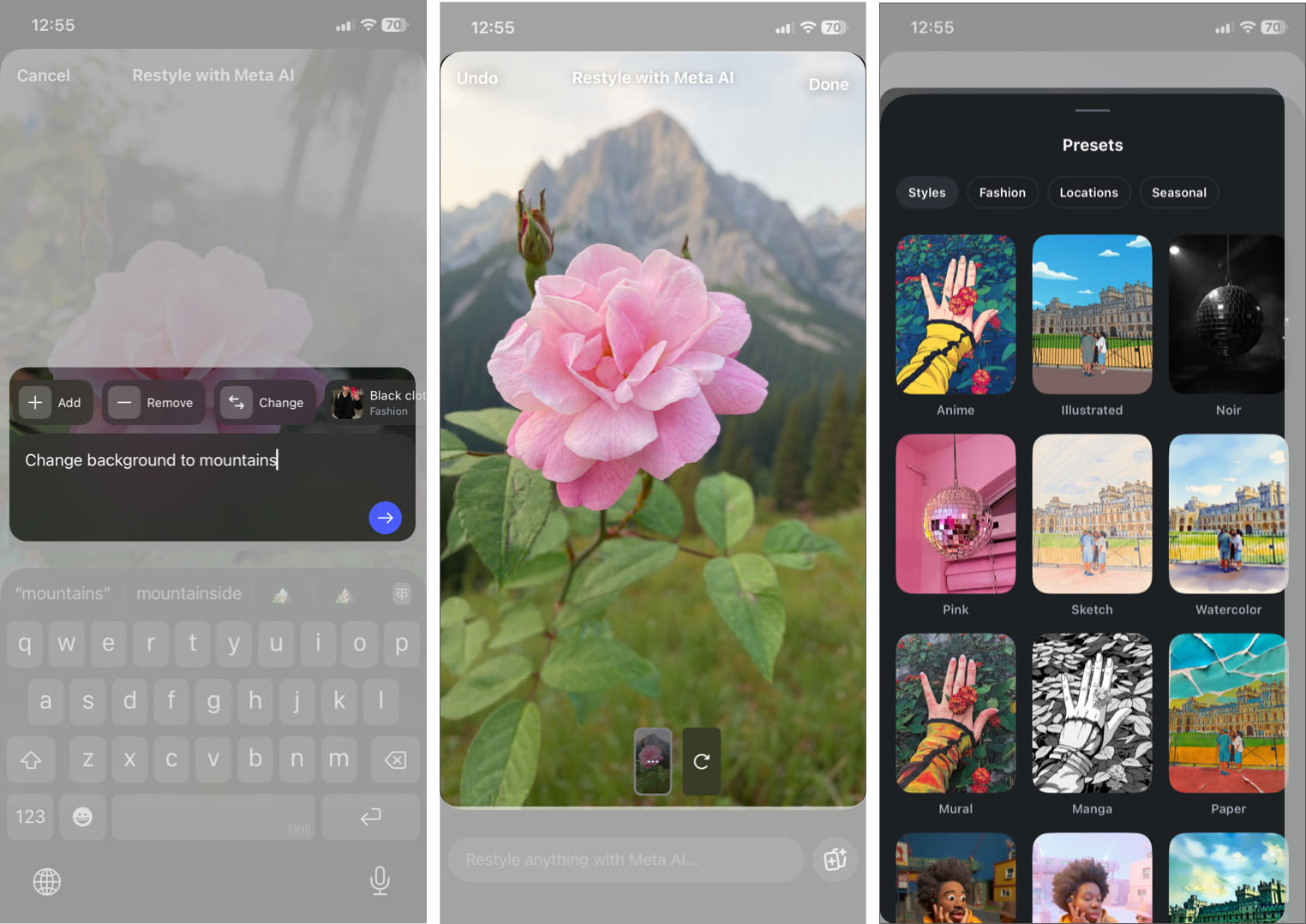
The key tip? Don’t overdo it. Clean, minimal edits perform better than overly filtered content. AI is there to enhance your story!
If you post Stories regularly, this feature saves time and keeps your content fresh.
Want to scale your content internationally with very little extra effort? This feature is a game-changer. Now, you don’t need to record multiple versions of the same video in different languages.
With Instagram’s AI-powered dubbing and lip-syncing for Reels, your videos are automatically translated into other languages. Meta AI keeps your voice tone and characteristics intact via cloning and syncs the lip movements for a natural look.
How to use it:
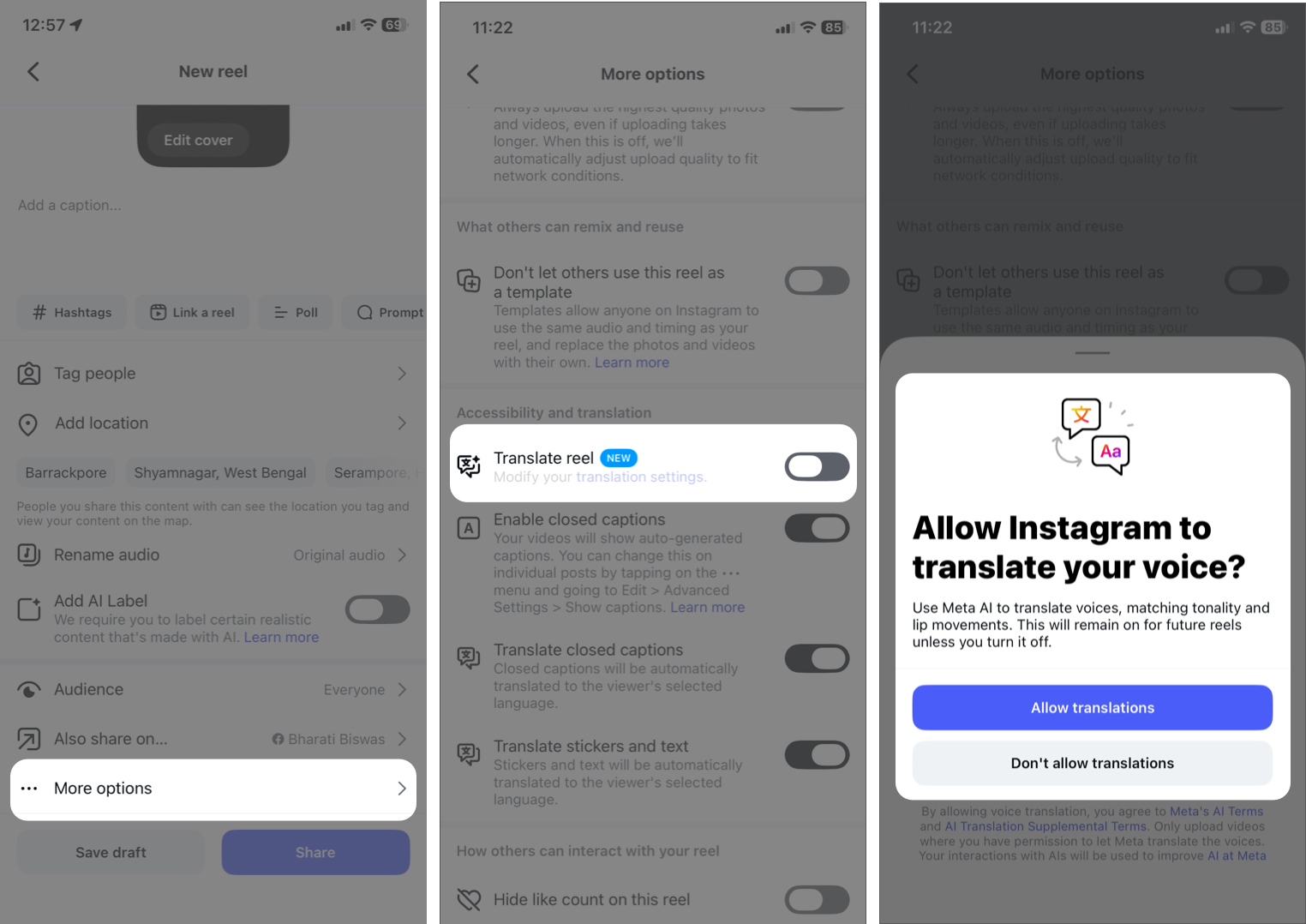
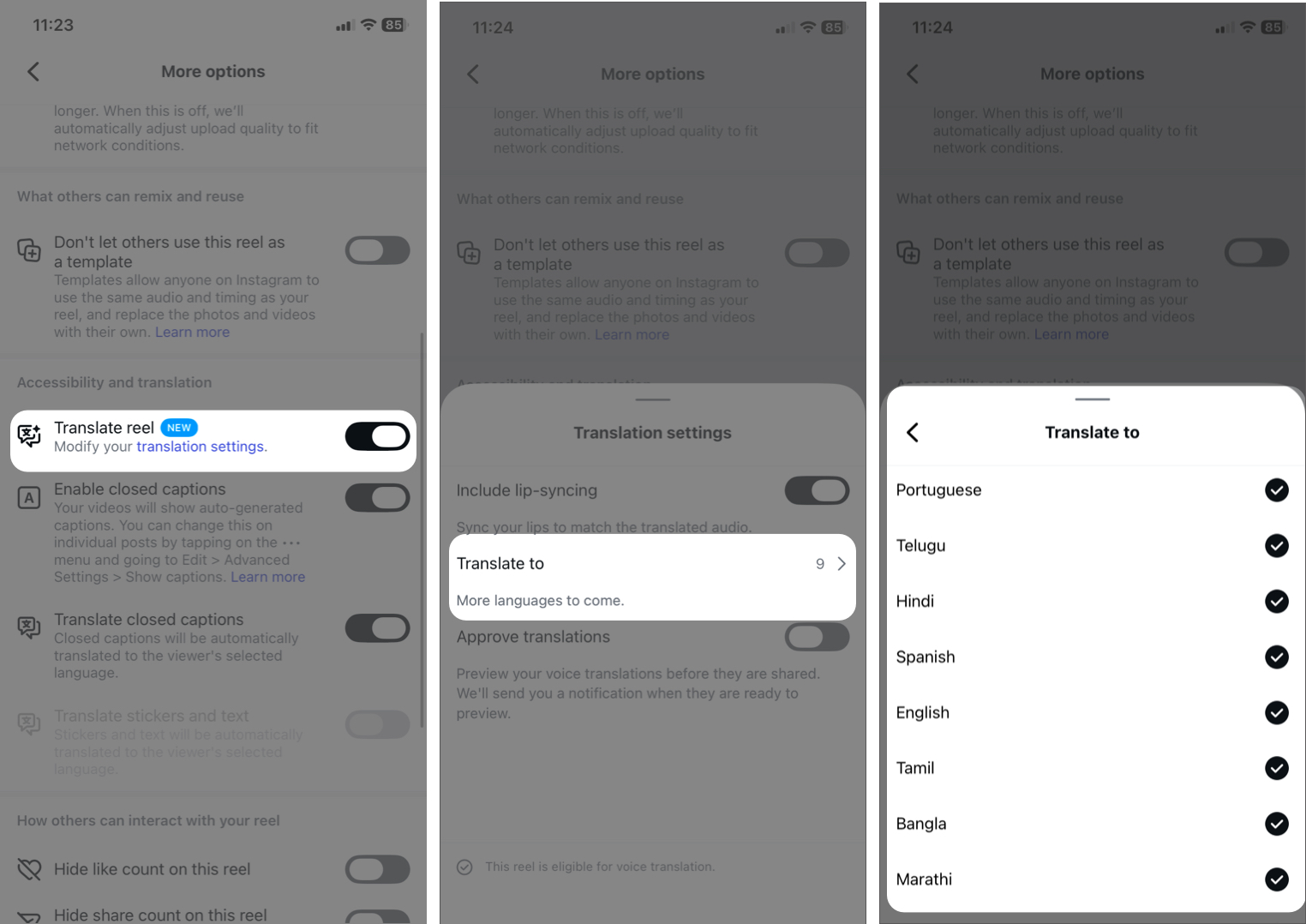
Just upload the reel and let AI do its magic!
If you consume a lot of Reels, the Auto Scroll feature makes the binge experience smoother. Rather than swiping manually, Instagram can automatically move to the next Reel after one finish. It’s a small feature, but it improves usability and hands-free viewing.
To enable it:
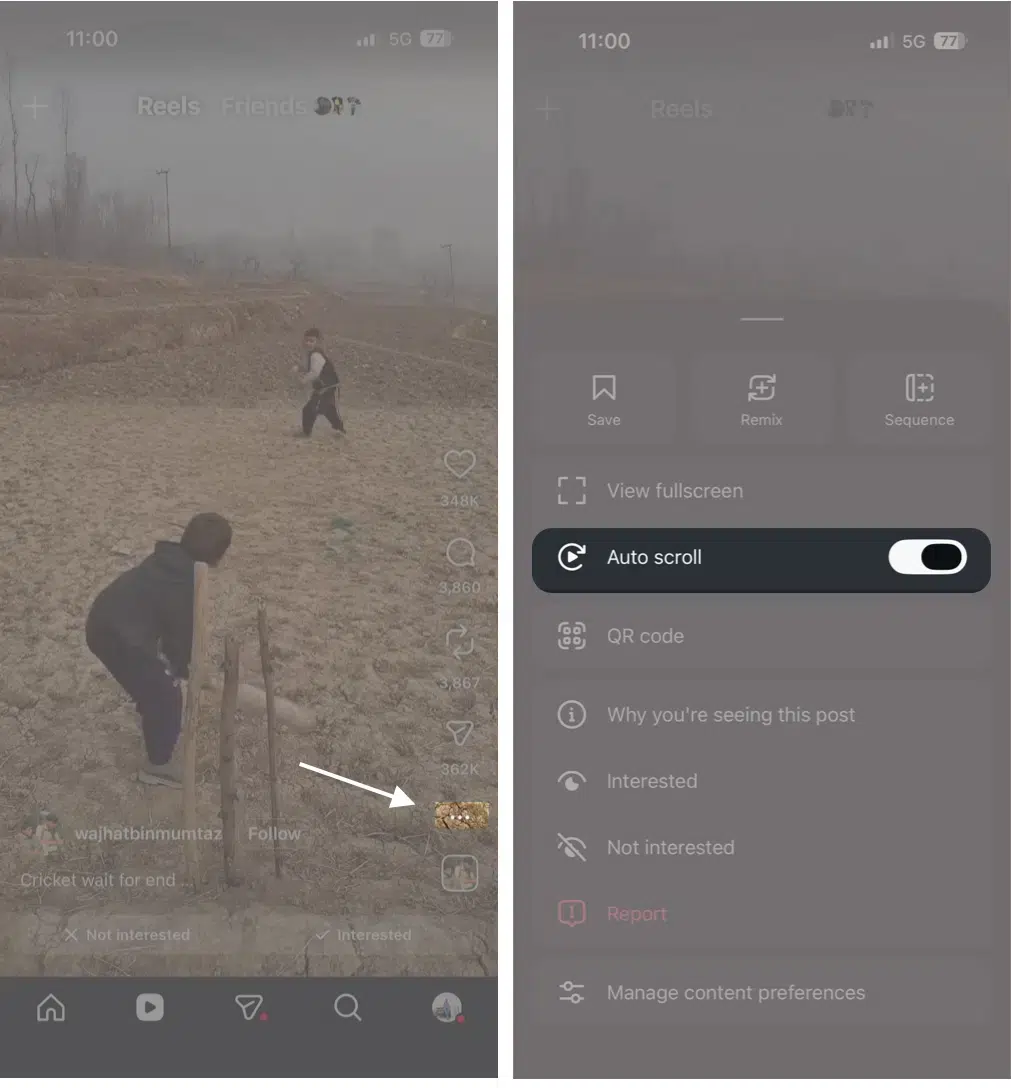
If you don’t see it yet, update your app. Instagram frequently rolls out features gradually.
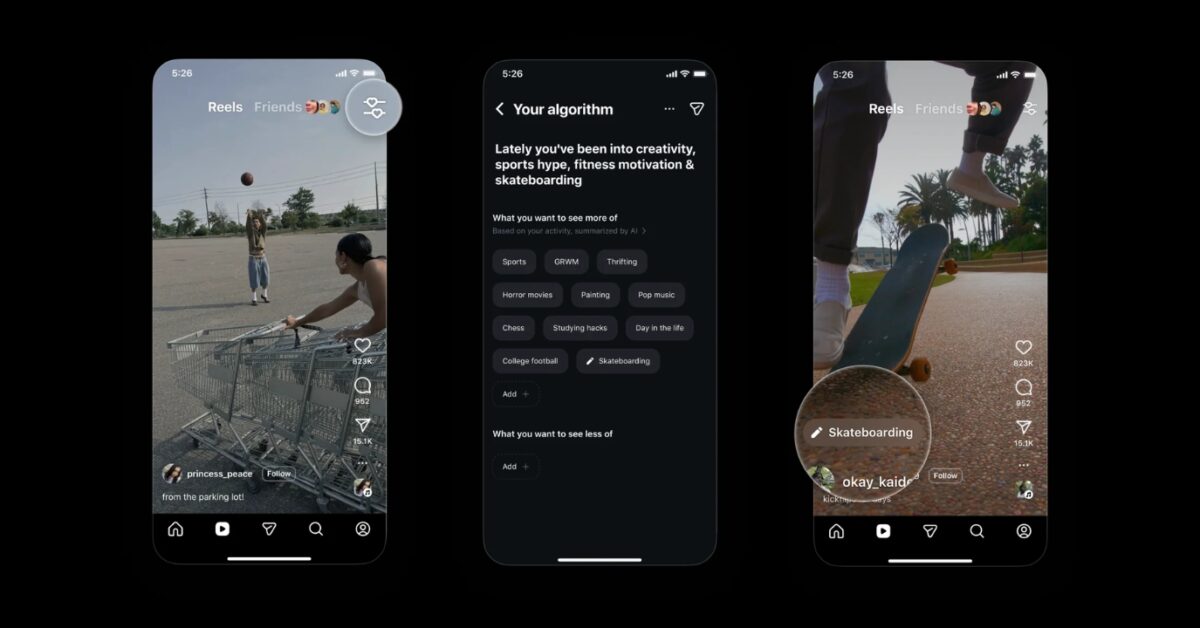
Your Instagram feed is controlled by the Instagram algorithm. But most users don’t realize they can train it.
Here’s how to personalize your feed like a pro using Your Algorithm:
The more intentional you are, the better your feed becomes.
Take 10 minutes to clean your feed. Your daily scrolling experience will improve dramatically.
Instagram now makes it easier to repost public content. When you repost, your followers can see it on their feed. Also, there will be a dedicated Repost tab on your profile. So you can curate your favorite content with little effort.
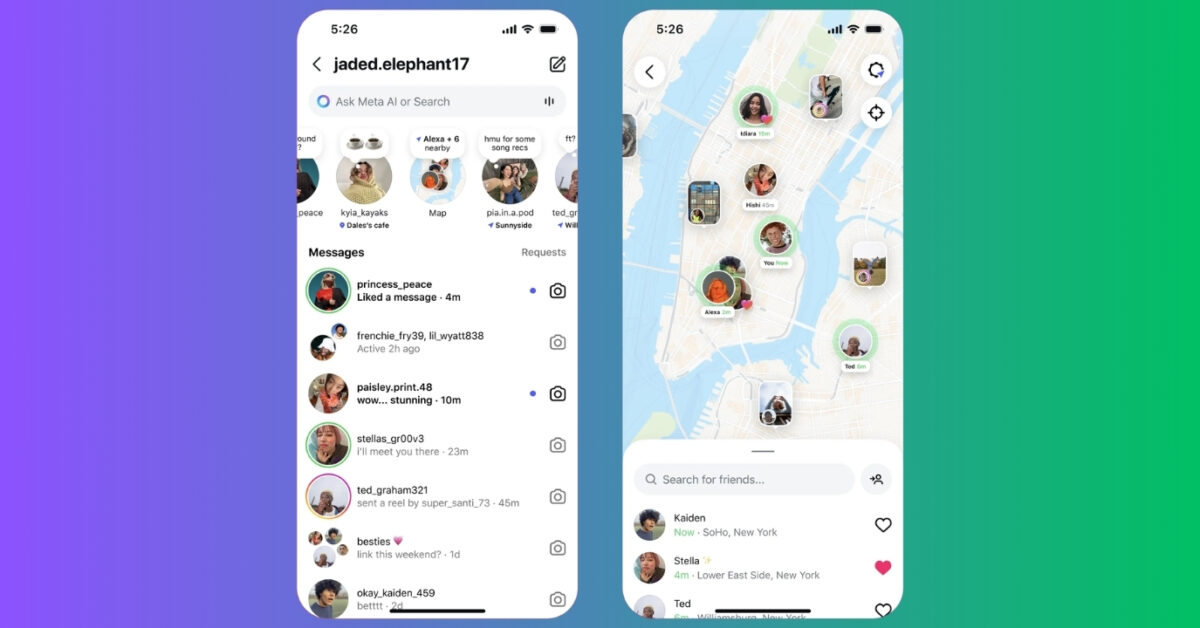
Want to stay updated with close friends? Instagram Maps lets you share your last active location with select friends and see where they’ve been posting.
If you’re serious about content creation, this is a pro-level strategy. Instead of posting random Reels, you can create a mini-series by linking the reels. This will increase watch time, encourage profile visits, and build anticipation.
Instagram now allows you to send high-quality (HD) photos in Direct Messages (DMs). So, you can easily share crisp, clear images with your friends, family, or clients. Previously, Instagram compressed images sent through DMs, reducing their quality. With this new feature, you can ensure that your photos look just as sharp as when you captured them.
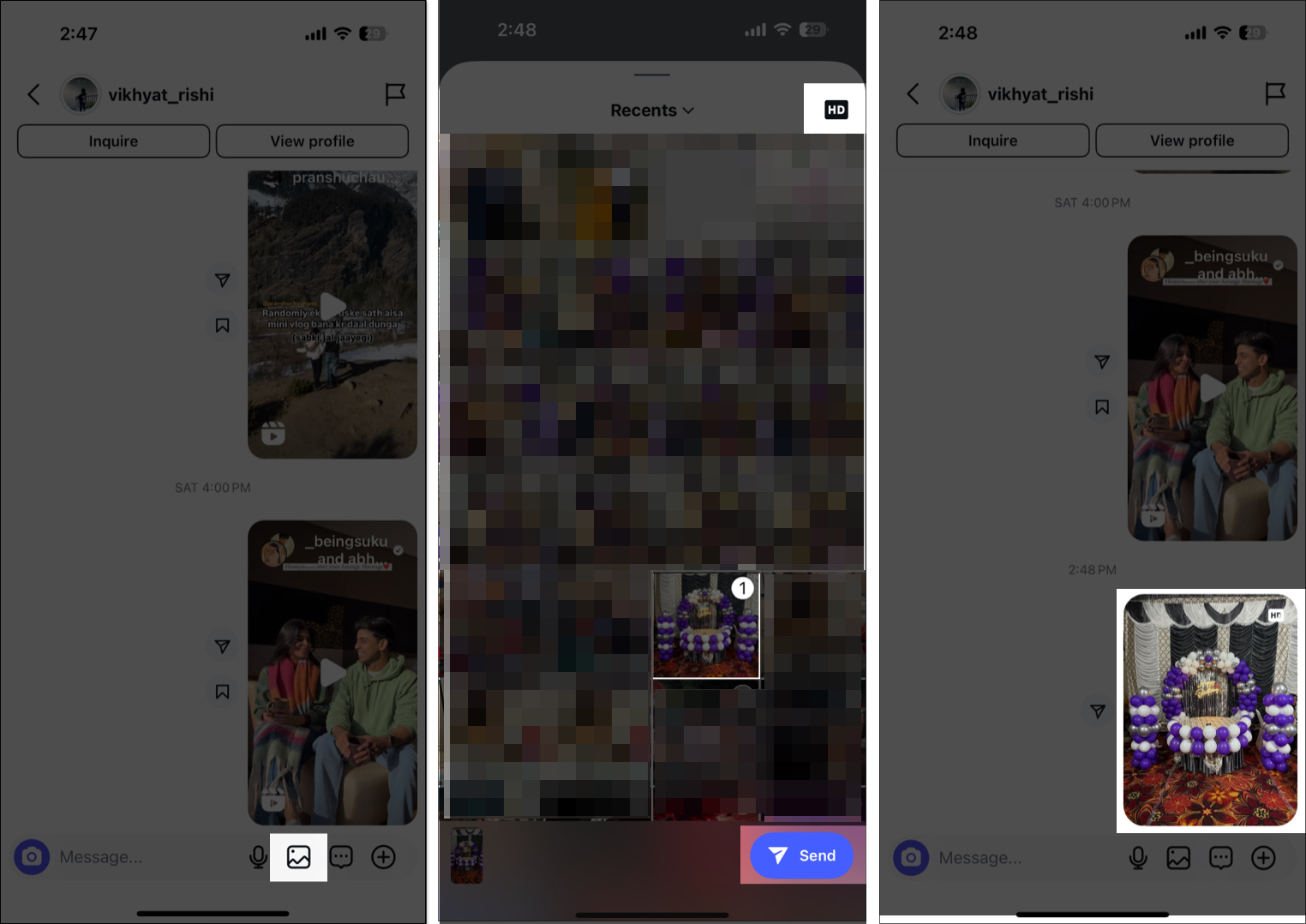
Simply open Instagram and go to a friend’s or family member’s DM. Select a photo and tap the HD button before sending it. If you don’t see this option, update your Instagram app to the latest version. Finally, tap the send button.
This feature makes sharing photos on Instagram from your iPhone even more convenient, without the need for third-party apps!
If you often miss sending important messages at the right time, this tip can be a lifesaver. You can schedule messages in Instagram DMs to ensure they are delivered at the right time, even when you’re offline.
To do so, type your message as you normally would in a DM. Now, instead of tapping the send button, press and hold it for a few seconds. A scheduling menu will pop up. Set your preferred date and time and tap the Send button below. Your message will now be sent automatically at the selected time.
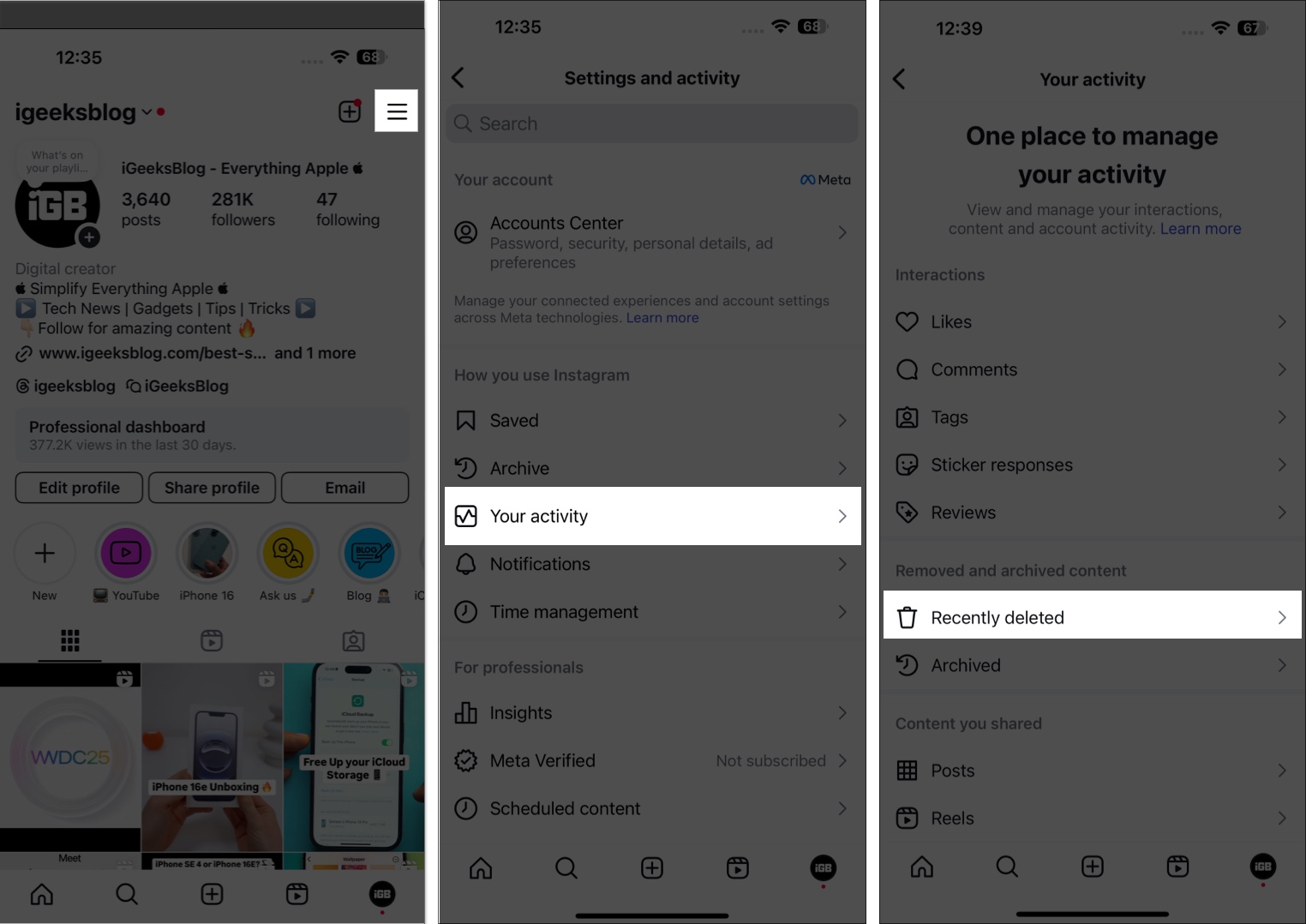
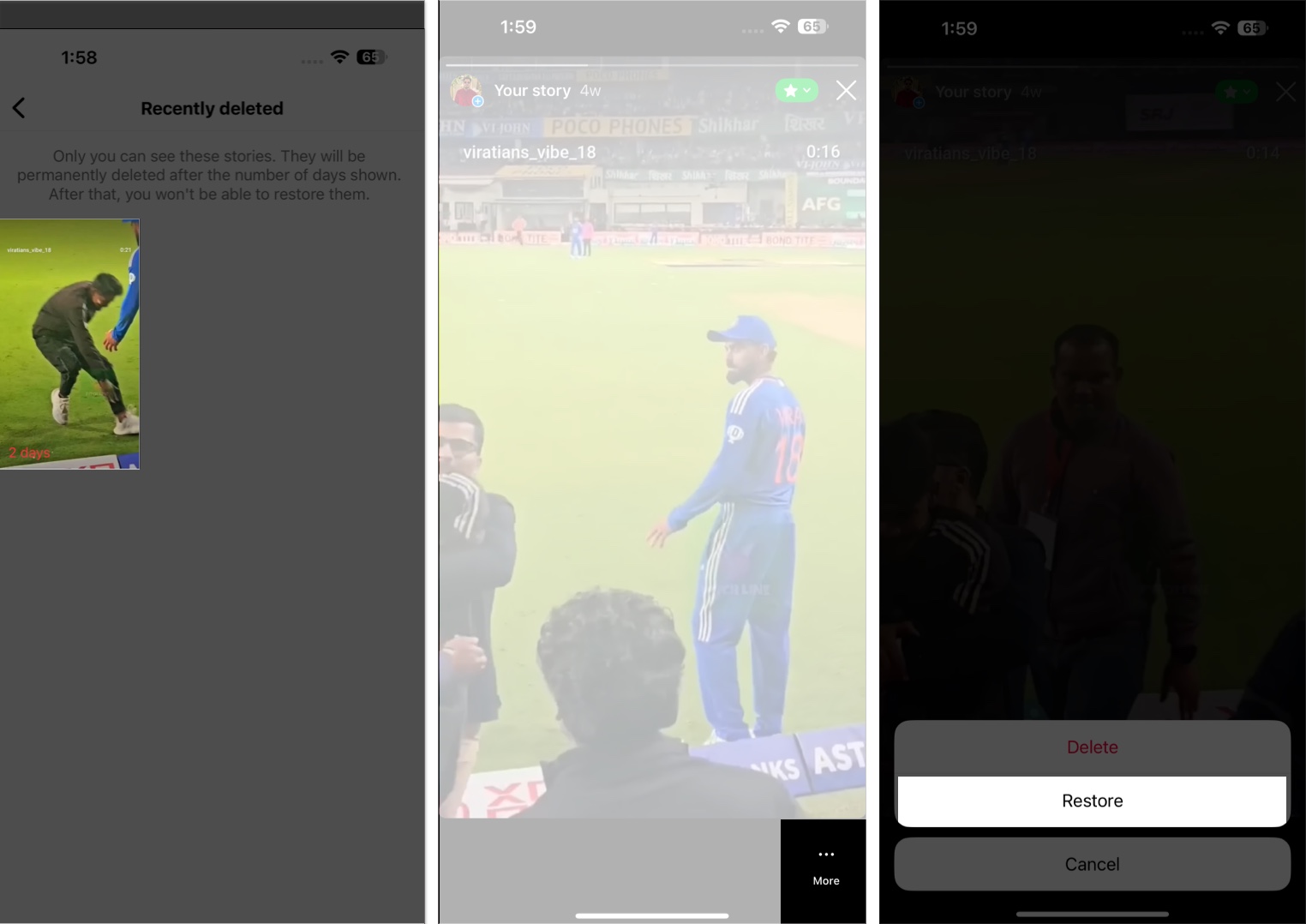
If, instead of archiving, you accidentally deleted an Instagram post, reel or story and regret doing so, you don’t need to worry at all. You can easily recover a deleted post or story in just a few taps. Here’s how:
Are you wondering if someone has unfollowed you on Instagram? Unlike on other platforms, Instagram doesn’t notify you when someone unfollows you, but you can check manually or use third-party apps.
If you suspect someone has unfollowed you, you can check your Followers list on Instagram. If their name doesn’t appear, it means they are no longer following you.
However, checking specific users like this can be time-consuming. So, I suggest using Instagram followers checker tools such as FollowMeter, Reports+ for Followers Tracker, etc. Follow our detailed guide on how to see who unfollowed you on Instagram.
Instagram stories are a popular way to share daily moments with your followers, but they only last 24 hours before disappearing. If you want to showcase certain stories for an extended period, you can save them to your highlights.
Highlights are curated collections of stories you can display on your profile for as long as you like. So you can create a more permanent and organized way to showcase your content. To add a new highlight, go to your Instagram profile, tap the plus sign above your grid, select a past Story, enter your highlight name, and tap Done.
As we mentioned above, Instagram highlights are a great way to keep your favorite Stories on your profile permanently. By default, you can see viewers for the first 48 hours after posting the original Story. After that, the list disappears, and only users who have reacted or engaged with your Story remain.
But have you ever wondered who is viewing your highlights after that? If the Story is older than 48 hours, you won’t be able to see new viewers. However, you can still track engagement using Follower insights for a business or creator account. Simply switch your account type from Instagram settings and select the professional account.
When someone shares your Instagram post, it means they found your content valuable, interesting, or entertaining. Acknowledging and appreciating these users can help strengthen your community, increase engagement, and encourage more people to share your posts.
However, Instagram does not directly show who shared your post, but there are ways to track it. If you have a creator account, you can check the post insights to see how many times your post was shared. Also, if someone has put a Story in your post, you will get a notification.
Want to show off your music taste to your followers? You may add a track, album, or playlist link from any music streaming platform to your Instagram bio. Here, I will show you how to add a Spotify link.
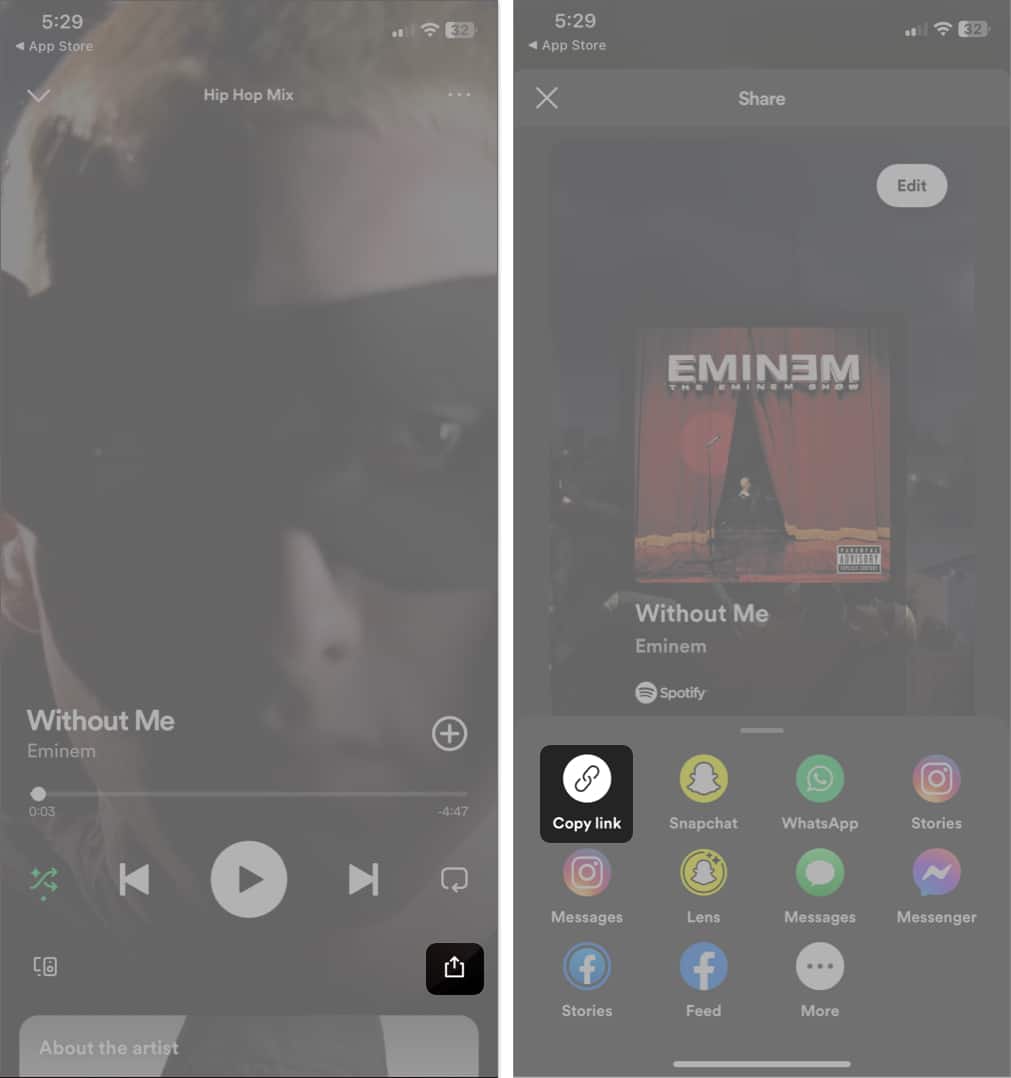
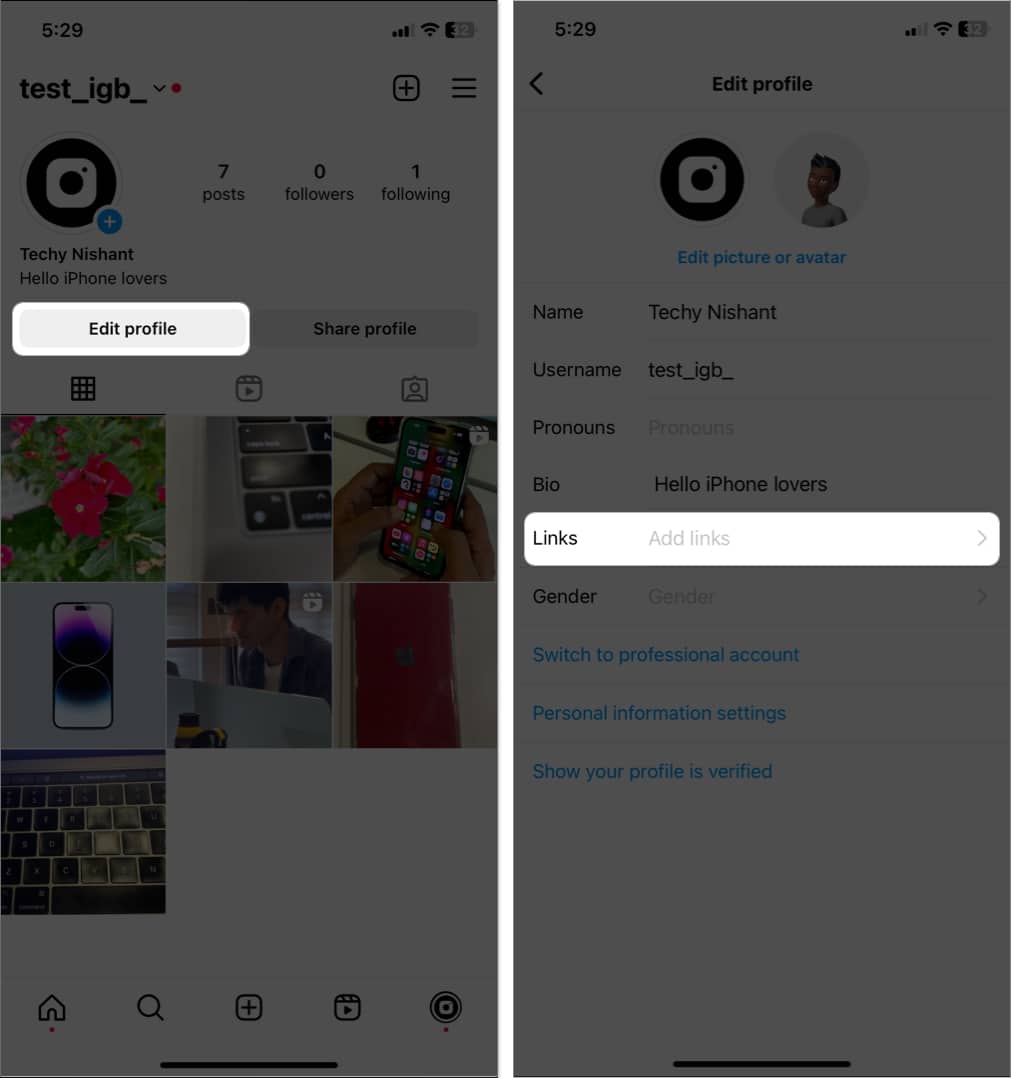
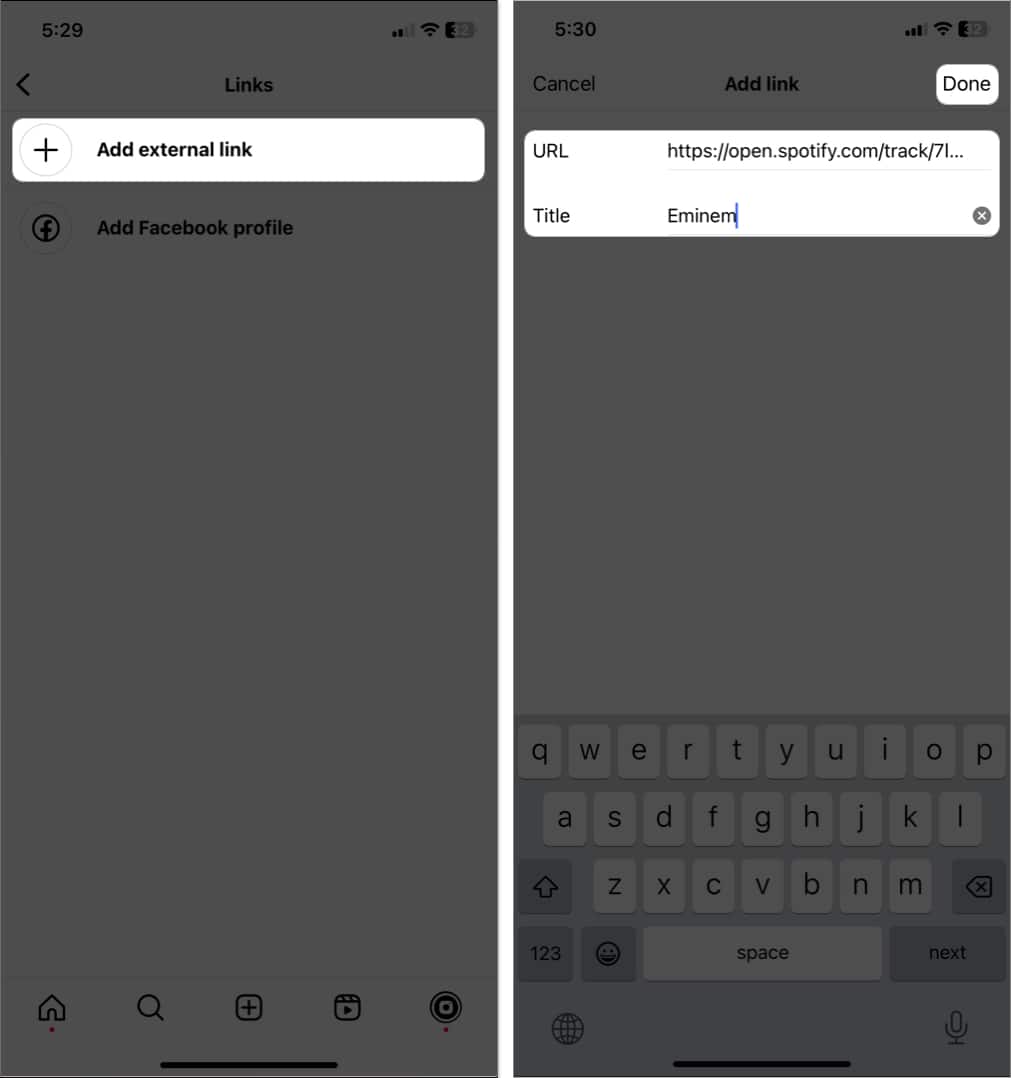
Once a text is edited, both the sender and receiver will see the Edited mentioned below the message bubble.
Don’t want unknown people to see your pics? You need to enable Private Account, which allows you to approve people before they can follow you. It doesn’t apply to your existing followers.
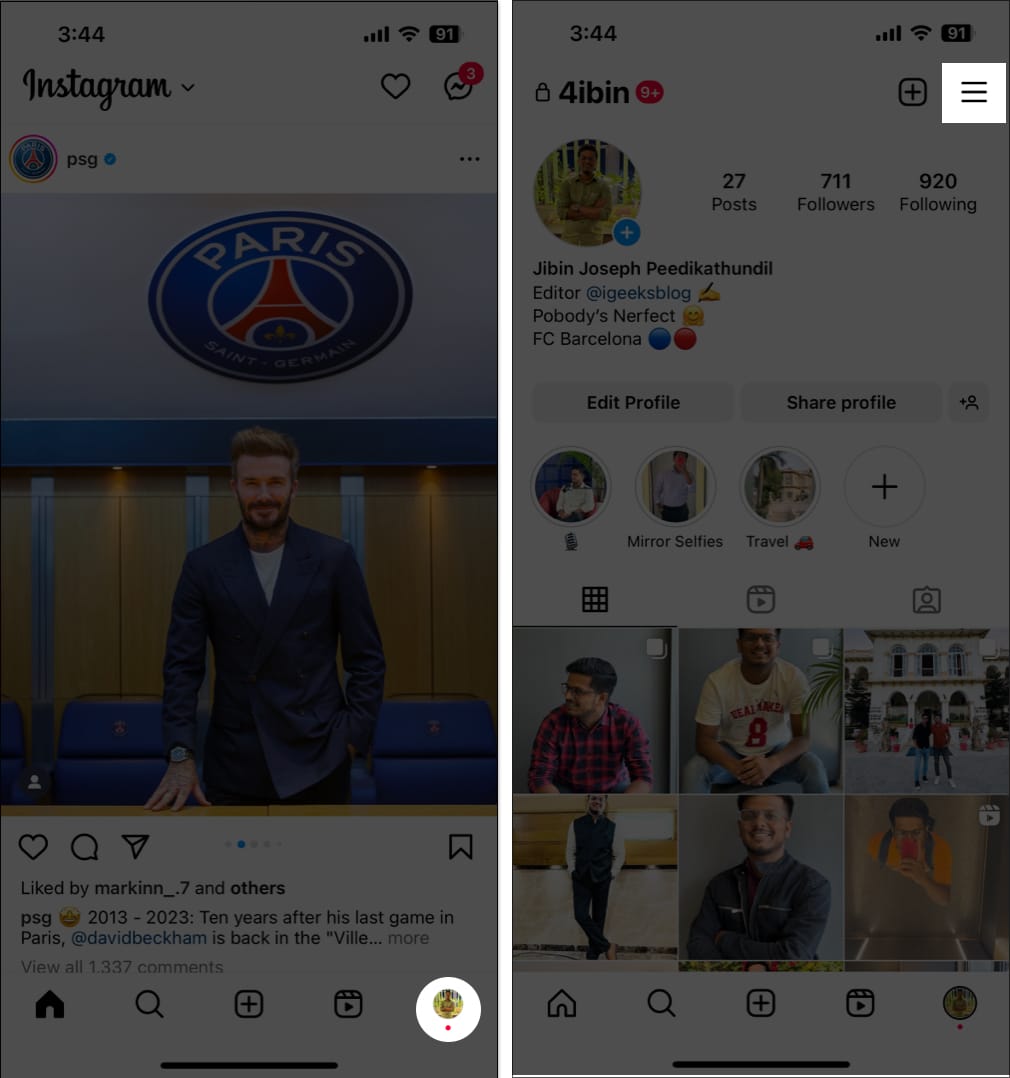
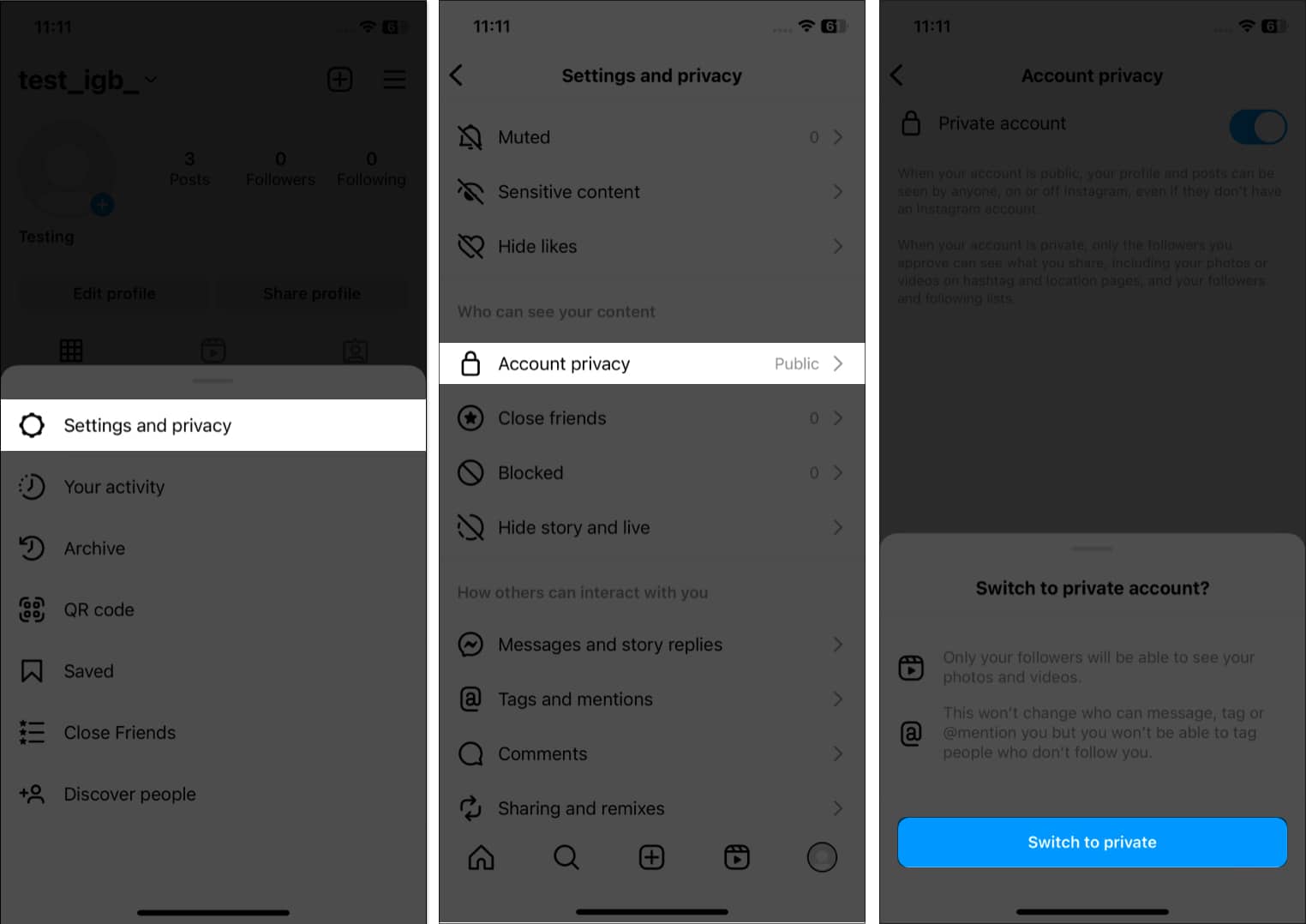
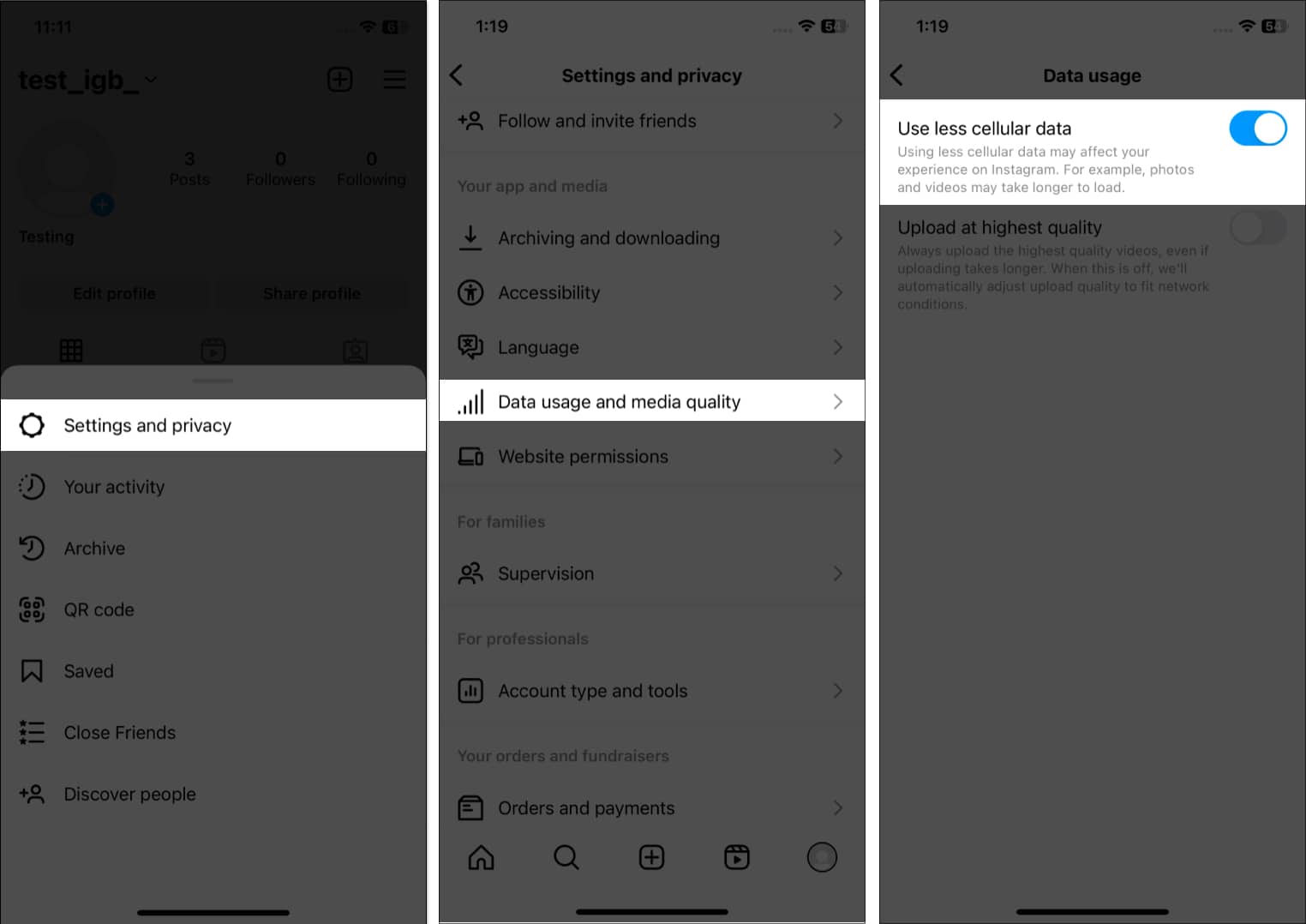
If you have poor network coverage or are short on data, this feature will help. However, it will hamper your experience as the media will take time to load.
Instagram ads are increasing daily, but they can become irritating when they’re irrelevant. So, you may hide them. If the feed got refreshed, you may find recently viewed ads on Instagram.
While you enjoy watching stories from your friends and favorite influencers, there may be times when you want to mute specific stories without unfollowing the user. Perhaps the content is irrelevant to you, or you just need a break from seeing their updates.
Whatever the reason, you can refer to our guide on muting stories on Instagram to tailor your feed to your preferences. So, you can enjoy the content you love without feeling overwhelmed by the content you don’t.
After posting something, you’ve probably encountered a comment you wish to remove or hide. Fortunately, Instagram provides an easy way to hide inappropriate comments. So you can take control of the conversation and maintain a positive environment on your profile.
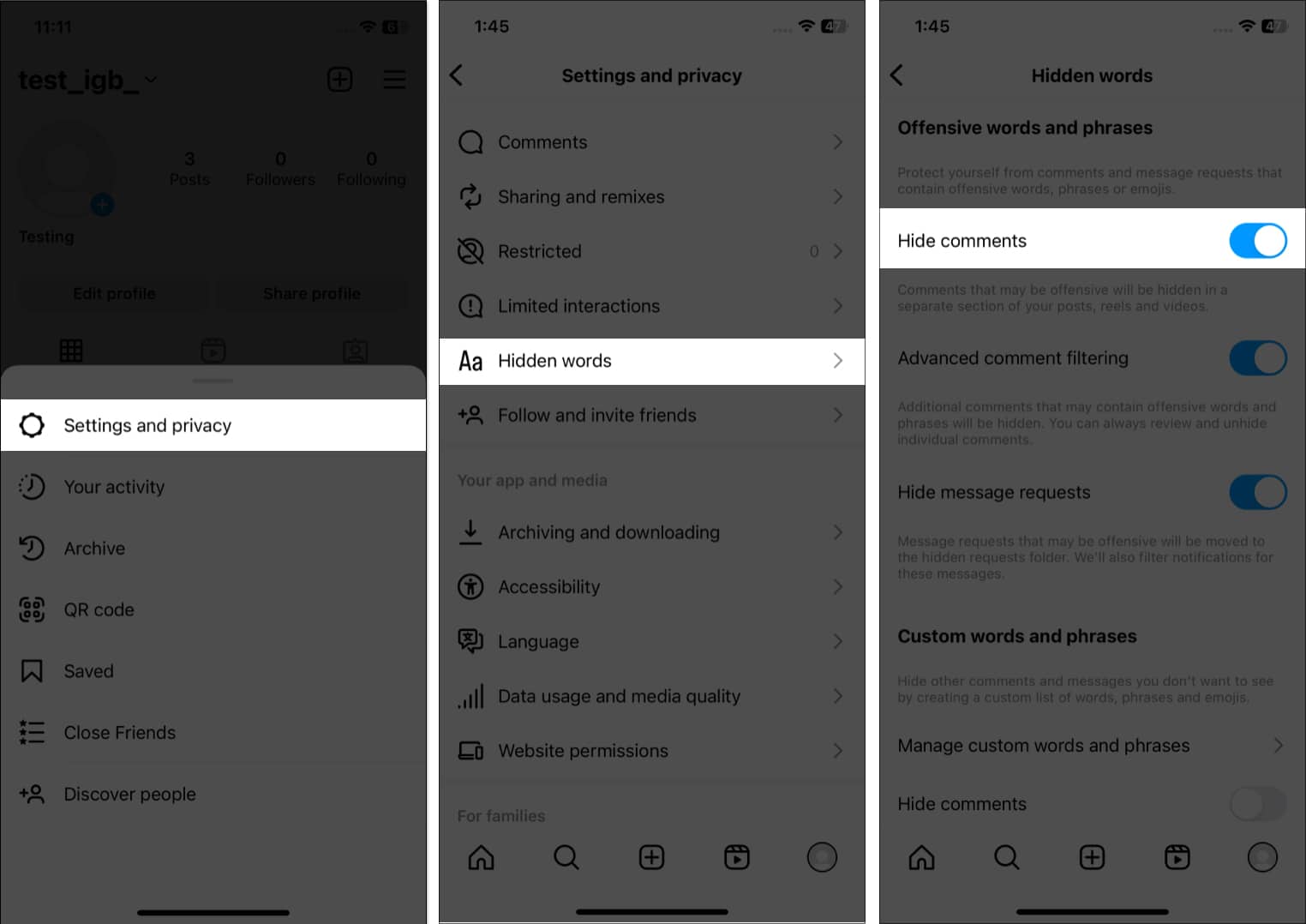
You may also add custom words and phrases that you don’t want in your comment box or message requests from Manage custom words and phrases. Then, toggle on Hide comments under that.
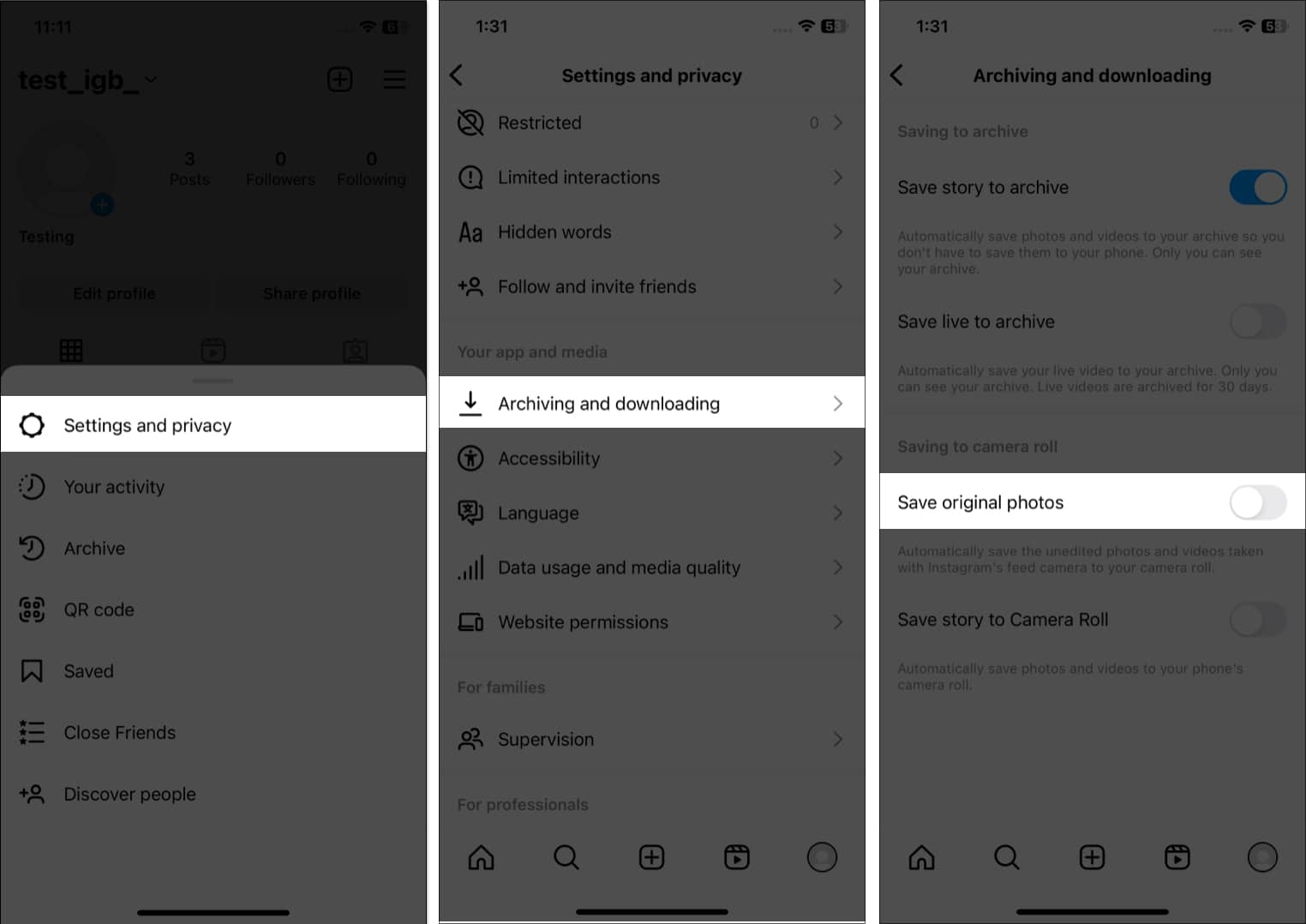
Instagram filters are great. But whenever you post an image, it automatically saves a copy in your gallery. So, your storage may run out quickly.
You can customize your profile in several ways but I most love the pinned posts. You can pin three posts at the top of your feed.
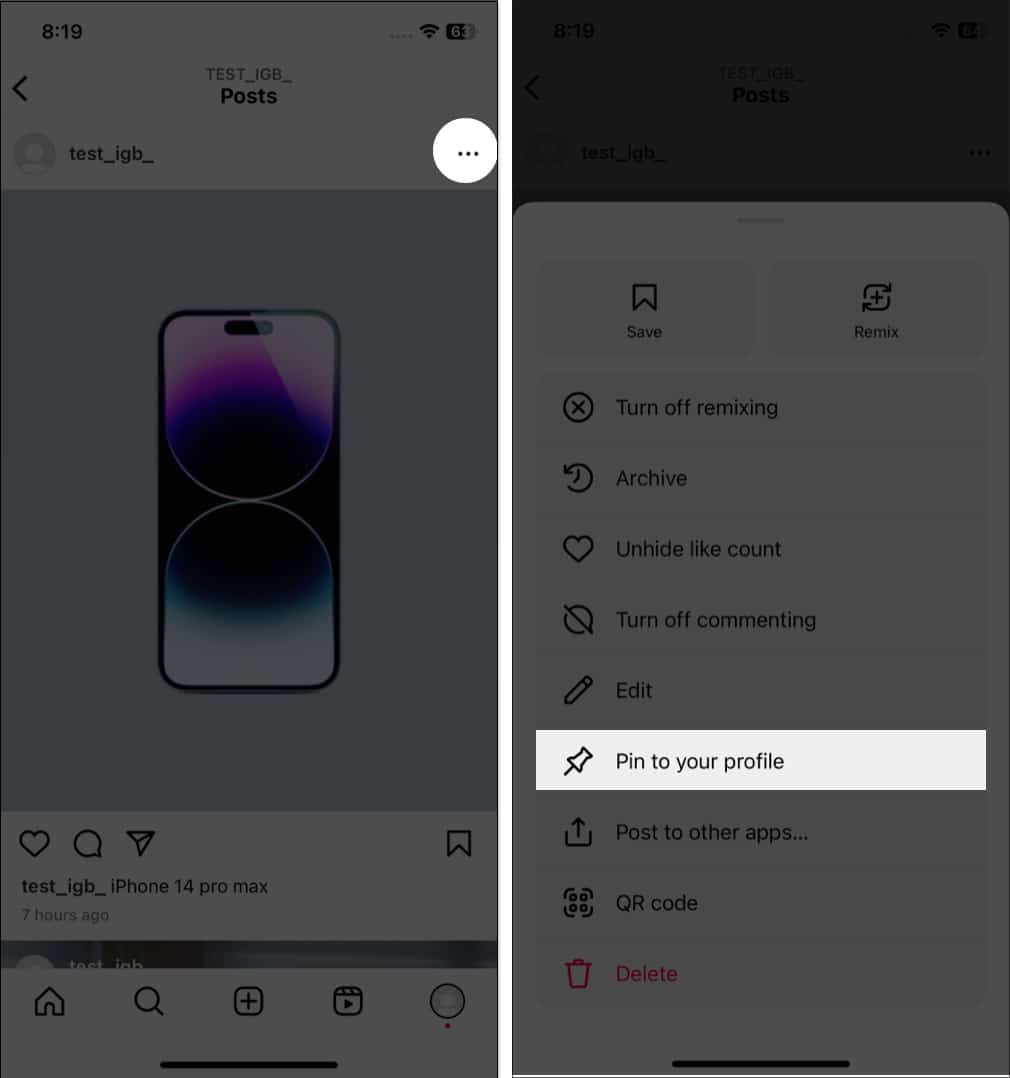
Do you want to know when you joined Instagram and your former usernames or bio texts? Well, you can know all these in easy steps:
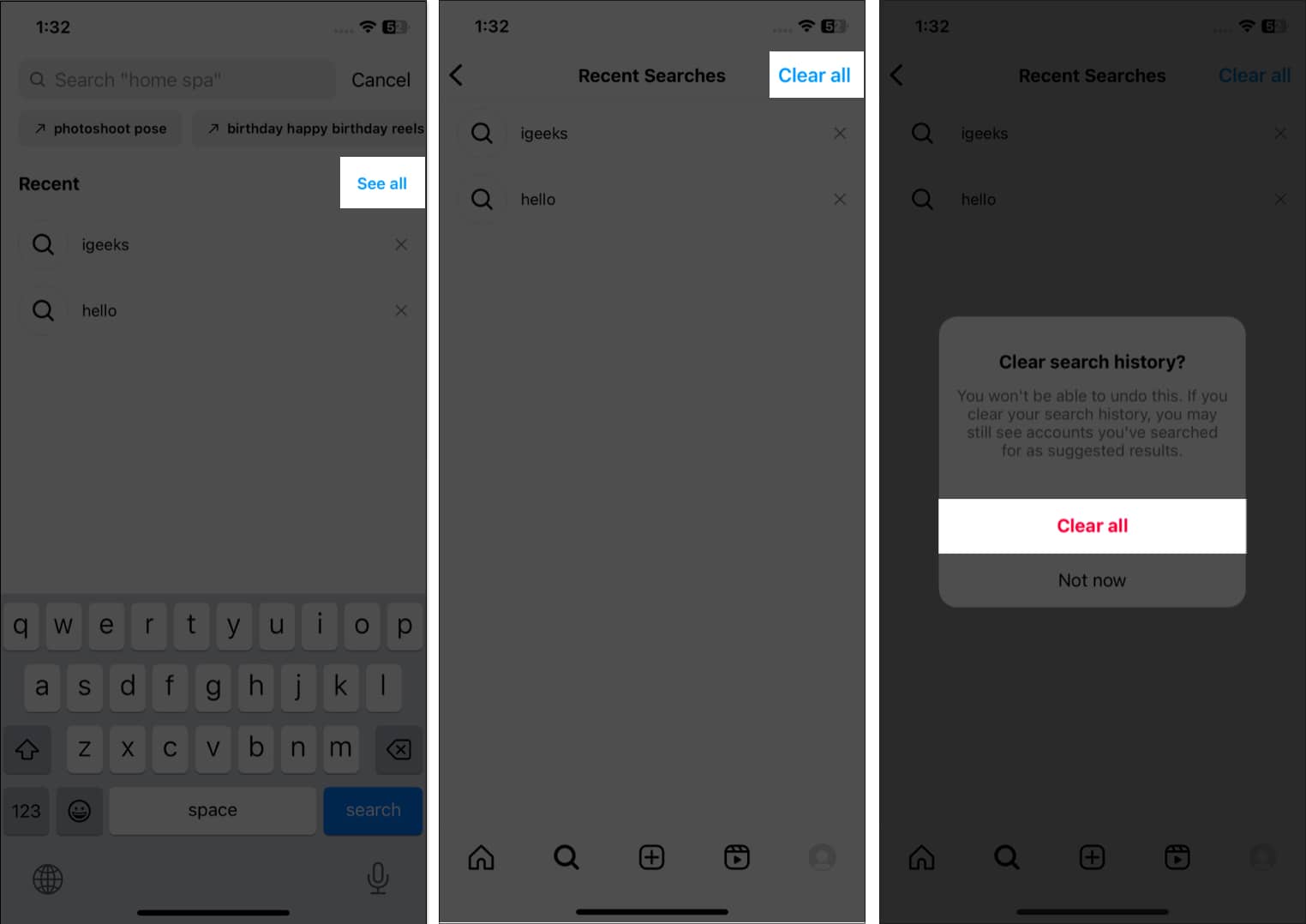
You can clear your Instagram search history and remove all traces of what accounts you searched for. To do this:
Sometimes you may not have enough time to post a photo or video immediately, or you may want to edit it before sharing it. In these cases, you can save your half-finished post as a draft on Instagram. So, you can quickly come back to it later and finish your edits or add captions without losing your progress. Note that the Story drafts will expire in the next seven days.
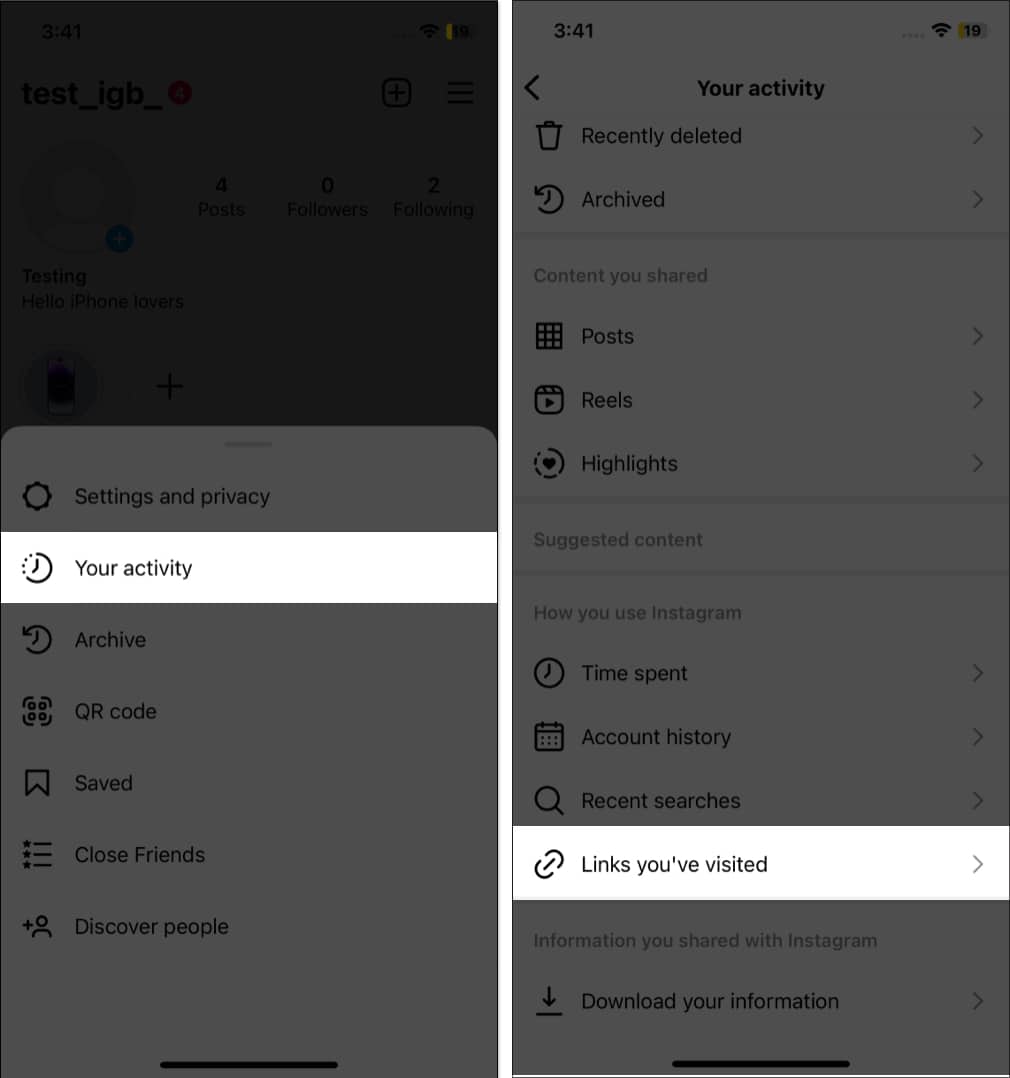
Do you visit websites linked to Instagram posts? The app now records all your link visits so you can return to them anytime.
Rather than searching through your camera roll while posting, you may directly share photos or videos on Instagram from the Photos app. So, you can quickly and easily share your favorite moments with your followers as feed posts/Stories or send them via DM.
Have you encountered an account that makes you feel uncomfortable or harassed? In these situations, you may use Instagram’s “Restrict” feature to limit an account’s interaction with your profile without blocking them.
So, whether you’re dealing with cyberbullying, harassment, or unwanted attention, restricting an account on Instagram can help you take control of your social media experience and protect yourself.
Sometimes, you may want to remove a post or story from your profile feed without deleting it. This is where the “Archive” feature comes in handy. Archiving allows you to hide a post or story from your profile rather than removing it. So you can view archived posts later or restore them to your profile if you change your mind.
Also, Instagram Stories disappear after 24 hours, but you can keep them saved if you archive them. Therefore, archive Instagram posts or stories on your iPhone to easily manage your content and keep your profile looking its best. Later, you may also delete archived stories permanently.
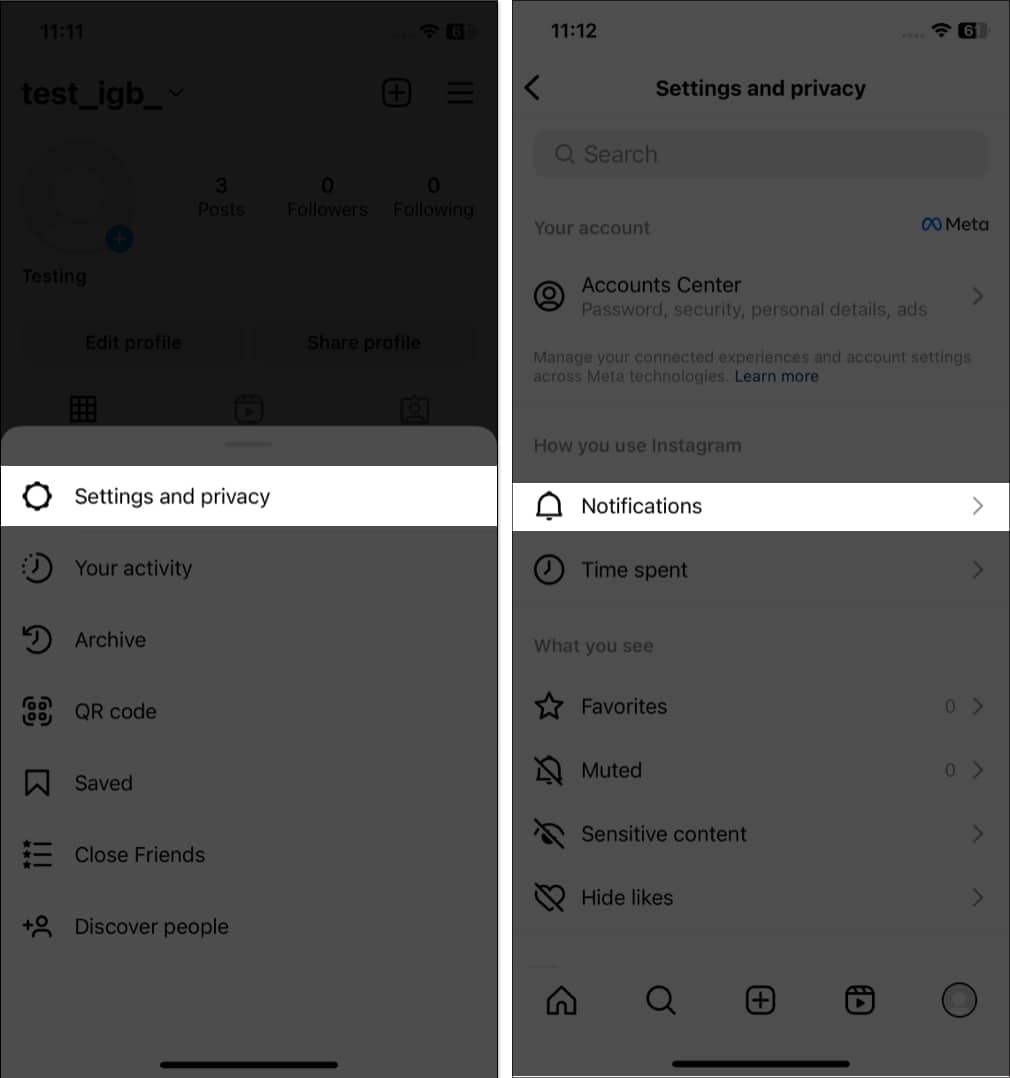
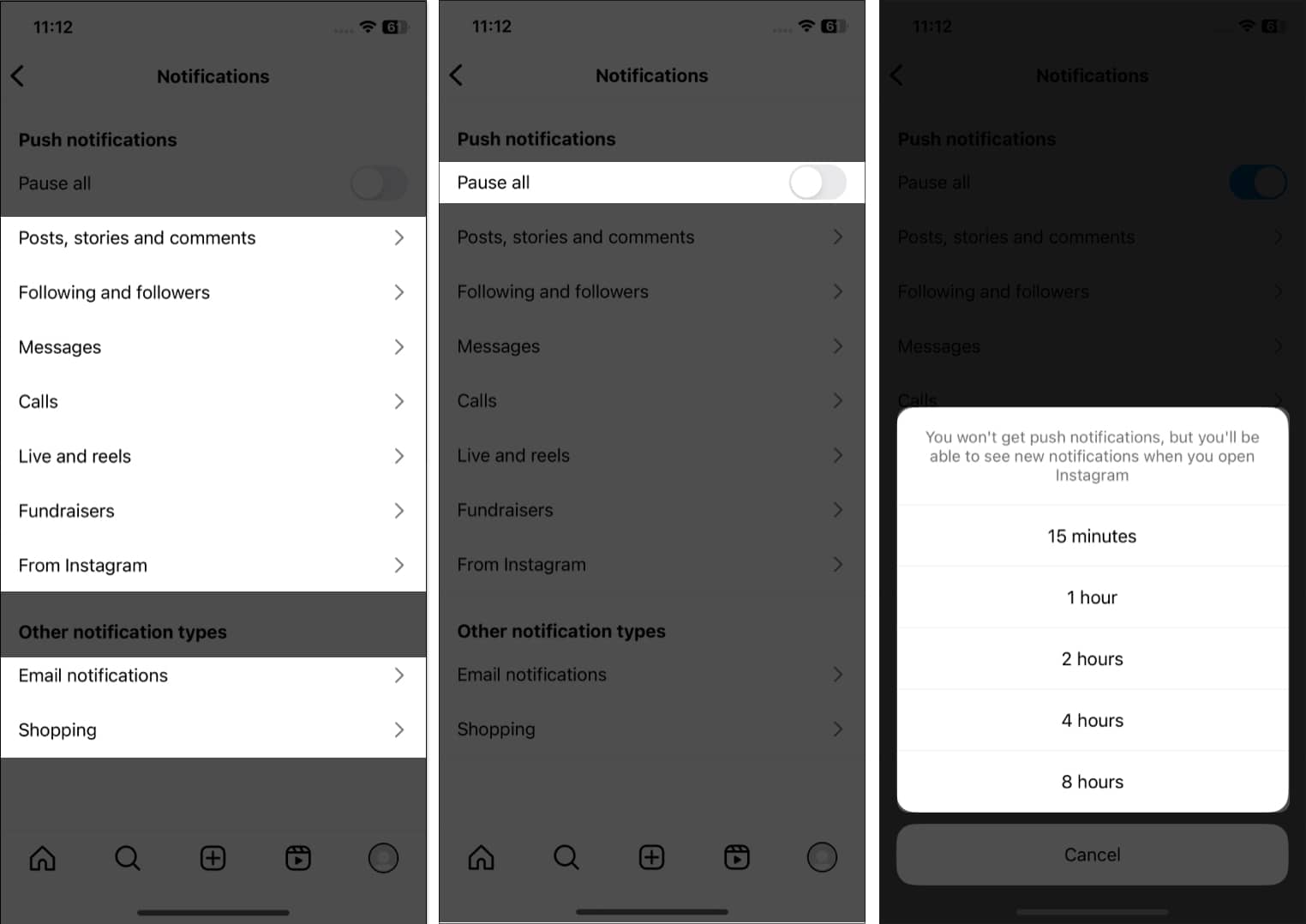
Getting too many notifications can be annoying, but you can change the notification frequency.
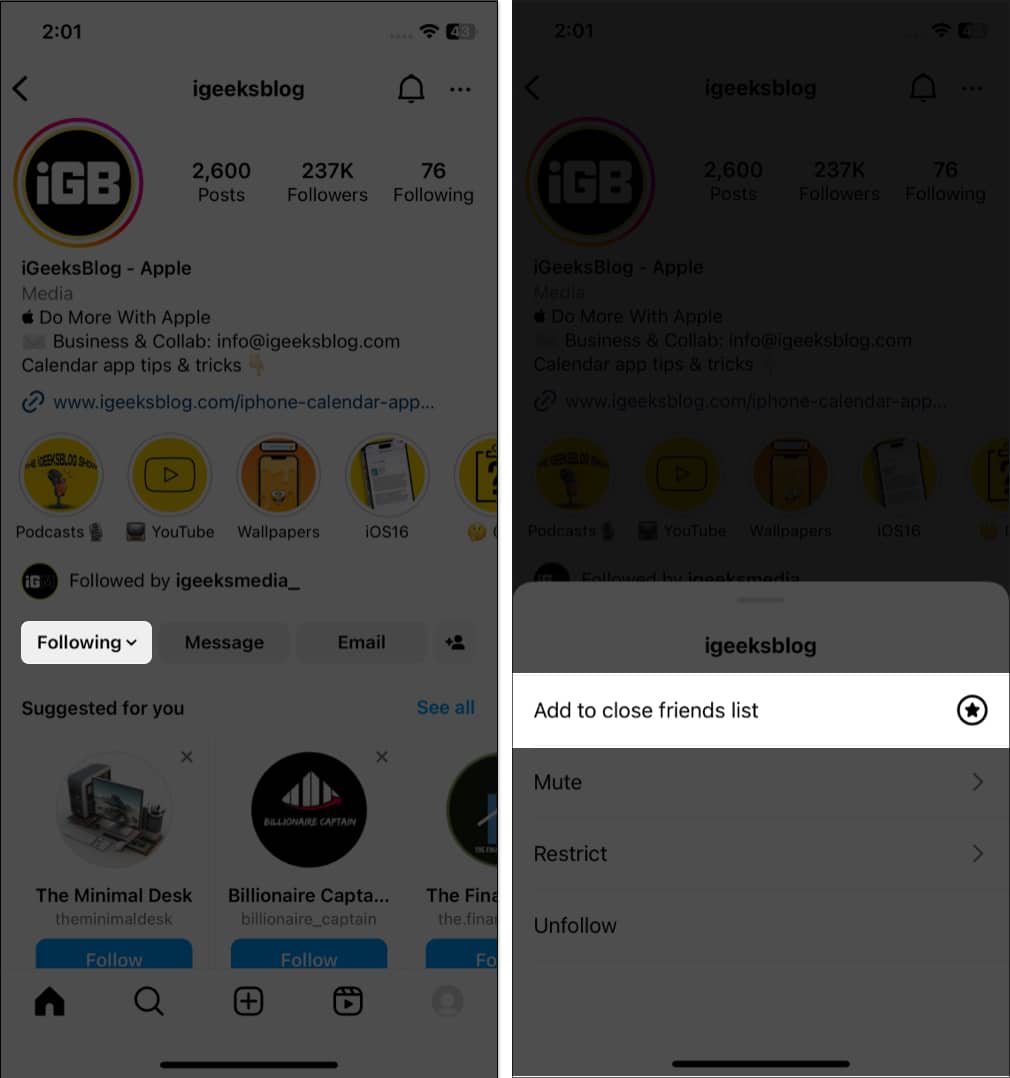
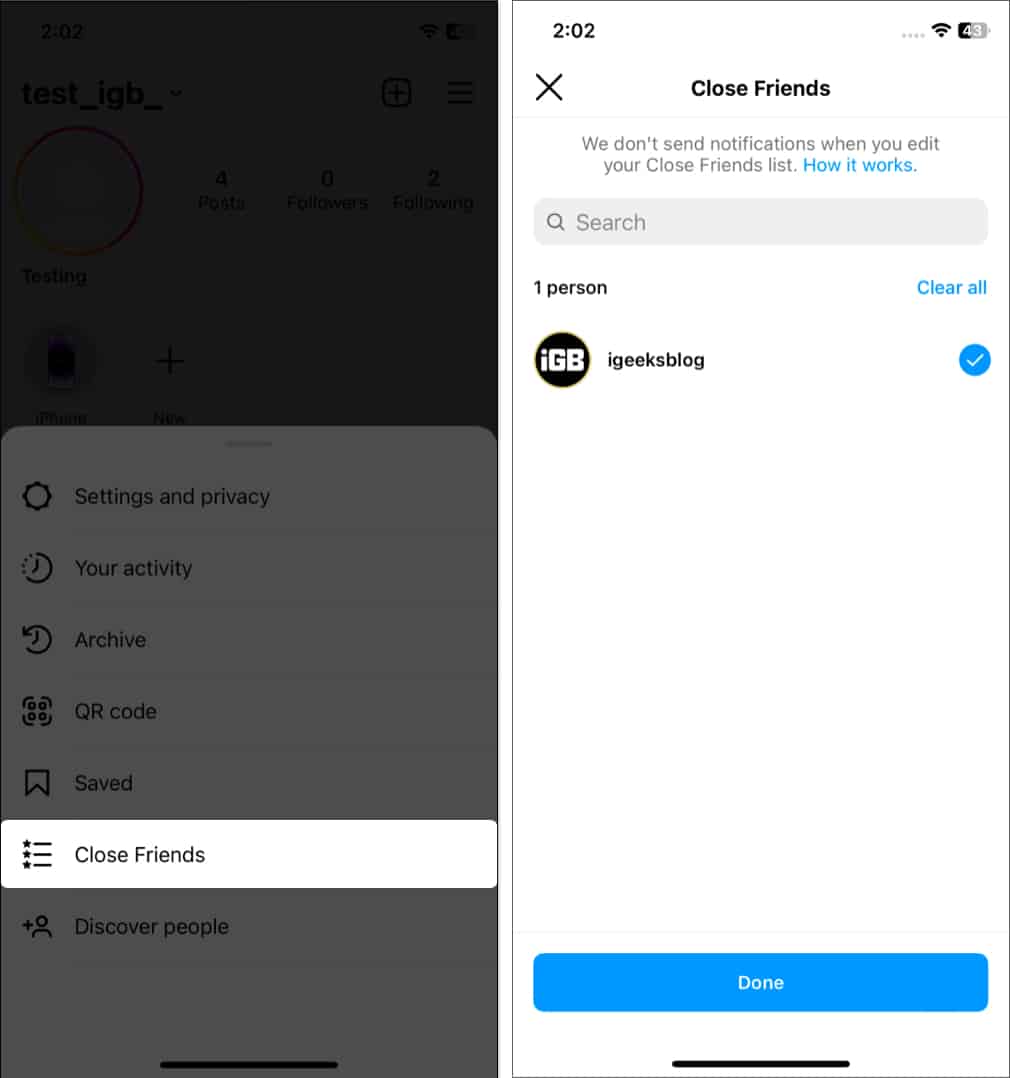
You may add some people as your close friends. This allows you to share stories that are not for everyone, but only close friends. No one can see your close friend list except you. To add a friend as a Close Friend:
If you use Instagram for business or marketing purposes, it’s crucial to have access to your Instagram data. So, Meta lets you download your Instagram data, including photos, videos, messages, and more. This can be a valuable tool for backing up your content or gaining insights into your online presence.
Are you spending too much time on Instagram? Well, you can see the activity time and make adjustments.
You may also set a daily time limit that will notify you once you reach the time duration. Further, you may enable Sleep mode, which will mute notifications for the time you set.
Whenever you come across any insightful posts, you may save them. Just tap the bookmark icon on the post. Also, you may create collections to organize saved posts on Instagram.
If you have another account for professional works or a business account, you may promote that on your primary account.
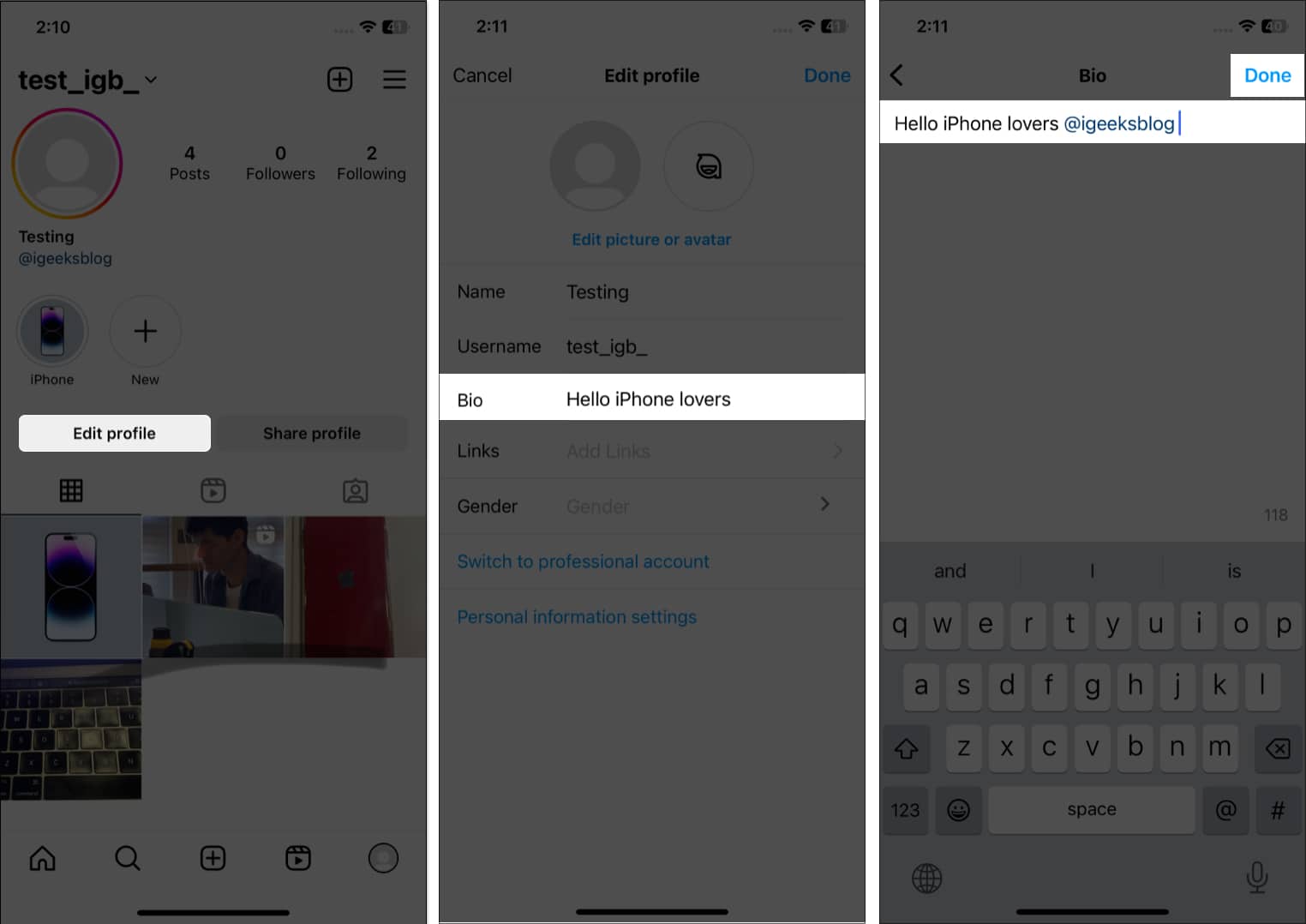
To optimize your bio further, add relevant hashtags (#).
Also, you may add links to your Facebook profile, LinkedIn, or website by tapping Links.
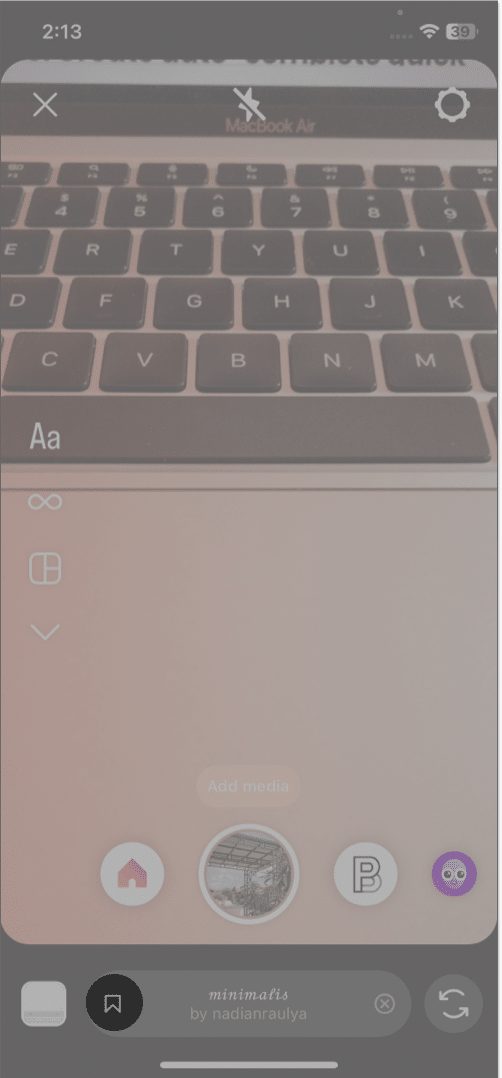
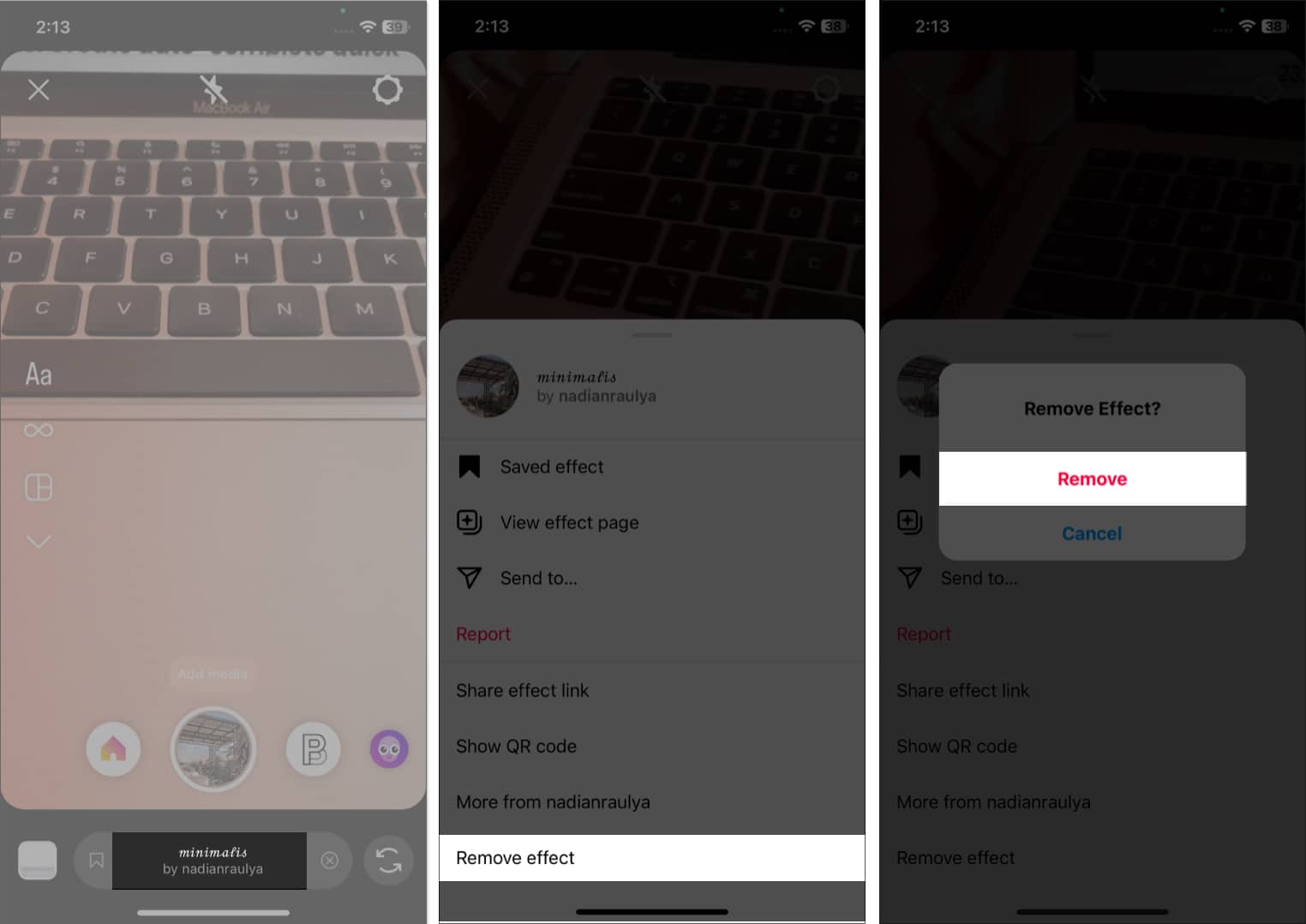
Instagram offers the best filters and effects for capturing stories and reels. But it can be frustrating to search through different filters and find your favorite one each time. How about saving filters for quick access?
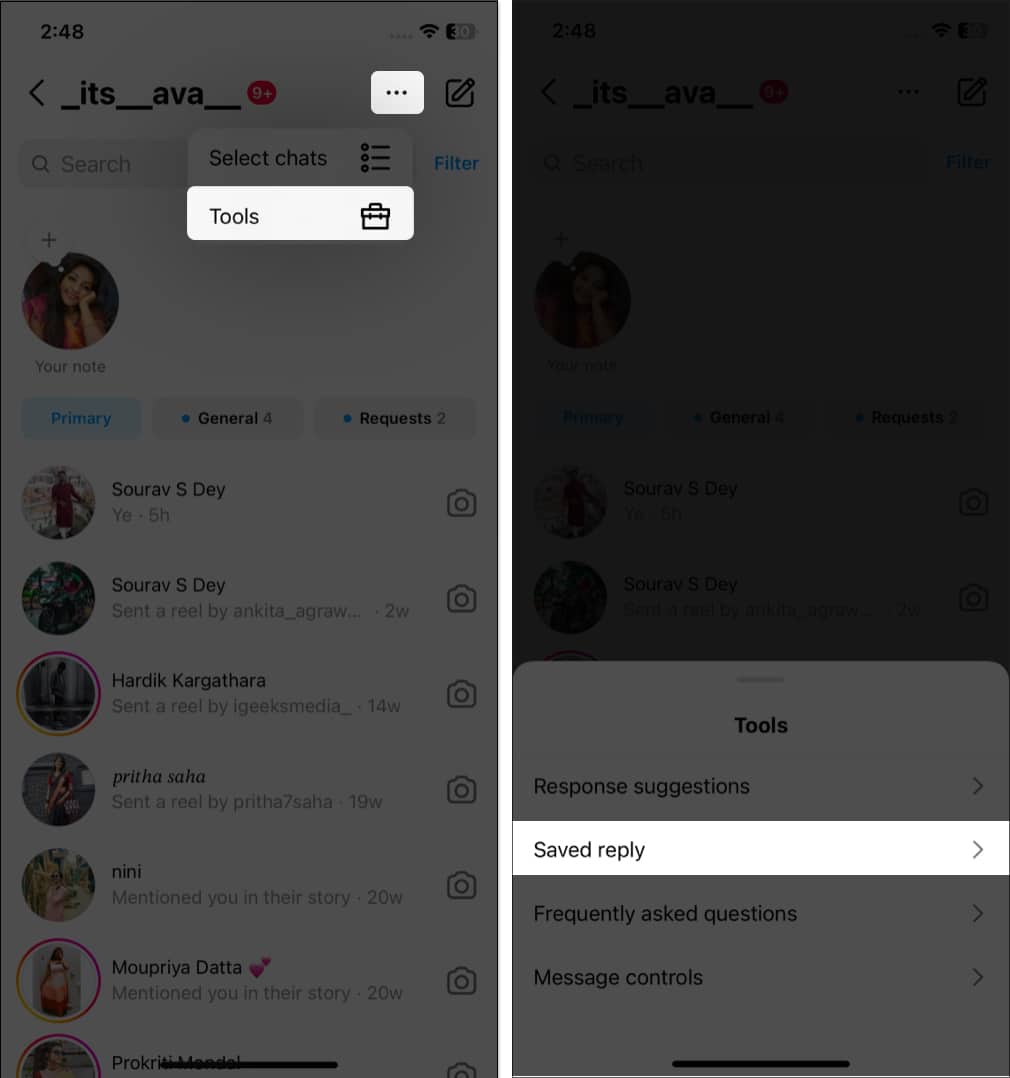
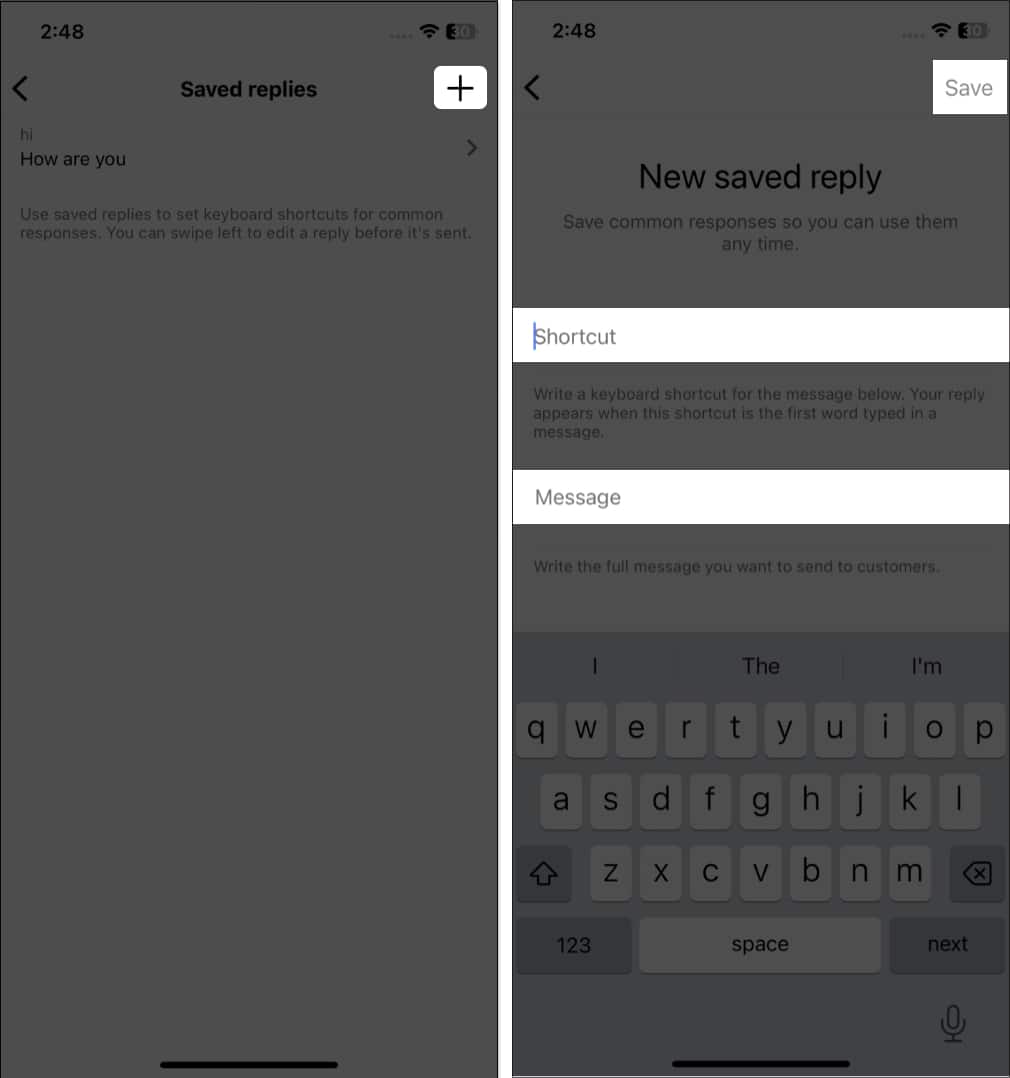
Want to save time replying to direct messages? You can set up automated quick replies on Instagram. The feature is available on professional accounts.
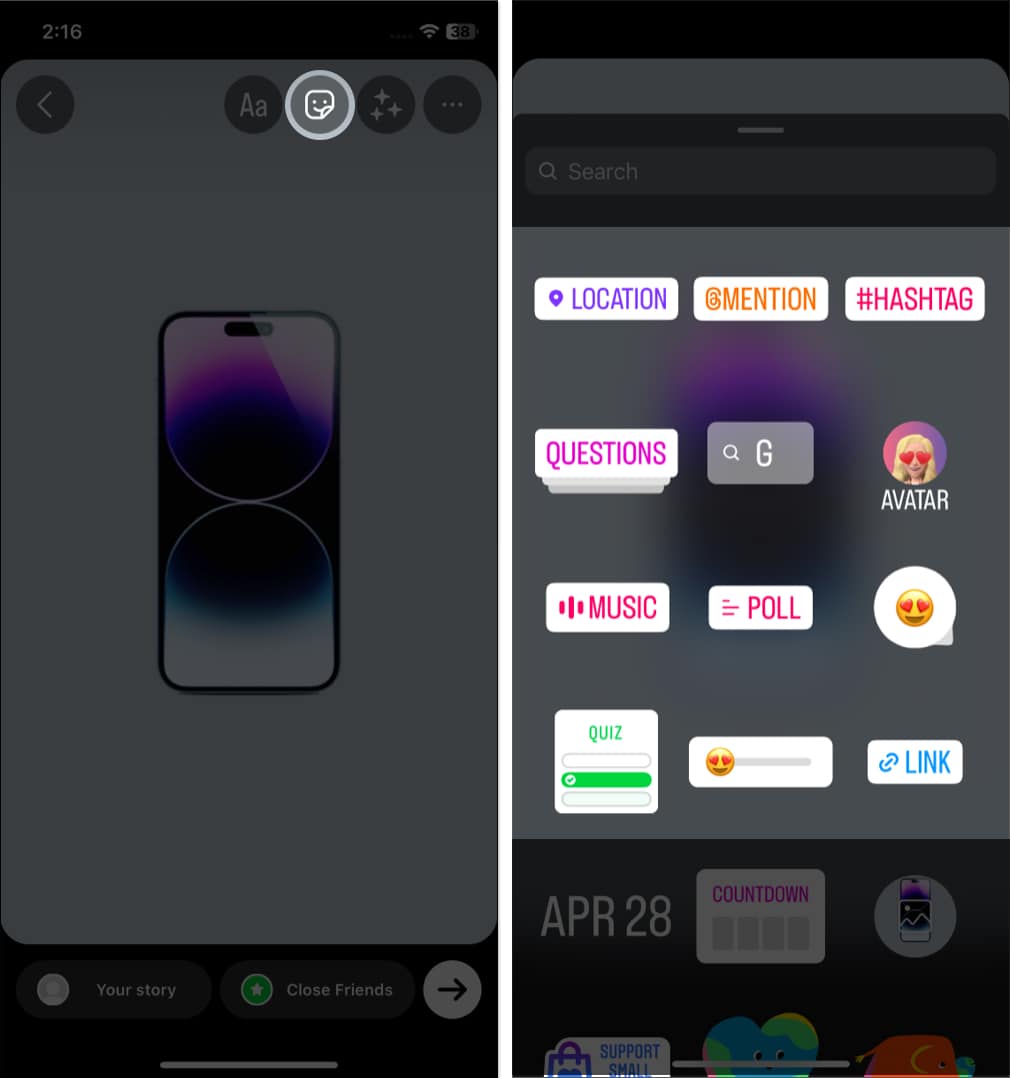
You can easily engage with your followers through Instagram Stories stickers. Let them ask you questions, vote on polls, answer quizzes, etc.
With so much content being shared on Instagram daily, it’s easy to miss posts from those we care about. So, if you don’t want to miss out on any updates from your favorite person on Instagram, you can get notifications whenever they post. To stay up to date with the latest content from someone you admire,
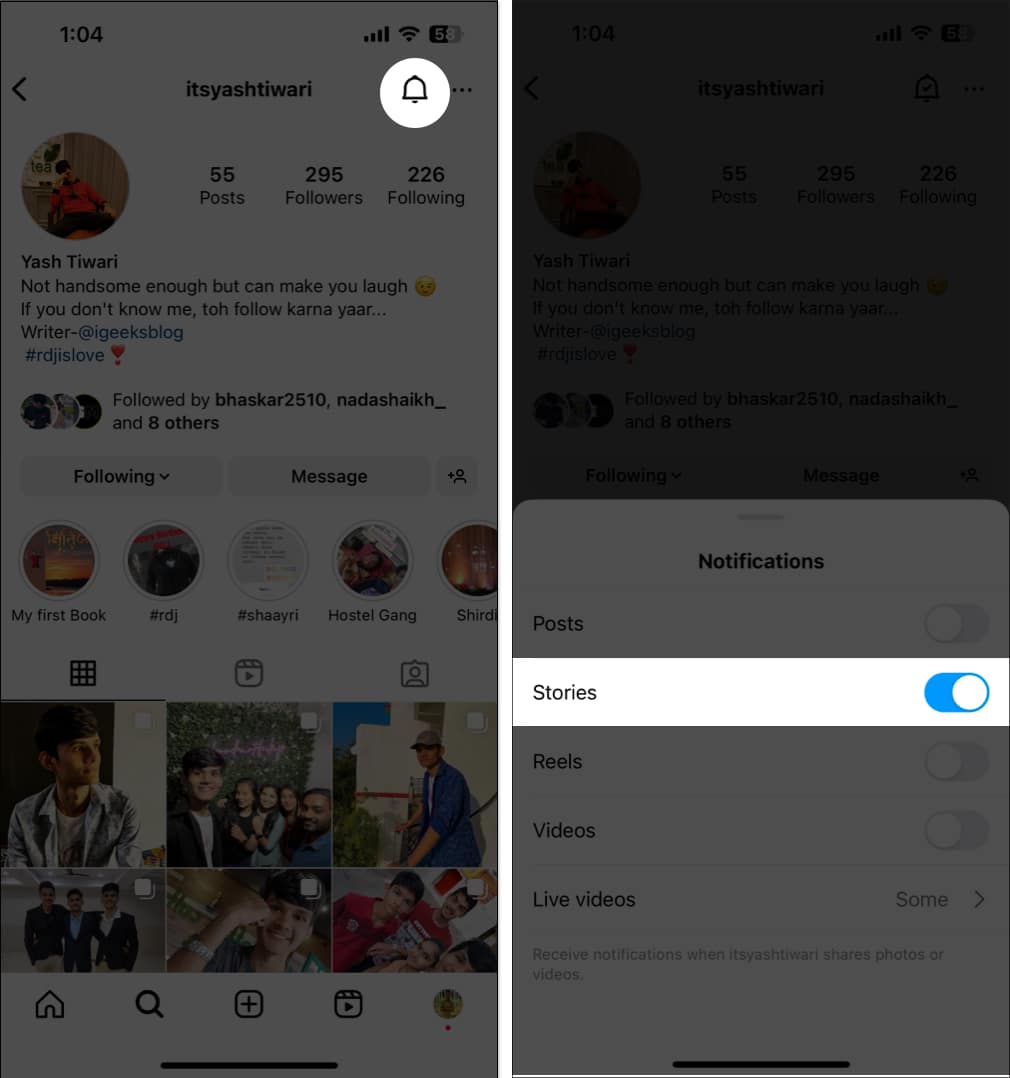
You may enable notifications for Stories, Reels, Videos, and Lives.
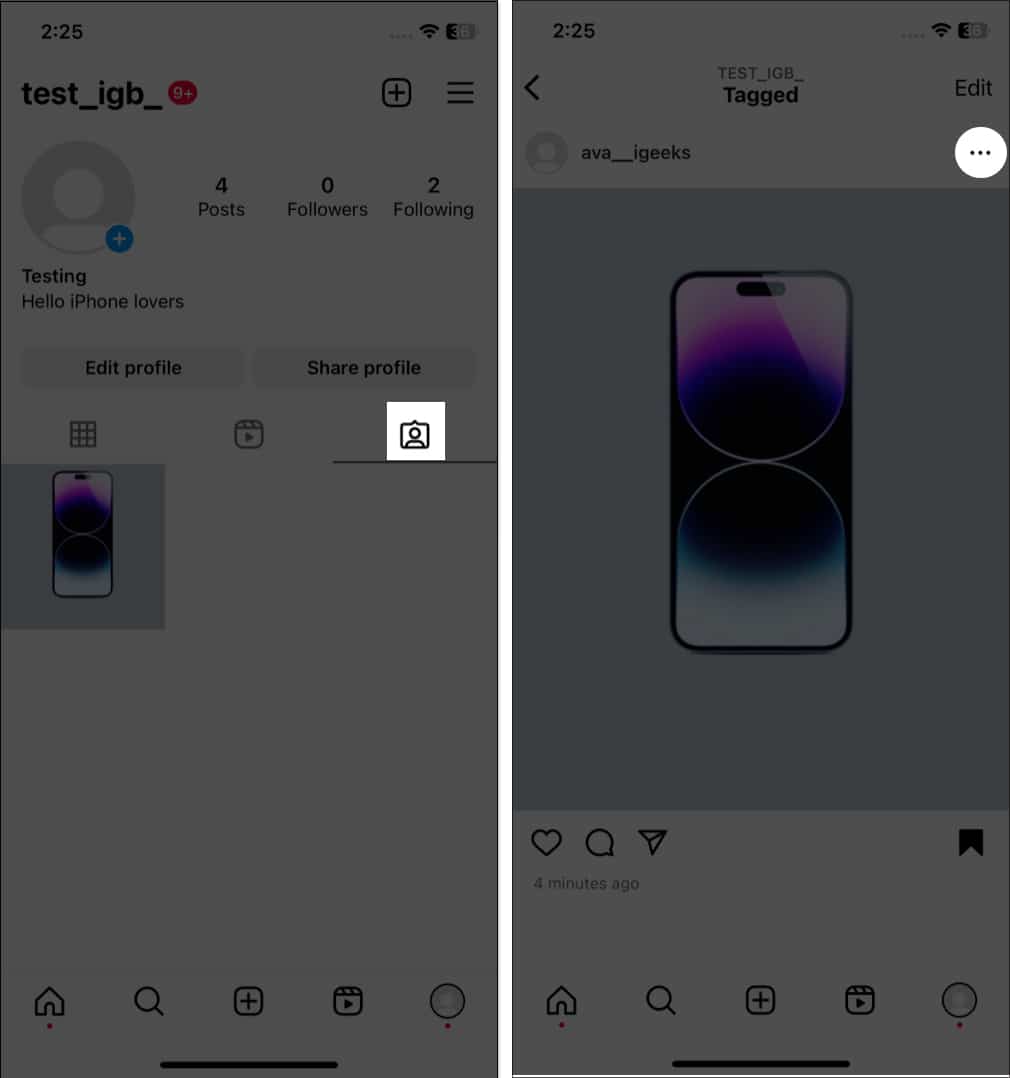
Suppose someone tags you in a post that shows on your profile. So, you may untag yourself from inappropriate posts.
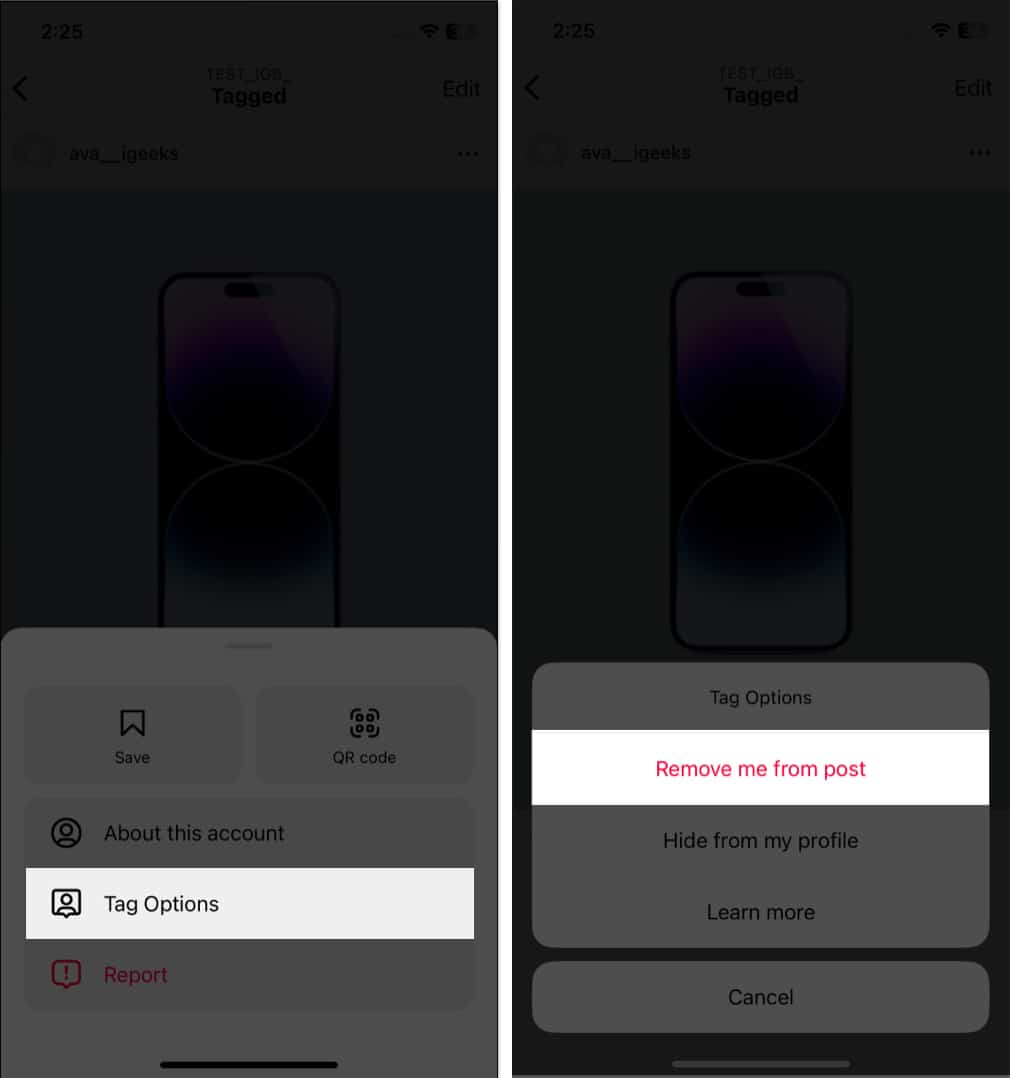
You may choose Hide from my profile if you don’t want to untag yourself.
I know checking tagged posts and deleting each one is tedious. So, you may turn on manual tagging. Whenever someone tags you in their posts, you need to approve them. After that, it will show up on your profile.
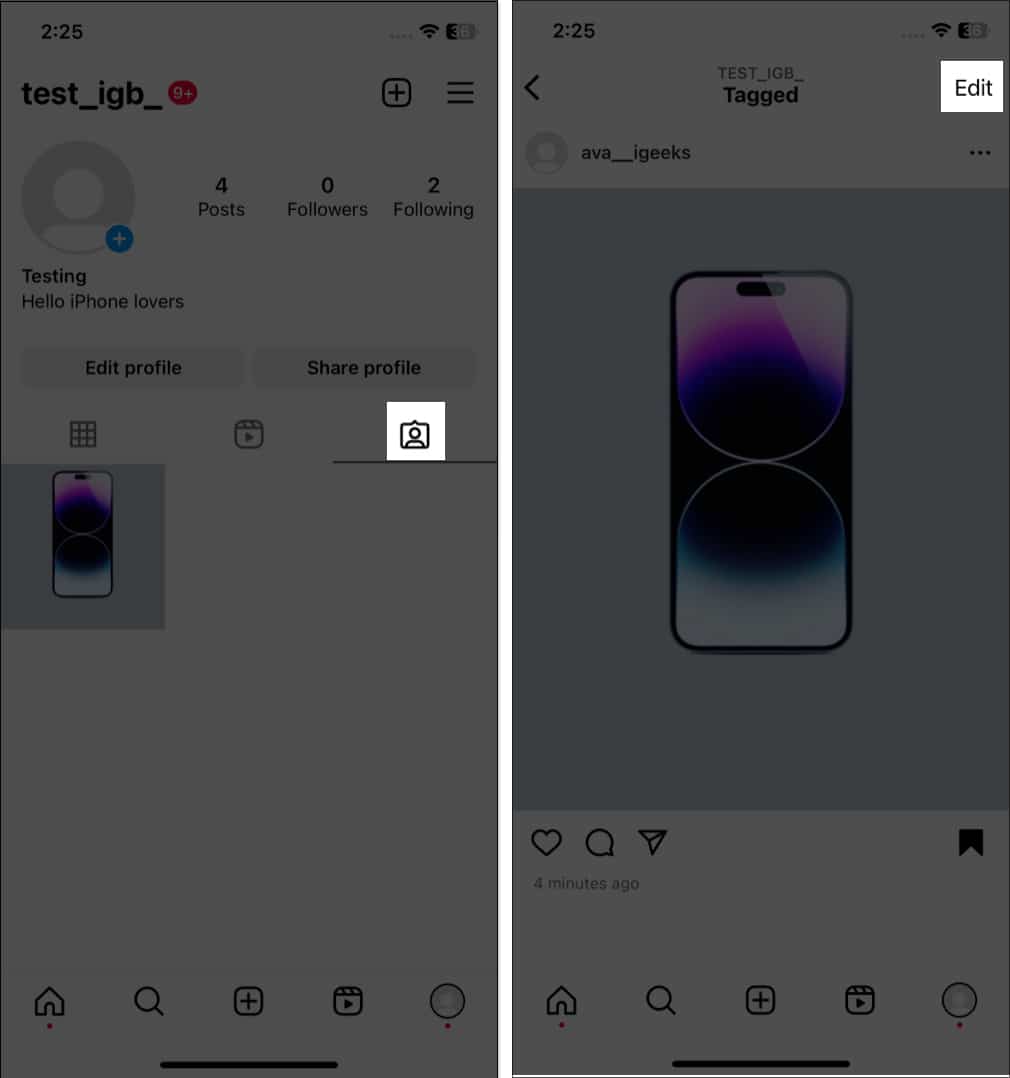
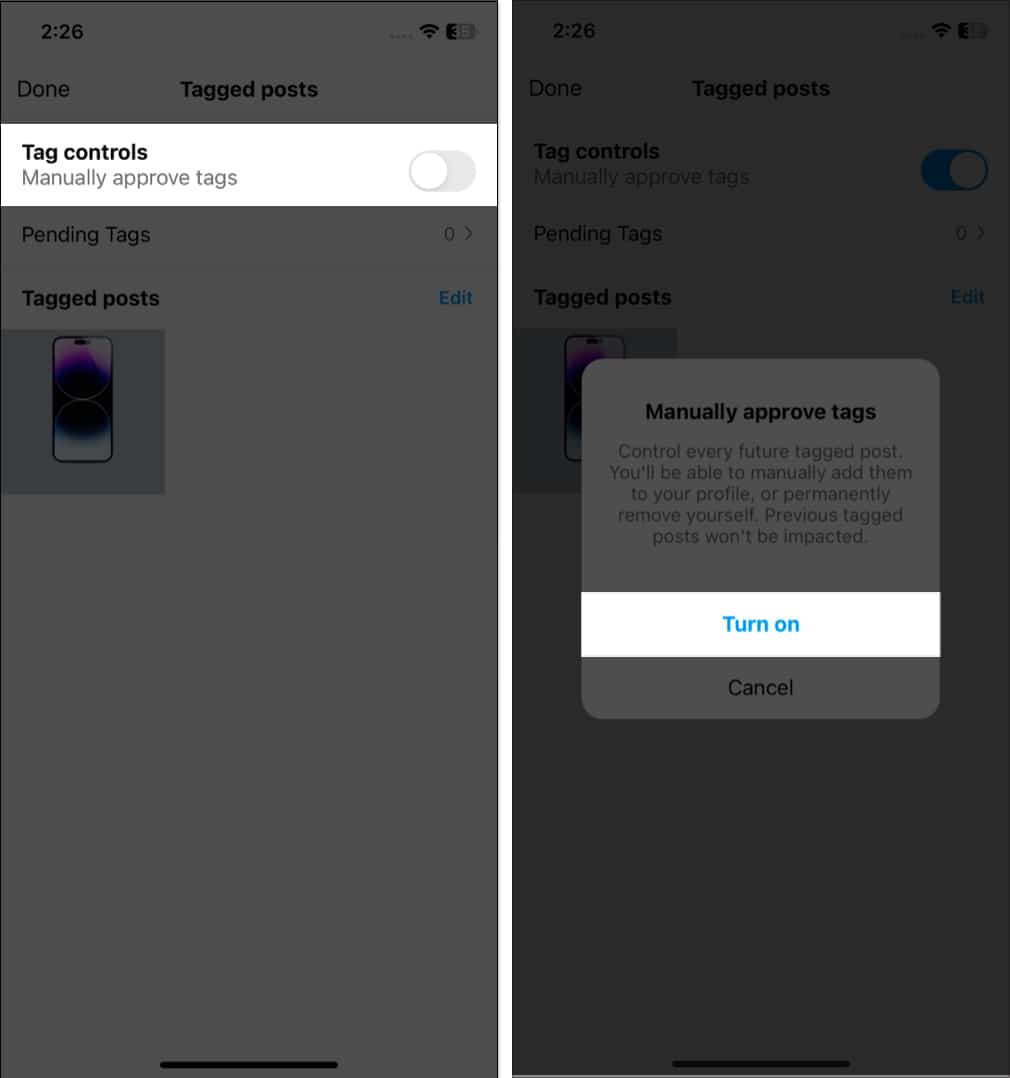
You may approve posts from Pending Tags.
Sometimes, social media trolling gets on your nerves. What should you do then? Delete the post or report each comment? Instead, I suggest turning off comments on Instagram. It will disable the comment box and help you take control of it.
If you are too distracted by Instagram notifications, you may enable Quiet mode on Instagram. It helps you to focus on yourself by pausing notifications and messages.
It may sound weird, but there may be instances when you want to remove a follower. There are two ways to remove Instagram followers and make you stress-free.
The Instagram Explore page helps you find trending posts that are relevant to you. But sometimes, the Instagram algorithm messes up and shows irrelevant posts. In this case, it’s best to reset the Instagram Explore page.
Do you want to scroll through your feed without letting others know? The trick is to disable active status on Instagram.
Do you know you must turn off your precise location on Instagram? It will protect your identity and save you against multiple threats.
The worst-case scenario is if your account is hacked. But don’t panic! You may recover your hacked Instagram account.
If you want to take a break from Instagram, you may deactivate it rather than delete it. Because once you delete your account, you can’t recover it. So, learn how to deactivate your Instagram account.
Most of us forget our Instagram account credentials. But what if you get locked out and can’t enter the correct password? You may easily reset your Instagram password and log in again.
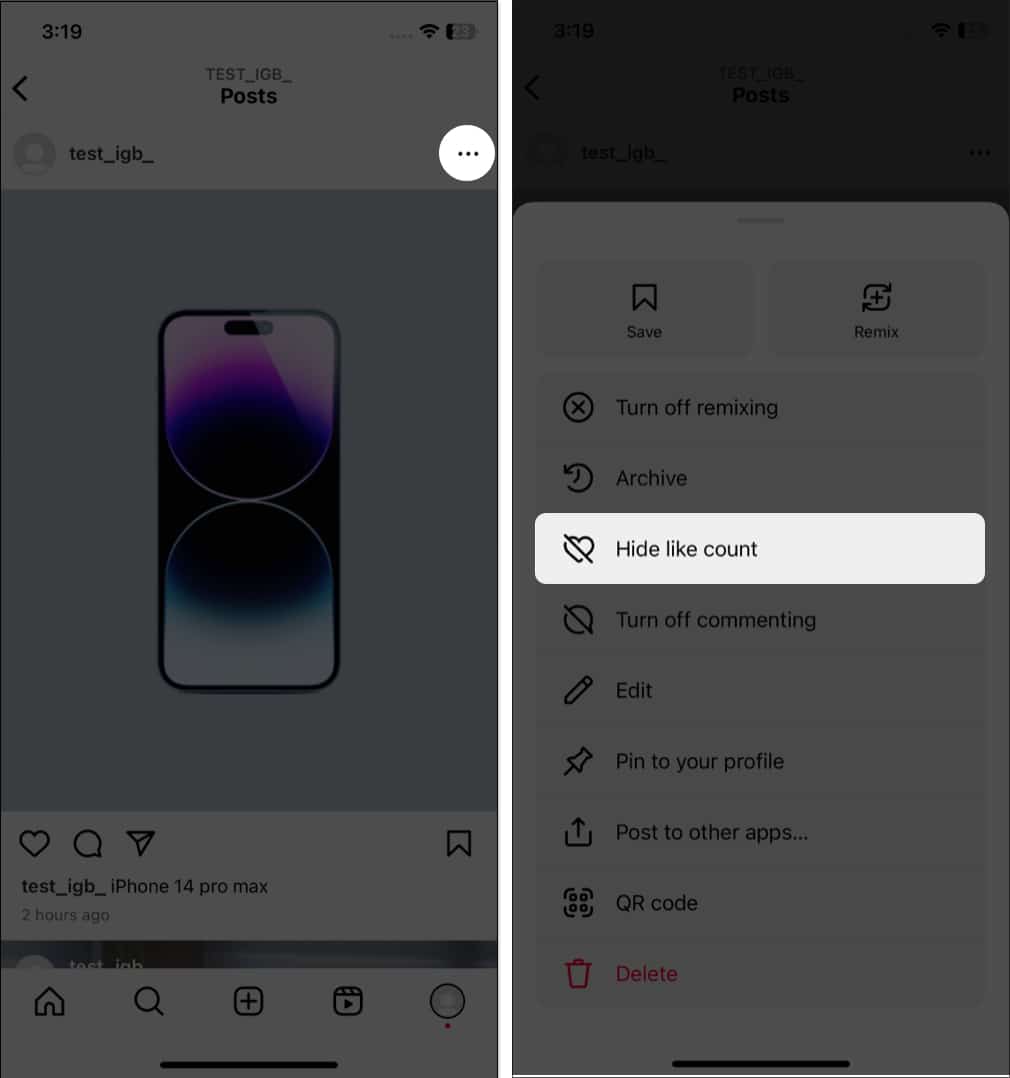
Instagram offers a way to hide the like count so no one can see it, except that you can see the details, including the total number and engaged accounts.
Have you come across an interesting post and wanted to share it with your followers? You can do this by following:
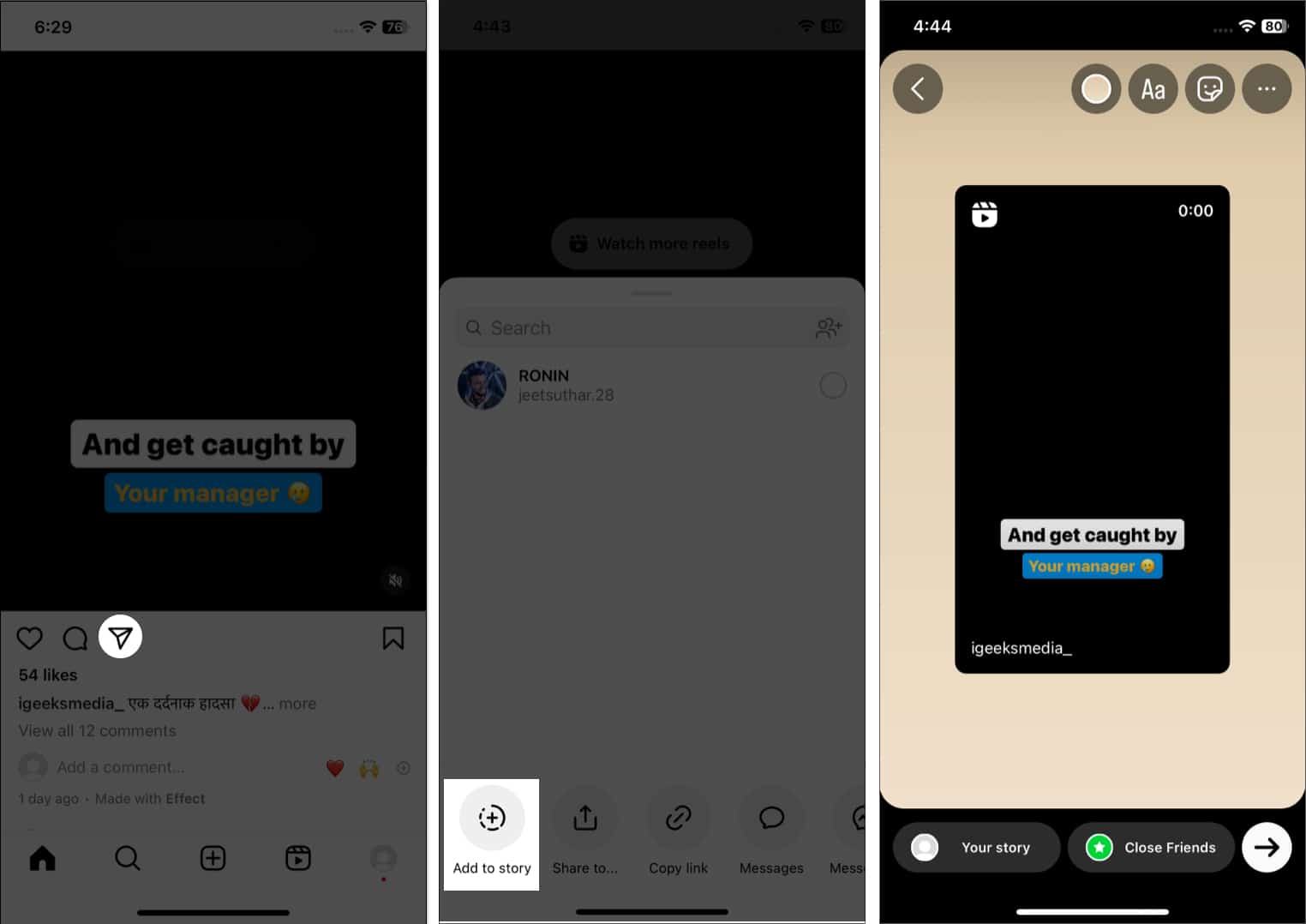
You can share the post via Messenger, WhatsApp, Twitter, Facebook, Snapchat, etc. Also, you may copy the link to that post if necessary.
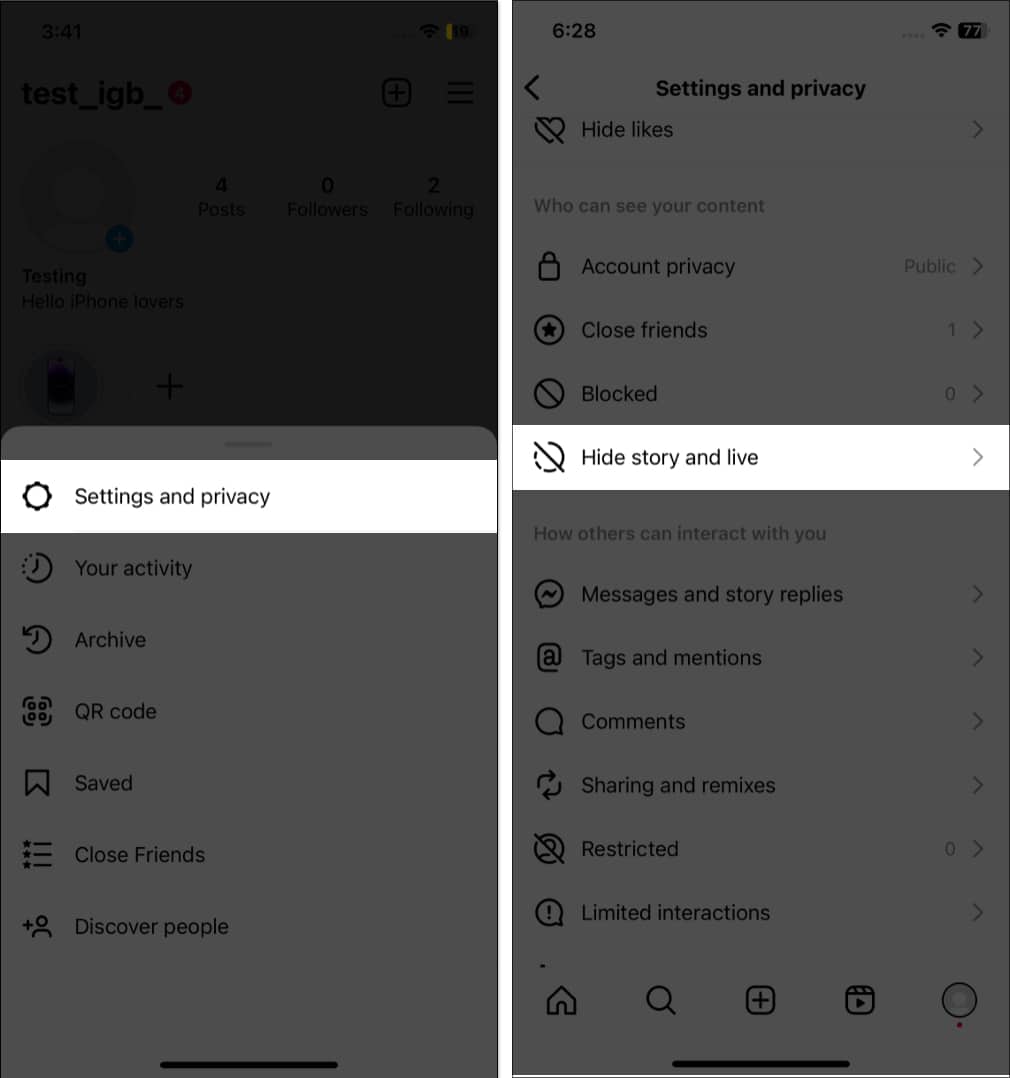
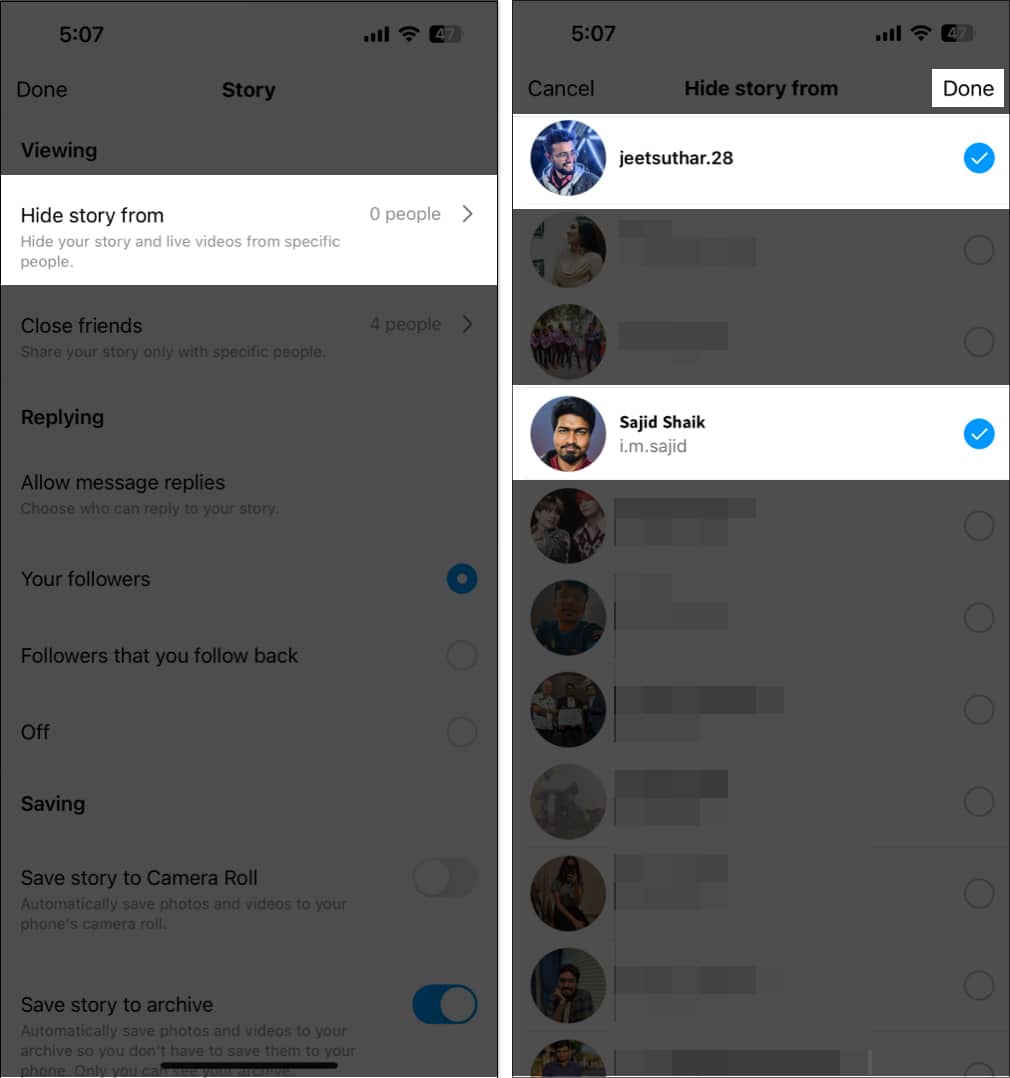
Instagram lets you adjust the privacy settings for your story and Live videos.
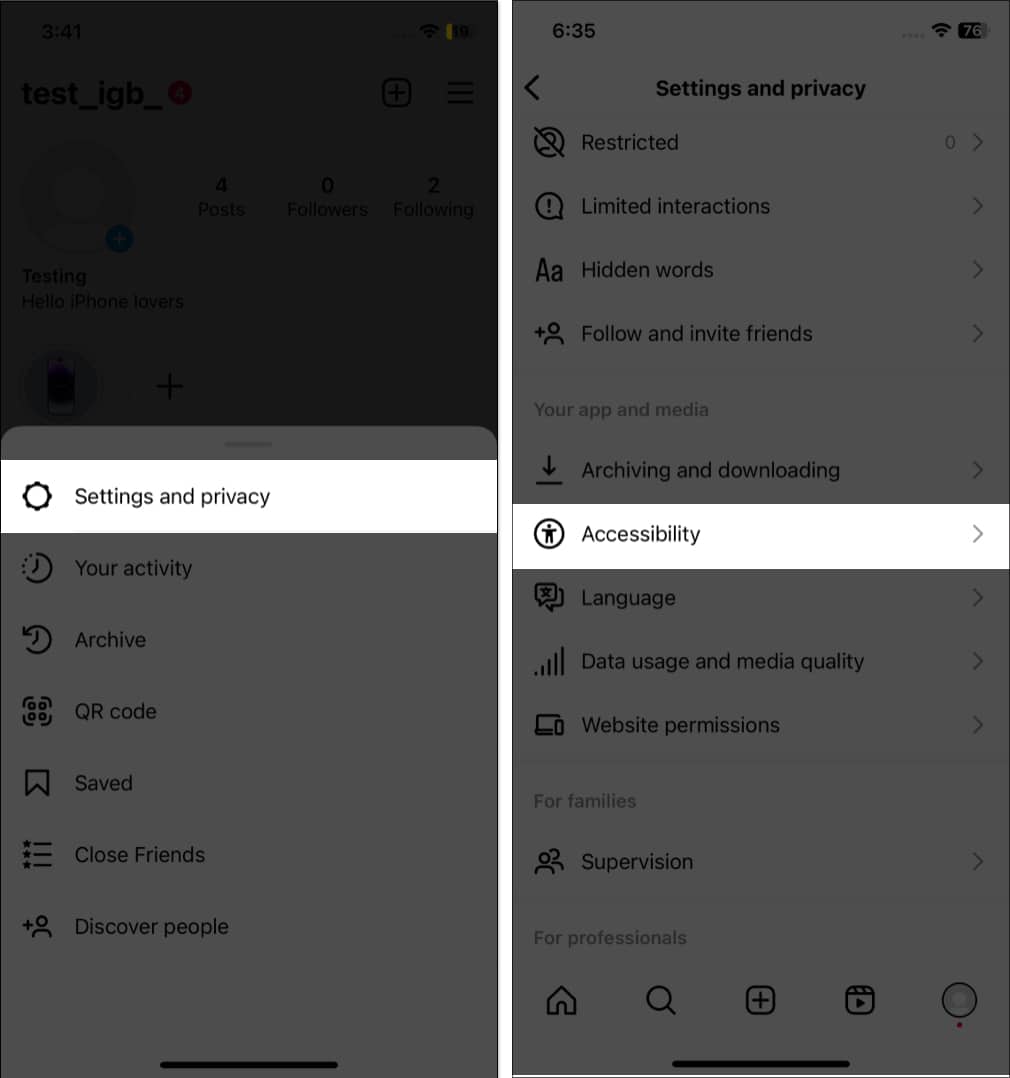
When I forget my AirPods at home while on the go, this feature is lifesaving. It auto-generates captions for IGTV videos and Reels, and you can enjoy them without sound.
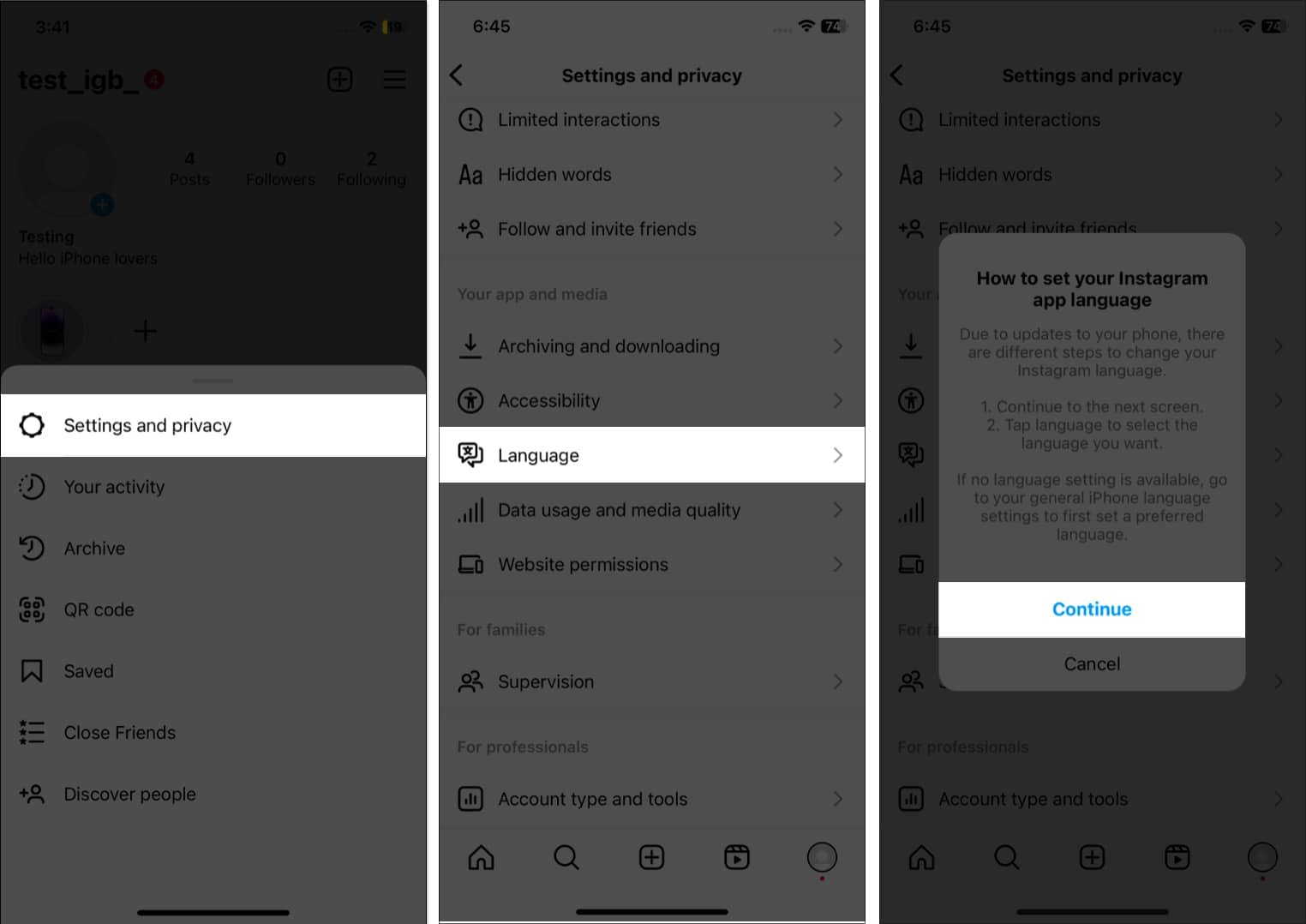
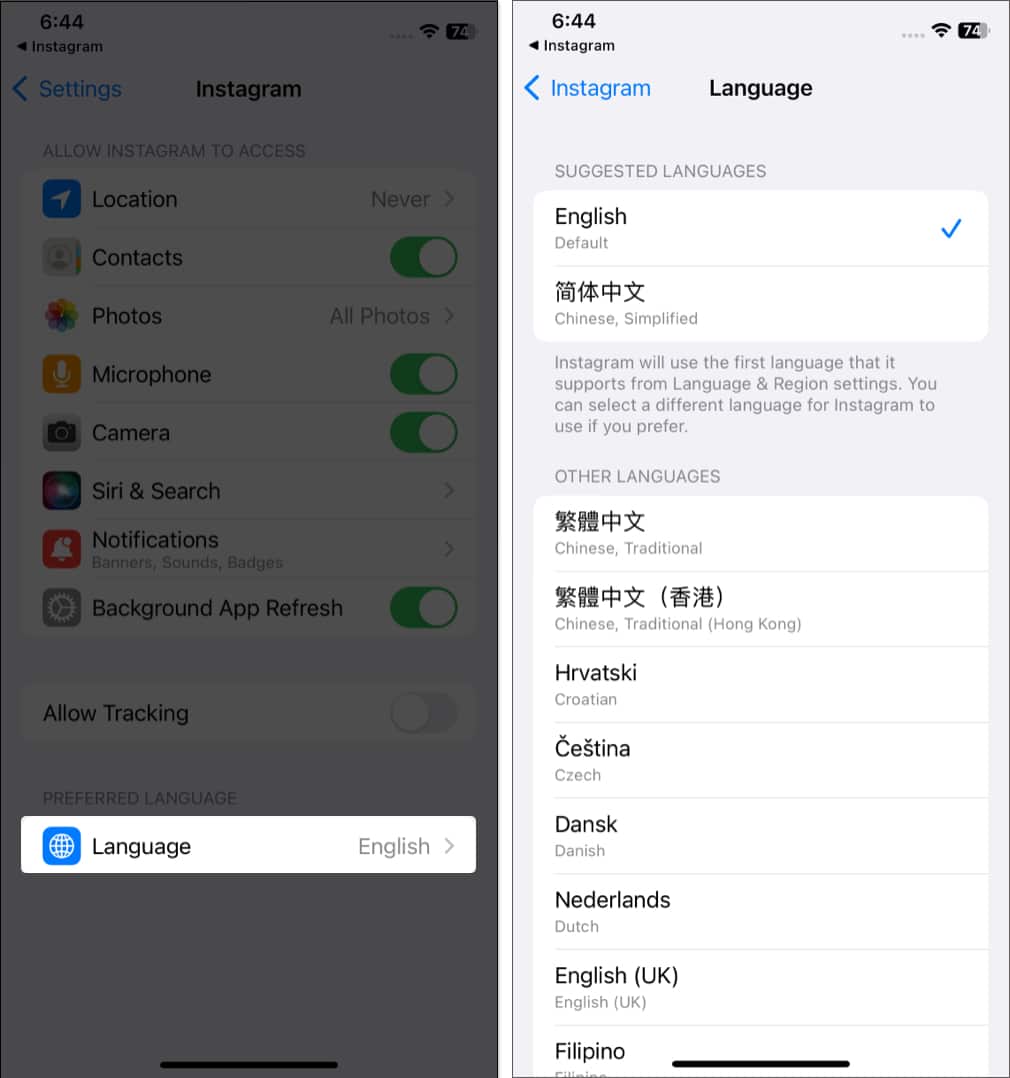
Indeed, it will be fun to use your favorite app in your native language.
Sometimes, I use my Insta ID to sign up for apps and websites to save time. So, when I can’t remember credentials, I check the Instagram app access. Also, granting account details access to shady websites is not safe. So, if you have granted Instagram ID permissions to any apps or websites, check and remove that.
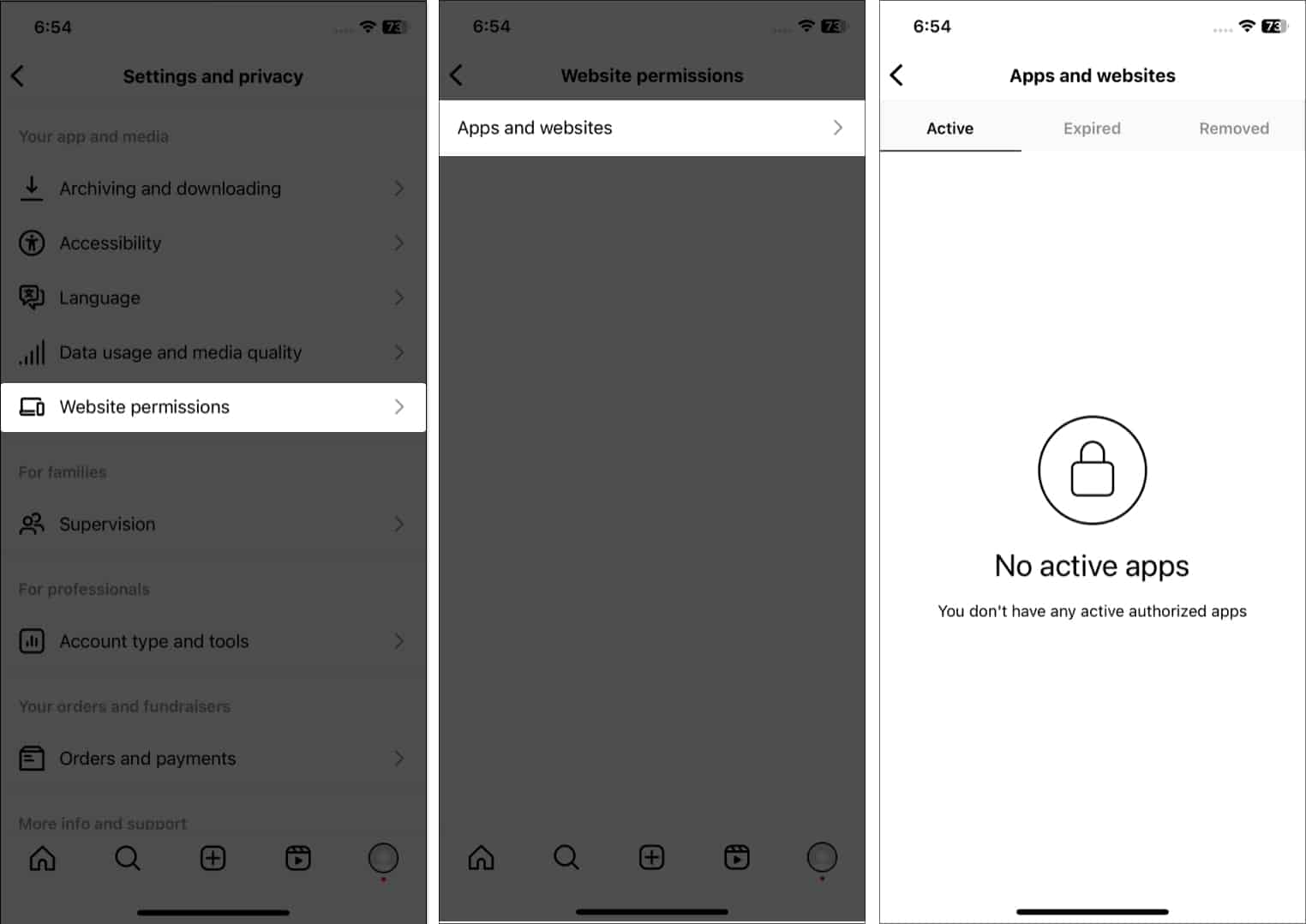
You may also check the apps and websites for which the authentication has expired or for which you have removed access.
Want a hack to share your Insta account without typing your ID? Follow the steps below:
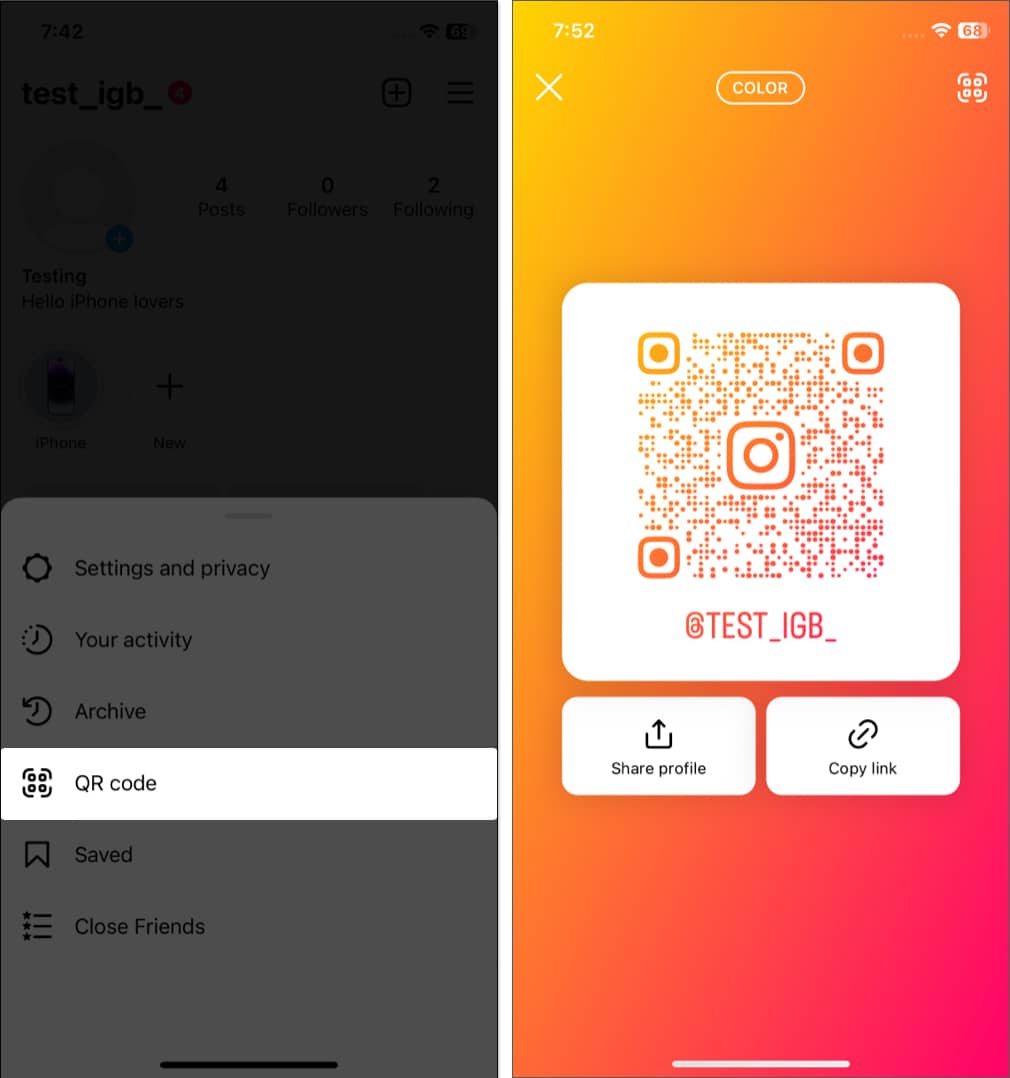
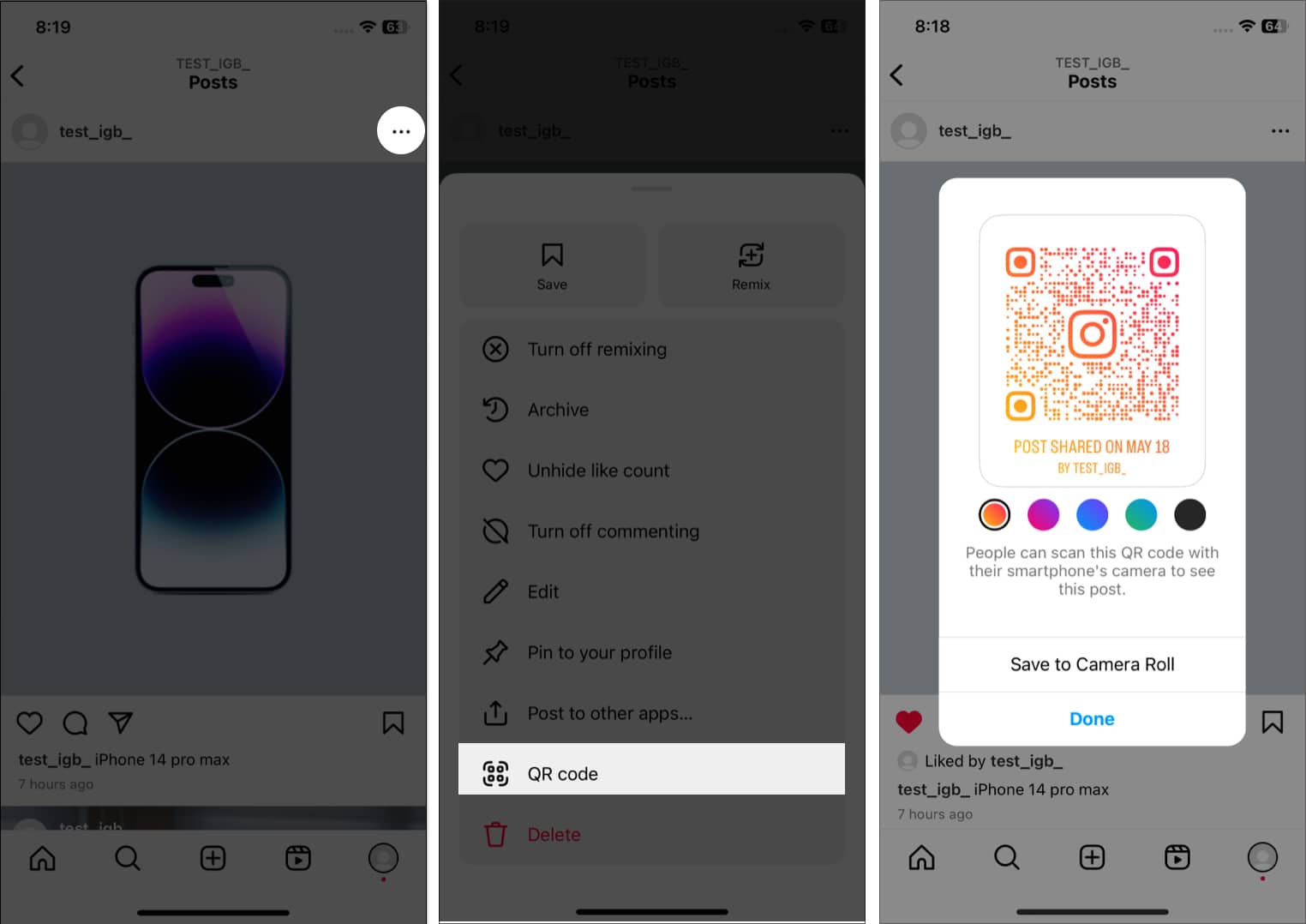
You may also select Share profile or Copy link to share your Insta ID. Additionally, you can create QR codes for your posts, too.
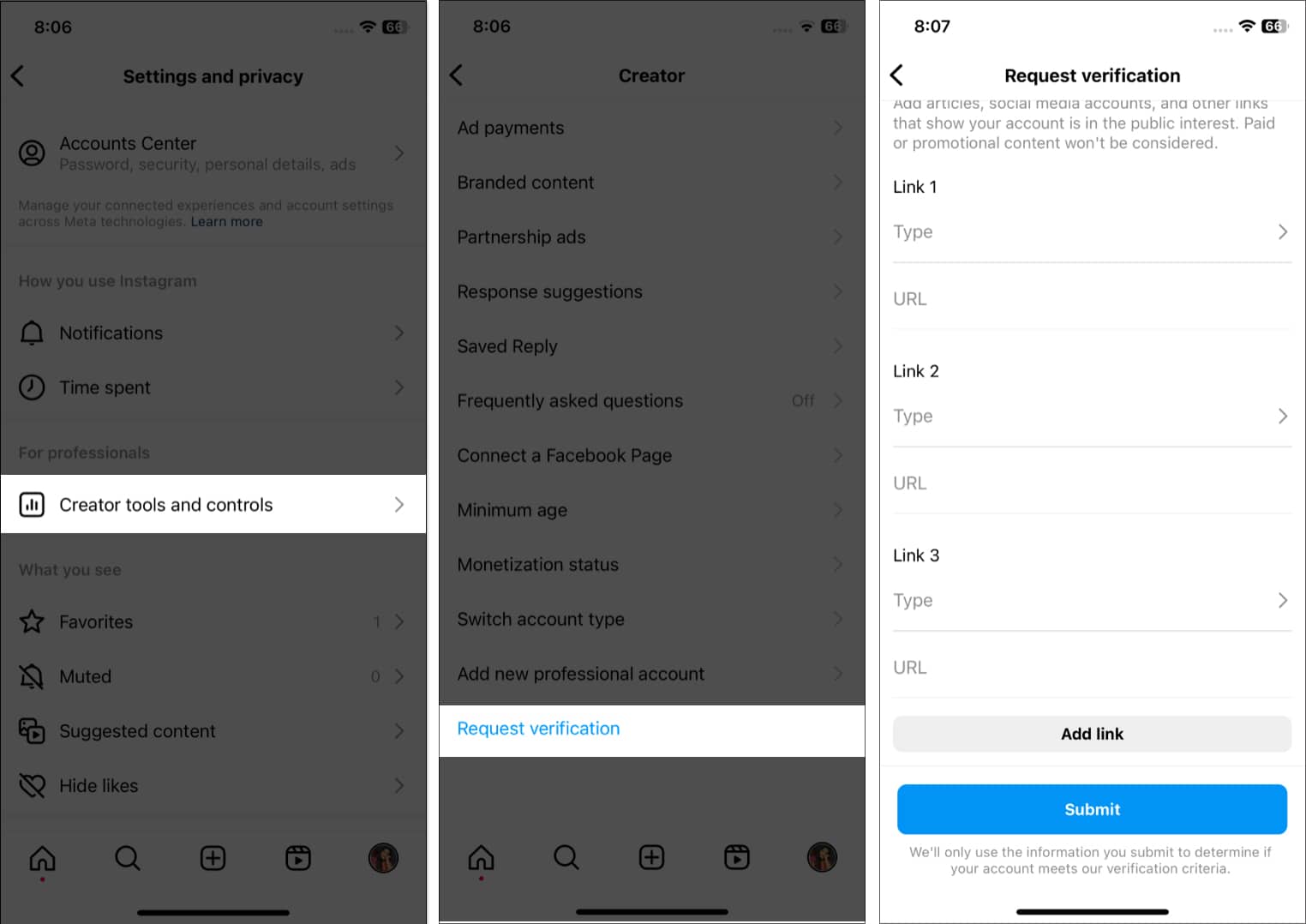
A verification badge is a sign of trustworthiness that helps followers to connect with you. But how to get it? Only professional accounts are eligible for this. A verification badge is a sign of trustworthiness that helps followers connect with you. But how to get it? Only professional accounts are eligible for this.
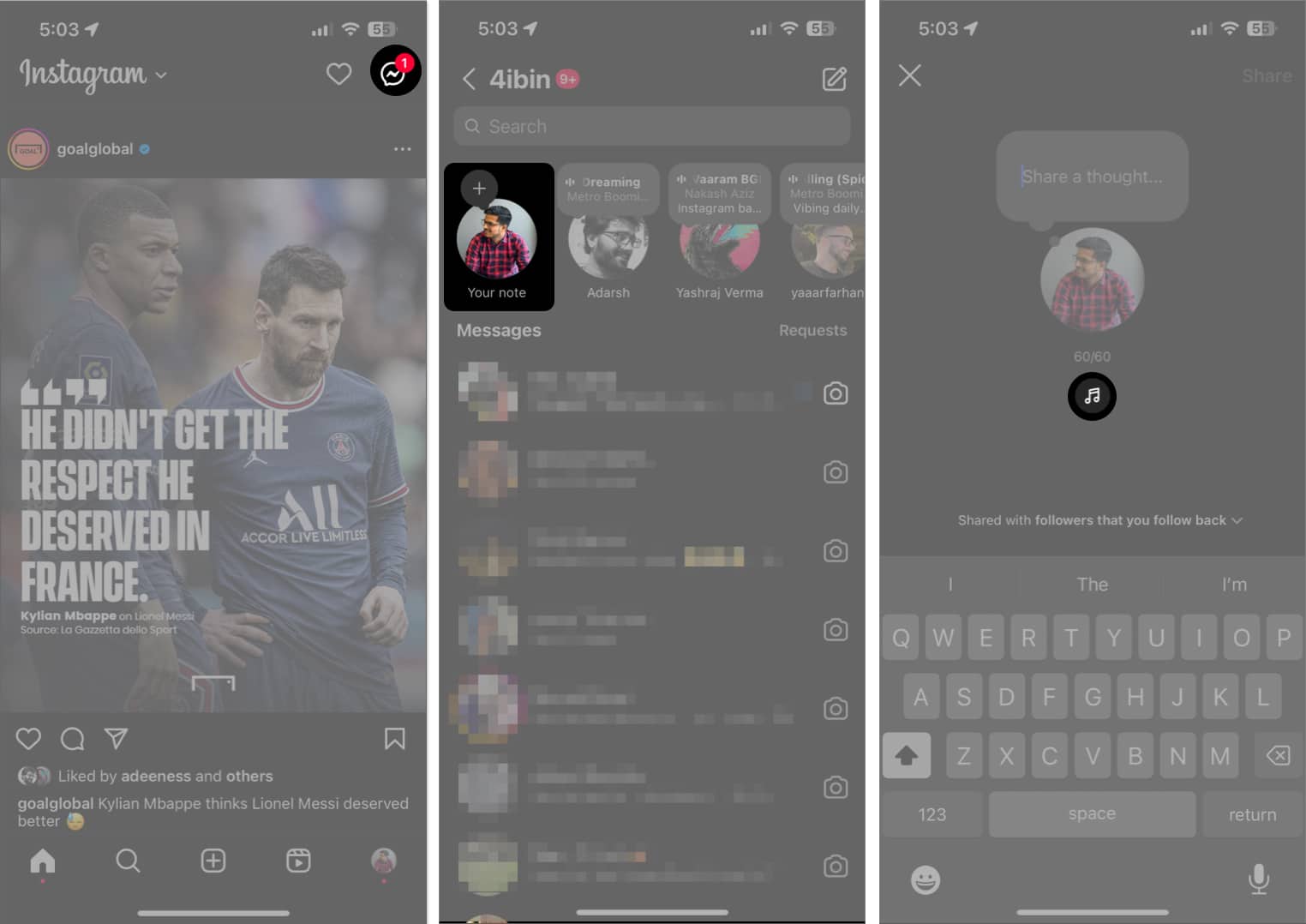
With the latest updates rolled out almost every day, here’s another one that will change how you use the Notes feature on Instagram.
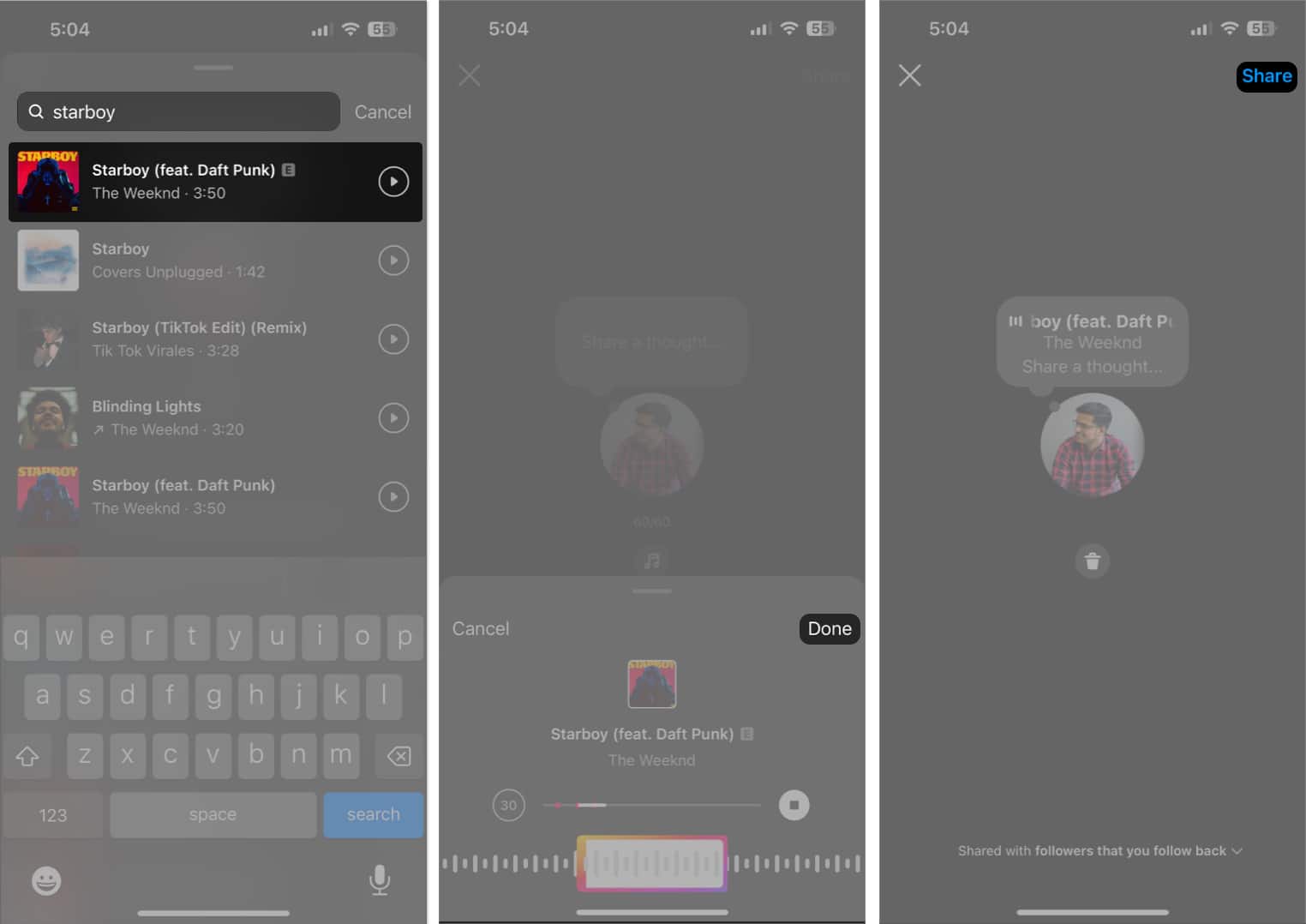
Users can now share their favorite music in Instagram Notes. Follow the steps prescribed below to try it out for yourself:
The Boomerang feature lets you take a short burst of photos that cycle back and forth to create looping videos or GIFs. You can capture a quick moment or create fun, engaging content to grab your audience’s attention. So, whether you’re a seasoned Instagram user or just getting started, you must know how to use Boomerang on Instagram.
Rock on, Instagram stars!
I hope this extensive guide provided you with useful pointers. But that’s not all! Our website has many more tips and tricks for using Instagram on iPhone. If you are getting started with Instagram Reels, Avatar, or Notes, we have guides for each. So, you may explore those and find answers to your Instagram problems.