FaceTime Like a Pro
Get our exclusive Ultimate FaceTime Guide 📚 — absolutely FREE when you sign up for our newsletter below.

FaceTime Like a Pro
Get our exclusive Ultimate FaceTime Guide 📚 — absolutely FREE when you sign up for our newsletter below.


I turned my favorite photo memories into shareable videos with just a few taps. No third-party app required.
Apple spent plenty of time talking about AI features in the WWDC keynote, but the update I ended up using first wasn’t powered by Apple Intelligence at all. It was a surprisingly useful upgrade hiding inside the Photos app.
Apple has quietly transformed the old slideshow feature into something people will actually use. Instead of creating a slideshow that’s only meant for viewing, iOS 27 now lets you customize it, add music, and export it as a proper video in the Photos app. Here’s how to save a slideshow as a video on an iPhone.
One of the most surprising additions I found in iOS 27 is something Apple users have wanted for years—a proper slideshow maker built directly into the Photos app. It sounds small, but after trying it, I realized it removes the need for third-party apps for creating quick memory videos.
Previously, the Photos app could play selected images and clips as a temporary slideshow, but there was almost no creative control or a built-in way to save them as a video. If I wanted to make something worth sharing with friends or family, I had to switch to editing apps like CapCut, Canva, or iMovie. With iOS 27, Apple finally closes that gap.
And here are the things you can now do:
The best part is that everything happens inside the Photos app. There won’t be any need to use some special slideshow maker or editor. So now I can easily turn travel photos, family moments, or event highlights into a polished video in just a few taps.
I tested the feature using several travel photos and videos, and the entire process took less than a minute.

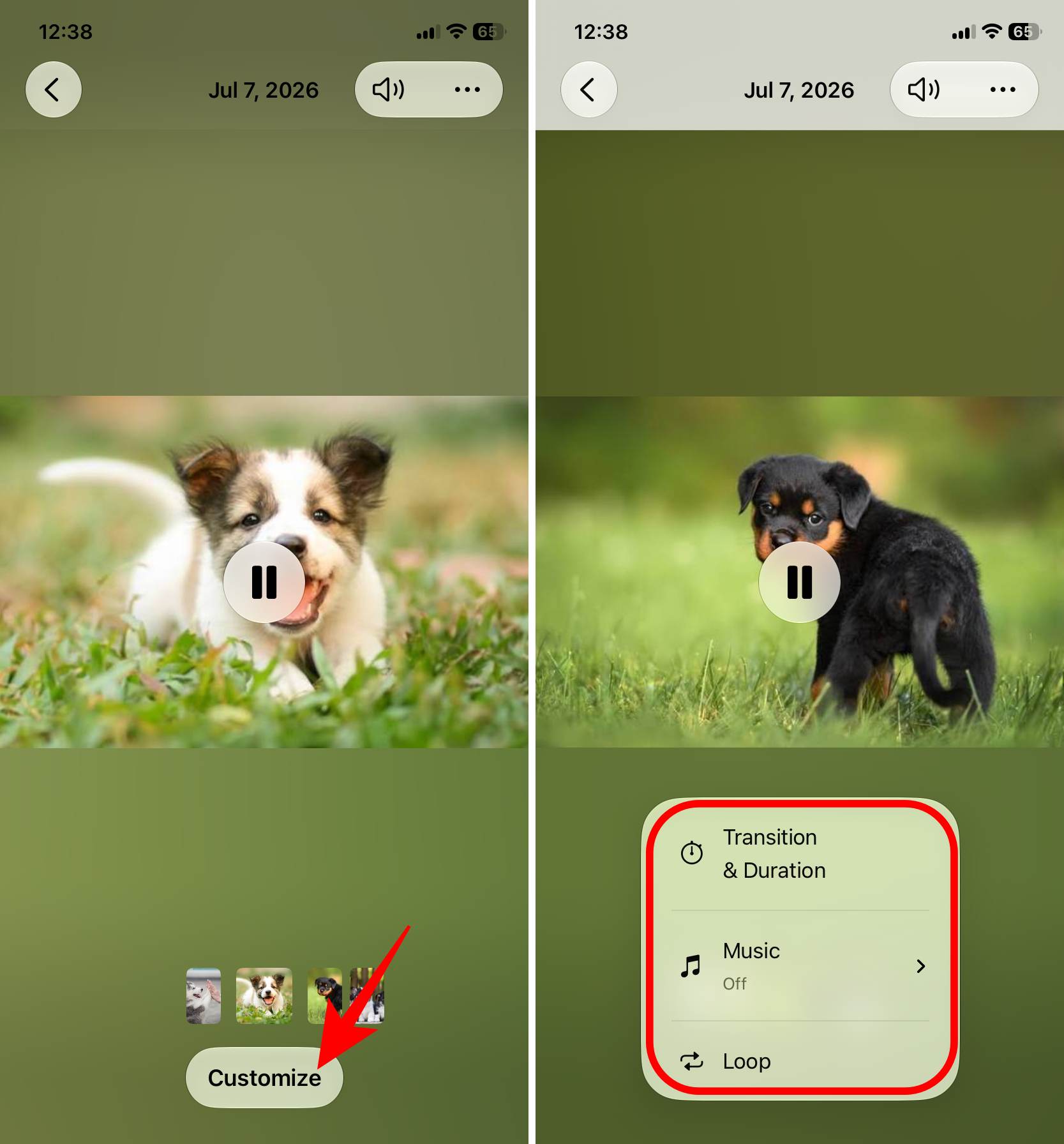
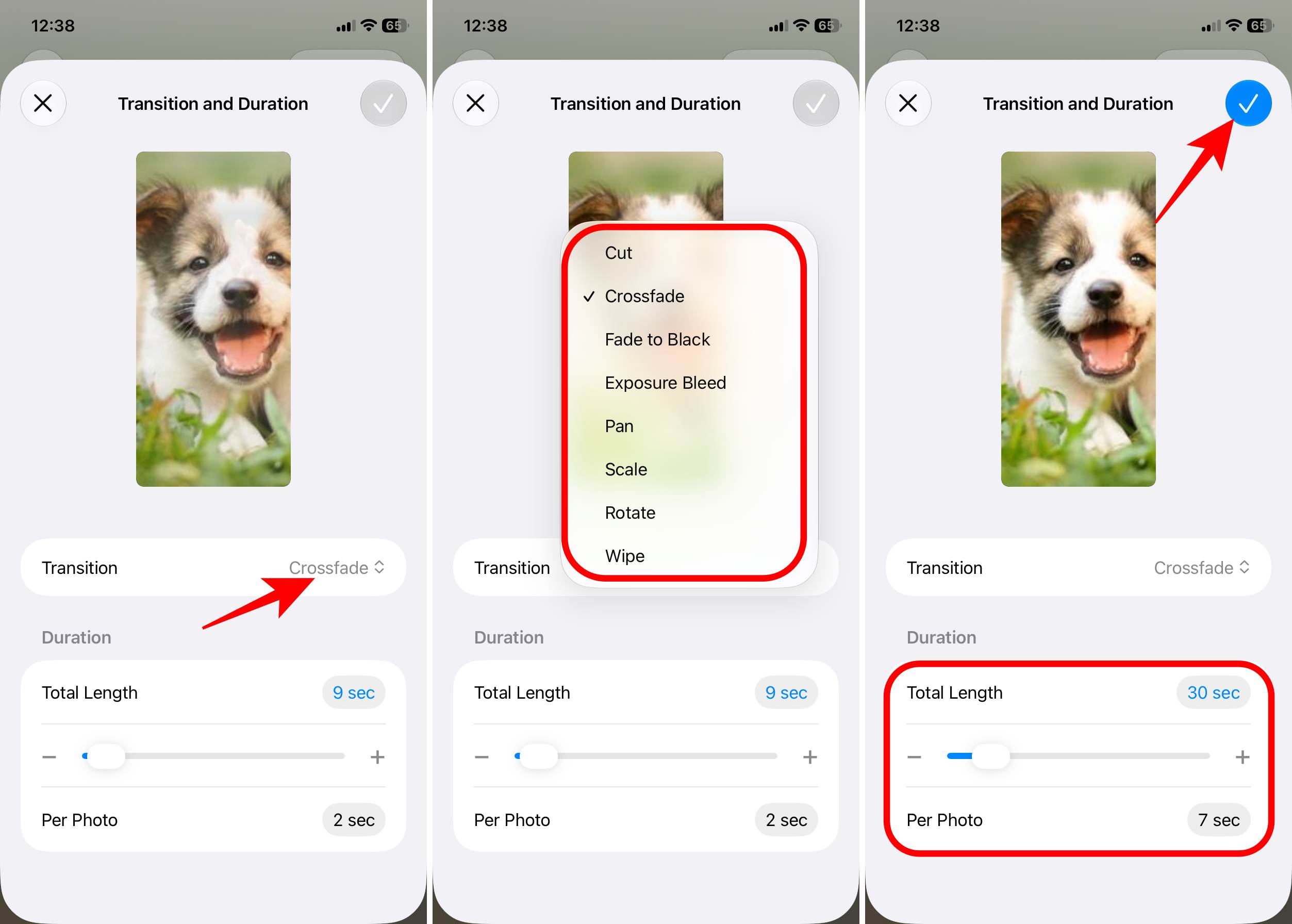
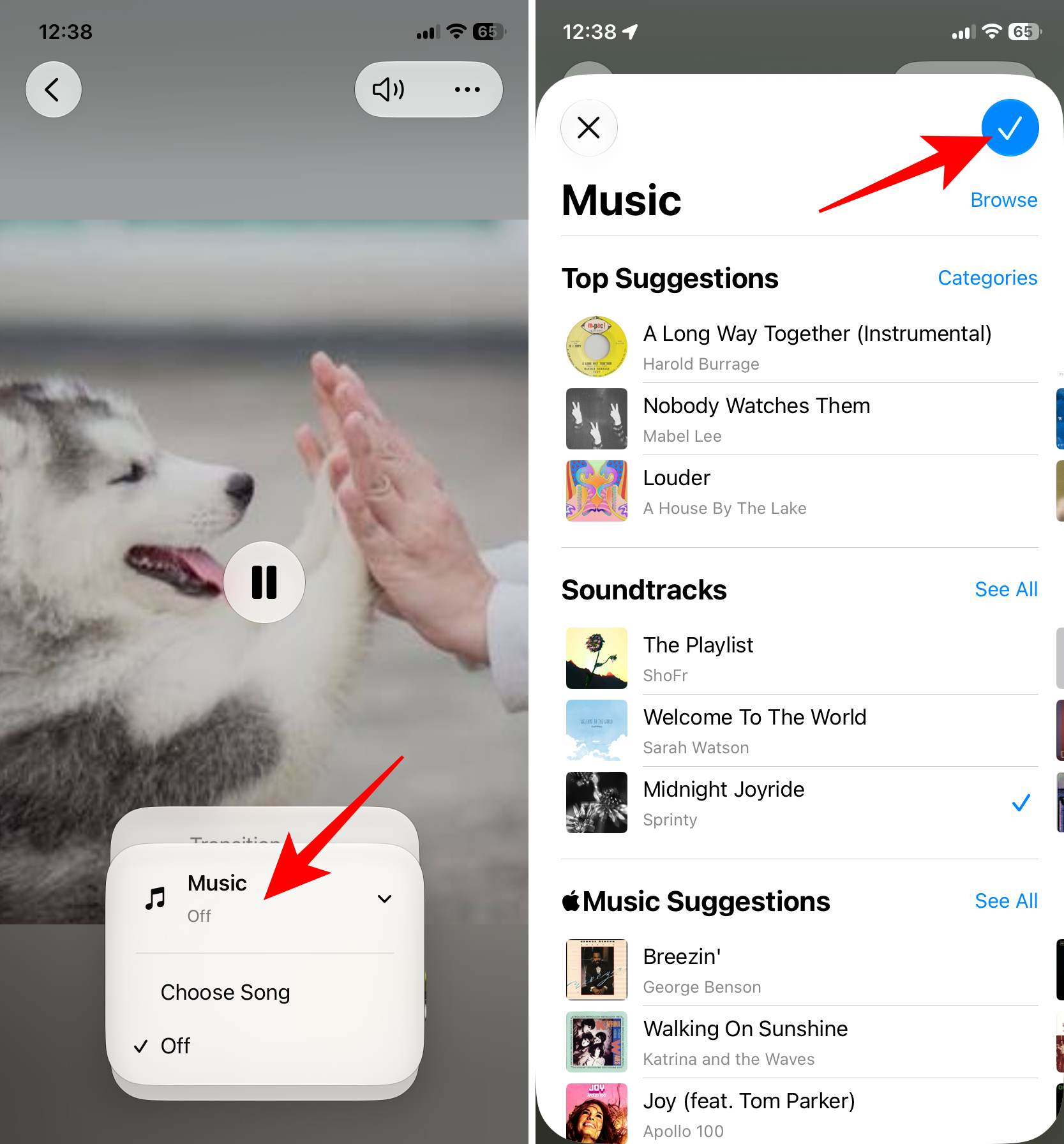
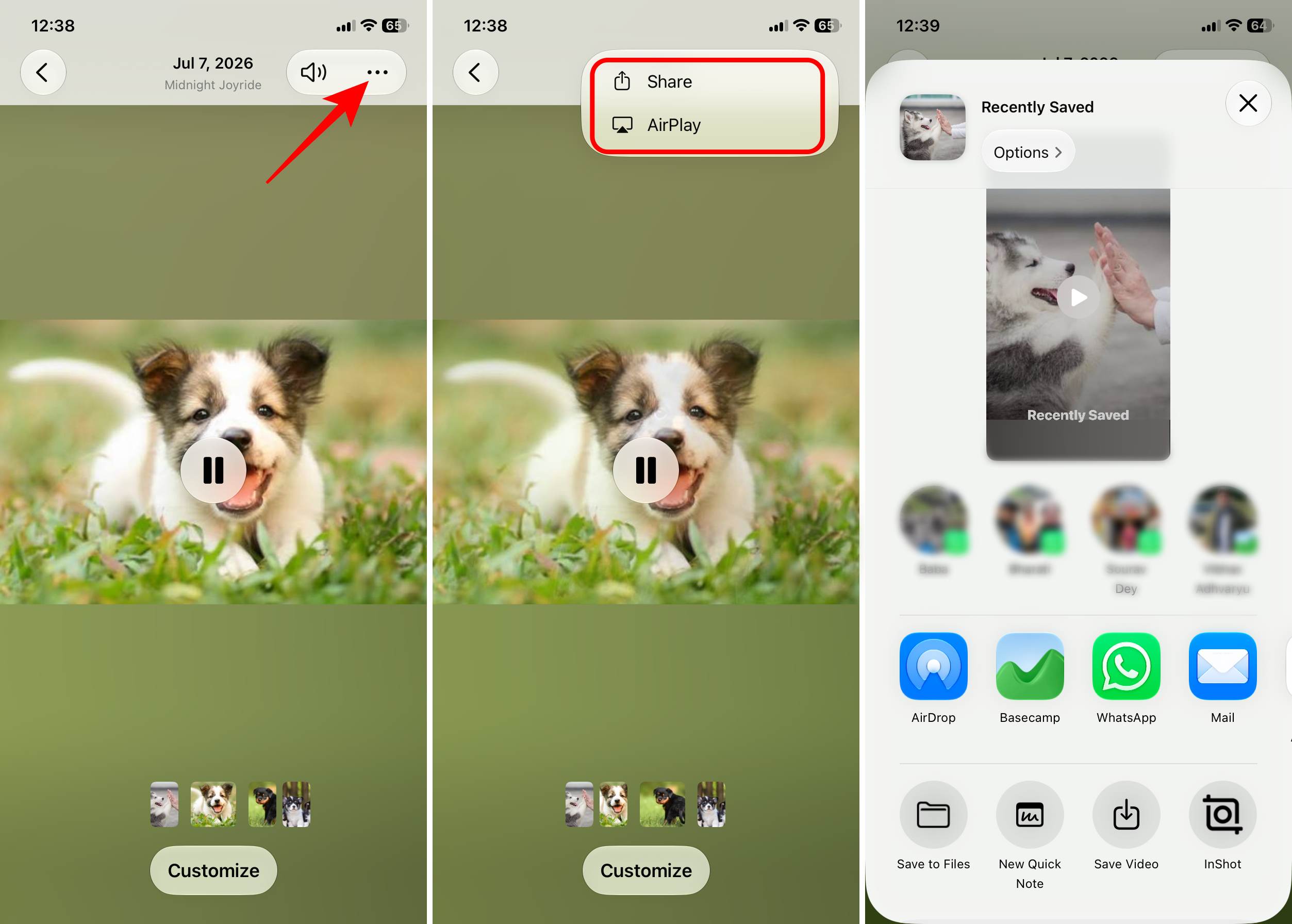
It renders the slideshow into a movie file and automatically saves it back into your Photos library. You can edit the video later or upload it to your social media.
Tip: While testing the feature, I came across an alert that I can’t save/share Memories that contain Apple Music songs. To choose a new soundtrack, tap Edit Music and select a song from the Soundtracks section. They are not DRM-protected.
If you want to create a slideshow on your Mac, worry not; the steps are kind of similar.
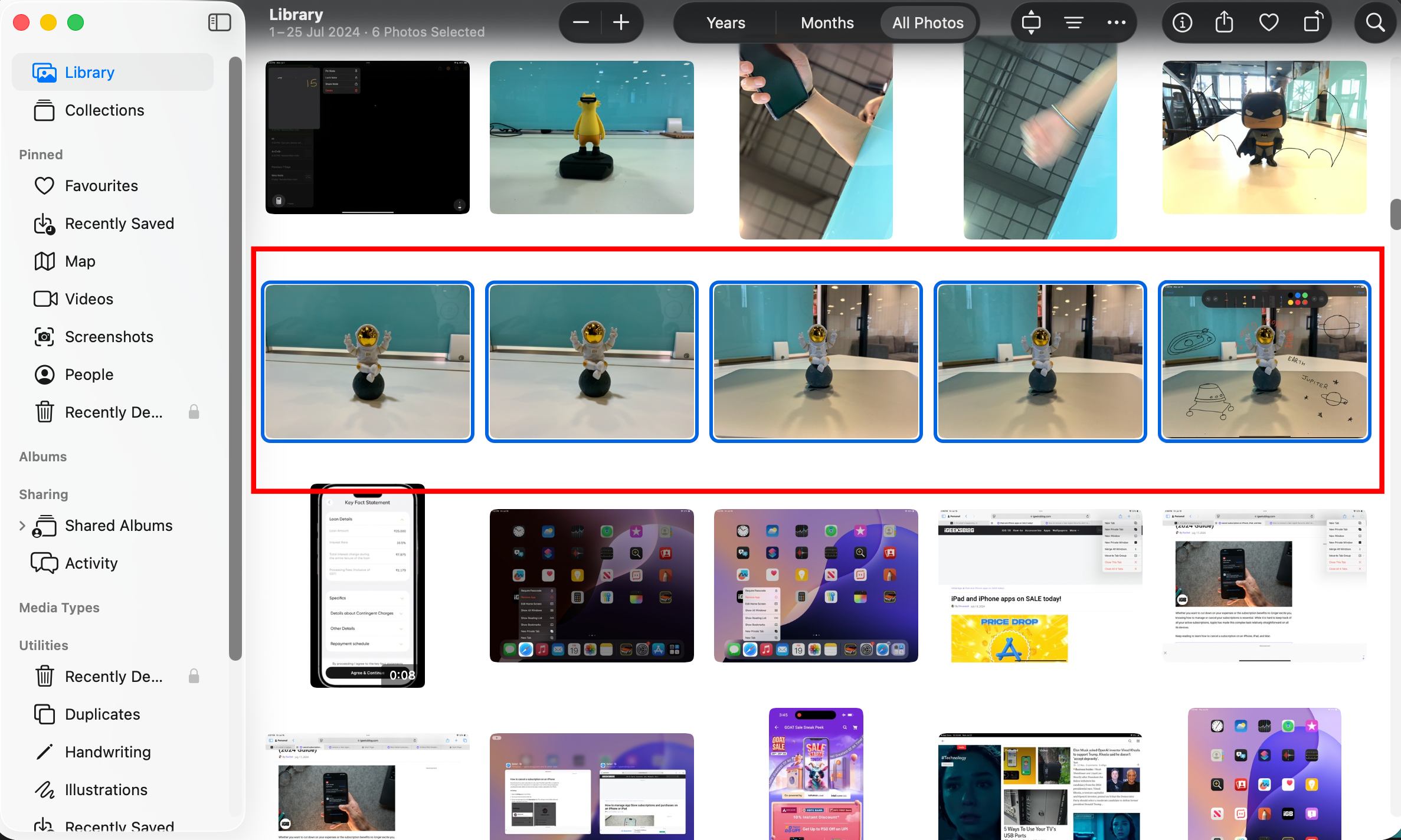
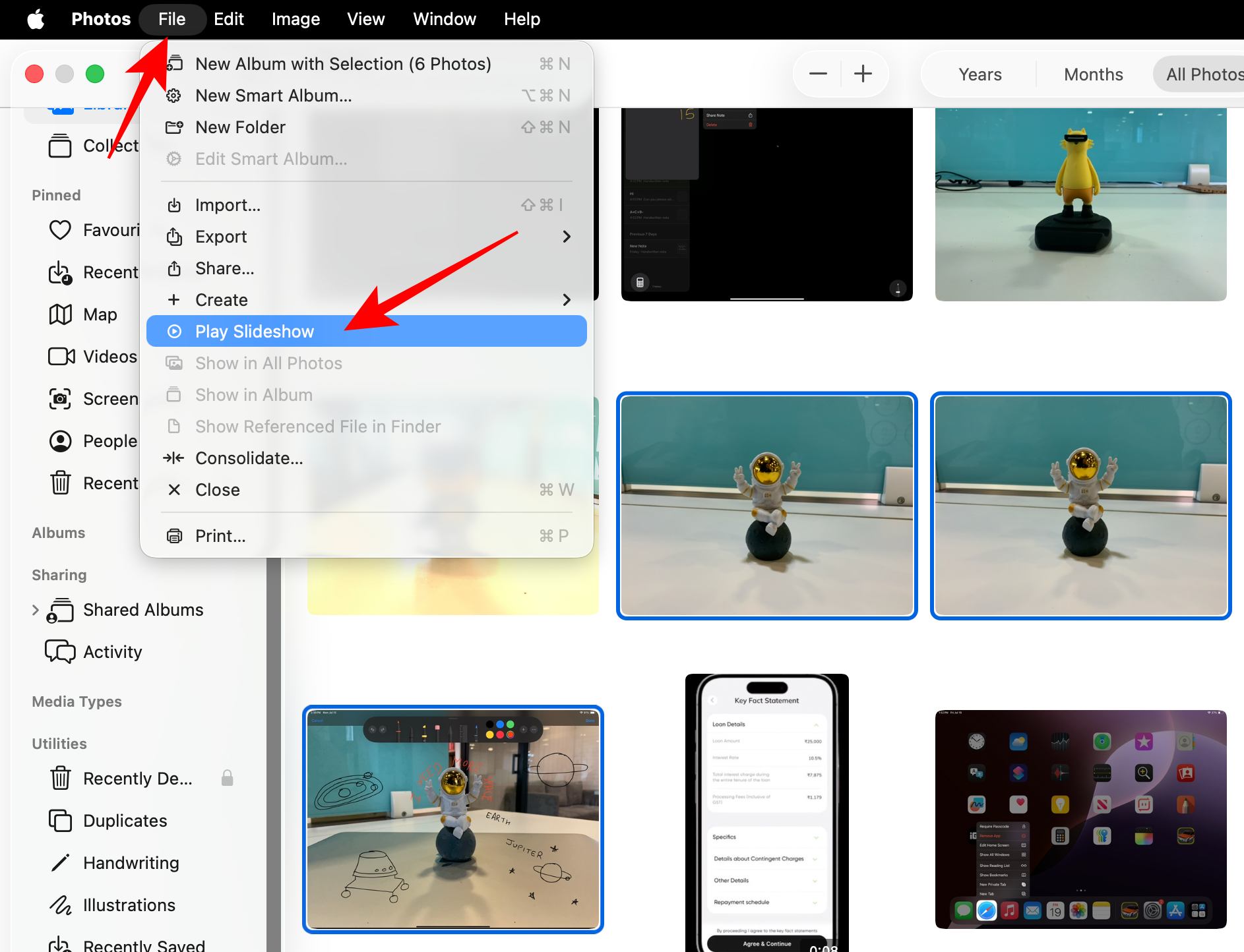
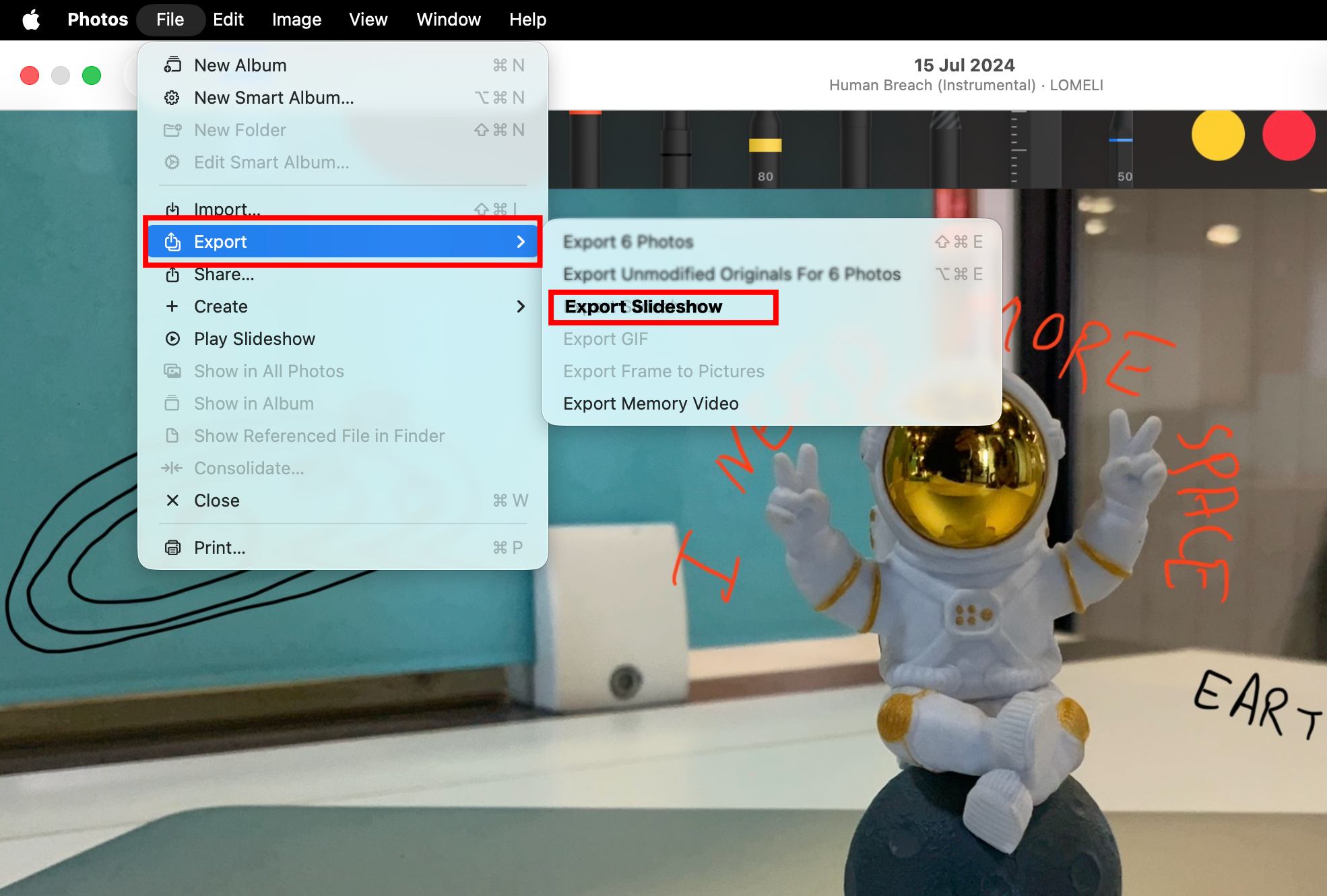
The Photos app will export your slideshow as an MOV video file. You can watch it on QuickTime Player, share it via AirDrop, upload it to cloud storage, or edit it further in a video editor if needed.
Some people will probably compare this feature to iMovie. I don’t think they should.
Apple clearly isn’t trying to replace a video editor here. There are no timelines, layers, text animations, or trimming individual slides.
Instead, this feels designed for moments when you simply want to tell a story with photos without spending twenty minutes editing. That’s exactly why I think it works.
Most people don’t need professional tools every time they return from vacation or attend a birthday party. They just want something they can share.
After spending some time with the feature, a few details stood out.
Small businesses could easily create quick product previews for WhatsApp Status, Instagram Stories, or Facebook without opening a dedicated editing app.
This feature isn’t just for family photo albums.
I can see it being useful for:
If your goal is speed rather than creative control, this feature hits the sweet spot.
The Photos app slideshow maker is not perfect yet.
During testing, I noticed there are still some limitations.
If you need cinematic edits or social media effects, apps like iMovie or Final Cut Pro still make more sense.
Sometimes the best iOS features aren’t the ones Apple spends twenty minutes demonstrating during a keynote. This slideshow exporter is a perfect example. It takes a feature that has existed for years, fixes its biggest limitation, and makes it genuinely useful.
Will it replace professional video editors? Absolutely not. Will it save millions of iPhone users from downloading another editing app just to turn a handful of photos into a shareable video? I think it will.
If you’re updating to iOS 27, don’t overlook the Photos app. Hidden behind a tiny three-dot menu is one of the most practical upgrades Apple has added this year.
More to explore: