FaceTime Like a Pro
Get our exclusive Ultimate FaceTime Guide 📚 — absolutely FREE when you sign up for our newsletter below.

FaceTime Like a Pro
Get our exclusive Ultimate FaceTime Guide 📚 — absolutely FREE when you sign up for our newsletter below.


Apple Health now supports menopause tracking in iOS 27, making it easier to log symptoms, monitor health trends, and gain personalized insights. Here’s how to set it up and use it on your iPhone.
 ByVikhyat
Apple’s Health app has long been a convenient place to keep important health information, but Cycle Tracking has mostly focused on periods, fertility, and pregnancy. With iOS 27, Apple is expanding it to support another important stage of life: perimenopause and menopause.
The new menopause tracking feature helps you record symptoms, understand changes in your cycle, and see health trends over time. It also provides personalized insights within the Health app, so you don’t have to switch between multiple apps or rely on memory to track changes over time.
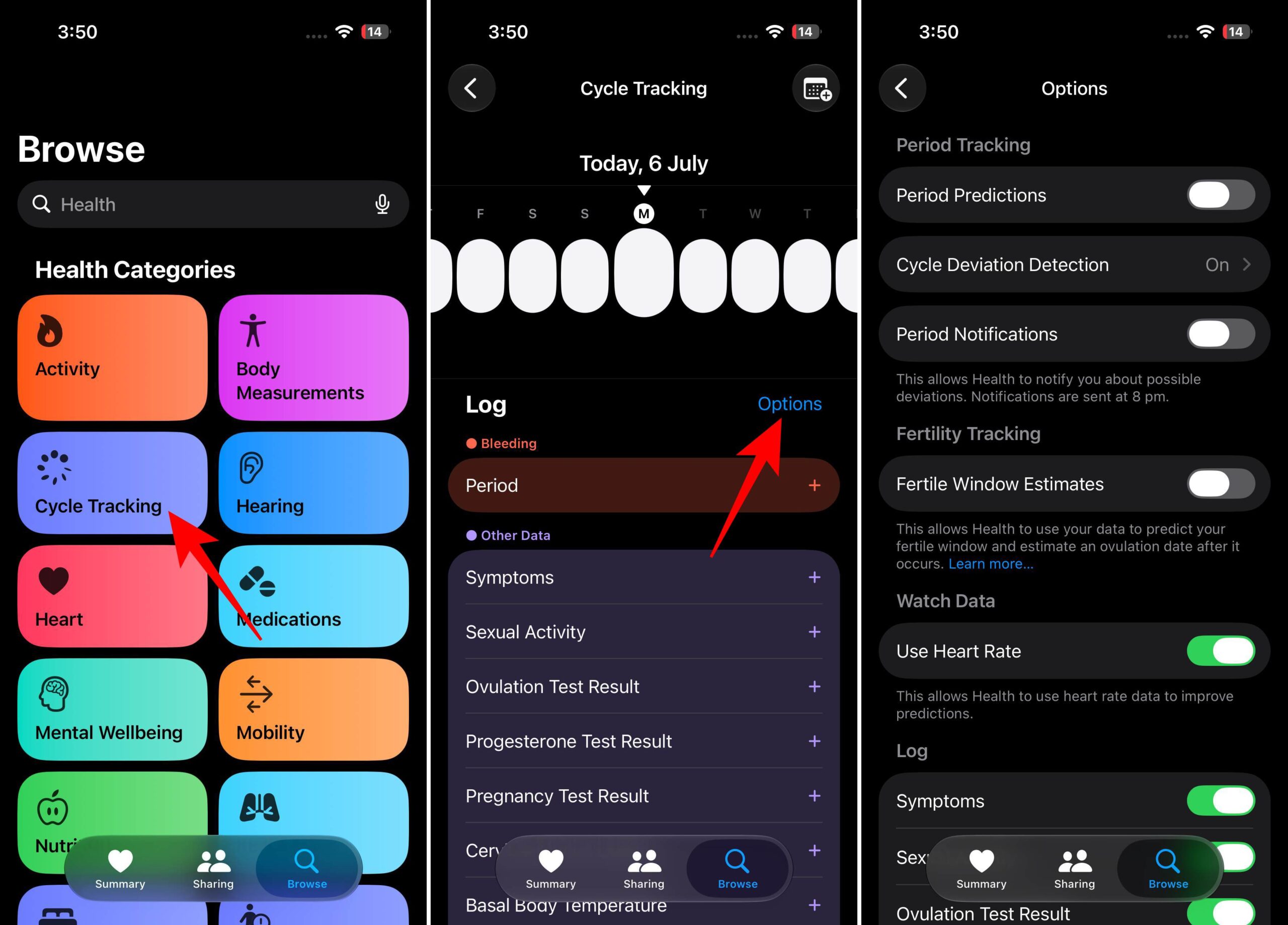
Here’s how you can set up and use menopause tracking on your iPhone.
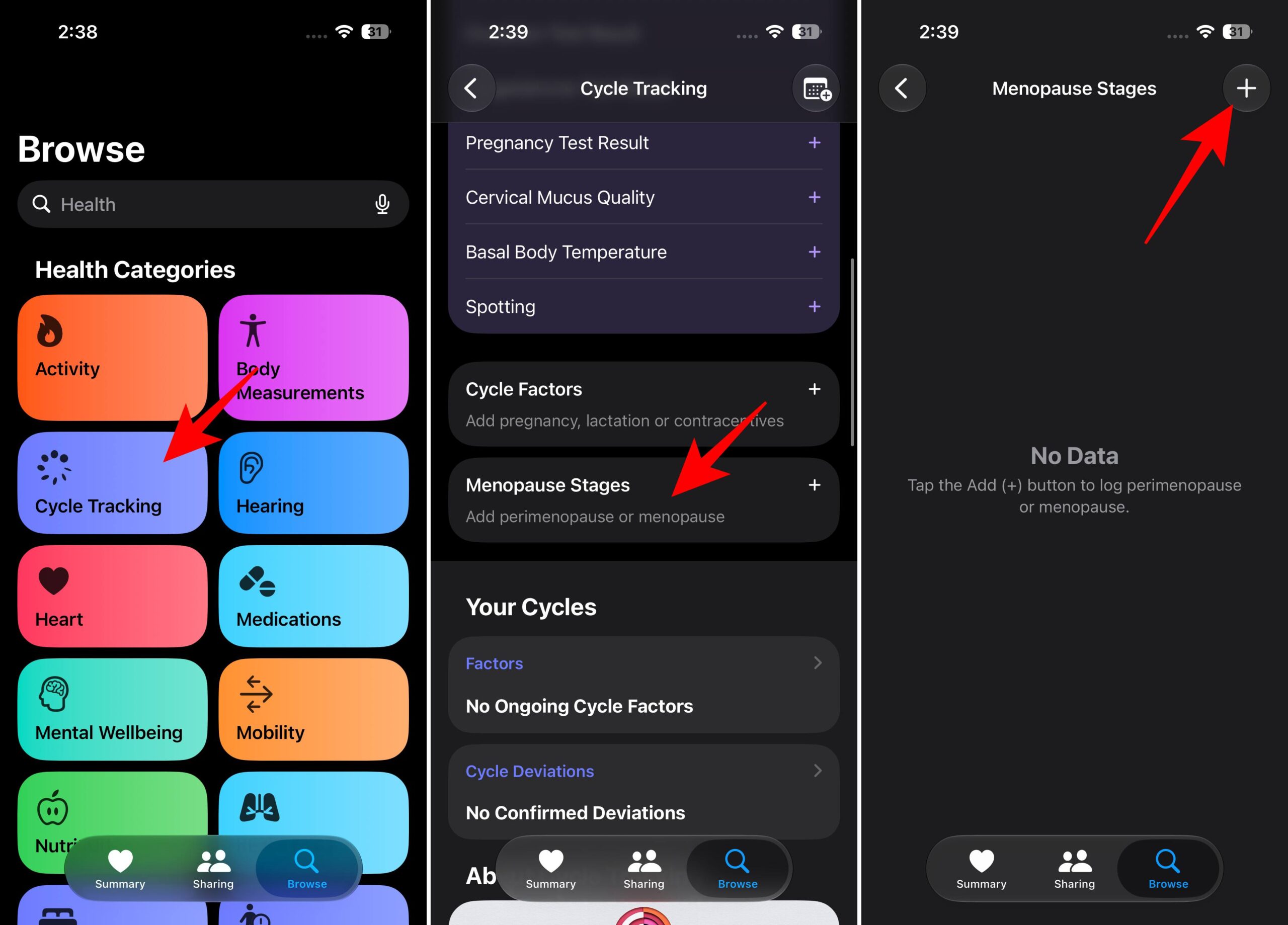
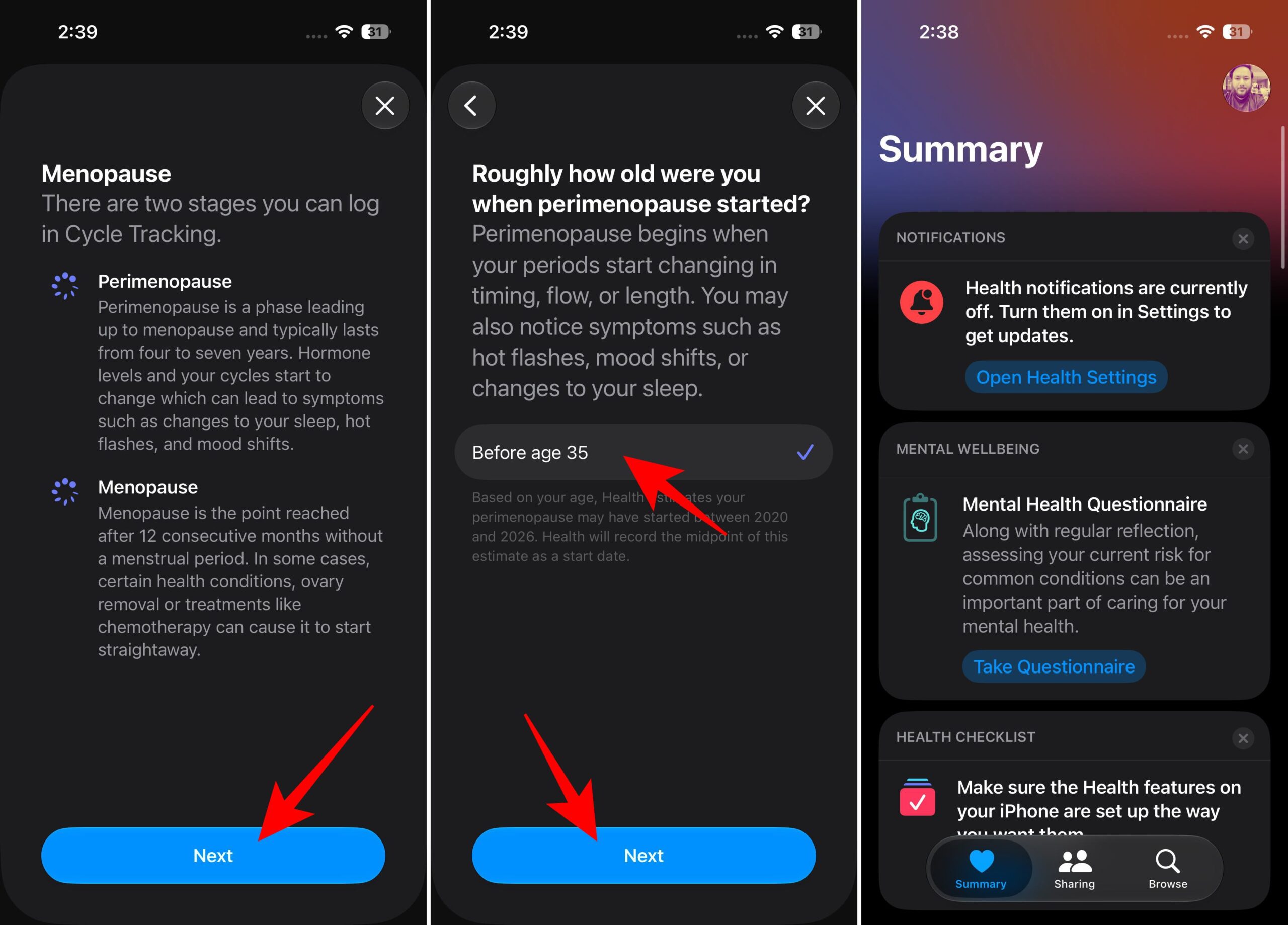
Once it’s enabled, the Health app will organize your symptoms, cycle information, and related health data in one place.
Every person’s menopause journey is different, which is why tracking a variety of symptoms can provide more meaningful insights over time.
With menopause tracking in the Health app, you can record symptoms and changes such as:
Over time, these entries can help you spot patterns that may be difficult to remember otherwise. For example, you might notice whether certain symptoms happen more often during specific periods or alongside changes in sleep and lifestyle.
Once menopause tracking is set up, adding symptoms only takes a few seconds.
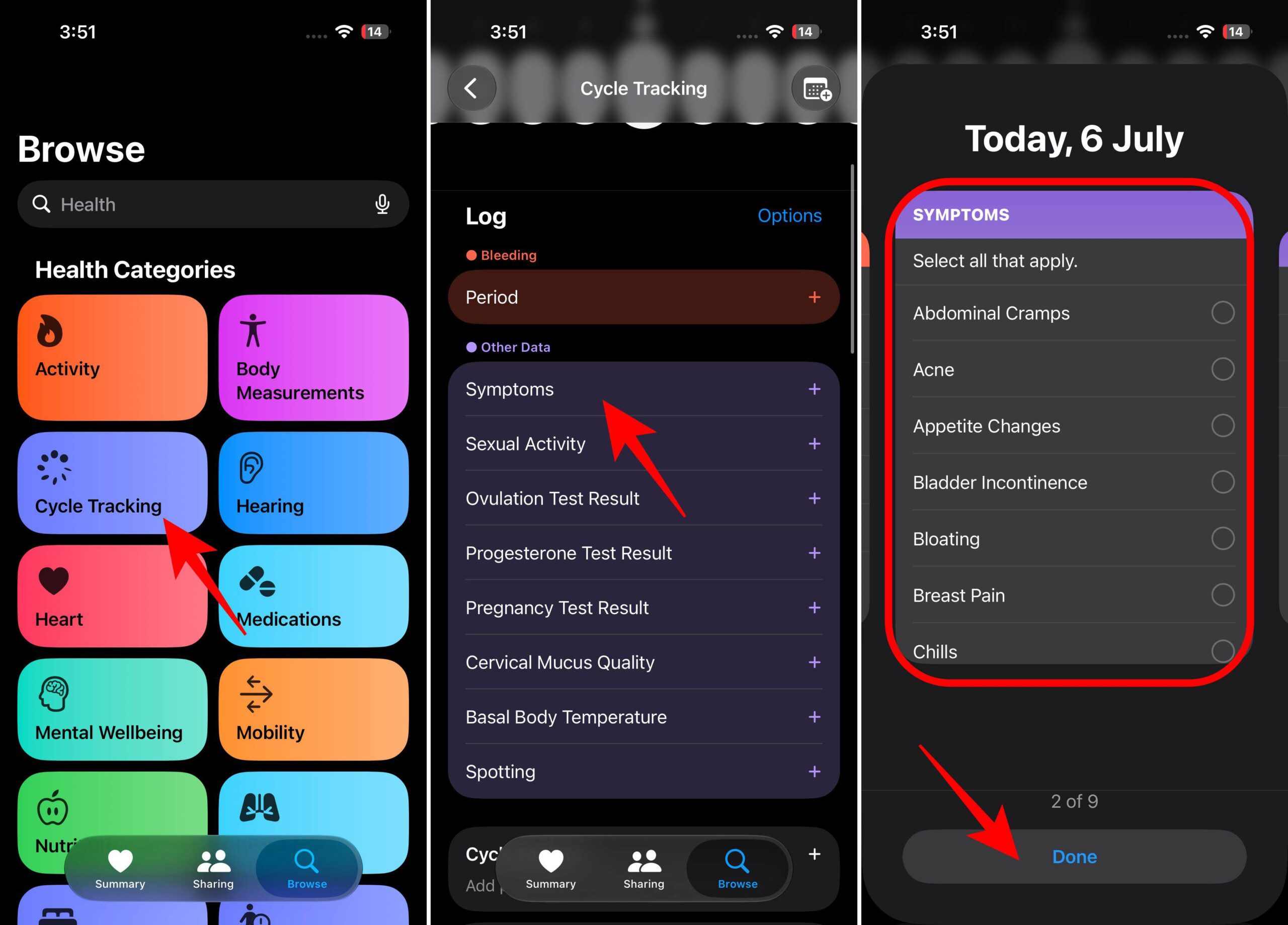
Over time, the Health app analyzes your symptom history alongside your cycle data to identify patterns that might otherwise be difficult to notice.
In iOS 27, the Health app can also provide insights when your cycle history shows changes that may be related to perimenopause.
These insights are designed to highlight possible trends in your data. While they aren’t intended to replace medical advice, they can provide useful information to discuss with your healthcare provider.
To enable notifications:
Health information is extremely personal, and menopause-related data is no exception. Apple encrypts Health data and gives you full control over which apps can access it.
You can review permissions anytime by going to:
From there, you can see which apps have access to your Health data and remove permissions if needed.
The Health app becomes more useful when it has consistent information to work with. A few habits can improve your long-term tracking:
Small updates over time can create a much clearer picture than trying to remember everything later.
Menopause tracking works directly inside the Health app on your iPhone, so an Apple Watch is not required.
However, if you already use an Apple Watch, it can add more health information like sleep trends and other wellness metrics. Combining these additional metrics with menopause tracking can provide a more complete picture of your overall health.
Menopause tracking in iOS 27 is a meaningful expansion of Apple’s Cycle Tracking feature. Instead of focusing only on reproductive health, the Health app now supports another major health transition with symptom logging, insights, and long-term trends.
Like most health tracking features, menopause tracking becomes increasingly valuable the longer you use it. Logging symptoms consistently can help you better understand long-term changes and keep everything organized in one place.
Do you think menopause tracking makes the Health app more useful? Share your opinion in the comments below.
Related articles worth reading: