FaceTime Like a Pro
Get our exclusive Ultimate FaceTime Guide 📚 — absolutely FREE when you sign up for our newsletter below.

FaceTime Like a Pro
Get our exclusive Ultimate FaceTime Guide 📚 — absolutely FREE when you sign up for our newsletter below.


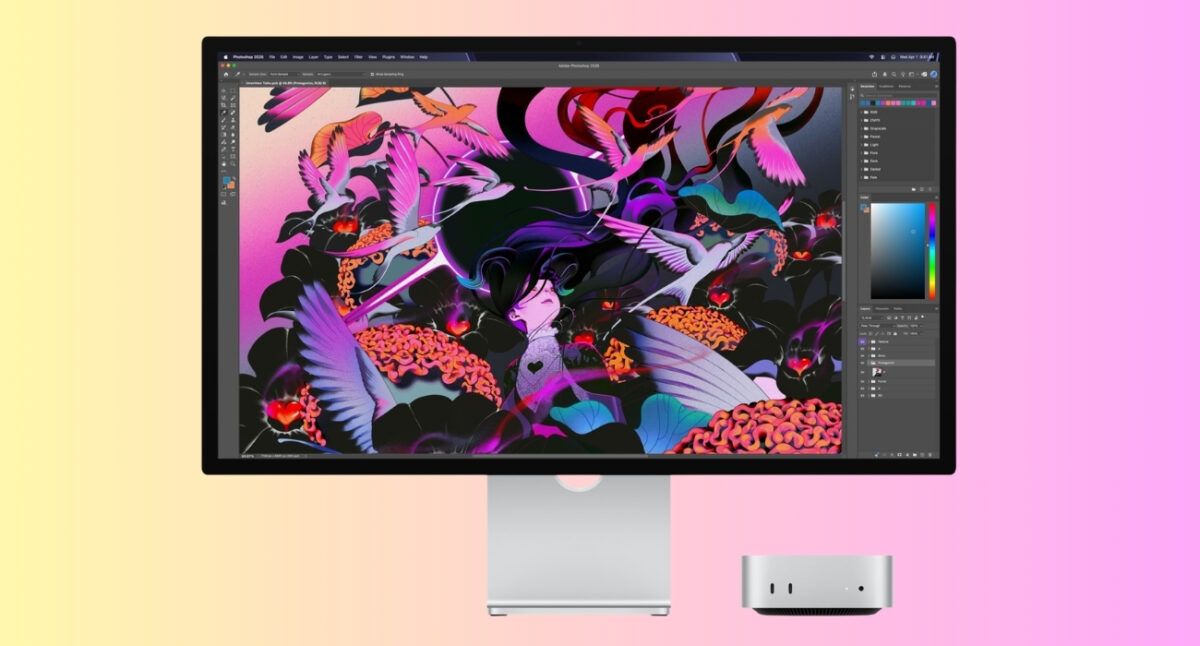
Here I've compared M6 Mac mini vs M4 Mac mini based on their price, specs, performance, AI, connectivity to find out if the M6 is worth the upgrade.
Apple has launched its new Mac mini powered by the M6 chip, bringing faster performance, improved graphics, better AI capabilities, and upgraded connectivity. But with the new model costing $300 more than the M4 Mac mini did at launch, my first thought was: Is the M6 Mac mini really worth the extra money, or is the M4 still the best to buy?
If you are also contemplating the same, here’s the answer. I will break down the M6 Mac mini vs. the M4 Mac mini, comparing their specs, benchmarks, performance, and price. So you can decide which Mac mini to buy in 2026.
The M4 Mac mini already delivers remarkable performance for a tiny desktop. The M6 pushes considerably further, but it also changes the value equation.
| Feature | M4 Mac mini | M6 Mac mini |
|---|---|---|
| Starting price | $799 current starting price | $899 |
| CPU | 10-core | 12-core |
| GPU | 10-core | 12-core |
| Neural Engine | 16-core | Dual 16-core GPU Neural Accelerators |
| Memory | Up to 24GB | Up to 32GB |
| Memory bandwidth | 120GB/s | Up to 170GB/s |
| Ethernet | 1Gb standard, 10Gb options | 2.5Gb standard, 10Gb option |
| Wi-Fi | Wi-Fi 6E | Wi-Fi 7 |
| Bluetooth | 5.3 | 6 |
| Thunderbolt | Thunderbolt 4 | Thunderbolt 4 |
The M6 uses Apple’s first 2nm chip design and adds two CPU cores and two GPU cores compared with the M4. It also introduces a dual 16-core Neural Engine and increases maximum memory from 24GB to 32GB. That is a serious generational upgrade on paper.
The M4 Mac mini uses a 10-core CPU with four performance cores and six efficiency cores. The M6 moves to a 12-core CPU comprising two super cores, four performance cores, and six efficiency cores. This new higher-performance core design is aimed at improving single-threaded workloads.
Apple claims the M6 delivers up to 40% faster CPU performance than the M4, while multi-core performance can be up to 1.2x faster. It also increases memory bandwidth from 120GB/s on M4 to 170GB/s on M6, giving the CPU, GPU, and AI hardware more data to work with.
Early reports estimate that the Geekbench 7 single-core score could rise from roughly 3,277 on the M4 to around 4,590 on the M6, while the multi-core score could rise from about 15,359 to 18,431.
The M4 has a 10-core GPU, while the M6 steps up to a 12-core GPU. But the bigger change isn’t simply the extra cores. Every M6 GPU core includes a Neural Accelerator, giving the chip considerably more AI-focused graphics hardware. Apple claims the M6 can deliver up to 2x faster graphics performance than the M4 and up to 4x the peak AI compute.
For gamers, creative professionals, and anyone using AI-heavy applications, this could be a much more noticeable upgrade.
The M4 has a 16-core Neural Engine. The M6 uses a dual 16-core Neural Engine, alongside Neural Accelerators built into its GPU cores. Apple claims the new Neural Engine delivers twice the performance of the previous generation and says LLM prompt processing in LM Studio can be up to 4.8x faster than on M4.
Bottom line: the M6 is a meaningful performance upgrade. But whether you’ll notice the difference depends entirely on what you do with your Mac mini. For demanding workloads, running local AI, and building agentic workflows, the M6 is definitely better than the M4. Otherwise, the M4 will serve most users well.
Here’s an upgrade that deserves more attention than it is getting. The M6 Mac mini supports up to 32GB of unified memory, compared with 24GB on the M4. Memory bandwidth also rises from 120GB/s to as much as 170GB/s.
For a basic user, that’s irrelevant. But if you’re running multiple professional applications, large datasets, virtual machines, local AI models, or increasingly memory-hungry workflows, it could be the difference between “this works” and “this is comfortable.”
And because unified memory is shared between the CPU and GPU, having more of it can be particularly useful for workloads that mix traditional computing with graphics or AI. If you are buying an M6, spend money on memory before obsessing over tiny storage benchmarks. You can’t add RAM later.
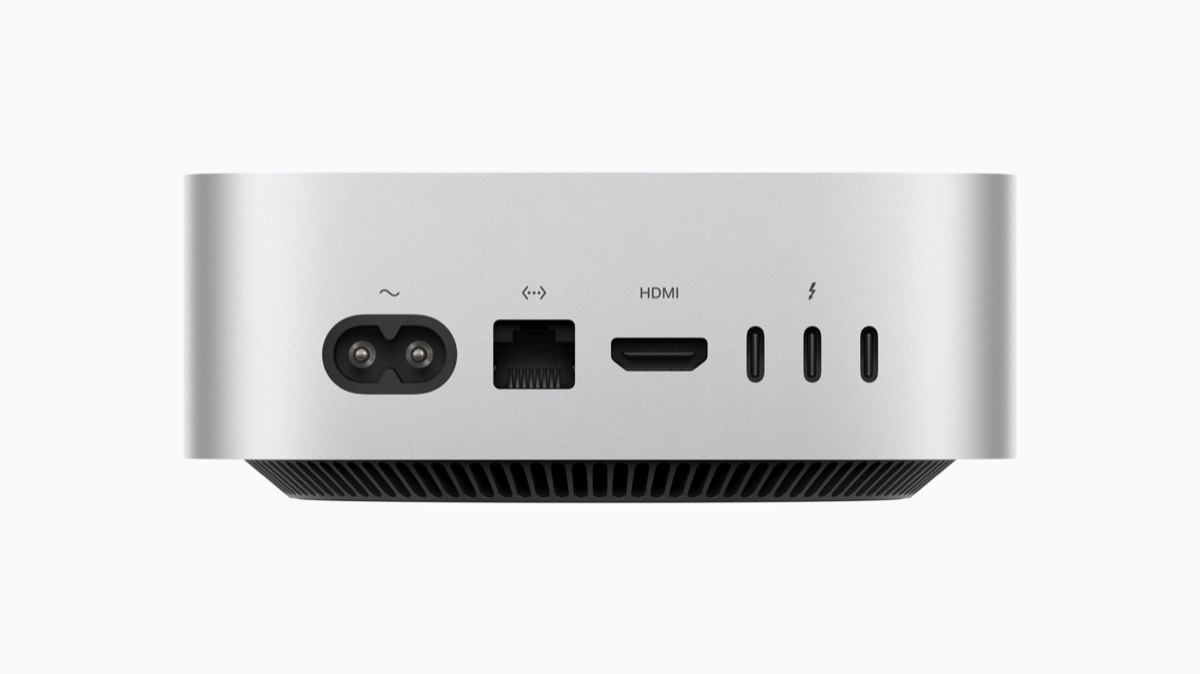
When it comes to physical ports, the M6 Mac mini vs M4 Mac mini comparison is surprisingly close. Apple has kept almost the exact same port layout, so this isn’t a generation where you’ll suddenly get a bunch of new connectors.
The bigger changes are networking and wireless connectivity.
| Connectivity | M4 Mac mini | M6 Mac mini |
|---|---|---|
| Front USB-C | 2 × USB-C, USB 3 up to 10Gb/s | 2 × USB-C, USB 3 |
| Rear Thunderbolt | 3 × Thunderbolt 4 | 3 × Thunderbolt 4 |
| HDMI | Yes | Yes |
| Headphone jack | 3.5mm | 3.5mm with high-impedance headphone support |
| Ethernet | 1Gb standard, 10Gb optional | 2.5Gb standard, 10Gb optional |
| Wi-Fi | Wi-Fi 6E | Wi-Fi 7 |
| Bluetooth | Bluetooth 5.3 | Bluetooth 6 |
The M6 also adds support for two external displays with variable refresh rate over a single Thunderbolt port. The real upgrade is networking. If you regularly move large files across a fast local network, use network-attached storage, or have a high-speed home network, you will see better speeds.
So, should ports and connectivity be a reason to upgrade?
Probably not if you already own an M4. The physical port selection hasn’t changed enough to justify replacing the machine by itself. But if you’re buying a Mac mini for a new setup, and especially if you have a fast home network, the M6’s 2.5Gb Ethernet, Wi-Fi 7 and Bluetooth 6 make it the more future-ready choice.
Now we get to the uncomfortable part.
Apple has set the M6 Mac mini‘s starting price at $899, with 16GB of unified memory and 256GB of storage. That’s $100 more than the M4 Mac mini’s latest $799 price, but the bigger shock is that the M4 originally launched at just $599 in 2024
| Configuration | M4 launch price | M6 price | Difference |
|---|---|---|---|
| 16GB + 256GB | $599 | $899 | +$300 |
| 16GB + 512GB | $799 | $1,199 | +$400 |
Memory upgrades are exactly the same as before: moving from 16GB to 24GB costs $200, while going from 24GB to 32GB costs another $200.
Storage follows a similar pattern, but the pricing changes as you move up the ladder. Going from 256GB to 512GB costs $200. Moving to 1TB costs another $300, while stepping all the way up to 2TB adds another $500. That means Apple’s internal SSD remains the expensive part of the configuration.
The M4 Mac mini is still very powerful. For everyday productivity, web browsing, office work, coding, photo management, streaming, light-to-moderate creative work, and general home computing, there’s very little reason to feel deprived by choosing M4.
In fact, if you can find an M4 at a significant discount, the value proposition gets even stronger.
The M4 already brought a major redesign and a substantial performance leap over previous generations. It supports Apple Intelligence, hardware-accelerated ray tracing, and multi-display workflows, while its compact design makes it unusually easy to integrate into an existing desk setup.
So if someone asks me, “Should I buy M6 or M4?” my response is: Buy the M4 if saving money is the priority. Buy the M6 if buying new and keeping it for years is the priority.
The M6 makes the most sense for these users:
Almost everyone else.
If you’re primarily browsing, writing, streaming, managing email, using Microsoft Office, doing schoolwork, coding without extreme workloads, or editing the occasional photo or video, the M4 is already overqualified.
That’s why I wouldn’t recommend upgrading from M4 simply because the M6 exists.
This is where Apple’s lineup gets more interesting.
The M5 Pro Mac mini starts at $1,699, compared with $899 for the M6 model. Apple positions it squarely at professionals handling demanding workloads such as video production, game development, scientific simulations, 3D work, and large AI models.
The M5 Pro can scale to an 18-core CPU, 20-core GPU, 64GB of unified memory, and 307GB/s memory bandwidth. It also gets Thunderbolt 5, while the M6 model uses Thunderbolt 4.
So, should you buy an M6 or M5 Pro Mac mini?
If you’re rendering 3D scenes, working with huge datasets, editing demanding video projects, developing games, or running serious local AI models, the extra $800 can make sense.
The M6 Mac mini upgrade is worth it if you’re coming from an older Mac, building a new setup, running demanding workloads, or planning to keep the machine for years. Apple has made a genuinely substantial generational upgrade.
But the M4 remains fast enough that most owners won’t suddenly discover a new category of things they can do.
For a new buyer? I would wait for M6 discounts if you’re price-sensitive. And I would absolutely consider an M4 if retailers start clearing inventory aggressively.