FaceTime Like a Pro
Get our exclusive Ultimate FaceTime Guide 📚 — absolutely FREE when you sign up for our newsletter below.

FaceTime Like a Pro
Get our exclusive Ultimate FaceTime Guide 📚 — absolutely FREE when you sign up for our newsletter below.


A touchscreen smart home hub or a compact smart speaker? Here I compared the latest Apple HomeView and HomePod mini 2 based on their features, sound, and value to help you choose the right one.
Apple’s latest smart home devices take two very different approaches to making a home smarter. Apple HomeView puts a touchscreen, FaceTime camera, entertainment, and smart home controls in one place. Meanwhile, HomePod mini 2 focuses on music, Siri, and controlling connected devices through voice commands.
But is HomeView worth paying twice as much as HomePod mini 2? In this comparison, I’ll look at their key features, sound quality, smart home capabilities, pricing, and differences to help you decide which Apple device is right for your home.
Here’s how the two new home devices compare.
| Feature | Apple HomeView | HomePod mini 2 |
|---|---|---|
| Display | 7-inch Liquid Retina touchscreen | No display |
| Chip | A18 | S10 |
| Camera | 12MP Center Stage | No camera |
| Audio | Full-range drivers, and a woofer and two passive radiators on the tabletop model | Full-range driver and dual force-cancelling passive radiators |
| Music experience | Spatial Audio with Dolby Atmos | 360-degree audio with computational audio |
| Video calls | FaceTime with Center Stage | No built-in video calling interface |
| Smart home | Visual dashboard and voice controls | Voice controls and Apple Home integration |
| Siri AI | Available at launch in supported regions | Coming in a future software update |
| Sensors | Ambient light, temperature, humidity, and accelerometer | Temperature and humidity |
| Colors | Silver, Starlight, Rose Pink, and Space Gray | White, Pink, Green, Blue, and Midnight |
| Starting price | $299 | $149 |
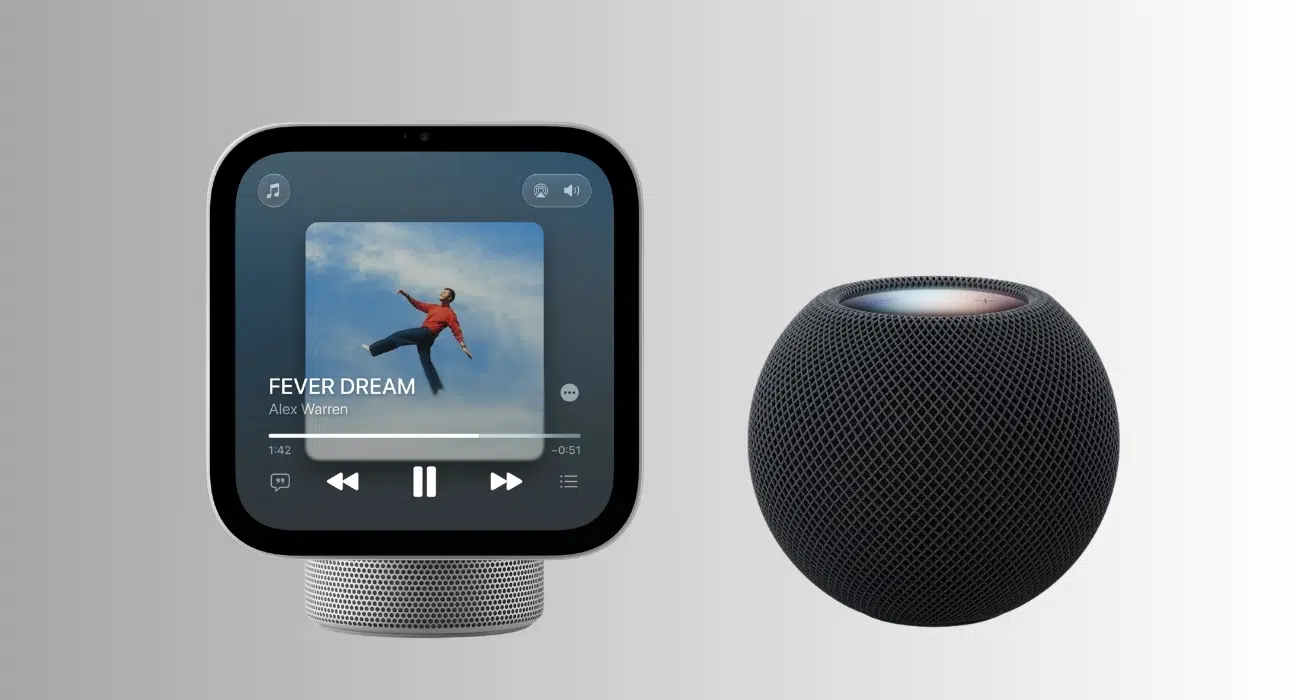
The biggest difference becomes obvious when you imagine where each device would sit in your home.
HomeView features a 7-inch Liquid Retina touchscreen with a 1088 × 1088 resolution, True Tone, and a brightness range of 0.3 to 500 nits. The adjustable hinge makes it suitable for a kitchen counter, nightstand, or side table. You can also choose a wall-mounted version for an entryway or hallway.
HomePod mini 2 takes up much less space. It measures 3.3 inches tall and 3.9 inches wide, weighs 0.74 pounds, and has a compact, spherical design covered in acoustic mesh fabric. Its illuminated touch surface handles playback, volume, and Siri controls.
My take: HomeView makes more sense in a shared family space where people regularly check information or adjust smart home settings. HomePod mini 2 can be considered for your desk, bookshelf, bedroom, or kitchen if you don’t need any visual features and want to save counter space.
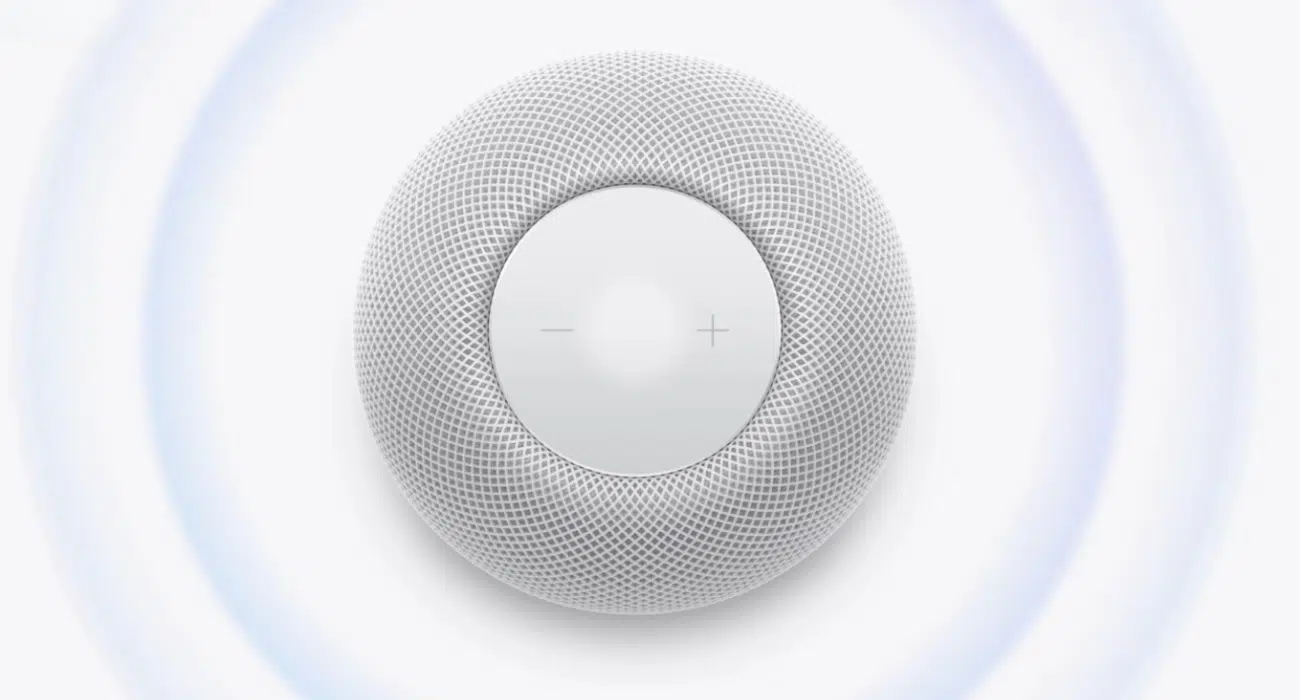
If music is the main reason you’re buying either device, I wouldn’t automatically assume HomeView is better just because it costs more.
HomePod mini 2 features a full-range driver, dual force-cancelling passive radiators, and a custom acoustic waveguide designed to produce 360-degree sound. Its S10 chip powers computational audio, which adjusts dynamic range, loudness, and acoustic performance in real time.
It also supports stereo pairing, multiroom audio through AirPlay, and a new Sound Glow feature. Sound Glow makes the illuminated top respond to music, creating a color-matched lighting effect based on the current song’s artwork.
HomeView has a more elaborate audio system in its tabletop version, combining two full-range drivers, a down-firing woofer, and dual force-cancelling passive radiators. It supports Spatial Audio and computational audio. The wall-mounted model uses two full-range drivers instead.
Which sounds better? HomeView has a larger acoustic system on paper, particularly in its tabletop model, while HomePod mini 2 delivers 360-degree audio from a compact body.
My take: If you want a compact speaker for everyday music, HomePod mini 2 is better. But to enjoy music alongside album artwork, lyrics, and other visual content, HomeView has the advantage.
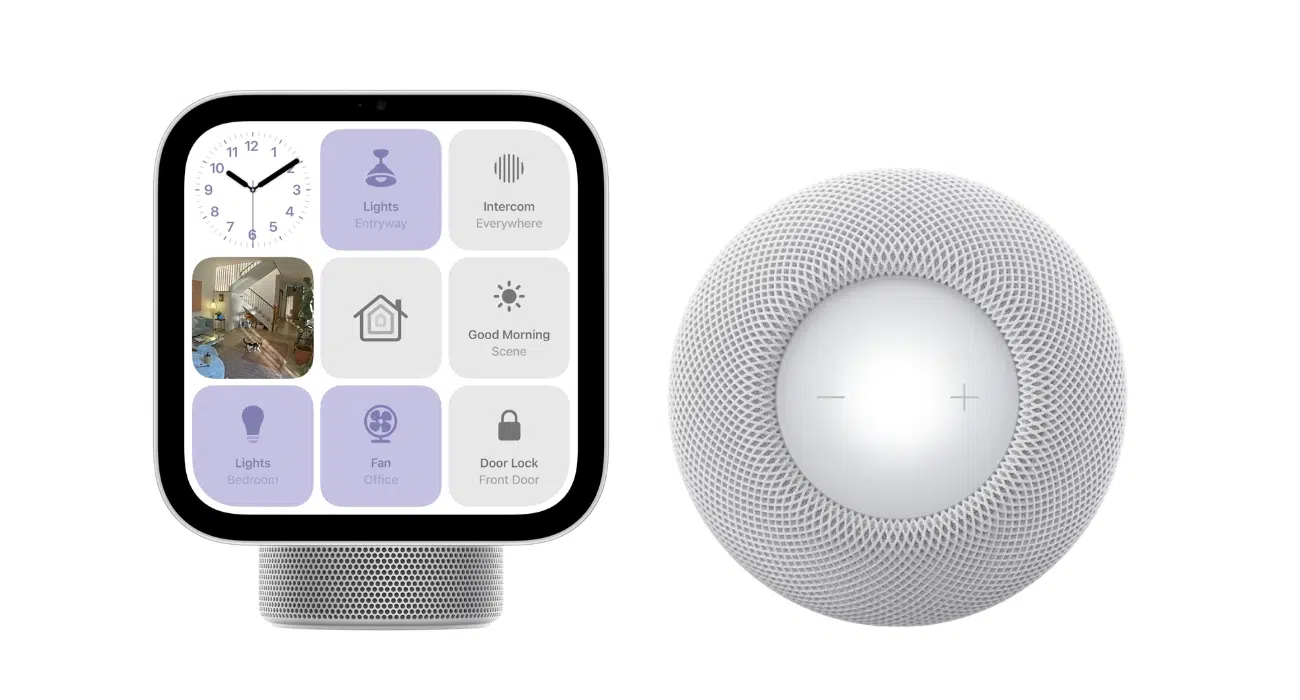
This is where HomeView’s touchscreen can make a meaningful difference.
HomeView provides a visual dashboard for compatible smart lights, locks, thermostats, blinds, and cameras. You can tap the screen to adjust home accessories, check camera feeds, or activate scenes. Its Home Camera interface can display up to nine video feeds simultaneously.
HomePod mini 2 offers many of the same underlying smart home capabilities through Siri and Apple’s Home app. You can ask Siri to switch off lights, lock a compatible door, adjust the thermostat, or run a bedtime automation. It also works as a home hub, allowing you to control compatible accessories remotely through the Home app.
My take: I’d choose HomeView if I regularly monitor cameras or prefer tapping controls. I would go for HomePod mini 2 if I were only using voice commands to control lights, thermostats, and other connected devices.
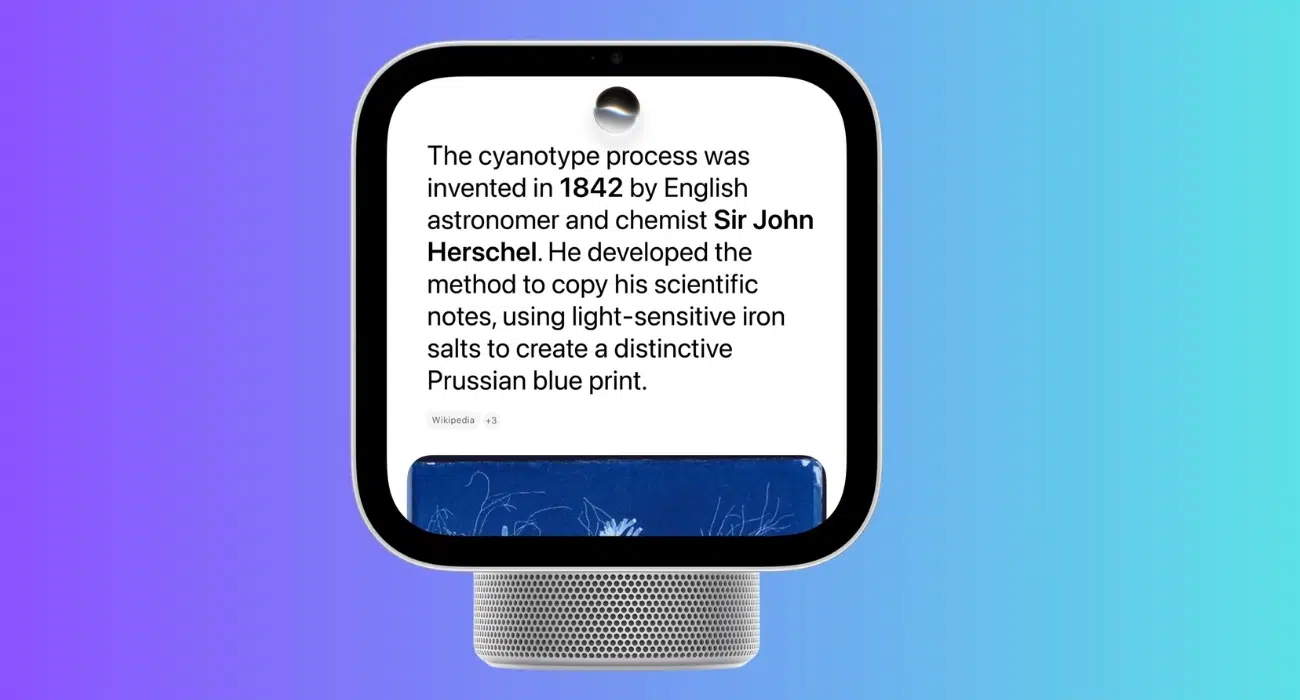
Both devices are part of Apple’s move toward a more capable Siri, but there’s an important difference in availability.
HomeView includes the latest Siri AI. Apple says it offers broader world knowledge, more conversational responses, onscreen awareness, and personal context when paired with an Apple Intelligence-enabled iPhone or iPad. HomeView can also recognize up to six people and personalize supported content for each household member.
HomePod mini 2 has been announced with Siri AI as well, but the updated Siri experience will arrive in a future software update. That means you shouldn’t assume every new AI feature will be available on the speaker immediately.
Once enabled, Siri AI is designed to help HomePod mini 2 users have more natural conversations, discover music, and complete tasks using personal context from compatible Apple devices. Apple also says it can recognize up to six household members by voice.
My take: If you want Apple’s new Siri AI on your home hub immediately, HomeView has the advantage at launch. If you prefer a compact speaker and don’t mind waiting for the software update, HomePod mini 2 remains an interesting option.
HomeView is designed to handle more than music playback. Its screen and camera make it useful for several everyday activities:
HomePod mini 2 keeps entertainment focused on audio. You can listen to music, podcasts, and news briefings, transfer audio using AirPlay, and use Siri to control playback. It can also serve as a speaker for compatible Macs.
What I found interesting is home theater support. When paired with the new Apple TV 4K, four HomePod mini 2 speakers can create a surround sound setup, with two speakers at the front and two at the rear. So, you can have a more immersive TV experience.
My take: As I often use my iPhone to follow recipes or make video calls around the house, HomeView seems more practical. If you mainly want background music while working, cooking, or relaxing, HomePod mini 2 can handle that without another screen.
HomeView includes a camera, microphone, and display that can show personal information, so privacy deserves careful consideration.
Apple says HomeView recognizes household members by their faces and provides personalized experiences while keeping personal content private from other users. Its Siri requests can use on-device processing or Apple’s Private Cloud Compute, depending on the task.
HomePod mini 2 has no camera or display, giving it a simpler physical privacy profile. It uses microphones for Siri requests and can recognize different household members by voice when supported features are enabled. Likewise, Siri requests use on-device processing or Private Cloud Compute.
Both devices support smart home security features, including Sound Recognition for compatible smoke and carbon monoxide alarms.
My take: If you’re uncomfortable having a camera-equipped device in a shared space, HomePod mini 2 may feel like the more straightforward choice.
The price difference is significant enough to influence the decision.
| Detail | Apple HomeView | HomePod mini 2 |
|---|---|---|
| Starting price | $299 | $149 |
| Availability | November 13, 2026 | October 30, 2026 |
That makes HomeView exactly twice the price of the HomePod mini 2. Wall-mounted HomeView accessories can add to the cost, with Apple’s listed mounting options starting at $59.95 for the USB-C wall connector and $79.95 for the wired AC mount.
Before deciding whether it’s worth the extra cost, explore the Apple HomeView features worth knowing about.
After comparing the two, I’d base the decision on how you want to interact with your smart home rather than which device has the longer feature list.
Buy Apple HomeView if you want a visual smart home hub. It lets you check security cameras, make FaceTime calls, follow recipes, and manage connected devices all in one place. It’s particularly appealing for households where several people can benefit from a shared display. But you’ll pay extra for those visual features.
Buying HomePod mini 2 would be wise if listening to music, Siri, and smart home accessories control are all you need. At $149, it costs half as much as HomeView, making it a more affordable way to add a smart speaker and home hub to your Apple setup.
Ultimately, I’d choose HomeView for its visual features and HomePod mini 2 for its compact design and lower price. Consider which features you’ll use most often before making your decision.
You may also buy both for different rooms. HomeView can sit in a kitchen or family room, while HomePod mini 2 handles music in a bedroom or office. Apple supports multiroom audio across compatible HomeView, HomePod, HomePod mini, and AirPlay speakers.
The Apple HomeView vs HomePod mini 2 comparison isn’t about choosing the more powerful device. It’s about deciding how you want technology to fit into your everyday routine.
HomeView has a touchscreen, camera, entertainment, Siri AI, and visual smart home controls. HomePod mini 2 is designed for 360-degree audio, voice commands, and a compact design, with Siri AI support arriving in a future software update.
If I wanted a device to make family routines and smart home controls easier to manage, I’d lean toward HomeView. If I wanted music, voice control, and connected-home features without spending $299, I’d choose HomePod mini 2.
The best choice is the one you’ll use every day. A smart display is worth the extra money only when its screen makes your home more convenient.