
FaceTime Like a Pro
Get our exclusive Ultimate FaceTime Guide 📚 — absolutely FREE when you sign up for our newsletter below.

FaceTime Like a Pro
Get our exclusive Ultimate FaceTime Guide 📚 — absolutely FREE when you sign up for our newsletter below.


Apple is making Shortcuts easier in iOS 27 by letting users describe an automation in plain language and have Apple Intelligence build the workflow.
Apple is making the Shortcuts app much easier to use in iOS 27. Instead of building an automation step by step, users will be able to describe what they want in plain language and let Apple Intelligence create the shortcut.
The feature was part of Apple’s WWDC26 announcements this week. It also matches an earlier iOS 27 report on AI wallpapers and Shortcuts that pointed to natural-language shortcut creation alongside other Apple Intelligence upgrades.
Shortcuts has always been one of the iPhone’s most powerful apps, but it has never felt friendly to casual users. Building a useful automation usually means choosing actions, arranging them in the right order, handling variables, and testing whether the whole thing actually works.
iOS 27 changes that flow. You can type a request such as asking your iPhone to message someone your ETA when you leave home, and Apple Intelligence will build the shortcut in the background. In Apple’s demo, the system used location, Apple Maps, and Messages to create the automation without making the user assemble every block manually.
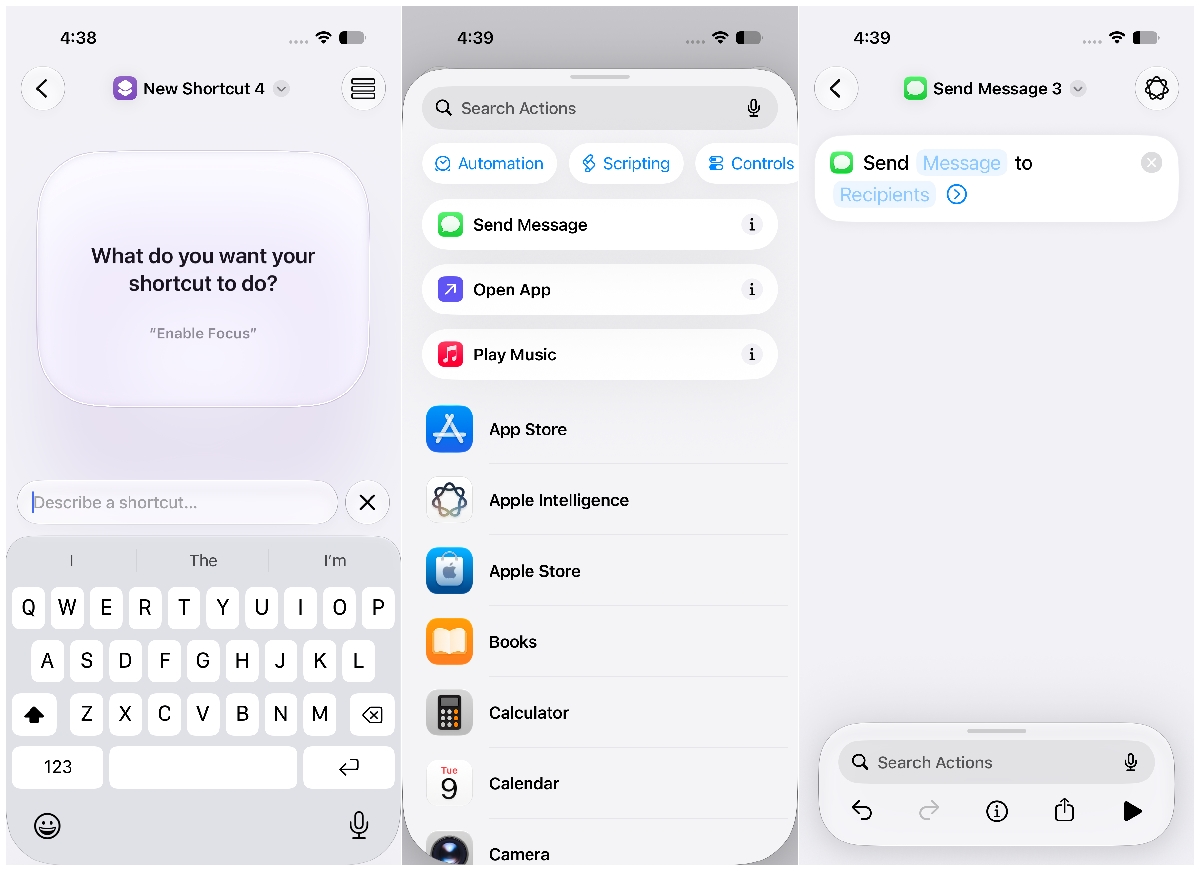
That is the important shift. The Shortcuts app is no longer only asking users to learn its logic. It is trying to understand the task first and turn that into the right set of actions.
Apple already brought Apple Intelligence into Shortcuts with iOS 26. That update let users add intelligent actions to a shortcut, such as summarizing text, creating images, or using Apple Intelligence models as one step inside a workflow.
iOS 27 goes further. The AI is not just another action inside the shortcut. It can help create the shortcut itself.
That matters because most people do not avoid Shortcuts because the app lacks power. They avoid it because the setup feels too technical. Natural-language creation could make common automations feel more like asking Siri for help and less like building a tiny app.
This feature should be most useful for small, repeatable tasks. Think of things like sending an ETA, saving screenshots to a note, starting a Focus mode when you reach a place, creating a morning checklist, logging expenses, or preparing a message with details from another app.
The real test will be how clearly iOS shows what Apple Intelligence created. A generated shortcut can touch messages, locations, files, calendars, or smart home devices, so users need to see the steps before trusting it.
Apple can make Shortcuts easier, but it still has to keep the result understandable.
The broader iOS 27 Apple Intelligence update is about moving AI into daily iPhone tasks instead of keeping it in separate tools. Natural-language Shortcuts fits that idea neatly because automation is one place where AI can remove friction without needing to become a full chatbot.
There are still limits to watch. Apple Intelligence features usually depend on supported devices, languages, and regions, so this may not reach every iPhone that can install iOS 27. Reliability will also matter more than demo polish. If Apple Intelligence builds the wrong automation or hides too much of the logic, users will go back to doing things manually.
Still, this is one of the more practical iOS 27 AI features Apple has shown. If it works well, Shortcuts could finally become useful for people who always liked the idea of iPhone automation but never wanted to learn the app’s wiring.












