
FaceTime Like a Pro
Get our exclusive Ultimate FaceTime Guide 📚 — absolutely FREE when you sign up for our newsletter below.

FaceTime Like a Pro
Get our exclusive Ultimate FaceTime Guide 📚 — absolutely FREE when you sign up for our newsletter below.


The new EQ controls in iOS 27 let you tune your AirPods exactly the way you want, from punchier bass to clearer vocals.
For nearly a decade, Apple expected AirPods users to accept one sound profile. Sometimes I wanted stronger bass, clearer vocals, or a brighter sound signature, but there wasn’t much I could do.
That’s finally changing in iOS 27. Apple is introducing custom AirPods EQ controls as part of a redesigned AirPods settings experience. Now you can tailor audio playback to your personal preferences instead of relying entirely on Apple’s default tuning. So, no more accessibility audio tweaks or app-specific workarounds.
Sounds interesting, right? Here’s how to access and use AirPods EQ settings on iOS 27.
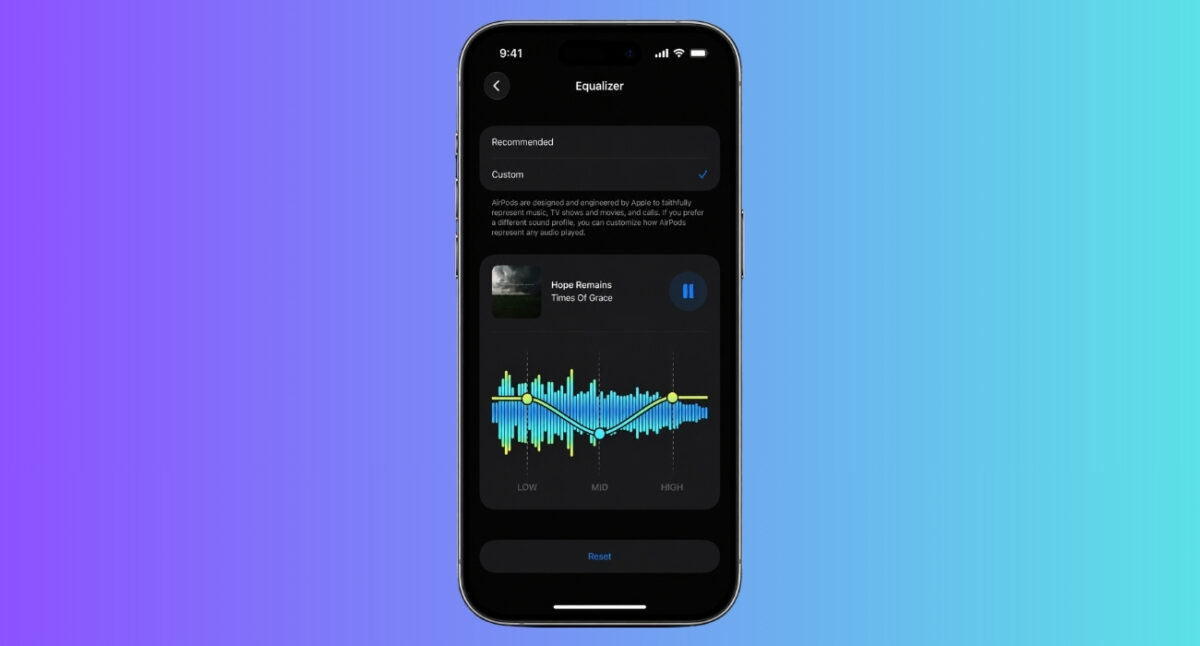
Apple has introduced one of the biggest changes to AirPods sound customization after Personalized Spatial Audio. The new EQ controls are integrated directly into the redesigned AirPods settings menu in iOS 27. Instead of relying on music app-specific equalizers, users can now access sound customization settings specifically designed for AirPods.
Apple has given controls for a three-band equalizer:
The custom EQ settings include both Recommended and Custom sound profiles, allowing users to either choose a preset or fine-tune audio themselves.
What’s particularly interesting is that these EQ changes appear to work system-wide rather than being limited to Apple Music. That means the settings can potentially affect music streaming, podcasts, videos, TV shows, and other audio content played through AirPods.
Apple is currently testing the new EQ controls as part of the iOS 27, iPadOS 27, and macOS 27. According to Apple’s preview in the WWDC Keynote and early hands-on reports, the feature is expected to work with newer AirPods models with the H2 audio chip.
Supported devices are expected to include:
You can install iOS 27 try this features, You also need to have the newly released AirPods firmware 9A5292e. This firmware is rolled out only for AirPods and AirPods MAX.
Apple has significantly redesigned the AirPods settings page, making audio controls much easier to find.
You will hear the changes and see audio waveforms as your chosen track is playing. To customize AirPods sound for podcasts or other audio content, play it and then tweak the settings. If you don’t like it, tap Reset at the bottom to restore the default.
One of the advantages of the new system is that users can tailor audio based on what they listen to most.
The best settings ultimately depend on personal preference, which is exactly why many AirPods users have been asking Apple for EQ controls in the first place.
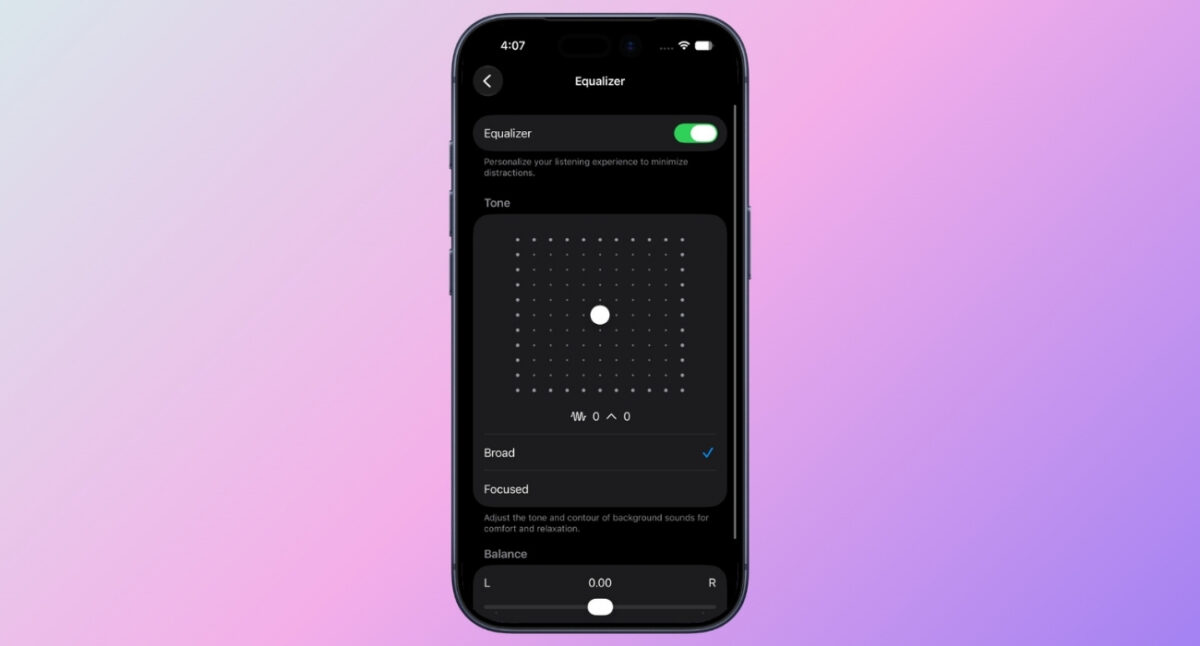
Previously, Apple only relied on the Adaptive EQ feature, which automatically tunes music in real time to match the unique shape of your ear. But now the company is going towards more user control for personalization.
The timing isn’t a coincidence. Nowadays, people want their headphones to sound the way they prefer, not the way a manufacturer thinks they should sound.
Apple has also faced increasing pressure from competitors that have offered customizable EQ settings for years. Sony’s WF-series earbuds, Bose QuietComfort earbuds, Sennheiser HDB lineup, and several emerging brands already offer up to a 10-band equalizer and several sound profiles through companion apps.
As audio personalization becomes a standard feature across the industry, AirPods were beginning to stand out for what they lacked rather than what they offered.
You may like t Read: How to save a video frame as a photo on iPhone
Custom AirPods EQ profiles may not be the flashiest iOS 27 feature, but they fix one of the biggest limitations of Apple’s most popular product category. And honestly? It’s about six years late.
I know the feature won’t transform AirPods into audiophile headphones overnight because it’s relatively basic compared to some competitors. But that’s probably the point. Most users don’t need a complicated 10-band equalizer. They simply want their music, podcasts, and calls to sound better.
What do you think about the new AirPods EQ controls? Share your opinion in the comments below!












