FaceTime Like a Pro
Get our exclusive Ultimate FaceTime Guide 📚 — absolutely FREE when you sign up for our newsletter below.

FaceTime Like a Pro
Get our exclusive Ultimate FaceTime Guide 📚 — absolutely FREE when you sign up for our newsletter below.


Looking the right accessories for your Galaxy Tab S11 Ultra? I have build a setup to make the most out of the premium tablet.
The Samsung Galaxy Tab S11 Ultra is the most sought-after premium Android tablet with a big screen, slim body, and enough power to make most people replace their laptops. But after using it for a couple of weeks, I’ve realized that the tablet is only half the setup.
The right accessories can make the whole experience feel more comfortable and complete. If I were buying a Samsung Galaxy Tab S11 Ultra today, these are the best accessories I’d actually get for work, travel, and streaming instead of the flashy ones.
The list below of accessories for the Galaxy Tab S11 Ultra is not just to complete the setup. I have chosen them to solve specific problems: protecting that huge display, typing comfortably, charging fast, and making the tablet easier to use for long sessions.
The Galaxy Tab S11 Ultra features a massive 14.6-inch display with Corning Gorilla Glass 5. Although it can ward off minor drops and scratches, you should not use it naked while on the go.
In my opinion, an excellent case must protect the corners, accommodate several viewing angles, and make sure that your device isn’t too heavy.
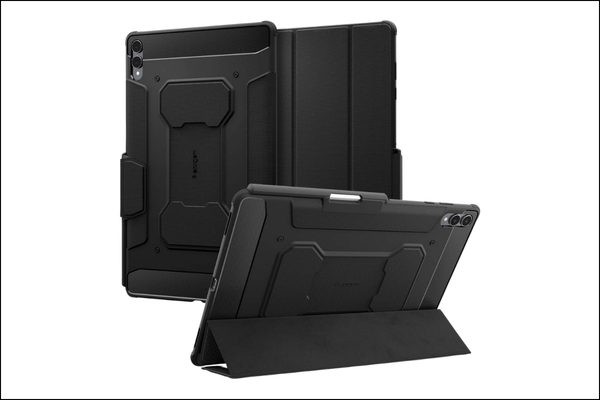
If I were using the Galaxy Tab S11 Ultra for travel, commuting, or work outside the house, I’d start with the Spigen Rugged Armor Pro case.
It does a good job with Air Cushion corners, reinforced edges, grippy textures, and a sleek form factor that feels protective without becoming absurdly bulky. The case also focuses on elegance with the carbon fiber accents and a matte black finish. You can even keep your S Pen in the built-in holder.
What I like most about this is the tri-fold stand design. It works well for typing, watching videos, and setting the tablet down on a desk without needing a separate tablet stand.
Pros
Cons
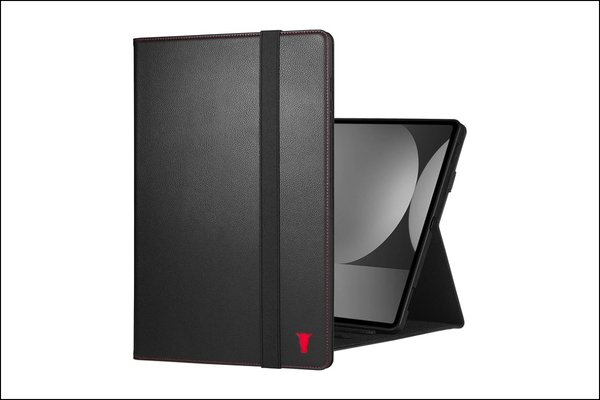
The TORRO leather case is perfect if you use your Galaxy Tab S11 Ultra in business or professional settings.
The handcrafted top-grain cowhide leather changes the personality of your tablet. It develops a beautiful patina over time to become uniquely yours. TORRO has also used a durable TPU frame for drop protection and a multi-angle kickstand. To keep the flap secure, it has an elastic closure strap.
The tradeoff is obvious: the leather case is not as rugged as protective TPU-heavy cases like Spigen. I wouldn’t pick this for rough travel or kids. But for work, writing, client calls, and reading, it’s the more polished option.
Pros
Cons
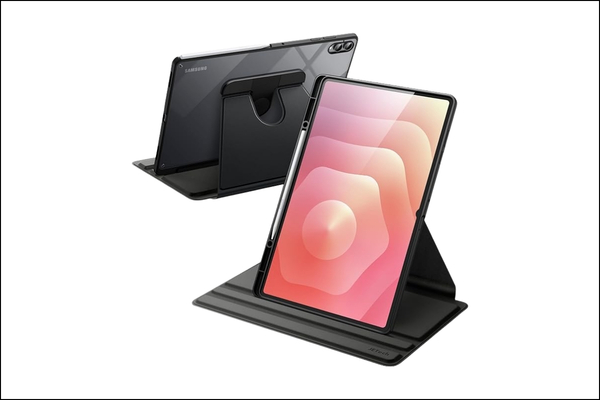
As I mostly use my tablet for streaming, reading and video calls, the JETech rotating case is a clever addition to my setup. Most tablet cases are built around landscape mode. But the Galaxy Tab S11 Ultra is also excellent for browsing long articles, checking dashboards, and using split-screen apps. So, portrait mode is useful.
The rotating case doesn’t lock the tab into one posture and lets me quickly switch between vertical and horizontal mode with angle adjustment. Moreover, the clear PC back panel, TPU frame, and leather front cover provide good protection and support the auto wake/sleep function.
Pros
Cons
I don’t treat screen protectors as optional on large tablets anymore. The Galaxy Tab S11 Ultra has a massive display, and that means more surface area for scratches, fingerprints, bag dust, and accidental contact with keys, chargers, or metal zippers.
A screen protector is boring until the first scratch lands on the protector instead of the actual display.
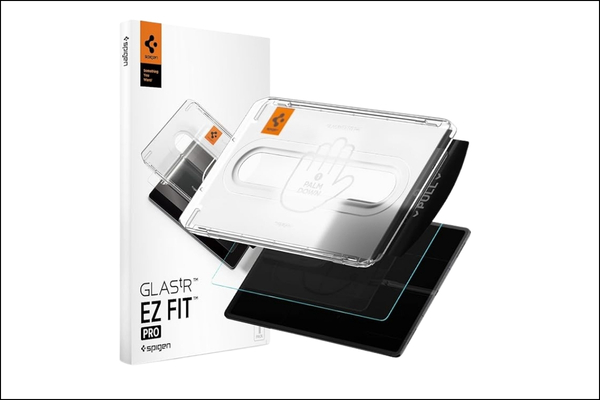
The Spigen tempered glass screen protector remains my favorite choice as the glass material provides the closest feeling to the original screen. It’s smooth, easy to wipe thanks to the oleophobic coating, and better for people who watch a lot of video.
If I were using the Tab S11 Ultra mainly for work, streaming, browsing, and typing, this would be my first pick. The highlight is the quick installer kit that prevents lifted edges, dust bubbles, and corner peeling. I have tested it with different cases, and it fitted perfectly.
Pros
Cons
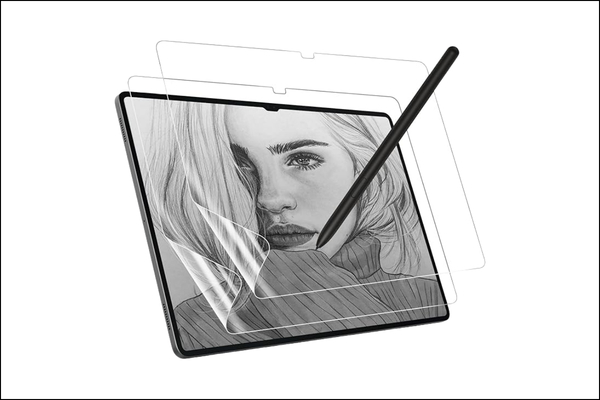
The MoKo ultra-thin PET screen protector is the one I’d consider if I used the S Pen every day.
This is where personal preference matters. Some people love the slick feel of glass. Others hate writing on it because the stylus glides too much. If you take handwritten notes, annotate PDFs, sketch diagrams, or use the tablet like a digital notebook, this textured protector can make the experience feel more controlled.
The downside is that paper-like protectors can slightly reduce sharpness due to the anti-glare matte coating and may wear down stylus tips faster. For streaming, I’d still prefer glass. For note-taking, I’d buy MoKo.
Pros
Cons
I wouldn’t automatically buy Samsung’s official keyboard cover first. For a tablet this large, I care more about typing comfort than brand matching for a work setup.
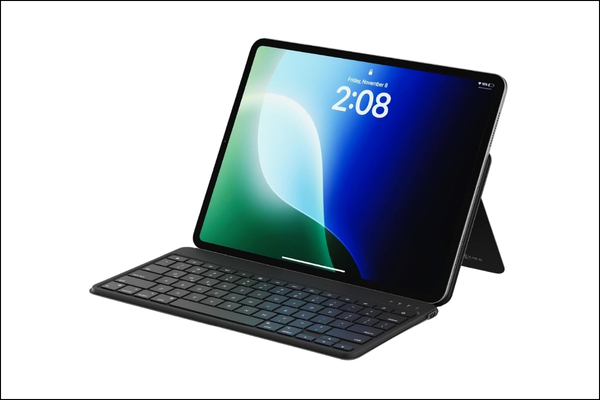
I’ve picked the Satechi Bluetooth keyboard to make working with the Tab S11 Ultra more convenient without carrying a bulky keyboard case.
It connects over Bluetooth 5.1 and includes a built-in adjustable stand, so I can place the tablet in portrait or landscape mode while typing. You also get up to 80 hours of continuous use and a slim 0.4-inch profile, which makes it one of the best travel accessories.
What makes it useful for the Tab S11 Ultra is the flexibility. Since it is not locked to one tablet model, I can use it with a Galaxy Tab, phone, laptop, or even another tablet, and quickly switch between devices when needed.
Pros
Cons
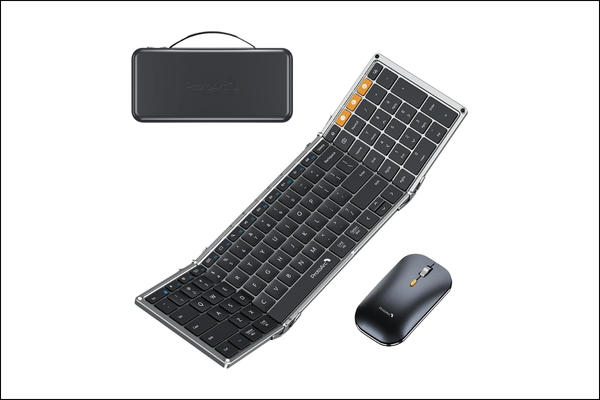
If you want to replace your laptop setup with Tab S11 Ultra, the ProtoArc foldable Bluetooth keyboard and mouse combo is a must-have accessory. You get a full-size tri-fold keyboard with a dedicated number pad, plus a slim wireless mouse with adjustable DPI modes. So, it feels much closer to working on a laptop or desktop.
I like standalone keyboards because they let me position the screen and keyboard separately. Moreover, the included case lets me pack the keyboard, mouse, and other accessories and carry them effortlessly when traveling.
Pros
Cons
These are the accessories people often buy last, but I think they matter more than most cool add-ons. The ones below completely changed how useful the Galaxy Tab S11 Ultra feels in my daily routine.
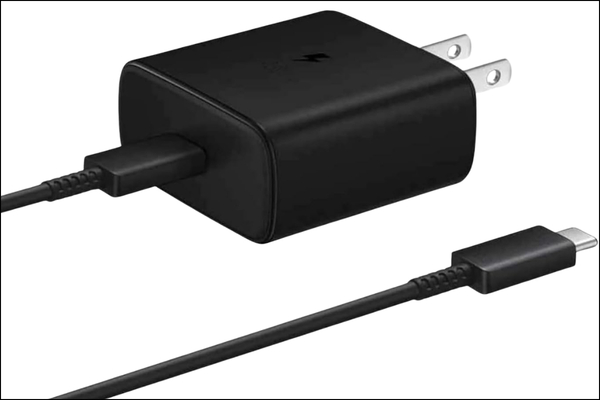
The Samsung 45W USB-C charger is not exciting. It will not make your desk look cooler. But I’d still buy it early.
A large tablet needs reliable fast charging, especially if you use it for work during the day and streaming at night. I don’t like gambling with random chargers for expensive devices. The official USB-C charger with PD ensures fast and stable charging.
Pros
Cons
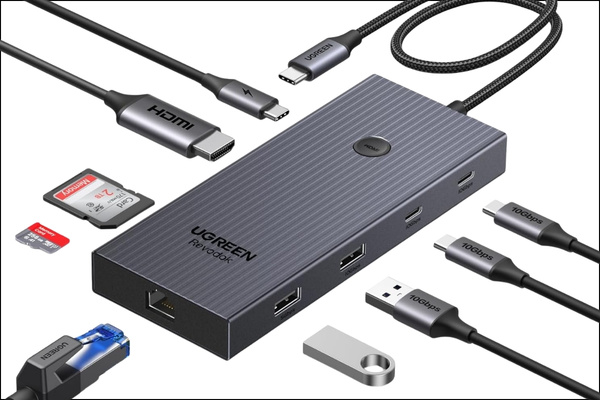
The UGREEN Revodok Pro 9-in-1 USB-C hub is the ultimate productivity-focused accessory. It turns the Galaxy Tab S11 Ultra from a beautiful screen into a practical work machine. As I love using Samsung DeX, it becomes even more important.
You can connect and access HDMI, USB-A accessories, SD cards, Ethernet, external drives, and pass-through charging. Simply connect the tablet to a monitor, plug in a keyboard and mouse, and suddenly the Tab S11 Ultra feels closer to a lightweight desktop setup.
Pros
Cons
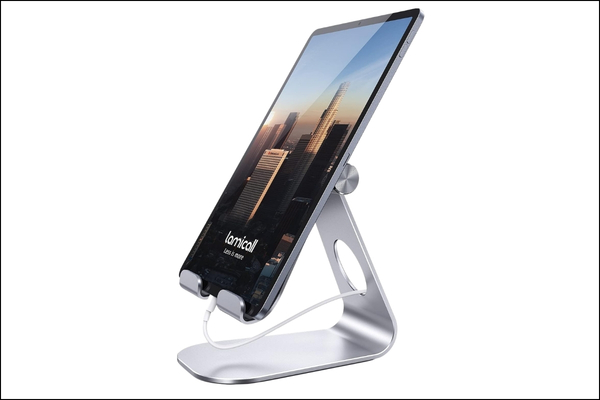
The Lamicall adjustable tablet stand is a simple desk accessory I’d add to the Tab S11 Ultra setup, as it fixes the ergonomic problem with tablets. When I’m using the tab for writing, video calls, reading, or watching shows, I want the screen raised and angled properly. Otherwise, I end up hunching over a very expensive piece of glass.
The stand supports both vertical and horizontal viewing with an adjustable angle design, and uses rubber pads and feet to help reduce slipping and scratches. This is also useful with a separate Bluetooth keyboard.
Pros
Cons
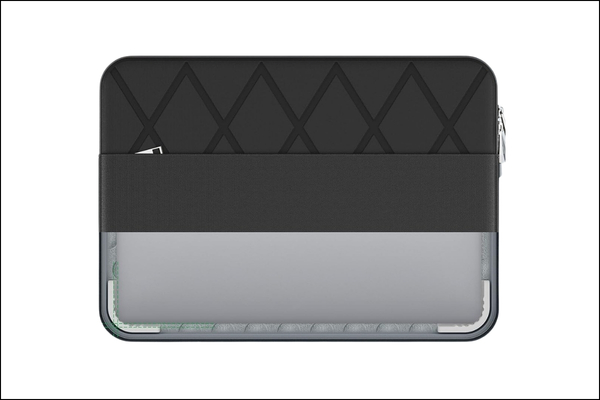
If you regularly carry your S11 Ultra, get the Smatree protective sleeve. I wouldn’t want my tab just floating around inside my backpack. The sleeve offers better protection compared to regular soft pouches, due to its super corner technology and an accurate fit with its EVA foam shell.
I vouch for this sleeve for its water-resistant 300D polyester exterior. You can also carry the extra accessories like cables, a charger and USB drives in the front zipper. However, keep in mind that this is still a sleeve, not a full tablet case. I’d use it for transport protection rather than drop protection.
Pros
Cons
The biggest mistake is buying accessories based on looks instead of use case.
A beautiful case that can’t stand properly is annoying. A cheap keyboard that makes typing miserable will stay in a drawer. A screen protector that ruins the display experience is not a bargain. And a tablet without a stand will eventually turn into a neck-pain machine.
If I were building my Galaxy Tab S11 Ultra setup from scratch, the following accessories would be important to me:
That’s the real trick. You don’t need every accessory attached all the time. Build a flexible setup.
If I were buying accessories for the Galaxy Tab S11 Ultra, I wouldn’t buy everything at once. I’d start with the accessories that protect the tablet and improve daily use immediately.
My first five purchases would be:
If I traveled often, I’d add the Smatree protective sleeve and ProtoArc foldable keyboard next.
Which accessories are you buying first? Share your preferred ones in the comments below!
You may like: Top 6 power banks for Samsung Galaxy S26 Ultra