FaceTime Like a Pro
Get our exclusive Ultimate FaceTime Guide 📚 — absolutely FREE when you sign up for our newsletter below.

FaceTime Like a Pro
Get our exclusive Ultimate FaceTime Guide 📚 — absolutely FREE when you sign up for our newsletter below.


The Vitals app on Apple Watch helps you monitor key health stats like sleep, heart rate, and blood oxygen in one place, making it easier to spot changes.
 ByVikhyat


Apple introduced the Vitals app with watchOS 11 to give users a better way to monitor their overall health. The app helps you achieve better sleep and faster recovery by recording key health metrics like average heart rate, respiratory rate, blood oxygen levels, body temperature, and sleep duration, all in one place.
You might wonder, didn’t the Apple Watch already track these health metrics? Yes, but before the Vitals app, you had to jump between multiple apps to see them. Vitals makes it easier by combining everything into a single snapshot.
Before watchOS 11, Apple Watch users could still monitor sleep and health metrics, but the data was scattered across different apps. The Vitals app simplifies this by analyzing your sleep over seven days and offering a graphical snapshot of your key health stats.
It calculates your average readings, then flags any unusual variations. If your vitals suddenly fall outside the typical range, the app alerts you so you can take action.
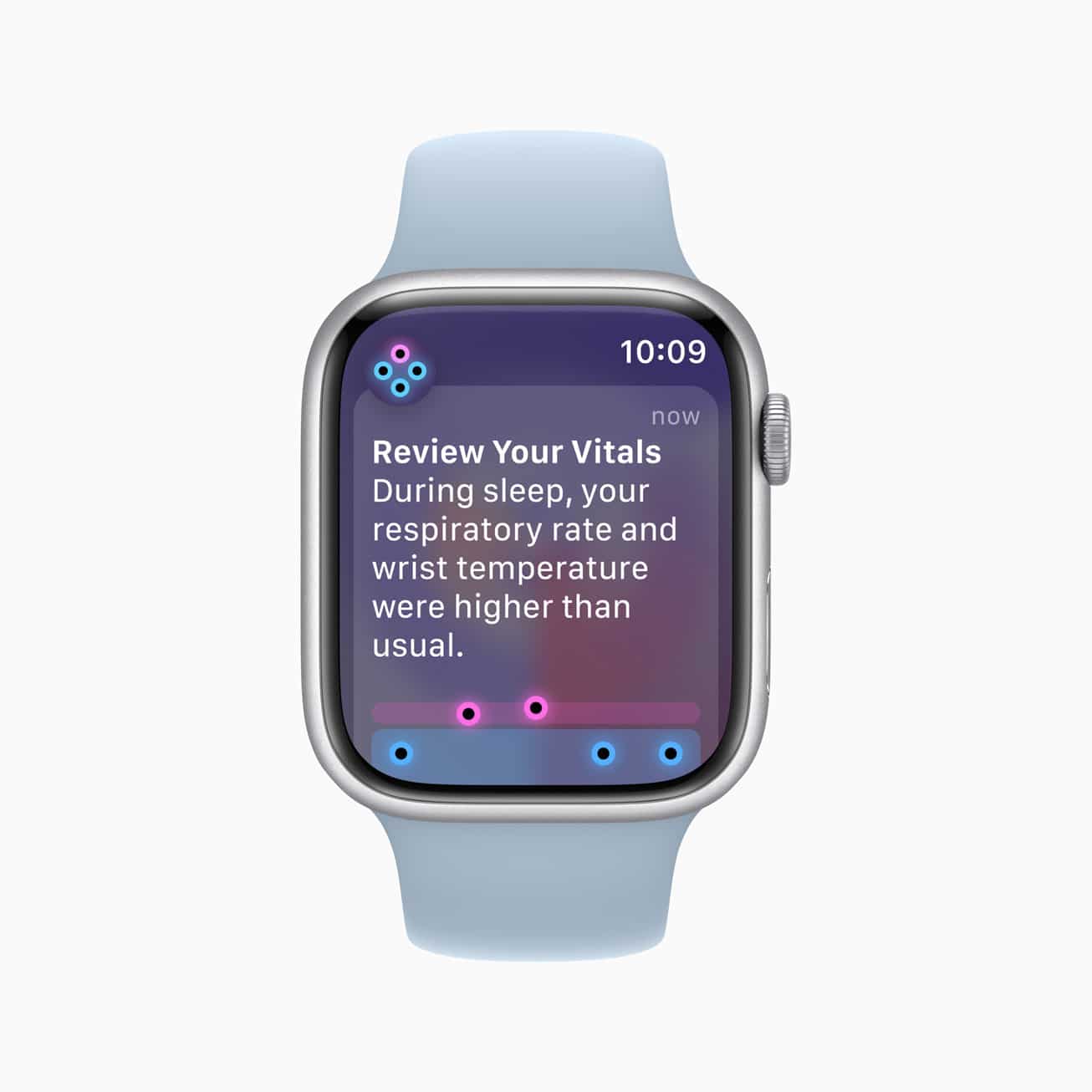
You’ll need to wear your Apple Watch to sleep for seven days before the Vitals app starts showing insights. Once data is collected, it compares your most recent night’s readings with your seven-day average and classifies them as either “typical” or “outlier.”
The app doesn’t alert you if a single metric shifts out of range, but it will notify you if multiple metrics deviate, especially if it happens repeatedly.
The Vitals app is available automatically on Apple Watch models running watchOS 11 and later. To use it:
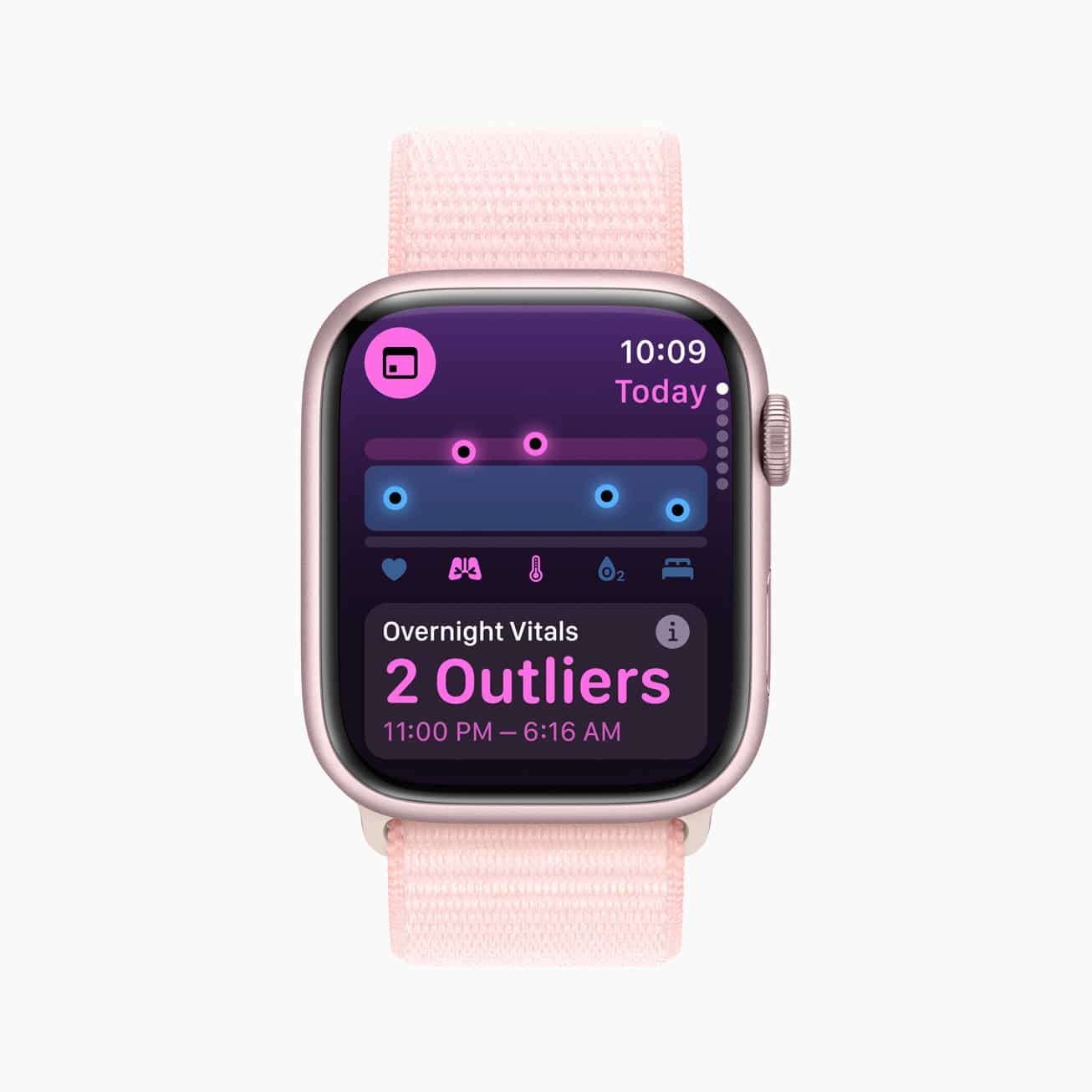
If multiple vitals are outliers, the app will send a warning so you can take note of potential health concerns.
The Vitals app is another step in making Apple Watch a reliable health companion. It gives you a consolidated view of how your sleep and recovery affect your overall well-being.
Alongside Vitals, Apple also introduced Training Load, which tracks workout intensity over time to help balance performance and recovery.
FAQs
Yes, though accuracy can vary. Apple Watch provides reliable trends, but readings shouldn’t replace medical-grade equipment.
It can track heart rate, respiratory rate, blood oxygen, wrist temperature (Series 8 and later), and sleep duration.
You may also like to read: