FaceTime Like a Pro
Get our exclusive Ultimate FaceTime Guide 📚 — absolutely FREE when you sign up for our newsletter below.

FaceTime Like a Pro
Get our exclusive Ultimate FaceTime Guide 📚 — absolutely FREE when you sign up for our newsletter below.


Workout Buddy in watchOS 27 offers personalized audio encouragement, fitness insights, and milestone celebrations to keep you motivated. Here’s how to set it up, use it during workouts, customize its voice, and fix common issues.

 ByVikhyat and Ava Biswas
Apple introduced Workout Buddy in watchOS 26, giving Apple Watch users an AI-powered fitness companion that provides motivational voice feedback during workouts. With watchOS 27, Apple has made this feature more useful by adding new fitness insights, personalized milestone encouragement, and support for workouts without your iPhone nearby.
If you want a little extra motivation during a run, walk, cycling session, or strength-training workout, Workout Buddy can help you stay focused and understand your progress. In this guide, I’ll explain what’s new in Workout Buddy in watchOS 27, which devices you need, how to set it up, and how to troubleshoot common problems.
Workout Buddy is an Apple Intelligence-powered feature built into the Workout app on Apple Watch. It analyzes your fitness history alongside data from your real-time workout data to deliver personalized audio encouragement.
Instead of simply announcing your distance or elapsed time, Workout Buddy can recognize milestones, highlight your progress, and offer motivation based on your activity history. It can also provide insights into your pace, distance, and workout duration.
Here’s what Workout Buddy can do in watchOS 27:
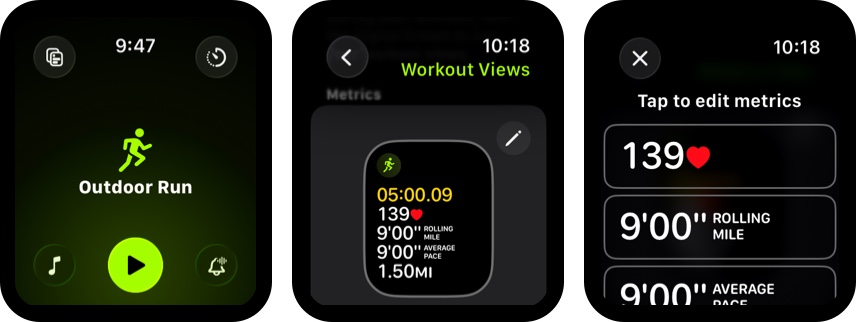
watchOS 27 has also expanded the fitness data Workout Buddy uses to make its feedback more personal and relevant to your progress. For example, it highlighted that I spent most of my workout in a particular heart rate zone in the last session.
Apple has developed a new text-to-speech engine trained using the voices of real Apple Fitness+ trainers. The result? A voice that sounds more like your upbeat gym coach than a robotic assistant—personalized and energetic.
Before you get started, make sure you meet these conditions:
Apple Intelligence availability varies by device, region, and language. Simply installing watchOS 27 won’t make Workout Buddy available if your paired iPhone or language settings don’t meet the requirements.
Before you start using Workout Buddy on your Apple Watch, you must first set it up:
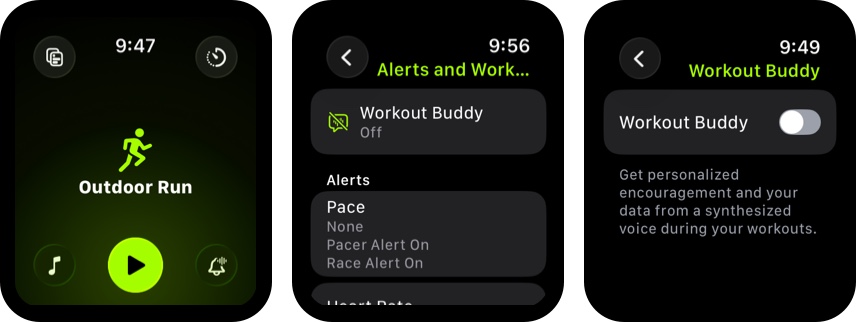
If you want to use Workout Buddy without your iPhone nearby, set it up beforehand and make sure your Apple Watch has a Wi-Fi or cellular connection, you have compatible Bluetooth headphones, and the required Apple Intelligence settings are enabled.
Once everything’s set up, you don’t need to do anything; Workout Buddy activates automatically when you start the workout.
Here’s how it works:
The exact messages vary depending on your workout and recorded fitness data. I received different announcements in every session. Also, don’t expect every milestone to trigger an audio prompt.
The best part is everything is processed on-device, ensuring your privacy while also allowing it to work offline—no internet connection is needed.
Apple already knew that not all users may be thrilled about the prospect of having an AI cheerleader during a challenging run or other training sessions.
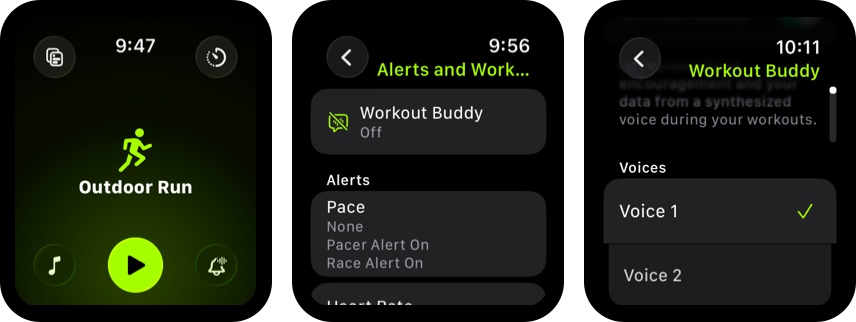
That’s why Apple has made Workout Buddy optional, so you can decide when to use it. You can also choose a voice and mute the feature during a workout if you want some quiet time.
If Workout Buddy isn’t responding, providing audio feedback, or appearing in the Workout app, try these troubleshooting steps.
Workout Buddy is a useful addition for people who appreciate a little encouragement during exercise. The improvements in watchOS 27 make it more practical by adding personalized fitness insights, milestone recognition, Spanish-language support, and the ability to use it without carrying your paired iPhone nearby.
It’s not a replacement for a human coach, and it won’t necessarily provide detailed training advice during every workout. Instead, think of it as an optional fitness companion that makes it easier to stay motivated and track your progress.
If you already use your Apple Watch to track your runs, walks, cycling sessions, or strength workouts, Workout Buddy is worth trying. You can enable it for the activities where you find audio encouragement helpful and mute it whenever you prefer to exercise in silence.
Have you tried Workout Buddy yet? Share your experience or questions in the comments.
Related articles worth reading: