
FaceTime Like a Pro
Get our exclusive Ultimate FaceTime Guide 📚 — absolutely FREE when you sign up for our newsletter below.

FaceTime Like a Pro
Get our exclusive Ultimate FaceTime Guide 📚 — absolutely FREE when you sign up for our newsletter below.



Apple just dropped iOS 26 beta 4, and it is the last developer beta update that sets the stage for the upcoming public beta.

Apple is set to release the iOS 26 public beta this week. Explore its key features, expected launch date, and how to install it on your iPhone.

Unicode has announced a new set of emojis on World Emoji Day, likely to be coming on iOS 26.

Apple Maps in iOS 26 adds AI-powered search and smart overheating protection—making navigation smarter and safer than ever.

Explore hidden accessibility features in iOS 26 and macOS 26 that empower every user. Coming Fall 2025.
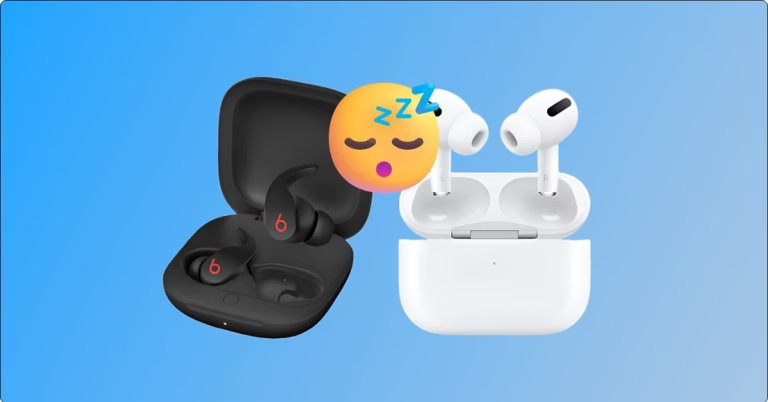
Your AirPods and Beats will automatically pause music, podcasts, or audiobooks when you fall asleep.

With iOS 26, Apple has introduced a digital passport, AI-powered order tracking, smarter boarding passes, and more in the Wallet app. Explore the key features here.

iOS 26 brings powerful features, but not all users will get them. Find out why Apple is holding back some updates in the EU—and what it means for you.

Apple may not have announced everything at WWDC. New iOS 26 features—like AirPods Live Translation and Captive Wi-Fi Assist—are still on the way.

Create fun, original AI images on your iPhone with Apple Image Playground—from avatars to Genmoji.

iOS 26 Beta 2 isn’t flashy, but it packs thoughtful upgrades—from better Liquid Glass UI to iMessage polls and Apple Music enhancements. Here’s what’s new.

Safari gets a major makeover in iOS 26 and macOS Tahoe with a Liquid Glass design, faster performance, web app support, and powerful new privacy tools.

iOS 26 and Android 16 focus more on looks than features. With Apple’s Liquid Glass and Google’s Material 3, design takes center stage—but is it worth it?

Apple surprised everyone by skipping iOS 19 and naming its next update iOS 26. Here’s the real reason behind this bold move.

iOS 26 makes eSIMs go cross-platform—switch between iPhone and Android like it’s nothing.

iOS 26 upgrades AirPods with studio-quality recording, head gestures, and camera remote—making them smarter than ever.

iOS 26 shows screenshots in full-screen by default. Learn how to switch back to the thumbnail view and customize screen capture settings on iPhone.

From AutoMix to Translated Lyrics: Apple Music's new features in iOS 26

iOS 26 brings 3D motion to your photos with Spatial Scenes—no special camera needed. Just tilt your iPhone to see the effect in action.

iOS 26 shows how long your iPhone will take to charge and adds smart battery tools to help you save power.

iOS 26 introduces Hold Assist, an AI feature that lets your iPhone wait on hold and notify you when a human picks up. Here’s how it works and how to use it.

Apple’s new “Liquid Glass” design is cross-platform visual refresh introduced in WWDC 2025. Explore how it works and when you can use it.

From a stunning Liquid Glass redesign to iOS 26 and Vision Pro upgrades, Apple’s WWDC 2025 keynote reshaped the future of its ecosystem—here’s everything you missed.

At WWDC 2025, Apple unveiled iOS 26 with a stunning new Liquid Glass design, smarter Apple Intelligence features, and major updates to Safari, Photos, and more.

5 iOS 26 features coming at WWDC 2025 that aren’t just about AI.


